


What is the RevOps playbook for partner deal registration conflicts during channel co-sell on Salesforce when sales on Outreach in 2027?
Quality
Certified
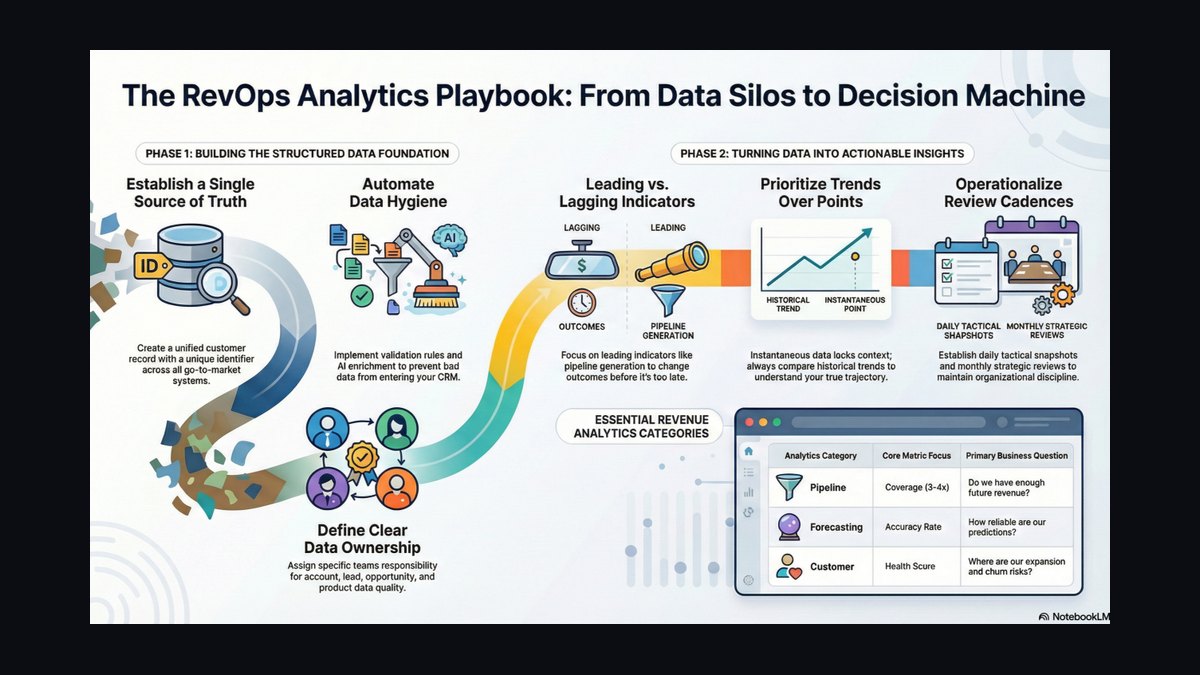
The playbook: assign one RevOps owner, build a Salesforce validation rule that freezes an Opportunity's partner registration status when a conflict is detected, and use a stage-gate integration to pause Outreach sequences until Deal_Registration_Status__c confirms partner ownership. Every dispute routes through a documented 7-day escalation protocol with named proof fields, so RevOps — not sales or the partner — resolves registration conflicts on evidence, not opinion.
What it is and why it matters
A partner deal registration conflict happens when two systems of record disagree about who touched a deal first: Salesforce's partner relationship management (PRM) layer, which tracks formal registration, and Outreach, which tracks sales activity. These two systems were never built to talk to each other about ownership — Outreach syncs Opportunity stage, amount, and close date back to Salesforce, but it does not read or write custom partner objects like Partner_Deal_Registration__c. That gap is the entire problem. A sales rep can run a sequence, book a meeting, and move a deal to "Negotiation" in Outreach while the same Opportunity sits at "Registered – Pending Approval" in the partner portal, untouched by any of that activity.
This matters because channel co-sell only works if partners trust the registration process. If a partner registers a deal and then discovers a direct rep was already working the account through an Outreach sequence, the partner has no way to prove precedence — and if RevOps has no proof fields to resolve it, the default outcome is almost always "sales wins," because sales owns the CRM record. Partners notice this pattern quickly. Programs that lose registration disputes repeatedly see partner-sourced pipeline dry up within two to three quarters, because partners stop registering deals they suspect will be contested.
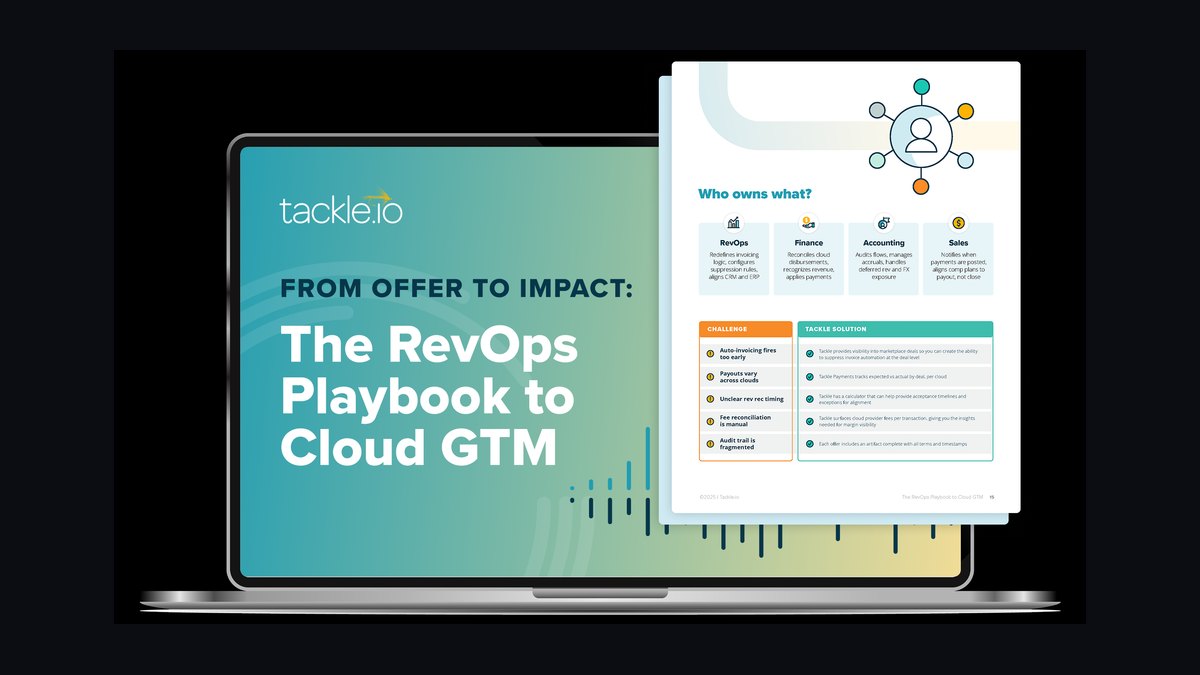
The RevOps playbook exists to remove ambiguity before a conflict happens, not just to referee it afterward. That means three things have to exist simultaneously: a single owner accountable for the process (not a committee), a small set of fields in Salesforce that make "who touched this first" answerable in seconds rather than a multi-day investigation, and a rule that actually stops Outreach from continuing to work an account once a conflict is flagged. Without the third piece, the first two are cosmetic — the sequence keeps firing emails and calls into a disputed account regardless of what the CRM says, because Outreach's cadence engine has no visibility into Partner_Deal_Registration__c at all. RevOps has to build the bridge; neither vendor will build it for you.
The underlying principle is the same one that governs every RevOps process: define one measurable outcome (in this case, "conflict resolved within 7 days, correct party credited"), give one person the authority to close it, and put the proof in fields the CRM can report on — not in Slack threads or email chains that evaporate the moment the deal closes.
The step-by-step process
The playbook runs in five stages, each with a specific system action and a specific human decision point.
Stage 1 — Detect. Build a Salesforce report or dashboard filtered on Opportunities where Partner_Account__c is populated but Partner_Deal_Registration__c is blank or has a status of "Disputed." This is the conflict queue. It should refresh daily and route to the Channel Operations Manager — the single RevOps owner for this process — as a scheduled report, not something anyone has to remember to check manually.
Stage 2 — Classify. For every flagged Opportunity, populate a custom picklist field, Registration_Conflict_Type__c, with one of four values: Duplicate Registration, Sales Rep Pre-Empted, Territory Overlap, or Timeline Violation. Classification determines which resolution track applies later, and it gives you a reportable taxonomy instead of free-text notes that nobody can aggregate.
Stage 3 — Compare timelines. Pull the first Outreach activity timestamp on the Account (Outreach > Account > Activity Timeline) and compare it against the partner's First_Contact_Date__c on the registration record. This single comparison resolves the majority of conflicts on its own: most co-sell programs treat a registration within 14 days of first contact — by either party — as valid, and anything with a gap under 7 days as an automatic win for whoever registered or contacted first.
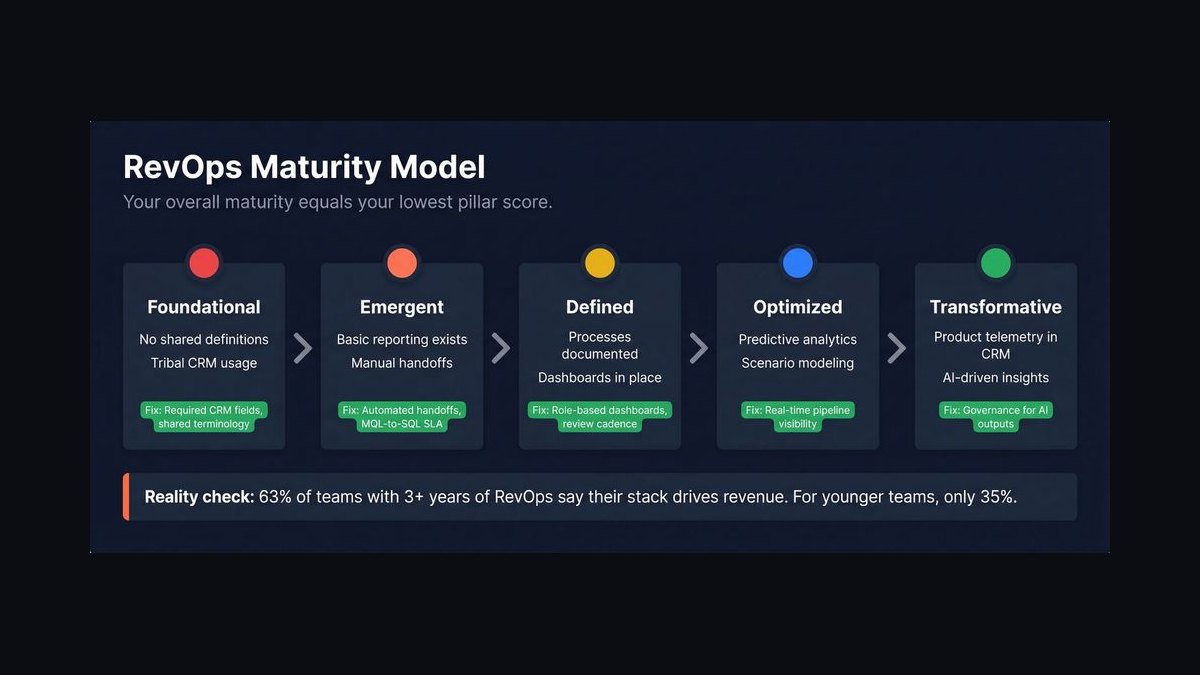
Stage 4 — Pause and validate. While the comparison is running, a Salesforce validation rule should already be blocking the Opportunity from advancing stage, and a corresponding Outreach rule (triggered off the "Salesforce Stage Change" event) should pause any active sequence touching that contact. This is the step most playbooks skip, and it's the one that actually protects the partner relationship — nothing looks worse to a partner than a "frozen" Opportunity that's still receiving outbound emails.
Stage 5 — Resolve and log. Once RevOps makes a determination, update Deal_Registration_Status__c, unblock the stage-advancement validation rule, resume or cancel the Outreach sequence, and log the outcome in a Conflict_Log__c object with root cause, resolution type, and time-to-resolve. This closes the loop and feeds the weekly Pulse metric described below.
Costs, timelines, and typical ranges
Building this playbook is not a software purchase — it's an engineering and process investment inside tools you already own. The initial build (validation rules, the four required custom fields, the Outreach pause trigger, and the reporting dashboard) typically takes 12–18 hours of combined Salesforce admin and RevOps engineering time. Outsourced to a consultant or agency, that runs $2,500–$4,500; done internally, it fits inside one to two sprints for a team that already has Flow and Process Builder experience.
Running the process once built costs far less, but it isn't free. Each individual conflict, worked through the full 7-day escalation protocol, consumes roughly 4–5 hours of RevOps and channel manager time across triage, partner communication, internal alignment, and mediation. At a blended RevOps labor rate of $75–$125 per hour, that's $300–$625 per incident. A mid-size channel program with 10–15 conflicts per quarter spends $12,000–$37,500 a year running the resolution process — which sounds significant until you compare it to the alternative.
The cost of not having this playbook is measured in unclaimed and delayed revenue, not labor hours. Pulling a report of Opportunities where a partner clearly influenced the deal but registration never completed — the "ghost deal" pattern — typically shows 8–15% of partner-touched Opportunities in a 200-plus-partner program falling into this bucket. At an average deal size of $15,000–$40,000, that's $120,000 to $600,000 in disputed or unclaimed partner-attributable revenue per quarter for a mid-market SaaS vendor. Programs that let registration lag past 30 days before resolving conflicts (versus a healthy median of under 14 days) see close rates on those specific deals drop from a normal 80%-plus down to 55–65%, because the prospect goes cold during the multi-week dispute window.

Manual, ad hoc conflict handling — a channel manager eyeballing spreadsheets instead of running the report — costs roughly $800–$1,200 per month in labor for every 50 active partner deals, and it produces no audit trail, which means every dispute has to be re-litigated from scratch instead of referencing a prior resolution pattern.
Where teams get it wrong
The most common failure is treating this as a sales-versus-partner political problem instead of a data-timing problem. Teams spend weeks negotiating "fairness" policies in meetings when the actual fix is a validation rule and a stage-gate integration that most Salesforce admins can build in under two days. If the conflict is being resolved in a recurring leadership meeting instead of a Salesforce report, the playbook doesn't exist yet — it's still a negotiation.
The second failure is assuming Outreach "knows" about partner registration because it syncs with Salesforce. It doesn't. Outreach's default field mapping touches standard Opportunity fields only — Stage, Amount, Close Date — and has no native visibility into custom partner objects. Sequences keep firing on schedule regardless of registration status unless someone explicitly builds the pause trigger. Teams that skip this step end up in the worst version of the conflict: a partner registers correctly, gets a "Registered" confirmation, and then watches a direct rep's Outreach sequence land in the same inbox two days later, which reads as bad faith even when it's just a plumbing gap.
The third failure is having proof fields that exist but aren't populated consistently. A Partner_Deal_Registration__c object with a blank First_Contact_Date__c field is useless in a dispute — there's nothing to compare the Outreach timeline against. This usually happens because the fields were added to satisfy an audit request but never made mandatory at the point of registration, so half the historical records can't actually be adjudicated.
The fourth failure is no single owner. When conflict resolution is spread across a sales manager, a partner manager, and a RevOps analyst with no one holding final authority, resolution time stretches from the target of under 5 days to 3–6 weeks, and deals go cold waiting for a decision nobody is empowered to make. The fix is naming one Channel Operations Manager role as the sole decision-maker, with sales leadership and partner executives only pulled in for the rare cases that escalate past the standard framework.
The fifth failure is skipping the post-mortem. Teams that resolve the conflict and move on without logging root cause in Conflict_Log__c end up re-diagnosing the same registration-timing gap every quarter instead of noticing the pattern (usually a specific sales segment or specific partner tier) and fixing the upstream cause.
Decision framework: when to choose what
Not every conflict needs the full 7-day mediation track, and RevOps should route deals differently depending on the timeline gap and the conflict type identified in Stage 2 above. Use this framework to decide fast versus slow resolution paths.
If the gap between partner registration and first Outreach contact is under 7 days, treat it as a timing coincidence rather than a violation — auto-approve the registration and apply the standard partner commission (typically 3–8% depending on program tier and margin) without escalation. This should resolve same-day.
If the gap is 7–14 days and the conflict type is "Timeline Violation," send it through partner communication only (Day 2 of the protocol) — most of these resolve once the partner confirms their registration timestamp against the Outreach activity screenshot, without needing a mediation call.
If the gap exceeds 30 days and the sales rep clearly contacted the account first, the rep's timeline generally wins, but award the partner a courtesy commission (around 2%) rather than zero — this preserves the partner relationship even when they lose the specific dispute, and it's cheaper than losing the partner's future pipeline.
If the conflict type is "Duplicate Registration" (two partners registering the same account), skip the Outreach comparison entirely — the resolution is a partner-to-partner conversation about which one has an active relationship with the buyer, facilitated by the RevOps owner but decided by the partner program's territory rules, not by activity timestamps.

If no response arrives from the partner by Day 4 of the protocol, default to the sales rep's timeline and document the non-response in Conflict_Resolution_Notes__c — don't let an unresponsive partner freeze a live deal indefinitely.
Related questions
What Salesforce fields does RevOps need before building this playbook?
At minimum: Partner_Deal_Registration__c as a related object, plus Deal_Registration_Status__c, Registration_Conflict_Type__c, First_Contact_Date__c, and Conflict_Resolution_Notes__c on the Opportunity or registration record. Without these five, conflicts can't be classified or audited.
Does Outreach need a native integration to support this, or can it be built with existing tools?
No new software is required. The pause trigger uses Outreach's existing "Salesforce Stage Change" trigger combined with a Salesforce validation rule — both are standard features already included in most Outreach and Salesforce Enterprise licenses.
Who should own partner deal registration conflict resolution — sales, channel, or RevOps?
RevOps, specifically a named Channel Operations Manager role. Sales and channel management both have a financial stake in the outcome, which makes them poor neutral arbiters; RevOps owns the data and has no commission tied to either side winning.
How is this different from a standard lead-conflict or duplicate-lead process?

Standard duplicate-lead dedup logic compares contact and account records. Partner registration conflict resolution compares timestamps and ownership across two separate systems (Salesforce PRM and Outreach activity logs) and requires a commission decision, not just a merge.
FAQ
What is the most common root cause of partner deal registration conflicts in a Salesforce and Outreach environment? The root cause is a mismatch between partner-submitted registration data and an Opportunity already being worked by a direct sales rep in Salesforce, compounded by the fact that Outreach sequences run on schedule with no awareness of partner registration fields. This creates disputes over which party's activity came first and who should receive commission credit.
How should RevOps audit existing conflicts before designing a playbook? Pull every Opportunity with a partner registration flag in Salesforce and cross-reference it against Outreach activity logs for the same account. Identify the top three recurring conflict patterns — commonly same-domain duplicate accounts, differing rep ownership, or expired registrations — within a two-week audit owned by one RevOps analyst.
What proof fields does the playbook require to function?

A unique partner registration ID, a registration status field (Pending, Approved, Disputed), a conflict-reason picklist, and a first-touch source field capturing whether the lead originated from the partner or from direct sales. These fields are what make automated routing and reporting possible.
How should RevOps pilot the process before automating it? Select one partner tier and one sales segment for a 30-day pilot. Have the RevOps owner manually review new registrations from that segment weekly using the proof fields, and track how many disputes resolve within five business days versus how many escalate — this validates field definitions before automation is built on top of them.
What should be automated once the pilot is validated? Auto-populate the conflict-reason field when a lead's domain matches an existing Opportunity under different ownership, add the Outreach sequence pause rule for any contact tied to a disputed Opportunity, and build a weekly Pulse report showing conflict resolution rate by partner segment.
How is playbook success measured beyond the resolution rate itself? Track time-to-resolution (target: under 5 business days) and the percentage of disputed deals that reach "Approved" without escalating to mediation. Pair this with a quarterly partner satisfaction question on registration ease — a meaningful improvement in both resolution speed and partner sentiment confirms the playbook is working.
Sources
- https://www.salesforce.com/products/partner-relationship-management/
- https://www.outreach.io/resources
- https://www.gartner.com/en/sales/topics/revenue-operations
- https://blog.hubspot.com/sales
- https://www.forrester.com/blogs/category/channel-partners/
- https://www.crn.com/channel-programs
- https://www.g2.com/categories/partner-relationship-management-prm
Related on PULSE
- What is the RevOps playbook for partner deal registration conflicts during channel co-sell on Salesforce when no dedicated RevOps hire yet?
- What is the RevOps playbook for partner deal registration conflicts during channel co-sell on Salesforce when parent-company rollup reporting?
- What is the RevOps playbook for partner deal registration conflicts during land-and-expand on Salesforce when sales on Outreach?
- What is the RevOps playbook for partner deal registration conflicts during channel co-sell on Salesforce when sales on Outreach?
- What is the RevOps playbook for partner deal registration conflicts during channel co-sell on Salesforce when no dedicated RevOps hire yet?
This page will be disappearing soon. Save it to your device for $1 — or read it free while it is here.
@Kory-White- · if Venmo asks, the last 4 of my number are 2012
This page is gone.
This one is off the shelf now. $1 keeps it on your phone for good — the whole page, pictures and diagrams included.
 revopsWhat is the RevOps playbook for partner deal registration conflicts during inbound SDR on Salesforce when parent-company rollup reporting in 2027?
 revopsWhat is the RevOps playbook for partner deal registration conflicts during land-and-expand on Salesforce when no dedicated RevOps hire yet in 2027?
 revopsWhat is the RevOps playbook for partner deal registration conflicts during channel co-sell on Salesforce when parent-company rollup reporting in 2027?
 revopsWhat is the RevOps playbook for partner deal registration conflicts during full-cycle AE on Salesforce when no dedicated RevOps hire yet in 2027?
 revopsWhat is the RevOps playbook for partner deal registration conflicts during full-cycle AE on Salesforce when sales on Outreach in 2027?
 revopsWhat is the RevOps playbook for partner deal registration conflicts during full-cycle AE on Salesforce when parent-company rollup reporting in 2027?
 revopsWhat is the RevOps playbook for partner deal registration conflicts during channel co-sell on Salesforce when no dedicated RevOps hire yet in 2027?
 revopsWhat is the RevOps playbook for partner deal registration conflicts during inbound SDR on Salesforce when no dedicated RevOps hire yet in 2027?
 revopsWhat is the RevOps playbook for partner deal registration conflicts during land-and-expand on Salesforce when sales on Outreach in 2027?
 revopsWhat is the RevOps playbook for partner deal registration conflicts during inbound SDR on Salesforce when sales on Outreach in 2027?