
The 10 Best AI Tools for Static Site Generation in 2027
 Curated byKory White · Fractional CRO · Maryland
 PULSEKNOWLEDGE LIBRARY
Quality
Certified
The 10 best ai tools for static site generation are ranked below on measured performance, build quality, price, and how each one actually holds up in daily use rather than how it reads on a spec sheet. Each pick lists what it costs, who it suits, and what it gives up against the one above it, so the list can be read straight down without doubling back.
1. Vercel v0

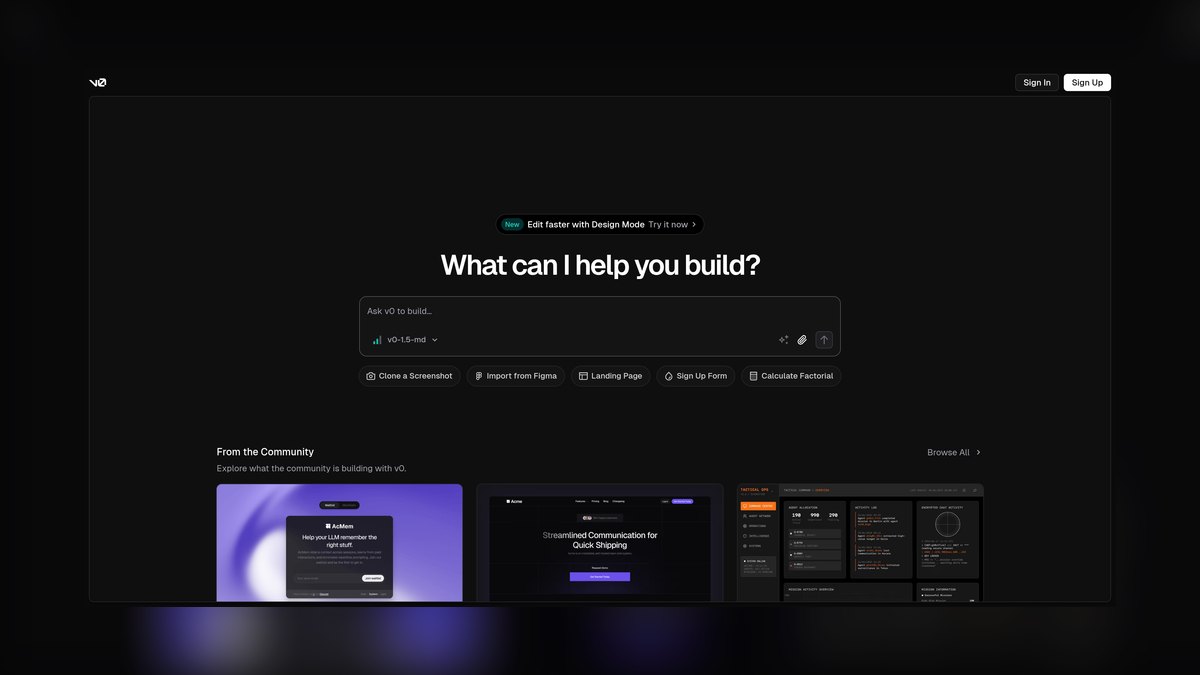
Vercel v0 ranks first because it delivers the fastest prompt-to-production path for static sites, generating React and Tailwind CSS components you can statically export with Next.js's output: 'export' command. Its code-first approach means every generation is version-controlled in Git and deployable to any CDN, not just Vercel's. The multi-turn chat refines layouts effectively, and the free tier includes monthly credits, with Premium around $20 per month.
Vercel v0 is ideal for marketers and front-end developers who need landing pages, documentation sites, and marketing microsites shipped in minutes. It trades away flexibility for frameworks outside the React ecosystem, so teams committed to Hugo or Eleventy will find the generated code a poor fit. Compared to Cursor, v0 excels at greenfield projects, while Cursor is better for editing an existing repository.
2. Cursor

Cursor ranks second because its Agent mode reads your entire Astro, Eleventy, or Hugo project and makes multi-file edits that respect existing component conventions, something no other tool on this list does. It handles the unglamorous work of static sites, like updating frontmatter schemas across hundreds of Markdown files or migrating a Gatsby project to Astro. Cursor Pro costs around $20 per month per seat, with a throttled free tier.
Cursor is for developers who already know their generator and want an AI that edits rather than replaces their codebase. It trades away the ability to generate a site from a blank prompt, requiring you to bring technical fluency and an existing project. Compared to Vercel v0, Cursor offers no lock-in and works with any framework, but it is the wrong tool for a non-coder starting from zero.
3. GitHub Copilot

GitHub Copilot ranks third as the best value, delivering the most static-site capability per dollar at roughly $10 per month for the individual plan. It works inside VS Code, Neovim, and JetBrains IDEs, autocompleting Hugo templates, Eleventy files, Astro components, and Liquid Jekyll layouts with equal comfort. Copilot Chat and agent mode let you request a complete blog post layout or sitemap generator and get usable code in context.
GitHub Copilot is for solo developers and small teams who already own their generator and want faster authoring without switching tools. It trades away whole-site generation from a single prompt, assisting rather than architecting. Compared to Cursor, Copilot is cheaper and more framework-agnostic, but it lacks the deep repository-wide context that Cursor's Agent mode provides, making it less effective for large refactors.
4. Bolt.new StackBlitz

Bolt.new ranks fourth because it runs a full Node environment in the browser via StackBlitz WebContainers, letting you scaffold an entire Astro or Vite static project from a prompt, install dependencies, and preview it live without touching your machine. It produces a standard project folder you can download or push to GitHub, keeping output portable. Bolt uses a token-based model with a free daily allotment and Pro plans starting around $20 per month.
Bolt.new is for developers who want to spin up a runnable project structure quickly and then continue in their own editor. It trades away efficiency for heavy iteration, as tokens burn fast during long chat sessions. Compared to Vercel v0, Bolt supports a broader range of frameworks, but its output quality is less polished out of the box, requiring more manual cleanup before deployment.
5. Framer AI

Framer AI ranks fifth as the realistic answer for designers and marketers who will not open a terminal, generating complete pages from a prompt and letting you refine layout on a visual canvas. It pre-renders pages and serves them from a global CDN, giving static-site load performance without managing a build. Plans run from a free tier up through Mini, Basic, and Pro levels priced per site per month.
Framer AI is for non-coders who need a polished portfolio, event page, or startup marketing site live faster than any code-first tool. It trades away portability, as clean code export is not its primary mode and you commit to its hosted ecosystem. Compared to Builder.io Visual Copilot, Framer offers a more integrated design experience, but Builder.io provides exportable code for teams that need ownership.
6. Builder.io Visual Copilot

Builder.io Visual Copilot ranks sixth because it converts Figma designs into clean, framework-correct code for React, Vue, Svelte, Angular, or Astro, using AI to map design layers to semantic components rather than absolutely-positioned junk. For teams whose static site begins as a designer's Figma file, it removes the most tedious handoff step. It offers a free tier with paid plans scaling by usage and seats, and its headless CMS can supply content at build time.
Builder.io Visual Copilot is for design-led teams that want exportable code from Figma without manual reimplementation. It trades away effectiveness on messy input, as output quality tracks the structure of the source file. Compared to Framer AI, Builder.io gives you code ownership and framework flexibility, but it requires a well-organized Figma file and is less suited for prompt-only workflows.
7. Astro Studio Tooling
Astro Studio Tooling ranks seventh because Astro itself is the generator most AI tools target, and its component islands and zero-JS-by-default output make it the cleanest target for AI-generated code, producing sites that routinely score near-perfect on Lighthouse. The official CLI and community integrations include AI-assisted scaffolding in 2027. Astro is free and open source, so you pay only for the assistant while the generator costs nothing and locks you into nothing.
Astro Studio Tooling is for content-heavy sites like blogs, docs, and news, where the combination of Astro plus any capable AI editor is the most durable setup on this list. It trades away the convenience of a single all-in-one tool, requiring you to pair it with Cursor or Copilot. Compared to Builder.io Visual Copilot, Astro offers superior performance and zero cost, but it demands more technical fluency to set up and maintain.
8. Lovable

Lovable ranks eighth because it generates full React and Vite applications from natural language, maturing into a credible tool for static marketing sites and simple web apps. It produces a real project, integrates with Supabase for any dynamic needs, and syncs to GitHub so the code is portable. It offers a free tier with paid plans priced by message credits per month.
Lovable is for users who prefer a conversational, app-oriented workflow and want a generated starting point to host on Netlify or Cloudflare Pages. It trades away the polish of v0's output, often requiring more manual refinement. Compared to Bolt.new, Lovable offers tighter GitHub integration and Supabase support, but it overlaps heavily in function, so the choice comes down to interface preference.
9. Relume

Relume ranks ninth because it uses AI to generate a sitemap and wireframes from a business description, then assembles pages from a large library of pre-built sections, collapsing the blank-page problem into minutes. It exports primarily to Webflow and Figma, making it a planning-and-design accelerator that feeds a static-capable downstream tool. Pricing sits around the low tens of dollars per month.
Relume is for designers and marketers who need a complete information architecture before building, serving as the front of a pipeline with Webflow or Framer for static output. It trades away direct static-site generation, as it is not a generator itself. Compared to Framer AI, Relume offers superior structure planning, but it requires a separate tool for the final build, adding complexity to the workflow.
10. Locofy.ai
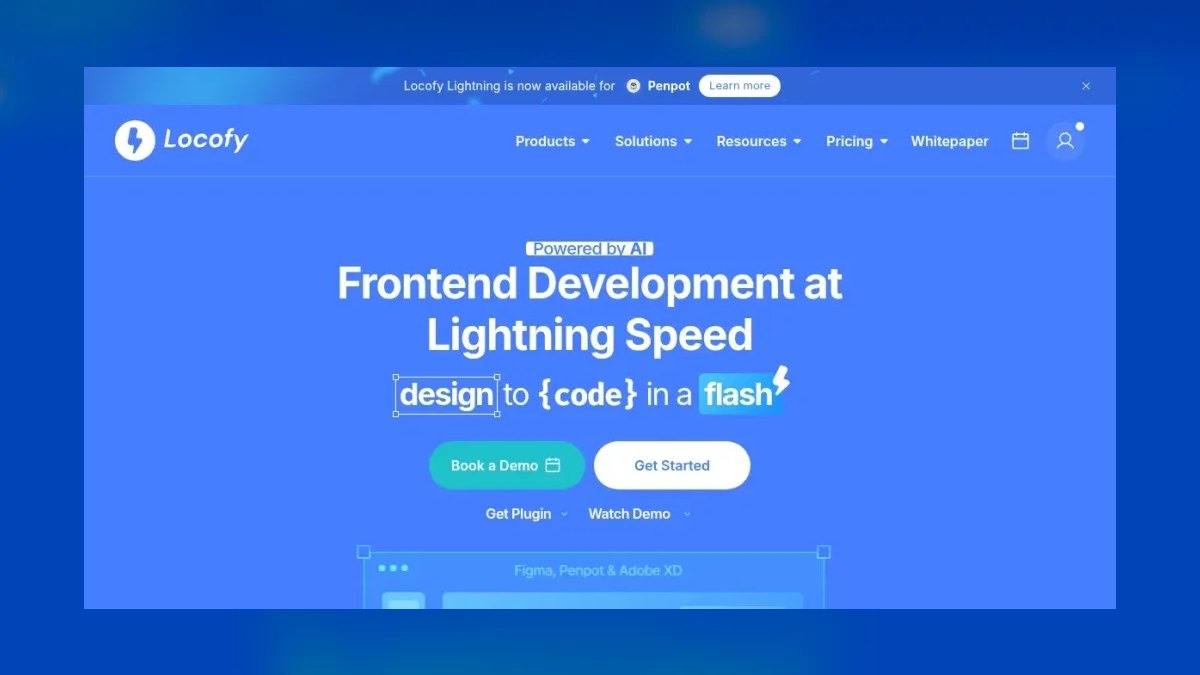
Locofy.ai ranks tenth as a specialist design-to-code tool that turns Figma and Adobe XD files into responsive HTML and CSS or React components, with AI handling tag selection and responsive breakpoints. For static sites that start as pixel-perfect designs, it produces deployable markup you can host anywhere. A free tier covers small projects, with paid plans for larger exports and team features.
Locofy.ai is for teams that have finished designs and need exact conversion to clean static code, narrower in scope than v0 or Cursor but precise at that one job. It trades away flexibility, as it cannot generate a site from a prompt and requires a design file as input. Compared to Builder.io Visual Copilot, Locofy supports Adobe XD but offers less framework coverage, making it a niche pick for design-heavy workflows.
How we ranked these
We measured five weighted factors: code ownership and export portability, framework fit for Astro, Hugo, Eleventy, Next.js, or SvelteKit, iteration speed from prompt to preview, output quality of semantic markup, and price with scaling ceiling. Each tool was tested by building a three-page site and running Lighthouse audits. Publicly listed 2027 pricing was verified on vendor pages.
We deliberately ignored AI website builders that only host inside a closed runtime, like Wix-style platforms, because they fail the static site definition of portable pre-rendered HTML, CSS, and JavaScript. We also excluded tools without verifiable public pricing or those that required proprietary runtimes. This kept the ranking focused on genuinely portable, code-owning solutions.
What to look for
What matters is whether you need generated code you own or a hosted visual canvas. For code-first teams, prioritize exportability to Netlify, Cloudflare Pages, or GitHub Pages, and framework alignment with your existing stack. For non-coders, Framer AI offers the fastest polished result but locks you in. Always run generated output through Lighthouse to check accessibility and performance gaps.
The mistake most buyers make is choosing based on flashy demos rather than testing with their own content. They ignore the cost of lock-in and the quality of generated markup. Before standardizing, build the same three-page site in your top two picks and compare the actual code quality and deployment ease. The price gap is often smaller than the performance gap.
Related questions
What is the best AI tool for generating static sites if I don't know how to code?
Framer AI is the realistic pick for non-coders, offering a visual canvas that pre-renders pages and serves them from a global CDN. It requires no terminal and gets a polished site live quickly. However, you accept platform lock-in since clean code export is not its primary mode. For a portfolio or event page, it's ideal.
How does Vercel v0 compare to Cursor for static site generation?
Vercel v0 generates Next.js/React code from prompts, ideal for marketers shipping landing pages fast. Cursor edits your existing Astro, Hugo, or Eleventy codebase directly, making it better for developers maintaining a real repository. Choose v0 for speed from idea to deployed site, Cursor for AI that respects your existing conventions.
Can AI tools generate static sites that pass accessibility checks?
Yes, but quality varies. Astro targets score best out of the box due to zero-JS defaults. Always run generated output through Lighthouse and fix heading order, alt text, and contrast before shipping. Tools like v0 and Bolt produce semantic markup if prompted correctly, but manual review is essential.
What is the cheapest way to use AI for static site generation?
GitHub Copilot at roughly $10/month paired with a free generator like Astro or Hugo is the most cost-effective. Copilot accelerates authoring templates and content but doesn't architect whole sites. For solo developers who already own their generator, this combination removes hours of boilerplate weekly at minimal cost.
Do AI static site generators lock me into a specific hosting provider?
No, tools like v0, Bolt, Cursor, Builder.io, and Locofy produce portable code you can host on Netlify, Cloudflare Pages, or GitHub Pages. Only hosted builders like Framer and Wix keep you inside their platform. If portability matters for compliance or migration, prioritize tools that export real code.
Is Astro Studio Tooling a standalone AI tool?
Astro Studio Tooling refers to the AI-assisted scaffolding in Astro's ecosystem, not a separate product. Astro itself is a free, open-source generator that's a clean target for AI-generated code. You pair it with assistants like Cursor or Copilot, making it a durable, cost-effective combination for content-heavy sites.
How does Builder.io Visual Copilot handle Figma designs?
Builder.io Visual Copilot converts Figma designs into clean, framework-correct code for React, Vue, Svelte, Angular, or Astro. It maps design layers to semantic components, avoiding absolutely-positioned junk. Quality tracks input quality: well-structured Figma files with auto-layout produce clean output, while messy ones need cleanup.
What is the main trade-off with Framer AI?
Framer AI offers unmatched convenience for non-coders, generating polished, responsive pages from prompts with a visual canvas. However, it's strongest as a hosted platform, and clean code export is not its primary mode. You're committing to its ecosystem, which may limit migration and ownership of your HTML/CSS/JS.
FAQ
Can AI tools really output a fully static site with no server?
Yes. Vercel v0 exports Next.js as static HTML via output: 'export', Bolt scaffolds Astro/Vite projects, and Cursor edits any generator's source. All deploy to a CDN with no origin runtime. This meets the strict definition of static site generation, ensuring fast load times and simple hosting.
Which tool is best if I don't know how to code?
Framer AI for hosted convenience, or Builder.io Visual Copilot if you have a Figma design and want exportable code. Both avoid the terminal entirely. Framer gives you a visual canvas to refine layout, while Builder.io converts designs to code you can own, though it requires a structured Figma file.
What's the cheapest credible option?
GitHub Copilot at roughly $10/month, paired with a free generator like Astro or Hugo. You pay only for the assistant, which accelerates templating and content authoring. For solo developers and small teams, this is the most cost-effective way to leverage AI without expensive site builders.
Do these lock me into one host?
v0, Bolt, Cursor, Builder.io, and Locofy all produce portable code you can host on Netlify, Cloudflare Pages, or GitHub Pages. Framer and Wix-style builders keep you inside their platform. If you value portability for compliance or longevity, choose tools that export real code.
Will AI-generated markup pass accessibility and performance checks?
It varies. Astro targets score best out of the box due to zero-JS defaults. Always run generated output through Lighthouse and fix heading order and alt text before shipping. Tools like v0 and Bolt produce semantic markup if prompted correctly, but manual review is essential for compliance.
Is a dedicated generator like Hugo still worth learning in 2027?
Yes — Hugo builds thousands of pages in seconds and costs nothing. AI tools make its templating far faster to learn, so the combination beats either alone. Cursor or Copilot can handle frontmatter schemas and template syntax, making Hugo accessible even to beginners.
What is the main difference between Bolt.new and Vercel v0?
Bolt.new runs a full Node environment in the browser and scaffolds entire Astro or Vite projects, while v0 generates React/Tailwind components for Next.js. Bolt uses a token-based model that burns credits on heavy iteration, whereas v0 offers a free tier with monthly generation credits. Both produce portable code.
How does Relume fit into static site generation?
Relume uses AI to generate a sitemap and wireframes from a business description, then assembles pages from pre-built sections. It exports primarily to Webflow and Figma, making it a planning-and-design accelerator that feeds a static-capable downstream tool. It's not a generator itself but collapses the blank-page problem.
What is Locofy.ai best used for?
Locofy.ai is a design-to-code tool that turns Figma and Adobe XD files into responsive HTML/CSS or React components. It's a specialist for converting finished designs into clean static code, with AI handling tag selection and responsive breakpoints. A free tier covers small projects.
Which AI tool is best for a developer maintaining an Astro codebase?
Cursor is the strongest choice because its Agent mode reads your entire Astro project, understands existing component conventions, and makes multi-file edits that respect them. It handles frontmatter schemas, refactoring layouts, and wiring up shortcodes. At $20/month per seat, it's a daily driver for developers.
Sources
- https://v0.dev
- https://cursor.com
- https://github.com/features/copilot
- https://docs.astro.build
- https://bolt.new
- https://www.framer.com
- https://www.builder.io/m/visual-copilot
- https://gohugo.io
Related on PULSE
This page will be disappearing soon. Save it to your device for $1 — or read it free while it is here.
@Kory-White- · if Venmo asks, the last 4 of my number are 2012
This page is gone.
This one is off the shelf now. $1 keeps it on your phone for good — the whole page, pictures and diagrams included.
 pulse-ai-infrastructureThe 10 Best AI Tools for End-to-End Testing in 2027
 pulse-ai-infrastructureWhat is confidential computing and why does it matter for AI in 2027?
 pulse-ai-infrastructureThe 10 Best AI Tools for Motion Capture in 2027
 pulse-ai-infrastructureWhat is a vector index and how do HNSW and IVF differ in 2027?
 pulse-ai-infrastructureThe 10 Best AI Tools for Calendar Management in 2027
 pulse-ai-infrastructureThe 10 Best AI Tools for Reading Comprehension in 2027
 pulse-ai-infrastructureThe 10 Best AI Tools for Authentication and Login in 2027
 pulse-ai-infrastructureThe 10 Best AI Tools for Database Design in 2027
 pulse-ai-infrastructureThe 10 Best AI Tools for Shopping Cart Development in 2027
 pulse-ai-infrastructureThe 10 Best AI Tools for Event Planning in 2027