


What is the best strategy for phasing out outdated classroom software without disrupting instruction in 2027?
Quality
Certified

Phase out outdated classroom software in overlapping stages, never a hard cutover: run the old and new tools in parallel for one grading period, migrate data early, train teachers before students touch it, and retire the legacy license only after adoption metrics hold. This protects instruction, preserves records, and keeps classroom disruption near zero.
What it is and why it matters
Phasing out classroom software means deliberately retiring a learning tool — a legacy LMS, an aging gradebook, a discontinued math-practice platform, a district-built intranet portal — while a replacement takes over its jobs without interrupting teaching. The word "phasing" is doing real work here. A phase-out is not a delete button; it is a scheduled, reversible sequence where the old system stays reachable long enough that no lesson, grade, or student record falls through a gap.
It matters because classroom software sits directly on the critical path of daily instruction. A CRM outage annoys a sales team; a gradebook that loses a marking period during a live cutover can affect report cards, IEP documentation, and eligibility. The cost of a botched transition is measured in teacher hours, lost trust, and remediation — not just a licensing invoice. And the pressure to move is often external: a vendor sunsets a product, drops Chrome/OS support, fails a new privacy or accessibility standard (FERPA, COPPA, WCAG 2.1 AA), or raises its subscription so sharply that the district's per-pupil budget can't absorb it.

There is also a revenue dimension most instructional plans ignore. EdTech vendors book recurring subscription revenue, so a legacy tool you're leaving still has a renewal date, an auto-renew clause, and sometimes a data-export fee. If you retire the platform two months into a paid annual term, that prepaid revenue is stranded — you've paid for a year and used ten weeks. Timing the phase-out to the contract's renewal boundary is how a district avoids double-paying for old and new software at once, which for a mid-size district can be $30,000–$150,000 of overlapping annual spend. Good phase-out planning is as much a procurement and calendar problem as a classroom one, and disrupting instruction is only avoided when both the technical migration and the money are sequenced together.
The step-by-step process
A disruption-free phase-out follows a repeatable sequence. Skipping steps is where instruction gets hurt.

1. Inventory and dependency map. List every workflow the old software actually performs — grading, attendance, parent messaging, LTI links into the LMS, single sign-on, state reporting exports. Most legacy tools do three or four jobs nobody documented. Interview two or three teachers per grade band; they'll name integrations IT forgot.
2. Pick the replacement against the real job list. Score candidates on feature parity, roster/SIS integration, data-export format, accessibility, and total cost. Confirm the new tool can *import* the old tool's export — a CSV that won't map to the new schema is a hidden multi-week project.
3. Migrate and reconcile data early. Export historical grades, rosters, and student work into the new system before any teacher switches. Reconcile record counts (old row count vs. new) and spot-check 20–30 student records by hand. Do this during a low-stakes window, not the last week of a term.
4. Pilot with volunteers. Run 3–6 willing teachers on the new tool for a full grading period while everyone else stays on the old one. Volunteers surface the workflow breaks — a missing bulk-grade action, a broken gradebook export — that a vendor demo never shows.
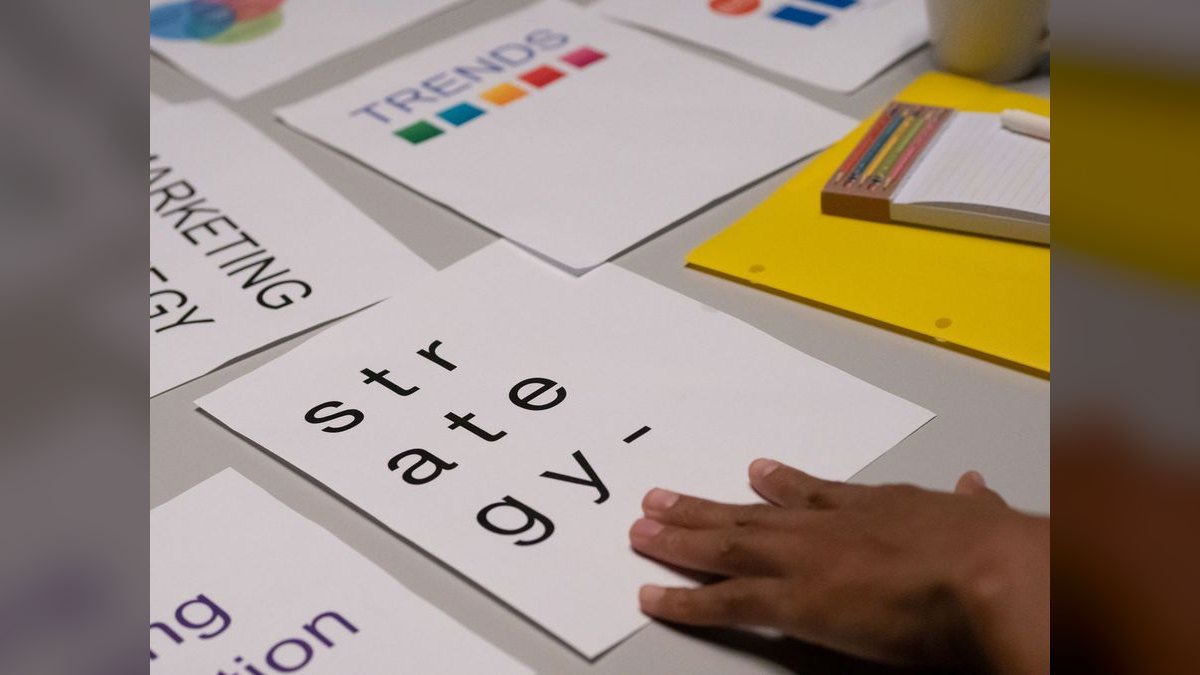
5. Train before students arrive. Deliver role-based training (teacher, admin, parent) and a one-page quick-start. Adults need fluency *before* a class of 28 students is watching. Schedule training on PD days, not stolen prep periods.
6. Parallel run. For one full grading period, both systems are live and authoritative-in-parallel. Teachers enter into the new tool; the old one stays read-only-available as a safety net. This is the single most important step for avoiding disruption.
7. Cut over and decommission. Only after adoption metrics hold (below), flip the new tool to sole-source, set the old one to read-only archive, then finally revoke licenses and export a permanent archive of the legacy data.
The loop from step 6 back to step 5 is the guardrail. If adoption or data reconciliation fails the check, you extend the parallel run rather than forcing a cutover into an unready classroom.
Costs, timelines, and typical ranges
A realistic phase-out for a single classroom tool across a small-to-mid district runs one to two full semesters end to end, not a summer break. Compressing it into a single summer is the most common cause of a September crisis, because you lose the parallel-run window entirely.

Rough time allocation:
- Inventory and selection: 3–6 weeks. Longer if a formal RFP or board approval is required, which can add 8–12 weeks of procurement.
- Data migration and reconciliation: 2–5 weeks of technical work, plus buffer for the inevitable second export when the first mapping is wrong.
- Pilot: one grading period (typically 6–9 weeks).
- Parallel run: one grading period. This overlaps with paying for both licenses simultaneously.
- Decommission and archive: 1–2 weeks.
On cost, budget for four buckets people forget. First, overlap licensing — you pay for old and new software concurrently during pilot and parallel run, often 3–6 months of double spend. Second, migration labor — internal IT hours or a vendor's professional-services fee, which for a full LMS can be a five-figure line item. Third, training — substitute coverage or stipends so teachers learn on paid time; underfunding this is the classic false economy. Fourth, data-export/egress fees — some vendors charge to hand back your own data, and some make the export deliberately painful; read the termination clause before you sign anything new.

The revenue-side math cuts both ways. Retiring a tool mid-contract strands prepaid subscription revenue you've already given the vendor, while renewing the old tool "just to be safe" during a phase-out doubles that outflow. Align the hard cutover date to the legacy contract's renewal boundary so the old license simply lapses instead of being cancelled early, and negotiate the new vendor's start date to leave only the minimum necessary overlap — often a single term rather than a full year.
Where teams get it wrong
The failure patterns are consistent across districts and worth naming so you can pre-empt them.
Hard cutover on day one. Flipping the whole district to a new tool overnight, with no parallel run, is the number-one cause of disrupting instruction. The first week always surfaces a broken workflow — a gradebook that won't export to the SIS, an SSO loop — and now there's no fallback. Always keep the old system read-only-reachable through at least one grading period.
Migrating data late. Teams that treat data migration as a cutover-weekend task discover mid-transfer that the export schema doesn't map, that special-education records need manual handling, or that historical grades didn't come across. Migrate and reconcile *weeks* ahead, not during the switch.

Training students but not adults — or vice versa. The strategy fails if teachers aren't fluent before a live class. It equally fails if you train teachers and forget parents, who then can't see grades and flood the front office with calls. Role-based training for every audience is non-negotiable.
Ignoring the long tail of integrations. The old tool was probably wired into the LMS via LTI, into the SIS for rostering, and into a parent-notification service. Each hidden integration is a separate mini-migration. The inventory step exists precisely to catch these before they surprise you.
No decommission plan for the data. Retiring the software is not the same as retiring the records. Grades, attendance, and student work often have multi-year retention requirements. Export a permanent, readable archive (CSV/PDF) *before* the license lapses — once access is revoked, that data may be unrecoverable, and the vendor is no longer obligated to help.
Choosing the replacement on features alone. A tool can win the demo and still be the wrong choice if it can't import your legacy export, doesn't integrate with your SIS, or fails accessibility review. Score against the real job list and the integration reality, not the sales deck.
Decision framework: when to choose what

Not every phase-out warrants the full seven-step sequence. Match the rigor to the risk. The deciding variables are how central the tool is to daily grading/instruction, how much irreplaceable data it holds, and how hard the deadline is (a vendor sunset date is a hard wall; a "we'd like something nicer" is not).
Use the light path — a simple swap — only for peripheral tools with no graded records and little daily dependence: a poll widget, a supplemental practice app a few teachers use. Everything that touches grades, attendance, IEPs, or state reporting takes the full sequence. When there's a hard vendor sunset date, work the calendar *backward* from it so the archive-and-cutover step lands with a comfortable margin, never in the final week. When the move is discretionary, anchor the cutover to the legacy contract's renewal so you don't pay a cancellation penalty or strand prepaid revenue. The classroom strategy and the procurement calendar are one plan, not two.
FAQ
Can I phase out classroom software over a single summer break?

Rarely without risk. Summer removes the parallel-run window, so the first live failure in September has no fallback. Use summer for inventory, selection, and data migration, but keep the legacy tool read-only-reachable through at least the first grading period of the new year.
How do I keep instruction going if the migration hits a problem mid-transition? That is exactly why the old system stays read-only-available during the parallel run. If the new tool breaks a workflow, teachers fall back to the legacy record while IT fixes the gap. Never revoke legacy access until adoption metrics and data reconciliation both pass.
What adoption metrics tell me it's safe to cut over? Track the percentage of teachers entering grades in the new tool weekly, help-desk ticket volume trending down, successful SIS/LMS integration syncs, and a clean data reconciliation. When active usage is high and tickets have flattened for two to three weeks, the cutover is low-risk.
Do I need board or procurement approval to replace a tool? Often yes, above a spending threshold or for anything touching student data. Build 8–12 weeks of procurement or RFP time into the timeline, and confirm the new vendor's data-privacy agreement (FERPA/COPPA) is signed before any student roster is uploaded.

Who should be on the phase-out team? At minimum an IT/data lead, an instructional-technology coach, two or three classroom teachers across grade bands, and someone from procurement watching the contract and revenue side. Teachers catch the hidden workflows; procurement catches the licensing and export-fee traps.
What happens to old student records after the software is gone? Export a permanent, readable archive — CSV for structured data, PDF for report-card-style records — before the license lapses, and store it per your district's retention schedule. Once vendor access is revoked, that data is frequently unrecoverable, so the archive must be verified complete first.
How long should I run the old and new software in parallel? Aim for one full grading period — typically 6–9 weeks — so the new tool proves itself across a complete cycle of grading, reporting, and parent communication. Keep the old system read-only-reachable as a fallback, and only decommission after adoption and data-reconciliation checks pass.
What data do I absolutely have to migrate before switching?

Grades and gradebook history, rosters, attendance, and any special-education or compliance records with legal retention requirements. Export these early, reconcile row counts against the source, and hand-check a sample of student records before any teacher relies on the new system for daily instruction.
How do I avoid paying for two licenses at once? Align the hard cutover to the legacy contract's renewal boundary so the old license lapses instead of being cancelled early, and negotiate the new vendor's start date to minimize overlap. Some concurrent spend during the parallel run is unavoidable but should last one term, not a year.
Should I let teachers keep using the old tool if they prefer it? Only during the parallel run. Permanently allowing two authoritative gradebooks fractures data and confuses parents. Set a firm read-only date for the legacy tool, support the holdouts with extra training, and make the new system the single source of truth once the checks pass.
What if the vendor is sunsetting the product on a fixed date? Treat that date as a hard wall and plan backward from it, leaving margin so the data archive and cutover finish weeks early. Prioritize exporting a permanent, readable archive before access is revoked — once a sunset lands, the vendor is no longer obligated to help you retrieve records.
Sources
- https://www.cosn.org/
- https://www.iste.org/
- https://studentprivacy.ed.gov/
- https://www.edweek.org/technology
- https://www.commonsense.org/education/
- https://www2.ed.gov/policy/gen/guid/fpco/ferpa/index.html
- https://www.w3.org/WAI/standards-guidelines/wcag/
- https://www.gartner.com/en/information-technology
Related on PULSE
This page will be disappearing soon. Save it to your device for $1 — or read it free while it is here.
@Kory-White- · if Venmo asks, the last 4 of my number are 2012
This page is gone.
This one is off the shelf now. $1 keeps it on your phone for good — the whole page, pictures and diagrams included.
 pulse-edtechWhat is the best way to create a district-wide edtech data dictionary that standardizes terms across all platforms in 2027?
 pulse-edtechWhat is the best way to structure an edtech request for proposal template for K-12 districts in 2027?
 pulse-edtechHow do you estimate the total cost of a district-wide edtech program including hardware, software, and training in 2027?
 pulse-edtechWhat is the best way to build a sustainable funding model for edtech initiatives after initial grants expire in 2027?
 pulse-edtechWhat is the best way to compare LMS platforms for district-wide adoption in 2027?
 pulse-edtechWhat is the best way to evaluate edtech vendors against your district's data privacy policies in 2027?
 pulse-edtechWhat percentage of a district's total operating budget should go toward edtech in 2027?
 pulse-edtechWhat is the best way to build a parent communication plan for a district-wide edtech rollout in 2027?
 pulse-edtechWhat is the best way to prioritize edtech spending across instructional software, hardware, and professional development in 2027?
 pulse-edtechHow do you evaluate the interoperability of an LMS with existing SIS and assessment tools in 2027?