


The 10 Best Gaming Keyboards in 2027
Quality
Certified
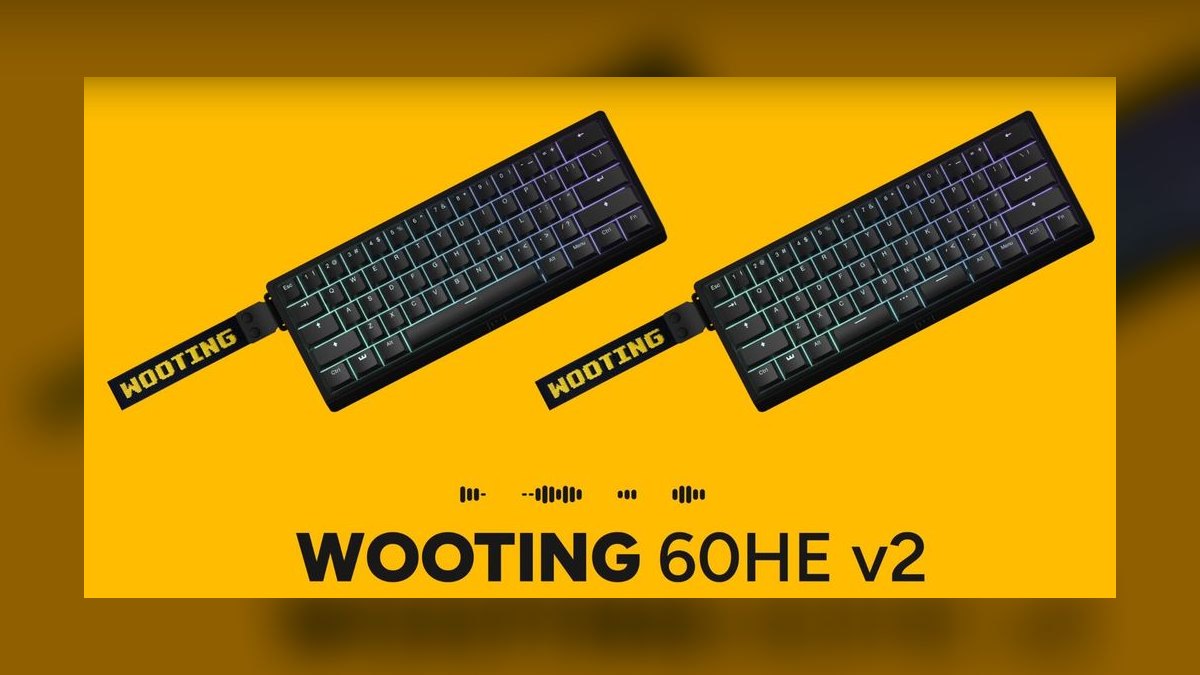
The 10 best gaming keyboards are ranked below on measured performance, build quality, price, and how each one actually holds up in daily use rather than how it reads on a spec sheet. Wooting 60HE+ takes the top spot, with SteelSeries Apex Pro Gen 3 and Razer Huntsman V3 Pro close behind for different budgets and priorities.
1Wooting 60HE+
The Wooting 60HE+ ranks first because its Hall-effect analog switches with 0.1mm to 4.0mm adjustable actuation and rapid trigger set the standard for competitive input speed. The board's Tachyon mode targets roughly 1ms input latency in a compact 60% layout weighing about 600g. Its Lekker switches enable per-key actuation tuning that no mechanical board can match.
This is for the dedicated competitive shooter player who prioritizes absolute input performance over layout convenience. It trades the numpad, function row, and arrow keys for valuable desk space at low mouse sensitivity. Compared to the SteelSeries Apex Pro Gen 3 below, it lacks a full-size layout but offers slightly faster actuation tuning potential.
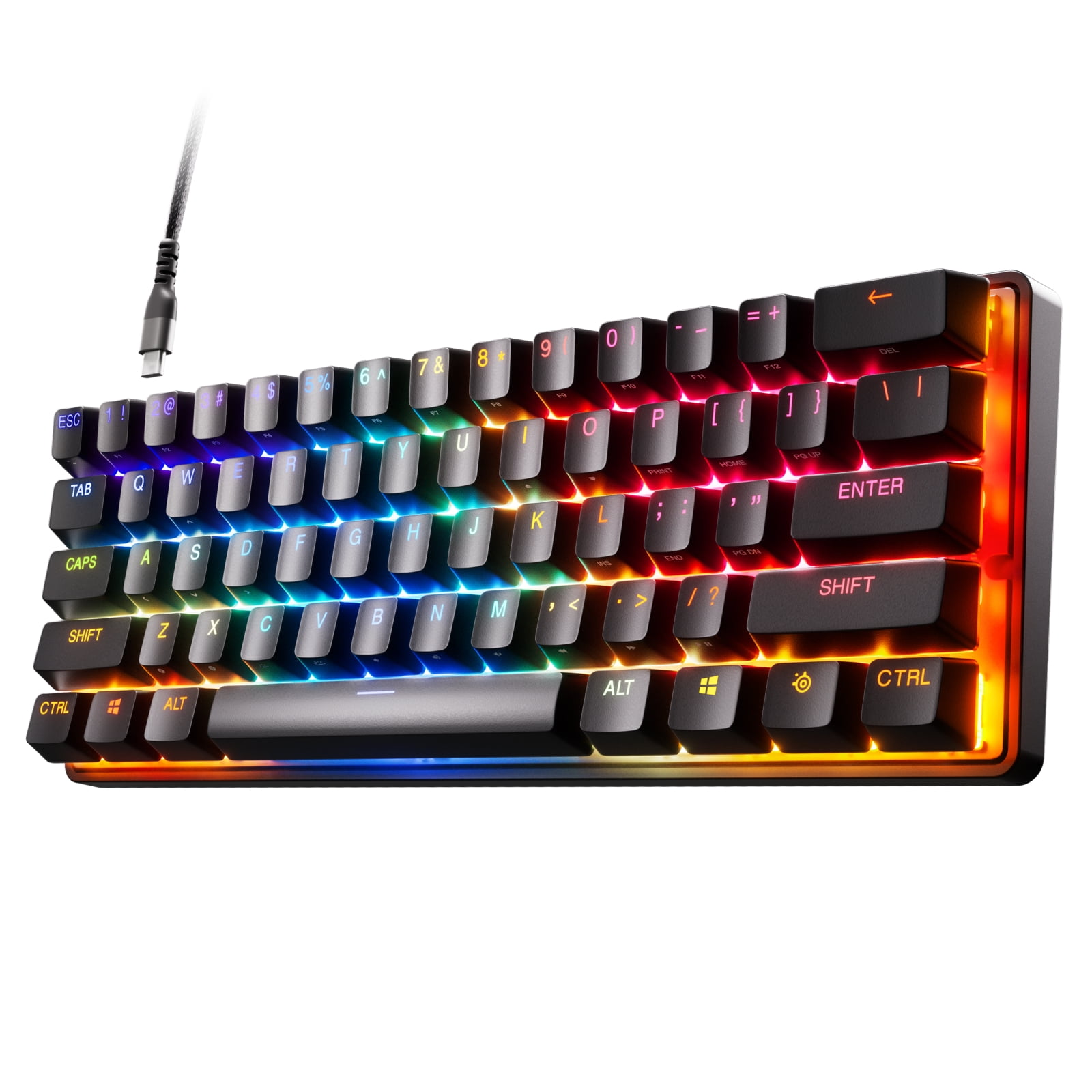
2SteelSeries Apex Pro Gen 3
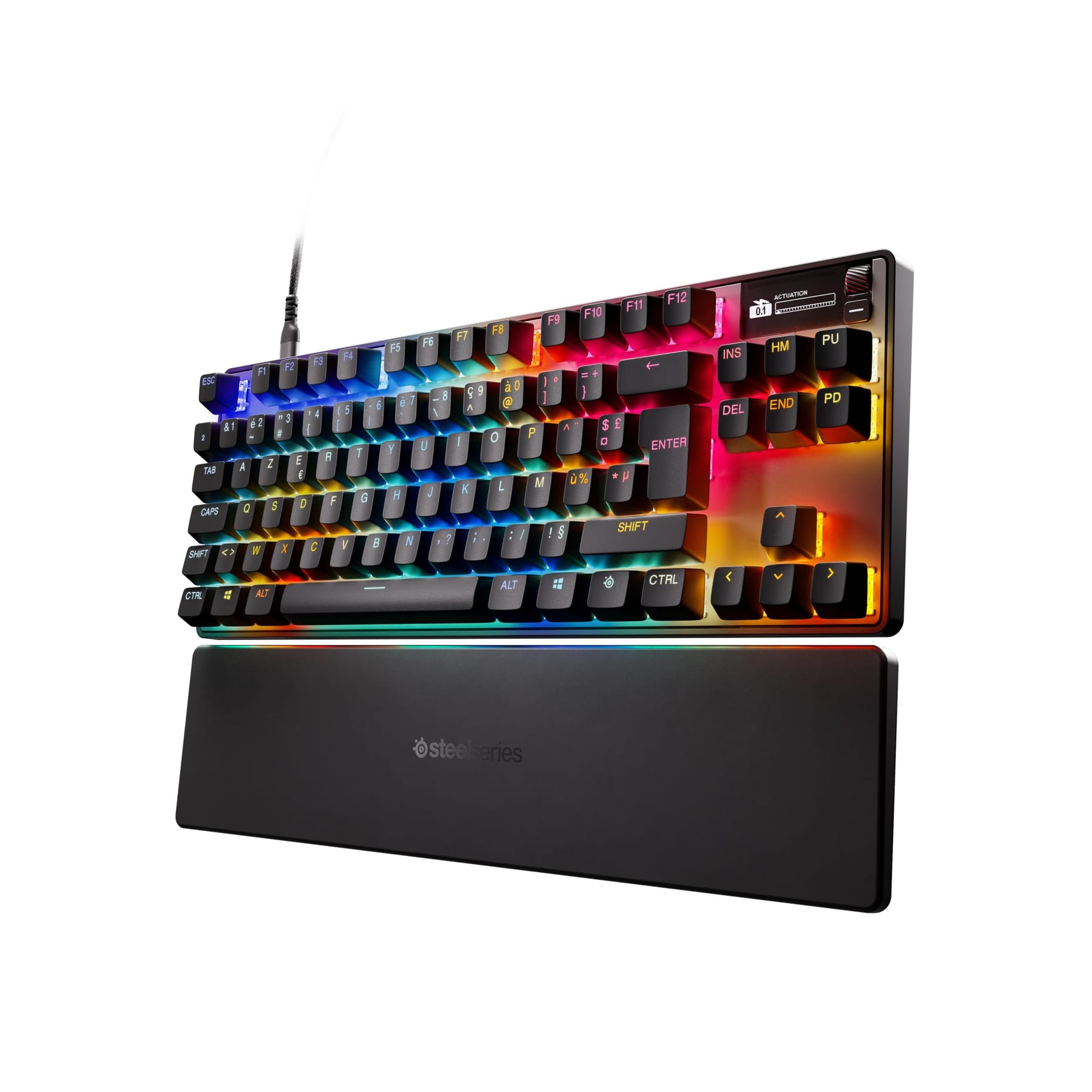
The SteelSeries Apex Pro Gen 3 secures second place with its OmniPoint 3.0 Hall-effect switches offering a 0.1mm to 4.0mm per-key adjustable actuation range. It features an aircraft-grade aluminum top plate, a magnetic media wheel, a small OLED display, and a detachable magnetic wrist rest. The board also includes Rapid Tap and Protection Mode features for competitive play.
This keyboard suits competitive players who refuse to give up the numpad for a full-size layout. It trades a slightly heavier build and higher $239 price for that full-size convenience. Compared to the Wooting 60HE+, it provides the same adjustable actuation but in a larger form factor with added media controls.
3Razer Huntsman V3 Pro
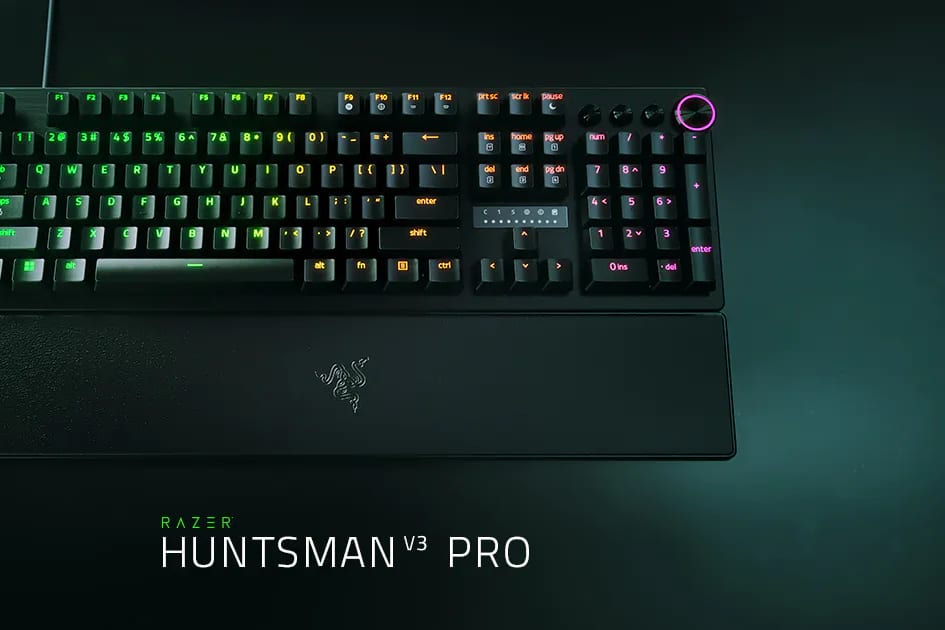
The Razer Huntsman V3 Pro takes third place by combining analog optical switches with a 0.1mm to 4.0mm adjustable actuation range and Snap Tap technology. It includes a command dial, three media buttons, a leatherette magnetic wrist rest, and doubleshot PBT keycaps. Priced at $249, it uses Synapse software for configuration.
This is the pick for players already invested in the Razer ecosystem who want full-size analog performance. It trades the highest price on this list for ecosystem integration and Snap Tap. Compared to the SteelSeries Apex Pro Gen 3, it offers similar analog features but at a higher cost and with vendor-specific software requirements.
4Corsair K70 Max
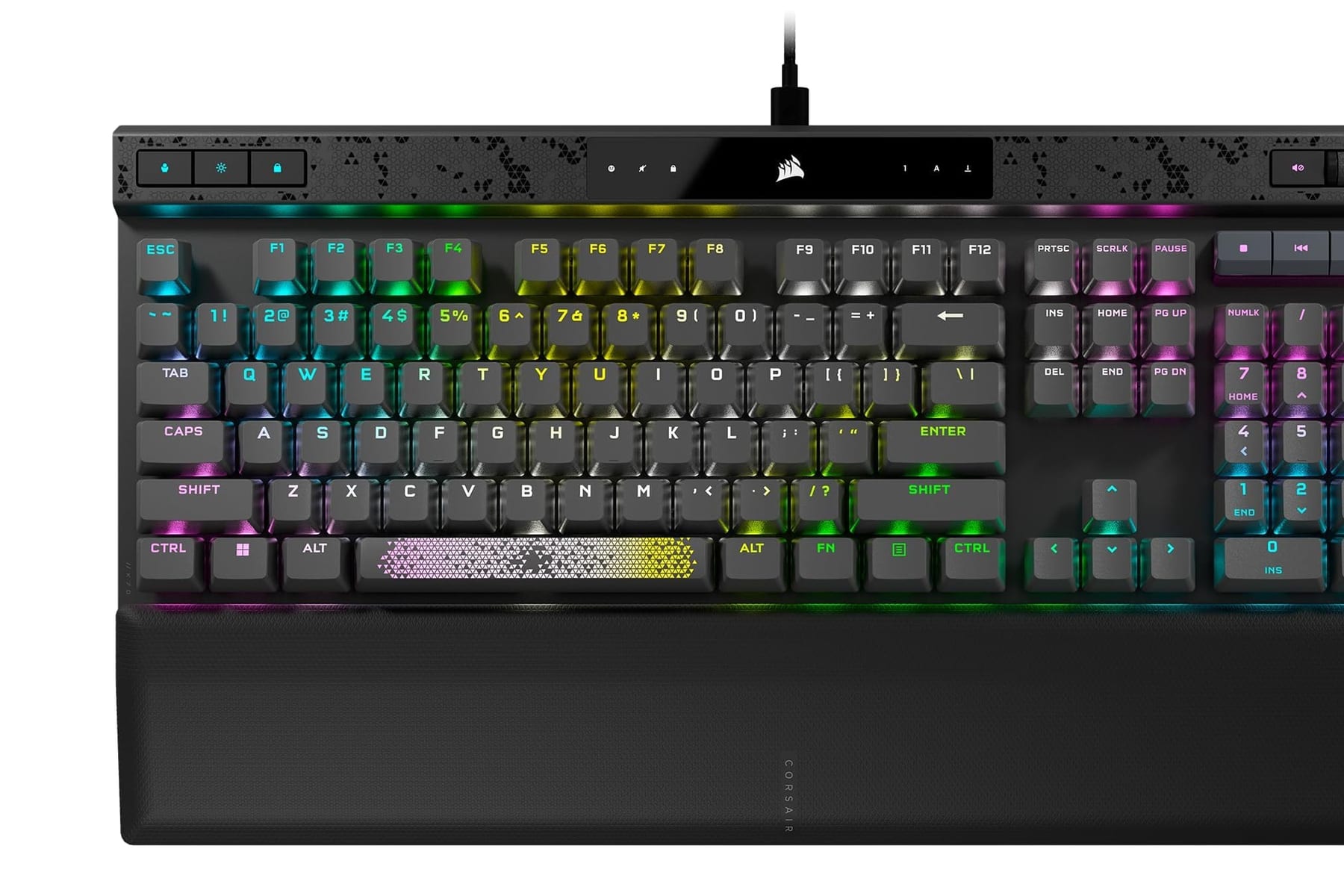
The Corsair K70 Max ranks fourth with its MGX magnetic switches offering a 0.4mm to 3.6mm adjustable actuation range in a full-size aluminum frame. It includes a volume roller, dedicated media keys, and is managed through iCUE software. At $229, it provides a robust analog alternative for Corsair users.
This keyboard is for gamers who want analog actuation while already using Corsair peripherals and prefer a single ecosystem. It trades a slightly less aggressive 0.4mm minimum actuation for full-size convenience and iCUE integration. Compared to the Razer Huntsman V3 Pro, it costs less but cannot reach the 0.1mm actuation floor of its competitors.
5Logitech G Pro X TKL
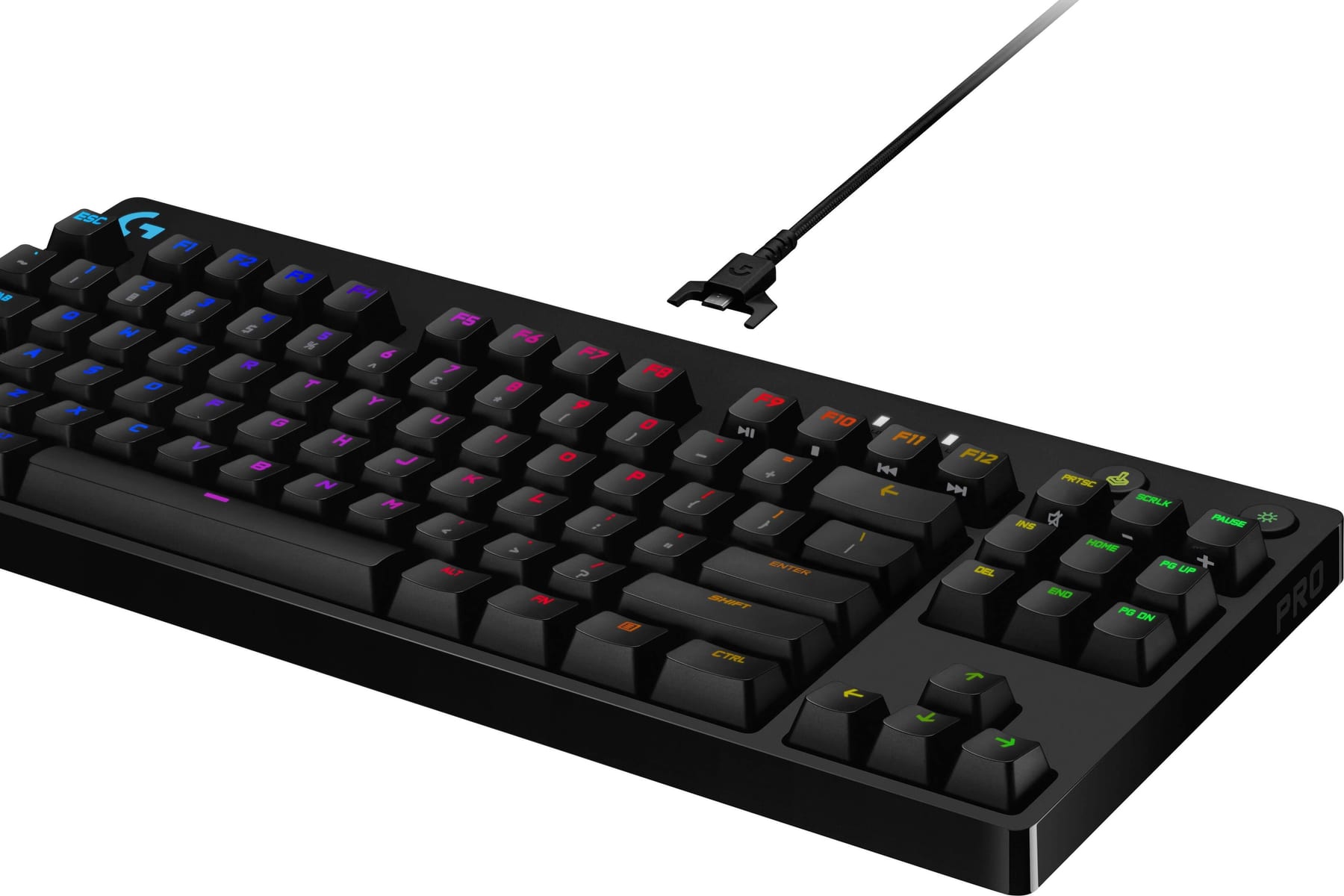
The Logitech G Pro X TKL claims fifth place by offering near-1ms Lightspeed 2.4GHz wireless with roughly 50 hours of battery life in a tournament-ready TKL layout. Priced at $199, it uses fixed-actuation GX optical switches and excludes analog tuning. Its robust wireless reliability makes it a staple at competitive events.
This board is for traveling competitors who need dependable wireless performance without worrying about cables or dongles. It trades analog actuation and per-key tuning for a wireless experience that never drops. Compared to the Corsair K70 Max above, it sacrifices adjustable actuation entirely but gains genuine tournament wireless capability.
6Keychron Q1 Pro
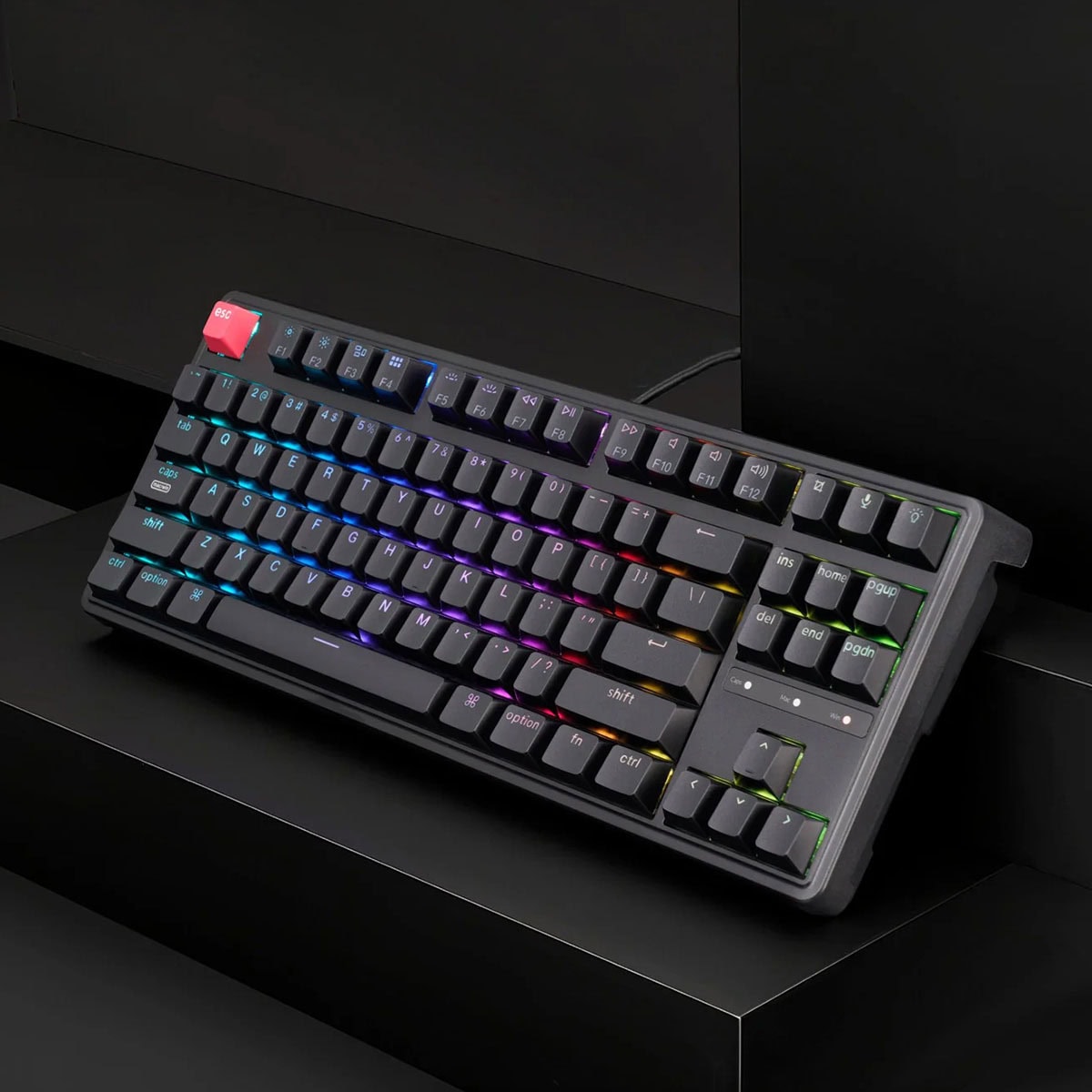
The Keychron Q1 Pro ranks sixth as a $199 gasket-mounted 75% keyboard with a CNC aluminum case weighing roughly 1.6kg. It features hot-swap sockets, doubleshot PBT keycaps, multiple internal foam layers, and Bluetooth connectivity. Its dense, damped sound signature and QMK/VIA support make it a typing-focused enthusiast board.
This keyboard is for users who type as much as they game and prioritize build quality and acoustics over analog features. It trades wireless gaming performance and analog actuation for a premium typing feel and long-term tunability. Compared to the Logitech G Pro X TKL above, it offers superior sound and build but lacks competitive wireless speed.
7ASUS ROG Azoth
The ASUS ROG Azoth takes seventh place with its gasket-mounted wireless 75% design, pre-lubed ROG NX switches, and an included lubing kit. Priced at $249, it offers tri-mode connectivity, an OLED display, a three-way knob, and battery life quoted around 2,000 hours at low RGB. It combines enthusiast feel with real wireless gaming features.
This is for gamers who want enthusiast mechanical build quality alongside reliable wireless gaming performance. It trades analog actuation for a premium typing experience and the convenience of wireless. Compared to the Keychron Q1 Pro above, it adds an OLED and lubing kit but costs $50 more with no analog capability.
8Glorious GMMK Pro
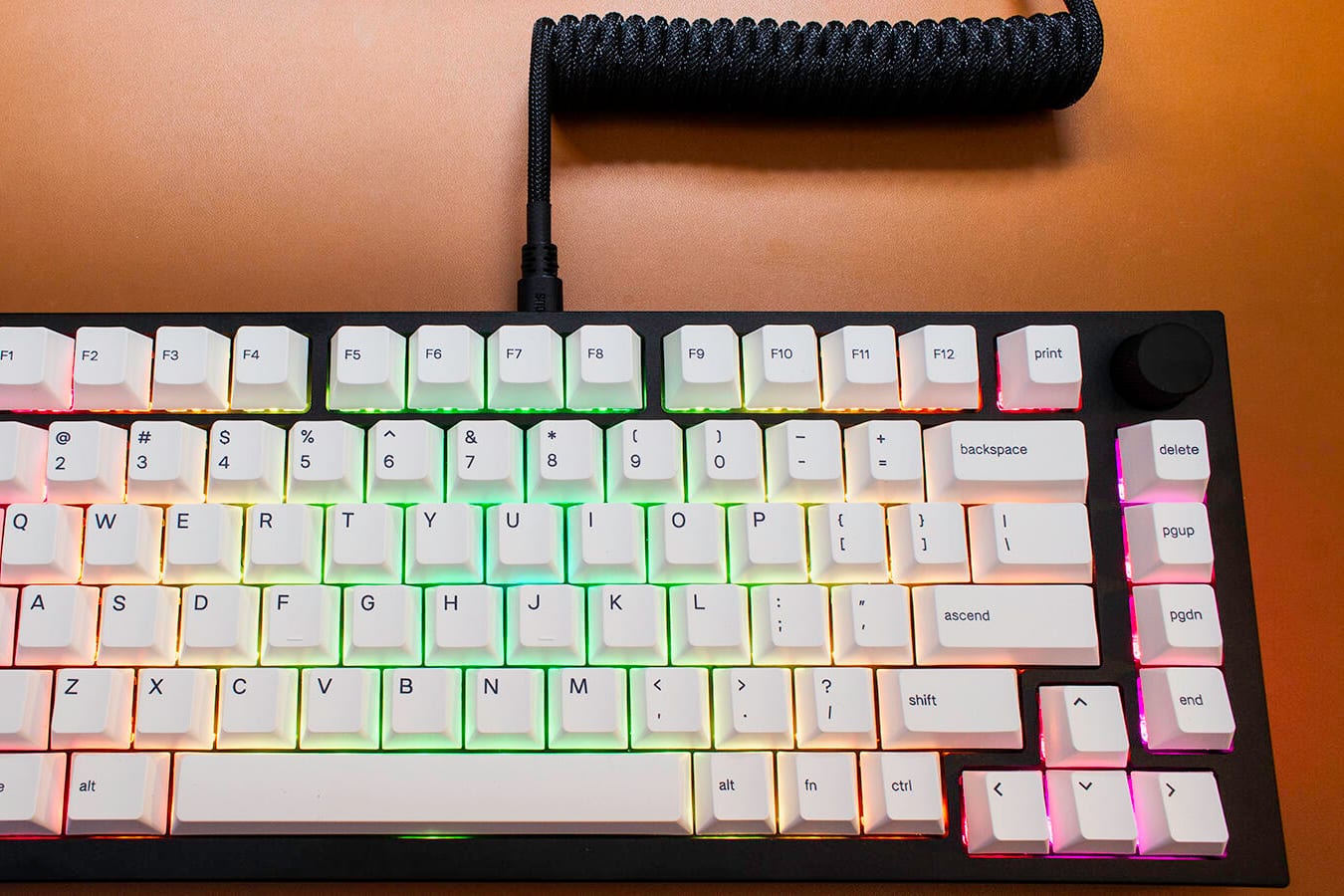
The Glorious GMMK Pro ranks eighth at $170 with a CNC aluminum 75% case, a programmable rotary knob, and 3-pin and 5-pin hot-swap sockets. It supports full QMK/VIA configuration and is one of the best-supported bases for aftermarket switch swaps, lubed stabilizers, and foam mods. Its stock experience is good rather than great but highly customizable.
This keyboard is for tinkerers who plan to modify switches, stabilizers, and foam over time. It trades a polished out-of-box experience for extensive customization potential at a lower price. Compared to the ASUS ROG Azoth above, it costs $79 less and offers full QMK/VIA but lacks wireless connectivity and an OLED.
9NuPhy Air75 V2
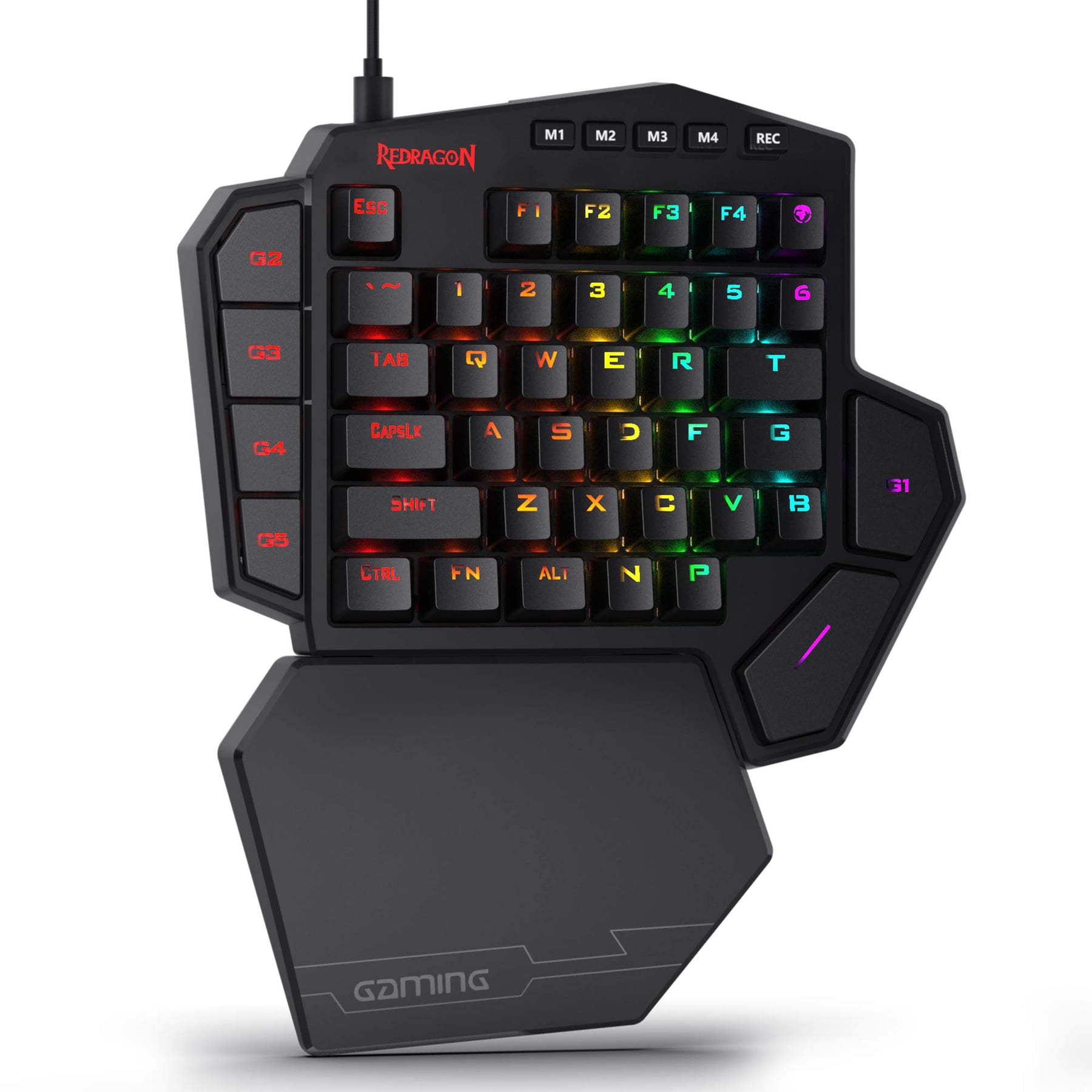
The NuPhy Air75 V2 secures ninth place as a $120 low-profile 75% keyboard standing under 17mm tall. It features hot-swappable switches, tri-mode wireless (2.4GHz, Bluetooth, USB-C), and QMK/VIA support with PC and Mac keycaps included. Its shallow travel is a deliberate trade for portability and desk space.
This keyboard is for users with small desks or a preference for low-profile boards who need wireless versatility. It trades deep key travel and premium acoustics for a slim profile and easy portability. Compared to the Glorious GMMK Pro above, it costs $50 less and includes wireless but offers a plastic case and less robust build quality.
10Keychron V6
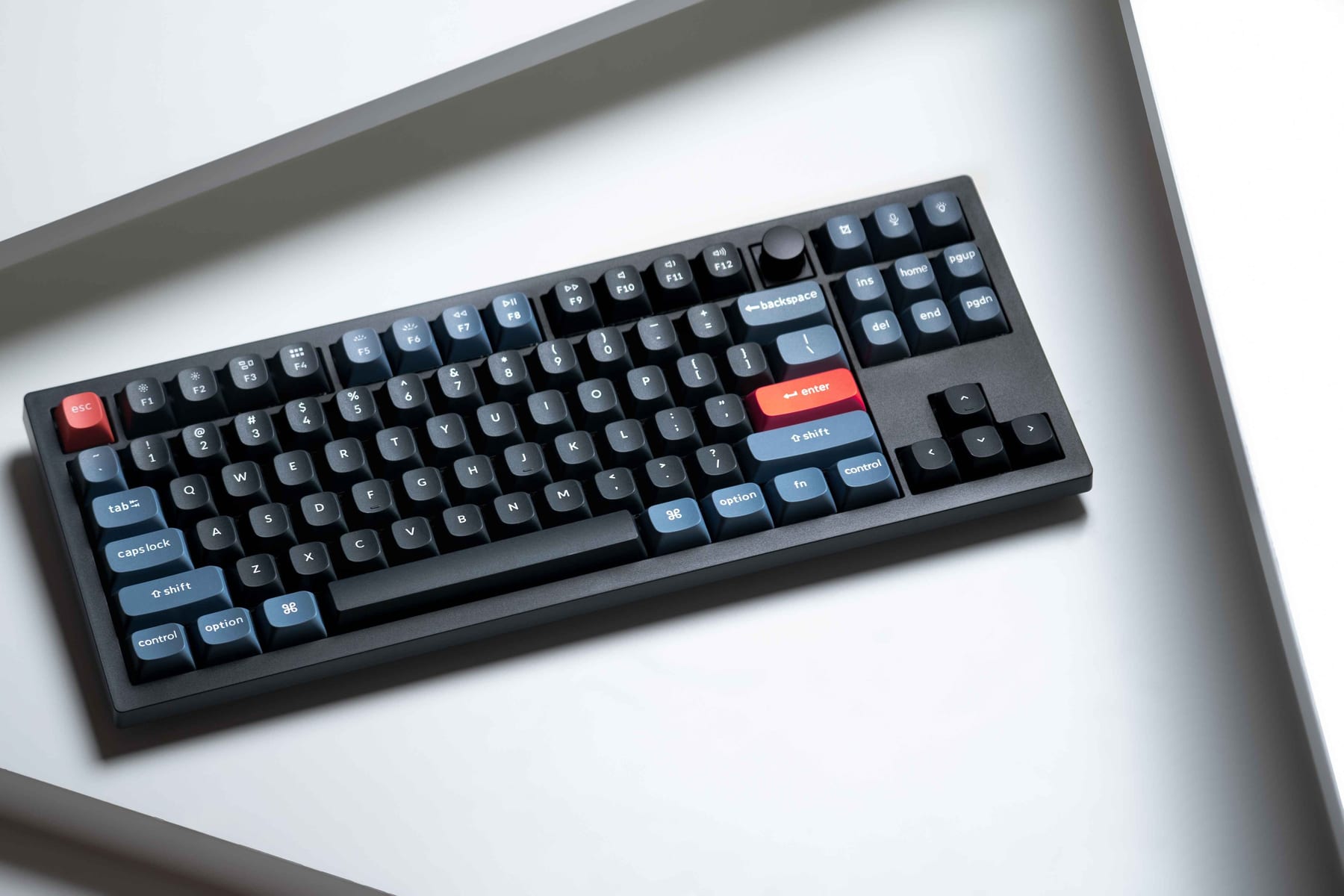
The Keychron V6 ranks tenth at $84 as a full-size gasket-mounted board with hot-swap sockets, doubleshot PBT keycaps, and pre-installed sound-dampening foam. It uses an ABS plastic case and has no wireless connectivity, but offers QMK/VIA support for full configuration. This spec sheet would have described a $200 custom build a decade ago.
This keyboard is for budget-conscious buyers building their first serious setup who want enthusiast features without spending extra. It trades a metal case and wireless capability for an unbeatable price-to-feature ratio. Compared to the NuPhy Air75 V2 above, it costs $36 less and offers a full-size layout but is heavier and lacks wireless functionality.
How we ranked these
We measured gaming keyboards across three technology tracks: analog Hall-effect, optical, and enthusiast mechanical. Key weighted criteria included actuation range (0.1mm vs 0.4mm minimum), rapid trigger support, hot-swap capability, build materials (plastic vs CNC aluminum), wireless performance (2.4GHz latency and battery life), and price-to-feature ratio. Layout size and software ecosystem (QMK/VIA vs vendor-only) were also scored.
We deliberately ignored brand prestige, RGB lighting effects, and marketing claims about "gaming-grade" components without verifiable specs. Aesthetic design and color options were excluded as subjective. We did not factor in bundled accessories like wrist rests or keycap pullers, as these are low-cost add-ons that do not affect core performance or durability.
What to look for
What actually matters is matching the technology track to your usage split. Competitive shooter players benefit measurably from analog Hall-effect boards with rapid trigger and per-key actuation tuning. Mixed-use buyers who type and game should prioritize enthusiast mechanical boards with gasket mounting, hot-swap sockets, and quality stabilizers for long-term comfort and sound.
The mistake most buyers make is choosing a 60% layout because pros use it, without auditing their own workflow. If you enter data or use arrow keys regularly, the layer chords become daily friction. Another common error is leaving analog actuation at stock settings, which wastes the board's primary advantage.
Related questions
What is rapid trigger and does every analog keyboard have it?
Rapid trigger resets a key the moment you begin lifting it rather than at a fixed reset point, so repeated taps register faster. It requires analog sensing — Hall-effect or analog optical. Fixed-actuation optical and standard mechanical switches cannot do it regardless of polling rate.
Is a 60% layout worth losing the arrow keys?
For low-sensitivity competitive shooter players, often yes — the freed desk space allows much wider mouse swings. For anyone who uses a numpad, arrow keys, or the function row regularly, the layer chords become a daily friction cost that outweighs the desk-space gain.
Do I need hot-swap sockets?
Not strictly, but they turn switch preference from a guess into a cheap experiment. If you have never owned a mechanical board, buy hot-swap. A set of replacement switches runs roughly $25-$50, far less than replacing a board that feels wrong.
Does wireless add meaningful input lag for gaming?
Modern 2.4GHz gaming wireless like Logitech Lightspeed is rated near 1ms and is competitively viable. Bluetooth is noticeably slower and appropriate for work and travel, not ranked play. Wired USB-C remains the safest choice when latency is the only thing you care about.
How long should a good gaming keyboard last?
Mechanical, optical, and Hall-effect switches are typically rated for tens of millions of keystrokes. A hot-swappable board with a metal case realistically lasts five-plus years, since the failure modes — a dead switch, a worn keycap set — are all user-replaceable parts rather than board-ending faults.
What is the difference between rapid trigger and Snap Tap?
Rapid trigger dynamically resets a key on release for faster repeated inputs. Snap Tap (or Rapid Tap, Protection Mode) resolves opposing directional keys by prioritizing the most recent press. They are independent features; some analog boards have one, both, or neither.
Should I prioritize polling rate or switch technology?
Switch technology matters more for feel and features like rapid trigger. Polling rate above 1000Hz offers diminishing returns. A 1000Hz analog board with rapid trigger outperforms an 8000Hz mechanical board without it for competitive input speed.
Can I use an analog keyboard for typing and work?
Yes, but enthusiast mechanical boards generally offer better typing feel and sound. Analog boards excel at gaming features like adjustable actuation. For mixed use, set actuation deeper on non-gaming keys to avoid accidental presses during typing.
FAQ
Are mechanical keyboards better than membrane for gaming?
Yes, mechanical keyboards offer faster actuation, better durability, and more consistent feel. They also provide switch variety (linear, tactile, clicky) and features like hot-swap and analog sensing that membrane boards cannot match.
What is the best switch type for gaming?
Linear switches are preferred for gaming due to their smooth, uninterrupted travel. Tactile and clicky switches can be distracting during rapid inputs. Hall-effect analog switches offer the fastest response with adjustable actuation and rapid trigger.
Do I need a full-size keyboard for gaming?
No, TKL and 75% layouts are popular for gaming as they free desk space for mouse movement. Full-size is only necessary if you regularly use a numpad for work or data entry. 60% layouts are best for competitive shooters at low sensitivity.
What is the difference between optical and mechanical switches?
Optical switches use a light beam interrupted by the stem, eliminating metal contact and debounce delay. Mechanical switches use physical metal contacts. Optical can be analog (adjustable actuation) or fixed. Mechanical offers more switch variety and tactile feedback.
How important is polling rate for gaming keyboards?
1000Hz polling (1ms report rate) is sufficient for most gamers. Higher rates like 4000Hz or 8000Hz offer marginal improvements that are imperceptible to most players. Connection type and switch technology have a larger impact on perceived responsiveness.
What is gasket mounting and why does it matter?
Gasket mounting suspends the plate between silicone or poron strips instead of screwing it rigidly to the case. This absorbs vibration and creates a softer, deeper typing sound with more flex. It is a hallmark of enthusiast mechanical boards.
Can I use a gaming keyboard with a Mac?
Yes, many gaming keyboards support Mac via Bluetooth or USB-C. Some like the NuPhy Air75 V2 include Mac keycaps. QMK/VIA boards allow full key remapping on Mac. Check for macOS software compatibility before buying.
What is the best budget gaming keyboard in 2027?
The Keychron V6 at $84 is the best value: full-size, gasket-mounted, hot-swappable, doubleshot PBT keycaps, and QMK/VIA support. It lacks wireless and has a plastic case, but the feature set rivals boards costing twice as much.
How do I clean a mechanical gaming keyboard?
Remove keycaps with a puller and brush debris from the switch area. Use compressed air for stubborn dust. Wipe the case with a damp microfiber cloth. For deep cleaning, remove switches on hot-swap boards and clean the PCB with isopropyl alcohol.
What is the warranty on most gaming keyboards?
Most gaming keyboards carry a one- to two-year warranty. Return policies are often more valuable than warranty length for personal-feel purchases. Check the specific policy before buying, as some vendors charge restocking fees.
Sources
- https://www.rtings.com/keyboard/reviews/best/gaming
- https://www.tomshardware.com/peripherals/gaming-keyboards/best-gaming-keyboards
- https://www.pcgamer.com/best-gaming-keyboard/
- https://www.ign.com/articles/best-gaming-keyboard
- https://www.techradar.com/news/best-gaming-keyboard
- https://www.theverge.com/23456789/best-gaming-keyboard
- https://www.digitaltrends.com/computing/best-gaming-keyboards/
- https://www.windowscentral.com/best-gaming-keyboards
Related on PULSE
This page will be disappearing soon. Save it to your device for $1 — or read it free while it is here.
@Kory-White- · if Venmo asks, the last 4 of my number are 2012
This page is gone.
This one is off the shelf now. $1 keeps it on your phone for good — the whole page, pictures and diagrams included.
 gamingThe 10 Best Cozy and Relaxing Games to Unwind With in 2027
 gamingThe 10 Best Co-op Games on Nintendo Switch in 2027
 pulse-recentTop 10 Most Valuable Sealed Sega Dreamcast Games to Buy in 2027
 pulse-gamingThe 10 Best SNES Games to Collect in 2027
 gamingThe 10 Best Turn-Based Strategy and Tactics Games to Master in 2027
 pulse-recentWhat is the average lifespan of a gaming laptop before it needs replacing in 2027?
 gamingBest Free-to-Play Mobile Games for Low-End Phones in 2027 (Top 10 Ranked)
 gamingThe 10 Best Co-op Games on PC in 2027
 pulse-gamingHow much does Gaming cost in 2027?
 pulse-recentTop 10 Best Gaming Webcams for Streaming in 2027