


SIEM and Data Lake CRO — LinkedIn Banner
Quality
Certified
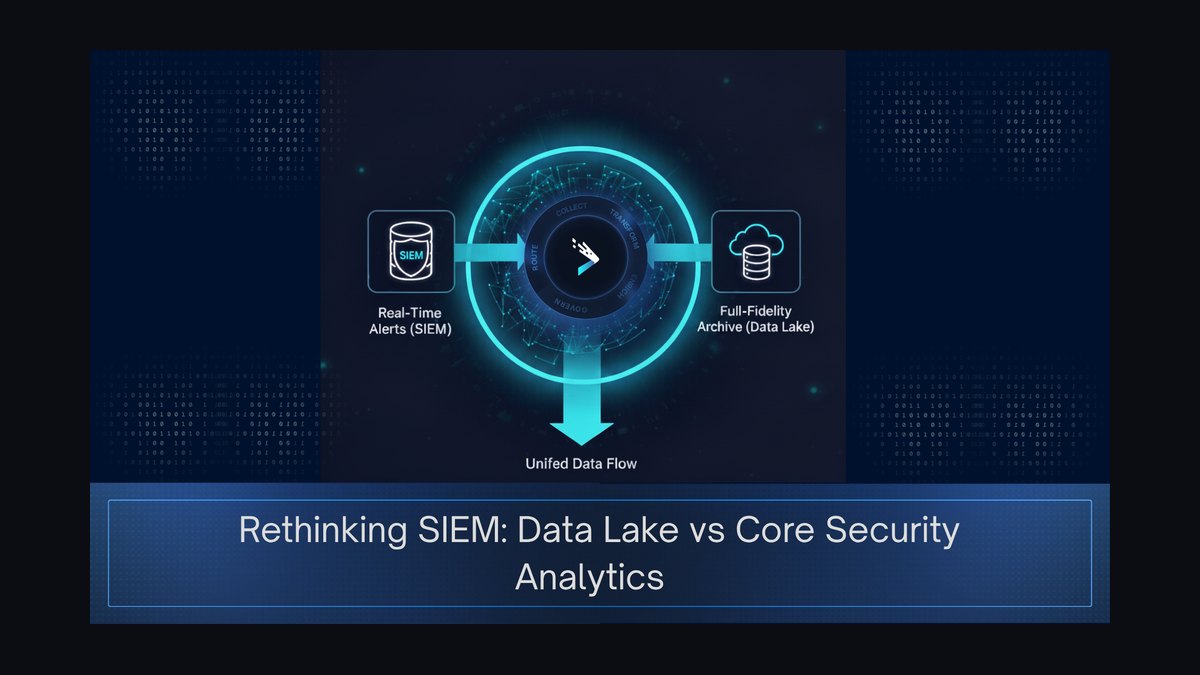
This is a LinkedIn Banner built for a SIEM and Data Lake CRO — a 1584×396 px cover image that merges real-time security monitoring with scalable data storage. It carries the title "SIEM and Data Lake CRO" with a data-flow graphic, using a professional blue, gray, and single-accent palette to signal authority in security operations and big data infrastructure.
What it is and why it matters
A LinkedIn Banner for a SIEM and Data Lake CRO is a 1584×396 pixel cover image that sits behind your profile photo and headline. Unlike a resume bullet or a headline, the Banner is the one visual asset on your profile that communicates positioning before a single word is read. For a CRO operating at the intersection of security operations and data infrastructure, that positioning is unusually hard to compress — you are simultaneously selling threat detection credibility and data platform scale. The Banner does that compression work visually.
The reason it matters more in this niche than in most is audience fragmentation. A SIEM and Data Lake CRO sells to at least four distinct buyer groups: security operations leaders who care about mean time to detect and mean time to respond, data engineering leaders who care about cost per terabyte and query latency, C-suite executives who care about risk reduction and revenue growth, and channel partners who care about ecosystem leverage. Each group scans a profile differently. Security leaders look for detection vocabulary. Data leaders look for architecture vocabulary. Executives look for outcome vocabulary. A well-built Banner carries all three vocabularies in a single glance without becoming a wall of text.
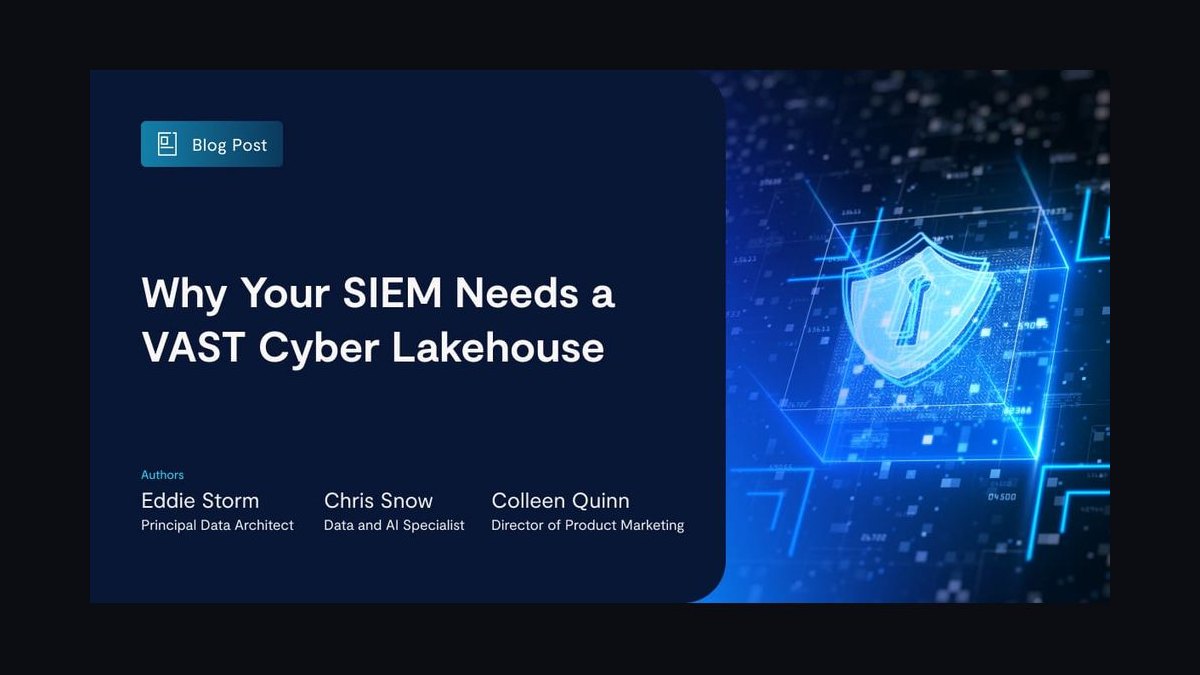
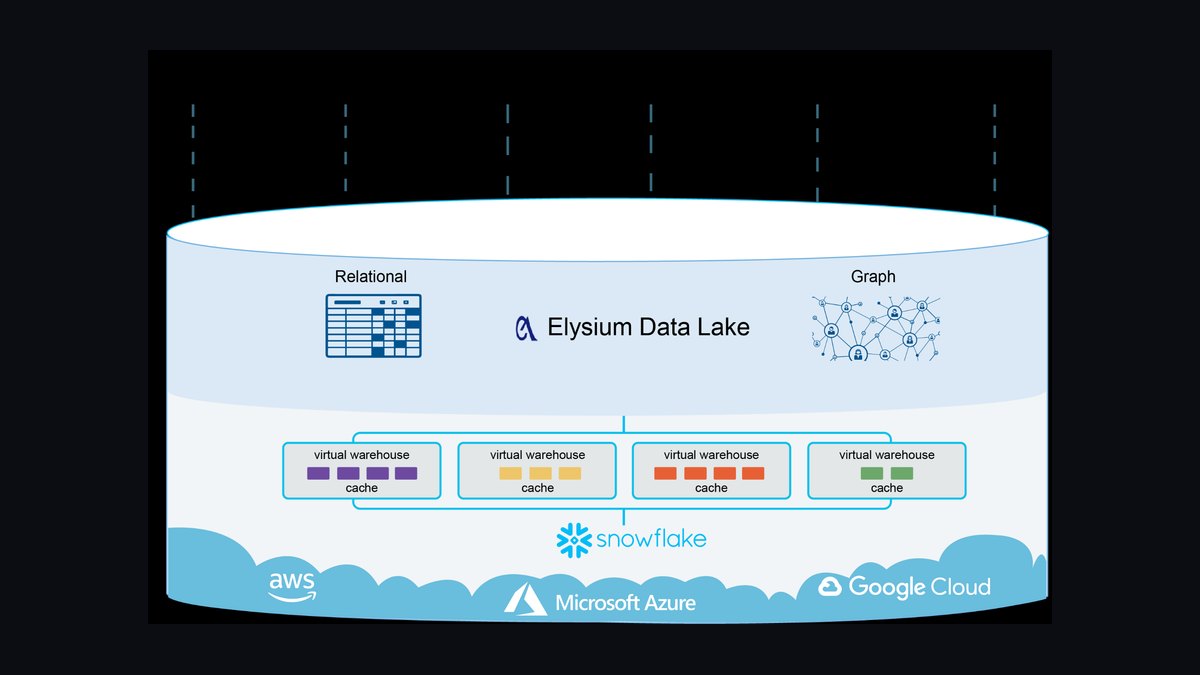
There is also a credibility asymmetry at play. The SIEM and Data Lake space is crowded with vendors, analysts, and consultants who talk about convergence but have never carried a number. A Banner that shows a clean data-flow — logs and events feeding into a lake, analytics feeding into detection, detection feeding into response — signals that you understand the actual pipeline, not just the pitch deck. That visual fluency is a filter. Practitioners recognize it instantly, and it separates an operator from a commentator.
Finally, the Banner is a low-cost, high-frequency asset. It renders on every profile visit, every connection request preview, every comment thread where your name appears with a hover card. A CRO who changes roles or repositioning every 18 to 24 months gets compounding returns from a Banner that is easy to recolor and reword. That is why this graphic is built as a scalable vector with a free PNG download — so it can be adapted to a new company palette, a new tagline, or a new sub-segment without a designer.
The step-by-step process
Building and deploying this LinkedIn Banner follows a repeatable sequence. Skipping steps is the most common reason a Banner looks generic or gets ignored.
Step 1 — Audit your current profile headline and About section. The Banner sits directly above your headline. If your headline already says "Fractional CRO | SIEM & Data Lake," the Banner should not repeat that verbatim. It should extend it. Write down the three things your headline cannot fit: the pipeline you understand, the outcome you deliver, and the proof point that makes it credible.
Step 2 — Choose your primary audience for this Banner cycle. You cannot optimize for all four buyer groups at once. Pick one. If you are targeting Series B security vendors, lead with detection and MTTR language. If you are targeting data platform companies, lead with scale and TCO language. If you are targeting boards and PE operating partners, lead with revenue and risk language. The Banner's tagline should reflect that single choice.
Step 3 — Lay out the visual hierarchy in a Z-pattern. Top-left holds your profile photo safe zone. Top-right holds your name and title. The middle band carries the data-flow graphic — logs, events, and telemetry flowing into a lake, then into analytics, then into detection and response. The bottom band carries the tagline and, optionally, one quantified proof point. Keep the total word count on the Banner under 15 words. If a viewer needs more than three to five seconds, the Banner is too dense.
Step 4 — Recolor to your brand. Use the color picker to set a background gradient. A cybersecurity blue such as a deep navy or a muted steel blue pairs well with a data lake teal or a graphite gray. Add exactly one accent color — amber, orange, or lime — for the tagline or the proof point. Avoid pure black and pure white; they read as template defaults rather than deliberate choices.
Step 5 — Export and upload. Download the PNG at 1584×396 px. Open your LinkedIn profile, click the cover image edit icon, and upload. LinkedIn will crop to roughly 1128×376 px on mobile, so keep all critical text inside the center-left two-thirds of the canvas. Test on both desktop and mobile before you consider it final.
Step 6 — Align the headline underneath. The Banner and the headline are a single unit. If the Banner says "Where Logs Become Ledgers," the headline should say something like "Fractional CRO — SIEM & Data Lake | Pipeline to $50M ARR." The Banner sets the theme; the headline delivers the specifics.
Step 7 — Review after 30 days. Track profile views, connection request acceptance rate, and inbound message quality. If profile views rise but inbound quality does not, the Banner is attracting the wrong audience — tighten the tagline. If neither moves, the Banner is too generic — add a specific proof point or narrow the audience further.
Costs, timelines, and typical ranges
The direct cost of this LinkedIn Banner is zero. It is a free download, free to recolor, and free to use with no attribution required. The real costs are time and positioning risk, and those are worth quantifying honestly.
Time to build and deploy. A first-time build — auditing the profile, choosing an audience, recoloring, exporting, uploading, and aligning the headline — takes most CROs 45 to 90 minutes. A revision cycle after 30 days of data takes 15 to 20 minutes. If you are working with a designer to produce a fully custom variant rather than recoloring this template, expect 3 to 6 hours of design time and a freelance cost in the range of $150 to $600 depending on the designer's market rate. That is not necessary for a first version; the template exists precisely to avoid that spend.
Timeline to signal impact. LinkedIn profile metrics move slowly. Expect profile views to shift within 2 to 4 weeks of a Banner change, because the Banner affects click-through from search results and comment threads. Inbound message quality — the more important metric — typically shifts over 4 to 8 weeks, because it depends on the right buyers finding you and choosing to reach out. Do not judge the Banner on week one.
Cost of getting it wrong. The expensive failure mode is not a bad-looking Banner; it is a Banner that attracts the wrong inbound. A CRO targeting enterprise security vendors who writes a data-engineering-heavy tagline will field inbound from data platform recruiters and analytics consultancies — conversations that consume 2 to 5 hours a week and produce nothing. At a fractional CRO's effective hourly rate, that misalignment can cost thousands of dollars a month in lost opportunity. The fix is cheap: rewrite one tagline and re-export.
Ongoing maintenance. Plan to revisit the Banner every 6 to 12 months, or immediately after any repositioning — a new target segment, a new flagship engagement, a new certification, or a new partner ecosystem. Each refresh is a 15-minute job. Treat it like a quarterly pipeline review item rather than a one-time design task.
Comparison to alternatives. A custom-designed Banner from an agency can run $500 to $2,500 and take 1 to 3 weeks. A stock-photo Banner with overlaid text costs nothing but signals nothing — it looks like every other profile. This template sits in the useful middle: free, fast, and specific enough to signal SIEM and Data Lake fluency without a design budget.
Where teams get it wrong
Most SIEM and Data Lake CROs do not fail at the Banner because of bad taste. They fail because of predictable, repeated mistakes that are easy to name and easy to fix.
Mistake one: treating the Banner as a resume. Listing five past employers, four certifications, and a full technology stack turns the Banner into a wall of noise. The Banner is a positioning asset, not a credentials dump. Credentials belong in the Experience and Licenses sections. One or two recognizable logos at 30 to 40 percent opacity is the ceiling; more than three creates visual competition with your name.
Mistake two: ignoring the mobile crop. LinkedIn crops the cover to roughly 1128×376 px on mobile. Text placed in the far-right 200 pixels gets obscured by the profile photo overlay or cut entirely. CROs who design only on a desktop browser routinely lose their tagline on mobile, which is where a large share of profile views originate. Keep critical text in the center-left two-thirds.
Mistake three: writing a tagline that could belong to anyone. "Driving Revenue Growth" and "Strategic Business Leader" are interchangeable. They signal nothing about SIEM or Data Lake. A tagline that works names the pipeline or the outcome: "Where Logs Become Ledgers," "Unify Visibility, Drive Revenue," or "Securing Data at Scale." Specificity is the entire point.
Mistake four: mismatching the Banner to the headline. If the Banner says "SIEM & Data Lake CRO" and the headline says "VP of Sales — SaaS," the profile reads as incoherent. Buyers do not know what you are selling. Align them deliberately, and change both together when you reposition.

Mistake five: overusing generic security imagery. Padlocks, shields, and hooded figures are visual clichés in cybersecurity. They signal vendor marketing, not operator fluency. Data-flow graphics — logs and events feeding into a lake, analytics feeding into detection — communicate the actual architecture and differentiate you from the crowd.
Mistake six: never revisiting it. A Banner built for a 2022 positioning still running in 2025 tells buyers you are not paying attention. The SIEM and Data Lake market shifts — consolidation, lakehouse architectures, detection engineering as a discipline — and your Banner should reflect the current conversation, not the one from three years ago.
Mistake seven: no proof point. A Banner with a tagline but no evidence is a claim. A Banner with a tagline and one quantified proof point is an argument. "Scaled ARR from $2M to $18M in 14 months" or "Cut false positives by 70% while holding detection coverage" does more work than three adjectives. Keep it to one number, sized larger than the surrounding text, and place it near the tagline.
Decision framework: when to choose what
Not every SIEM and Data Lake CRO should run the same Banner. The right choice depends on your target buyer, your engagement model, and your current pipeline needs. Use the following framework to decide which variant to deploy.
If you are targeting security operations leaders, lead with detection and response language. Choose a darker palette — navy, graphite, deep teal — and a tagline that names MTTR, MTTD, or alert fatigue. This audience is skeptical of revenue language and responds to operational outcomes. The Banner should feel like it belongs in a SOC, not a boardroom.
If you are targeting data engineering and analytics leaders, lead with scale and cost language. Choose a palette that includes a data-lake teal or a cloud blue, and a tagline that names TCO, query performance, or lakehouse architecture. This audience responds to architecture fluency and will discount generic revenue claims.
If you are targeting C-suite and board buyers, lead with risk and revenue language. Choose a restrained palette — charcoal, slate, a single gold or amber accent — and a tagline that names risk reduction, data monetization, or decision velocity. This audience wants outcomes, not architecture.
If you are targeting channel partners and system integrators, lead with ecosystem language. Add a subtle line naming your partner network or cloud alliances. This audience is looking for leverage and reach, and a Banner that names partners signals you can bring a network, not just a skill set.
If you are in an active job search, prioritize clarity over cleverness. Name the role, name the domain, and add one proof point. Recruiters scan quickly and will not decode a clever tagline. Save the wordplay for a fractional practice where inbound quality matters more than volume.
If you are building a fractional practice, prioritize differentiation over clarity. You are competing against dozens of other fractional CROs with similar headlines. A specific, slightly provocative tagline — "Where Logs Become Ledgers" — filters for the right inbound and repels the wrong inbound. That filtering is the point.
When to switch variants. If your inbound is high volume but low quality, narrow the tagline. If your inbound is low volume and high quality, broaden it slightly or add a second proof point. If your inbound is low volume and low quality, the Banner is not the problem — your headline, About section, and activity are. Fix those first, then revisit the Banner.
When to keep the Banner unchanged. If you are mid-engagement with a fractional client and your pipeline is healthy, do not churn the Banner. Consistency builds recognition. Change it when you reposition, not when you are bored.
Related questions
What size should a LinkedIn Banner be?
LinkedIn profile banners display at 1584×396 pixels on desktop and crop to roughly 1128×376 pixels on mobile. Design at the full 1584×396 and keep all critical text inside the center-left two-thirds so nothing important is lost in the mobile crop.
Can I use this Banner for a SIEM or Data Lake company page?
Yes. The same 1584×396 dimensions apply to LinkedIn company page covers. Recolor it to the company palette, swap the tagline for a product or mission line, and keep the data-flow graphic intact to signal the security and data convergence.
How often should a CRO update their LinkedIn Banner?
Every 6 to 12 months, or immediately after any repositioning — a new target segment, a new flagship engagement, a new certification, or a new partner ecosystem. Each refresh is a 15-minute job using the same template.
Does the Banner need to include my company name?
If you are a full-time CRO, yes — include the company name near your title. If you are a fractional CRO, include your practice name or leave it out and let the headline carry it. Avoid listing multiple company names; it reads as a resume.
What should the headline under the Banner say?
The headline should extend the Banner, not repeat it. If the Banner says "SIEM & Data Lake CRO," the headline should add the outcome and proof — for example, "Fractional CRO — SIEM & Data Lake | Pipeline to $50M ARR."
FAQ
What exactly does this LinkedIn Banner show?
It shows the title "SIEM and Data Lake CRO" alongside a clean data-flow graphic that traces logs and events into a data lake, then into analytics, detection, and response. The palette is professional blue, gray, and one accent color. It is 1584×396 px and available as a free PNG download from this page.
Who is this Banner designed for?
It is built for CROs, fractional CROs, and revenue leaders operating in the SIEM and data lake space — including people working with Splunk, Microsoft Sentinel, Google Chronicle, Panther, Snowflake, Databricks, and similar platforms. It also suits security analytics founders and detection engineering leaders who carry a revenue number.
Can I recolor it to match my company brand?
Yes. Use the color picker on this page to recolor the graphic, switch the background including transparent, and download as SVG or PNG. No sign-up and no watermark. The SVG scales to any size without quality loss for use in decks, slides, and documents.
Is the Banner free to use commercially?
Yes. It is free to use with no attribution required. You can deploy it on a personal LinkedIn profile, a company page, a slide deck, or a website without paying a license fee or crediting the source.
What is the difference between the SVG and PNG downloads?
The SVG is a scalable vector — it stays sharp at any size and is ideal for PowerPoint, Google Slides, Canva, and Figma. The PNG is a raster export ready to upload directly to LinkedIn, which does not accept SVG for cover images. Download both if you plan to use the graphic in multiple places.
Will the Banner text get cut off on mobile?
Only if you place critical text in the far-right 200 pixels. LinkedIn crops the cover to roughly 1128×376 px on mobile, so keep your name, title, tagline, and proof point inside the center-left two-thirds of the canvas. Test on a phone before finalizing.
Sources
- LinkedIn Help — Profile cover image specifications and upload guidance: https://www.linkedin.com/help/linkedin
- Splunk — Official product documentation and SIEM resources: https://www.splunk.com
- Microsoft — Microsoft Sentinel documentation: https://learn.microsoft.com/en-us/azure/sentinel/
- Google Cloud — Chronicle Security Operations documentation: https://cloud.google.com/chronicle/docs
- Databricks — Lakehouse architecture documentation: https://www.databricks.com
- Snowflake — Data cloud platform documentation: https://www.snowflake.com
- Gartner — Industry research on SIEM and data and analytics: https://www.gartner.com
- SANS Institute — Cybersecurity training and research publications: https://www.sans.org
Related on PULSE
This page will be disappearing soon. Save it to your device for $1 — or read it free while it is here.
@Kory-White- · if Venmo asks, the last 4 of my number are 2012
This page is gone.
This one is off the shelf now. $1 keeps it on your phone for good — the whole page, pictures and diagrams included.
 graphicCommercial Director — LinkedIn Banner
 graphicStartup Founder — LinkedIn Banner
 graphic“Available for sales consulting.” — LinkedIn Banner
 graphic“The next call is the most important one.” — LinkedIn Banner
 graphicAI Legal Operator — LinkedIn Banner
 graphic“Great reps are coached, not born.” — LinkedIn Banner
 graphicOffensive Security Pentest CRO — LinkedIn Banner
 graphic“Open to sales leadership roles.” — LinkedIn Banner
 graphic“Trusted advisor, never a vendor.” — LinkedIn Banner
 graphic“Bring the energy every call.” — LinkedIn Banner