


Embeddings API Vector Engineer — LinkedIn Banner
Quality
Certified
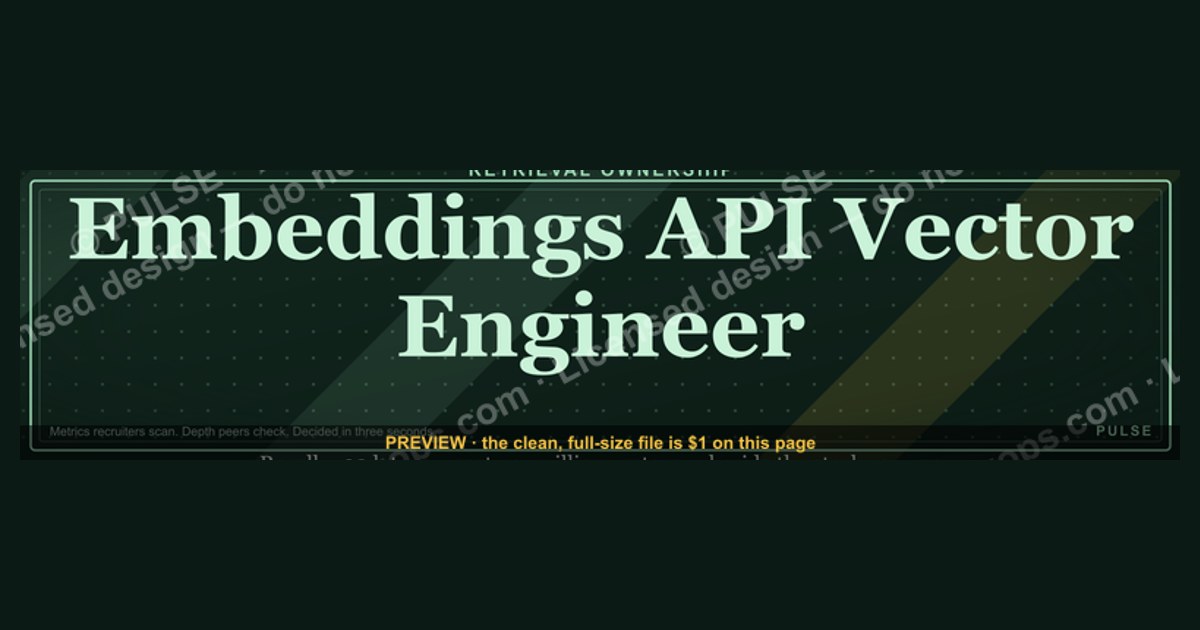
A LinkedIn banner for an Embeddings API Vector Engineer works best when it proves retrieval ownership rather than listing tools. Use the 1584×396 canvas to state one specific outcome — recall, p99 latency, cost per million vectors — beside the stack you actually ran. Recruiters scan metrics; peers scan depth; both decide in under three seconds.
The two banner strategies competing for that 1584×396 canvas
Every Embeddings API Vector Engineer banner ends up in one of two camps, and picking the wrong one is the single most common reason the canvas does nothing for you.
Strategy A — the stack-logo banner. This is the dominant pattern: a dark gradient, a row of grayscale logos (Pinecone, Weaviate, Qdrant, Milvus, pgvector, FAISS), the word "Vector Search" in a sans-serif, and maybe a Python glyph. It reads instantly. A recruiter running a boolean search for "vector database" plus "embeddings" lands on your profile, sees five familiar marks, and files you as in-category. The cost is that it says nothing about what you did with those tools. Roughly every second engineer in this niche has the same six logos, because the ecosystem is small enough that the tool list is nearly a constant. A banner that any peer could copy is not differentiation — it is table stakes rendered at 1584 pixels wide.
Strategy B — the outcome banner. This one drops logos to at most two and gives the space to a claim you can defend in an interview: "12M vectors, 38ms p99, hybrid dense+BM25 with a cross-encoder rerank." No icon row, no buzzword strip. It is harder to build because it requires you to have the number, and it filters harder — a generalist recruiter may not parse "p99" or "recall@10." But the readers who do parse it are exactly the engineering managers who own the requisition and the peers who refer candidates. The outcome banner converts a smaller pool at a much higher rate.
The trade-off in plain terms. Strategy A optimizes for reach in keyword-driven sourcing. Strategy B optimizes for conviction once a human is actually looking. They are not equally weighted for everyone. If you are early-career or switching in from backend or data engineering, you need the category signal first — a hiring manager cannot evaluate your quantization work if they have not yet accepted that you belong in the vector infrastructure conversation. If you are three or more years into shipping retrieval systems, the category signal is redundant with your job titles, and the logo row is actively wasting your most valuable pixels.

The hybrid most senior engineers land on. Keep a compressed logo row at 30 percent opacity along the bottom edge — enough for keyword-adjacent visual recognition, not enough to dominate — and give the top two-thirds to one outcome sentence plus a three-metric bar. This is not a compromise so much as a recognition that the two audiences read different vertical bands of the image. Recruiters skim the whole rectangle; managers read the top line. Structure the banner so each gets what they came for without either paying for the other.
Choosing between them without guessing
The decision is not aesthetic. It follows from where your inbound currently comes from and what you can prove.
Start with an honest audit. Open LinkedIn analytics and look at search-appearance counts and the job titles of people viewing your profile over the last 90 days. Three patterns show up. If search appearances are low — under roughly 50 a week for an engineer in a major metro — your problem is discovery, and the banner should carry the category vocabulary. If appearances are healthy but profile-to-message conversion is thin, your problem is conviction, and the banner should carry the outcome. If your viewers are mostly agency recruiters rather than in-house engineering leaders, you are being sourced on keywords alone, which again points toward adding proof rather than more keywords.
Then run the proof test. Write down every retrieval claim you could put on the banner, and next to each, write the interview answer that backs it. "Reduced embedding spend" fails the test. "Cut embedding API spend by moving re-index jobs to a smaller model and caching by content hash, with recall@10 measured before and after on a held-out query set" passes. If nothing survives, you do not have an outcome banner yet, and Strategy A is the correct interim choice while you instrument your current system.
Third, check the failure mode you are most exposed to. An outcome banner with an unverifiable number is worse than no banner at all, because the first technical screen will probe it and a soft answer reads as inflation. A logo banner has no such downside — it just underperforms quietly. Weight your risk tolerance accordingly.
Finally, set a review cadence rather than treating the banner as permanent. The vector tooling landscape shifts fast enough that a banner naming a stack you left 18 months ago actively dates you. Six to twelve months is a reasonable interval, and any change in specialization — moving from text retrieval into multimodal embeddings, or from application-side RAG into index infrastructure — should trigger an immediate rewrite regardless of the calendar.
The concrete numbers behind each option
Both strategies live inside the same hard constraints, and getting the mechanics wrong wastes the choice you just made.
Canvas and safe area. LinkedIn's personal profile banner is 1584×396 pixels, a 4:1 ratio. That is the upload spec, not the display spec. On desktop, your profile photo overlaps the lower-left region, and on mobile the image is cropped inward from both edges. Treat the leftmost ~400 pixels and the bottom ~120 pixels as compromised. Anything load-bearing — your outcome sentence, your metric bar — belongs in the horizontal middle and upper band. Design at 3168×792 (2×) and export down if you want the text to stay crisp on high-DPI displays.
Typography that survives mobile. At 1584 wide, a headline under about 36pt becomes unreadable when LinkedIn scales the banner into a phone-width column. Practical hierarchy: headline 36–42pt, supporting line 20–24pt, metric bar 14–16pt minimum. Use a monospace face for anything numeric — latency figures, recall values, dimension counts — because monospace reads as instrument output rather than marketing copy, and that distinction is the entire point of the outcome banner. Keep the sans-serif for prose.
Which numbers are worth the space. The metrics that land in this niche are the ones a practitioner can immediately situate. Index scale in vectors, not documents. Latency as p99, not average — average latency is the number people quote when they have not looked at the tail. Recall at a stated k against a labeled evaluation set. Embedding dimensionality, since 768 versus 1536 versus a Matryoshka-truncated 256 tells a reader a great deal about your cost posture. Cost expressed as a delta with the mechanism attached, because a bare percentage invites the question you should have pre-answered.
Dimensionality and memory, roughly. A float32 vector at 1536 dimensions is 1536 × 4 bytes, about 6.1 KB before index overhead. Ten million of those is on the order of 61 GB of raw vector payload, and an HNSW graph adds meaningful structure on top of that. Move the same vectors to int8 and the payload drops by roughly 4× to around 15 GB. Truncate a Matryoshka-trained embedding to 512 dimensions and you cut it again. These are the arithmetic facts behind claims like "reduced index memory 4× via quantization" — if you put that on your banner, be ready to walk through exactly this calculation and the recall you measured before and after, because the recall cost of quantization is real and varies by dataset.
Logo count and legibility. Grayscale logos below roughly 32 pixels tall stop being recognizable and start being visual noise. At 1584 wide with sane padding, you can fit about five to six logos in a legible row. That ceiling is itself an argument for the hybrid: past six, you are not communicating breadth, you are communicating that you could not choose.
Format. SVG is the right authoring format because it scales without loss and lets you recolor to a team palette without re-rendering. LinkedIn's upload accepts raster, so export PNG for the actual upload, and keep the vector source so the next revision is an edit rather than a rebuild.
Building it, in the order that actually works
Sequencing matters here because most engineers design the picture first and then discover they have nothing true to put in it.
Step one: instrument before you design. If you intend to claim a retrieval number, you need an evaluation set — a few hundred queries with known-relevant documents, drawn from real traffic if you have it. Without that, recall@k is a vibe. Build or borrow the eval harness, run it against your current configuration, and record the baseline. This is the step people skip, and it is the step that makes every later claim defensible.
Step two: pick the one claim. Not three. The banner has room for one headline assertion and a supporting metric bar. Choose the claim that is both strongest and most relevant to the roles you want. If you are targeting RAG application teams, retrieval quality wins. If you are targeting infrastructure teams at a vector database company, scale and latency win. If you are targeting cost-pressured platform orgs, the spend-reduction mechanism wins.
Step three: write the copy before the layout. Headline, supporting line, three metrics. Constrain yourself to that. "I own the retrieval path — chunking through rerank" is a headline. "RAG | Vector DBs | Embedding Models | Hybrid Search" is a keyword strip, useful only if you chose Strategy A or the hybrid. Draft both and read them aloud; the one that sounds like a person describing their job is usually right.
Step four: build the three-zone layout. Left third for the visual anchor — an abstract high-dimensional motif such as a clustered scatter or a node-edge graph, never a stock photo of a server rack. Middle 40 percent for the headline and supporting line. Right third for metrics, and the dimmed logo strip if you are running the hybrid. Keep the profile-photo overlap zone empty.

Step five: proof it at real size. Export the PNG, upload it, then open your own profile on a phone and on a laptop. Read the banner at arm's length for three seconds and write down what you retained. If you cannot recall the number, the number is too small or the layout is too busy. This test catches more problems than any amount of desktop-monitor admiration.
Step six: align the surrounding profile. The banner is one surface in a set. If it claims hybrid retrieval ownership, your headline, About section, and the top bullet of your current role should corroborate it. A banner that outruns the profile beneath it reads as aspiration rather than experience, and the mismatch is obvious to anyone who scrolls.
Step seven: measure. Note your baseline search appearances and inbound message rate before you swap the banner, then check again at 60 days. Attribution here is genuinely noisy — market conditions, your activity level, and connection growth all move the same numbers — so treat the result as directional. What you are looking for is a shift in who reaches out, not just how many.
What the banner signals about the role itself
The reason an Embeddings API Vector Engineer banner can carry hard numbers at all is that the role is unusually measurable, and that is worth understanding before you choose what to display.
The work sits between model behavior and production latency budgets. An engineer in this seat owns chunking strategy, embedding model selection between general-purpose and domain-tuned options, quantization decisions from float32 down through float16 to int8, index structure such as HNSW or IVF or disk-based ANN, and the retrieval logic behind a REST or gRPC endpoint. Every one of those decisions has a measurable effect on recall, latency, and cost — which is precisely why the banner can quote instrument readings instead of adjectives.
Three capability areas separate strong practitioners from people who have merely called an embeddings endpoint, and each maps to a different banner claim. Chunking treated as an empirical question rather than a fixed 512-token default, because document type drives strategy and legal text, source code, and conversational transcripts do not segment alike. Hybrid retrieval, because pure dense search degrades on exact-token matches like version strings and part numbers, and combining dense vectors with sparse BM25 or SPLADE plus a cross-encoder rerank is a real systems problem involving two indices, result fusion, and a latency budget. And cost-and-latency engineering — caching by content hash, cheap-model retrieval with expensive-model reranking, quantization, Matryoshka truncation — which is where retrieval work touches revenue directly enough that finance notices.

Observability is the underrated fourth. Engineers who dashboard recall@k, precision@k, and query latency distributions over time can detect retrieval drift as a corpus grows. That capability rarely appears in job postings and almost never appears on banners, which is exactly what makes it a differentiator if you have it.
Related questions
Does the banner actually change recruiter response rates?
Directionally, yes, but attribution is weak. Banners influence conviction after a profile is already found; search ranking is driven by headline, skills, and role text. Expect a banner change to shift who responds more than how many.
Should I include a photo of myself on the banner?
No. The profile photo already occupies that job and overlaps the banner's lower-left region on desktop. A second face competes with the first and eats pixels that could carry your retrieval metric.
How often should I update it?
Every six to twelve months, or immediately when your specialization shifts — moving from text retrieval into multimodal embeddings, or from application RAG into index infrastructure, both warrant a rewrite. A banner naming a stack you left two years ago dates you.
What if I can't share real numbers due to an NDA?
Use ratios and mechanisms instead of absolutes: "4× index memory reduction via int8 quantization" reveals technique, not proprietary scale. Order-of-magnitude phrasing like "millions of vectors" is generally safe where an exact count is not.
Does SVG or PNG matter for the upload?
LinkedIn takes raster, so upload PNG. Author in SVG so recoloring to a team palette and future edits are non-destructive. Export at 2× and downscale for crisp text on high-DPI screens.
FAQ

What does an Embeddings API Vector Engineer actually own day to day?
The retrieval path end to end: chunking strategy, embedding model choice, the API that serves vectors, index configuration and tuning, and the query-side logic including hybrid search and reranking. It is closer to systems and platform engineering than to model research — the hard problems are latency tails, index updates without downtime, memory footprint, and recall regressions as a corpus grows.
How is this different from an ML engineer role?
An ML engineer typically owns training, evaluation, and deployment of models. A vector engineer owns the infrastructure that stores and retrieves representations those models produce. The overlap is real at the fine-tuning boundary, but the daily work diverges: one tunes architectures and loss functions, the other tunes index parameters, chunk boundaries, and p99 latency.
Which tools belong on the banner if I go with the logo strategy?
Only the ones you have run in production. Common marks in this space include Pinecone, Weaviate, Qdrant, Milvus, pgvector, and FAISS on the index side, with OpenAI, Cohere, and Voyage on the embeddings side plus open-weight options like the BGE family. Cap the row at five or six — beyond that, legibility drops and the strip reads as noise.
Is it worth naming specific embedding models?
Yes, if the choice was deliberate. Naming a general-purpose model versus a domain-tuned one signals you understand the trade-off between broad retrieval quality and vocabulary fit. If you fine-tuned embeddings on proprietary data with contrastive learning or Matryoshka Representation Learning, say so — that is a much rarer claim than "used a vector database."
What is the single most common mistake on these banners?
Listing every tool ever touched. The ecosystem is small enough that the full tool list is nearly identical across candidates, so an exhaustive list conveys no information while consuming the entire canvas. One defensible outcome outperforms twelve logos.
Can a banner help if I am transitioning in from backend engineering?
Yes, and this is the case where the category-signal strategy genuinely wins. Lead with the vector vocabulary a recruiter searches for, then pair it with the transferable strength you actually have — distributed systems, latency engineering, or data pipelines — since retrieval infrastructure is largely a systems problem that backend engineers are already equipped to solve.
Sources
- https://www.linkedin.com/help/linkedin/answer/a563236 — LinkedIn Help: profile background photo requirements and sizing
- https://platform.openai.com/docs/guides/embeddings — OpenAI: embeddings guide, dimensions and shortening
- https://docs.pinecone.io/ — Pinecone documentation: index types, scaling, and query behavior
- https://weaviate.io/developers/weaviate — Weaviate documentation: hybrid search and vector indexing
- https://qdrant.tech/documentation/ — Qdrant documentation: quantization and HNSW configuration
- https://huggingface.co/blog/matryoshka — Hugging Face: Matryoshka Representation Learning for truncatable embeddings
- https://github.com/facebookresearch/faiss/wiki — FAISS wiki: index selection and product quantization
- https://docs.cohere.com/docs/embeddings — Cohere: embeddings models and use cases
- https://github.com/pgvector/pgvector — pgvector: vector similarity search in PostgreSQL
- https://www.elastic.co/what-is/vector-search — Elastic: overview of vector and hybrid search
Related on PULSE
This page will be disappearing soon. Save it to your device for $1 — or read it free while it is here.
@Kory-White- · if Venmo asks, the last 4 of my number are 2012
This page is gone.
This one is off the shelf now. $1 keeps it on your phone for good — the whole page, pictures and diagrams included.
 graphic“Sell things worth buying.” — LinkedIn Banner
 graphicBring the energy. — LinkedIn Wallpaper
 graphic“Great reps are coached, not born.” — LinkedIn Banner
 graphicFractional CRO — LinkedIn Banner
 graphic“Revenue for marketing tech.” — LinkedIn Banner
 graphic“More pipeline, less panic.” — LinkedIn Banner
 graphic“Open to sales leadership roles.” — LinkedIn Banner
 graphicMake it predictable. — LinkedIn Wallpaper
 graphicSales Coach — LinkedIn Banner
 graphicHow to build a champion seller playbook in 2027