


AI Evals Engineer — LinkedIn Banner
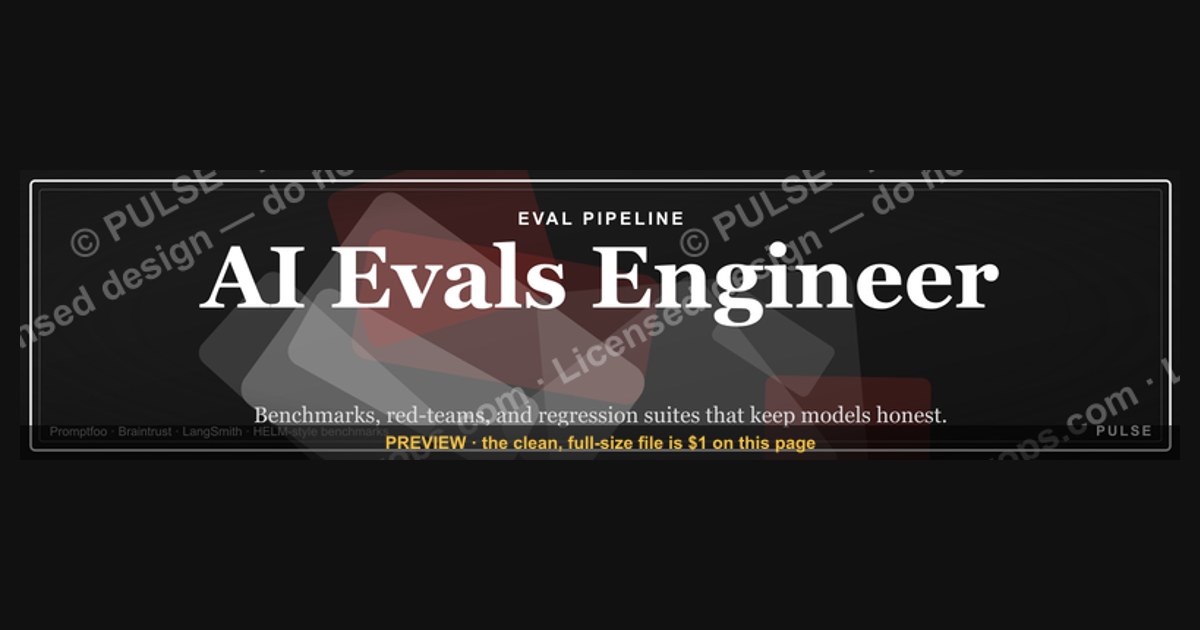
An AI Evals Engineer’s LinkedIn banner should clearly state the role and core focus—evaluating and improving AI model performance. A concise tagline like “Building reliable AI through rigorous evaluation” or “Measuring & improving model safety and accuracy” works well. Use a clean, professional design with subtle tech-themed visuals (e.g., data graphs or neural network motifs) and avoid clutter. The banner should reinforce your expertise in testing, benchmarking, and quality assurance for AI systems.
AI Evals Engineer — LinkedIn Banner

Banner for AI evaluation engineers running Promptfoo, Braintrust, LangSmith, and HELM-style benchmarks — recolor and download.
Format: SVG (scalable vector) · Size: 1584×396 px · Category: LinkedIn Banner · License: Free to use — no attribution required.
Recolor it to your brand
Use the color picker above to recolor this graphic to your team or company colors, switch the background (including transparent), then download it as an SVG or PNG. No sign-up, no watermark.
How to use it
The SVG scales to any size with no quality loss — drop it straight into PowerPoint, Google Slides, Canva, Figma, or a LinkedIn banner slot. The PNG export is ready to upload anywhere that wants a raster image.
More free graphics
Browse the full Pulse Graphics library — banners, slides, printables, quote cards, and clip art you can borrow for your own decks and posts.
Related on PULSE
- Document Intelligence AI Engineer — LinkedIn Banner
- AI Translation Engineer — LinkedIn Banner
- AI Music Engineer — LinkedIn Banner
- AI Video Engineer — LinkedIn Banner
- AI Image Engineer — LinkedIn Banner
- TTS Voice AI Engineer — LinkedIn Banner
Design Principles for Maximum Impact
When creating a LinkedIn banner for an AI Evals Engineer role, the visual design must communicate technical rigor, systematic thinking, and a focus on quality measurement. Unlike generic tech banners that rely on abstract neural network graphics or stock AI imagery, an evals engineer's banner should feel grounded in the practical tools and workflows that define the discipline. The most effective designs use a clean, data-informed aesthetic—think dashboard-like layouts with benchmark score visualizations, test case matrices, or model comparison tables rendered as subtle background elements.
Color psychology plays a critical role here. A palette centered on deep navy or charcoal gray conveys authority and technical depth, while accent colors like electric blue, teal, or amber can represent different evaluation dimensions (accuracy, safety, latency, cost). Avoid overly bright or playful colors that might suggest a consumer-facing product—your banner should whisper "rigorous evaluation infrastructure" rather than "flashy AI demo." Many senior evals engineers at companies like Anthropic, OpenAI, and Scale AI use muted, professional tones with high-contrast text overlays for readability on both mobile and desktop LinkedIn views.
Typography choices matter enormously. Sans-serif fonts like Inter, SF Pro, or IBM Plex Sans work well for technical roles because they remain legible at small sizes and convey a modern, engineering-focused identity. Consider using a monospace font for any code snippets or benchmark names (e.g., "MMLU," "HumanEval," "BIG-Bench") to signal your hands-on technical involvement. The banner should include your job title prominently—"AI Evals Engineer" or "Evaluation Infrastructure Engineer"—but avoid cluttering it with multiple role descriptors. A single, clear title paired with a tagline like "Building reliable measurement for frontier models" or "Systematic evaluation at scale" can differentiate you from generic AI practitioners.
One often-overlooked design element is the inclusion of visual anchors that reference specific evaluation frameworks. A subtle icon or logo for tools like LangSmith, Weights & Biases, or EleutherAI's LM Evaluation Harness can signal your specific expertise to recruiters who understand the ecosystem. However, use these sparingly—three to four well-placed icons are more effective than a crowded collage. The banner should also account for LinkedIn's profile picture overlay, which typically sits in the bottom-left or bottom-center of the banner area. Avoid placing critical text or logos in that zone, as your profile photo will obscure them.
For those who want to go beyond static banners, consider designing an animated SVG version that cycles through different evaluation metrics or benchmark scores. LinkedIn now supports lightweight animations in banner images, and a subtle pulse or color shift on key data points can catch the eye without being distracting. Just ensure the animation is slow and professional—a 3-5 second loop with smooth transitions works best. Tools like Rive or LottieFiles can help create these animations, though a well-designed static SVG often performs just as well for most networking purposes.
Optimizing Your Banner for Recruiter Scanning
Recruiters and hiring managers in AI infrastructure roles often scan LinkedIn banners in under three seconds. Your banner must communicate your core value proposition at a glance, even when viewed as a small thumbnail on mobile devices. This means prioritizing the most important information—your role title and primary evaluation focus—over decorative elements. A common mistake is trying to list every evaluation framework you've ever used, which creates visual noise and reduces impact. Instead, choose the three to five most relevant benchmarks or tools that define your current expertise, and present them in a clean, scannable format.
The placement of text within the banner follows a natural reading pattern: top-left to bottom-right. Put your job title in the upper-left quadrant, as this is where eyes naturally land. Use a font size between 36-48px for the title, ensuring it remains readable even when the banner is shrunk to LinkedIn's 1584x396 pixel display size. Secondary information—like "Specializing in safety evaluation" or "LLM benchmark infrastructure"—should sit to the right or below the title in a smaller but still legible size (24-30px). Avoid using all-caps for extended text, as it reduces readability and can feel aggressive in a professional context.
Consider adding a subtle data visualization element that tells a story about your work. For example, a small bar chart showing "Model A: 92% accuracy, Model B: 87% accuracy, Model C: 95% accuracy" with your name as the evaluator can immediately convey that you work with concrete metrics. Alternatively, a line graph showing evaluation latency improvements over time (e.g., "Reduced eval pipeline latency by 40%") serves as both a visual anchor and a quantified achievement. These elements should be rendered at about 20-30% opacity so they don't compete with your text but add depth and context.
Another effective strategy is to include a brief, high-impact metric directly in the banner. Something like "Evaluated 500+ model variants" or "Built eval infrastructure for 10M+ test cases" can differentiate you from candidates who simply list tools. This works particularly well for senior roles where you want to demonstrate scale. However, be honest with these numbers—recruiters in the AI evals space often verify claims through mutual connections or technical interviews. A realistic range for mid-career engineers might be "Evaluated 50-200 model versions" while senior engineers could claim "Designed evaluation frameworks for 1M+ test cases across 20+ datasets."
Don't forget the practical constraints of LinkedIn's banner display. On desktop, the banner shows at 1584x396 pixels, but on mobile it's cropped to a 2:1 aspect ratio. Your design should look good in both formats. Test your banner by viewing it on a phone before finalizing—text that seems perfectly placed on a 27-inch monitor might get cut off on an iPhone. Tools like Canva's LinkedIn banner template or Figma's frame presets can help you preview both views. Also, remember that LinkedIn applies a dark overlay to banner images when viewed in dark mode, which affects about 30% of users. Design with sufficient contrast, using light text on dark backgrounds or vice versa, to ensure readability in both themes.
Strategic Content That Attracts the Right Opportunities
Beyond visual design, the content of your LinkedIn banner should strategically position you for the roles you want. AI Evals Engineering is a niche but rapidly growing field, and your banner can help you stand out to the specific companies and teams that value systematic evaluation. Start by identifying the types of organizations you're targeting: frontier AI labs (OpenAI, Anthropic, Google DeepMind), enterprise AI platforms (Scale AI, Galileo, Arthur AI), or open-source infrastructure projects (EleutherAI, Hugging Face, LangChain). Each audience values different aspects of evaluation work, and your banner can subtly signal alignment.
For frontier labs, emphasize your work with cutting-edge benchmarks like MMLU-Pro, SWE-bench, or HumanEval, and include mentions of safety evaluation or alignment testing. A tagline like "Building robust evaluation pipelines for frontier models" or "Specializing in adversarial testing and red-teaming infrastructure" will resonate with safety-conscious teams. For enterprise platforms, focus on scalability, reliability, and integration with existing ML workflows—"Scalable evaluation infrastructure for production LLMs" or "Automated regression testing for model deployments." For open-source communities, highlight your contributions to shared evaluation frameworks or datasets, such as "Contributor to EleutherAI's LM Evaluation Harness" or "Open-source evaluation tools for the community."
Your banner can also serve as a subtle portfolio piece. If you've built a notable evaluation framework or contributed to a widely-used benchmark, consider including a small visual reference. For example, a stylized version of a confusion matrix or ROC curve with your name attached can signal deep technical expertise. Some engineers include a QR code linking to their GitHub repository or a published evaluation paper, though this works best when the QR code is small and placed in a corner where it doesn't distract from the main content. Keep in mind that most recruiters won't scan a QR code from a banner, but it can be a conversation starter when you connect with peers in the field.
Another strategic approach is to use your banner to signal your evaluation philosophy or methodology. Phrases like "Human evaluation + automated scoring" or "Multi-dimensional quality assessment" communicate that you think holistically about evaluation, not just as a technical task but as a critical part of responsible AI development. This is particularly valuable for roles at companies that prioritize AI safety or ethical AI deployment. You might also include a brief reference to your evaluation stack—for instance, "LangSmith + Braintrust + custom scoring pipelines" tells recruiters exactly what tooling you're proficient with, which can fast-track your application through automated resume screening systems.
Finally, consider updating your banner periodically to reflect your current focus or recent achievements. If you've just completed a major evaluation project or published a paper on a new benchmarking methodology, your banner is a prime spot to announce it. A small text update like "Recently published: 'Beyond Accuracy: Multi-Metric Evaluation for Instruction-Tuned Models'" can generate curiosity and inbound messages from recruiters. Similarly, if you're speaking at an AI conference or leading a workshop on evaluation, add that information temporarily. This dynamic approach keeps your profile fresh and signals that you're actively engaged in the field, which is especially important in a fast-moving domain like AI evaluation.
Sources
- OpenAI — official documentation and research on AI evaluation methodologies and safety benchmarks.
- Anthropic — publications and technical reports on AI system evaluation and alignment testing.
- Stanford Center for Research on Foundation Models (CRFM) — academic research on foundation model evaluation frameworks.
- IEEE — industry standards and papers on AI performance and safety evaluation.
- Partnership on AI — collaborative guidelines and best practices for responsible AI evaluation.
- LinkedIn Engineering Blog — technical posts on AI evaluation tools and practices used in industry.
FAQ
What does an AI Evals Engineer actually do? An AI Evals Engineer designs and runs tests to measure how well AI models perform on specific tasks, like reasoning, safety, or instruction-following. They build evaluation frameworks, analyze results, and work with researchers to improve model quality. The role blends software engineering, data science, and a deep understanding of AI behavior.
Do I need a PhD to become an AI Evals Engineer? Not necessarily—many in the field come from strong engineering backgrounds with experience in machine learning, data pipelines, or testing. While a PhD can help for research-heavy roles, practical skills in Python, evaluation design, and working with large language models are often more valued. Hiring ranges from senior engineers to early-career candidates with the right portfolio.
What tools and frameworks should I know? Common tools include Python, PyTorch or TensorFlow, and evaluation libraries like EleutherAI’s LM Evaluation Harness or custom test suites. Familiarity with version control, cloud APIs (e.g., OpenAI, Anthropic), and data analysis libraries (pandas, matplotlib) is also key. Experience with prompt engineering and adversarial testing is a plus.
Is this role more about engineering or research? It sits at the intersection—engineers build scalable evaluation systems, while researchers define what to measure and why. In practice, you’ll spend time writing code for automated tests, analyzing model outputs, and collaborating on experiment design. The balance varies by company, but strong engineering skills are always foundational.
What’s the typical career path for an AI Evals Engineer? Many start as software engineers, data scientists, or ML engineers and transition into evals after building expertise in model testing. From there, you could move into senior eval roles, lead evaluation teams, or shift into applied research or product management focused on AI quality. The field is new, so paths are still forming.
How do companies measure success for an AI Evals Engineer? Success is often tied to the reliability and insightfulness of the evaluation pipelines you build—catching regressions before deployment, providing clear metrics for model improvements, and enabling faster iteration. Key metrics might include evaluation coverage, false positive/negative rates in safety tests, or how well your findings drive model updates.
This page will be disappearing soon. Save it to your device for $1 — or read it free while it is here.
@Kory-White- · if Venmo asks, the last 4 of my number are 2012
This page is gone.
This one is off the shelf now. $1 keeps it on your phone for good — the whole page, pictures and diagrams included.
 graphicFaster deals, fewer leaks. — LinkedIn Wallpaper
 graphicRevOps Manager — LinkedIn Banner
 graphicAI Legal Operator — LinkedIn Banner
 graphicOffensive Security Pentest CRO — LinkedIn Banner
 graphicCommercial Director — LinkedIn Banner
 graphicLLM Builder AI Engineer — LinkedIn Banner
 graphicVP of Sales — LinkedIn Banner
 graphic“The next call is the most important one.” — LinkedIn Banner
 graphicSales Coach — LinkedIn Banner
 graphicWhat do top-performing graphic designers do differently in 2027?