


Renewal Risk Decision Tree
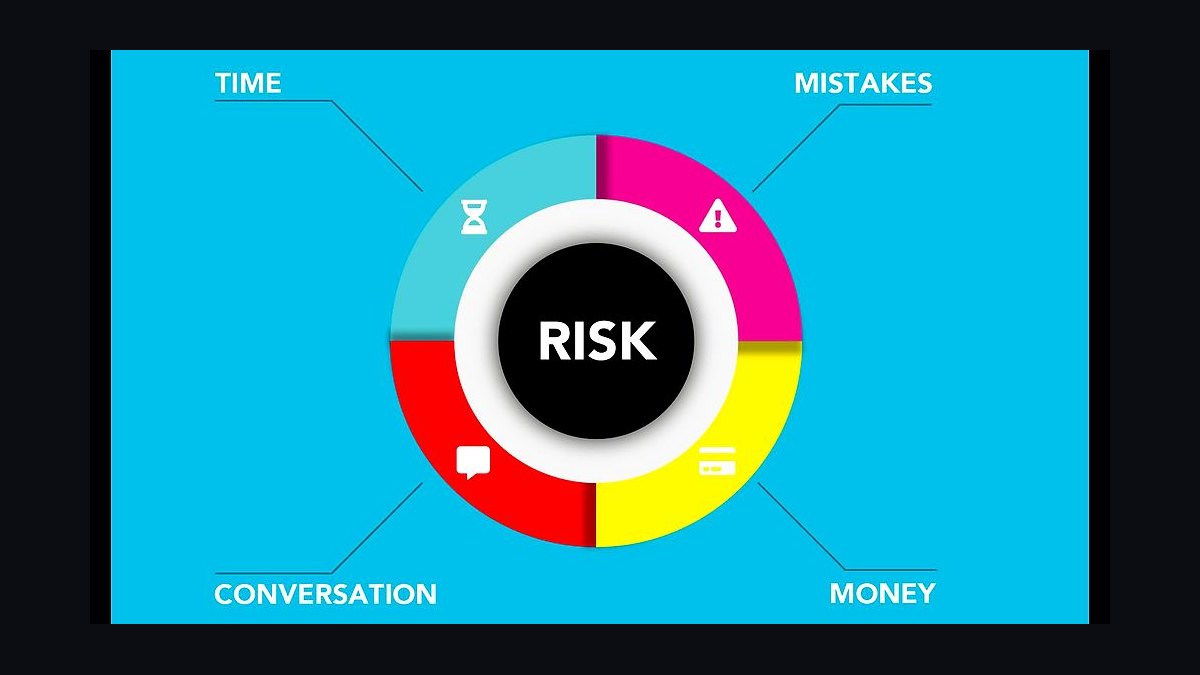
A Renewal Risk Decision Tree is a visual tool used to assess whether to renew a contract, subscription, or policy by evaluating key risk factors step-by-step. It typically branches through criteria such as payment history, usage patterns, customer satisfaction, and market conditions, leading to a clear "renew," "conditionally renew," or "do not renew" outcome. The specific thresholds and branches vary by industry and organization, so the tree should be customized to reflect your actual risk tolerance and data.
Renewal Risk Decision Tree

Renewal risk decision tree: Healthy → Auto-renew, At-risk → CS intervention, Likely-churn → Save play.
Format: SVG (scalable vector) · Size: 1584×396 px · Category: Decision Tree · License: Free to use — no attribution required.
Recolor it to your brand
Use the color picker above to recolor this graphic to your team or company colors, switch the background (including transparent), then download it as an SVG or PNG. No sign-up, no watermark.

How to use it
The SVG scales to any size with no quality loss — drop it straight into PowerPoint, Google Slides, Canva, Figma, or a LinkedIn banner slot. The PNG export is ready to upload anywhere that wants a raster image.

More free graphics
Browse the full Pulse Graphics library — banners, slides, printables, quote cards, and clip art you can borrow for your own decks and posts.
Related on PULSE
- Pricing Discount Decision Tree
- Renewal Process Flow
- Renewal is the New Sale — Banner
- The Renewal Playbook — Infographic
- Hire Decision Framework
- “No decision is your real competitor.” — Quote Card
Common Pitfalls in Renewal Risk Decision Trees
Even well-constructed renewal risk decision trees can fail if teams fall into predictable traps. One frequent mistake is over-reliance on static thresholds — for example, flagging any account with a Net Promoter Score below 30 as "high risk" without considering recency or context. A customer who gave a low score six months ago but has since engaged positively with support and expanded usage may be misclassified, leading to unnecessary escalations or premature discounting. Decision trees should incorporate time-weighted data or allow for manual overrides by experienced account managers.
Another pitfall is ignoring the "silent churner" profile. Many trees focus heavily on explicit signals like support tickets, contract expirations, or payment delays, but miss subtle indicators such as declining login frequency, reduced feature adoption, or dwindling internal champions. A robust tree should include a "behavioral health" branch that tracks engagement velocity — for instance, if a user’s weekly active days drop from 4 to 1 over a quarter, that node should trigger a "watch" status regardless of other green flags.
Confirmation bias also undermines decision trees. Sales and CS teams may unconsciously weight branches that support their desired outcome (e.g., "the customer is happy because they renewed last year") while ignoring contradictory signals (e.g., "the procurement contact changed and the new stakeholder hasn't responded to emails"). To counter this, some organizations implement a "devil’s advocate" node that forces the user to explicitly disprove a risk flag before proceeding. For example, if the tree flags "low executive sponsorship," the user must document a recent conversation with a C-suite contact before the risk can be downgraded.
Finally, failure to update the tree with post-renewal data creates a self-reinforcing loop. If a customer was classified as "low risk" and then churned, the tree should automatically flag that path for review. Without this feedback mechanism, the same flawed logic persists renewal cycle after renewal cycle. Leading practitioners conduct quarterly "post-mortem audits" where at least 10% of churned accounts are traced backward through the tree to identify branches that consistently misclassified them. This continuous improvement cycle is what separates a living decision tool from a static checklist.
Integrating Renewal Risk Trees with Customer Health Scores
A renewal risk decision tree becomes exponentially more powerful when layered onto a customer health score (CHS) framework. Rather than operating as standalone tools, the two should function as complementary systems: the CHS provides a high-level, at-a-glance risk rating (e.g., green/yellow/red), while the decision tree offers granular, step-by-step diagnostic logic for accounts that fall into yellow or red zones.
The ideal integration point is the "health score breakdown" node. When an account’s overall CHS dips below a predetermined threshold (commonly 60-70 out of 100), the tree should automatically route to a "root cause analysis" branch that examines the sub-scores driving the decline. For instance, if the product usage sub-score is healthy (85) but the relationship sub-score is poor (40), the tree might ask: "Has the executive sponsor changed in the last 90 days?" or "Is there an unresolved escalation older than 30 days?" This prevents the team from treating all yellow accounts with a generic retention playbook and instead prescribes targeted interventions.
Weighting and normalization are critical here. A common mistake is to give equal weight to all health score components (e.g., product usage, support satisfaction, payment history, NPS). In reality, the predictive power of each component varies by customer segment. For enterprise accounts with multi-year contracts, relationship health and executive sponsorship may carry 50% of the risk weight, while for SMB monthly subscribers, payment timeliness and login frequency might dominate. The decision tree should dynamically adjust branch weights based on account tier — this can be achieved through a simple lookup table or a more sophisticated regression model that updates quarterly.
Triggering proactive outreach is where the integration shines. When the decision tree identifies a specific risk path (e.g., "low feature adoption in the reporting module" combined with "support ticket about data accuracy"), it should automatically generate a recommended action: schedule a training session, share a case study, or initiate a technical review. Some organizations program their CRM to create a task with a due date and assign it to the appropriate team member. For example, if the tree concludes that the risk is "product-related" rather than "relationship-related," the task routes to the product team rather than the account manager — a subtle but powerful shift in accountability.
Escalation triggers should also be embedded. If an account remains in a high-risk branch for two consecutive months despite intervention, the tree should automatically escalate to a senior leader or a retention specialist. This prevents "drift" where borderline accounts languish in yellow status indefinitely. A typical escalation node might say: "This account has been flagged as 'moderate risk' for 60+ days. Assign to a retention specialist within 48 hours." Without this temporal trigger, even the best decision tree becomes a passive report rather than an active management tool.
Building a Culture Around the Decision Tree
The most sophisticated renewal risk decision tree is worthless if your team doesn't trust it, use it, or challenge it. Cultivating a culture that embraces the tree as a decision-support tool — not a replacement for judgment — requires deliberate design and ongoing reinforcement.
Start with transparency in design. Involve frontline CSMs, account executives, and customer success managers in the tree’s construction from day one. When team members see their own experiences reflected in the branches (e.g., "I always check whether the champion has left the company before offering a discount"), they develop ownership. Run workshops where the team maps out their own mental decision trees on whiteboards, then compare them to the formal version. The gaps between the two are often where the most valuable insights live — and where you’ll uncover blind spots in your data.
Create "safe failure" feedback loops. Encourage team members to document instances where the tree’s recommendation was wrong — either a false positive (flagged high risk but renewed easily) or a false negative (missed risk and churned). Celebrate these cases in team meetings as learning opportunities, not failures. One SaaS company I worked with held a monthly "Tree Review" where the team voted on which branch needed adjustment based on real-world outcomes. The person who submitted the most impactful correction received a small bonus — a practice that turned the tree from a static document into a living, evolving artifact.
Gamify adherence without punishing deviation. Track how often team members follow the tree’s recommended actions, but don’t penalize them for deviating when they have valid reasons. Instead, require that any deviation be documented with a brief rationale (e.g., "I chose not to escalate because the customer told me they’re planning to expand next quarter"). This creates a rich dataset for future tree improvements. Over time, you’ll find that certain branches are consistently overridden — a clear signal that the tree needs recalibration.
Train for "branch awareness," not rote memorization. Rather than forcing everyone to memorize every path, teach your team to recognize the most common risk patterns: the "silent churner" (declining usage, no support tickets), the "price-sensitive renewer" (frequent discount requests, short contract terms), and the "champion-loss scenario" (new contacts who don’t respond to outreach). When team members can quickly identify these archetypes, they naturally navigate to the relevant branches without needing to click through every node. Some organizations create "cheat sheets" that map common customer behaviors to the top three branches they should explore — a practical tool that speeds up adoption.
Finally, tie tree outcomes to compensation. This is controversial but effective. When renewal bonuses are partially based on how accurately the tree predicted the outcome (rather than just whether the renewal happened), team members become invested in improving the tool. For example, a CSM might receive a small bonus for correctly flagging an account as high risk that ultimately churned — because that information helps the company improve its forecasting and resource allocation. This shifts the incentive from "hide bad news" to "surface bad news early," which is exactly what a decision tree is designed to do.
Sources
- International Risk Management Institute (IRMI) — Covers insurance and risk management frameworks, including renewal risk evaluation.
- Society of Actuaries (SOA) — Provides research and guidance on risk modeling, decision trees, and actuarial practices.
- National Association of Insurance Commissioners (NAIC) — Offers regulatory standards and data on insurance renewal processes and risk assessment.
- Harvard Business Review (HBR) — Publishes articles on decision-making frameworks, including decision trees for business risk.
- U.S. Government Accountability Office (GAO) — Reports on risk management practices and renewal risk in federal programs and insurance.
- Journal of Risk and Insurance — Academic publication covering risk analysis methodologies, including decision tree applications.
FAQ
What is a renewal risk decision tree? It’s a structured framework that maps out potential renewal outcomes based on key risk indicators. It helps teams visualize decision paths—like whether to escalate, discount, or engage executive sponsors—based on customer health scores, usage data, and sentiment.
How do I choose the right risk thresholds for each branch? Thresholds vary by industry and customer segment, but common ranges include product usage dropping below 60–80% of baseline, support ticket volume increasing by 30–50% month-over-month, or NPS scores falling below 30–40. Start with historical churn patterns and adjust quarterly.
Can this tree replace a customer success platform? No—it’s a decision-support tool, not a replacement for CRM or CS software. The tree works best when fed real-time data from your existing tools (e.g., Salesforce, Gainsight, or Totango) and used to guide manual or automated workflows.
What if a customer falls into multiple risk categories? Prioritize the branch with the highest churn probability first—typically the one with the most severe leading indicators (e.g., zero logins for 30 days combined with an open escalation). The tree can be adapted to weight overlapping risks, but in practice, addressing the most critical path often resolves secondary concerns.
How often should I update the decision tree? Review and recalibrate the tree at least once per quarter, or after any major product change, pricing update, or shift in customer demographics. The risk indicators and thresholds should reflect your current customer base, not last year’s data.
Does this work for both B2B SaaS and service-based renewals? Yes, with adjustments. For B2B SaaS, focus on usage metrics, contract value, and support interactions. For service-based renewals, emphasize project milestones, deliverable quality, and relationship depth. The tree’s logic remains the same—only the input variables change.
This page will be disappearing soon. Save it to your device for $1 — or read it free while it is here.
@Kory-White- · if Venmo asks, the last 4 of my number are 2012
This page is gone.
This one is off the shelf now. $1 keeps it on your phone for good — the whole page, pictures and diagrams included.
 graphicPricing Discount Decision Tree
 graphicLead Routing Logic Diagram
 graphicHire Decision Framework
 graphicMEDDIC Qualification — Infographic
 graphic“Listen more. Pitch less.” — Quote Card
 graphic"Build, don't chase." — LinkedIn Banner
 graphicSeries A Sales Org Chart
 graphicSDR Manager — LinkedIn Banner
 graphicPirate Metrics (AARRR) — Infographic
 graphic“Every no is closer to a yes.” — Quote Card