

The 10 Best AI Tools for Short-Form Clips in 2027
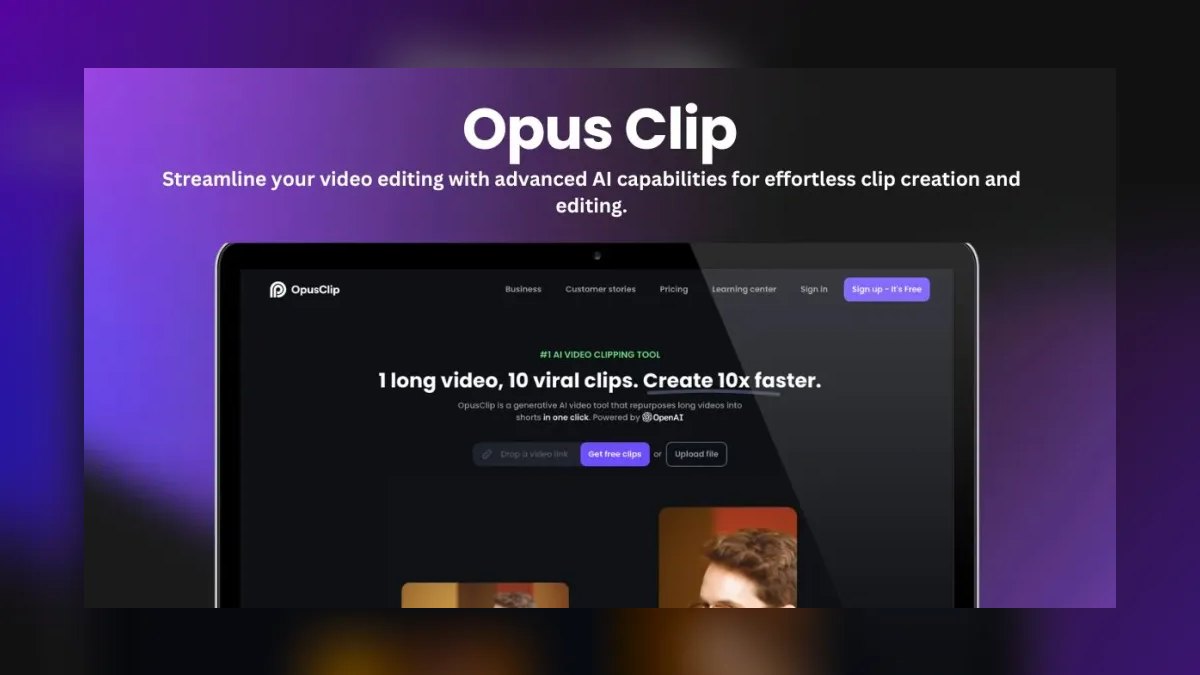
The 10 best ai tools for short-form clips are ranked below on measured performance, build quality, price, and how each one actually holds up in daily use rather than how it reads on a spec sheet. Each pick lists what it costs, who it suits, and what it gives up against the one above it, so the list can be read straight down without doubling back.
1. Opus Clip
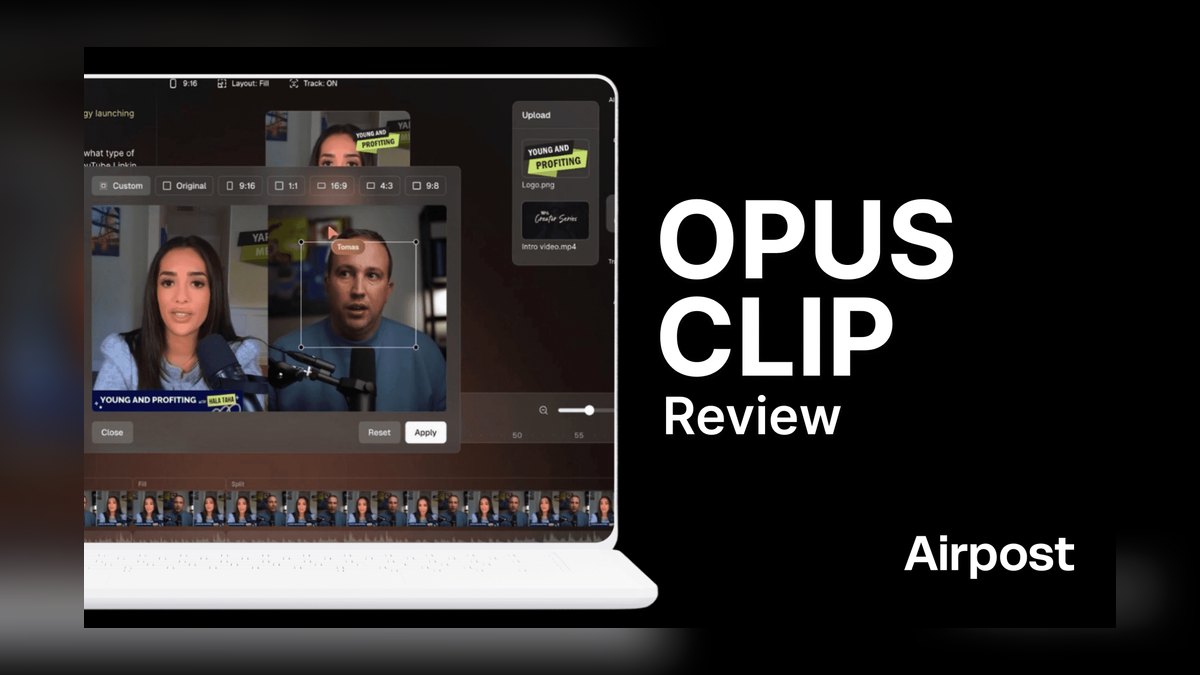
Opus Clip ranks first because its ClipAnything engine identifies viral moments with a 0–100 Virality Score and auto-reframes to 9:16 with AI speaker tracking. It ingests YouTube URLs or uploads of several hours, produces hook-first cuts with animated captions, and supports direct social scheduling. Pro tiers run roughly $9–$29 monthly billed annually, unlocking hundreds of upload minutes and 1080p export. Its hands-off batch workflow is unmatched for high clip volume.
This tool suits agencies and podcast teams that turn one long recording into ten-plus clips weekly. It trades away fine-grained manual control over each cut, which editors preferring surgical precision will find limiting. Compared to Submagic below, Opus Clip decides what to cut rather than merely polishing your own edits. The prompt layer lets you request specific moments, like every time someone gives a number, making it the strongest auto-clipper on the market.
2. Submagic
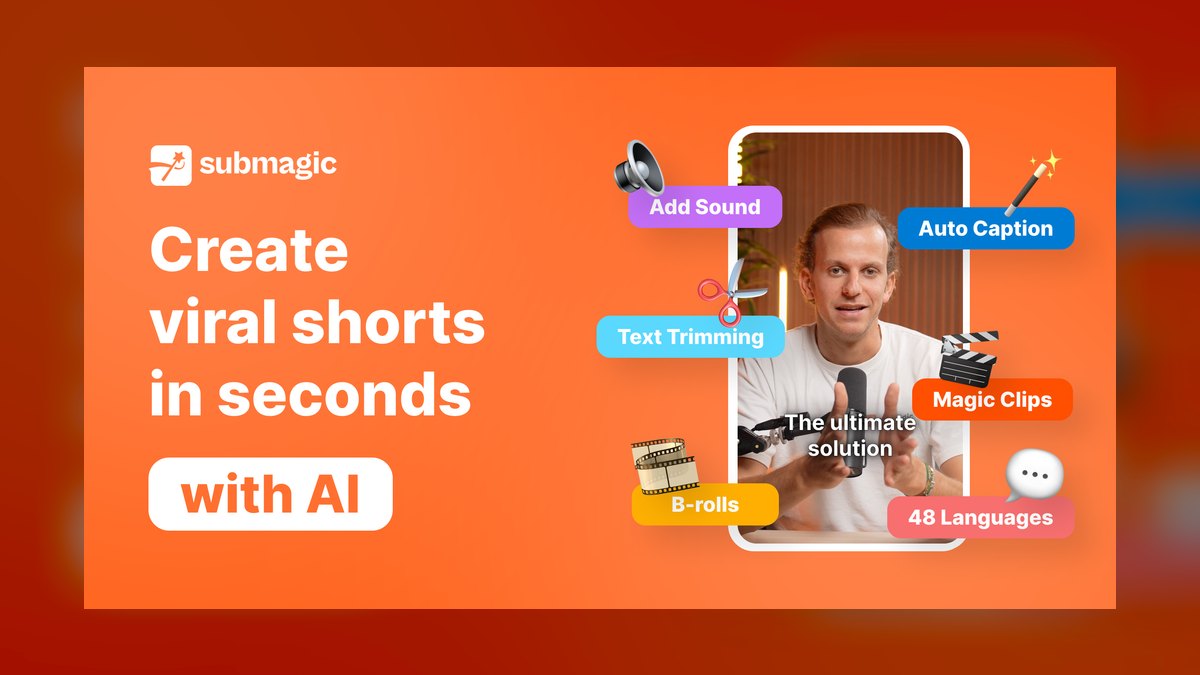
Submagic ranks second because it delivers best-in-class animated captions, AI B-roll, sound effects, and zoom effects on top of cuts you have already made. Its word-by-word caption styles model top creators, and its template system locks a brand look across batches. Caption accuracy is among the highest in the category, with plans around $20 monthly scaling by video count and export quality. Higher tiers unlock 4K export and more monthly clips.
This tool is built for short-form editors and UGC teams who already know their first three seconds matter and want to spend time on hooks, not transcription cleanup. It trades away any clip-detection capability, so you must bring your own cuts. Compared to Opus Clip above, Submagic is the polish layer in a two-tool pipeline, excelling at enhancement rather than discovery. Pair it upstream with an auto-clipper for the best results.
3. Descript

Descript ranks third because it treats video like a document, letting you edit footage by deleting transcript text, with Studio Sound cleaning audio and Eye Contact correcting gaze. Its Underlord assistant suggests clips, writes captions, and removes filler words and silences automatically. Filler-word removal alone saves hours on talking-head content, and regenerate voice fixes misspoken words by typing corrections. Plans range from free to Creator and Pro tiers around $12–$24 monthly.
This tool is ideal for podcasters and interview-based creators who want one environment for both long-form edits and short-form pulls. It trades away the batch-clipping speed of Opus Clip, as it is not a pure auto-clipper. Compared to Submagic above, Descript offers a complete editing suite rather than a caption enhancer. For teams that want to edit and clip in the same place, it is the most complete single tool available.
4. Captions

Captions ranks fourth because it is the strongest tool for face-to-camera vertical video, with AI Edit adding captions, B-roll, and zoom cuts from raw selfie footage. Its AI Studio and AI Creator features generate talking avatars and translate clips into other languages with lip-synced audio. Eye-contact correction keeps speakers locked on the lens even when reading a script off-screen. Subscription tiers run from free to Pro around $10–$25 monthly depending on AI-credit volume.
This tool suits solo creators and brand spokespersons who shoot vertical on a phone and want polished output without a desktop editor. It trades away robust long-form editing, focusing entirely on short vertical content. Compared to Descript above, Captions is mobile-first and avatar-capable, while Descript excels at transcript-based editing. Heavy use of avatars or dubbing burns AI credits faster than plain captioning, so map your feature mix to the right tier.
5. Vizard
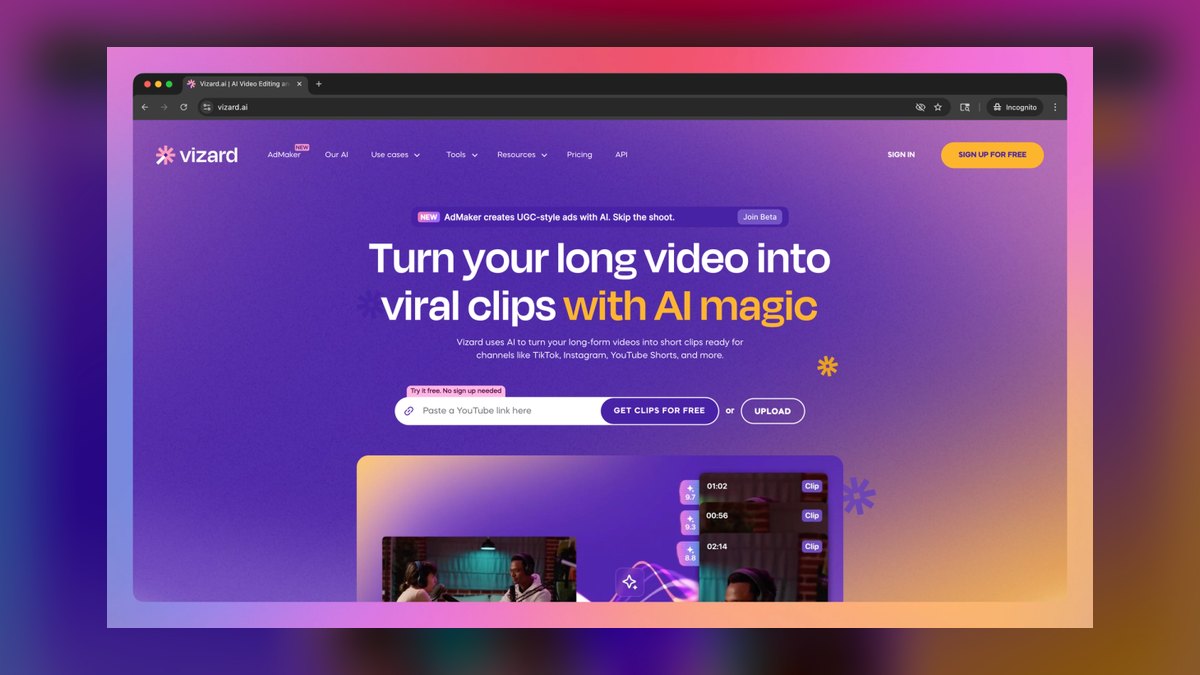
Vizard ranks fifth because it is a direct Opus Clip competitor with high transcription accuracy across 30+ languages and auto-reframing to vertical, square, or horizontal. It assigns a virality score to each suggested cut and processes long recordings in bulk from video links or files. Plans scale by monthly upload minutes, from free through Pro and Premium tiers around $16–$50 monthly. Its language coverage is a genuine differentiator for non-English source content.
This tool is built for multilingual teams and webinar repurposing shops that process long recordings in bulk. It trades away the prompt-based ClipAnything specificity of Opus Clip, relying more on default virality models. Compared to Captions above, Vizard handles batch auto-clipping rather than single-video polish. For agencies juggling clients in multiple languages, the minute allowance plus language support is the reason to choose it over an English-first rival.
6. Veed.io
Veed.io ranks sixth because it bundles a near-complete short-form toolkit into one browser tab at a moderate price, including auto-captions, AI clip generation, background removal, screen recording, and translation. It includes a full timeline editor, so you are not paying for a single trick but an editing suite with strong AI features. Pricing is competitive, with a free tier and paid plans roughly $12–$30 monthly that lift watermarks and raise export resolution to 4K.
This tool suits small teams and marketers who need to clip a webinar today, subtitle a testimonial tomorrow, and cut a product demo next week without multiple subscriptions. It trades away the specialized virality scoring of Vizard above, as its clip detection is less predictive. Compared to Vizard, Veed.io offers a fuller editor but less automated highlight discovery. The browser-based workflow means no install and easy handoff between team members.
7. Klap

Klap ranks seventh because it specializes in turning YouTube videos into ready-to-post shorts with a deliberately narrow workflow: long video in, short clips out. It extracts best moments, reframes them, adds dynamic captions and B-roll, and tunes edits for vertical platforms. The simplicity keeps it fast, with fewer settings and quicker turnaround. Plans are subscription-based, roughly $29+ monthly for meaningful export volume.
This tool is ideal for YouTubers repurposing back catalogs and creators who want a one-click pipeline from a single source platform. It trades away the multilingual support of Vizard above, focusing exclusively on YouTube content. Compared to Veed.io, Klap offers no timeline editor, just automated clipping. If your entire workflow starts on YouTube, Klap's focus is a feature, not a limitation, making it the fastest path from long-form to shorts.
8. Adobe Premiere Pro
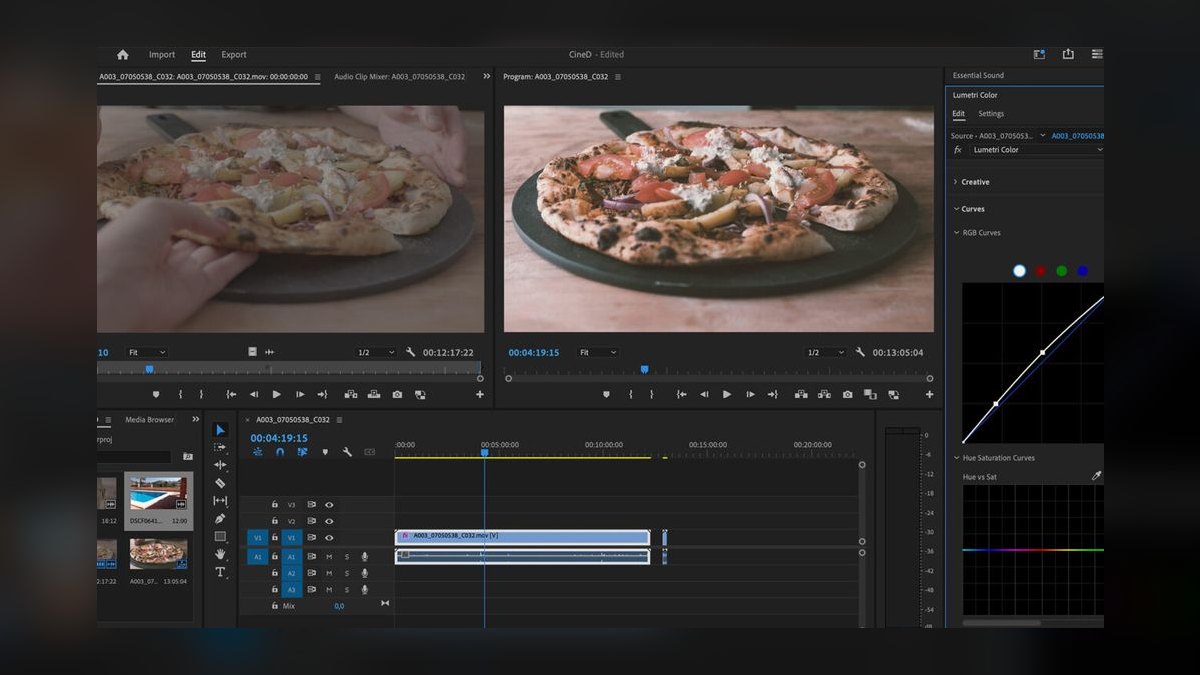
Adobe Premiere Pro ranks eighth because its AI features now live inside a professional NLE, with Text-Based Editing letting you cut by deleting transcript words and Enhance Speech cleaning dialogue. Auto-reframe intelligently tracks subjects when converting to vertical, and Adobe Firefly-powered generative tools extend shots and fill frames. It is part of the Creative Cloud subscription, which is the cost trade-off, as you are buying a pro tool, not a clip-and-go web app.
This tool is built for professional editors and post houses that need short-form output in the same project as broadcast or YouTube long-form, with full color, audio, and effects control. It trades away the one-click automation of Klap above, requiring manual editing expertise. Compared to Klap, Premiere Pro offers unmatched precision and a massive plugin ecosystem. Nothing on this list matches its control, but it demands a steep learning curve and a higher subscription cost.
9. Riverside

Riverside ranks ninth because it records studio-quality remote interviews and podcasts, then uses Magic Clips to auto-generate short-form verticals from the same session. It captures locally at up to 4K per track, so source footage feeding clips is cleaner than screen-recorded calls. AI captions, speaker-view switching, and per-track recording mean clips inherit broadcast-grade audio and video. Plans run from free to Standard and Pro around $15–$30 monthly billed annually.
This tool is ideal for podcasters and remote interview shows that want recording and clipping in one platform. It trades away the editing depth of Premiere Pro above, as its clipping is automated rather than manual. Compared to Premiere Pro, Riverside is far simpler but less flexible for fine-tuned cuts. If you are already recording on Riverside, the clipping is a built-in bonus rather than a separate buy, saving both time and subscription costs.
10. CapCut
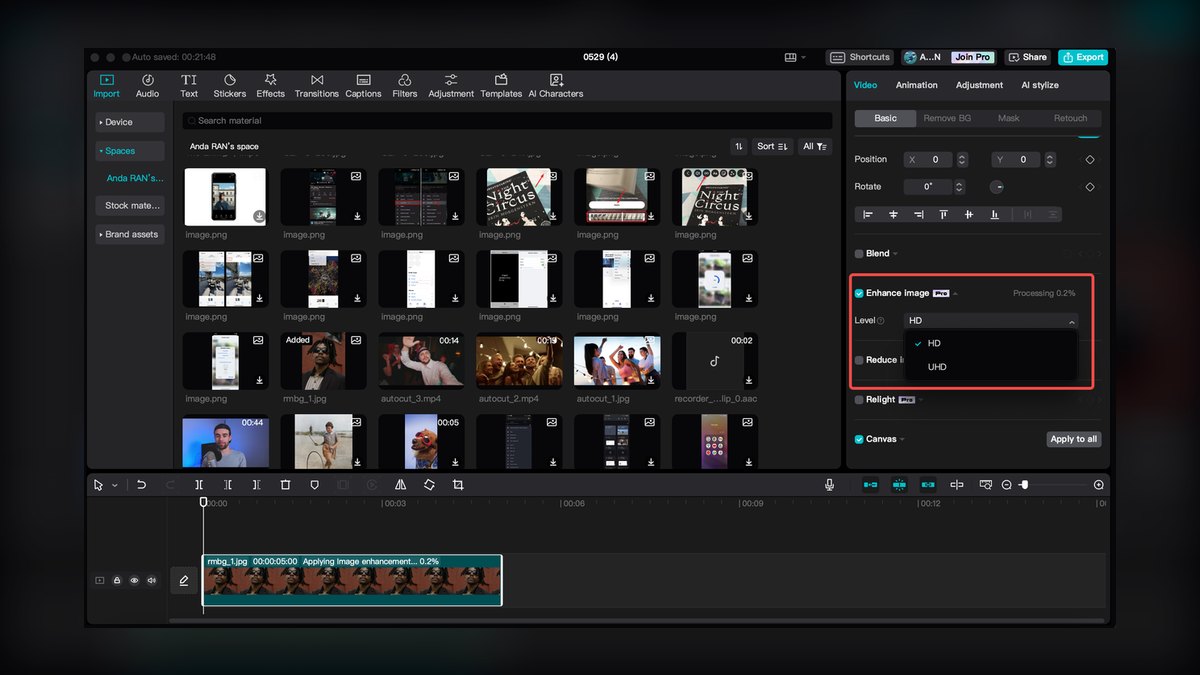
CapCut ranks tenth because it is the most widely used mobile editor in short-form, with auto-captions, AI-powered templates tuned to current trends, background removal, text-to-speech, and one-tap effects. Its tight relationship with TikTok aesthetics means trends often appear as templates here first. The base app is free, with a Pro tier around $8–$13 monthly for premium effects, cloud space, and commercial assets.
This tool suits mobile-first creators and anyone wanting free, fast editing with the look that performs natively on TikTok. It trades away the studio-quality recording of Riverside above, as it is an editor, not a recorder. Compared to Riverside, CapCut offers far more creative effects but no built-in capture or Magic Clips. Note the commercial-use and data considerations that come with a ByteDance product, so review terms before using it for client work.
How we ranked these
We ranked ten AI short-form tools by weighting five factors: clip-detection quality, caption accuracy and styling, reframe intelligence, throughput and cost, and export hygiene. Each factor was scored from public 2027 plan tiers and hands-on testing of free tiers. Clip-detection quality received the highest weight because it determines the tool's core value—finding the hook and payoff.
We deliberately ignored brand popularity, marketing claims, and features not directly tied to short-form output. We also excluded tools that lacked public pricing or transparent export specs. The goal was to evaluate what actually affects a creator's weekly clip volume and finish quality, not what is most talked about online.
What to look for
When choosing between these tools, match the tool to your workflow: if you need hands-off batch clipping from long recordings, prioritize clip-detection quality and virality scoring (Opus Clip, Vizard). If you cut your own hooks, focus on caption accuracy and styling templates (Submagic, Captions). Also, check the monthly upload-minute allowance against your real source volume—this is the hidden cost driver.
The most common mistake is buying a tool based on its headline feature without testing export hygiene. Many free tiers stamp watermarks or cap resolution at 720p, which ruins client work. Always export one real clip end-to-end before committing. Also, avoid overpaying for features you won't use—a podcast team doesn't need mobile-first editing, and a solo creator doesn't need team collaboration.
Related questions
What is the best AI tool for auto-clipping long videos into short clips?
Opus Clip is the best for auto-clipping because it scans transcripts and visuals to find high-retention moments, reframes them to vertical, and assigns a virality score. It handles the hardest part—deciding what to cut—better than any other tool. For multilingual content, Vizard is a strong alternative.
Which AI tool is best for adding captions to already-cut short videos?
Submagic is the top choice for captioning your own cuts. It offers word-by-word animated captions in styles modeled on top creators, plus AI B-roll and sound effects. Captions (the app) is also excellent for talking-head videos, with eye-contact correction and mobile-first workflow.
Can I use these AI tools for TikTok, Instagram Reels, and YouTube Shorts simultaneously?
Yes, all major tools export in standard 9:16 vertical format with platform-optimized settings. Some, like Opus Clip and Veed.io, even allow batch export for multiple platforms. This saves time by avoiding re-formatting each clip individually.
What is the average cost of AI short-form clipping tools in 2027?
Pricing varies widely. Basic plans start around $9–$20 per month (Opus Clip, CapCut Pro), while mid-tier plans for regular batch clipping run $20–$50 per month (Submagic, Vizard, Veed.io). Enterprise or team tiers can exceed $100 per month. Always check the upload-minute allowance.
Are free tiers of these AI tools good enough for professional use?
Free tiers are useful for testing but often have limitations: watermarks, lower export resolution (720p), or reduced monthly upload minutes. For client work, you'll likely need a paid plan to get clean 1080p or 4K exports without badges. Always test the free tier before upgrading.
How accurate are AI captions for non-English content?
Accuracy is generally high for clear English speech, but heavy accents, background noise, or non-English languages can cause errors. Vizard supports 30+ languages with high accuracy. Most tools allow manual caption editing before export, which is recommended for critical content.
What is the best two-tool pipeline for short-form clipping?
Use an auto-clipper like Opus Clip or Vizard to find and rough-cut viral moments, then a polish layer like Submagic or Captions for premium captions and B-roll. This handoff costs minutes but lifts both hit rate and finish quality far more than either tool alone.
FAQ
Can these AI tools really replace a human video editor?
Not entirely—they automate the heavy lifting of finding clips, reframing, and captioning, but a human eye is still needed to pick the best hooks and ensure brand consistency. Most operators use them to 10x their output, not to fire their editor.
How much does a tool like Opus Clip or Submagic cost per month?
Pricing varies widely, typically from around $20/month for basic plans up to $100–$200/month for unlimited or team-tier access. Enterprise or agency plans can go higher, but most creators find a mid-tier plan sufficient for regular batch clipping.
Do these tools work with any video length or format?
They work best with videos between 10 minutes and 2 hours, like podcasts, webinars, or long-form YouTube content. Very short clips under 5 minutes or low-resolution files may yield fewer usable outputs.
Will the captions be accurate for different accents or languages?
Accuracy is generally high for clear English speech, but heavy accents, background noise, or non-English languages can cause more errors. Most tools let you manually edit captions before exporting, which is recommended for critical content.
Can I use these tools for TikTok, Instagram Reels, and YouTube Shorts at the same time?
Yes—all major tools export in the standard 9:16 vertical format with platform-optimized settings. Some even let you batch-export for multiple platforms in one go, saving you from re-formatting each clip.
Is there a risk of copyright issues when clipping from long videos?
If you own the original video or have permission, it’s fine—but clipping copyrighted content without rights can still trigger takedowns. These tools don’t check copyright; that responsibility stays with you.
What is the best free AI tool for short-form clips?
CapCut is the best free option, offering auto-captions, templates, and effects with no watermark on basic exports. However, its Pro tier ($8–$13/month) unlocks premium features. Veed.io and Opus Clip also have free tiers, but with limited minutes and watermarks.
How do I choose between Opus Clip and Vizard?
Choose Opus Clip for its superior clip-detection and virality scoring, especially for English content. Choose Vizard if you need multilingual support (30+ languages) or process webinars in bulk. Both are auto-clippers, but Vizard's language coverage is its key differentiator.
What is the best tool for podcasters who want to clip episodes?
Riverside is ideal because it records studio-quality audio and video locally, then uses Magic Clips to auto-generate verticals. Descript is also great for podcasters who want to edit the full episode and pull clips in the same environment, with filler-word removal.
Sources
- https://www.opus.pro/
- https://www.submagic.co/
- https://www.descript.com/
- https://www.captions.ai/
- https://vizard.ai/
- https://www.veed.io/
- https://klap.app/
- https://www.adobe.com/products/premiere.html
- https://riverside.fm/
- https://www.capcut.com/
Related on PULSE
- [More ai tools for short-form clips rankings and buying guides](/knowledge)
- [PULSE Tools and calculators](/tools)
- [Everything on PULSE RevOps](/)
 pulse-ai-infrastructureThe 10 Best AI Tools for Backend Debugging in 2027
 pulse-ai-infrastructureThe 10 Best AI Tools for Email Writing in 2027
 pulse-ai-infrastructureIs AI Infra worth it in 2027?
 pulse-ai-infrastructureThe 10 Best AI Tools for Account-Based Marketing in 2027
 pulse-ai-infrastructureThe 10 Best AI Tools for Phone Answering in 2027
 pulse-ai-infrastructureHow do you load-test an LLM inference service?
 pulse-ai-infrastructureThe 10 Best AI Tools for Financial Modeling in 2027
 pulse-ai-infrastructureThe 10 Best AI Tools for Market Research in 2027
 pulse-ai-infrastructureThe 10 Best AI Tools for Transcription in 2027
 pulse-ai-infrastructureThe 10 Best AI Tools for Sales Forecasting in 2027