


How Many Employees Should I Schedule Each Shift at My Taco Shop in 2027?
Quality
Certified
Most taco shops run two to three crew during slow periods and five to eight at peak. The cleanest way to size it: divide each shift's average gross profit by your target gross profit per crew member — roughly $150 per shift in a fast-casual Mexican concept — and round up. Let POS history, not habit, set the number.
The outcome you should expect when you schedule to the math
The first thing that changes when you stop scheduling by habit is that the schedule stops being flat. Almost every independent taco shop that has never done this exercise runs something close to a constant crew count: three or four people from open to close, maybe one extra on Friday because Friday "feels busy." Sales, meanwhile, are anything but flat. A counter-service Mexican concept typically does 35 to 55 percent of its daily revenue inside a ninety-minute lunch window, another 25 to 40 percent in a dinner or late-night window, and comparatively little in the two dead zones between them. Flat labor against a spiky demand curve guarantees two bad outcomes at once: you are simultaneously overstaffed at 2:45 PM and underspeed at 12:10 PM. You pay for both.
The realistic outcome of converting to gross-profit-based scheduling is a labor-cost reduction in the range of 8 to 20 percent of scheduled hours in the first month, without cutting a single person from the roster. That number sounds aggressive until you count the actual hours involved. If you have four people on the clock from 2:00 to 4:30 PM, six days a week, and the math says two, you just found fifteen labor hours a week. At a fully loaded cost of $18 to $22 an hour — wage plus payroll tax plus workers' comp plus whatever benefit load you carry — that is $270 to $330 a week, or roughly $14,000 to $17,000 a year, from one dead-zone correction on one store. Do the same exercise on a Monday open, a Sunday close, and a Tuesday dinner, and the annualized figure climbs past $30,000 in a single unit.
The second outcome is less obvious and matters more over a year: speed of service improves at peak even though total scheduled hours go down. This is the part owners rarely believe until they see it. The hours you removed from the dead zone do not vanish — you redeploy some of them into the peak. If your lunch window was running four crew and the gross-profit math says five and a half, you round to six and cover the actual bottleneck. Ticket times at the make line compress. The line out the door moves. Walkaways drop. A guest who has watched a nine-person line and left is a lost ticket you never see in the POS, which is exactly why understaffing at peak is the most expensive mistake in the building and the hardest one to detect from a P&L.

The third outcome is cultural, and it is the one that keeps the system alive after the novelty wears off. When crew counts come from a published number rather than from the owner's mood, scheduling stops being a loyalty contest. Nobody gets the cushy mid-afternoon shift because they have been there since opening. Nobody gets punished with a Sunday close because they asked for a raise. The schedule becomes an output of a formula that everyone can see, which removes an enormous amount of friction from a workforce that typically turns over at 75 to 130 percent annually in quick service. Crew who want more hours learn quickly that the way to get them is to make the peak windows produce, not to lobby.
What you should not expect is a perfect schedule on week one. The gross-profit divisor gives you a defensible starting number for every daypart; it does not know that your Thursday night crew is two rookies and a trainer, or that the taquería three doors down just closed and half its traffic is now yours. Treat the output as the baseline and the manager's adjustment as the ±1 correction, documented, so you can tell later whether the adjustments were right.
What drives that outcome
Four variables move the crew count for any given shift, and it is worth separating them because owners tend to collapse them into a single gut feeling.

Gross profit per daypart, not revenue per daypart. Revenue is the wrong denominator because it ignores mix. A lunch that does $1,900 on $2 street tacos and a dinner that does $1,900 on $14 birria platters and margaritas are not the same shift. At a typical taco-shop COGS of 27 to 34 percent of revenue, that $1,900 lunch throws off roughly $1,250 to $1,390 in gross profit — but the drink-heavy dinner may throw off more, because beverage COGS runs far lower than protein COGS. Pull gross profit, not sales, from a trailing three-to-six-month window, and you get a denominator that already accounts for the fact that some shifts are simply worth more per dollar rung.
Your gross-profit-per-crew-member target. This is the single number your leadership team has to agree on out loud, and $150 per shift is the honest floor for a QSR-margin Mexican concept. It is deliberately lower than a full-service restaurant's number because the ticket is small and the line moves fast. Sanity-check it against your own ticket: if your average ticket is $12 to $18 and one line position touches 30 to 50 transactions in a shift, that position is associated with $360 to $900 in revenue, which at 30 percent COGS is $250 to $630 in gross profit. The $150 floor sits well under that on purpose — it has to survive slow days, new hires, and the shift where the fryer goes down.
Throughput per position at the make line. Return to the opening rule: one crew member per $300 to $500 in hourly sales. Translated to a thirty-minute slice, that is $150 to $250 in sales per person per half-hour, not the lower figure some scheduling guides quote. If your peak half-hour rings $900, you need roughly four to six people covering that window depending on where your store sits in that range. Stores with heavy digital and third-party-delivery mix land at the low end, because a delivery order consumes make-line capacity without consuming register capacity and the expo handoff eats minutes. Stores with a simple menu, a well-stocked line, and mostly walk-in dine-in traffic land at the high end.
Fixed roles that exist regardless of volume. Certain positions do not scale with sales. You need someone who can open the safe, run a void, handle a guest complaint, and sign for a delivery. You need a second body for basic safety and break coverage. That gives you a hard floor of two on any open shift no matter what the formula says. A formula that returns 1.5 on a Tuesday at 3:00 PM is telling you the daypart barely pays for itself, not that you should staff a solo shift.

The staggering step at the bottom of that flow is where most of the savings actually land. Crew counts by daypart are a planning number; start and end times are the operational expression of it. If lunch needs six and the mid-afternoon needs two, you do not schedule six people from 10:00 to 4:00. You bring a prep cook in at 9:30, a second cook and a cashier at 10:30, two more at 11:00, and a floater at 11:30 who is scheduled to leave at 1:45. Four of those six roll off before 2:30 PM. Same peak coverage, roughly fourteen fewer labor hours across the week.
Benchmarks and realistic ranges
Numbers are only useful with the context of what a normal store looks like, so here is the shape of a typical single-unit fast-casual taco shop doing somewhere between $700,000 and $1.4 million a year.
Crew per shift. Two to three during off-peak and open/close windows; five to eight at lunch and dinner peak; occasionally nine or ten on a Friday or Saturday late-night if you run alcohol or a bar-adjacent late crowd. If your peak count is consistently under four and your ticket times are fine, you are probably a smaller-volume store than this range and should scale everything down proportionally rather than force-fitting these figures.
Labor cost as a percentage of sales. Quick-service and fast-casual operators generally target total labor in the high twenties to low thirties as a percent of sales, with crew labor alone — excluding salaried management — often running 20 to 26 percent. Where you land depends heavily on your local minimum wage; the same schedule that produces 24 percent labor in a low-wage market produces 33 percent in a high-wage coastal city. Do not import someone else's labor-percent target across a wage line.

Cost of goods. Mexican fast casual typically runs 28 to 35 percent COGS. Protein-forward concepts — birria, carne asada, carnitas — sit at the top of that band. Bean-and-rice-forward menus with strong drink attachment sit at the bottom. This matters for scheduling because it sets the gross-profit denominator: a 35 percent COGS store needs more revenue per crew member to hit the same $150 gross-profit floor than a 28 percent store does.
Average ticket. Street-style counters commonly land at $9 to $14 per guest. Build-your-own bowl and burrito formats land at $13 to $19. Add alcohol and the dinner ticket can jump 30 to 50 percent. Your gross-profit-per-crew floor should move with the ticket: if you are consistently ringing $18 to $22 because you sell premium birria and loaded nachos, raise the floor toward $180 to $200 per shift. If you are a $9 street-taco counter, keep it at $120 to $150.
Peak concentration. Expect lunch to carry 35 to 55 percent of the day and dinner or late-night to carry another 25 to 40 percent. Late-night is the distinguishing feature of the category — a taco shop with a 9 PM to close rush behaves more like a bar kitchen than a lunch counter, and the crew mix should reflect that. The 9-to-close window often needs the same head count as lunch with a different skill mix: fewer cashiers, more make-line and more cleaning capacity, because closing duties overlap live service.
Transactions per labor hour. A useful cross-check that most POS systems will compute for you. Fast-casual counters commonly run somewhere between eight and eighteen transactions per labor hour depending on ticket complexity and order-channel mix. If your number is drifting below your own trailing average, you are overstaffed. If it is spiking well above and your ticket times are climbing, you are underspeed and losing guests you cannot count.
The adjacent comparison worth making is to other counter-service formats you might also own or be considering. A pizza shop's demand curve is far more evening-loaded and its labor per dollar is lower because a single make-table position can produce a $30 ticket. A coffee shop's curve is brutally front-loaded and its per-person throughput is much higher because the ticket is small and the production time is short. A sandwich counter looks closest to a taco shop of all of them. The method — gross profit divided by a per-crew target, floored at two, staggered to the curve — transfers cleanly across all of these; only the target number and the shape of the curve change.
Risks, edge cases, and failure modes
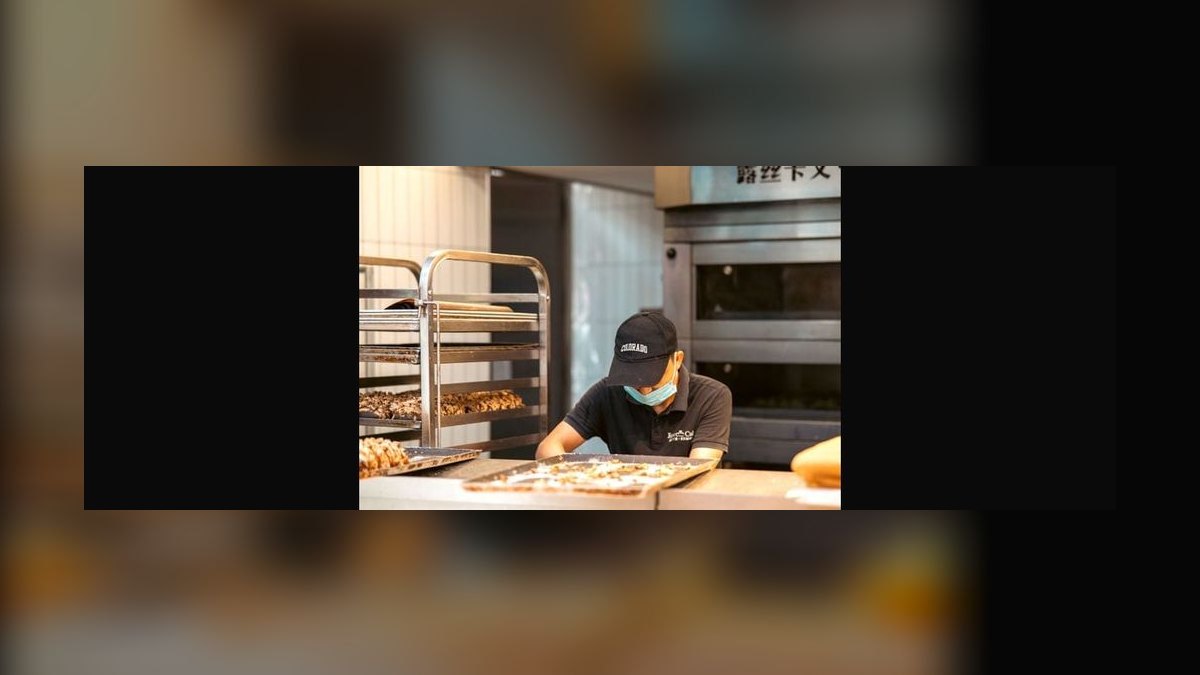
Cutting to the number and killing the guest experience. The formula optimizes labor cost against gross profit. It does not measure the guest who walked out. If you cut the mid-afternoon to two and your ticket times at 2:30 PM balloon because those two are also prepping for dinner, you have moved cost, not removed it. Always pair a cut with a ticket-time check for two weeks before you call it permanent.
Treating the trailing average as a forecast. A rolling four-to-six-week gross-profit average is a good baseline and a bad predictor of any specific day. A local festival, a home game, a road closure, a competitor's grand opening, and a cold snap will all break it. Build a calendar of known local events and adjust at least 48 hours out. Do not let the formula run on autopilot into a Cinco de Mayo — a taco shop's single most volatile day of the year — with a number derived from a normal April Tuesday.
Ignoring predictive-scheduling law. A growing number of cities and a few states have fair-workweek or predictive-scheduling ordinances that require posting schedules a set number of days in advance, paying a premium for last-minute changes, and offering additional hours to existing part-time crew before hiring. If you operate in one of those jurisdictions, the "cut people early when it's slow" reflex can carry a direct financial penalty. Check your local rules before you build a system around same-day cuts, and if you are covered, shift your flexibility to the scheduling stage rather than the shift stage.

The on-call buffer that quietly becomes free labor. Keeping one or two crew available on short notice is a reasonable hedge against catering orders, event traffic, and weather surges. It becomes a legal and morale problem if you expect availability without compensation. If you use an on-call model, make it explicit and pay for it — either a standby fee or a guaranteed minimum if called in — and confirm that your jurisdiction permits the arrangement. Several states have reporting-time-pay rules that require partial payment when someone shows up and is sent home.
Cross-training oversold. Cross-training genuinely reduces head count, sometimes by a full position per shift, because one person who can cashier and cook absorbs the slack in both. It fails when it is forced onto a station that requires uninterrupted focus at peak. Nobody should be pulled off the grill mid-rush to run a register. Cross-train for the shoulder hours and the dead zone, keep specialization at peak, and you get the savings without the ticket-time cost.
Third-party delivery distorting the math. Delivery orders arrive through a tablet, consume make-line capacity, and pay you a materially lower gross margin after commission. If 20 or 30 percent of your peak volume is delivery, your gross profit per dollar of sales is lower than your dine-in COGS suggests, and your make line is busier than your register count implies. Run gross profit net of delivery commission when you compute the daypart denominator, and staff the make line to total order count rather than to in-store transactions.
The formula returning a number below two. If a daypart consistently computes to 1.0 or 1.5, the formula is not telling you to staff one person — it is telling you that daypart may not deserve to be open. Before you close it, check whether the slow window is genuinely unprofitable or whether it is doing necessary prep work for the peak that follows. Mid-afternoon in a taco shop is often the prep window for dinner; the labor is real, the revenue is not, and closing the dining room while keeping the kitchen going is sometimes the right answer.

Manager override drift. Give managers a documented ±1 adjustment and they will use it responsibly for a month. Without a review loop, the overrides ratchet upward — always +1, never −1 — until you are back to habit scheduling with a spreadsheet on top. Log every override with a one-line reason and review them monthly against actual ticket times and gross profit.
Scheduling to a target that was never validated. The $150 floor is a starting point, not scripture. If your crew clears it easily every shift, you are leaving throughput on the table and should raise it. If half your shifts miss it structurally, either the target is wrong for your ticket or you have a volume problem that scheduling cannot solve.
A practical rollout plan
Run this over four weeks. Trying to convert the whole schedule in one week produces a revolt and a bad data set.
Week one — measure. Export sales and gross profit from your POS in thirty-minute increments for the trailing three to six months. Roll it into dayparts that match how you actually operate: open-to-11, lunch peak 11:30–1:30, afternoon 1:30–5, dinner 5–8:30, late night 8:30–close. Compute average gross profit per daypart per day of week. That is a 5 × 7 grid — thirty-five cells — and it is the whole analytical foundation. Do not skip the day-of-week split; a Tuesday lunch and a Friday lunch are different businesses.
Week two — set the target and compute. Sit down with whoever runs the floor and agree on the gross-profit-per-crew-member number out loud. Write it on the wall. Divide every cell in the grid by it. Round up. Apply the floor of two. You now have a target crew count for every daypart of every day. Compare it against what you currently schedule and highlight every cell where the delta is two or more — those are your money cells, and you should fix them first.

Week three — restagger, don't just recount. Convert the daypart counts into actual start and end times. The goal is that head count on the floor traces the revenue curve rather than sitting flat across it. Expect most shifts to become shorter and more overlapping. Communicate this clearly before the schedule posts: crew hear "shorter shifts" as "fewer hours" unless you explain that the hours are moving into the windows where tips, upsell opportunity, and lead consideration actually live.
Week four — verify and adjust. Watch three things: labor as a percent of sales by daypart, ticket time at peak, and transactions per labor hour. If labor percent dropped and ticket time held, the change worked. If ticket time climbed at peak, you cut the wrong window — add back one body at peak and take it from the dead zone. Then set a monthly cadence to refresh the grid, because seasonality is real and a summer curve is not a January curve.
A note on tooling, because this is where owners stall. The grid is a spreadsheet problem for a single unit and you do not need software to start. Restaurant-specific scheduling platforms — 7shifts, Homebase, HotSchedules, When I Work, Sling — will all connect to a POS and enforce a labor-percent target, and most publish current pricing on their own sites, which is where you should check it rather than trusting any figure in an article. Homebase and 7shifts both offer free single-location tiers worth trying before you pay anything. What none of them will do is decide your gross-profit-per-crew target for you. That decision is yours, it takes an afternoon, and it is the only part of this that actually changes the schedule.
Related questions
How many employees do I need to open a taco shop in the morning?
Two at minimum for safety, cash handling, and break coverage — typically an opener who preps and a second who sets the line and register. Add a third only if your open-to-11 daypart's gross profit divided by your per-crew target exceeds two.
Should I schedule differently for lunch versus late night?

Yes. Lunch is volume-heavy with small tickets and needs register and make-line speed. Late night often carries similar head count with a different mix — fewer cashiers, more make-line and cleaning capacity, since closing duties overlap live service. Run the gross-profit math separately for each.
How do I know if I'm overstaffed without cutting anyone?
Check transactions per labor hour by daypart against your own trailing average. Cells drifting well below it are overstaffed. Cross-reference with gross profit per scheduled labor hour. Fix the schedule shape before touching the roster — most overstaffing is timing, not head count.
Does third-party delivery change how many people I schedule?
Yes. Delivery consumes make-line capacity at a lower net margin after commission. Compute your daypart gross profit net of commission and staff the make line to total order count rather than in-store transactions. Heavy delivery mix usually means one extra body at peak.
What's a realistic labor cost percentage for a taco shop?
Quick-service operators generally target total labor in the high twenties to low thirties as a percent of sales, with crew labor alone often 20 to 26 percent. Your local minimum wage moves this band substantially — don't import a target across a wage line.
FAQ
How do I calculate the right number of employees for a shift?
Take the shift's average gross profit from your POS over a trailing three-to-six-month window and divide it by your target gross profit per crew member per shift. For a fast-casual taco shop, $150 per person per shift is a realistic floor. Round up to whole bodies and apply a hard minimum of two for safety and cash handling.
What if my sales vary a lot day to day?

Use a rolling four-to-six-week average computed separately for each day of the week, not a single blended average. Tuesday lunch and Friday lunch are different businesses and blending them guarantees you overstaff one and understaff the other. Then let managers adjust ±1 with a documented reason, and review those overrides monthly.
How much can I actually save doing this?
Most stores converting from flat scheduling find 8 to 20 percent of scheduled hours are misplaced rather than excessive. On a single dead-zone correction of fifteen hours a week at a fully loaded $18 to $22 per hour, that is roughly $14,000 to $17,000 annualized — and you typically redeploy part of it into peak rather than banking all of it.
Is cross-training worth it for reducing head count?
Often yes, but selectively. Cross-training a cashier to run the make line can remove a full position from shoulder hours and the dead zone. It backfires at peak, where pulling someone off a station mid-rush costs more in ticket time than it saves in wages. Cross-train for the slow windows, specialize at peak.
Do scheduling laws affect this approach?
They can. Several cities and states have fair-workweek or predictive-scheduling rules requiring advance posting, premium pay for last-minute changes, and offering extra hours to existing part-timers first. Some states also have reporting-time pay. If you are covered, build flexibility into the schedule you publish rather than into same-day cuts.
What's the biggest mistake owners make when scheduling?
Running a flat head count against a spiky demand curve, usually justified as "that's what we've always done." It produces overstaffing in the dead zone and understaffing at peak simultaneously — you pay for idle labor and lose guests to slow lines on the same day. The fix is staggering start times to trace the revenue curve.
Sources
- https://www.bls.gov/iag/tgs/iag722.htm — U.S. Bureau of Labor Statistics industry data on food services and drinking places, including employment and wage figures.
- https://restaurant.org/research-and-media/research/ — National Restaurant Association research on restaurant operations, labor, and industry economics.
- https://pos.toasttab.com/blog — Toast POS operations blog covering restaurant scheduling, labor management, and cost control.
- https://www.7shifts.com/blog — 7shifts blog on restaurant labor forecasting, scheduling, and labor-cost percentage targets.
- https://joinhomebase.com/blog — Homebase resources on hourly scheduling, time tracking, and small-business labor management.
- https://www.dol.gov/agencies/whd/flsa — U.S. Department of Labor Wage and Hour Division guidance on the Fair Labor Standards Act.
- https://www.sba.gov/business-guide/manage-your-business/hire-manage-employees — U.S. Small Business Administration guidance on hiring and managing employees.
- https://getsling.com/blog/ — Sling blog on shift coverage, scheduling practices, and staffing levels.
Related on PULSE
- Should I open or buy a Taco Cabana franchise in 2027?
- Should I open or buy a Taco Bueno franchise in 2027?
- How Many Employees Should I Schedule Each Shift at My Smoke and Vape Shop?
- How Many Employees Should I Schedule Each Shift at My Tailor and Alterations Shop?
- How Many Employees Should I Schedule Each Shift at My Watch and Jewelry Repair Shop?
- How Many Employees Should I Schedule Each Shift at My Computer Repair Shop?
This page will be disappearing soon. Save it to your device for $1 — or read it free while it is here.
@Kory-White- · if Venmo asks, the last 4 of my number are 2012
This page is gone.
This one is off the shelf now. $1 keeps it on your phone for good — the whole page, pictures and diagrams included.
 pulse-qHow Do I Get My Dealership Service Advisors to Sell Maintenance Plans in 2027?
 pulse-qShould I Hire a Fractional CRO If My Pipeline Coverage Is Below 2x in 2026?
 pulse-qWhat Is the Difference Between a Fractional CRO and a Fractional CMO in 2026?
 pulse-qShould I Hire a Fractional CRO If My Comp Plan Caps My Top Performers in 2026?
 pulse-qShould I Hire a Fractional CRO If I Acquired a Company and Need to Cross-Sell in 2026?
 pulse-qWhat Service Fees Should a Handyman Business Charge in 2026?
 pulse-qHow Many Sales Reps Do I Need to Hire for My Fintech Startup in 2027?
 pulse-qHow Do I Scale Revenue Without Hiring a Full-Time CRO in 2026?
 pulse-qHow Many Sales Reps Do I Need to Hire for My Irrigation Company in 2027?
 pulse-qWhat Service Fees Should a General Contractor Charge in 2027?