
How Many Stylists Should I Schedule Each Day at My Hair Salon in 2027?
 Curated byKory White · Fractional CRO · Maryland
 PULSEKNOWLEDGE LIBRARY
Quality
Certified
For most Hair Salons, schedule 3 to 8 Stylists per day, but the right number comes from math, not habit. Divide each day's average gross profit by your target gross profit per Stylist. A day producing $2,000 in gross profit at a $400 per-Stylist target needs 5 Stylists on the floor.
What daily Stylist counts really depend on and why it matters
The number of Stylists on your Schedule each day is a revenue decision wearing a calendar costume. A Salon chair is an appointment-driven, high-margin seat: color services, treatments, and retail add-ons push gross profit per hour well above a typical retail floor. That means every chair you staff carries a real cost — wages, payroll taxes, commission draw, and the opportunity cost of a Stylist standing idle during a slow midweek morning. Overstaff a Tuesday and you burn payroll you never earn back. Understaff a Friday and you turn away the highest-ticket bookings of the week, which is worse, because those clients often do not rebook with you at all.
The core driver is daily demand, and daily demand in a Hair Salon is wildly uneven. A typical week might see a light Monday, a modest Tuesday and Wednesday, a building Thursday, a heavy Friday, and a packed Saturday. If you staff flat — say, five Stylists every day — you are overstaffed three days and understaffed two. The fix is to staff against the money each day actually generates, then place those shifts against the hours clients actually book.
Three variables set the count for any given day. First, average daily gross profit for that day of the week, pulled from a trailing three to six months of data. Second, your agreed gross profit target per Stylist per day — the honest floor an average Stylist produces with an average book, average ticket, and normal rebooking. Third, the shape of demand across the day: a Salon is rhythmic, with light midweek mornings, a heavy after-work block, and a dense Friday–Saturday wall.
Other factors tune the number. Salon size and format matter: a single-chair studio may be one person, a two-chair boutique two to three, a mid-sized full-service Salon three to eight, and a busy urban or multi-location Salon ten or more across shifts. Service mix matters: a color-heavy book holds chairs longer and needs fewer heads per revenue dollar than a blowout bar turning clients every 30 minutes. Skill mix matters: junior Stylists with smaller books and lower tickets justify a lower daily target, so you may need more of them to hit the same gross profit. Seasonality matters: December can lift daily gross profit 40–100%, while a January lull can drop it 20–30%.
Why it matters comes down to three outcomes. Payroll: labor is the largest controllable cost in a Salon, and scheduling is where it is won or lost. Client experience: understaffing creates long waits, rushed services, and lost rebookings. Stylist retention: the fastest way to lose a good Stylist is to bore them on a slow Tuesday and exhaust them on a Friday. Getting the daily count right protects all three at once.
The step-by-step process for building a daily Stylist Schedule
This is the method, in order. It works for a two-chair boutique, a full-service Salon, a barbershop, or a multi-location group — swap the storefront for a row of chairs and a treatment-room wing.
Step one: agree on the per-Stylist daily gross profit target. Sit down with leadership and set the gross profit an average Stylist should produce on an average day. Say it out loud to the team: "In our Salon, if you show up, work an average book, hit an average ticket, rebook your clients, and recommend retail, you should produce no less than $400 a day in gross profit." That is a floor, not a ceiling. The Stylists who want to make real money do not coast to $400 and clock out — they hit $400 doing average work, then dig for the next $400 with add-on services and product. The number gives everyone the same yardstick.

Step two: pull gross profit by day of week. Take each day and average its gross profit over a trailing three to six months. Suppose your Salon does $2,000 in gross profit on a typical Friday and $800 on a typical Tuesday.
Step three: divide. Friday: $2,000 ÷ $400 = 5 Stylists. Tuesday: $800 ÷ $400 = 2 Stylists. Run that division for every day and the staffing plan writes itself. No favorites, no "we've always had six people on Saturday," no front-desk booking friends on light days — just gross profit divided by the target.
Step four: place shifts where the receipts ring. The count tells you how many; the appointment timing tells you when. Pull hourly bookings and look at when chairs actually fill and when high-ticket color and treatment services post. Staff a thin Tuesday open, load Stylists into the after-5 evening rush, and stack the weekend rather than parking a full crew through a slow Monday.
Step five: add a walk-in buffer. Add 10–15% to your calculated count on high-traffic days and about 5% on slower days. If Friday calls for 5, schedule 5 or 6 to absorb walk-ins without overstaffing. Track your walk-in rate over three months — if walk-ins average 12% of daily revenue, size the buffer accordingly.

Step six: adjust for skill mix. Calculate separately for each tier. A senior Stylist might carry a $450–$500 daily target, a mid-level $350–$400, and a junior $200–$300. Sum the needed heads per tier for that day and confirm the total covers the day's gross profit goal.
Step seven: review quarterly. Re-pull your day-of-week averages every three months, or whenever pricing, staff, or demand shifts. Seasonal averages may need to be tracked separately — December and January rarely belong in the same pool.
A worked example ties it together. Say your week averages: Monday $600, Tuesday $800, Wednesday $1,000, Thursday $1,400, Friday $2,000, Saturday $2,400, Sunday $900. At a $400 target, that is 2, 2, 3, 4, 5, 6, and 3 — about 25 Stylist-shifts across the week. If you were staffing a flat five per day, you were running 35 shifts, ten of them unproductive. That gap is the entire value of the method.
Costs, timelines, and typical ranges you should expect
The math only pays off if you know what each scheduled Stylist actually costs and how long the change takes to show up in your numbers.
On cost, a commissioned Stylist typically costs 40–50% of service revenue in commission or wages, plus payroll taxes, plus any hourly guarantee or draw during ramp. An hourly Stylist at $18–$25 per hour costs roughly $150–$200 in a full eight-hour shift before taxes. If that Stylist produces $400 in gross profit, the chair is healthy. If they produce $150 on a slow Tuesday, the chair is underwater. That is exactly why the daily count matters — the same Stylist is a profit center on Friday and a cost center on Tuesday, and the Schedule is the only lever that decides which.
On the per-Stylist daily target, realistic ranges by market and format:
- Blowout or express-service Salon: $250–$350 per Stylist per day, because tickets are lower but volume and turnover are higher.
- Mid-market full-service Salon: $350–$450 per Stylist per day, the most common band.
- Premium or color-specialist Salon: $450–$600 per Stylist per day, driven by higher tickets and longer appointments.
- Junior or assistant Stylist: $200–$300 per day while building a book.
- Spa or med-spa chair with treatment rooms: $400–$700 per day, since treatment margins and retail attach run rich.
On timelines, expect the following. Pulling three to six months of day-of-week gross profit takes an afternoon if your POS reports by day and by staff. Setting and communicating the target takes one leadership meeting plus one team meeting. The first Schedule built on the method can go live the following week. Meaningful payroll-percentage improvement usually shows within four to eight weeks. Stabilizing the numbers — no more feast-or-famine weeks — typically takes one full quarter, because you need clean seasonal data to trust the averages.

On payroll percentage, a healthy appointment-driven Salon generally runs labor at 35–50% of service revenue depending on commission structure, guarantees, and support staff. If your payroll percentage spikes on specific days rather than across the week, that is a scheduling problem, not a wage problem.
On buffer cost, a 10% walk-in buffer on a peak day is cheap insurance: one extra Stylist for a six-hour shift at $20 per hour is about $120 in wages, and a single walked-in color service can cover it. On a slow day, the same buffer is pure waste, which is why the buffer scales with the day.
On tooling, you can run this entirely in a spreadsheet for free. Salon management platforms commonly start around $20–$30 per month for a single calendar and rise with additional bookable staff; per-location scheduling tools often run $25–$100 per month per location; per-user scheduling tools commonly run $2–$6 per user per month. None of them will tell you that Tuesday only justifies two Stylists — you bring that math.

Where teams get it wrong when staffing a Hair Salon
Staffing flat across the week. The single most common error. Five Stylists every day feels fair and simple, and it guarantees you are overstaffed on slow days and understaffed on peak days. The Schedule should look lumpy because demand is lumpy.
Setting the target by wish instead of by data. Owners often pick a per-Stylist number that sounds ambitious rather than one grounded in their own trailing averages. If your actual average is $340 and you set the target at $500, every day looks understaffed on paper and you will hire people you cannot keep busy.
Ignoring skill mix. Treating a junior Stylist and a senior colorist as interchangeable heads breaks the math. A junior with a $250 book cannot cover a $400 chair. Calculate per tier, then sum.
Scheduling to the clock instead of the booking curve. Having the right number of Stylists but the wrong hours is just as costly. If your after-work block carries 40% of the day's revenue, most of your chairs need to be staffed after 4 p.m., not at 9 a.m.

Never updating the averages. Stale data leads to bad scheduling. If you raised prices in March and you are still dividing by last year's gross profit, your counts are wrong in both directions.
Letting the front desk fill slow days with friends. This quietly destroys the method. The Schedule should come off the gross-profit division, not off relationships.
Treating the target as a ceiling. When Stylists read the number as "produce $400 and stop," you cap the day. Frame it as the floor for average work, with upside beyond it.
Skipping the walk-in buffer entirely. A Salon with no buffer has no shock absorber. One sick call or one walk-in rush and the day collapses into waits and rushed services.
Over-correcting after one bad week. One slow Tuesday is noise. Three months of Tuesdays is a trend. Adjust on trends, not on a single rough day.
Not telling the team the math. Stylists resist scheduling changes they do not understand. When they see the division and the real averages, resistance usually fades — the method protects their income by preventing slow days with too many staff and burnout on busy days.
Decision framework: when to choose what
Use this to pick your approach based on where your Salon is today.
If you have 12+ months of clean POS data: run the full gross-profit division by day of week and by tier, and rebuild the Schedule from scratch. This is the highest-confidence path.

If you have 3–6 months of data: run the division, but review monthly rather than quarterly until you have a full year. Expect to adjust the target once or twice as the averages settle.
If you are a new Salon with no history: start conservative at roughly $300–$350 per Stylist per day, under-schedule slightly, and add shifts as real bookings appear. It is far better to add a shift than to eat an unproductive one. Track closely for the first 90 days.
If you are a single-chair or two-chair studio: the formula still applies, but the answer is often one or two people. Your lever is not headcount, it is hours — extend into the evening block rather than adding a chair.

If you are a multi-location group: run the division per location, never blended. A suburban location and a downtown location have different demand curves and different per-Stylist targets.
If your days are highly seasonal: keep separate averages for peak season and off-season, and set two targets rather than one annual number.
If your problem is retention rather than cost: weight the Schedule toward consistent hours for your best Stylists, even if it costs a little coverage flexibility. Losing a senior colorist costs far more than one unproductive Tuesday shift.
The through-line: the number of Stylists you Schedule each day is an output, not an input. You do not decide it by feel. You derive it from the gross profit the day generates and the gross profit each Stylist should produce, then you place those shifts against the hours your clients actually book. Do that, and your payroll percentage, your client wait times, and your Stylist retention all move in the right direction at the same time.
Related questions
How many Stylists should a small Salon schedule per day?
A small Salon typically schedules 2 to 4 Stylists per day. Divide each day's average gross profit by your per-Stylist target — at a $400 target, a $1,200 day needs 3 Stylists. Peak days may need 4 or 5; slow midweek days may need only 1 or 2.
Should every Stylist work the same number of days?
No. Uneven demand means uneven shifts. Your highest-producing Stylists should work your highest-gross-profit days. Rotating everyone evenly across the week spreads your best talent onto your weakest days and leaves peak days short.
How do I handle Stylist callouts without overstaffing?
Build a 10–15% buffer on peak days and cross-train at least one Stylist or assistant to cover multiple service types. Keep a short list of on-call Stylists who want extra hours. A buffer plus an on-call list absorbs most callouts without permanent overstaffing.
Does this method work for booth-rent Salons?
Yes, with a twist. Booth renters pay you rent, not commission, so your cost per chair is fixed. The count still matters for client experience and wait times, but the financial risk of an unproductive chair shifts to the renter. Staff to demand, not to cost.
How many Stylists should I schedule on Saturday?
Saturday is usually your highest-gross-profit day, so it often justifies your largest crew — commonly 5 to 8 Stylists for a mid-sized Salon. Run the division on your own Saturday average rather than copying another Salon's number.
FAQ
What if my Salon's average daily gross profit is much higher or lower than $2,000? The formula still works — just plug in your own numbers. Divide your day's average gross profit by your agreed daily profit-per-Stylist target, which might be $300 or $500 depending on market and service mix. Adjust the target based on your actual costs and typical ticket sizes.
How do I calculate the daily gross profit per Stylist target? Review your top-performing Stylist's average daily profit over several months, then set a realistic floor — often between $300 and $500 for a Salon. Factor in service margins, retail add-ons, and local wage costs. The key is agreement among leadership, not a perfect number.
What if I'm a new Salon with no historical data? Use benchmarks for similar-sized Salons in your area, or start conservative at roughly $350 per Stylist per day. Track your first few months closely, then adjust as real data arrives. It is better to under-schedule and add shifts than to over-schedule and lose money.
Does this formula work for part-time or junior Stylists? Yes, but they usually need a lower daily target — perhaps $200 to $300 — since they often have smaller books or lower average tickets. Calculate separately for each tier, then sum the needed heads for that day and confirm the total covers your gross profit goal.
How often should I update my daily gross profit averages? Every three to six months is a good rhythm, or whenever pricing, staff, or demand shifts materially. Seasonal periods like holidays or summer may need separate averages. Stale data leads to bad scheduling, so keep it fresh.
What if my Stylists dislike being scheduled around a profit target? Explain that the method protects their income by preventing slow days with too many staff and burnout on busy days. Involve them in setting the target — when they see it is fair and based on real averages, resistance usually fades. Transparency builds trust.
Sources
- https://www.bls.gov/ooh/personal-care-and-service/barbers-hairstylists-and-cosmetologists.htm
- https://www.sba.gov/business-guide/manage-your-business/hire-manage-employees
- https://www.probeauty.org
- https://www.modernsalon.com
- https://www.salontoday.com
- https://www.americansalon.com
- https://www.dol.gov/agencies/whd/flsa
- https://www.irs.gov/businesses/small-businesses-self-employed/independent-contractor-self-employed-or-employee
Related on PULSE
- How Many Technicians Should I Schedule Each Day at My Nail Salon?
- How Many Employees Should I Schedule Each Shift at My Pet Grooming Salon?
- How Many Employees Should I Schedule Each Shift at My Tanning Salon?
- What Service Fees Should a Salon or Med Spa Charge?
- How Do I Get My Salon Staff to Sell Retail Products?
- Should I open or buy a Salon Lofts franchise in 2027?
This page will be disappearing soon. Save it to your device for $1 — or read it free while it is here.
@Kory-White- · if Venmo asks, the last 4 of my number are 2012
This page is gone.
This one is off the shelf now. $1 keeps it on your phone for good — the whole page, pictures and diagrams included.
 pulse-qWhat Service Fees Should a Painting Contractor Charge in 2026?
 pulse-qHow Many Sales Reps Do I Need to Hire for My Pharmaceutical Company in 2026?
 pulse-qHow Many Sales Reps Do I Need to Hire for My Commercial Printing Company in 2026?
 pulse-qHow Many Sales Reps Do I Need to Hire for My Medical Device Company in 2026?
 pulse-qHow Do I Make My Sales Goals Visible to the Whole Team in 2026?
 pulse-qWhat Service Fees Should a Mobile Mechanic Charge in 2026?
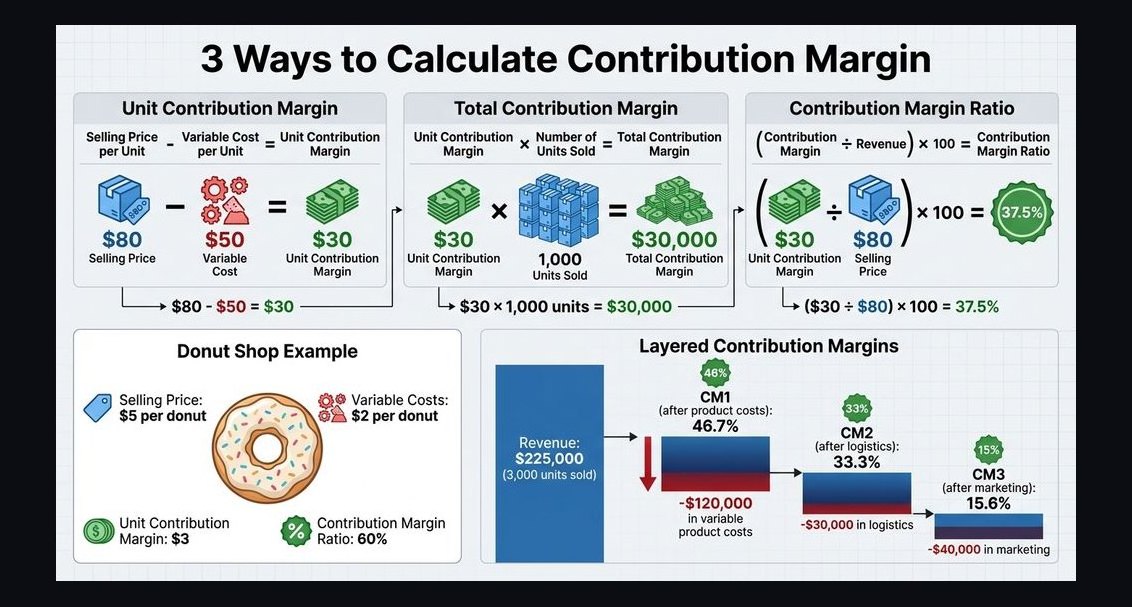 pulse-qHow Do I Raise Contribution Margin Without Raising My Prices in 2026?
 pulse-qHow Do I Figure Out How Many People to Schedule Each Day and at What Times for My Single Store in 2026?
 pulse-qHow Many Employees Should I Schedule Each Shift at My Skate Park in 2026?
 pulse-qHow Many Employees Should I Schedule Each Day at My Bookstore in 2026?