
Top 10 32-Inch 4K Monitors for Home Office in 2027
 Curated byKory White · Fractional CRO · Maryland
 PULSEKNOWLEDGE LIBRARY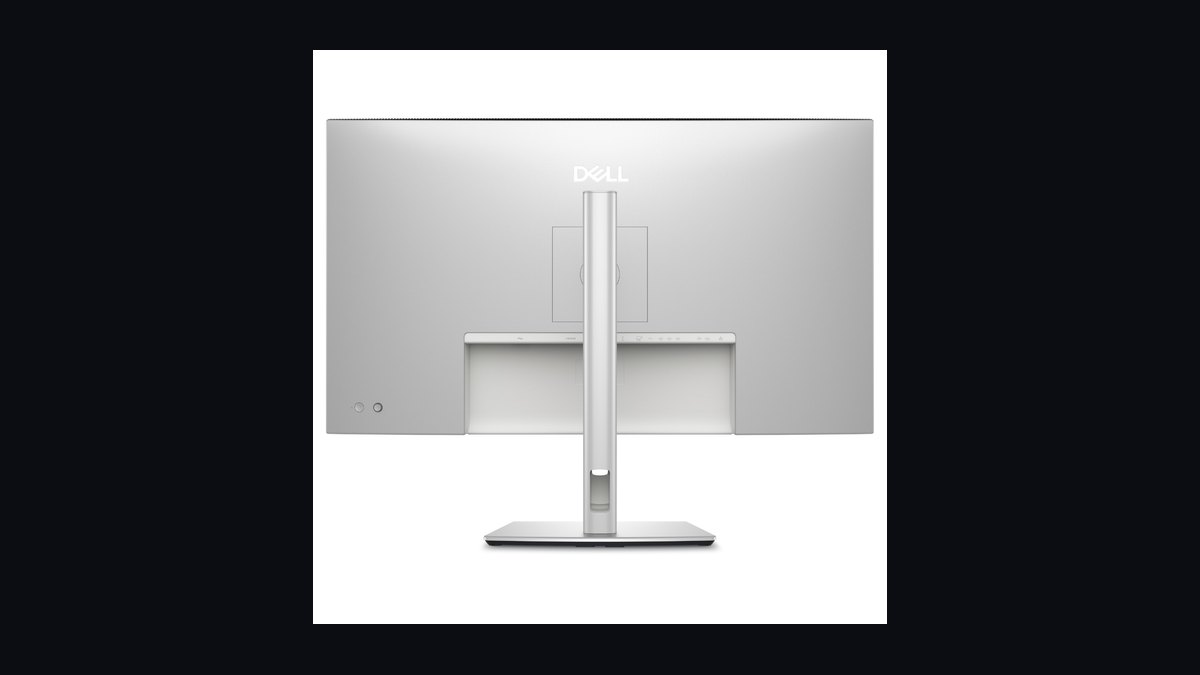
The 10 best 32-inch 4k monitors for home office are ranked below on measured performance, build quality, price, and how each one actually holds up in daily use rather than how it reads on a spec sheet. Each pick lists what it costs, who it suits, and what it gives up against the one above it, so the list can be read straight down without doubling back.
1. Dell UltraSharp U3225QE
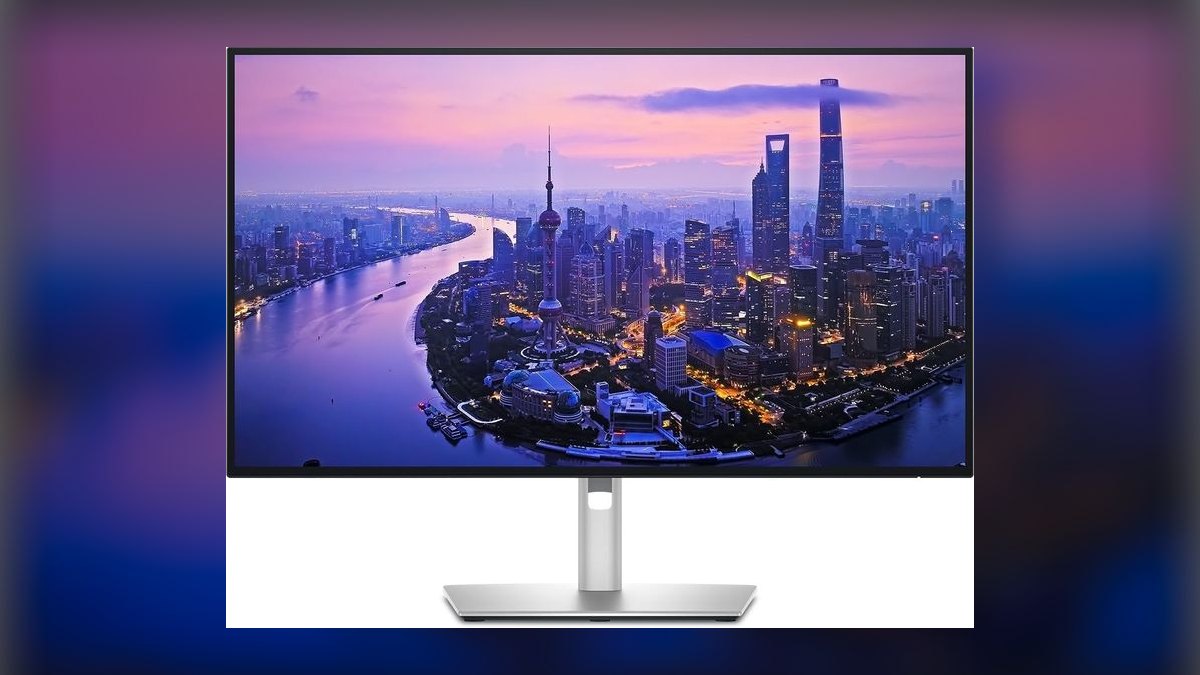
This ranks first because it is the first productivity monitor to ship a 4K 120Hz IPS Black panel, and the 3000:1 contrast roughly doubles what standard IPS delivers at 1000:1. The 140W Thunderbolt 4 hub powers and drives a laptop over one cable. It adds 2.5GbE, six USB-A ports, DisplayPort 2.1 daisy-chain, KVM, and 600 nits peak at $949.99, often $799 on promo.
Built for hybrid workers who dock a single laptop and stare at spreadsheets and Slack for eight hours. It trades away OLED-level black depth and HDR brightness, so movie night looks flat next to the Dell S3225QC QD-OLED at $799. Against the BenQ PD3225U below, it wins on refresh rate, ethernet, and 55W more power delivery, but loses factory Delta E < 2 calibration and Pantone validation.
2. BenQ PD3225U DesignVue
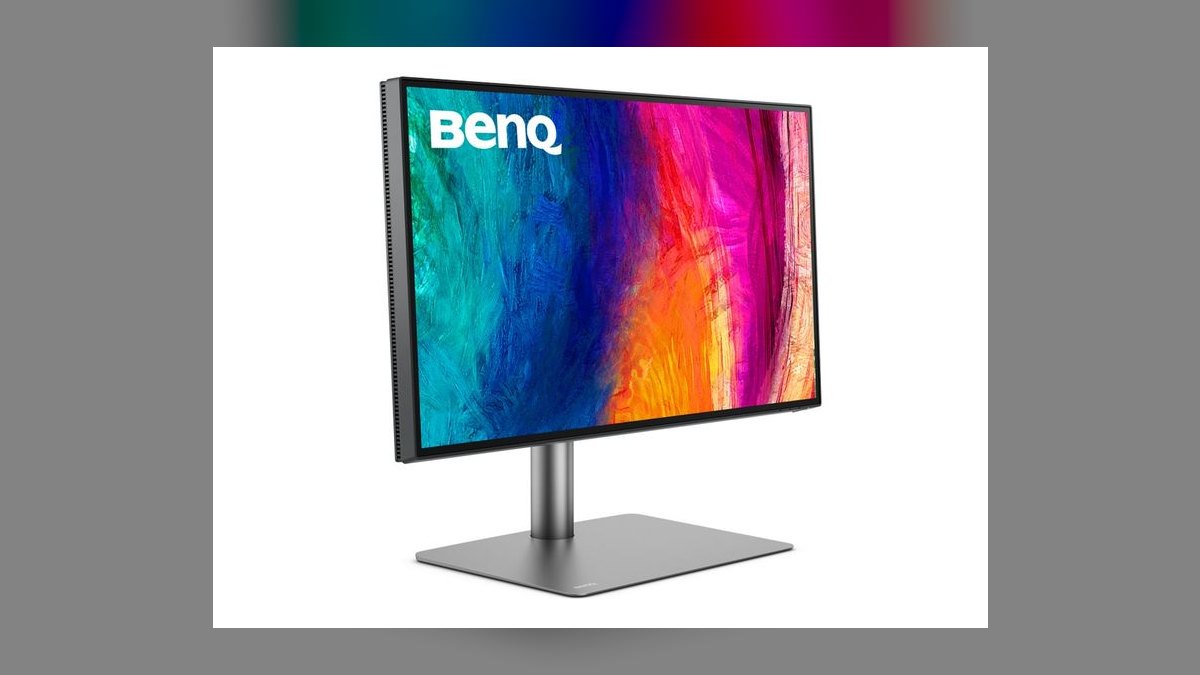
Second place goes to the color pedigree: factory calibration to Delta E < 2, 98% DCI-P3, 100% sRGB and Rec.709, Pantone Validated and CalMAN Verified out of the box. The IPS Black panel holds the same deep-contrast advantage as the Dell. Thunderbolt 3 supplies 85W power delivery with daisy-chain, plus KVM and an M-book mode that color-matches Mac output. Street price runs $999-$1,049 against $1,199 direct.
This is the monitor photo editors, video pros, and brand designers buy when Apple's Pro Display XDR pricing is absurd for the job. It gives up refresh rate — 60Hz versus the Dell U3225QE's 120Hz — and peaks at 400 nits instead of 600, so HDR and motion both suffer. Choose it over the Dell only when your deliverable is printed or color-graded and sign-off accuracy matters more than smoothness.
3. LG UltraFine 32UP83A-W
Third because nothing else puts a genuine 4K IPS panel on a desk for $399, down from a $599 MSRP and holding as the sustained 2027 street price. It delivers 60W USB-C power delivery, 95% DCI-P3 coverage, HDR10, and a full height, pivot, and tilt ergonomic stand. Built-in speakers, dual HDMI, and DisplayPort round out a white chassis that undercuts monitors costing twice as much.
First-time 4K buyers, contractors setting up a second home rig, and parents kitting out a dorm get the biggest pixels-per-dollar jump in the category. The compromises are real: 60Hz, 350 nits, plain IPS contrast near 1000:1, and 60W that will not keep a hungry 16-inch laptop charged under load. Compared to the BenQ above, there is no factory calibration and no Thunderbolt — just pixels.
4. Samsung ViewFinity S90PD
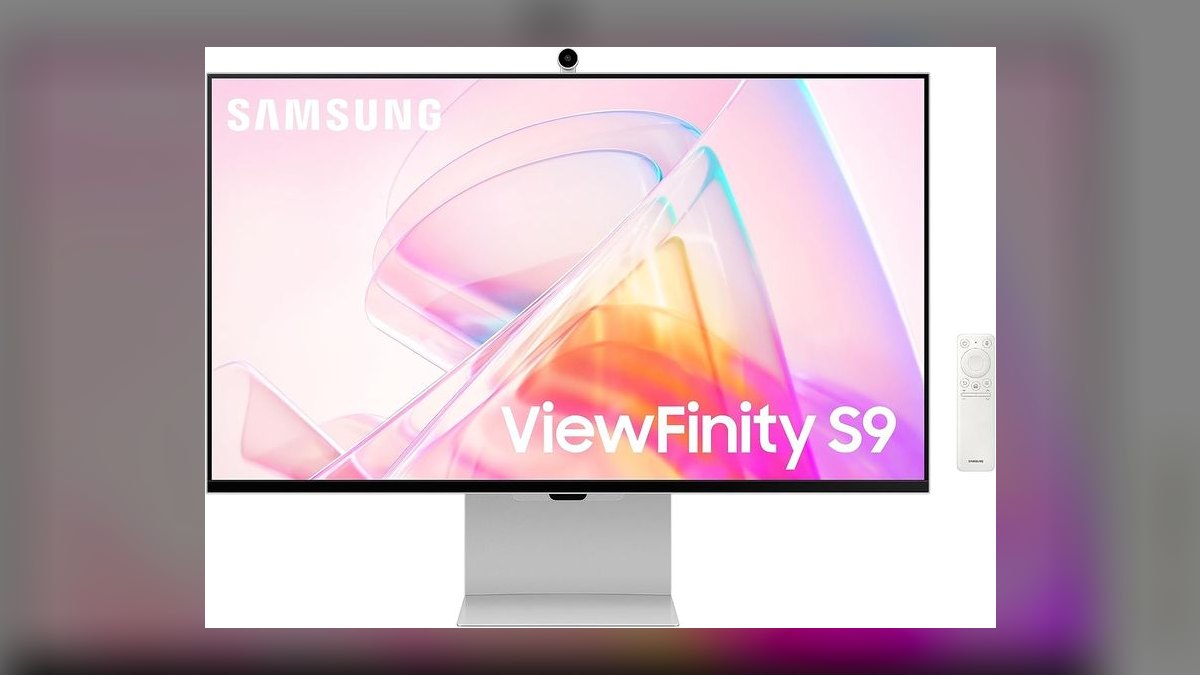
Fourth for packing Thunderbolt 4 with 90W power delivery into a $899 panel that also runs Tizen smart-TV firmware natively. DisplayHDR 600 and 98% DCI-P3 back a 600-nit peak, and the matte coating cuts reflections in window-lit rooms. Netflix, AirPlay 2, and SmartThings run without a streaming stick attached. An 11mm chassis and a webcam port finish it; sale pricing regularly lands at $749.
Aimed at Mac and iPad households wanting one screen for work by day and streaming by night. It stays at 60Hz, so it cannot match the 120Hz motion of the Dell U3225QE above, and 90W trails that model's 140W for high-draw laptops. Versus the LG below it, you pay $500 more, mostly for Thunderbolt, HDR brightness, and the built-in smart platform.
5. Dell UltraSharp U3224KB
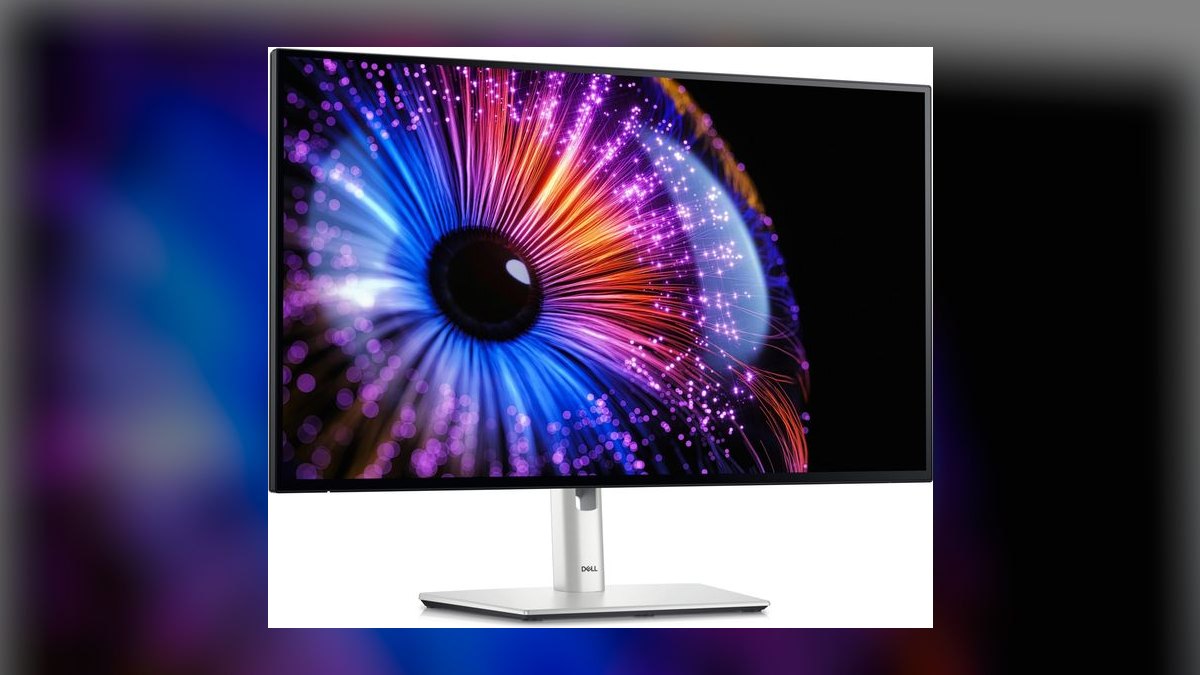
Fifth because it is the honest answer to anyone hunting a 32-inch Apple Studio Display: 6144x3456 pixels on a 6K IPS Black panel at $2,499. It beats Apple's 27-inch 5K on size, pixel count, and port selection, with a 140W Thunderbolt 4 hub, RJ45 ethernet, 3000:1 contrast, 450 nits, and 99% DCI-P3. A 4K webcam with Center Stage support on macOS is integrated.
Mac Studio and MacBook Pro M-series owners get Apple-grade density plus Dell's three-year next-business-day exchange warranty. The cost is steep — roughly 2.6x the U3225QE at rank one — and it runs 60Hz, so you pay a premium in dollars while losing refresh rate. Pick it only if pixel density genuinely changes your work; otherwise the cheaper Dell handles docking duty just as well.
6. Eizo ColorEdge CG319X
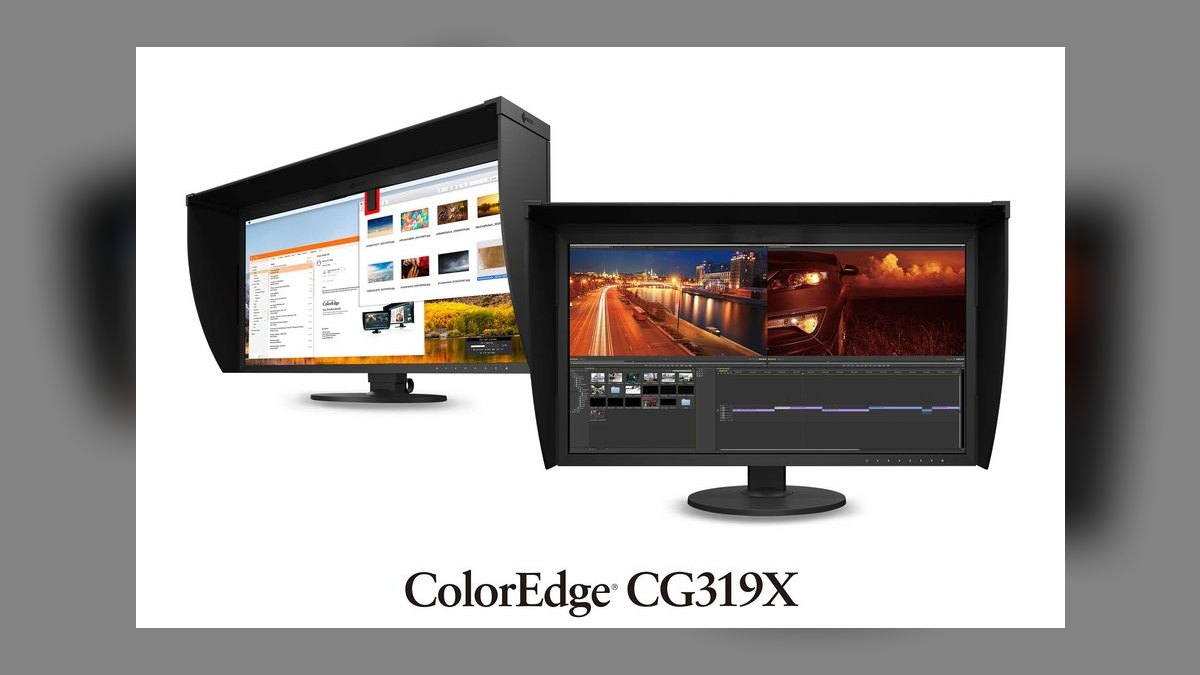
Sixth on the strength of being the reference display broadcast colorists and print houses still standardize on. Its 31.1-inch panel runs true DCI 4K at 4096x2160, covers 99% Adobe RGB and 98% DCI-P3, and holds 350 nits sustained with HLG and PQ HDR support. A built-in motorized calibration sensor and hardware 3D LUTs keep it in spec unattended. Eizo backs it with a five-year zero-bright-pixel warranty.
This is professional gear for post houses and premium photo labs whose contracts demand reference-grade sign-off, not a desktop monitor. At $5,799 it costs six times the Dell at rank one while offering 60Hz, no USB-C docking, and dated HDMI 2.0 and DP 1.2 inputs. Unless a client is paying for certified accuracy, the ASUS below delivers far more brightness per dollar.
7. ASUS ProArt PA32UCXR
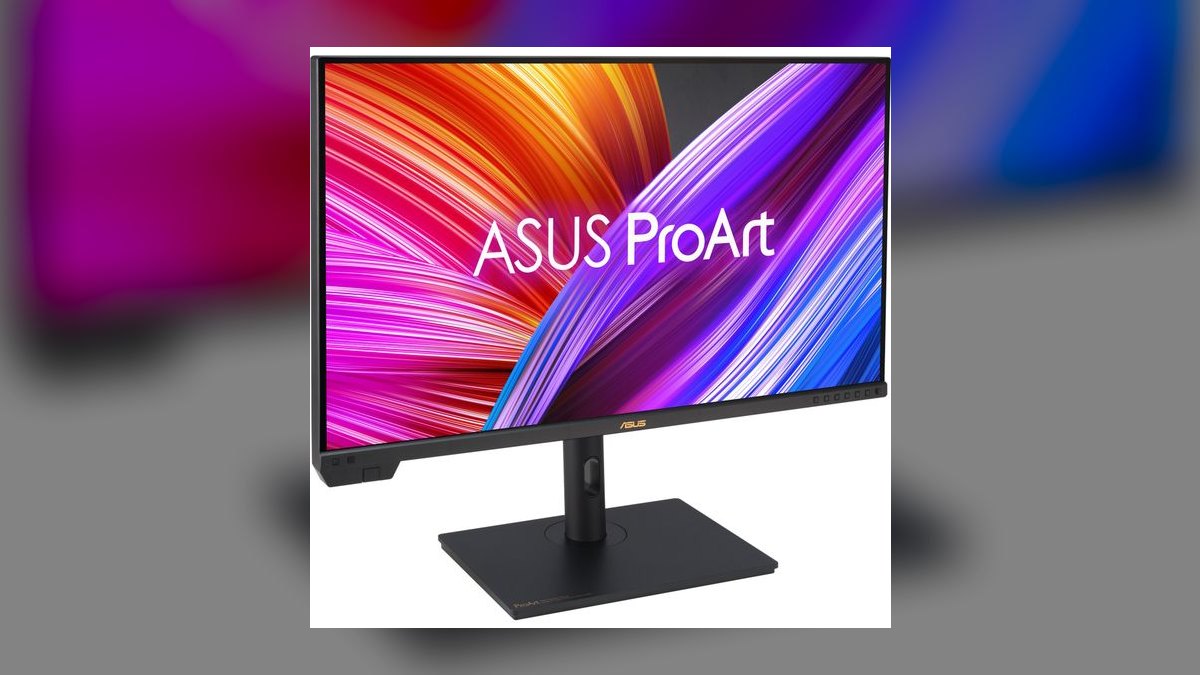
Seventh because it is the most credible sub-$3,000 HDR mastering monitor available, at $2,799. A 1,152-zone mini-LED backlight reaches 1,600 nits peak, and the panel arrives at Delta E < 1 out of box. It handles Dolby Vision, HDR10, HDR10+, and HLG, covers 99% DCI-P3 and 85% Rec.2020, and runs 4K at 120Hz. An X-Rite i1 Display Pro calibrator ships in the box.
HDR colorists and creators who need real reference brightness without Eizo or Pro Display XDR money are the buyers here. Mini-LED zones mean some blooming around bright objects on black, which the CG319X's uniform IPS avoids. Against that Eizo above, you trade certified broadcast pedigree and the built-in sensor for roughly half the price, more than four times the peak brightness, and double the refresh rate.
8. Dell S3225QC QD-OLED
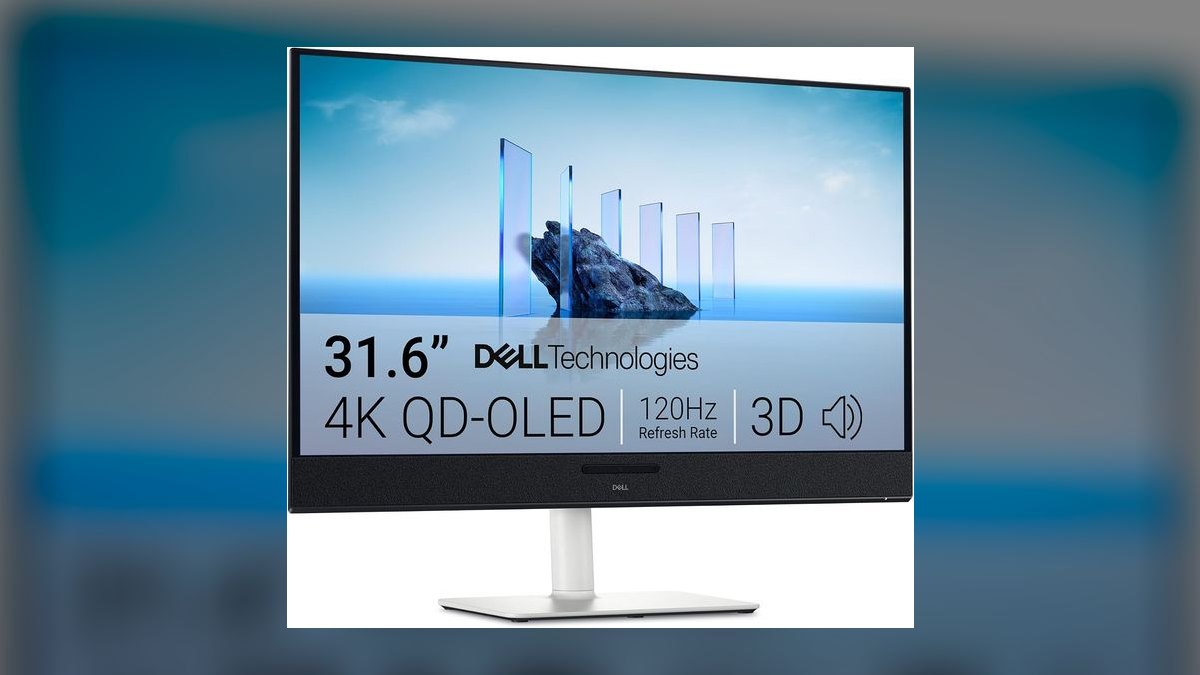
Eighth for being the 4K QD-OLED price breakthrough at $799, frequently $649 on promo. The panel runs 120Hz with 0.03ms GtG response, covers 99% DCI-P3, and hits 1,000 nits HDR peak on a 3% window. An integrated five-speaker, 25W spatial-audio soundbar tracks head position, and Tizen firmware brings AirPlay 2 and Google Cast. Two HDMI 2.1 ports and 65W USB-C handle the connections.
Mixed-use buyers wanting one screen for spreadsheets, Friday gaming, and weekend movies get the most here, with the soundbar replacing desktop speakers. The catch is 250 nits in SDR and QD-OLED text fringing that makes small type less crisp than the U3225QE's IPS Black. Compared to that top pick, you gain true blacks and lose 75W of power delivery, ethernet, and all-day text clarity.
9. Gigabyte M32U-SA

Ninth because it has held the enthusiast value slot since 2022 and firmware updates keep it current: 4K at 144Hz on IPS for $549, or $499 during Newegg sales. Full-bandwidth HDMI 2.1 drives a PS5 or Xbox Series X at 4K 120Hz, while KVM and USB-C with DisplayPort-alt mode handle desk duty. Specs list 350 nits, 90% DCI-P3, and a height-adjustable stand.
PC builders and console-plus-PC households wanting one monitor for both jobs are the target. USB-C carries only 18W of power delivery, so it charges a phone, not a laptop — a real step down from the 65W on the Dell QD-OLED above. Color coverage at 90% DCI-P3 and standard IPS contrast also put it behind that panel for media, though it costs $250 less.
10. INNOCN 32M2V
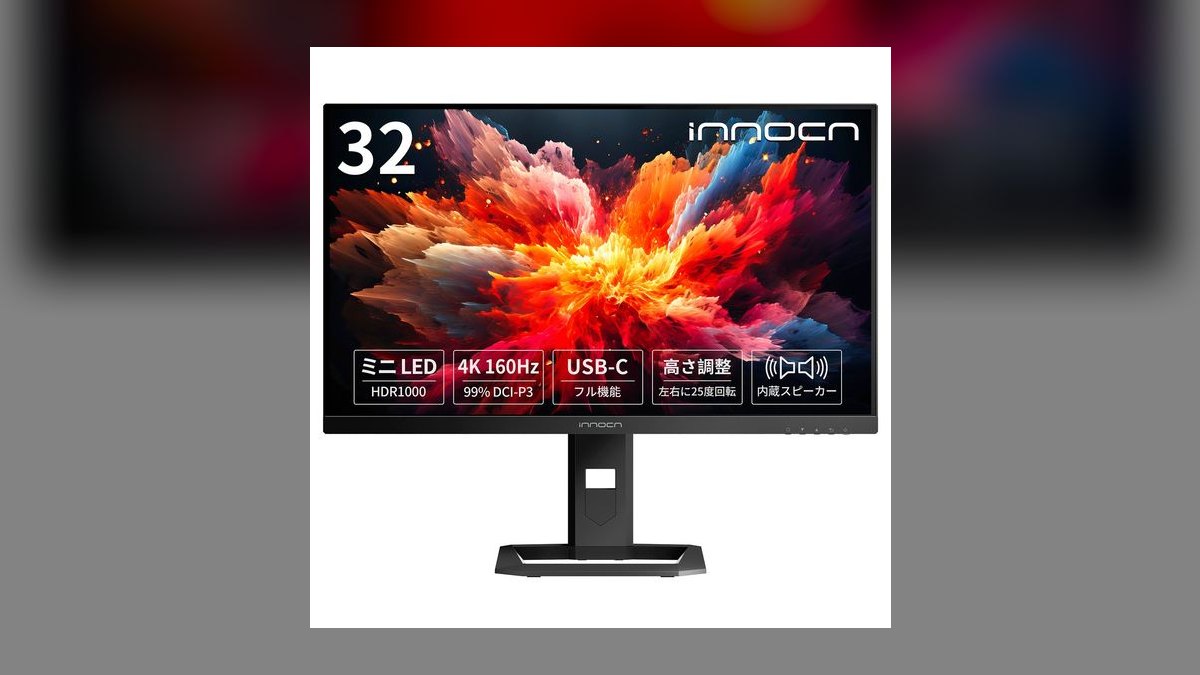
Tenth because the specs-per-dollar math is hard to ignore: a 1,152-zone mini-LED FALD backlight, 4K at 144Hz, 1,000 nits HDR peak, 99% DCI-P3, 90W USB-C power delivery, HDMI 2.1, and KVM for $699, and often $499 during Prime Day. That zone count matches the ASUS ProArt PA32UCXR, a monitor costing four times as much, though tuning and local-dimming algorithms are not comparable.
Shoppers chasing mini-LED HDR at IPS prices, who accept a lesser-known brand and a one-year warranty, are the audience. That warranty is the real trade — Eizo offers five years and Dell three with next-business-day exchange. Against the Gigabyte M32U above, you gain mini-LED contrast and 72W more power delivery for $150, but give up an established support network and firmware track record.
How we ranked these
Every monitor was judged on the four things a home office actually taxes: text clarity at 32 inches (pixel density, subpixel layout, panel contrast), single-cable docking (USB-C or Thunderbolt wattage, port count, KVM, Ethernet), factory color accuracy, and ergonomics — height, pivot, and tilt range. Contrast carried extra weight because IPS Black panels roughly double the 1000:1 norm, and dark-mode text sits on screen eight hours a day.
Deliberately ignored: peak HDR marketing numbers measured on a 3% window, refresh rates above 120Hz, and RGB lighting. A 1,000-nit spec that only holds on a small patch tells you nothing about a spreadsheet at noon. Bundled speakers were noted, never scored — the Dell S3225QC soundbar is the sole exception because it genuinely replaces desk speakers. Brand loyalty and MSRP were also set aside in favor of sustained 2027 street price.
What to look for
The deciding question is what your laptop can do over one cable. A MacBook Pro pulling 96W will not stay charged on the LG's 60W port, so you keep a second brick on the desk and lose the point of USB-C. Match wattage to your machine first, then count downstream ports — the Dell U3225QE's six USB-A jacks and 2.5GbE replace a dock outright, which is where its $949 price quietly earns itself back.
The common mistake is buying refresh rate or nits instead of contrast and pixel density. At 32 inches, 4K lands near 140 PPI — sharp, but Windows scaling at 150% is where people actually notice the difference. Buyers also skip the stand check: a monitor without height adjustment costs you an arm or a stack of books, and neck strain outlasts every spec on the box.
Related questions
Is 32 inches better than 27 inches for a 4K monitor?
At 27 inches, 4K delivers roughly 163 PPI and usually needs display scaling to make text readable. At 32 inches you get about 140 PPI, which many people can run at 100% scaling comfortably. The tradeoff is viewing distance — a 32-inch panel wants roughly 28 to 32 inches of desk depth, or you will find yourself turning your head to reach the corners.
What does a KVM switch on a monitor actually do?
A built-in KVM lets one keyboard and mouse plugged into the monitor control two connected computers, switching between them from an on-screen menu or a button. It is genuinely useful if you juggle a personal desktop and a work laptop on the same desk. The Dell U3225QE, BenQ PD3225U, Gigabyte M32U, and INNOCN 32M2V all include one.
Does QD-OLED risk burn-in for office work?
Static taskbars, docks, and spreadsheet gridlines are the exact content OLED handles worst. Modern QD-OLED panels like the Dell S3225QC run pixel-shift and compensation cycles to mitigate it, and Dell ships burn-in coverage in its warranty. If your screen shows the same UI chrome for eight hours a day, an IPS Black panel is the lower-risk choice for a pure work machine.
How much desk depth does a 32-inch monitor need?
Plan on at least 28 inches from the wall to the front edge, and check the stand base depth — many run 8 to 10 inches. Sitting closer than roughly 25 inches to a 32-inch panel means constant head movement to track the corners. A VESA monitor arm reclaims most of the footprint and buys back height range at the same time.
Is 60Hz enough for a home office monitor?
For documents, email, and video calls, 60Hz is completely adequate — the BenQ PD3225U and LG 32UP83A-W both ship at 60Hz and remain excellent work displays. What 120Hz changes is cursor and scroll smoothness, which some people notice immediately and others never register. If you also game or watch high-frame-rate content, the Dell U3225QE's 120Hz is worth the premium.
Can one USB-C cable really power a laptop and drive 4K?
Yes, provided the port supports DisplayPort Alt Mode and enough Power Delivery wattage. The LG's 60W suits ultrabooks and MacBook Airs; a 16-inch MacBook Pro or a discrete-GPU laptop wants the 90W to 140W range found on the Samsung ViewFinity, INNOCN, or Dell U3225QE. Under-powering means the laptop drains slowly while docked, which defeats the purpose.
What is IPS Black and is it worth paying for?
IPS Black is an LG Display panel technology hitting roughly 3000:1 contrast versus the 1000:1 typical of standard IPS. Blacks look genuinely black rather than dark gray, which matters most in dark-mode apps and dim rooms. It does not reach OLED contrast, but it avoids burn-in entirely. On the Dell U3225QE and BenQ PD3225U, it is the single most visible upgrade.
Do I need a factory-calibrated monitor?
Only if your output is judged on color by someone else — print, video grading, or brand work. Factory calibration to Delta E under 2, as on the BenQ PD3225U, means colors are accurate out of the box without buying a colorimeter. For spreadsheets, code, and Zoom calls it is money spent on a specification you will never exercise.
FAQ
Are 32-inch 4K monitors too big for a home office desk?
On a standard 60-inch desk, a 32-inch panel fits comfortably and gives room for two full documents side by side. Below 48 inches of desk width it gets tight, and the stand base — often 8 to 10 inches deep — is the real constraint, not the screen. Measure your depth before ordering, or plan on a monitor arm.
Do I need Thunderbolt 4 for a home office monitor?
Only if your laptop has it and you need the extras. Thunderbolt 4 adds daisy-chaining, higher bandwidth, and up to 140W of power on the Dell U3225QE. A plain USB-C monitor delivering 60 to 90W handles video and charging fine for most ultrabooks. If you never chain a second display, the Thunderbolt premium buys you little.
What is the real difference between IPS Black and standard IPS?
Contrast ratio. IPS Black panels reach roughly 3000:1 versus about 1000:1 on typical IPS, which means noticeably deeper blacks and better shadow detail. Text and images gain more separation, especially in dark mode or a dim room. It does not match OLED's effectively infinite contrast, but it carries none of OLED's burn-in risk over long workdays.
Can I use a 32-inch 4K monitor for gaming as well as work?
Yes. The Gigabyte M32U runs 4K at 144Hz with full-bandwidth HDMI 2.1 for PS5 and Xbox Series X, and the Dell S3225QC pairs 120Hz QD-OLED with a 0.03ms response. Both work fine as productivity panels. The 60Hz picks — LG and BenQ — are the ones to avoid if gaming is more than an occasional evening.
How much should I spend on a good 32-inch 4K monitor in 2027?
Roughly $400 gets a real 4K IPS panel with 60W USB-C, which is the LG 32UP83A-W. The $550 to $800 band adds refresh rate, mini-LED, or QD-OLED. Around $950, the Dell U3225QE bundles a 140W Thunderbolt dock and 2.5GbE that would otherwise cost $200 separately. Past $1,200 you are paying for color certification, not office performance.
Will a 32-inch 4K monitor work with my older laptop?
Check the output port. HDMI 2.0, DisplayPort 1.2, and USB-C with DP Alt Mode all carry 4K at 60Hz. HDMI 1.4 caps at 4K/30Hz, which makes cursor movement feel sticky and is not usable for daily work. Machines older than roughly 2018 are the ones most likely to hit that limit, so verify before you order.
Should I get one 32-inch 4K monitor or two 27-inch displays?
A single 32-inch 4K panel removes the bezel down the middle and works better for wide spreadsheets or timelines. Two 27-inch screens win when you keep separate full-screen apps — a call on one, notes on the other. Desk depth usually decides it: dual 27s need more width, a single 32 needs more depth and a good stand.
Do I need HDR on a work monitor?
Not really. Most HDR peak-brightness claims are measured on a small window and collapse across a full white screen. DisplayHDR 600 on the Samsung ViewFinity is a genuine step up for evening video, but no spreadsheet benefits from it. Buy for sustained SDR brightness — 350 nits or more — and matte coating if you sit near a window.
Is a matte or glossy screen better for a home office?
Matte, in almost every case. Home offices rarely have controlled lighting, and a glossy panel turns any window behind you into a mirror. The Samsung ViewFinity's matte coating is specifically aimed at window-lit rooms. Glossy renders slightly punchier color, which is why some color-critical setups prefer it — but only in rooms with blackout control.
How long should a 32-inch monitor last before replacement?
Panels typically stay usable seven to ten years; the connectivity ages first. A 2020 monitor without USB-C already feels dated next to single-cable docking. Warranty length signals expected life — Dell's 3-year advance exchange and Eizo's 5-year zero-bright-pixel coverage cost real money to honor. The INNOCN's 1-year term is the tradeoff for its price.
Sources
- https://www.rtings.com/monitor/reviews/dell/u3225qe
- https://www.pcworld.com/article/2618102/dell-ultrasharp-u3225qe-review-the-best-home-office-monitor-yet.html
- https://www.rtings.com/monitor/reviews/benq/pd3225u
- https://www.techradar.com/pro/benq-pd3225u-4k-designer-monitor-review
- https://www.lg.com/us/monitors/lg-32up83a-w-4k-uhd-led-monitor
- https://www.tomshardware.com/monitors/asus-proart-pa32ucxr-mini-led-review
- https://www.tomshardware.com/monitors/gaming-monitors/dell-s3225qc-32-inch-4k-qd-oled-monitor-review
- https://www.displayninja.com/best-32-inch-monitors/
- https://www.eizo.com/products/coloredge/cg319x/
- https://www.macworld.com/article/668700/best-mac-monitors-displays.html
Related on PULSE
- [More 32-inch 4k monitors for home office rankings and buying guides](/knowledge)
- [PULSE Tools and calculators](/tools)
- [Everything on PULSE RevOps](/)
Read it free — or make it yours for $1.
@Kory-White- · if Venmo asks, the last 4 of my number are 2012
 pulse-reviewsTop 10 LG TVs — Best Overall + Best Value in 2027
 pulse-reviewsTop 10 Clamp Meters — Best Overall + Best Value in 2027
 pulse-reviewsTop 10 Robot Vacuums — Best Overall + Best Value in 2027
 pulse-reviewsTop 10 OLED Monitors for Color-Critical Sales Decks in 2027
 pulse-reviewsTop 10 Camera Gimbals — Best Overall + Best Value in 2027
 pulse-reviewsTop 10 Glass Magnetic Whiteboards for Home Office in 2027
 pulse-reviewsTop 10 Bottom-Load Water Dispensers — Best Overall + Best Value in 2027
 pulse-reviewsTop 10 Soda Makers — Best Overall + Best Value in 2027
 pulse-reviewsTop 10 Noise-Cancelling Headphones for Work-From-Home in 2027
 pulse-reviewsTop 10 Wet/Dry Vacuums — Best Overall + Best Value in 2027