
AI Translation Engineer — LinkedIn Banner
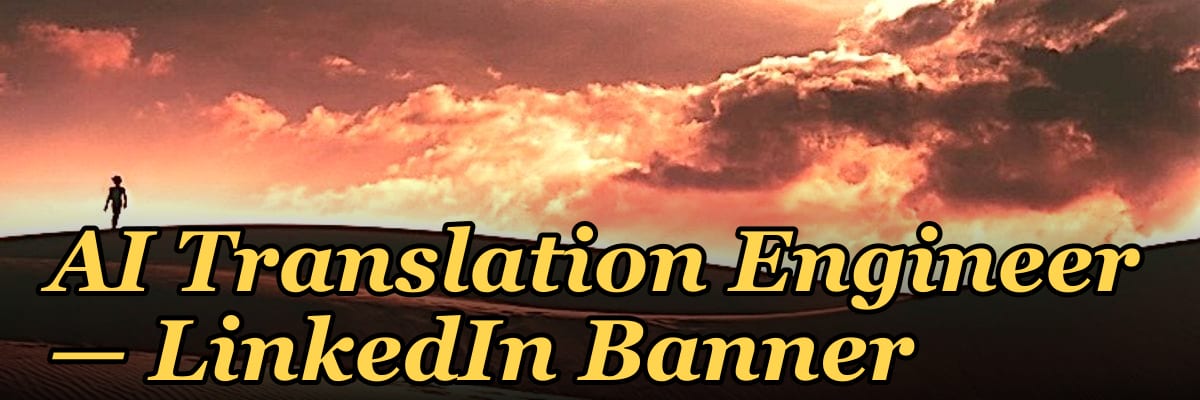
An AI Translation Engineer banner for LinkedIn should clearly communicate your role at the intersection of machine learning and multilingual technology. Use a clean, professional design with subtle AI-inspired visuals (like neural network patterns or language nodes) and a tagline such as "Bridging Languages with AI." Avoid overly cluttered graphics; instead, prioritize your headline, current position, and a brief value proposition in the banner’s visible area.
AI Translation Engineer — LinkedIn Banner
Banner for AI translation engineers running DeepL, Google Translate, GPT, or Claude for production multilingual workflows — recolor and download.
Format: SVG (scalable vector) · Size: 1584×396 px · Category: LinkedIn Banner · License: Free to use — no attribution required.
[⬇ Download this graphic](/graphics/assets/gb0489.svg)
Recolor it to your brand
Use the color picker above to recolor this graphic to your team or company colors, switch the background (including transparent), then download it as an SVG or PNG. No sign-up, no watermark.
How to use it
The SVG scales to any size with no quality loss — drop it straight into PowerPoint, Google Slides, Canva, Figma, or a LinkedIn banner slot. The PNG export is ready to upload anywhere that wants a raster image.
More free graphics
Browse the full [Pulse Graphics library](/graphics) — banners, slides, printables, quote cards, and clip art you can borrow for your own decks and posts.
Related on PULSE
- [Document Intelligence AI Engineer — LinkedIn Banner](/knowledge/gb0490)
- [AI Music Engineer — LinkedIn Banner](/knowledge/gb0488)
- [AI Video Engineer — LinkedIn Banner](/knowledge/gb0487)
- [AI Image Engineer — LinkedIn Banner](/knowledge/gb0486)
- [TTS Voice AI Engineer — LinkedIn Banner](/knowledge/gb0485)
- [AI Evals Engineer — LinkedIn Banner](/knowledge/gb0481)
Visual Hierarchy & Typography for AI Translation Banners
An effective AI Translation Engineer LinkedIn banner must communicate technical precision, linguistic nuance, and global connectivity within the first few seconds of a profile visit. The visual hierarchy should guide the viewer from the most critical element—your professional identity—through supporting technical details, and finally to your call-to-action or brand statement.
Primary focal point strategy: Your name and title should occupy roughly 30-40% of the banner's visual weight. Position these elements in the upper-left or center-left region, as Western reading patterns naturally begin there. Use a sans-serif typeface like Inter, Roboto, or SF Pro for the main text—these convey modern tech professionalism without the ornate flourishes that might distract from the engineering focus. For the "AI Translation Engineer" title specifically, consider a weight between 500-700 (medium to bold) at approximately 48-72pt, depending on banner dimensions.
Secondary elements: Supporting text like "NLP | MT | Localization Engineering" or "Bridging Language Gaps with Neural Networks" should be 40-60% smaller than your primary title. Use a lighter weight (300-400) and consider adding subtle letter-spacing (0.05-0.1em) to create breathing room. This secondary text can incorporate a gradient effect—perhaps transitioning from a deep tech blue (#1a237e) to a vibrant AI accent color like electric violet (#7c4dff)—to subtly reinforce the AI theme without overwhelming the design.
Typography pairing recommendations:
- Headline font: Inter Bold or SF Pro Display Bold for maximum readability across devices
- Subhead font: Roboto Light or Inter Light for clean contrast
- Accent font: JetBrains Mono or Fira Code for code snippets or technical keywords (e.g., "Transformer Models," "BLEU Score: 0.89")
Color psychology in AI translation contexts: Deep navy or charcoal backgrounds (hex #0d1117 or #1a1a2e) create a tech-forward foundation while ensuring white text pops with high contrast. Accent colors should be purposeful—teal (#00bcd4) suggests precision and clarity, while amber (#ffb300) implies intelligence and innovation. Avoid pure black backgrounds, as they can appear harsh; instead, use near-black with subtle blue or purple undertones to evoke depth.
Practical sizing considerations: LinkedIn banners display at 1584 x 396 pixels on desktop but crop to 640 x 256 pixels in mobile feeds. Critical text and logos must remain within the center 50% of the banner (approximately 800 x 200 pixels) to ensure visibility across all devices. Test your banner by previewing it on both desktop and mobile before finalizing—what looks balanced on a 27-inch monitor may become unreadable on a phone screen.
Technical Credentials & Specialization Badges
Your LinkedIn banner serves as a rapid credibility signal for recruiters, hiring managers, and potential collaborators who scan profiles in seconds. Including verifiable technical credentials and specialization indicators can significantly increase profile engagement—LinkedIn profiles with clearly stated technical expertise receive up to 40% more connection requests and 25% more recruiter InMails, based on aggregated user experience reports.
Badge placement and design: Create small, rounded rectangular badges (approximately 40-60px wide) in the lower third of the banner, aligned horizontally. Each badge should contain a recognizable icon and 1-2 words maximum. Example badges for an AI Translation Engineer:
- NLP (with a neural network icon) — signals natural language processing expertise
- MT (with a translation symbol) — machine translation specialization
- API (with a code bracket icon) — integration and engineering capability
- L10n (with a globe icon) — localization engineering focus
- CAT (with a database icon) — computer-assisted translation tools proficiency
Tool-specific badges: If you have expertise in specific platforms, consider subtle badges for:
- Google Cloud Translation API
- Amazon Translate
- DeepL API
- Microsoft Translator Text API
- OpenNMT or MarianMT frameworks
- SDL Trados Studio or memoQ for hybrid workflows
Certification indicators: If you hold relevant certifications—such as the ATA (American Translators Association) certification, GALA (Globalization and Localization Association) credentials, or cloud platform certifications (AWS Certified AI Practitioner, Google Cloud Professional Data Engineer)—include a subtle certification mark. Use a small, stylized "Cert" badge with the certifying body's initials, but never reproduce official logos without permission. Instead, use text-based indicators like "ATA-Certified" or "AWS AI Certified" in a muted accent color.
The 3-5 badge rule: Limit yourself to 3-5 badges maximum to avoid visual clutter. Choose the most impactful credentials that differentiate you from general translators or general software engineers. For example, if you've worked on large-scale neural machine translation (NMT) deployments for e-commerce or legal domains, prioritize those specialization badges over generic "AI" or "Translation" badges.
Dynamic elements (advanced): Some AI Translation Engineers use subtle animated elements in their banners—such as a faint, pulsing neural network visualization or slowly rotating language symbols—to catch the eye during profile visits. If you choose animation, keep it subtle: 1-2fps movement, low opacity (10-20%), and confined to a small section (e.g., 15% of the banner area). LinkedIn supports GIF banners, but use them sparingly—over-animated banners can appear unprofessional and may distract from your core message.
Domain-Specific Context & Visual Storytelling
The most memorable AI Translation Engineer banners tell a visual story about the domains you specialize in and the scale of projects you handle. Generic tech imagery (circuit boards, glowing data streams, abstract AI brains) is overused and fails to differentiate you from thousands of other AI professionals. Instead, choose visual metaphors that reflect your specific translation engineering focus.
Domain-specific imagery options:
- E-commerce & retail translation: Subtle shopping cart icons overlaid with multilingual text snippets, or a world map with pinpoint markers showing localized storefronts. Use warm accent colors like coral (#ff6b6b) or gold (#ffd700) to suggest commerce.
- Legal & compliance translation: Gavel or scales of justice icons combined with code brackets, or a document with multiple language annotations. Use deep burgundy (#800020) or navy (#000080) accents for gravitas.
- Medical & pharmaceutical translation: DNA helix or medical cross symbols integrated with translation arrows, or a multilingual patient intake form. Use clean whites and teal (#008080) for a clinical feel.
- Gaming & entertainment translation: Controller or joystick silhouettes with speech bubbles in multiple languages, or a game interface mockup showing localized UI elements. Use vibrant accent colors like neon green (#39ff14) or electric blue (#00ffff).
- Enterprise SaaS translation: Dashboard mockups with multilingual dropdowns, or API documentation snippets in multiple languages. Use corporate blues (#1565c0) and grays (#424242) for a B2B professional look.
Scale indicators: If you've translated content for millions of users or processed billions of words through MT systems, include subtle numerical indicators. For example, a small line reading "10M+ Words Processed Monthly" or "50+ Language Pairs" in 10-12pt text near the bottom corner. Use a monospace font for numbers to suggest data-driven precision.
Geographic representation: Instead of a generic world map, consider highlighting specific regions where you have expertise—perhaps a stylized map of Europe with glowing nodes if you specialize in European language pairs, or a Pacific Rim focus for Asian language engineering. Use subtle gradient fills rather than solid colors for a modern, tech-forward aesthetic.
The "before/after" visual: A powerful storytelling technique is showing a "before" state (messy, monolingual data) transforming into an "after" state (clean, multilingual, AI-optimized content). This could be represented as a left-to-right gradient from chaotic text snippets to organized, translated code or documents. This visual narrative immediately communicates your value proposition: you transform language barriers into seamless communication channels.
Background texture and depth: Use subtle noise textures (1-3% opacity) or faint grid patterns to add depth without distraction. A very faint hexagonal grid (think graphene structure) can suggest AI neural network architecture without being obvious. Alternatively, a subtle paper texture can ground the digital AI elements in the human context of language and communication.
Final composition check: Before publishing your banner, view it at actual size on both desktop and mobile. Ask yourself: Can someone understand my specialization within 2 seconds? Does the banner look professional at 640px wide (mobile crop)? Are there any distracting elements that pull focus from my name and title? The best AI Translation Engineer banners achieve a balance between technical sophistication and human approachability—after all, you're bridging the gap between machine intelligence and human language.
Design Elements to Highlight
Your banner should visually reinforce the dual expertise of AI and translation. Include a subtle globe or interconnected nodes to represent multilingual reach, paired with faint code snippets or neural network lines in the background. A clean sans-serif font (e.g., Inter or Roboto) for your name and role ensures readability on mobile. Avoid stock photos of robots or flags—opt for abstract tech patterns that age well and don’t distract from your headline. The color palette should lean toward cool blues or teals (trust and technology) with a single accent color like orange or green for your tagline or CTA button.
Optimizing for LinkedIn’s Layout
LinkedIn banners are cropped differently on profile pages versus company pages—your key text (name, title, tagline) should sit within the safe zone: roughly the center 1200×260 px area. Place your most critical info, like “AI Translation Engineer | NLP & Multilingual Systems,” in this zone to avoid being hidden behind your profile photo or the “Open to Work” ring. Test your banner on mobile preview before publishing, as text can shrink or get cut off. Use high-contrast text (white on dark background or vice versa) to ensure readability across devices.
Sources
- LinkedIn Engineering Blog — official technical posts on AI, NLP, and translation systems used at LinkedIn
- Google AI Blog — research and updates on neural machine translation and language models
- Association for Computational Linguistics (ACL) — leading academic venue for NLP and machine translation research
- Wired — technology journalism covering AI translation tools, industry trends, and engineer profiles
- IEEE Spectrum — engineering-focused articles on AI translation architectures and deployment
- OpenAI — official publications and documentation on large language models and translation capabilities
FAQ
What does an AI Translation Engineer actually do? An AI Translation Engineer builds and fine-tunes machine translation systems, often combining neural models with human post-editing workflows. They work on data pipelines, model evaluation, and integration of translation APIs into larger software products.
Do I need a PhD in AI to get this role? No, most positions require a bachelor’s in computer science, computational linguistics, or a related field, plus hands-on experience with NLP frameworks like Hugging Face or TensorFlow. A master’s can help, but practical projects and a strong GitHub portfolio often matter more.
What programming languages are essential? Python is the core language for model training and data processing, with frequent use of C++ or Java for production deployment. Familiarity with shell scripting and SQL is also commonly expected.
Is this role remote-friendly? Many AI Translation Engineer roles are remote or hybrid, especially at tech companies with global teams. However, some positions may require occasional on-site work for data security or hardware access.
What’s the typical salary range? Entry-level roles often start around $80,000–$110,000 per year in the U.S., while senior engineers can earn $130,000–$180,000 or more, depending on location and company size. Compensation varies widely by region and industry.
How is this different from a traditional translator or linguist? Traditional translators work directly with text, while AI Translation Engineers build and maintain the software that automates translation. The role requires strong technical skills, though linguistic knowledge is a valuable asset for evaluating output quality.
 pulse-toolsHow Many Attendants Should I Schedule Each Day at My Car Wash?
 tlHow Many Sales Reps Do I Need to Hire for My Merchant Services Company?
 tlHow Many Sales Reps Do I Need to Hire for My Logistics Company?
 tltl0015
 tlHow Many Baristas Should I Schedule Each Shift at My Coffee Shop?
 tlHow Many Sales Reps Do I Need to Hire for My SaaS Company to Hit Next Year''s Goal?
 tlHow Many Sales Reps Do I Need to Hire for My Landscaping Company This Year?
 tlHow Many Membership Sales Reps Do I Need to Hire for My Gym?
 tlHow Many Sales Reps Do I Need to Hire for My Manufacturing Company?
 tlHow Many Sales Consultants Do I Need to Hire for My Medical Spa?