


How do you route quota attainment for channel co-sell on Pipedrive without another point solution in 2027?
Quality
Certified
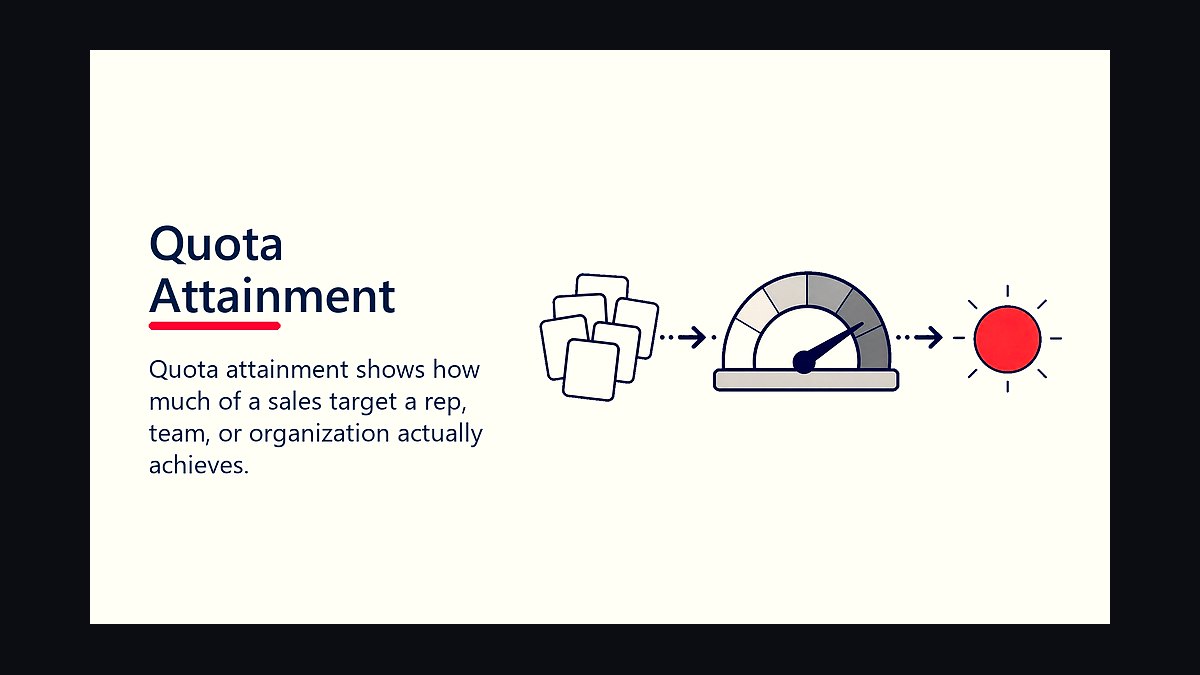
Route co-sell quota attainment in Pipedrive using three native fields — a "Co-Sell Influence Type" picklist, a numeric "Attribution Weight" percentage, and a linked "Partner Organization" field — plus a formula field that multiplies deal value by attribution weight. No additional point solution is required: Pipedrive's custom fields, filters, and workflow automation cover audit, routing, and reporting for most channel motions.
What co-sell quota routing means in Pipedrive
Quota attainment routing is the mechanism that decides, for a deal touched by a channel partner, how much revenue credit lands on which rep — and whether a partner's involvement changes that credit at all. In a pure direct-sales motion this is trivial: one rep owns the deal, one rep gets the number. Channel co-sell breaks that assumption. A partner might source the lead, provide technical validation, or simply make an introduction, and each of those roles deserves a different split of quota credit. The reason teams reach for a dedicated point solution is that most CRMs, out of the box, have no concept of "partial credit" or "partner-influenced revenue." Pipedrive is no exception — but it does expose the raw materials to build this yourself: custom fields on the Deal object, linked Organization records, formula fields, saved filters, and workflow automation that fires on field changes.
The reason this matters beyond bookkeeping is incentive alignment. If a rep gets zero credit for a partner-sourced deal they still have to manage through legal, security review, and procurement, they will quietly deprioritize those deals in favor of ones where they get full quota credit. Conversely, if a partner gets no visibility into which of their referrals actually closed, they stop sending you their best opportunities. Routing quota attainment correctly is what keeps both sides of a co-sell motion engaged. It also feeds a second, often more important audience: sales leadership needs to know how much of the pipeline number is genuinely channel-influenced versus how much is being mislabeled to game a rep's individual number. Without structured fields, that distinction lives in tribal knowledge and side conversations, which is exactly the failure mode a point solution is sold to fix — and exactly what three well-designed fields and a formula can fix instead, using RevOps discipline rather than a new line item on the software budget.

The core insight is that "solution" here doesn't mean a new tool — it means a data model and a cadence. Pipedrive already tracks the deal, the money, and the people. What's missing is a standard vocabulary for describing partner involvement, and a habit of updating it. Build the vocabulary once, encode it into the fields described above, and the routing becomes a reporting problem, not an integration problem.
The step-by-step process
The rollout has five phases, and each one should be completed and validated before moving to the next, because a bad Phase 1 field design compounds into unreliable reports in Phase 5.

Phase 1 — Audit the current stack. Inventory every place channel-partner information currently lives: rep notes, a shared spreadsheet, Slack threads, a partner portal, or nothing formal at all. Identify which deals in the last two quarters had partner involvement, even if it wasn't tracked cleanly, so you have a baseline to validate the new fields against.
Phase 2 — Define the fields. Build the three fields described above (Influence Type, Attribution Weight, Partner Organization) plus the "Rep Attributed Amount" formula field (Deal Value × Attribution Weight / 100). Make Influence Type conditionally required whenever Partner Organization is populated, so you can't tag a partner without classifying their role.
Phase 3 — Pilot on one segment. Pick a single region, product line, or partner tier and route only that segment's deals through the new fields for two to four weeks. This limits blast radius if the field design needs adjustment and gives reps a manageable amount of new data entry to adopt.
Phase 4 — Automate what's validated. Once the pilot proves the fields hold up, use Pipedrive's workflow automation to auto-route deals into a co-sell view or pipeline stage when Attribution Weight is set above zero, and to fire a webhook or notification to the Channel Operations owner for review.

Phase 5 — Report weekly. Stand up the recurring Pulse metric (covered below) and put a single RevOps owner's name on maintaining it. A report nobody owns decays within a month.
Costs, timelines, and typical ranges
Because this approach uses fields Pipedrive already supports, the direct cost is close to zero beyond the plan tier you already pay for — the real cost is RevOps time. Expect roughly 4-8 hours to design and build the three custom fields, the formula field, and the required-field dependency rule; this is a single-person, single-sitting task for someone who already administers your Pipedrive instance. The pilot phase typically runs two to four weeks, since you need at least a handful of closed-won deals with partner involvement to sanity-check the attribution weights against what actually happened. Full rollout across all segments generally takes four to six weeks from kickoff, including one to two weeks of rep training and a grace period where the RevOps owner manually corrects mislabeled deals rather than penalizing reps for it.

Volume is the variable that determines whether manual filters are sufficient or whether you need workflow automation. Teams closing fewer than roughly 50 co-sell-influenced deals a month can run the entire process on saved filters and a weekly manual export — a Channel Operations Manager reviewing a smart view and updating a spreadsheet in under an hour a week. Past that volume, the manual review becomes the bottleneck, and workflow automation (available on Pipedrive's higher automation-enabled plans) to auto-assign pipeline stages and trigger webhooks becomes worth the setup time. There is no fixed dollar cost to cite here because it depends entirely on which Pipedrive plan tier you're already on — the point is that no incremental per-seat or per-deal software cost is required, which is the entire argument against buying a dedicated channel-quota point solution for teams under a few hundred co-sell deals a month.
Ongoing maintenance runs about two to three hours a week: the Tuesday data-quality audit, the Wednesday attribution reconciliation, and the Thursday routing execution described in the operational cadence below. That weekly time cost is the real ongoing "price" of this approach, and it should be weighed honestly against what a point solution would charge in subscription fees — for most teams under a few hundred co-sell deals monthly, the RevOps hours are cheaper.
Where teams get it wrong

The most common failure is orphan data — a deal gets a Partner Organization tagged but the Influence Type field is left blank, usually because a rep added the partner link in the middle of a call and forgot to finish classifying it. Left unchecked, this silently breaks every downstream report because those deals won't appear in filters that key off Influence Type. The fix is the conditional-required-field rule from Phase 2, plus the Tuesday orphan check in the weekly cadence.
The second failure is double-counting quota when both the direct rep and a partner-facing rep believe they own the deal. This happens when there's no single "quota owner" designation — both people report the full deal value in their personal pipeline, and finance discovers the discrepancy at quarter-end. The fix is enforcing a single quota-owner field per deal, with the Attribution Weight field determining the split rather than allowing two people to separately claim 100%.

The third failure is attribution weight abuse — reps quietly setting Influence Type to "None" on deals that did have partner involvement, specifically to avoid splitting quota credit. This is why the Wednesday reconciliation step exists: a genuine channel motion needs a Channel Manager or the partner themselves confirming involvement independently of what the rep enters, not a self-reported field with no check.
The fourth failure is shadow spreadsheets replacing the CRM as the system of record. If leadership reviews a spreadsheet instead of the Pipedrive report, the CRM fields stop mattering, data entry discipline collapses, and you're back to manual reconciliation with no audit trail. Every metric leadership reviews needs to trace back to a live Pipedrive field or report, not an export someone massaged by hand.
The fifth and most structural failure is skipping the named DRI. Routing logic that "everyone" owns is logic nobody maintains. A single RevOps owner should be accountable for field accuracy, the weekly cadence, and escalating disputes — without that name attached, the system degrades within one or two sales cycles as reps revert to old habits.
Decision framework: when to choose what

Not every team should build this themselves indefinitely — the decision to stay CRM-native versus buy a dedicated channel-quota point solution should be revisited whenever volume, complexity, or partner count materially changes. Use deal volume as the first filter: under roughly 50 co-sell deals a month, native fields and manual filters are sufficient and cheaper. Above that, workflow automation closes the gap for most teams up into the low hundreds of deals monthly.
The second filter is partner-relationship complexity. If your channel program has multiple partners frequently co-selling on the *same* deal, requiring weighted multi-partner splits rather than a single Partner Organization link, Pipedrive's single-linked-field model starts to strain, and a purpose-built solution's multi-partner attribution logic becomes genuinely more capable than what custom fields can express cleanly.
The third filter is reporting audience. If attribution data only needs to reach sales leadership and the channel team, native Pipedrive reports and a weekly digest are enough. If partners themselves need self-service visibility into their own attributed pipeline and closed revenue — a partner portal experience — that crosses into territory a point solution is built for and Pipedrive's native permissioning was not designed to expose to external users.
Related questions

Does this approach work for other CRMs besides Pipedrive?
The field design is portable — most CRMs support custom picklists, numeric fields, linked-object relationships, and formula fields. The specific automation mechanics (workflow triggers, conditional-required rules) vary by platform, but the underlying data model transfers directly.
What happens to historical deals closed before these fields existed?
Backfilling is optional and rarely worth the effort beyond the last one to two closed quarters, used only to validate the new fields against known outcomes. Going forward, apply the fields at deal creation, not retroactively across the full deal history.
Who should own the weekly reconciliation if there's no dedicated Channel Operations role?
RevOps or sales operations should own it by default. In smaller organizations, this is frequently the same person managing overall pipeline hygiene, folded into their existing weekly CRM audit rather than treated as a separate function.
How is this different from a standard lead-source field?

Lead source captures how a deal originated once, at creation. Co-sell attribution needs to capture ongoing partner involvement that can change mid-deal-cycle and needs a weighted percentage, not a single static origin tag.
FAQ
What exactly is "quota attainment routing" in a channel co-sell context? It's the process of assigning quota credit for a partner-influenced deal to the correct rep, partner, or split between them, so attainment numbers reflect who actually drove the outcome. In Pipedrive this is done with native fields and reports rather than a separate routing engine.
Do I need a separate app or integration to make this work? No. Custom fields, a formula field, saved filters, and workflow automation cover the full routing and reporting loop for most channel programs. A separate integration only becomes worth evaluating at higher deal volumes or with complex multi-partner splits.
How do I prevent double-counting quota when a partner and a direct rep both touch the deal?

Define a single "quota owner" field enforced as required on stage transition, and drive the split through the Attribution Weight field rather than letting two people separately claim full deal value. Report attainment only from the field that resolves ownership.
What's the minimum number of custom fields I need to set up? Three core fields — Influence Type, Attribution Weight, Partner Organization — plus one formula field for Rep Attributed Amount. That's enough to route, report, and audit without additional tooling.
Can I test this without disrupting my current sales process? Yes. Pilot on a single region, product line, or partner for two to four weeks before rolling the fields out organization-wide. This limits how many reps are affected if the field design needs revision.
How do I know if the routing is actually working? Track a weekly Pulse metric such as the percentage of co-sell deals with a correctly assigned quota owner, or the average time from partner tagging to Influence Type classification. Two consecutive weeks above roughly 90% indicates the process is stable enough to automate further.
Sources
- https://www.pipedrive.com/en/features
- https://support.pipedrive.com
- https://www.gartner.com
- https://www.forrester.com
- https://www.hubspot.com/sales
- https://www.salesforce.com/resources/articles/channel-sales/
- https://www.g2.com/categories/partner-relationship-management-prm
- https://www.saastr.com
Related on PULSE
- How do you route quota attainment for inbound SDR on Pipedrive without another point solution?
- How do you route quota attainment for usage-based pricing on Pipedrive without another point solution?
- How do you route quota attainment for full-cycle AE on Pipedrive without another point solution?
- How do you route quota attainment for partner-sourced pipeline on Pipedrive without another point solution?
- How do you route quota attainment for AE-led on Pipedrive without another point solution?
- How do you route quota attainment for land-and-expand on Pipedrive without another point solution?
This page will be disappearing soon. Save it to your device for $1 — or read it free while it is here.
@Kory-White- · if Venmo asks, the last 4 of my number are 2012
This page is gone.
This one is off the shelf now. $1 keeps it on your phone for good — the whole page, pictures and diagrams included.
 revopsHow do you route quota attainment for partner-sourced pipeline on Pipedrive without another point solution in 2027?
 revopsHow do you route quota attainment for land-and-expand on Pipedrive without another point solution in 2027?
 revopsHow do you route quota attainment for inbound SDR on Pipedrive without another point solution in 2027?
 revopsHow do you route quota attainment for AE-led on Pipedrive without another point solution in 2027?
 revopsHow do you route quota attainment for usage-based pricing on Pipedrive without another point solution in 2027?
 revopsHow do you route quota attainment for full-cycle AE on Pipedrive without another point solution in 2027?
 revopsHow do you forecast renewal ghosting when no dedicated RevOps hire yet and leadership only reviews magic number monthly on Dynamics 365 in 2027?
 revopsWhat is the RevOps playbook for legal redline cycle time during enterprise outbound on Salesforce when no dedicated RevOps hire yet in 2027?
 revopsHow do you reconcile bookings vs billings for usage-based pricing on Pipedrive without another point solution in 2027?
 revopsHow do you alert on GRR for partner-sourced pipeline on Pipedrive without another point solution in 2027?