


How do you track competitive win rates when reps skip loss reasons in 2027?
Quality
Certified

Track competitive win rates by triangulating: pull competitor mentions from call recordings and email threads, tag deals at the qualification stage rather than at close, and reconcile rep-reported reasons against system-inferred signals weekly. Blank loss reasons stop mattering once competitive presence is captured early, while the deal is still live.
The quarter where the win-rate number quietly broke
A mid-market software team ran a clean-looking dashboard: 34% overall win rate, 41% win rate against their named rival, sourced straight from the CRM closed-lost picklist. Leadership used those figures to justify a battlecard investment and a pricing exception policy. Six months later, renewal conversations and reference calls surfaced deals the CRM said were "no decision" that had, in fact, gone to that same rival.
The cause was mundane. The loss-reason field was optional. When it was optional, roughly a third of closed-lost deals had it filled. When it was made required, fill rate hit 100% and usefulness collapsed — reps picked whichever value sat first in the picklist, or "Other," or "Timing." Nothing about the field changed the rep's day for the better, so the rep spent two seconds on it and moved on. That is the entire mechanism behind bad loss data: the person entering it bears the cost, and someone else three floors away collects the benefit.
Look closely at what the missing data does to a competitive win rate specifically. The formula most teams use is wins against Competitor X divided by (wins against X + losses to X). Wins are reliable — a rep who beats a rival will happily name them, because it is a story that flatters them. Losses to that rival are the underreported half. So the numerator is roughly complete and the denominator is systematically short. The result is a competitive win rate biased upward, and biased upward by an unknown, drifting amount. It is not noisy; it is skewed in one direction, which is far worse. Noise averages out over a quarter. Skew compounds into a strategy.
The downstream damage spreads past the dashboard. Product prioritizes against a feature-gap list assembled from the reasons that did get logged, which over-represents whatever is easiest to type. Marketing writes competitive content against the rival that shows up most in wins rather than the one quietly taking deals. Pricing sees "price" cited on only 12% of losses and concludes the list price is fine. Enablement builds a battlecard for the wrong opponent. Each of those teams is acting rationally on a number that is wrong in a consistent direction, and none of them has any independent way to notice.

There is a second-order effect worth naming. Once the leadership team senses the number is soft, they stop trusting all deal data, including the parts that are fine. Forecast conversations turn narrative. "I know the system says X, but here's what's really happening" becomes the standard opening. That is a RevOps credibility problem, not a field-completion problem, and it takes longer to repair than the underlying data. The fix has to restore trust in a number, not merely raise a fill-rate percentage.
The adjacent version of this problem shows up anywhere a rep is asked to classify something after the outcome is already determined. Churn reasons on customer success teams have the same failure profile. Disqualification reasons in SDR workflows do too. So does the "source" field on inbound leads. In every case the pattern is identical: retroactive classification by the person least motivated to be precise about it. Recognizing the class matters, because the fix that works for competitive loss reasons — capture earlier, infer from artifacts, reconcile rather than mandate — transfers directly to those neighboring workflows.
How competitive tracking actually works when you stop relying on the loss field
The structural fix is to move the capture point upstream. A loss reason is captured at the worst possible moment: after the deal is dead, when the rep has zero remaining incentive and some active disincentive to be candid. Competitive presence, by contrast, is knowable weeks earlier — usually the first time the buyer says "we're also looking at" in a discovery or demo call.

So capture it then. Add a single multi-select field, "Competitors in deal," and make it a stage-gate requirement to advance past qualification, not a close-out requirement. At qualification the rep is optimistic and cooperative; naming a rival costs them nothing and arguably helps them (it signals they did real discovery). The field gets filled because filling it aligns with how the rep already wants to be seen. Then when the deal dies, the competitive attribution already exists in the record whether or not anyone touches the loss-reason picklist.
That single change does most of the work. Layer three reinforcing sources on top of it:
Conversation intelligence keyword tracking. Call-recording platforms — Gong, Chorus, Clari Copilot and their peers — support tracker keywords that flag every mention of a competitor name across recorded calls. Configure a tracker per competitor plus common variants and misspellings. Any opportunity whose calls contain a tracker hit is a competitive deal, full stop, regardless of what the CRM field says. This is passive collection; it requires nothing from the rep. Note the coverage limit honestly: it only sees deals with recorded calls, so a team recording 60% of calls gets 60% coverage, and email-only or partner-led deals are invisible to it.
Email and thread signals. Competitor names appear in forwarded RFP documents, in security-questionnaire threads, in "we're evaluating two vendors" scheduling emails. If your CRM syncs email, a saved search across opportunity-related email bodies catches a meaningful slice of what call recording misses.
Structured buyer-side artifacts. RFPs, vendor shortlists, and procurement forms name competitors explicitly. If your team touches procurement at all in the mid-market and up, those documents are the highest-confidence source available, and they arrive mid-cycle rather than at close.
The reconciliation layer is what turns four partial sources into one number. Build a weekly job that assembles, for each closed-lost opportunity: rep-reported loss reason, qualification-stage competitor field, conversation-intelligence tracker hits, email keyword hits. Any deal with a signal from any source is classified competitive. Deals with a signal but a non-competitive rep-reported reason go on an exception list for a human to resolve.

The exception queue is the only part requiring human effort, and it should be small — five to fifteen deals a week for most mid-market teams. The follow-up is one message: "Call recording flagged a rival on this one, want to confirm who we lost to?" That question is answerable in four seconds and does not feel like an audit, because the analyst is not asking the rep to fill a form; they are asking them to confirm something the system already believes.
One design note that determines whether the whole thing survives contact with the sales floor: the reconciled number must never be used to evaluate an individual rep. The moment a rep believes that a confirmed competitive loss shows up in their performance review, they will start managing the signals — fewer recorded calls, vaguer language, deals worked over the phone instead of Zoom. The system is only sustainable if it is explicitly a market-intelligence instrument, and if leadership says so out loud, repeatedly.
Numbers worth calibrating against before you set targets
Be careful with benchmarks here, because published win-rate figures vary enormously by segment, deal size, and how the reporting team defines the denominator. Treat the following as structural relationships to sanity-check your own data against, not as targets to hit.
Loss-reason fill rate, optional field. Teams that leave the field optional commonly land somewhere in the 25–50% range. Below 25% suggests the field is not even visible in the close-out flow. Above 60% with an optional field usually means a manager is manually chasing it, which does not scale past one team.
Loss-reason fill rate, required field. Effectively 100%, by construction. This number is worthless on its own and should never be reported as a quality metric. The metric that matters is *specificity*: the share of filled reasons that name a competitor, a dollar figure, or a specific capability. Track that instead. On teams that have not done the work, specificity typically sits far below fill rate — a page reporting 100% completion and 30% specificity is describing a broken field, not a healthy one.

The gap between reported and inferred competitive losses. This is the single most useful number to produce, and you must measure it in your own data rather than assume it. Run the reconciliation for one quarter and compute: (competitive losses by any signal) ÷ (competitive losses by rep report). A ratio near 1.0 means your rep data is trustworthy. A ratio well above 1.0 means the reported competitive win rate is inflated, and the ratio itself tells you by roughly how much. Recompute it every quarter — the ratio drifts as team composition and recording coverage change.
Call-recording coverage. Compute recorded-calls-per-opportunity and the share of opportunities with at least one recorded call. Conversation-intelligence inference is only as good as this number. If coverage sits at 50%, your inferred signal misses roughly half the competitive deals and the reconciled win rate is still biased upward, just less so. State the coverage figure next to the win rate every time you publish it.
Sample size per competitor. This is where most competitive dashboards quietly become fiction. A win rate computed on 8 deals has a confidence interval wide enough to swallow any decision you would make from it. As a working rule, do not report a per-competitor win rate to leadership until you have at least 30 closed deals against that rival in the window, and prefer 50. Below that, report the raw counts — "6 wins, 4 losses vs. Rival A this quarter" — which is honest, or widen the window to a rolling four quarters. Rolling twelve-month windows are the standard fix for thin per-competitor samples, at the cost of responsiveness to recent changes.
Rate of change as the real signal. Absolute competitive win rate is confounded by everything — deal mix, territory changes, pricing moves, who is on the team. The derivative is far more informative. A rival win rate that moved 8 points in one quarter is worth investigating even if you distrust the level. Track the trend line and the sample size together; treat the absolute number as directional.

Time-in-final-stage as a fallback discriminator. If you have no conversation intelligence at all, deal-velocity shape carries some signal. Competitive losses tend to compress the final stage — the buyer decides and the deal closes quickly — while stalled or no-decision losses drag. Computing the ratio of final-stage duration to total cycle length gives you a crude classifier. Critically: validate it before trusting it. Take 50–100 closed-lost deals where you *do* have reliable loss reasons, run the classifier, and measure how often it agrees. If agreement is poor in your data, discard the approach rather than reporting a number you cannot defend. Do not import an accuracy figure from someone else's blog post; the threshold that works depends entirely on your sales motion.
Effort to run the reconciliation. Once built, the weekly cycle is realistically two to four analyst hours: review the exception queue, send follow-ups, update classifications, refresh the report. The build itself is a week or two of RevOps time for the field changes, saved searches, tracker configuration, and report. Budget honestly rather than promising leadership it is free.
The trade-offs nobody names in the vendor demo
Every approach here buys accuracy with something. Choosing well means being explicit about what you are spending.
Mandatory fields buy completion and spend truth. Requiring the loss reason produces a 100% fill rate on day one, which looks like a win in a QBR slide and is not one. The cost is that the field's values now contain a mix of real reasons and friction-avoidance clicks, and you can no longer tell which is which. There is a narrow version that works: make the field required, but keep the picklist to five or six mutually exclusive options, put "Lost to competitor" first, and add a conditional required text field that only appears when that option is selected. You get completion without turning every value into noise, because the rep who genuinely lost on timing has an honest one-click path.

Inference buys coverage and spends confidence. Tracker keywords and email scanning need nothing from the rep and scale to every recorded deal. But a competitor mention is not a competitive loss — buyers name vendors they never seriously considered, reps mention rivals defensively, and a single passing reference in a discovery call proves very little. Inference over-flags. Mitigate with a threshold (two or more mentions, or a mention after the demo stage rather than before) and accept that you are trading recall for precision. Tune which direction based on use: for a strategy decision, favor precision; for an early-warning trend line, favor recall.
Interviews buy depth and spend scale. Third-party or internal win/loss interviews with buyers produce the highest-quality competitive intelligence available — you learn not just who won but why, in the buyer's language. They also cost real money per interview and take weeks. Most teams can afford them on a sample: the largest 10–20 losses per quarter, or every loss above a revenue threshold. Use interviews to calibrate the cheap methods, not to replace them. If your inference layer says 40% competitive and your interview sample says 55%, you have learned something about your inference layer.
Gamification buys engagement and spends durability. Leaderboards and small rewards for loss-reason specificity do move behavior, and quickly. The honest caveat is that incentive-driven compliance tends to decay when the incentive stops, and gamified metrics attract gaming. If you run one, measure specificity rather than completion, rotate what is measured, and treat it as a launch mechanism to establish a habit rather than a permanent system.
Coaching integration buys durability and spends manager time. The most robust fix ties loss reasons to something the rep values: their own coaching. Managers pick two or three closed-lost deals before each one-on-one and ask what the rep would do differently based on what they logged. Vague loss reasons make that conversation awkward for the rep, so reps start writing better ones. This works because it changes who bears the cost of bad data. It requires managers who actually run consistent one-on-ones, which is the real constraint — if that discipline does not exist, this approach fails silently and you will not know for a quarter.
Most teams should not pick one. The workable combination for a mid-market RevOps function is the upstream stage-gate field as the primary source, conversation intelligence as the passive cross-check, coaching integration as the behavioral reinforcement, and a small quarterly interview sample as calibration. The mandatory picklist becomes a minor input rather than the foundation.
Pitfalls that turn a good tracking system into a worse one

Reporting a number without its sample size. A slide that says "62% win rate vs. Rival A" with no denominator invites decisions the data cannot support. Always print n. When n is small, print the raw counts instead of the rate.
Letting the reconciled number become a rep scorecard. Already noted, but it is the most common way these systems die. The instant reps believe competitive losses are held against them individually, signal quality degrades and never recovers. Write the intended use into the report header.
Comparing win rates across incomparable denominators. Some teams count every created opportunity; others count only opportunities that reached a qualified stage; others exclude no-decisions entirely. All three produce "win rate" and none are comparable. Pick one definition, write it down, put it in the report footer, and refuse to change it mid-year. When someone quotes an external benchmark, ask which denominator it used before reacting to it.
Building the whole apparatus before proving it on one team. Run the reconciliation on a single pod for two to three weeks before rolling it out. You will discover things that no design session surfaces — that one segment never records calls, that a competitor's name collides with a common product word and floods the tracker, that a particular stage gate blocks a legitimate fast-close motion. Fix those on ten reps, not two hundred.
Automating a process that does not yet work manually. Turning on routing, alerts, and sync before the underlying classification is sound produces bad data faster and at higher confidence. Get the manual weekly cycle producing a number you would personally defend, then automate the mechanical parts of it.

Ignoring the deals that never became opportunities. Competitive losses that happen before an opportunity exists — the prospect who picked a rival during initial research — are invisible to every method above. They are real and they matter, and they are the reason a CRM competitive win rate is always an incomplete picture of competitive position. Acknowledge the boundary rather than implying the number covers the full market.
Treating "no decision" as non-competitive. It frequently is competitive. A buyer who chose the incumbent, or chose to build internally, or chose to do nothing because a rival's free tier was good enough, has made a competitive decision. Split "no decision" into at least two values — genuinely deferred versus chose an alternative including status quo — or you will systematically undercount.
Letting the tracker keyword list rot. Competitors rebrand, get acquired, launch new product names, and new entrants appear. A tracker list configured once and never revisited quietly loses coverage. Review it quarterly alongside whoever owns competitive intelligence, and log the review date so the next person knows when it was last touched.
Silent pipeline failure. If the reconciliation job stops running — an API token expires, a saved search breaks after a field rename, the analyst who owned it changes roles — the dashboard keeps displaying its last good numbers and nobody notices for weeks. Every automated data process needs a liveness check: a staleness timestamp on the report, and an alert when the exception queue is empty two weeks running, which almost always means broken rather than clean.
Fixing the instance instead of the class. Chasing individual blank fields deal by deal feels productive and changes nothing structurally. If the same rep or the same segment produces blanks repeatedly, the workflow is wrong for them, not the person. The same logic applies across the adjacent fields — churn reasons, disqualification reasons, lead source. Solve the retroactive-classification pattern once and apply the pattern everywhere it appears.
Related questions
Should we make the loss-reason field required?

Only with a short, mutually exclusive picklist and a conditional follow-up when "lost to competitor" is selected. Required alone converts a low fill rate into a high noise rate. Pair it with an upstream competitor field captured at qualification, which is where the reliable data comes from.
How many closed deals do we need before a per-competitor win rate is meaningful?
Prefer 30 or more closed deals against that rival in the window, ideally 50. Below that, report raw win and loss counts rather than a percentage, or widen to a rolling four-quarter window and label it as such.
Can conversation intelligence fully replace rep-entered loss reasons?
No. It covers only recorded calls and over-flags passing competitor mentions. Use it as a passive cross-check against the rep-entered data and the qualification-stage competitor field, not as a single source of truth.
What is the fastest signal that our competitive win rate is inflated?
Compare competitive losses identified by any system signal against competitive losses reported by reps. A ratio meaningfully above 1.0 means reps are under-reporting losses to named rivals, and the reported competitive rate is too high by roughly that factor.
Does this same approach fix churn-reason and disqualification-reason data?
Largely yes. All three are retroactive classifications by someone with no incentive to be precise. Move capture upstream, infer from artifacts the system already holds, and reconcile weekly instead of mandating a field at the end.
FAQ
Why do reps skip loss reasons in the first place?
Because the cost and the benefit sit with different people. The rep spends time and some emotional friction documenting a loss; the value accrues to product, marketing, and leadership weeks later. Add the natural reluctance to write down "I lost this one to their rival" in a system managers read, and skipping is the rational choice. Any fix that ignores this asymmetry fails.

If we can only do one thing, what should it be?
Add a "competitors in deal" multi-select captured at qualification and required to advance past that stage. It is a single field change, it collects data at the moment the rep is most cooperative, and it makes the close-out loss reason far less load-bearing. Everything else in this page is refinement on top of that one move.
How do we handle competitors that our reps name inconsistently?
Use a controlled picklist rather than free text for the competitor field, and configure conversation-intelligence trackers with every alias, abbreviation, product name, and common misspelling per rival. Review the alias list quarterly, since acquisitions and rebrands break it. Free-text competitor entry produces a long tail of near-duplicates that is expensive to clean later.
What do we report to leadership while the data is still bad?
Report the trend and the raw counts, plus an explicit data-quality line: recording coverage percentage, loss-reason specificity rate, and the reported-versus-inferred ratio. Publishing the uncertainty alongside the number preserves credibility. It also creates visible pressure to improve the inputs, which a clean-looking but wrong dashboard never does.
How long before this produces trustworthy numbers?
The field and tracker changes take a week or two of RevOps work. Meaningful data requires a full sales cycle to pass through the new capture points, so plan on one to two cycles before the reconciled competitive win rate is stable enough to base decisions on. Report it as directional in the interim and say so.
Does any of this work without a conversation-intelligence platform?
Yes, with reduced coverage. The upstream stage-gate competitor field, email keyword searches if email syncs to the CRM, RFP and procurement documents, and a small quarterly buyer-interview sample together cover most of what call recording provides. You lose the passive breadth and gain nothing back, so expect a wider exception queue and more analyst time per week.
Sources
- https://www.salesforce.com/sales/analytics/ — CRM reporting and opportunity analytics documentation
- https://www.gong.io/ — conversation intelligence and call tracker keyword functionality
- https://knowledge.hubspot.com/deals — deal stage configuration and pipeline reporting
- https://hbr.org/ — Harvard Business Review, research on sales strategy and buyer decision-making
- https://www.gartner.com/en/sales — Gartner sales practice research on pipeline and win/loss analysis
- https://www.forrester.com/research/ — Forrester research on competitive intelligence and sales enablement
- https://www.clari.com/ — revenue operations and forecast data hygiene practices
- https://help.salesforce.com/ — Salesforce validation rules, required fields, and stage-gate configuration
Related on PULSE
- How do you use AI to mathematically analyze lost deal reasons across hundreds of transcripts?
- How do you detect when reps skip MEDDPICC fields on Commit-stage opportunities automatically?
- What are the top three reasons buying committees reject AI-driven pricing recommendations from vendors?
- What happens to net-new pipeline when AI agents autonomously skip 40% of early-stage qualification?
- When should a sales leader fire a high-performer for cultural reasons (toxicity, manipulation, undermining peers)?
This page will be disappearing soon. Save it to your device for $1 — or read it free while it is here.
@Kory-White- · if Venmo asks, the last 4 of my number are 2012
This page is gone.
This one is off the shelf now. $1 keeps it on your phone for good — the whole page, pictures and diagrams included.
 revopsHow do you onboard a new AE onto mid-quarter territory without re-opening closed opportunities in 2027?
 revopsHow do you decide if a CRO advisory before a full-time hire is right for a Series A company when preparing for fundraise in six months in 2027?
 revopsHow do you sync product-qualified leads from Snowflake to HubSpot nightly in 2027?
 revopsHow do you alert RevOps when champion contacts leave the buyer domain on open opportunities in 2027?
 revopsHow do you run win-loss interviews into structured CRM fields without a dedicated analyst in 2027?
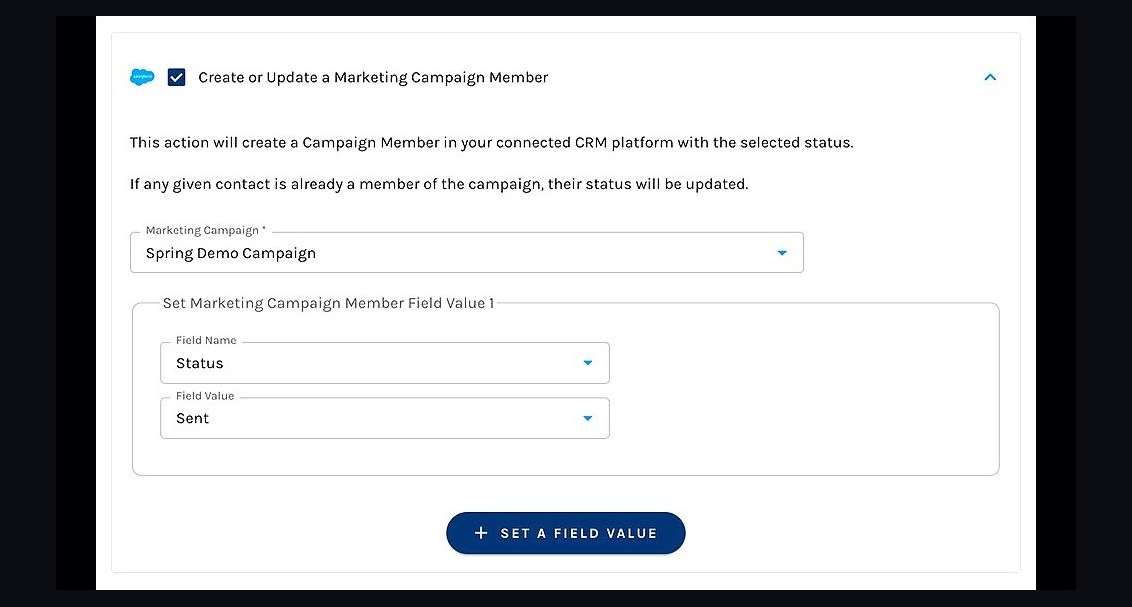 revopsHow do you validate marketing campaign member influence on closed-won in 2027?
 revopsHow do you standardize RFP artifacts when Gotham integration is a mandatory evaluation criterion in 2027?
 revopsHow do you decide if a CRO advisory before a full-time hire is right for a Series A company when board wants a revenue turnaround in 2027?
 revopsHow do you sync Stripe subscription changes to HubSpot deal amount without breaking renewal forecasting in 2027?
 revopsHow do you prevent duplicate Outreach enrollments after Salesforce account merges in 2027?