


How do you use Palantir Foundry to automate broken lead routing across brands in HubSpot during marketplace listings when customer success on Gainsight in 2027?
Quality
Certified
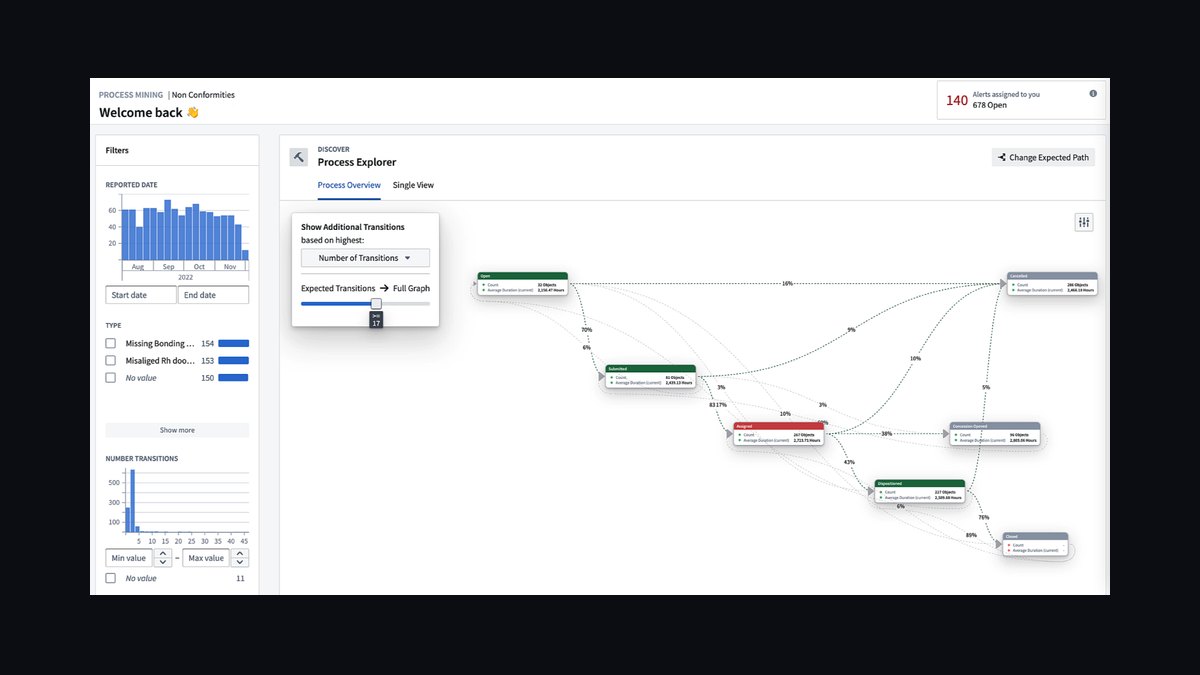
Palantir Foundry fixes broken lead routing by joining HubSpot's brand and marketplace-listing fields with Gainsight's customer-health data inside one ontology object, then running scheduled Actions that reassign misrouted leads before a rep ever sees them. Pilot the join logic on a single brand for two weeks, confirm the match rate against a manual baseline, then automate — teams that skip the pilot just automate the same broken HubSpot rules faster, and RevOps ends up debugging Foundry instead of the process underneath it.
The outcome you should expect
When this is built correctly, the outcome is boring in the best way: a lead created from a marketplace listing lands in the correct brand's HubSpot queue within minutes, carrying the right owner, the right pipeline, and a Gainsight-informed priority flag if the associated account already has an active customer success relationship. The number that matters most is "percentage of leads correctly routed on first attempt" — before automation this typically sits in the 55-70% range for multi-brand marketplace operations because listing metadata, HubSpot lead source fields, and Gainsight account mapping were never reconciled. After a properly scoped Foundry pipeline goes live, that number should climb into the low-to-mid 90s within the first month, with the remainder landing in a manual review queue rather than a wrong queue.
The second outcome is speed of correction. Manually, a misrouted lead sits until someone notices — often a rep flags it days later, or worse, a customer complains that the wrong brand followed up. With Foundry Actions polling HubSpot and Gainsight on a schedule (commonly every 15 minutes), the time-to-correction compresses from days to under an hour. That's the real ROI conversation to have with leadership: not "we bought an ontology platform," but "misrouted marketplace leads used to sit for 3 days average, now they're caught in under 60 minutes."
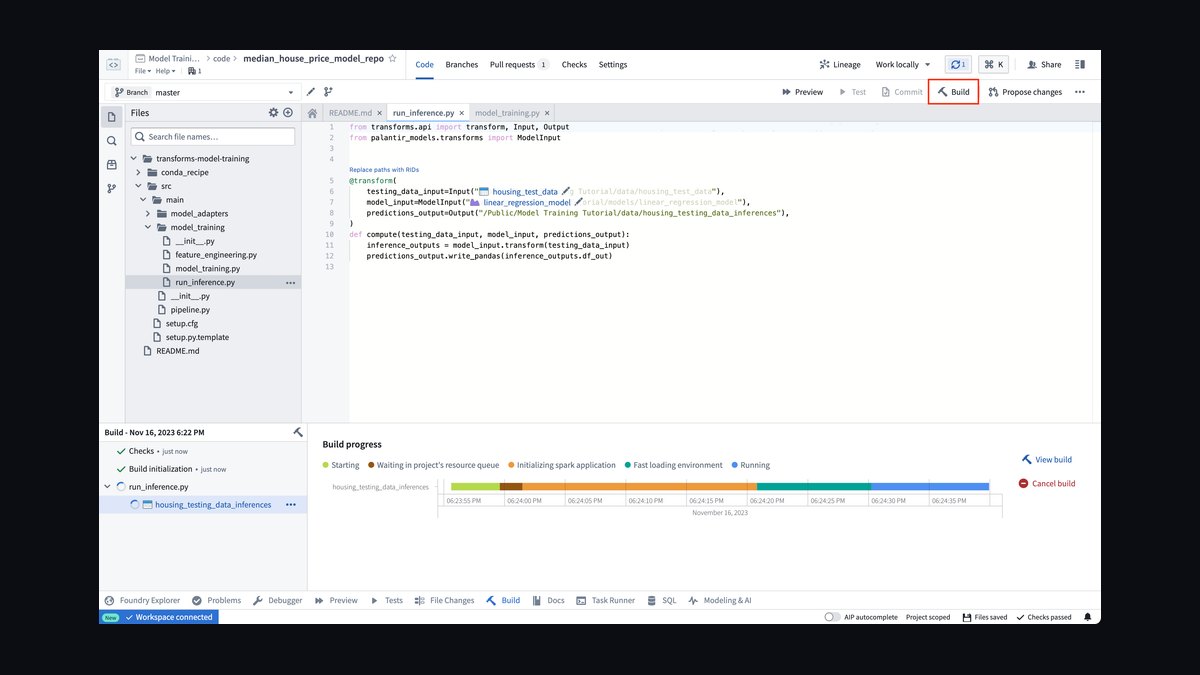
The third outcome, and the one teams underestimate, is that Gainsight health scores start actually influencing routing instead of sitting in a dashboard nobody checks during handoff. A lead tied to an account with a declining health score can be routed to a named CSM rather than a generic queue, which changes the first-touch experience materially. Expect early friction here — sales and customer success teams often disagree about who "owns" a lead touching an existing account, and Foundry surfaces that disagreement immediately because the ontology forces you to define the rule explicitly rather than leave it as tribal knowledge.
Do not expect this to fix a HubSpot instance with no required fields, no ownership rules, and no stage definitions. Foundry automates a decision; if the decision logic itself is undefined in HubSpot, Foundry will automate the ambiguity, and you'll get routing errors that look like Foundry bugs but are actually missing field discipline.
What drives that outcome

Three things drive whether this actually works: data model alignment, trigger design, and the discipline to keep automation scoped to segments that have proven out. Start with the ontology. In Foundry, define a LeadRouting object with properties like brand_id, marketplace_listing_id, gainsight_health_score, expected_brand_owner, and routing_attempts. Ingest HubSpot contacts, companies, and deals through the HubSpot connector, and Gainsight scorecards and health data through a scheduled sync, then join them on a shared key — company_domain or hubspot_company_id work well because marketplace listings rarely carry a clean customer ID on their own.
Trigger design is what separates a pipeline that runs quietly from one that pages someone at 2am. A trigger fires when a new HubSpot lead's brand_owner doesn't match the expected_brand derived from the marketplace listing, or when a Gainsight health score crosses a defined threshold (a common starting point is below 50 out of 100) while routing_status = broken. Foundry's writeback connector pushes the correction to HubSpot via its API — typically an update_contact or update_deal call reassigning the owner and queue. Cap routing_attempts at three; beyond that, flag for manual review in Gainsight rather than looping forever, because an infinite retry against a genuinely ambiguous lead just burns API calls and hides the real problem.

The third driver — and the one most RevOps teams skip — is refusing to expand scope until the pilot segment proves the join logic holds. A brand-mapping rule that works cleanly for one marketplace listing type can silently break on another (a co-branded listing, for instance, where two brands have partial claim to the same lead). Foundry will faithfully automate whatever rule you gave it, including a wrong one, at scale.
Benchmarks and realistic ranges
Set expectations with numbers, not vendor promises. A single-brand pilot with existing HubSpot and Gainsight connections already configured typically takes 4-8 weeks from kickoff to first automated correction going live — most of that time goes into cleaning HubSpot field mappings, not building Foundry logic. If HubSpot required fields, ownership rules, and stage definitions don't exist yet, add another 2-3 weeks before you touch Foundry at all; automating on top of undefined rules just produces confident-looking wrong answers faster.
For routing accuracy, treat anything below 90% first-attempt-correct as a signal to keep the pipeline in pilot rather than expand it. Foundry dashboards (built in Slate or Workshop) should track this per brand, and a reasonable operating target once mature is 93-97% first-attempt accuracy, with the remainder landing in manual review rather than a wrong queue — a wrong queue is the failure mode you're trying to eliminate, so "flagged for review" is an acceptable fallback and "silently misrouted" is not.

On response time, the realistic range for a 15-minute polling interval is a worst-case correction time of 15-20 minutes and a typical case under 5 minutes if you move to near-real-time webhook triggers instead of scheduled polling. Real-time triggers cost more in engineering complexity and API rate-limit management, so most teams start on a schedule and only move to webhooks once the volume of marketplace-sourced leads justifies it — a good rule of thumb is once you're processing more than a few hundred marketplace leads a day across brands.
Gainsight data freshness matters more than teams expect. If health scores sync only nightly, your routing decisions are working off data that can be 24 hours stale, which is fine for standard queue assignment but risky for anything gating an escalation. Build a fallback: if a health score is missing or older than 24 hours, route to the standard queue rather than making a health-based routing decision on stale data, and alert the Gainsight admin so the sync gap gets fixed rather than silently tolerated.
Cost-wise, the ongoing spend is dominated by API call volume against HubSpot (rate limits vary by subscription tier) and the size of the Foundry pipeline's compute footprint, which for this use case is modest — this is a lightweight join-and-writeback pattern, not a heavy transformation workload, so it shouldn't be the line item that kills the project's budget approval.
Risks, edge cases, and failure modes

The most common failure mode is automating before the manual rule is actually correct. If the brand-mapping logic in HubSpot has an undocumented exception — say, one marketplace listing type that legitimately routes to two brands — Foundry will apply the wrong single-brand rule at scale and generate a wave of "automation broke routing" tickets that are really a documentation gap. Catch this by exporting 20-30 real historical misroutes before writing any Foundry Action and manually classifying why each one happened; if you find more than one distinct root cause, you need more than one rule, not one automation.
A second risk is the infinite-loop pattern: a lead gets reassigned, the new owner's team reassigns it back for a legitimate reason, and Foundry's trigger fires again because it still sees a mismatch against the expected_brand field. The routing_attempts counter and a hard cap of three attempts before manual flagging exists specifically to catch this, but teams that skip that field learn about the problem when HubSpot activity logs show a lead bouncing between owners a dozen times in a day.
Stale or missing Gainsight data is a quieter but more damaging risk, because it doesn't throw an error — it just produces a plausible-looking wrong decision. A lead tied to an account whose Gainsight sync failed silently three weeks ago will route as if that account has no customer success relationship at all, which can mean a marketplace lead from an existing, at-risk customer gets treated as brand-new. Build the missing-data fallback described above, and separately, put a data-freshness check on the Foundry dashboard itself so a failed sync is visible before it corrupts a month of routing decisions.

Governance is the risk nobody budgets time for. Once routing is automated, IT and security will ask which fields Foundry can write back to HubSpot and under what conditions — document this before automation goes live, not after a security review flags an unscoped write permission. Similarly, finance and RevOps leadership should agree on the routing rules before automation, because a rule that silently changes which brand's sales team gets credit for a marketplace-sourced deal is a compensation conversation, not just a technical one.
Last, watch for automation drift: a brand whose routing accuracy quietly degrades over a few weeks (new marketplace listing format, a Gainsight schema change, a HubSpot field rename) can keep running automated corrections that are increasingly wrong, because nothing forces a re-check. The fix is the same feedback-loop discipline that manual RevOps processes need — an alert when a brand's routing accuracy drops below 90% for two consecutive days, and an automatic pause that routes that brand's leads to manual review until someone investigates.
A practical rollout plan

Treat this as a four-phase rollout, and refuse to skip phases even when leadership wants automation live in week one. Phase one, roughly a week: pick one brand and one marketplace listing type, export 20-30 historical misroutes, and write down — in plain language, not Foundry pseudocode — exactly why each one happened. This becomes your definition of "broken" and the acceptance criteria for the automation.
Phase two, weeks two and three: build the Foundry ontology join between HubSpot and Gainsight for that single brand only, but do not enable writeback yet. Run the pipeline in read-only mode, log what it would have done, and compare against what actually happened manually during the same period. This is the single highest-leverage step in the whole rollout, because it catches wrong rules before they touch a live HubSpot record.
Phase three, week four: enable writeback for the pilot brand only, with the routing_attempts cap and manual-review fallback active from day one. Monitor the Foundry dashboard daily, not weekly, during this phase — routing errors compound quickly if a Gainsight sync issue or a HubSpot field change slips through unnoticed for several days.
Phase four, month two onward: expand brand by brand, reusing the same ontology object and the same dashboard, changing only the brand-specific mapping values. Automation should be paused, not deleted, for any brand whose accuracy drops below the 90% threshold for two straight days, and a paused brand goes back to phase two's read-only mode until the root cause is fixed. This mirrors how RevOps teams should scale any process change: prove it on one segment, watch it closely before trusting it, and expand only what demonstrably worked rather than what looked good in a demo.
Related questions

Can Foundry route leads without Gainsight health data at all?
Yes — the brand/marketplace join alone catches most misrouting. Gainsight adds a second layer (health-aware prioritization) but isn't required for the core fix; add it once brand routing itself is stable and proven accurate.
What if two brands legitimately share a marketplace listing?
Model it as a distinct rule, not an exception to the single-brand rule. Create a co-branded routing path in the ontology with its own acceptance criteria, tested separately from standard single-brand routing.
Does this work with Salesforce instead of HubSpot?
The pattern is the same — ontology join plus scheduled Actions plus writeback — but the connector and field names change. Salesforce's object model and API limits differ enough that the pilot phase should be re-run, not assumed identical.
How do we know if a routing error is a Foundry bug versus a HubSpot data problem?
Check the ontology join first. If the HubSpot brand field or Gainsight account match is empty or wrong, it's a data problem upstream of Foundry. If the join data was correct but the Action applied the wrong rule, it's a Foundry logic bug.
Should marketing-sourced leads use the same routing pipeline?

Only after the marketplace-listing pipeline is proven, and only if marketing-sourced leads carry the same brand-identifying fields. Bolting a second lead source onto an unproven pipeline is the same mistake as skipping the pilot phase entirely.
FAQ
Do we need a Foundry engineer on staff to maintain this, or can RevOps own it? A RevOps admin comfortable with API-based tools and basic pipeline logic can maintain a stable Foundry pipeline day-to-day. Initial build and any ontology redesign benefits from someone with Foundry-specific experience, but ongoing operation — adjusting thresholds, reviewing the dashboard, expanding to new brands — doesn't require a dedicated engineer once the pattern is established.
How much HubSpot API rate limit does this consume? It depends on polling frequency and lead volume, but a 15-minute polling interval checking a few hundred leads a day is modest against most HubSpot subscription tiers' limits. Moving to real-time webhook triggers reduces polling overhead but shifts load to event-driven calls instead — size this against your actual HubSpot tier before committing to an interval.
What's the single biggest reason these projects fail?

Automating a routing rule that was never correct in HubSpot to begin with. Foundry executes rules faithfully; it doesn't know a rule is wrong. The two-week manual baseline before any automation exists specifically to catch this before it compounds at scale.
Can this same pattern extend to other customer success platforms besides Gainsight? Yes, structurally — swap the Gainsight connector for whichever platform holds health-score or account-status data, and the ontology join pattern still applies. The specific field names and sync frequency will differ, so treat it as a new pilot rather than a drop-in replacement.
How do we handle a marketplace listing that doesn't map cleanly to any existing HubSpot company record? Route it to a manual-review queue rather than guessing. Log it as an unmatched-company exception in the Foundry dataset so RevOps can see the volume and decide whether it's worth building explicit matching logic for that listing source.
Does automating routing reduce headcount needs on the RevOps team? It shifts the work rather than eliminating it — less time spent manually reassigning misrouted leads, more time spent monitoring dashboard accuracy, investigating flagged exceptions, and maintaining the field definitions the automation depends on. Teams that expect pure headcount reduction are usually disappointed; teams that expect faster, more consistent corrections generally aren't.
Sources
- https://www.palantir.com/docs/foundry
- https://www.palantir.com/platforms/foundry/
- https://knowledge.hubspot.com/crm-setup/set-up-lead-routing
- https://developers.hubspot.com/docs/api/crm/contacts
- https://support.gainsight.com/
- https://www.gainsight.com/guides/customer-success/
- https://www.gartner.com/en/sales/topics/lead-management
- https://www.forrester.com/report/
- https://community.hubspot.com/
Related on PULSE
- How do you use Palantir pipeline digital twins to dedupe broken lead routing across brands in HubSpot during AE-led pods when customer success on Gainsight?
- How do you use Palantir Signals for GTM alerts to automate broken lead routing across brands in HubSpot during partner-sourced pipeline when AEs refuse new required fields?
- How do you use Palantir Ontology to document broken lead routing across brands in HubSpot during multi-year ramp contracts when AEs refuse new required fields?
- How do you prove Palantir AIP improved win rate without creating a new shadow data mart for event-sourced pipeline teams on HubSpot when customer success on Gainsight?
- How do you design a RevOps control tower in Palantir Ontology that catches sandbox changes breaking production flows before weekly commit calls for land-and-expand with customer success on Gainsight?
This page will be disappearing soon. Save it to your device for $1 — or read it free while it is here.
@Kory-White- · if Venmo asks, the last 4 of my number are 2012
This page is gone.
This one is off the shelf now. $1 keeps it on your phone for good — the whole page, pictures and diagrams included.
 revopsHow do you use Palantir Ontology to document broken lead routing across brands in HubSpot during multi-year ramp contracts when AEs refuse new required fields in 2027?
 revopsHow do you prove Palantir Foundry improved win rate without creating a new shadow data mart for BDR-to-AE split teams on HubSpot when AEs refuse new required fields in 2027?
 revopsHow do you use Palantir Ontology to measure multi-thread gaps on enterprise deals in HubSpot during enterprise outbound when no data engineer in 2027?
 revopsHow do you prove Palantir Ontology improved win rate without creating a new shadow data mart for outbound SDR teams on HubSpot when multi-currency ARR rollups in 2027?
 revopsHow do you prove Palantir AIP improved win rate without creating a new shadow data mart for event-sourced pipeline teams on HubSpot when customer success on Gainsight in 2027?
 revopsHow do you use Palantir AIP to alert on multi-thread gaps on enterprise deals in HubSpot during renewal-only CS motion when multi-currency ARR rollups in 2027?
 revopsHow do you prove Palantir-driven forecast simulations improved win rate without creating a new shadow data mart for multi-product bundles teams on HubSpot when AEs refuse new required fields in 2027?
 revopsHow do you use Palantir-driven forecast simulations to forecast multi-thread gaps on enterprise deals in HubSpot during inbound SDR when no data engineer in 2027?
 revopsHow do you prove Palantir pipeline digital twins improved win rate without creating a new shadow data mart for services-led sales teams on HubSpot when no data engineer in 2027?
 revopsHow do you use Palantir pipeline digital twins to dedupe broken lead routing across brands in HubSpot during AE-led pods when customer success on Gainsight in 2027?