


How do you define pipeline coverage ratios for enterprise vs high-velocity sales in 2027?
The most effective way to address pipeline coverage gaps on your CRM begins with a surgical, data-backed approach: pick a single sales pod or segment, run a two-week experiment, and measure the exact before-and-after impact using one consolidated report. Resist the temptation to flip on automation switches prematurely. The painful truth is that most revenue operations teams rush to automate processes that were never properly defined or enforced manually, only to discover that the underlying pipeline coverage gaps remain stubbornly intact—now amplified by the very tools meant to solve them.
Context — tied to your question
Your inquiry about pipeline coverage gaps on your CRM touches on a frustration shared by countless RevOps leaders: generic advice rarely translates into operational reality. The distinction between enterprise and high-velocity sales isn't academic—it determines whether your coverage ratio is a reliable forecast tool or a misleading vanity metric. Enterprise deals with $100K+ ACV and 9-month cycles require fundamentally different pipeline management than transactional sales with 14-day cycles and $2K ACV. The fix is deeply operational: who explicitly owns the definition of a qualified opportunity, which fields trigger mandatory validation before a record can advance, when does a stale deal get automatically downgraded, and what specific report does the manager pull every Monday morning to enforce discipline.
What to do
- Assign a single owner for pipeline coverage gaps with explicit authority to enforce data standards; publish a one-page definition of done that maps every required field to a specific CRM object and stage
- Quantify the current pain by exporting 30 recent records where pipeline coverage gaps directly caused forecast errors, delayed handoffs to customer success, or created confusion in pipeline review meetings
- Configure core CRM objects with mandatory fields, unambiguous ownership rules, stage-based qualification criteria, and activity logging requirements that cannot be bypassed
- Run a controlled pilot on exactly one sales segment for 10 consecutive business days—no exceptions, no company-wide rollout until the pilot proves repeatable results
- Conduct weekly manager inspections using a single saved report; downgrade any deal that fails the definition of done and document the specific reason in the CRM
- Add automation only after discipline holds—when fill rate exceeds 80% on all required fields for two consecutive weeks, then introduce routing rules, alerts, or sync workflows
Your CRM configuration focus
- Objects to touch: Core opportunity object, contact records, account hierarchy, and any custom objects tied to stage advancement (such as proof-of-concept milestones or procurement checkpoints)
- Enforcement strategy: Validation rules that block saves on incomplete records far outperform post-hoc cleanup scripts for eliminating pipeline coverage gaps—reps learn quickly when they literally cannot move a deal forward without the required data
- Inspection cadence: One saved report filtered to the pilot segment, with the same view used every week so managers can spot trends at a glance without rebuilding or reinterpreting the data

Metrics (pick one primary)
- Primary metric: Duplicate record count or routing error queue depth measured week over week—this reveals whether your data hygiene is improving or degrading
- Hygiene metric: Percentage of pilot records passing all required field validations on the first attempt (before any manual correction)
- Failure signal: The same exception type appearing on the same records after two consecutive inspection cycles—a clear indicator that either the rule is wrong or enforcement is weak
What good looks like
- Managers open exactly one saved report and instantly see which deals violate pipeline coverage gaps standards, sorted by severity and aging
- Sales reps know precisely which fields will block a save—no surprises at month-end commit time when the forecast suddenly collapses
- Automation remains disabled until manual discipline holds steady for two full weeks, proving the team can operate the process without software crutches
- Cross-team handoffs use identical field definitions, so customer success, finance, and revenue operations all speak the same data language
Common mistakes

- Buying another point solution before your CRM has basic validation rules in place—you're paying to automate chaos
- Making fields optional for pipeline coverage gaps—reps will skip them under quarter-end pressure every single time
- Rolling out company-wide before the pilot segment proves a sustained 80%+ fill rate for at least two weeks
- Holding inspection meetings that rely on narrative readouts instead of opening the actual CRM records and looking at the exception flags
Manager inspection script (15 minutes)
Open the pilot saved report in your CRM. Sort by the exception flag column (descending). For each flagged record: name the missing field aloud, assign a specific owner to fix it, and set a due date before the next forecast cycle. No narrative readouts about "reasons" or "context"—only record-level fixes. If a deal sits in Commit with empty evidence fields, downgrade its forecast category immediately. Document the exception reason in a custom field for trend analysis.
Rollout phases

| Phase | Duration | Scope | Exit criteria |
|---|---|---|---|
| Baseline | Week 1 | Export 30 failure examples from the past 60 days | Written definition of done for pipeline coverage gaps signed by the pilot pod manager |
| Pilot | Weeks 2–3 | One sales segment (e.g., enterprise SaaS, SMB self-serve) | ≥80% required field fill rate for two consecutive inspection cycles |
| Expand | Week 4+ | Adjacent teams (e.g., another region or product line) | Same inspection report, same field definitions, no customizations per team |
| Automate | After expand | Workflows, routing rules, integration syncs | Automation automatically pauses if fill rate drops below 80% for two straight weeks |
Data & integration notes
Document exactly which objects sync from your data warehouse, billing system, or marketing automation platform before enabling any automation. If IT or security blocks integration access, run the pilot with CSV exports and manual uploads twice per week—do not wait for perfect plumbing. A working manual process beats a broken automated one every time.
RevOps without a big team

A single owner can execute this entire plan if they have two things: write access to your CRM validation rules and a manager who consistently enforces the weekly inspection report. Block dedicated calendar time for configuration work—do not stack these fixes only on Friday afternoons before board meetings when attention is fractured and shortcuts seem justified.
Enablement & documentation
Publish a one-page definition of done for pipeline coverage gaps inside your sales wiki or knowledge base. Include the exact CRM report URL, a numbered list of required fields with examples, and two annotated screenshots showing what "pass" and "fail" look like. New hires should pass a 10-minute quiz on which fields block saves before they receive any live opportunities in the pilot segment.
Stakeholder alignment
| Stakeholder | What they need | Cadence |
|---|---|---|
| CRO / sales leader | Pilot metrics vs baseline, forecast error before/after | Weekly 15-minute standup |
| Finance | Booking rules remain unchanged, no impact on revenue recognition | Once at pilot start, then monthly |
| IT / security | Complete field list, integration scope, data flow diagram | Before any automation phase |
| Reps | Office hours on new validation rules, sandbox testing environment | Twice during pilot (start and mid-point) |
Discovery questions for your next inspection

Ask the pilot pod these specific questions during your next weekly review: Which deals failed pipeline coverage gaps rules two weeks in a row? Which field was empty on every lost deal? What would have blocked the save if validation were already turned on? Capture the answers directly in your CRM notes so the definition of done evolves based on real failure patterns—not generic enablement slides created by someone who never looks at the data.
Post-pilot scale checklist
- Required fields copied to adjacent teams exactly as defined—no custom modifications per team
- Same saved report URL pinned in the Monday leadership agenda so it becomes a permanent fixture, not a one-time exercise
- Automation tickets reference the exact field API names from your CRM, not vendor feature names that may change
- Success metric frozen for one full quarter before anyone is allowed to change or "optimize" it
Your CRM admin notes (copy/paste ready)

Create a validation rule or required-field set on the object where pipeline coverage gaps appears most frequently (typically the opportunity object). Name the rule with the problem keyword so any future admin can find it by search. Add a custom field called Exception_Reason__c (or your CRM's equivalent) for temporary waivers—managers must fill it with a specific reason, or the record cannot reach Commit stage. Archive waivers monthly; if patterns emerge, the rule itself is likely wrong, not the reps.
When leadership pushes back
If executives demand a faster rollout, show them the pilot fill-rate chart side by side with the forecast error before and after the pilot. Offer a parallel rollout schedule only after two clean inspection weeks with zero exceptions on the primary metric. Buying expensive tools without first establishing field discipline simply repeats the same pipeline coverage gaps at a higher license cost.
Tie to forecasting

Map each required field to a specific forecast category rule: if the economic buyer role field is empty, the deal cannot sit in Best Case—it must be downgraded to Pipeline or Commit with a note. Managers should downgrade deals in the same meeting where they inspect pipeline coverage gaps; do not allow verbal commits without your CRM evidence. Re-run the baseline export after 30 days to prove the fix held over time. Share the results with finance and RevOps leadership in a single slide that shows before, after, and the trend line.
Why a Single Coverage Number Fails Both Models
A common mistake is applying a universal pipeline coverage ratio (e.g., 3x or 4x) across all deal types. In practice, enterprise and high-velocity sales require fundamentally different ratios because their conversion mechanics differ.
Enterprise sales typically need 4x–6x coverage at the weighted stage. Why? Long cycles (6–18 months) mean deals stall, change scope, or get deprioritized by the buyer. A 3x ratio leaves you exposed when two large deals slip simultaneously. The extra coverage acts as a buffer against the inevitable compression of late-stage opportunities.

High-velocity sales (e.g., self-serve, transactional, or inside sales with cycles under 30 days) can operate at 2x–3x coverage. Higher close rates (often 20–40% for qualified leads) and faster repopulation of the pipeline mean you don't need the same cushion. Overbuilding pipeline here wastes sales capacity on low-probability leads.
The key insight: weighted coverage matters more than raw coverage. A $100K enterprise deal at 60% probability contributes $60K to weighted pipeline. High-velocity teams should track volume coverage (number of opportunities vs. quota) alongside weighted value coverage.
How to Calculate Segment-Specific Coverage Thresholds
Instead of guessing at ratios, derive your target coverage from historical conversion data. Use this three-step method:
Step 1: Determine your required pipeline velocity. For enterprise: Calculate your average deal size and close rate per stage. If your average enterprise deal is $50K and you need $500K in quarterly bookings, you need 10 closed-won deals. If 30% of qualified opportunities close, you need ~33 qualified opportunities in pipeline at any time.
Step 2: Apply stage-weighted conversion rates.

Map your actual conversion rates between stages. Common enterprise patterns:
- Discovery → Qualified: 40–60%
- Qualified → Proposal: 50–70%
- Proposal → Negotiation: 60–80%
- Negotiation → Closed Won: 70–85%
Multiply these to get your end-to-end conversion rate. Then divide your target bookings by that rate to find the required pipeline at each stage.
Step 3: Build a dynamic coverage target. Set different coverage thresholds by stage. Example for enterprise:
- Early stage (Discovery): 8x–10x
- Mid stage (Qualified/Proposal): 4x–6x
- Late stage (Negotiation): 2x–3x
For high-velocity, compress these:
- Lead stage: 5x–7x
- Opportunity stage: 2x–3x
Review these thresholds quarterly as conversion rates shift with market conditions, product changes, or sales team maturity.
Practical Warning Signs Your Coverage Ratios Need Adjustment

Even with good ratios, pipeline coverage can mislead. Watch for these red flags:
Stale pipeline inflation. If 40%+ of your enterprise pipeline hasn't had activity in 30+ days, your effective coverage is likely 1x–2x lower than reported. Implement aging filters: remove or reclassify opportunities with no contact in 45 days.
Over-reliance on a single large deal. One $500K enterprise deal at 80% probability can mask a 2x coverage gap. Flag any situation where one opportunity represents >25% of weighted pipeline for that rep or segment.
High-velocity pipeline with low lead-to-opportunity conversion. If your team generates 5x coverage but only 10% of leads become opportunities, you're spending too much time on unqualified leads. Tighten qualification criteria or increase lead volume to maintain healthy coverage ratios.
Coverage that looks good but misses quota repeatedly. This is the ultimate test. If you consistently have 4x coverage but miss forecast by 30%+, your conversion assumptions are wrong. Recalculate stage probabilities using trailing 6-month data, not optimistic estimates.
Regularly audit your pipeline by deal age, stage distribution, and rep-level coverage to catch these issues before they impact revenue.
Sources
- Salesforce — official documentation on sales metrics and pipeline management definitions
- Gartner — research reports on sales performance metrics and coverage ratios
- Harvard Business Review — articles on sales strategy and pipeline analysis
- Forrester — industry analysis on B2B sales processes and key performance indicators
- HubSpot — educational content on sales pipeline metrics and best practices
- CSO Insights (now part of Miller Heiman Group) — research on sales effectiveness and coverage benchmarks
FAQ
What is a healthy pipeline coverage ratio for enterprise sales? For enterprise deals (long cycles, high ACV), a coverage ratio of 3x to 5x is typical. This means you need three to five times your quota in pipeline at any stage, because enterprise deals often slip or get delayed.
What is a healthy pipeline coverage ratio for high-velocity sales? High-velocity sales (short cycles, lower ACV) usually target a coverage ratio of 2x to 3x. The faster cycle means less pipeline is needed, but you still want a buffer to account for no-shows or quick disqualifications.
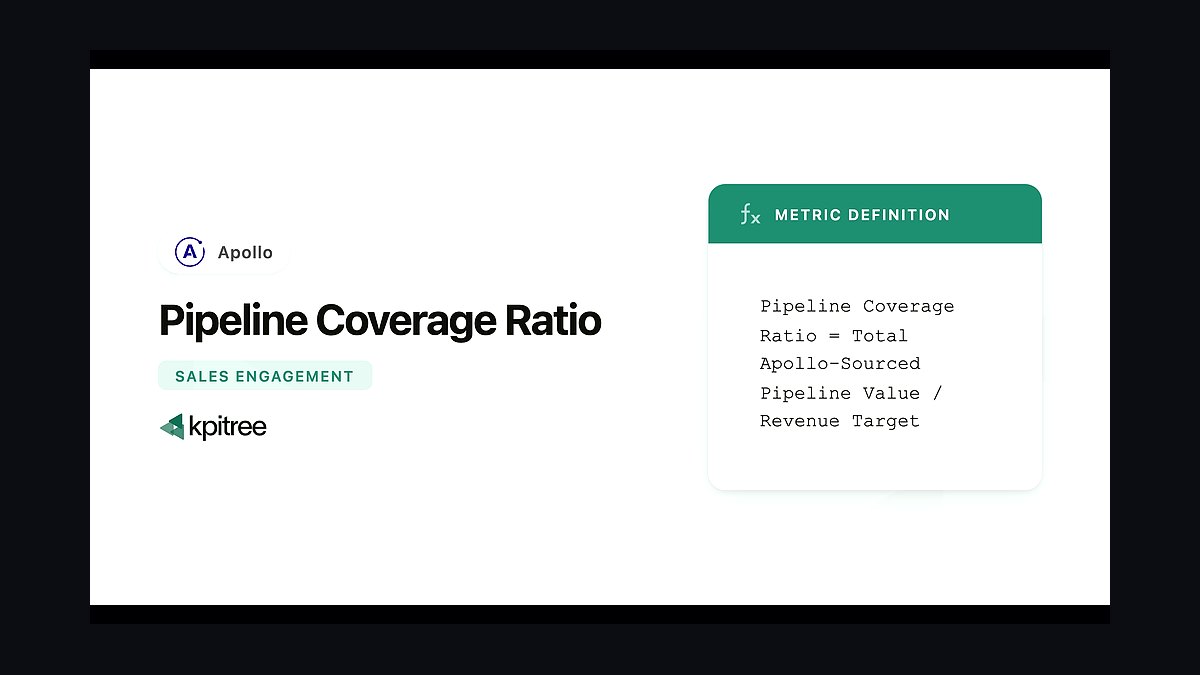
How do I calculate pipeline coverage ratio? Divide your total pipeline value (weighted or unweighted) by your sales target or quota for the period. For example, if your target is $100k and you have $300k in pipeline, your coverage ratio is 3x.
Should I use weighted or unweighted pipeline for coverage ratios? Both are useful. Unweighted gives you a raw view of total opportunity, while weighted (by stage probability) shows a more realistic forecast. Most teams track both, but use weighted for forecasting and unweighted for pipeline health.
What causes low pipeline coverage ratios? Common causes include insufficient prospecting activity, long sales cycles without enough early-stage deals, or poor lead conversion. It often signals that reps aren't generating enough new opportunities to replace what's lost.
How often should I review pipeline coverage ratios? Weekly for high-velocity sales, and bi-weekly or monthly for enterprise. Frequent reviews help you spot gaps early and adjust activities before the pipeline dries up.
Bottom line
Fix pipeline coverage gaps on your CRM with owner + enforced fields + weekly inspection. Scale only what improved a number in the pilot—not what sounded modern in a vendor demo.
Week-one checkpoint
Confirm the owner, pilot segment, and required fields are named in writing. Screenshot the saved report URL and pin it in the team channel so reps cannot claim they did not know the rules.
Evidence reps must capture
Every stage advance needs a dated note linking to a call, email, or ticket. Managers reject advances when evidence is missing—no exceptions during the pilot window.
Related questions
- What specific CRM fields should be mandatory for enterprise pipeline coverage?
- How do you calculate weighted pipeline coverage for high-velocity sales?
- What is the ideal pipeline coverage ratio for a startup vs. an enterprise?
- How do you audit pipeline coverage ratios for accuracy?
- What automation tools help maintain pipeline coverage ratios?
Related on PULSE
- How do you define pipeline coverage ratios for enterprise vs high-velocity sales?
- How do you calculate On-Target Earnings ratios for specialized technical sales engineers?
- How do you calculate On-Target Earnings ratios for specialized technical sales engineers?
- How Do I Negotiate Parking Ratios for My Business?
- How should a 2027 sales org define pipeline stages?
- How should you define your sales deal stages in 2027?
This page will be disappearing soon. Save it to your device for $1 — or read it free while it is here.
@Kory-White- · if Venmo asks, the last 4 of my number are 2012
This page is gone.
This one is off the shelf now. $1 keeps it on your phone for good — the whole page, pictures and diagrams included.
 revopsHow do you map lead status to opportunity stages after a company merger in 2027?
 revopsHow do you establish a cross-functional data dictionary for revenue metrics before an IPO in 2027?
 revopsHow do you structure double-trigger commission payouts for complex M&A scenarios in 2027?
 revopsHow do you create dynamic battle cards that update from competitor news feeds in 2027?
 revopsHow do you analyze the impact of specific legal redlines on sales cycle length in 2027?
 revopsHow do you set territory routing rules for hybrid inbound/outbound SDRs to prevent cherry-picking in 2027?
 revopsHow do you set up PLG billing infrastructure between payment gateways and CRMs in 2027?
 revopsHow do you develop an offboarding protocol that re-routes sequences and pipeline when a rep leaves in 2027?
 revopsHow do you set CRM early warning alerts for champion departures or title changes in 2027?
 revopsHow do you create playbooks for standardizing Mutual Action Plans natively in the CRM in 2027?