
AI Document Intelligence Selling to the RPA/Automation Lead — 60-Min Training
 Curated byKory White · Fractional CRO · Maryland
 PULSEKNOWLEDGE LIBRARY
Quality
Certified

Sell AI document intelligence to the RPA/Automation Lead by anchoring on bot fragility, not OCR features. Their scorecard is automation coverage and bot uptime, so quantify exception rates, schema-drift rework hours, and per-document cost. Run a production-data proof on their real documents with a joint economic buyer, then price against maintenance hours saved.
The two paths in front of the RPA lead: cloud OCR APIs versus adaptive document AI
Every deal in this category is a comparison between two architectures, and the AE who names both honestly wins more often than the one who pretends only their option exists. The first path is a general-purpose cloud OCR/extraction API — AWS Textract, Azure AI Document Intelligence (the product formerly marketed as Form Recognizer), and Google Document AI all sit here. These are metered, per-page services that the automation team calls from a bot or a microservice. They ship prebuilt models for common document classes (invoices, receipts, identity documents, W-2s and similar tax forms) and a custom-model path where the team labels a few dozen samples per layout and trains a template-bound extractor. The strengths are real: no procurement fight if the org already has an enterprise agreement with that cloud, native IAM and VPC controls, and a per-page price low enough that finance rarely blocks a pilot.
The second path is adaptive or template-free document intelligence — vendors like Hyperscience, Rossum, ABBYY, Klippa, and newer API-first entrants such as Unstructured and Reducto. The pitch here is not "we read characters better." Character recognition on clean machine-printed text is effectively solved; the meaningful accuracy differences on printed documents live in the low single digits. The pitch is what happens on the messy tail: phone photos, faxes, skewed scans, handwriting, multi-page contracts with inconsistent field placement, and — most importantly — layouts that change without warning when a supplier redesigns its invoice.
That distinction is the entire commercial argument. A template-bound extractor is a brittle contract between a vendor's paper and your bot. When the paper changes, the contract breaks, the bot throws, and someone on the RPA lead's team spends a day re-labeling. An adaptive extractor generalizes across layouts it has never seen, so the same supplier redesign produces a lower-confidence flag rather than a production incident. When you frame the two options this way, you have moved the conversation off a feature grid the incumbent probably wins and onto a maintenance-burden argument where a specialist tool has a structural advantage.

There is a third option you should name out loud even though it costs you the deal sometimes: keep doing it manually, or keep the existing zonal OCR and absorb the exceptions. For low-volume document types — a few hundred documents a month, one stable layout, two people already handling it — the automation does not pay back. Saying so in discovery buys you credibility that survives into the pricing conversation, and it keeps your pipeline honest. This training is built on MEDDPICC, and the "Identify Pain" step is worthless if you cannot also identify its absence.
How to decide between them inside a 60-minute call
You do not have time for a full technical evaluation in an hour, so the decision framework has to be a small number of high-signal questions that route the account into one of the two paths. Run this as a qualification funnel, not a demo.
Start with volume and mix. Ask for monthly document count and the number of distinct layouts inside it. A team processing 40,000 invoices a month across 60 supplier templates has a fundamentally different problem than a team processing 40,000 documents from three fixed forms. High volume plus low layout variance points toward a cloud API with custom models — the template maintenance cost is small because there are few templates. High layout variance is where adaptive extraction earns its premium, because template count is the cost driver that scales badly.

Then ask about the exception path. The question that opens most accounts is: "What percentage of documents today require a human to touch them before the bot can continue, and where do those documents go?" Teams that have never measured this will guess low and then discover the real number is much higher once you look at their queue. The follow-up matters more than the number: is there a structured human-in-the-loop review queue, or do failed documents just land in a shared mailbox? If there is no review queue, that is a scope item in your proposal, not an afterthought — and vendors differ enormously here. Hyperscience and Rossum ship supervision interfaces as a core product surface; a raw cloud API gives you a JSON response with per-field confidence scores and expects you to build the review UI yourself.
Third, ask what breaks when a layout changes. Listen for whether they find out from monitoring or from an angry business user. Teams that learn about layout drift downstream — from a reconciliation failure in the ERP three days later — have a detection problem that confidence-score thresholds and drift alerting solve directly. This is the single most persuasive discovery thread with an automation lead because it maps to the metric they are actually measured on.
Fourth, ask about deployment constraints. Regulated industries, data-residency requirements, or an air-gapped environment eliminate several vendors immediately. Cloud APIs offer regional endpoints and, in some cases, containerized deployment; several specialist vendors offer on-premises installs. Establish this early or you will build a proposal that legal kills in week six.

Finally, ask about the buying committee. The RPA/Automation Lead usually controls a tooling budget but rarely signs alone above a modest threshold. Identify the economic buyer — typically a VP of Operations, a shared-services director, or the CIO's delegate — and identify whether IT security review is a gate. A deal that stalls in a security questionnaire for eight weeks was mis-qualified in the first call, not lost in the last one.
The numbers that actually move an automation lead
Automation leads are numerate and skeptical, and they have been sold accuracy claims before. Bring four categories of number to the table, and be explicit about which ones you are asserting and which ones the proof will measure.
Recognition versus extraction. Keep these separate, because vendors deliberately blur them. Character-level recognition on clean machine-printed documents is high across every serious option; that is table stakes and not a differentiator worth a slide. Field-level extraction — did the system pull the correct invoice total, the correct line-item quantities, the correct effective date — is where the spread lives, and it is measured with precision, recall, and F1 per field, not with a single headline percentage. Insist on per-field scoring in the proof. A system that gets the header fields right and the line-item table wrong is useless for accounts payable automation even if its aggregate score looks excellent, because line items are where the value sits.

Straight-through processing rate. This is the number the automation lead reports upward: the share of documents that complete end to end with zero human touch. It is a function of extraction accuracy *and* the confidence threshold the team sets. Raising the threshold reduces errors that reach the ERP but pushes more documents into the review queue. Make this trade-off explicit and let the customer choose the operating point during the proof — a team with a strict financial-controls posture will accept a lower straight-through rate for near-zero downstream errors, while a high-volume, low-value-per-document workflow will do the opposite. Showing you understand this trade-off is worth more than any accuracy claim.
Per-document cost, fully loaded. The metered price of the API is the smallest component and the one every competitor will discount. Build the real model with the customer: metered extraction cost per page, plus review-queue labor at their loaded hourly rate times average handle time times exception volume, plus engineering maintenance hours for template updates, plus the cost of errors that escape into the ERP and get caught in reconciliation. When you total those, the metered line item is frequently a minority of the cost. That reframing is what turns a "your price is higher" objection into a defensible position, and it is why you push for a total-cost model rather than a per-page comparison.
Maintenance hours and drift. Ask the RPA lead how many engineering hours per month go to updating parsing logic when documents change. Most teams have never totaled it because it is spread across many small tickets. Have them count tickets for one quarter. This is the number that connects your product to their compensation: hours reclaimed from maintenance are hours available for new automations, and new automations are how their coverage percentage grows.

Be disciplined about what you will not claim. Do not quote a specific accuracy figure for a vendor you have not benchmarked on the customer's documents. Do not quote list prices from memory — cloud OCR pricing is published, tiered by page volume and by whether you are calling a prebuilt or custom model, and it changes; pull the current page during the call and read it together. An AE who says "I don't want to misquote it, let's look at the live pricing page" is more credible than one who recites a number that turns out to be a year stale.
Running the proof and sequencing the rollout
The proof is where this category is won, and its design is almost entirely under your control. A synthetic demo on your sample invoices proves nothing to an automation lead who has watched three tools work beautifully on clean PDFs and fall apart on a scanned fax. Insist on production documents, including the ugly ones.
Scope it before you start. Pick two or three document types, not ten. Get a representative sample — several hundred documents at minimum, deliberately including the tail: the crumpled scans, the phone photos, the handwritten annotations, the supplier whose invoice format nobody can parse. Agree in writing on the fields that matter and the accuracy target per field. Agree on who labels the ground truth, because without ground truth the proof produces opinions instead of numbers. This is the step most AEs skip and the step that most often turns a promising proof into an inconclusive one.
Have their team do the integration. If your sales engineer builds the connection, you have proven that your sales engineer can build it. Have the customer's automation team wire the extraction call into a bot or a test harness in their environment. It takes longer and it is worth it, because the friction they experience is the friction they will experience in production, and because the engineer who built it becomes your champion.

Instrument the review queue. Track how many documents route to human review, how long each takes, and what the reviewers correct. That log is your expansion roadmap: the fields that get corrected most often are the fields to tune, and the document types with the worst straight-through rates are the next phase of the project.
Close with a joint readout. Bring the RPA/Automation Lead, the economic buyer, and whoever owns the downstream process into one room. Present per-field accuracy, straight-through rate at two confidence thresholds, exception volume, and the fully loaded cost model built from their own numbers. Then propose. Pricing conversations that route through procurement without the automation lead present lose the technical argument that justified the price in the first place, so keep both parties on the call.
For sequencing after the close: land one document type in production before touching the second. The first type establishes the integration pattern, the review workflow, the monitoring, and the escalation path. Subsequent types reuse all of it and go live far faster. Set up drift alerting from day one — confidence-score distributions shifting for a given sender is the earliest available signal that a layout changed, and catching it before bots fail is the outcome the automation lead will renew for. Schedule a standing monthly review of straight-through rate and exception mix with both the automation lead and the economic buyer; a renewal conversation at month eleven with no shared metric history is a renewal you are gambling on.

Handling the incumbent without picking a losing fight
Most accounts already have something. It may be a zonal OCR product bought years ago, a cloud API the platform team wired up, or a set of hand-written parsers inside the bots themselves. The instinct to attack the incumbent on accuracy is usually wrong, because the incumbent is often adequate on the documents the team already automated — those are exactly the documents it handles well, which is why they got automated.
Attack the boundary instead. Ask which document types the team *wanted* to automate and did not. That backlog is where the incumbent failed, and it is uncontested ground. Expanding coverage into previously un-automatable documents grows the automation lead's headline number without requiring them to admit a past purchase was a mistake — which matters, because they may have championed it.
The second wedge is maintenance. Hand-written parsers and template-bound extractors accumulate technical debt in proportion to layout count. Ask how many templates exist and how old the oldest one is. Teams with hundreds of templates and no owner for half of them are carrying a liability they will recognize the moment you name it.

The third wedge is the review experience. If exceptions currently go to a shared mailbox and get handled in the source system by hand, a purpose-built supervision queue with side-by-side document and field view is a visible, demonstrable improvement that end users will advocate for. Get one reviewer into the proof and let their reaction do the selling.
The fourth wedge is a coexistence story, and it is underused. You do not always need to rip anything out. Routing only the documents the incumbent fails on to the new system — a fallback tier — is a smaller first purchase, a faster security review, and a shorter path to a reference. It also sets up a natural expansion once the comparison data accumulates.
What you should not do is run a bake-off you have not scoped. "Let's test both on the same documents" sounds fair and is fine when your product genuinely wins on that document mix — but if the sample is all clean machine-printed invoices, you are volunteering for a tie on a metric where your premium is unjustifiable. Shape the sample honestly around the customer's real distribution, including the tail, and the comparison becomes an accurate representation of production rather than a coin flip.

The 60-minute agenda that leaves room to sell
A one-hour first call with an automation lead is enough for qualification and a targeted demo, and not enough for both a full discovery and a broad product tour. Spend the time deliberately.
The first five minutes set the frame: state that you are going to spend the first half understanding their document workflow and the second half showing only the parts that apply, and that if it is not a fit you will say so. Automation leads sit through a lot of generic demos and respond well to that contract.
The next twenty minutes are discovery. Volume and layout count. Exception rate and where exceptions go. What breaks when a layout changes and how they find out. Maintenance hours per month. Deployment and data constraints. Who else has to say yes. Take notes visibly and repeat the numbers back — this is a Document-heavy business and getting their numbers wrong in the follow-up email costs you the second call.
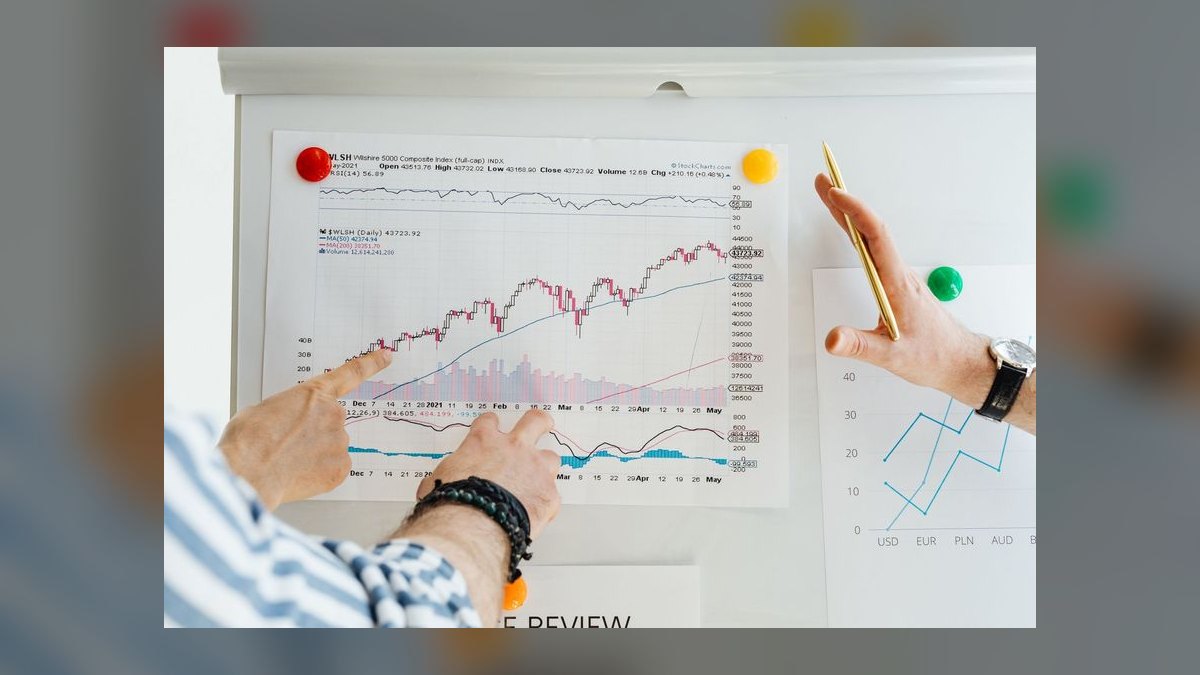
The following twenty minutes are a demo built around exactly two things you heard: their worst document type and their exception workflow. Run a live extraction on a document they provide if they will send one before the call, because a demo on the customer's own paper is worth an hour of slides. Show per-field confidence and how a low-confidence field routes to review. Do not tour the admin console.
The last fifteen minutes are the close: agree on proof scope, name the fields that will be measured, name who provides ground truth, name the economic buyer and get a commitment to include them in the readout, and put dates on all of it. A first call that ends with a scoped proof and a named economic buyer is a qualified opportunity. One that ends with "send me some information" is not, and treating it as one is how forecasts rot.
This is the core of any Training you run on this category: the AI Document Intelligence pitch is not an accuracy pitch. It is an argument about where maintenance cost lives, who absorbs it today, and what the automation lead could build instead if they got those hours back. Reps who internalize that frame carry it into every subsequent call, and the whole sales motion gets shorter.
Related questions
What if the automation lead has no budget of their own?
Then your economic buyer is elsewhere and your champion is technical. Build the business case in maintenance hours and exception labor, in the operations leader's language, and have the automation lead present it. A technical champion presenting an operational business case converts far better than a vendor presenting either one.
Should I lead with an accuracy benchmark?
No. Published benchmarks rarely match a customer's document mix, and the automation lead knows it. Lead with exception volume and maintenance burden, then let the proof on their documents generate the accuracy numbers. Measured beats claimed every time in this category.
How do I handle a security review that stalls the deal?
Ask about it in the first call, not the fourth. Get the questionnaire early, know your deployment options — regional endpoints, containerized or on-premises installs where available — and identify the security reviewer as a named stakeholder in your MEDDPICC map rather than an obstacle you discover later.
Is a coexistence deal worth taking?
Usually yes. Routing only the incumbent's failures to your system is a smaller, faster first purchase that produces comparison data you cannot get any other way. It also puts you in production, and being in production during the incumbent's next renewal cycle is a strong position.
What is the single best discovery question?
"What happens when a supplier changes their invoice format?" It reveals detection capability, maintenance cost, incident history, and organizational pain in one answer, and it points directly at the capability gap that justifies adaptive extraction over template-bound tools.
FAQ
Why does the RPA/Automation Lead care about document extraction at all?
Because unstructured documents are the most common reason an automation stops short of end-to-end. A bot can move data between systems reliably; it cannot reliably read a scanned invoice with hand-written annotations. Document extraction is the component that determines how much of a process can actually be automated, which is why it maps directly onto the coverage metric the automation lead reports.
What is the difference between OCR and document intelligence?
OCR converts pixels into characters. Document intelligence adds structure: identifying which characters constitute the invoice number, the vendor name, the line-item table, and returning them as typed fields with confidence scores. Modern services combine both, but the value and the differentiation live in the structuring step, not the character recognition step.
How large should the proof sample be?
Large enough to include the tail. A few hundred documents per type is a reasonable floor, chosen to reflect the real distribution of quality and layouts rather than a curated set of clean examples. A sample of fifty pristine PDFs will produce excellent numbers and predict nothing about production behavior.
Should the customer or the vendor build the integration during a trial?
The customer's team, in their environment. It surfaces real friction, produces an accurate time-to-value estimate, and creates an internal champion who has hands-on experience with the product. A vendor-built integration proves only that the vendor can integrate its own product.
How do I price against a cheaper metered API?
Build the fully loaded cost model together: metered cost, review-queue labor, maintenance engineering hours, and the cost of errors that reach downstream systems. If your product materially reduces the last three, the metered difference is usually the smallest term. If it does not reduce them for this customer, the cheaper option is the right answer and you should say so.
What should be measured in the first ninety days after go-live?
Straight-through processing rate per document type, exception volume and average handle time in the review queue, per-field correction frequency, and any drift alerts triggered. Review these monthly with both the automation lead and the economic buyer so the renewal conversation is grounded in a shared record rather than a fresh negotiation.
Sources
- AWS Textract — product documentation
- Microsoft Azure AI Document Intelligence — documentation
- Google Cloud Document AI — documentation
- ABBYY — intelligent document processing
- Rossum — document processing platform
- Hyperscience — document processing
- UiPath — Document Understanding documentation
- Unstructured — open-source document preprocessing
- NIST — Text Retrieval and OCR research programs
- Force Management — MEDDICC/MEDDPICC methodology
Related on PULSE
- Threat Intelligence Selling to the SOC Manager and CTI Lead — 60-Min Training
- AI Translation API Selling to the Localization Lead — 60-Min Training
- Document Shredding Service Selling — 60-Min Training
- Sales Enablement Tool Training: CRM Shortcuts and Automation Hacks
- Top 10 Team Meeting Templates for Competitive Intelligence Sharing
This page will be disappearing soon. Save it to your device for $1 — or read it free while it is here.
@Kory-White- · if Venmo asks, the last 4 of my number are 2012
This page is gone.
This one is off the shelf now. $1 keeps it on your phone for good — the whole page, pictures and diagrams included.
 sales-trainingThe Inbound Lead Handoff Reboot — 60-Min Training
 sales-trainingThe Product Demo Reboot — 60-Min Training
 sales-training60-Min Sales Training: Running a Killer Demo
 sales-trainingThe Challenger Sale Reboot — 60-Min Training
 sales-trainingAI Translation API Selling to the Localization Lead — 60-Min Training
 sales-training60-Min Sales Training: Using Social Proof in the Late Stage
 sales-trainingAI Coding Tools Selling to the VP of Engineering — 60-Min Training
 stThe "Just Send Me a Proposal" Trap — 60-Min Training
 sales-training60-Min Sales Training: Negotiating Payment Terms Without Discounting
 sales-trainingThe New-Hire Onboarding Sprint — 120-Min Training