
Does Google Analytics 4 integrate directly with HubSpot to track form submissions and ad conversions?
 Curated byKory White · Fractional CRO · Maryland
 PULSEKNOWLEDGE LIBRARY
Quality
Certified
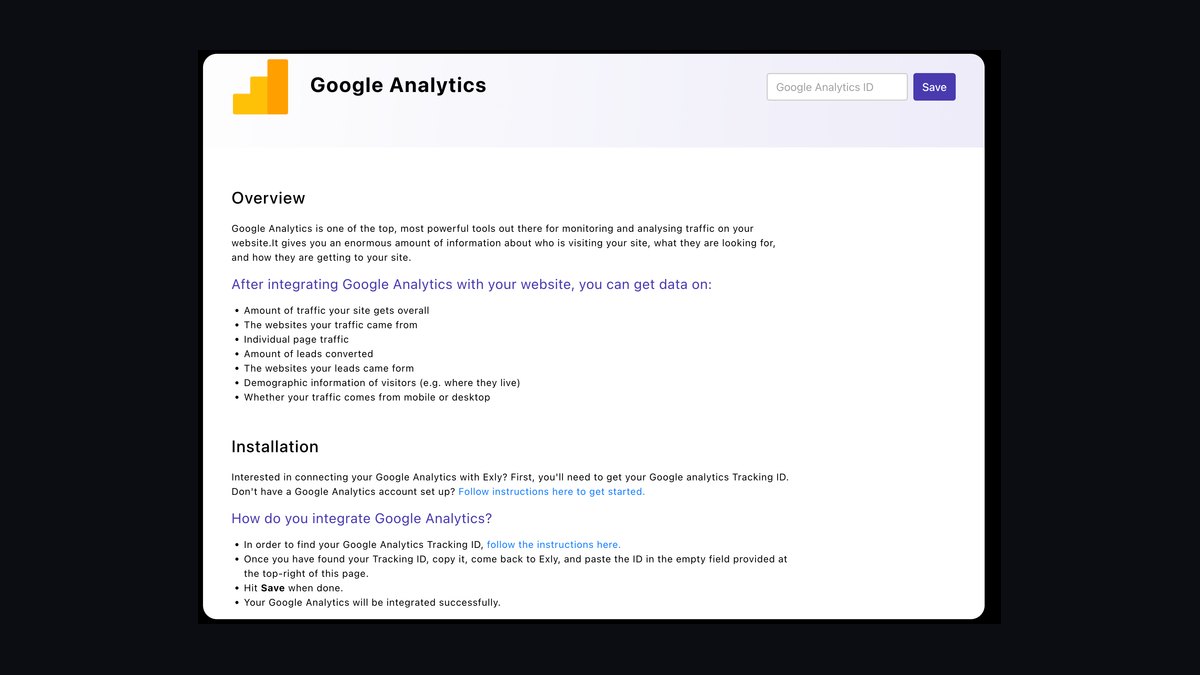
No. The native HubSpot–Google Analytics 4 connection is a one-way, aggregate-only metric sync — sessions, users, and pageviews flow into HubSpot reports, but form submissions and ad conversions never cross as event-level data. To track those, you must build the pipeline yourself using Google Tag Manager, HubSpot webhooks plus GA4's Measurement Protocol, or a CDP.
What the native connection actually is, and why the gap matters
The single most persistent misconception in modern RevOps stacks is that installing the GA4 tile from inside HubSpot's App Marketplace "connects" the two platforms for conversion tracking. It does not. That connection is a read-only reporting sync: it pulls Google Analytics' high-level numbers — sessions, users, bounce rate, average engagement time — into HubSpot custom reports so a marketer can watch traffic trends without leaving the CRM. That is genuinely useful for dashboarding, but data moves in exactly one direction and only at the aggregate level.
What the connection deliberately does not do is pass event-level data. When a visitor completes a HubSpot form, that submission never travels to Google Analytics on its own. When someone clicks a Google Ad and later converts on a HubSpot landing page, GA4 has no built-in way to stitch the ad click to the form fill. The two systems use fundamentally different data models. GA4 is event-and-parameter based: every interaction is an event (page_view, generate_lead, form_submission) carrying parameters such as form_id, page_location, and session_id. HubSpot is object-and-property based: contacts, companies, deals, and form submissions are CRM records with properties. No supported switch bridges that gap automatically, and no amount of clicking "Connect" inside the Marketplace will make one appear.
Why does this matter beyond tidy reporting? Because Google Ads' automated bidding — Performance Max, target CPA, and Smart Bidding generally — optimizes against the conversions that GA4 or Google Ads conversion tracking can actually see. If your highest-intent action, the demo-request form, lives in HubSpot and never fires a GA4 key event, Google's machine-learning bidder is blind to your single best signal. It will happily shift budget toward whatever cheap, visible micro-action it can measure — a newsletter pageview, a scroll, a 30-second engagement. Meanwhile any multi-touch attribution model you run inherits the same blind spot, and revenue-intelligence software downstream reports on partial data. Closing this gap is not a dashboard nicety. It is the difference between attribution you can trust and a forecast built on a fraction of the real signal.

The word "integrate" gets thrown around loosely here, so be precise about which direction data flows and at what granularity before you promise anyone that HubSpot and Google Analytics are "connected." There are really three distinct capabilities people conflate: (1) reporting sync, which the native connector does; (2) event forwarding, which it does not; and (3) closed-loop ad optimization, which requires both event forwarding and a Google Ads conversion import. Teams that assume one implies the others end up with a dashboard that looks healthy and a bidding algorithm that is flying blind.
A quick diagnostic separates the two worlds. Open GA4's Realtime report, submit a test HubSpot form in an incognito window, and watch for a new event. If nothing appears within 30 seconds, your event pipeline was never built — regardless of what the HubSpot dashboard shows. That single test resolves more internal debates than any architecture diagram.
The step-by-step build: wiring submissions and conversions into GA4
There is no one-click path, but there is a well-worn, reliable one. The most durable pattern for mid-market teams is client-side Google Tag Manager for rich browser events, backstopped by a server-side Measurement Protocol call for reliability. Here is the concrete build, in order.

Step 1 — Confirm the GA4 base tag is live via GTM. Install the GA4 configuration tag in Google Tag Manager and verify that pageviews land in GA4's Realtime report before you touch forms. Everything downstream depends on this foundation firing correctly, so do not skip the verification. If you are running GA4 through a hardcoded gtag.js snippet instead, decide now whether to migrate to GTM; mixing deployment methods is a common source of duplicate pageviews.
Step 2 — Capture the HubSpot form submission in the browser. HubSpot's embedded forms emit a global JavaScript message when a form is completed — the onFormSubmitted callback in the HubSpot Forms API, or the hsFormCallback window message. Add a small listener (a Custom HTML tag or a dedicated script) that pushes a dataLayer event named hubspot_form_submit, carrying parameters like form_name, form_id, and the current page_url. This dataLayer push is the trigger everything else hangs on. Note that HubSpot's newer form embed methods (the hbspt.forms.create API) behave slightly differently from legacy embeds, so test the listener against whichever embed your site actually uses.
Step 3 — Fire a GA4 event tag. Create a GA4 Event tag that sends generate_lead or a custom form_submission event, triggered by the hubspot_form_submit dataLayer push. Pass the form name and page as event parameters so you can later segment which forms drive which conversions rather than treating all leads as one undifferentiated bucket. A single "form_submission" event with no parameters is nearly useless six months later when someone asks which landing page produced the most qualified pipeline.

Step 4 — Mark it as a key event. In GA4 Admin → Events, flag form_submission (or generate_lead) as a key event — the setting formerly called a "conversion." Only then does it count as a conversion in reports and become eligible to import into Google Ads. Key events can take up to 24 hours to register in the Admin list after the first fire, so do not panic if the event appears in Realtime but not yet in the key-event toggle.
Step 5 — Add a server-side backstop for ad conversions. Browser events get lost to ad blockers, Intelligent Tracking Prevention, and consent-mode denials — commonly 10–30% of them. Build a HubSpot workflow that fires a webhook on form submission to a lightweight serverless function (Google Cloud Functions or AWS Lambda). That function calls GA4's Measurement Protocol with the same event name plus the gclid (Google Click ID) captured on the form as a hidden field. This gives you resilient ad-to-form attribution even when the client-side tag never fires. The function needs to pass a consistent client_id and session_id or the event will land as "direct / none" traffic and pollute your channel reports.
Step 6 — Deduplicate the two paths. If both the client-side tag and the server-side call fire for the same submission, you will double-count. Pass a shared transaction_id or unique event ID on both paths so GA4 collapses them into one conversion. Without deduplication, your conversion count inflates and Smart Bidding over-optimizes against phantom volume.

Step 7 — Import into Google Ads. In Google Ads, import the GA4 key event as a conversion action so Smart Bidding optimizes against real demo requests rather than proxy metrics. Give it a day or two to populate before you judge anything. Set the conversion action's counting to "one" per click for lead forms — "every" is appropriate for ecommerce purchases, not demo requests.
The dual path — client-side for rich session context, server-side for reliability and the gclid — is what separates a demo build from a production one you can bill your ad spend against. If you only build the client-side half, your conversion count will read as complete while quietly under-counting by double digits.
One more detail worth building in early: capture UTM parameters and the gclid as hidden fields on every HubSpot form, and persist them to a first-party cookie so they survive multi-page journeys. A visitor who lands on a paid ad, browses three pages, then converts on a form two sessions later is exactly the conversion you most need to attribute — and it is the one most likely to be lost if parameters are not persisted.

Costs, timelines, and typical ranges
Budget realistically, because the cheapest-looking option often carries the highest hidden operational cost. Here is roughly what the common approaches run.
Google Tag Manager route. GTM itself is free. The real cost is engineering time: a competent marketing-ops or web developer needs roughly 4–8 hours to build and QA the form-submission tags, plus another 2–4 hours to wire the server-side Measurement Protocol backstop. Serverless hosting for the webhook function is trivial — typically under $5–$50/month even at tens of thousands of submissions, since these are lightweight, short-lived invocations well inside most free tiers. For the large middle of the SMB and mid-market, this is the best cost-to-reliability ratio and it scales cleanly.
CDP middleware (Segment, Tealium, RudderStack). These platforms ingest HubSpot webhooks and fan events out to GA4, Google Ads, a warehouse, and product analytics with no custom code. Convenience has a price. Segment's paid tiers commonly start around $120/month and climb steeply with monthly tracked users into the four- and five-figure range; Tealium is enterprise-priced, frequently $15,000+/year. Implementation reaches first value faster — days rather than a full sprint — and the spend is justified when you are routing events to many destinations. If GA4 is your only target, a CDP is usually overkill.

Zapier / Make no-code glue. Attractive for a fast win: connect a HubSpot "new form submission" trigger to a GA4 action in an afternoon, no developer required. The trade-offs are latency (seconds of delay, which makes it unsuitable as a real-time bidding signal) and per-task pricing that gets expensive at volume. It is fine for low-volume lead forms and poor for high-traffic paid campaigns.
Fully custom serverless API. For enterprises with tens of thousands of monthly submissions, strict data-governance requirements, or bespoke transformation logic, a purpose-built API layer on top of the Measurement Protocol makes sense. Expect 40–80 hours of initial engineering plus ongoing maintenance, but you gain full control over payload shape, retry logic, and PII handling.
Timelines. A basic single-form GA4 event via GTM can be live and verified in half a day. A full production setup — multiple forms, the server-side backstop, gclid capture, Google Ads import, and QA across consent-mode states — realistically takes 1–2 weeks of part-time work including testing. After go-live, budget 24–48 hours for GA4 to populate conversion data, then another 1–2 weeks before Smart Bidding has accumulated enough conversion volume to meaningfully re-optimize. Do not judge the ad-performance impact until the algorithm has retrained on the new signal; early swings are noise.

Ongoing cost to plan for. Whatever route you choose, budget for maintenance. Forms get redesigned, landing pages get migrated, and GA4's event schema evolves. A realistic ongoing allocation is 2–4 hours per quarter for a GTM-based build, or the equivalent in CDP subscription and admin time. Teams that treat the integration as a one-time project rather than a maintained asset see it silently break within a year.
Where teams get it wrong
Even experienced teams stumble on the same predictable failure modes. Knowing them up front saves weeks of dirty data and misallocated budget.
Trusting the native sync for conversions. The number-one error: someone installs the App Marketplace connection, sees GA4 numbers appear in HubSpot, and declares attribution "done." It is not — no form submissions or ad conversions are flowing as events. Audit this immediately by submitting a test form and checking whether it appears as a GA4 event in the Realtime report. If it does not, your event pipeline was never built, regardless of what the dashboard shows.

Losing UTM and gclid parameters. HubSpot forms embedded on non-HubSpot pages frequently strip or fail to capture UTM parameters and the gclid. Without the gclid reaching GA4, you lose true ad-to-conversion attribution — Google cannot match the conversion back to the click that produced it. Fix it by adding hidden fields to every form that capture UTM values and gclid from the URL or a first-party cookie, then confirm those values survive into the event payload rather than assuming they do. Test this by clicking a real ad with a visible gclid in the URL, then checking that the value appears in the GA4 event parameters.
Double-counting. Running both a client-side GTM tag and a server-side Measurement Protocol call without deduplication inflates your conversion count. Google Ads then over-optimizes against phantom volume and misreads your true cost per acquisition. Pass a shared transaction_id or event ID on both paths so GA4 collapses them into one conversion. A quick sanity check: compare your GA4 key-event count against HubSpot's form-submission count for the same period. A gap in the 10–30% range is normal client-side loss; a gap where GA4 exceeds HubSpot means double-counting.
Ignoring Consent Mode and privacy limits. Consent-mode-denied sessions and ad blockers silently drop a meaningful share of client-side events. Teams that rely only on browser tags routinely see conversion counts drift 10–30% below reality, and the shortfall is not random — it skews toward privacy-conscious segments, which in B2B often correlates with more senior, more valuable buyers. The server-side backstop is the mitigation, not an optional extra, and Consent Mode v2 behavior should be tested before you trust any number.

Hitting Measurement Protocol quirks. Server-side events can appear as "direct / none" traffic unless you deliberately pass a consistent session_id and client_id, and there are per-user event caps that high-traffic campaigns can brush against. Validate the payload against GA4's Measurement Protocol validation endpoint before trusting it in production. These are the details that separate a demo that "works" once from an integration that survives a real campaign under load.
Forgetting the Google Ads import step. Even a perfectly built GA4 event does nothing for Smart Bidding until it is imported into Google Ads as a conversion action and set as a primary conversion. Teams frequently finish the GA4 work, see conversions in Analytics, and then wonder why ad performance has not changed. The import is the last mile and it is the one most often skipped.
Decision framework: when to choose what
Match the method to your volume, your team's technical depth, and how many destinations you need to feed. Do not over-engineer a two-form brochure site, and do not under-build a high-spend ad program on Zapier.

Use Google Tag Manager plus a server-side Measurement Protocol backstop when you have — or can borrow — basic web-dev capability, you are routing events primarily to GA4 and Google Ads, and you want the best cost-to-reliability ratio. This fits the large middle of the market. Reach for a CDP like Segment or Tealium when you already pay for one, or when HubSpot events must reach many destinations (GA4, ad platforms, a warehouse, product analytics) and you would rather buy maintained connectors than own code. Reserve a fully custom serverless API for high-volume enterprise cases — tens of thousands of submissions monthly, strict data governance, or bespoke transformation needs. Fall back to Zapier or Make only for genuinely low-volume forms where a few seconds of latency and per-task cost do not matter and speed of setup wins outright.
Whichever path you pick, the non-negotiable is the same: a real conversion event must reach GA4, carry its gclid, and be imported into Google Ads so bidding optimizes on truth. The tooling is negotiable; the event integrity is not. Let the analytics software choice follow the requirement, never the reverse.
A useful tiebreaker when two options look equally viable: count how many people on your team can debug the pipeline at 9 a.m. on a Monday when conversions mysteriously drop to zero. If the answer is "nobody," you have chosen too much custom code for your organization, and a maintained connector — even a pricier one — is the more honest choice.
Related questions
Does the HubSpot GA4 integration send data both ways?
No. The native App Marketplace connection is one-directional: it pulls aggregate GA4 metrics into HubSpot reports. It does not push HubSpot form submissions or CRM events back to GA4. Bidirectional event flow requires GTM, webhooks with the Measurement Protocol, or a CDP.
Can I track Google Ads conversions from HubSpot forms without GA4?
Yes. You can implement Google Ads conversion tracking directly through GTM, firing a Google Ads conversion tag on the HubSpot form-submit event and passing the gclid. GA4 is not strictly required, though routing through GA4 gives you richer analysis and a single conversion source of truth.
Why don't my HubSpot and GA4 form numbers match?
They measure different things. HubSpot counts CRM form-submission records; GA4 counts browser events, which are reduced by ad blockers, consent denials, and failed page loads. Expect a 10–30% gap unless you add a server-side backstop to recover the missed client-side events.
Do I need Google Tag Manager to integrate the two?
Not strictly, but it is the easiest reliable option. GTM lets you deploy and version tags without editing site code and handles triggers cleanly. Alternatives are direct gtag.js edits, a CDP, or a pure server-side webhook build — all workable, but GTM is the common default.
FAQ
Does Google Analytics 4 natively integrate with HubSpot for form submissions?
No. The HubSpot App Marketplace GA4 connection only syncs aggregate metrics such as sessions, users, and pageviews into HubSpot dashboards. It does not send form submissions to GA4 as events. Tracking submissions as conversions requires Google Tag Manager, HubSpot webhooks with the Measurement Protocol, or middleware like Segment.
How do I send HubSpot form submissions to GA4 as conversions?
Listen for HubSpot's form-submit browser event, push it to the dataLayer, and fire a GA4 event tag through Google Tag Manager. Then mark that event as a key event in GA4 Admin. Add a server-side Measurement Protocol call as a backstop so ad-blocked and consent-denied sessions are still captured.
Will ad conversions flow automatically once I connect the accounts?
No. Ad conversions are never passed automatically. You must fire a GA4 or Google Ads conversion event on the form submission, capture the gclid, and import that key event into Google Ads so Smart Bidding can optimize against it. The native sync shares no conversion events at all.
Is a CDP like Segment required to make this work?
No. A CDP is convenient when you route events to many destinations, but it is optional and expensive. A GTM plus serverless Measurement Protocol build achieves reliable form-submission and ad-conversion tracking in GA4 for a fraction of the cost, typically under $50 per month in hosting.
How long does the setup take?
A single form can be live in half a day. A full production build across multiple forms, with a server-side backstop, gclid capture, and Google Ads import, realistically takes one to two weeks of part-time work including QA. Expect 24–48 hours after launch for GA4 conversion data to populate.
Why does this integration matter for automated bidding and attribution?
Revenue-intelligence and bidding software optimize against the conversions they can see. If high-intent form submissions never reach GA4, those models train on incomplete data, mis-attribute pipeline, and misallocate ad budget. Feeding complete event-level data keeps automated bidding and attribution accurate.
Sources
- https://support.google.com/analytics/answer/9216061 — Google Analytics Help: about events and key events in GA4
- https://developers.google.com/analytics/devguides/collection/protocol/ga4 — GA4 Measurement Protocol reference
- https://knowledge.hubspot.com/forms/use-form-webhooks — HubSpot Knowledge Base: form and workflow webhooks
- https://developers.hubspot.com/docs/api/webhooks — HubSpot Developers: Webhooks API
- https://support.google.com/tagmanager/answer/6103696 — Google Tag Manager Help: tags, triggers, and variables
- https://support.google.com/google-ads/answer/9888656 — Google Ads Help: import conversions from Google Analytics
- https://segment.com/docs/connections/destinations/catalog/actions-google-analytics-4/ — Segment documentation: GA4 destination
- https://support.google.com/analytics/answer/10739859 — GA4 Help: consent mode and data behavior
Related on PULSE
- [How to set up multi-touch attribution in Google Analytics 4?](/knowledge/sw0094)
- [What are the best analytics tools for SaaS revenue operations?](/knowledge/sw0076)
- [How to integrate Salesforce with LinkedIn Sales Navigator for prospecting?](/knowledge/sw0075)
- [How to integrate Shopify with Salesforce for ecommerce CRM?](/knowledge/sw0099)
- [How does Google Workspace compare to Microsoft 365 for collaboration?](/knowledge/sw0086)
This page will be disappearing soon. Save it to your device for $1 — or read it free while it is here.
@Kory-White- · if Venmo asks, the last 4 of my number are 2012
This page is gone.
This one is off the shelf now. $1 keeps it on your phone for good — the whole page, pictures and diagrams included.
 softwareTop 10 websites to hire HubSpot CRM freelancers in 2027
 softwareWhat is the difference between Outreach and Saleshandy for email sequencing?
 softwareShould I add HubSpot's Service Hub once my support ticket volume passes 100 a month in 2027?
 softwareTop 10 HubSpot CRM marketplaces for finding vetted apps and integrations in 2027
 softwareTop 10 live chat software for websites in 2027
 softwareShould I switch from HubSpot CRM to Salesforce once my sales team grows past 25 reps in 2027?
 softwareWhat are the best analytics tools for SaaS revenue operations?
 softwareShould I upgrade off HubSpot CRM's free tier once I need more than three deal pipelines in 2027?
 softwareShould I keep tracking deals in HubSpot CRM notes once I need custom close-date probability forecasting in 2027?
 softwareHow much does Software cost in 2027?