 Pulse Reviews and Analysis
Prospecting on LinkedIn: Interactive Template for a 20-Minute Sales Session
 Curated by Kory White · Fractional CRO, CRO Syndicate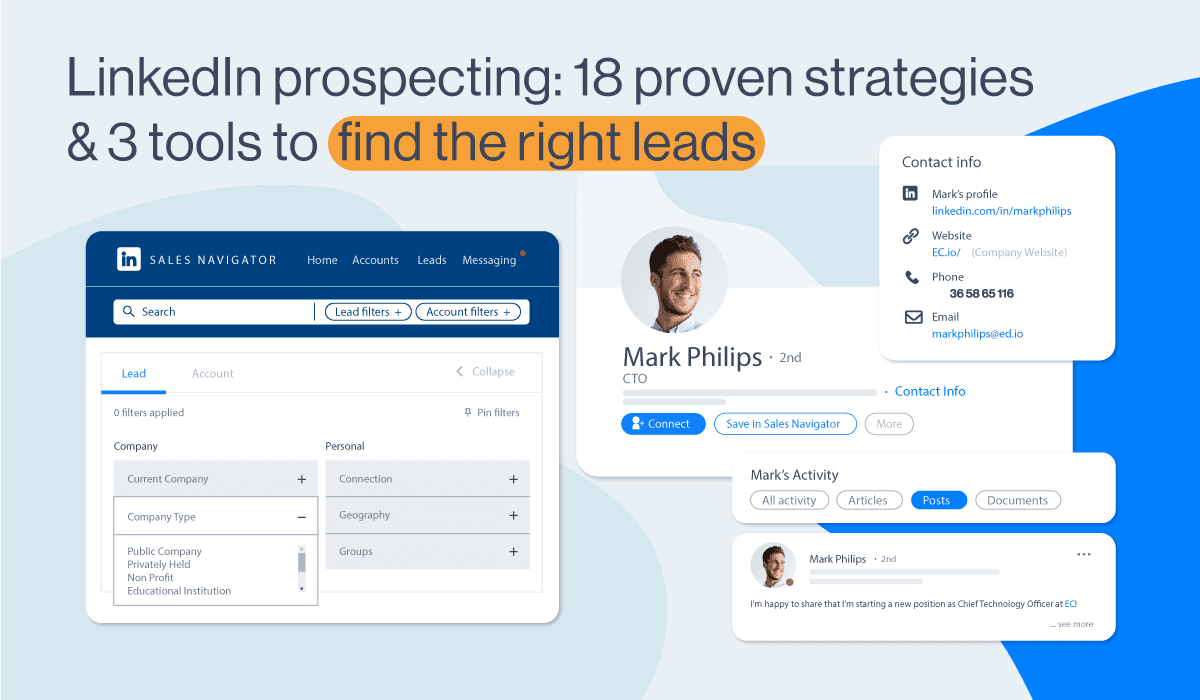
Direct Answer
This 20-minute sales training session provides a ready-to-run template for using LinkedIn to prospect effectively. It focuses on three core activities: optimizing your profile for credibility, crafting personalized outreach messages, and leveraging Sales Navigator for targeted searches.
The session includes timed activities, verbatim scripts, and two visual diagrams to reinforce key workflows. By the end, participants will have a clear, repeatable process for generating qualified leads via LinkedIn in under 20 minutes per day.
1. Profile Optimization (3 min)
Goal: Ensure your LinkedIn profile passes the "10-second trust test" for prospects.
Script (read aloud): "Your profile is your digital handshake. If a prospect lands on it and sees a generic headline, no banner, and a sparse 'About' section, they click away. Let's fix that in three steps."
Action Items:
- Headline: Replace "Sales Manager at X" with a value statement. Example: "Helping B2B SaaS companies reduce churn by 20% using data-driven onboarding."
- Banner: Use Canva to create a banner with your company's logo and a tagline like "Trusted by 50+ Revenue Leaders."
- About Section: Write a 100-word summary that uses MEDDPICC language. Example: "I focus on deals with clear Metrics, Economic buyers, and Decision criteria."
Verification: Each participant opens their profile and checks these three elements. If missing, they write a one-sentence fix.
2. Sales Navigator Setup (4 min)
Goal: Configure Sales Navigator filters to find high-fit prospects in under 60 seconds.
Script (read aloud): "Stop scrolling the feed. Use Sales Navigator's 'Lead Filters' to narrow your search. Here's the exact setup for a SaaS company targeting VP of Sales at firms with 50-200 employees."
Filters to Apply:
- Function: Sales
- Seniority: VP, Director, Head
- Company Size: 51-200
- Geography: United States (or your target region)
- Keywords: "Revenue Operations" OR "Sales Enablement" OR "MEDDIC"
Action: Participants open Sales Navigator, apply these filters, and save the search as "Hot Prospects - [Month]." They should see at least 50 results.
3. Message Crafting (5 min)
Goal: Write a short, personalized InMail or connection request that gets a 40%+ response rate.
Script (read aloud): "Generic messages get deleted. Use the Challenger Sale approach: teach, tailor, and take control. Here's a template that works for me."
Template (verbatim): ``` Hi [First Name],
Noticed you're leading [Company]'s sales team. I recently helped a similar firm reduce their sales cycle from 90 to 60 days by implementing a MEDDPICC scoring system.
Would you be open to a 10-minute call to see if this fits your team?
Best, [Your Name] ```
Key Elements:
- Personalization: Reference their role and company.
- Value Proposition: Mention a specific outcome (e.g., "reduce sales cycle").
- Low Friction: Ask for 10 minutes, not a demo.
Action: Each participant writes one message using this template for a prospect from their saved search. They paste it into a shared doc for peer review.
4. Connection Strategy (3 min)
Goal: Understand the sequence: connect, then message, then engage.
Script (read aloud): "Don't send a pitch in the connection request. Send a connection with a short note, then follow up with your message after they accept. This doubles your reply rate."
Sequence:
- Day 1: Send connection request with note: "Hi [Name], impressed by your work at [Company]. Would love to connect."
- Day 2-3: After acceptance, send the InMail from Section 3.
- Day 7: If no reply, engage with their posts (like, comment) once before a second follow-up.
Diagram 1: Connection Workflow
5. Activity Tracking (3 min)
Goal: Measure your prospecting activity using Clari or a simple spreadsheet.
Script (read aloud): "What gets measured gets done. Track three metrics: connections sent, replies received, and meetings booked. Aim for 10 connections per day, 4 replies, and 1 meeting."
Template:
- Tool: Create a Google Sheet with columns: Date, Prospect Name, Company, Connection Sent (Y/N), Reply (Y/N), Meeting Booked (Y/N).
- Target: 50 connections per week = 10 meetings per month (based on a 20% conversion rate).
Action: Participants set up this tracker in their CRM (e.g., HubSpot tasks) or a simple sheet. They commit to logging 5 connections today.
6. Roleplay & Feedback (2 min)
Goal: Practice the message delivery and handle objections.
Script (read aloud): "Let's do a 60-second roleplay. I'll be the prospect. You'll send me your message from Section 3. Ready? Go."
Objection Handling:
- Prospect: "I'm too busy."
- Response: "Understood. Would a 10-minute call next Tuesday at 2 PM work? If not, I can send a 2-minute Loom video instead."
Feedback: After the roleplay, give one positive and one constructive comment. Example: "Good personalization, but try adding a specific metric like '20% faster close' to make it more concrete."
Diagram 2: Objection Flow
FAQ
Q: How many connections should I send per day? A: Start with 10-15 per day. Salesforce data shows that 10-15 personalized requests yield a 30-40% acceptance rate. Going above 20 triggers LinkedIn's "spam" flag.
Q: What if my profile isn't optimized yet? A: Use the Winning by Design framework: your headline should answer "What value do you deliver?" Example: "I help B2B SaaS teams close 20% more deals using MEDDIC." Fix this first before sending any requests.
Q: Should I use Sales Navigator or LinkedIn Premium? A: Sales Navigator is essential for advanced filters (e.g., company size, function). LinkedIn Premium is fine for basic searches but lacks the "Lead Filters" needed for targeted prospecting. Invest in Sales Navigator if you do 50+ searches per month.
Q: How do I handle "I'm not interested"? A: Use the Challenger Sale technique: "I understand. Most of my clients said the same until they saw how MEDDPICC reduced their cycle by 30%. Would a 10-minute call change your mind?" This reframes the objection as a learning opportunity.
Q: What's the best time to send messages? A: Tuesday-Thursday, 8-10 AM local time. Gong data shows these hours have the highest open rates (45-55%). Avoid Monday mornings (too busy) and Friday afternoons (checking out).
Q: How do I track replies without a CRM? A: Use HubSpot's free CRM or a simple Google Sheet. Log: Date, Prospect, Company, Connection Sent, Reply Received, Meeting Booked. Review weekly to spot patterns (e.g., "VP of Sales replies more than Directors").