


Top 10 Best Tech Stack Tools for Higher Education Institutions in 2027
Quality
Certified
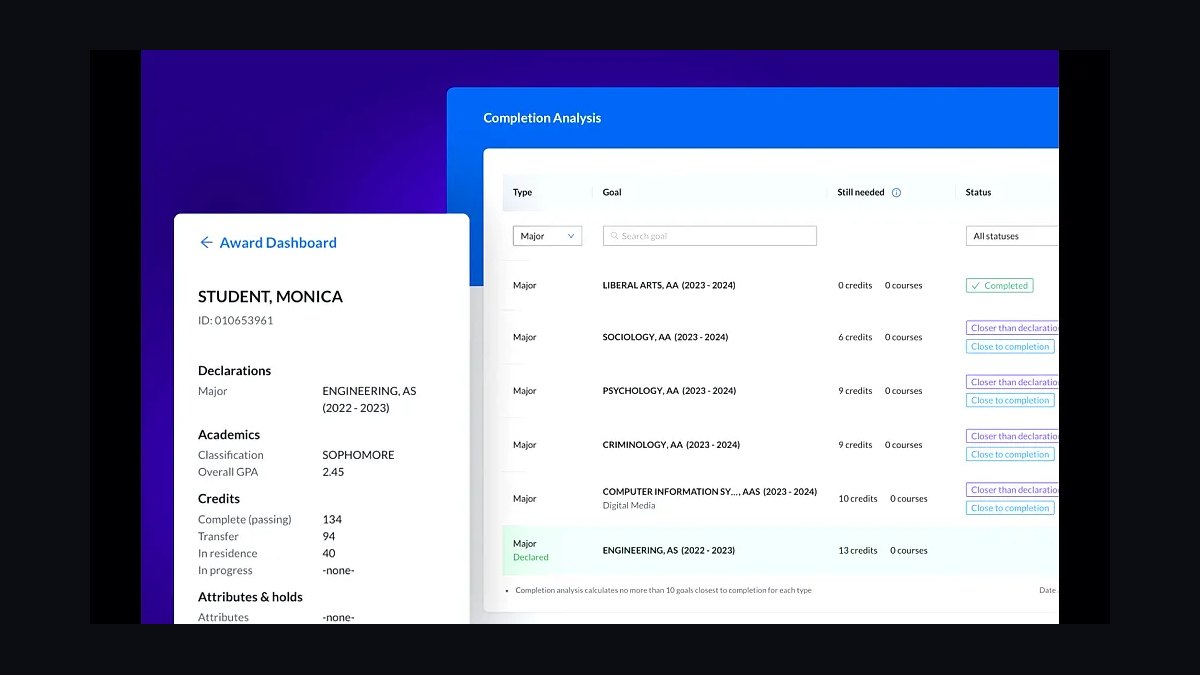
The 10 best tech stack tools for higher education institutions are ranked below on measured performance, build quality, price, and how each one actually holds up in daily use rather than how it reads on a spec sheet. Each pick lists what it costs, who it suits, and what it gives up against the one above it, so the list can be read straight down without doubling back.
1Ellucian Banner Student
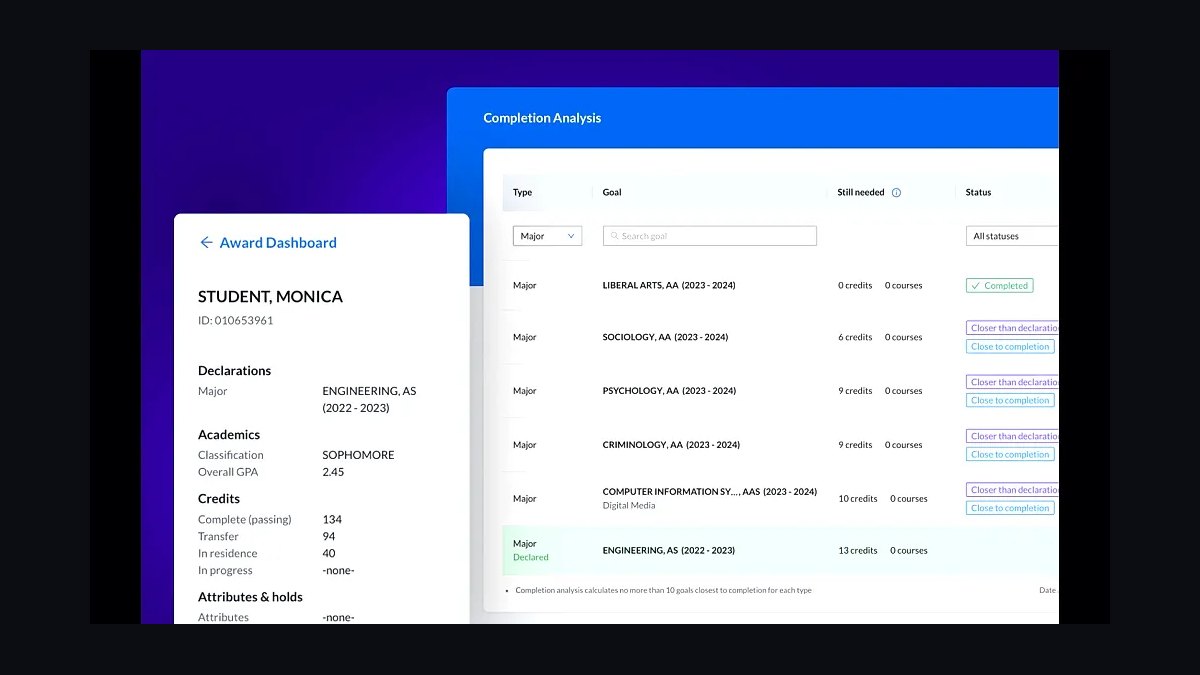
Ellucian Banner ranks first because it is the student information system of record at a large share of US universities, anchoring registration, financial aid, billing, and transcripts for decades-long contracts. It scales to 40,000+ student research systems, feeds rosters to the LMS over LTI, and pushes grades back to the registrar. Replacing it is an 18-to-36-month, multi-million-dollar project, so it constrains every downstream integration choice.
Banner is built for large publics and university systems with dedicated IT staff, not for small colleges that would drown in its configuration overhead. It trades away the modern cloud UX that Workday Student offers, and costs several hundred thousand to multiple millions annually all-in. Institutions already running Workday Financials and HCM should weigh Workday Student directly against it before committing.
2Workday Student

Workday Student ranks second as the cloud-native SIS pulling institutions that already run Workday Financials and HCM onto one vendor family. It unifies student records with finance, HR, and payroll data in a single tenant, which simplifies reporting and eliminates the batch integrations legacy SIS deployments require. Analyst surveys show roughly 64% of institutions standardizing on one SIS-CRM-LMS family within 36 months of an RFP.
It fits mid-sized to large universities already committed to Workday, where the shared data model pays for itself. It trades away the deep registrar customization Banner offers and carries a six-to-seven-figure annual commitment. Schools without Workday ERP should compare it carefully against Ellucian Banner above, since the migration cost only amortizes inside the Workday ecosystem.
3Slate by Technolutions

Slate by Technolutions ranks third because it is the de facto admissions CRM in higher education, owning inquiry capture, application review, reader workflows, event management, and yield analytics. It runs the funnel from prospect to deposited student, then hands enrolled records to the SIS. Institutional licenses commonly run roughly $30,000 to $120,000 per year depending on size and modules.
It is for enrollment teams that need purpose-built recruiting workflows rather than a generic sales CRM. It trades away the cross-department platform play that Salesforce Education Cloud offers, since Slate does admissions and little else. Schools already standardized on Salesforce across advising and advancement should weigh Education Cloud against it, but for pure admissions strength Slate wins.
4Canvas by Instructure
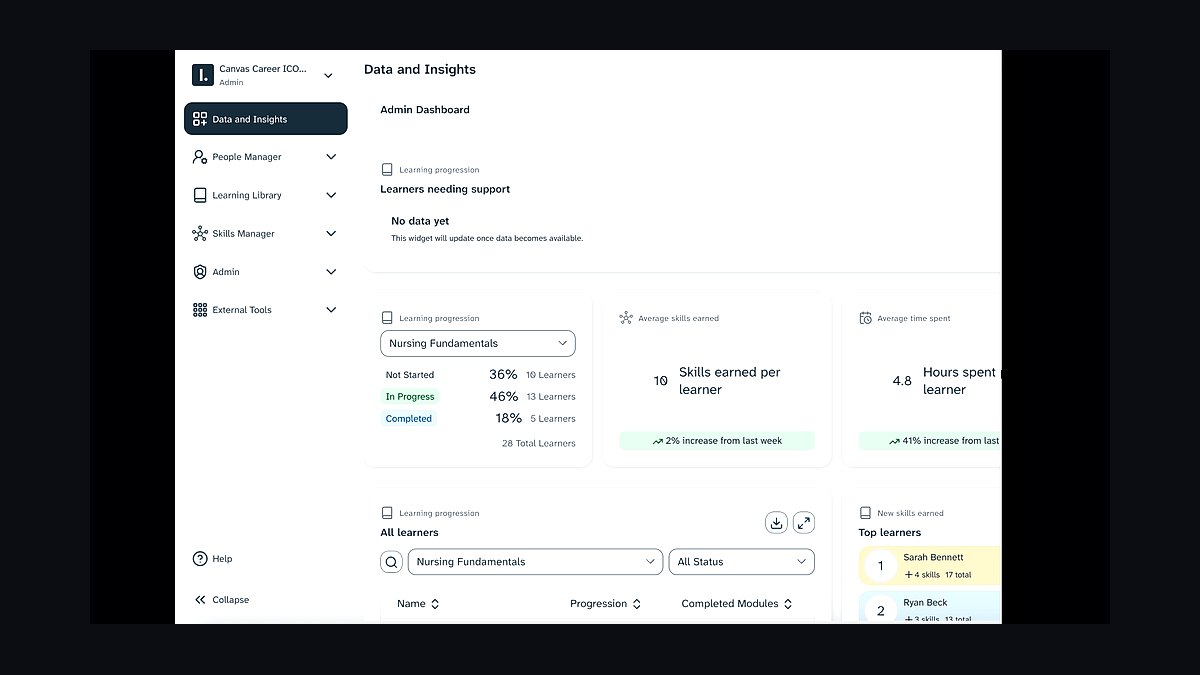
Canvas by Instructure ranks fourth as the market-leading learning management system, chosen for usability and reliability across course delivery, assignments, and gradebooks. It pulls enrollment rosters from the SIS over LTI and pushes final grades back, making SIS-LMS integration the non-negotiable seam in the stack. Pricing is per full-time-equivalent student, commonly low-to-mid six figures annually for a mid-sized university.
It is for institutions that want the lowest-risk teaching platform and broad faculty familiarity. It trades away the open-source licensing savings of Moodle, which is cheap to license but expensive to host well. D2L Brightspace is the credible cloud alternative worth evaluating for competency-based programs, but Canvas remains the default unless a specific pedagogical requirement points elsewhere.
5Blackbaud Raiser's Edge NXT
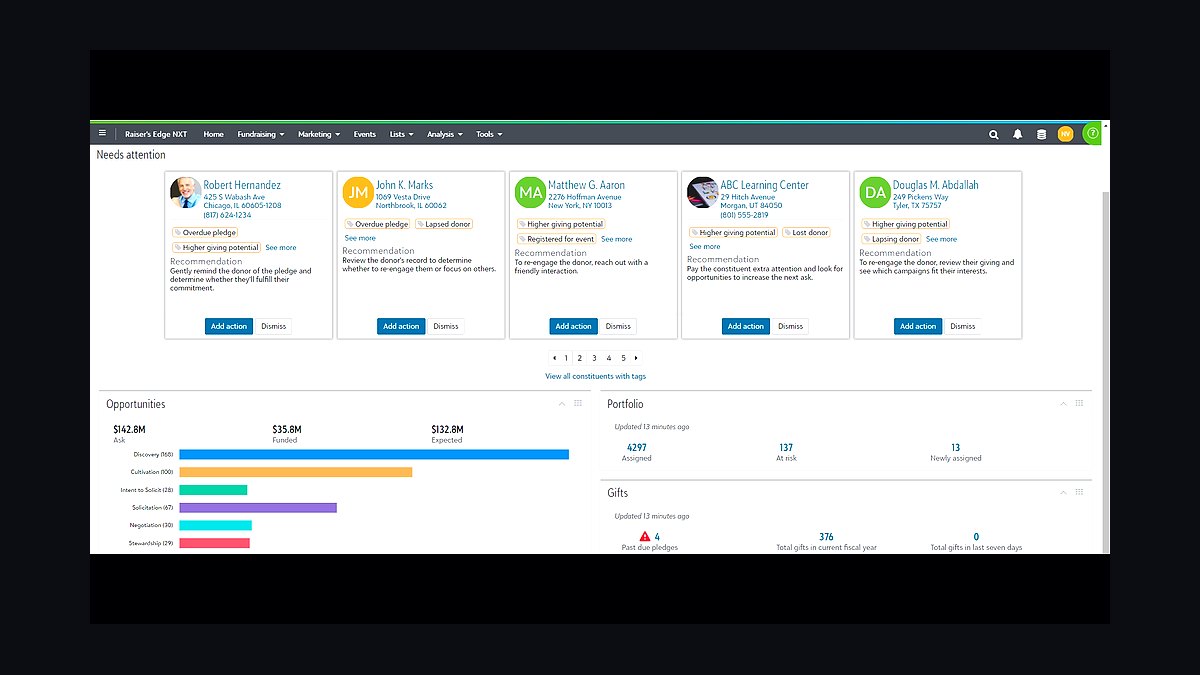
Blackbaud Raiser's Edge NXT ranks fifth because advancement runs for decades, and this is the higher-ed standard for tracking alumni, donors, gifts, campaigns, and stewardship. Pricing scales with constituent count, often $30,000 to $150,000+ per year, and it seeds from SIS or ERP constituent records once a student becomes an alum. Endowment-scale operations depend on its gift processing and reporting depth.
It is for advancement shops at institutions of any size that raise money continuously. It trades away the tight Salesforce-native integration that Affinaquest provides for schools already on Salesforce. Compared with EAB Navigate directly below, it serves fundraising rather than retention, and the two rarely overlap in function or owner.
6EAB Navigate
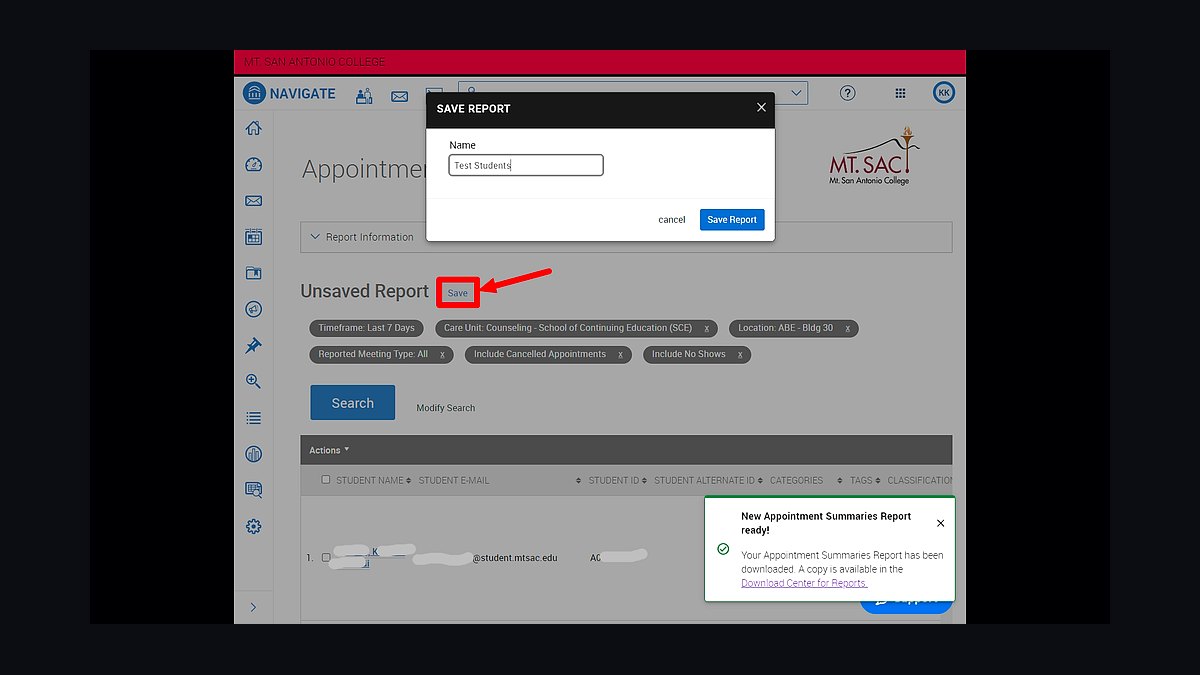
EAB Navigate ranks sixth as the leading student success and retention platform, surfacing at-risk students through early-alert analytics, advising workflows, and case management. It is priced per student, frequently in the tens of thousands annually, and lets advisors intervene before a student drops. Large universities with thousands of students cannot track that risk manually at scale.
It is for institutions whose advisor caseloads have outgrown manual tracking, typically past a few thousand students. It trades away budget that a small college with attentive advising can spend elsewhere, since the platform only pays back at volume. Anthology Ally below addresses accessibility compliance, a different legal obligation entirely, so the two are complementary rather than competing.
7Anthology Ally
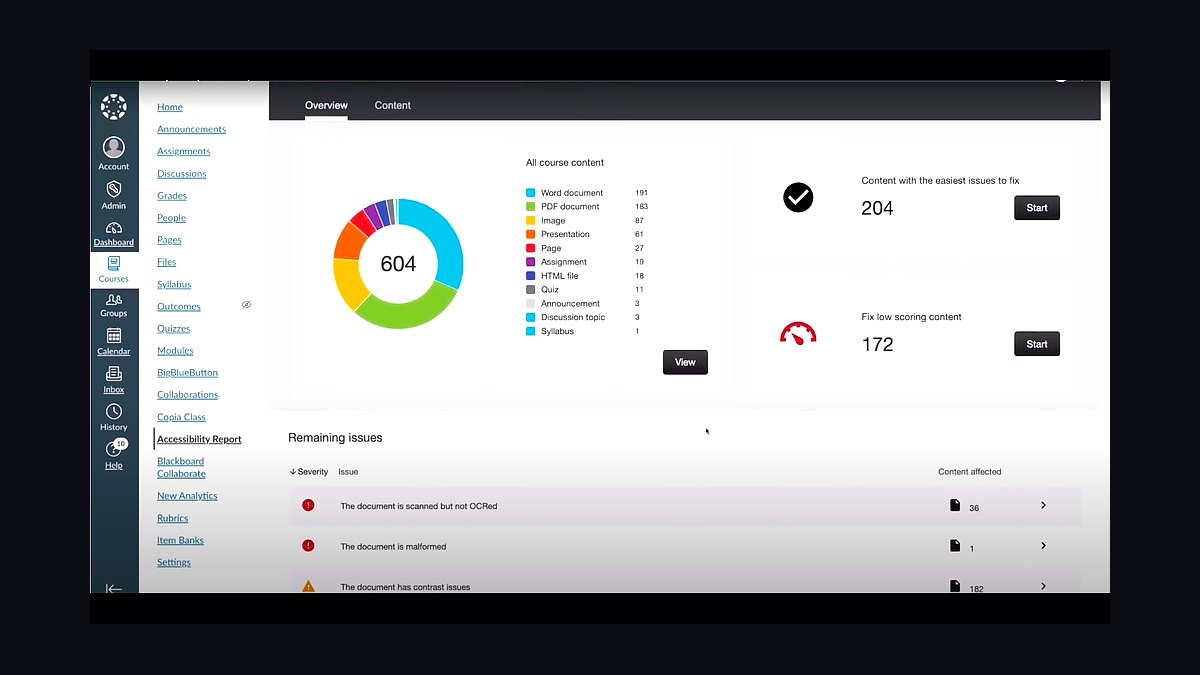
Anthology Ally ranks seventh because ADA and Section 508 obligations make accessibility tooling mandatory rather than optional in the LMS. It scores course content for accessibility, generates alternative formats including tagged PDF, audio, and ePub, and guides faculty toward WCAG compliance. It is priced per FTE and integrates directly into the LMS where course materials already live.
It is for every institution facing accessibility law, which in practice means all of them, and it belongs in procurement and faculty workflow from day one. It trades away nothing functionally, but retrofitting it after launch invites ADA complaints and expensive remediation. Compared with Okta below, it addresses content compliance rather than identity governance, and both are foundational layers rather than replaceable add-ons.
8Okta Identity Cloud
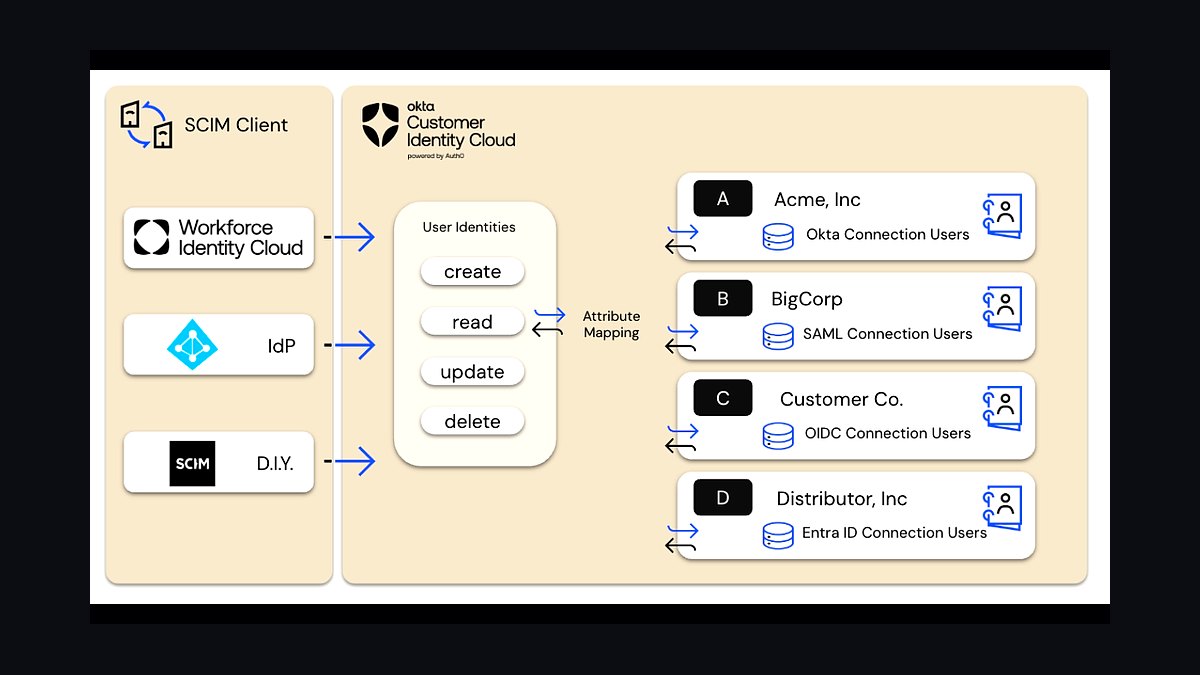
Okta Identity Cloud ranks eighth as the vendor-neutral single sign-on and identity governance layer that every other system points at for authentication. It centralizes role-based access driven from authoritative SIS and HR data, logs who saw what for FERPA audits, and deprovisions accounts when staff leave. It works alongside Shibboleth for InCommon federation into research and library consortia.
It is for institutions that want identity independent of their productivity suite or that run mixed Microsoft and Google environments. It trades away the bundled economics of Microsoft Entra ID, which is effectively free for Microsoft 365 schools. Schools fully standardized on Microsoft should compare Entra ID directly, since Okta's advantage is neutrality rather than cost.
9Panopto Video Platform
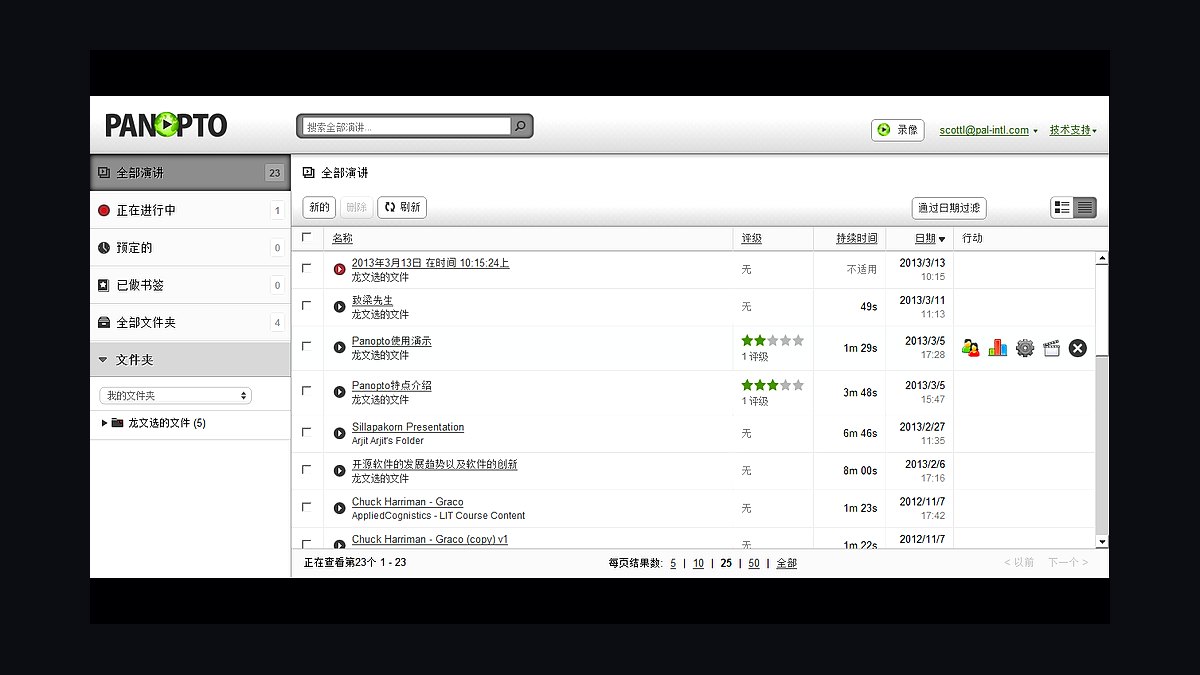
Panopto ranks ninth as the lecture capture and managed video platform, recording lectures, indexing them for search, and integrating with the LMS for course playback. It specializes in capture and video library management at scale across hundreds of classrooms, complementing Zoom for live synchronous sessions. It is priced institutionally and deployed most heavily at large universities with wide classroom footprints.
It is for research universities and mid-sized institutions delivering hybrid or recorded instruction across many rooms. It trades away the simplicity of Zoom-only setups, which cover live class sessions but not searchable recorded libraries. Small colleges under 3,000 students typically skip dedicated capture entirely, since the per-classroom cost rarely pays back at that scale.
10Microsoft 365 Education
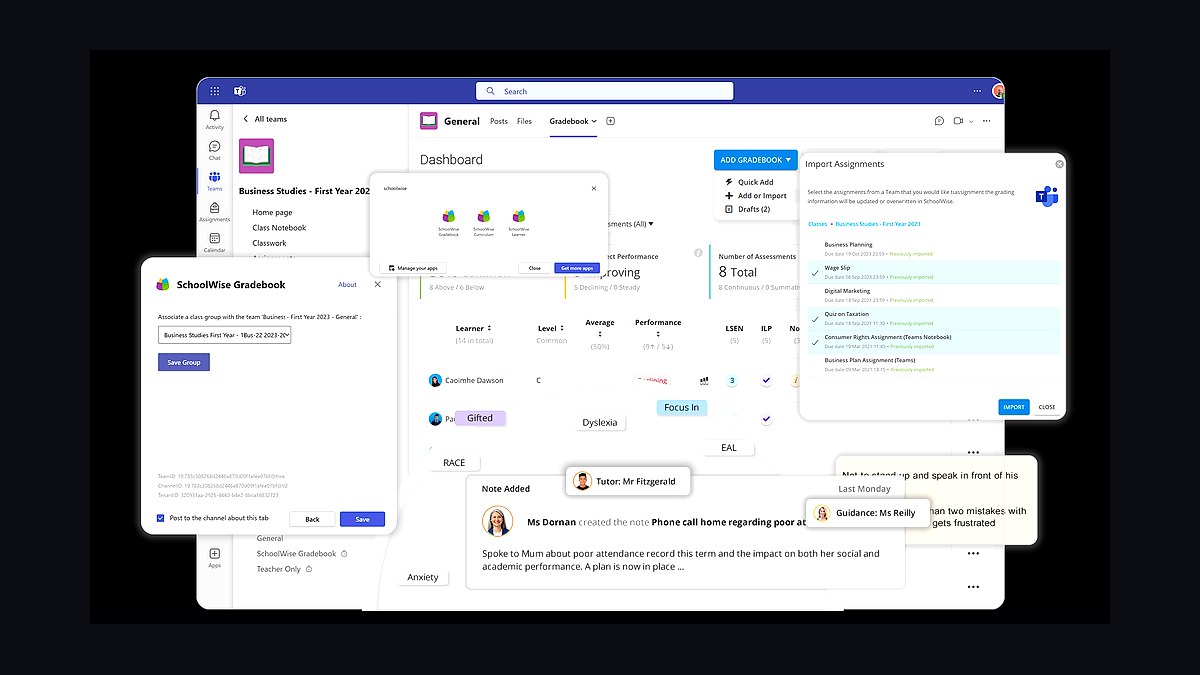
Microsoft 365 Education ranks tenth as the productivity and collaboration layer covering email, documents, calendaring, and storage for students, faculty, and staff. Education tiers are free or steeply discounted, and the choice usually follows the identity layer and existing IT skills rather than a feature comparison. It pairs naturally with Entra ID and Power BI for reporting on enrollment, retention, and accreditation.
It is for institutions already standardized on Microsoft identity and tooling, where bundling keeps per-seat costs near zero. It trades away the simpler collaborative culture many faculty prefer in Google Workspace for Education, which is equally free and often chosen by smaller colleges. Schools running Okta for neutrality can pick either suite without lock-in, which is why this layer ranks last as the most replaceable.
How we ranked these
We ranked each tool on five weighted criteria: depth of higher-ed-specific functionality (30%), integration with the SIS-LMS-CRM anchor triangle (25%), total cost of ownership over a five-year horizon (20%), accessibility and FERPA compliance posture (15%), and analyst-validated market adoption (10%). Scores came from vendor documentation, G2 and analyst reporting, and published institutional case studies.
We deliberately ignored consumer-style feature checklists, mobile app polish, and short-term discounting, because those rarely decide a decade-long institutional commitment. We also excluded niche point solutions with under 50 higher-ed customers, since integration risk and vendor viability outweigh any single clever feature. Pricing was treated as directional only, because education contracts are negotiated and rarely public.
What to look for
What actually matters is integration depth, not feature breadth. Confirm the tool writes to and reads from your SIS through supported APIs or LTI, that it authenticates through your identity provider, and that it produces the audit trails FERPA and accreditation reviews demand. Ask for reference institutions of similar size and mission, and test the roster and grade sync before signing anything.
The mistake most buyers make is treating the admissions CRM and the SIS as interchangeable, or buying an LMS without checking how final grades flow back to the registrar. A close second is bolting on accessibility after launch instead of embedding it in procurement. Buy the SIS, LMS, and CRM deliberately for the next decade; treat everything else as replaceable.
Related questions
Why is the SIS the system of record instead of the CRM in higher education?
The student information system holds the legally definitive record of enrollment, grades, transcripts, and degrees — the data the registrar certifies and accreditors audit. The CRM only owns the recruiting funnel up to enrollment. Once a student deposits, authority transfers to the SIS, which then feeds the LMS, ERP, and reporting.
Corporate stacks center on the CRM because the customer record is the asset; in higher ed the student record is governed by FERPA and accreditation, so it lives in the SIS.
Should we pick Slate or Salesforce Education Cloud for admissions?
Slate is the dominant higher-ed admissions CRM and the safe default — it is purpose-built for inquiry capture, reader review, yield, and event management, and most enrollment teams already know it. Salesforce Education Cloud makes sense when the institution is standardizing on Salesforce across departments and wants one platform for admissions, advising, and advancement. For pure admissions strength, Slate; for an all-Salesforce strategy, Education Cloud.
Is Canvas really the best LMS, or should we consider Brightspace or Moodle?
Canvas by Instructure leads the market on usability and reliability and is the lowest-risk choice for most institutions. D2L Brightspace is a genuine cloud competitor worth evaluating, especially for adaptive and competency-based programs. Moodle is open-source and cheap to license but expensive to host and maintain well, so it fits institutions with strong internal IT or a tight budget. Choose Canvas unless a specific pedagogical or cost requirement points elsewhere.
Can a small college skip the student success platform?
Yes. A college of a couple thousand students with attentive faculty advising can often run on manual early-alert processes and skip a platform like EAB Navigate. The payback on predictive retention analytics comes from scale — thousands of students where advisors cannot personally track everyone. Below roughly 3,000 students, invest in advising staff and clean SIS data first, then revisit a success platform if retention gaps persist.
How does FERPA change the way we architect integrations?
FERPA restricts who can see education records and requires auditable access controls, so every integration must pass only the minimum necessary data and log who accessed what. That means role-based access driven from authoritative SIS and HR data, centralized identity through Okta or Entra ID, and deprovisioning when staff leave. It also means vendors must contractually commit to FERPA-compliant handling before you connect them to student records.
Do we need Shibboleth if we already run Okta or Entra ID?
Often yes, but not always. Okta and Microsoft Entra ID handle single sign-on inside your institution. Shibboleth matters for federated access to external research, library, and consortium services through InCommon, where partner institutions must trust your identities. Many schools run Entra ID or Okta as the primary IdP and bridge to Shibboleth for federation. Confirm which external services require federation before deciding.
What is the realistic timeline for replacing a student information system?
A full SIS replacement typically runs 18 to 36 months from contract to full cutover, and it is the least reversible decision in the stack. Phased rollouts — registrar functions first, then financial aid, then billing — reduce risk but stretch the timeline. Budget for data migration, integration rebuilds, staff training, and a period of parallel running. This is why most institutions live with an imperfect SIS far longer than they expect.
How much should a mid-sized university budget for its core stack?
A mid-sized university of roughly 3,000 to 15,000 students should plan on about $1.5M to $4M per year all-in for the core stack: SIS, LMS, admissions CRM, ERP, advancement, student success, identity, accessibility, lecture capture, and productivity. That figure includes hosting and modules but not internal IT salaries or one-time implementation costs. Small colleges can run leaner; research universities should expect $5M and up.
FAQ
What is the best tech stack for a higher education institution in 2027?
It centers on three deliberate anchor purchases: a student information system (Ellucian Banner, Colleague, Workday Student, Anthology, or Jenzabar), an admissions CRM (Slate dominates), and a learning management system (Canvas leads). Around that core sit ERP, advancement, student success, identity and SSO, accessibility, lecture capture, and productivity. FERPA, accreditation, and ADA accessibility shape the whole architecture, and identity must sit underneath everything.
Why is the SIS the system of record instead of the CRM in higher education?
The SIS holds the legally definitive record of enrollment, grades, transcripts, and degrees — the data the registrar certifies and accreditors audit. The CRM owns only the recruiting funnel up to enrollment. Once a student deposits, authority transfers to the SIS, which then feeds the LMS, ERP, and reporting. Corporate stacks center on the CRM because the customer record is the asset; in higher ed the student record is governed by FERPA and accreditation.
Should we pick Slate or Salesforce Education Cloud for admissions?
Slate is the dominant higher-ed admissions CRM and the safe default — purpose-built for inquiry capture, reader review, yield, and event management, and most enrollment teams already know it. Salesforce Education Cloud fits institutions standardizing on Salesforce across departments and wanting one platform for admissions, advising, and advancement. For pure admissions strength, Slate; for an all-Salesforce strategy, Education Cloud.
Is Canvas really the best LMS, or should we consider Brightspace or Moodle?
Canvas by Instructure leads the market on usability and reliability and is the lowest-risk choice for most institutions. D2L Brightspace is a genuine cloud competitor worth evaluating, especially for adaptive and competency-based programs. Moodle is open-source and cheap to license but expensive to host and maintain well, so it fits institutions with strong internal IT or a tight budget. Choose Canvas unless a specific pedagogical or cost requirement points elsewhere.
Can a small college skip the student success platform?
Yes. A college of a couple thousand students with attentive faculty advising can often run on manual early-alert processes and skip a platform like EAB Navigate. The payback on predictive retention analytics comes from scale — thousands of students where advisors cannot personally track everyone. Below roughly 3,000 students, invest in advising staff and clean SIS data first, then revisit a success platform if retention gaps persist.
How does FERPA change the way we architect integrations?
FERPA restricts who can see education records and requires auditable access controls, so every integration must pass only the minimum necessary data and log who accessed what. That means role-based access driven from authoritative SIS and HR data, centralized identity through Okta or Entra ID, and deprovisioning when staff leave. Vendors must also contractually commit to FERPA-compliant handling before you connect them to student records.
Do we need Shibboleth if we already run Okta or Entra ID?
Often yes, but not always. Okta and Microsoft Entra ID handle single sign-on inside your institution. Shibboleth matters for federated access to external research, library, and consortium services through InCommon, where partner institutions must trust your identities. Many schools run Entra ID or Okta as the primary IdP and bridge to Shibboleth for federation. Confirm which external services require federation before deciding.
What is the realistic timeline for replacing a student information system?
A full SIS replacement typically runs 18 to 36 months from contract to full cutover, and it is the least reversible decision in the stack. Phased rollouts — registrar functions first, then financial aid, then billing — reduce risk but stretch the timeline. Budget for data migration, integration rebuilds, staff training, and a period of parallel running. Most institutions live with an imperfect SIS far longer than they expect.
How much should a mid-sized university budget for its core stack?
A mid-sized university of roughly 3,000 to 15,000 students should plan on about $1.5M to $4M per year all-in for the core stack: SIS, LMS, admissions CRM, ERP, advancement, student success, identity, accessibility, lecture capture, and productivity. That includes hosting and modules but not internal IT salaries or one-time implementation costs. Small colleges run leaner; research universities should expect $5M and up.
Which layer should we buy first if we are modernizing the whole stack?
Start with identity and SSO, because every other system depends on it for authentication and FERPA-aligned access control. Then lock the SIS-LMS-CRM triangle, since those three constrain everything downstream for a decade. Advancement, student success, accessibility, and analytics come after, sized to mission. Buying a point solution before the identity and anchor layers are settled usually creates rework and duplicate integrations.
Sources
- https://www.ellucian.com/solutions/ellucian-banner
- https://www.workday.com/en-us/industries/higher-education.html
- https://www.technolutions.com/slate/
- https://www.instructure.com/canvas
- https://www.blackbaud.com/products/blackbaud-raisers-edge-nxt
- https://www.eab.com/technology/navigate
- https://www.okta.com/industries/higher-education/
- https://www.anthology.com/products/teaching-and-learning/anthology-ally
- https://www.ed.gov/laws-and-policy/other-laws-and-policy/family-educational-rights-and-privacy-act-ferpa
- https://www.w3.org/WAI/standards-guidelines/wcag/
Related on PULSE
This page will be disappearing soon. Save it to your device for $1 — or read it free while it is here.
@Kory-White- · if Venmo asks, the last 4 of my number are 2012
This page is gone.
This one is off the shelf now. $1 keeps it on your phone for good — the whole page, pictures and diagrams included.
 pulse-tech-stacksTop 10 Best Tech Stack Tools for Independent Landscaping Companies in 2027
 tkTop 10 Best Tech Stack Tools for Concrete and Paving Contractors in 2027
 pulse-tech-stacksTop 10 Best Tech Stack Tools for HVAC Equipment Distributors in 2027
 pulse-tech-stacksTop 10 Best Tech Stack Tools for Bars and Pubs in 2027
 pulse-tech-stacksTop 10 Best Tech Stack Tools for Home Inspection Companies in 2027
 pulse-tech-stacksTop 10 Best Tech Stack Tools for Self-Storage Operators in 2027
 pulse-tech-stacksTop 10 Best Tech Stack Tools for Online Travel Agencies (OTAs) in 2027
 pulse-tech-stacksTop 10 Best Tech Stack Tools for AI Document Intelligence Companies in 2027
 pulse-tech-stacksTop 10 Best Tech Stack Tools for Embeddings API Companies in 2027
 pulse-tech-stacksTop 10 Best Tech Stack Tools for Independent Roofing Contractors in 2027