


Top 10 Best Tech Stack Tools for Catering and Events Companies in 2027
Quality
Certified
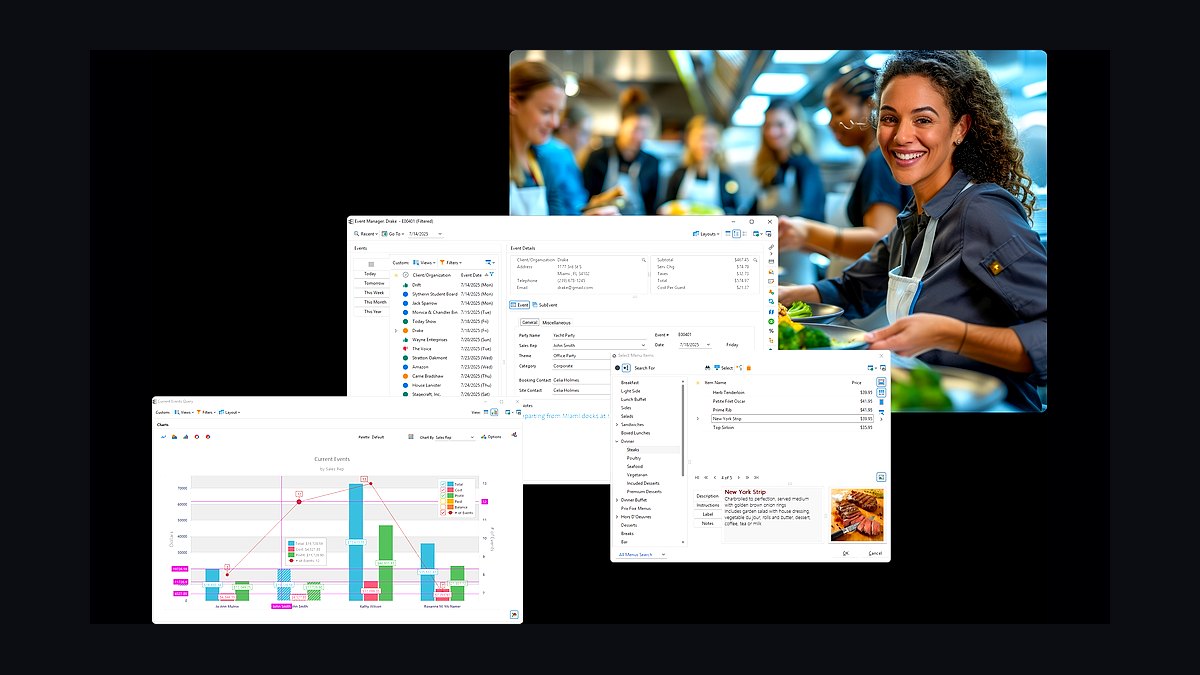
The 10 best tech stack tools for catering and events companies are ranked below on measured performance, build quality, price, and how each one actually holds up in daily use rather than how it reads on a spec sheet. Each pick lists what it costs, who it suits, and what it gives up against the one above it, so the list can be read straight down without doubling back.
1Caterease
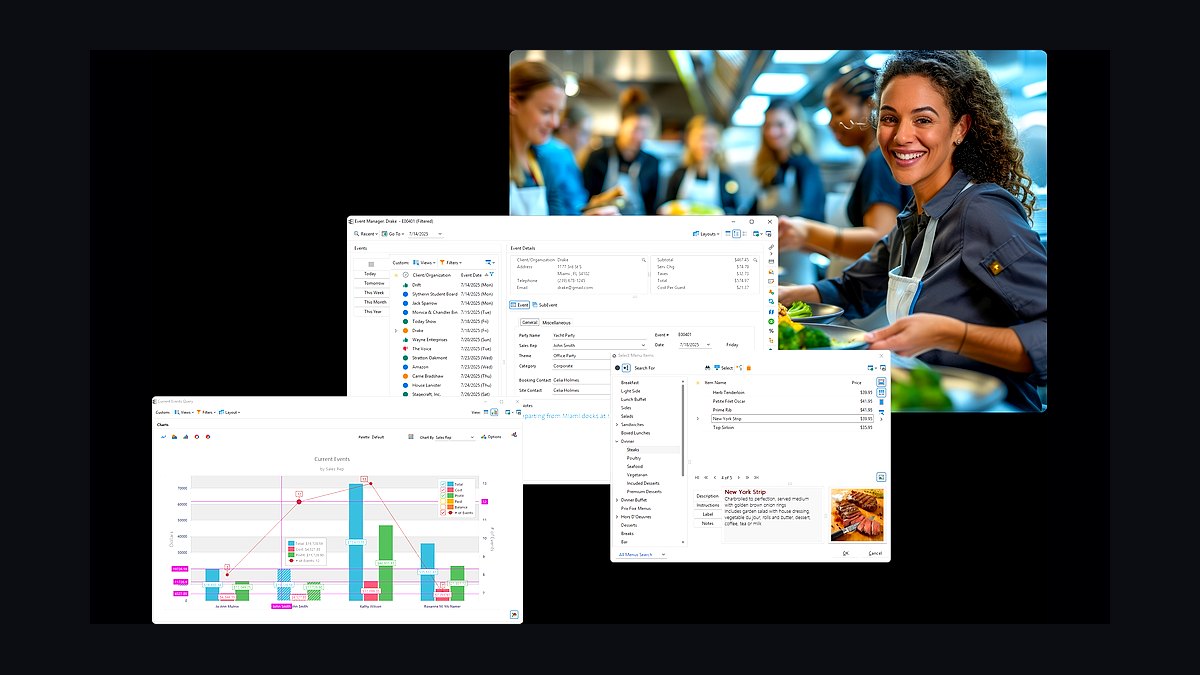
Caterease ranks first because it is the deepest off-premise catering platform for BEO detail, prep sheets, and production reporting, the exact operational spine a multi-event caterer runs on. Modules run roughly $100–$300 per month per concurrent user, and its event calendar, kitchen prep output, and contract-to-BEO flow are unmatched at high event volume.
It is built for established off-premise caterers doing dozens of events monthly, not solo operators. It trades away the polished client-facing proposal design that HoneyBook and Curate offer, and it costs more than Total Party Planner. Compared with Tripleseat directly below, Caterease wins on production and kitchen detail while Tripleseat wins on venue sales workflow.
2Tripleseat
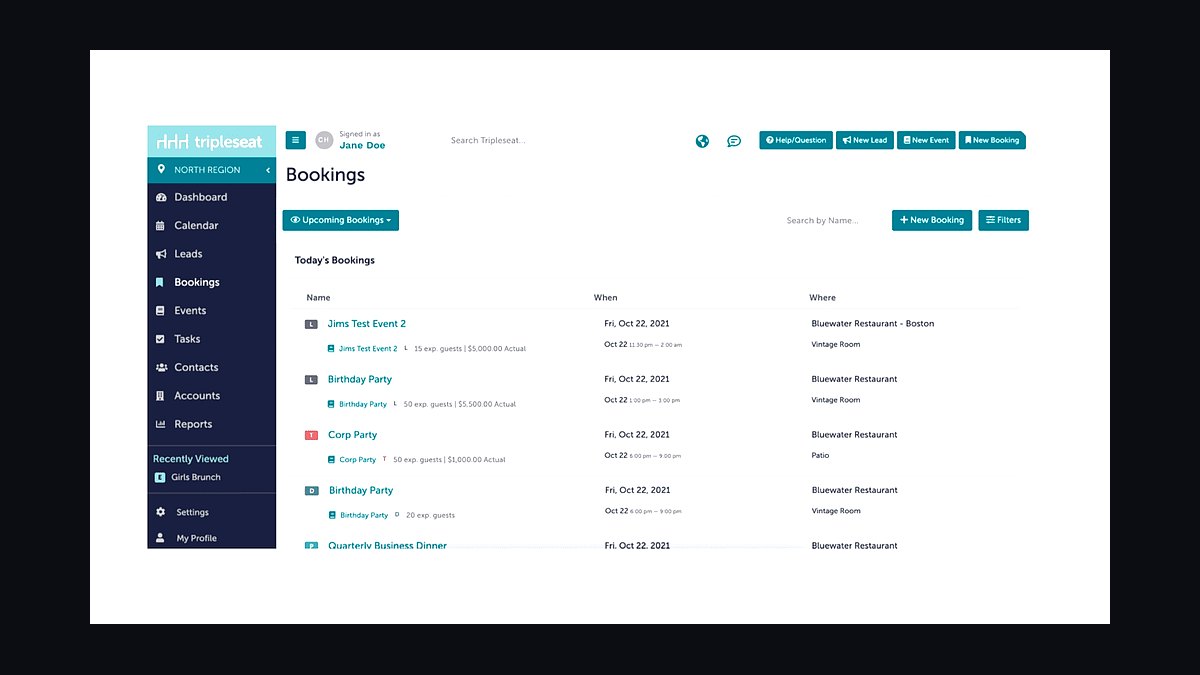
Tripleseat ranks second because it owns the venue-based event-sales workflow end to end: lead capture, branded proposals, contracts with deposit schedules, and BEOs, typically $125–$500+ monthly by venue count. Hotels, event spaces, and restaurants with private dining overwhelmingly standardize on it, and its BEO-to-kitchen handoff is proven at scale.
It suits venue-attached caterers and hospitality groups, not pure off-premise drop-off operations. It trades away recipe costing and deep production engineering, so it needs MarketMan or xtraCHEF alongside it. Against Caterease above, Tripleseat is stronger on sales pipeline and weaker on kitchen prep detail.
3Total Party Planner
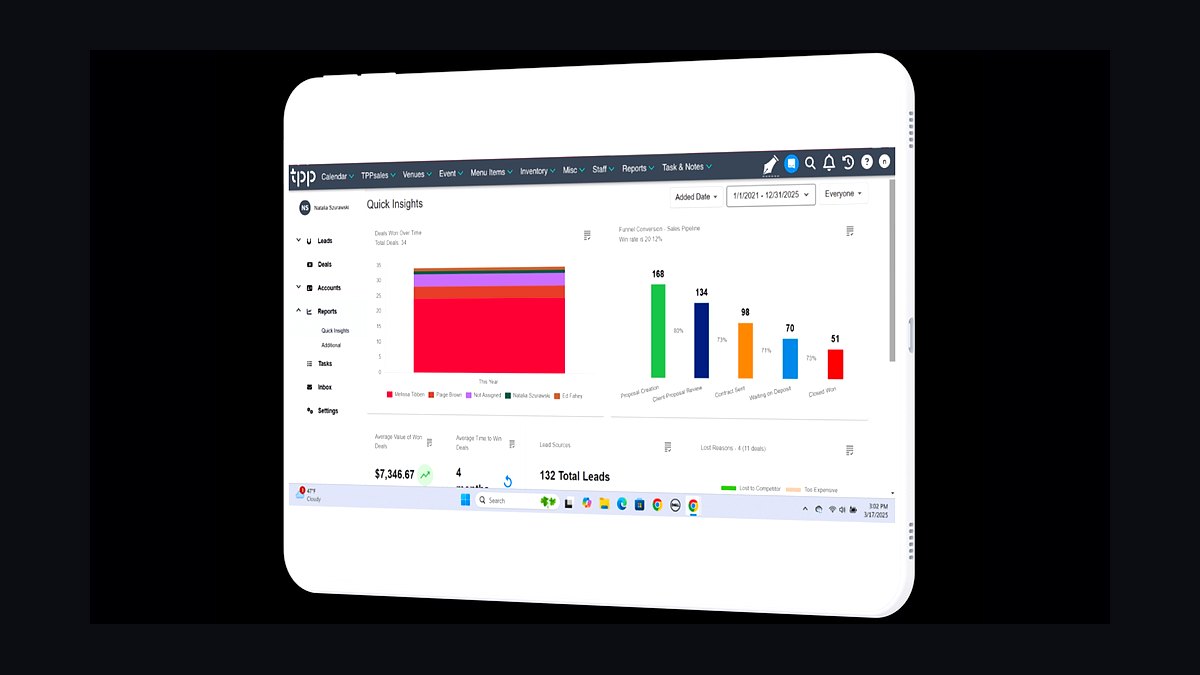
Total Party Planner ranks third because it bundles CRM, recipe costing, BEOs, and invoicing into one near-all-in-one at roughly $130–$300 per month, letting small and mid-size caterers avoid buying four separate systems. Its integrated costing module is unusual at this price tier and directly protects quoted margins.
It fits small-to-mid caterers who want one platform rather than a best-of-breed stack. It trades away the deep BEO production detail of Caterease and the venue-sales depth of Tripleseat, so higher-volume operators outgrow it. Against Caterease above, it is cheaper and simpler but less powerful on multi-event production.
4Curate
Curate ranks fourth because it is purpose-built for wedding and social off-premise caterers and florists, pulling accepted proposals straight into production, purchasing, and event execution. Its visual proposal builder and production handoff suit the design-heavy social event market that generic catering software underserves.
It fits wedding and social caterers who need proposal-to-production continuity. It trades away the corporate drop-off and venue-sales breadth of Tripleseat, and it is less established than Caterease. Against Total Party Planner above, Curate is more modern and design-forward but narrower in accounting and CRM depth.
5MarketMan
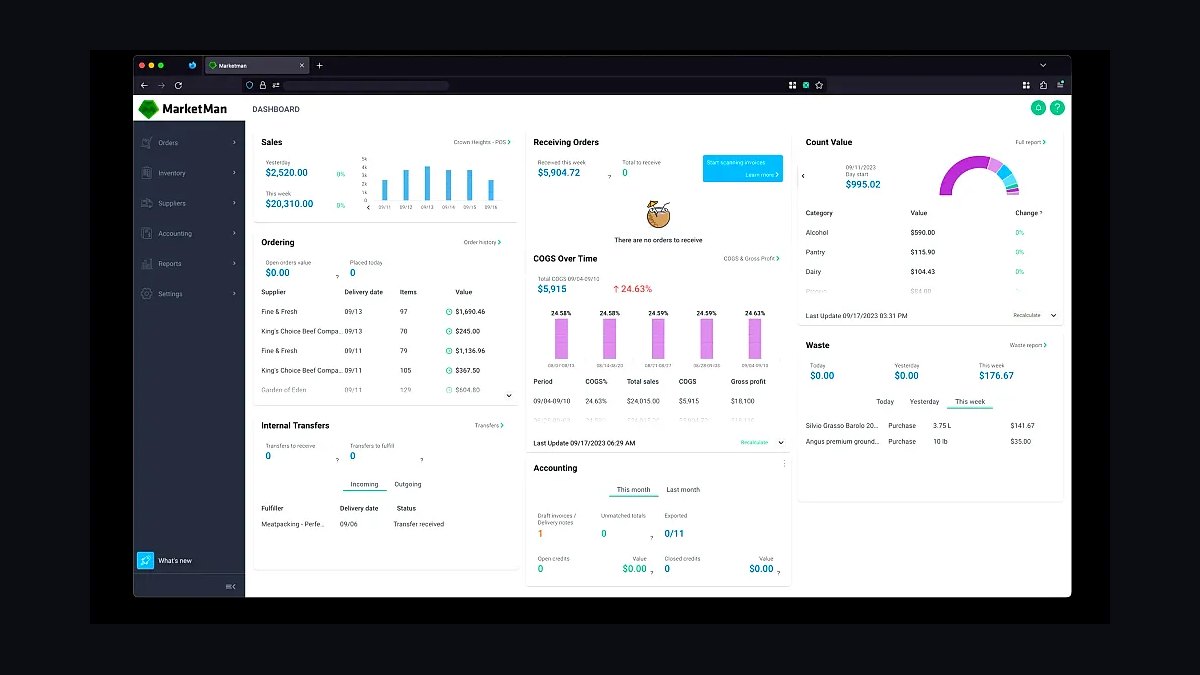
MarketMan ranks fifth because it is the margin-protection layer that ties supplier invoices to recipes and live ingredient prices, flagging when a quoted 28% food cost has drifted past 35%. It runs roughly $150–$400 monthly and becomes essential once food purchasing passes a few hundred thousand dollars annually.
It fits caterers whose protein and produce costs swing against locked-in per-head quotes. It trades away production engineering precision, which Galley handles better, and it requires disciplined invoice capture to be useful. Against Curate above, MarketMan is not an events hub at all but the costing layer that keeps the hub's quoted margins honest.
6HoneyBook
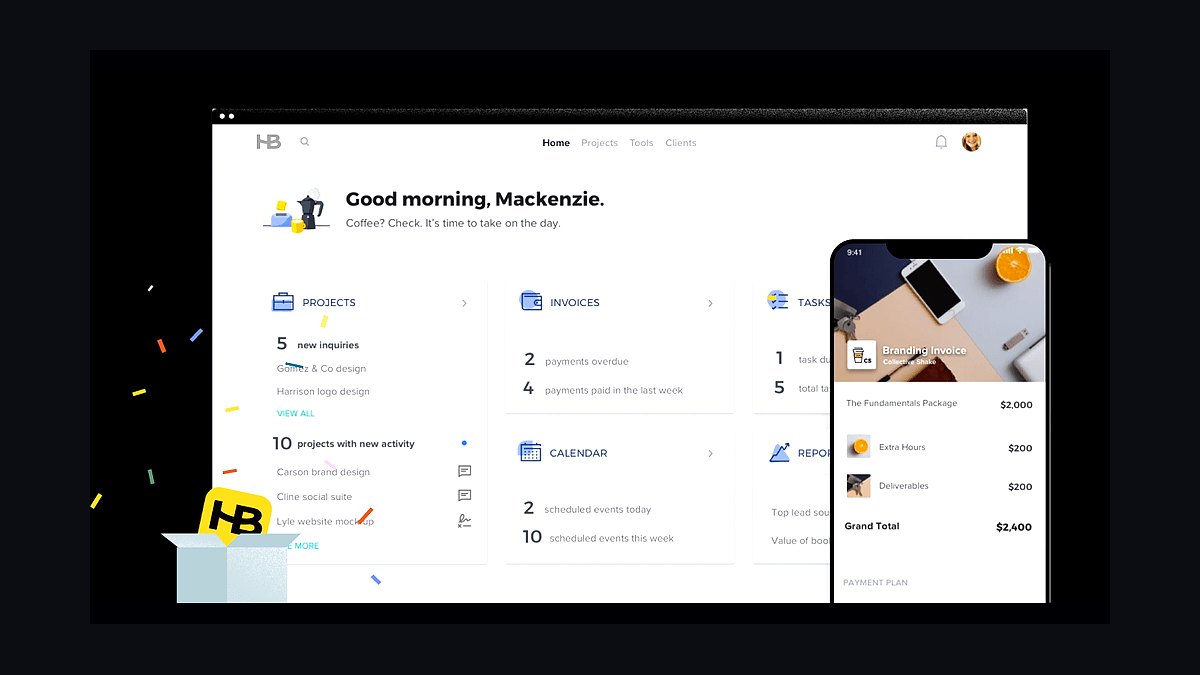
HoneyBook ranks sixth because it gives solo and boutique social caterers beautiful client-facing proposals, contracts, and staged payment scheduling for roughly $36–$66 monthly, covering the entire revenue spine at a fraction of enterprise pricing. Its deposit and milestone invoicing is genuinely catering-friendly.
It fits one-owner caterers with occasional crew, not multi-event operations. It trades away BEO production detail, recipe costing, and staff scheduling entirely, so it must be paired with QuickBooks and a spreadsheet or better tool. Against MarketMan above, HoneyBook owns the client relationship while MarketMan owns the kitchen margin.
77shifts
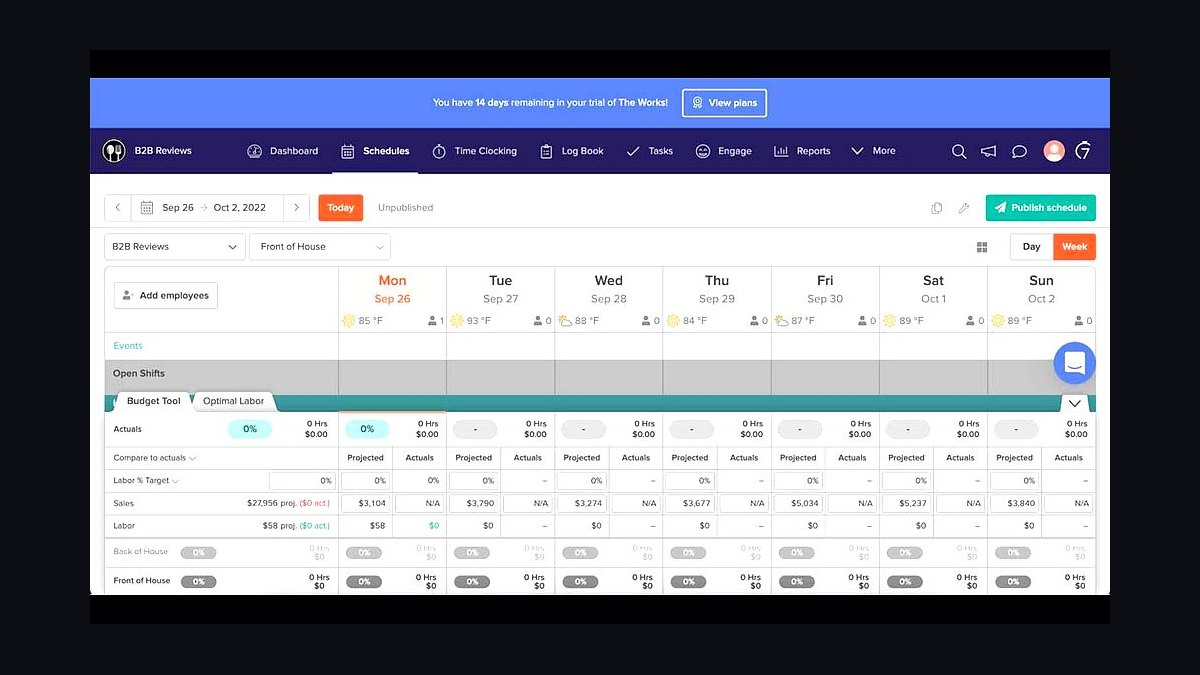
7shifts ranks seventh because it handles the multi-event, seasonal, gig-heavy labor reality of catering with shift swaps, labor-cost forecasting against sales, and certification tracking at roughly $30–$80+ monthly per location. Call times can flow from the event calendar rather than a group text.
It fits mid-size caterers staffing several concurrent events with rotating part-time crews. It trades away simplicity, since a single-event operation does not need its forecasting depth. Against HoneyBook above, 7shifts addresses labor cost rather than client revenue, and it beats a group chat the moment you run two events in one day.
8Toast
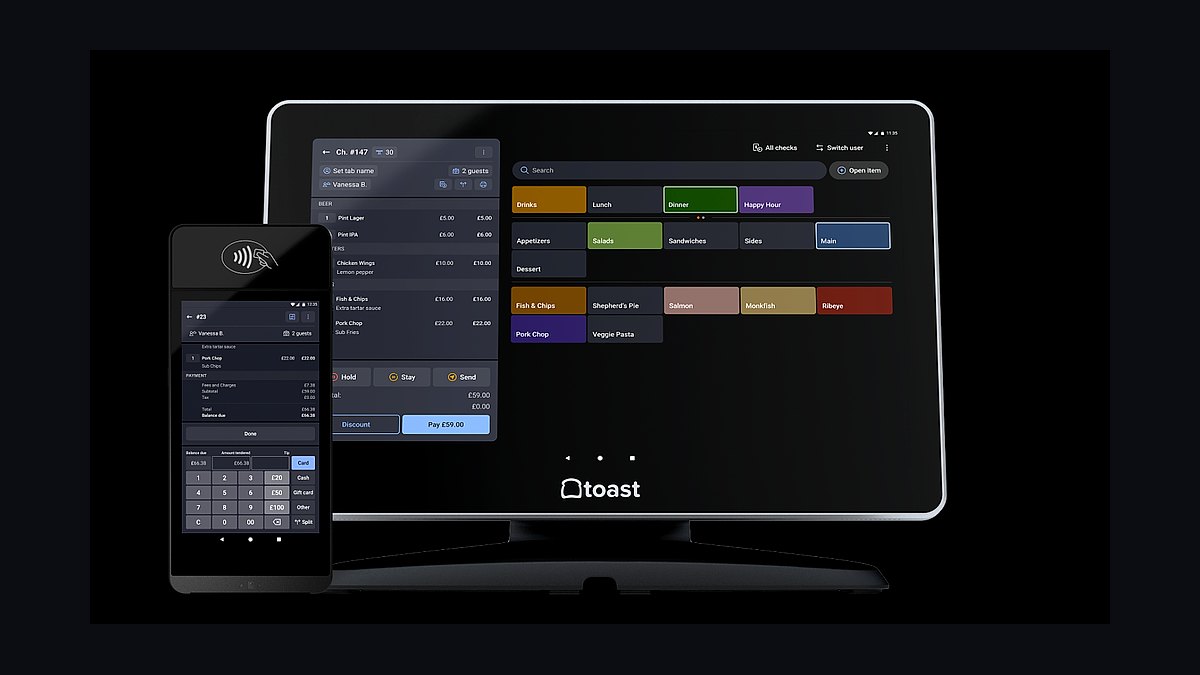
Toast ranks eighth because it is the hospitality default for venue-based catering, handling banquet bar tabs, on-site sales, and tips, and connecting cleanly to xtraCHEF for invoice-level costing. Pricing starts around $69 monthly per terminal plus hardware and processing.
It fits caterers who operate a venue, banquet bar, or on-site point of sale, not pure off-premise drop-off operations. It trades away events-management depth, so it never replaces Tripleseat or Caterease. Against 7shifts above, Toast captures on-site revenue while 7shifts controls the labor that serves it.
9QuickBooks Online
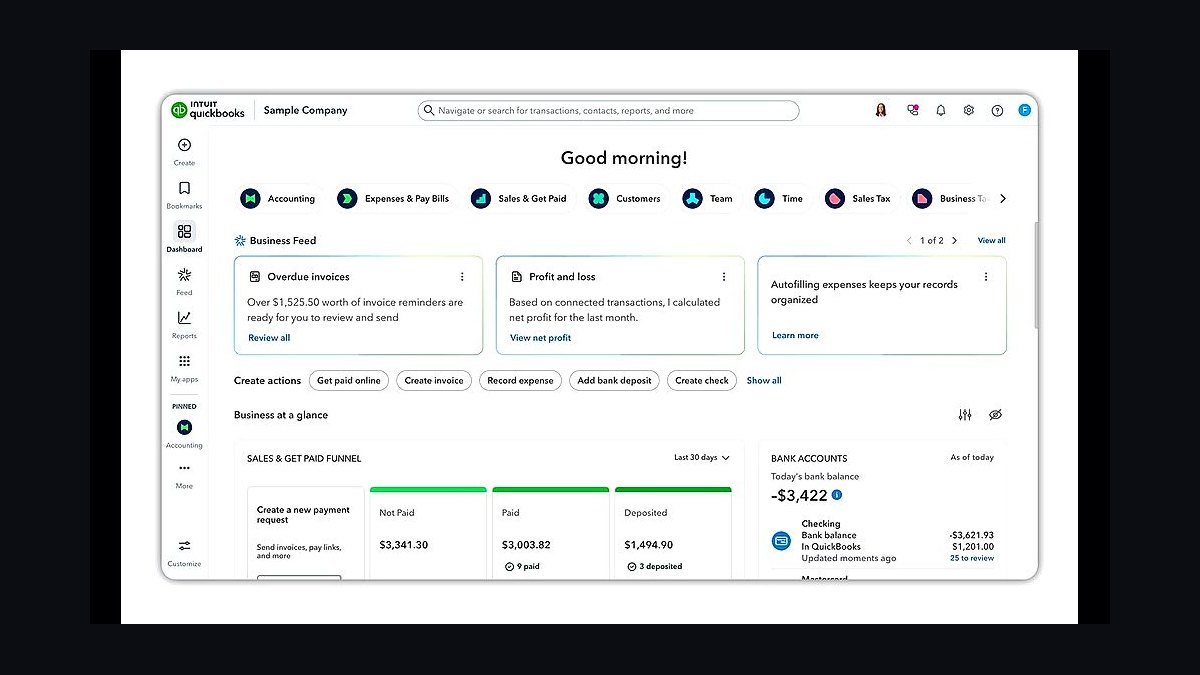
QuickBooks Online ranks ninth because it is the accounting home for the vast majority of caterers at roughly $35–$235 monthly, handling supplier AP, payroll for W-2 staff, and job-level profit per event when each event is mapped as a class or project. Event revenue and cost push in from the hub.
It fits small to mid-size caterers, while multi-entity enterprises outgrow it for Sage Intacct. It trades away dimensional reporting across locations and requires disciplined class mapping to show true per-event margin. Against Toast above, QuickBooks records the money after the event rather than capturing it during service.
10Power BI
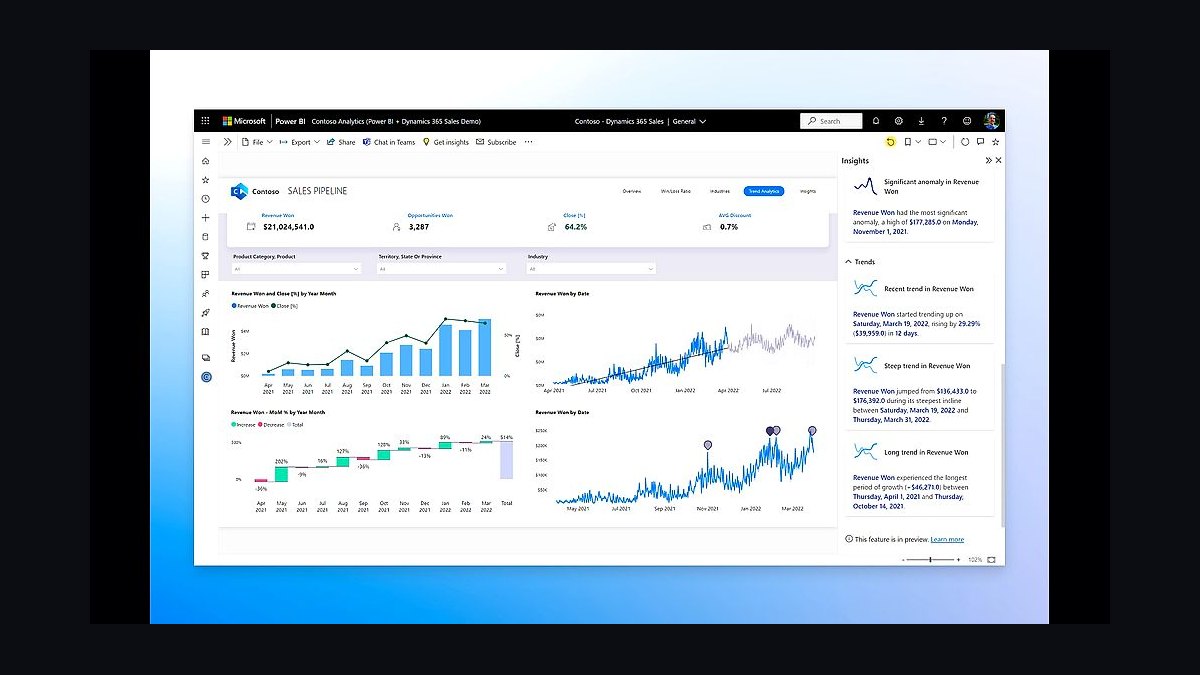
Power BI ranks tenth because once three or four systems are running, it delivers the single owner-level view of revenue per event type, food cost percentage trend, labor cost percentage, and booking pace at roughly $14 per user monthly. It reads across QuickBooks, the events hub, and the scheduler.
It fits operators whose native platform reports and spreadsheets have stopped scaling, typically mid-size and larger. It trades away simplicity and requires someone to build and maintain the data model. Against QuickBooks Online above, Power BI analyzes the numbers while QuickBooks records them.
How we ranked these
We ranked tools by weighting five factors: depth of catering-specific workflow (proposal-to-contract-to-BEO), food-cost and recipe-costing capability, multi-event staff scheduling fit, integration openness with accounting and payments, and total cost at realistic seat counts. Workflow depth and costing carried the most weight because they map directly to the two numbers that decide catering survival: food cost percentage and labor cost percentage per event.
We deliberately ignored generic restaurant POS feature checklists, marketing-site builders, and vendor review scores from sites with undisclosed commercial relationships. We also discounted AI menu-generation gimmicks and marketplace reach claims, since demand volume is not the same as margin. Features that only matter to fixed-location restaurants were excluded because catering is project-based, deadline-locked, and quoted weeks before purchase.
What to look for
What matters most is whether the tool owns the full revenue spine: inquiry, proposal, signed contract, deposit schedule, and BEO from one record. If a platform cannot tie a deposit to a future event date and spawn the BEO, you will double-enter and lose money. Second is whether costing reads live supplier invoices, because quoted margins drift fast on volatile proteins and eggs.
The mistake most buyers make is shopping feature breadth instead of integration depth. They buy a venue-grade POS-and-events suite for a pure drop-off operation, or bolt a separate CRM onto a hub that already closes and signs deals. Match the stack to your actual motion, then verify the scheduler and costing tool write back to the hub before you sign a contract.
Related questions
What is the best tech stack for a catering company in 2027?
Center it on a catering and events management hub such as Caterease, Total Party Planner, or Curate, then add a proposal-to-contract CRM, a recipe-costing layer like MarketMan or xtraCHEF, a multi-event scheduler like 7shifts, Stripe or Square for staged deposits, and QuickBooks Online for event-level accounting. Small caterers can consolidate into one near-all-in-one platform.
Do caterers need a POS system?
Only if you operate a venue, banquet bar, or on-site point-of-sale. Pure off-premise and drop-off caterers usually do not need a POS, because their transaction is the invoiced contract, not a tab. Venue-based caterers often run Toast alongside an events hub like Tripleseat for sales and BEOs.
How do catering companies protect food cost margin?
They run a recipe-and-costing tool that ties supplier invoices to recipes and live ingredient prices. MarketMan, Galley, and xtraCHEF by Toast flag when a quoted 28% food cost has drifted to 38% before the season ends. Without that layer, caterers discover margin loss only at year-end, after locked-in contracts are already fulfilled.
What scheduling tool works best for catering crews?
7shifts is purpose-built for hospitality scheduling, with shift swaps, labor-cost forecasting, and certification tracking across concurrent events. When I Work suits simpler schedules, and Connecteam fits deskless, gig, and on-call server pools because it bundles scheduling, time clock, and team chat. Whatever you pick, call times should flow from the live BEO.
How much should a catering company spend on software?
Solo and boutique caterers run roughly $50 to $200 monthly on one or two tools. Small caterers spend about $300 to $700 monthly. Mid-size multi-event companies run $900 to $2,500 monthly across best-of-breed layers. Large multi-venue enterprises spend $3,000 to $10,000 or more monthly with dedicated integration ownership.
Can HoneyBook run an entire catering business?
For a solo or boutique caterer, yes. HoneyBook handles proposals, contracts, e-signature, and payment scheduling in one place, and QuickBooks Online covers accounting behind it. It lacks deep BEO detail, recipe costing, and multi-event crew scheduling, so growing caterers typically migrate to Total Party Planner or Caterease once event volume and staff count rise.
What is a BEO and why does it matter in catering software?
A banquet event order is the document that tells the kitchen and floor exactly what to plate, when, and where. It should be generated from the same record as the signed contract and deposit, so changes flow through automatically. When the BEO and staff schedule fall out of sync, change orders leak money on rentals, labor, and food.
Should catering companies use ezCater or their own ordering site?
Most run both. ezCater brings corporate and drop-off demand you cannot generate yourself, at the cost of commission, while Square Online or Olo lets you take direct orders off your own site and keep the margin. Use the marketplace for reach and the owned channel for repeat corporate clients you want to retain.
FAQ
What is the best all-in-one software for a small caterer?
Total Party Planner is the friendliest near-all-in-one for small and mid-size caterers, bundling CRM, recipe costing, BEOs, and invoicing around $130 to $300 monthly. HoneyBook is cheaper for solo operators who mainly need proposals, contracts, and payments. Caterease is stronger on BEO detail but heavier to configure.
Do I need separate CRM and events management tools?
Usually not. If your events hub already captures leads, builds proposals, and closes contracts with deposits, a separate CRM adds double entry and reconciliation risk. Only split them when a venue-based sales team genuinely needs Tripleseat's event-sales workflow alongside a separate production hub, and even then integrate tightly.
How do caterers handle deposits and milestone payments?
They run payments through Stripe or Square, embedded in the events hub so the deposit schedule ties to a specific future event date. Money typically arrives in stages: deposit at signing, a second payment mid-cycle, and final balance after the event. A single hub owning that schedule prevents the most expensive bookkeeping hole in catering.
What accounting software do catering companies use?
QuickBooks Online fits the vast majority of caterers, roughly $35 to $235 monthly, handling supplier AP, payroll, and job-level profit when each event is mapped as a class or project. Large multi-venue or multi-entity catering enterprises outgrow it and move to Sage Intacct for dimensional reporting across locations.
When should a caterer add a business intelligence layer?
Once you run three or four disconnected systems and need one view of revenue per event type, food cost percentage trend, labor cost percentage, and booking pace versus last year. Power BI at about $14 per user monthly reads from QuickBooks, the events hub, and the scheduler. Smaller shops can live on native hub reports longer.
How long does it take to implement a catering tech stack?
Plan roughly 90 days. Days 1 to 30 stand up the events hub, migrate active contracts, and connect payments. Days 31 to 60 load recipes, connect supplier invoices, and wire scheduling to the BEO. Days 61 to 90 map events to accounting classes, build margin dashboards, and train the team on new SOPs.
What is the biggest mistake when buying catering software?
Shopping feature breadth instead of integration depth. Buyers sign up for venue-grade POS-and-events suites they never fully use, or bolt a separate CRM onto a hub that already closes deals. Match the stack to your actual motion, then verify the scheduler and costing tool write back to the hub before signing.
Can a restaurant POS handle catering operations?
No. A restaurant POS handles transactions, not the proposal-to-contract-to-BEO lifecycle catering runs on across a six-to-twelve-month booking horizon. Even venue caterers using Toast still need an events hub like Tripleseat or Caterease for sales, contracts, and BEOs. Off-premise caterers often need no POS at all.
How do caterers schedule staff across multiple simultaneous events?
They use a hospitality scheduler like 7shifts that models concurrent events, tracks alcohol-service and food-handler certifications, controls overtime, and pushes call times to a rotating gig workforce. When I Work suits simpler operations, and Connecteam fits deskless crews reached mainly by phone. The schedule should be driven from the live BEO, not a spreadsheet.
Is recipe costing worth it for a small caterer?
Skip it at solo scale, where a spreadsheet or Better Cater suffices. It becomes non-negotiable once food purchasing passes a few hundred thousand dollars a year, because volatile protein and egg prices can quietly turn a quoted 28% food cost into 41%. MarketMan, Galley, and xtraCHEF all handle invoice-to-recipe costing at that stage.
Sources
- https://www.gartner.com/en/documents/retail-unified-commerce-magic-quadrant
- https://www.forrester.com/research/
- https://www.mckinsey.com/industries/retail/our-insights
- https://www.caterease.com/
- https://www.totalpartyplanner.com/
- https://www.tripleseat.com/
- https://www.marketman.com/
- https://www.7shifts.com/
- https://quickbooks.intuit.com/
- https://powerbi.microsoft.com/
Related on PULSE
This page will be disappearing soon. Save it to your device for $1 — or read it free while it is here.
@Kory-White- · if Venmo asks, the last 4 of my number are 2012
This page is gone.
This one is off the shelf now. $1 keeps it on your phone for good — the whole page, pictures and diagrams included.
 pulse-tech-stacksTop 10 Best Tech Stack Tools for CrossFit Boxes in 2027
 pulse-tech-stacksTop 10 Best Tech Stack Tools for Independent Roofing Contractors in 2027
 pulse-tech-stacksTop 10 Best Tech Stack Tools for Home Builders and Residential Developers in 2027
 pulse-tech-stacksTop 10 Best Tech Stack Tools for Painting Contractors in 2027
 pulse-tech-stacksTop 10 Best Tech Stack Tools for AI Music Generation Companies in 2027
 pulse-tech-stacksTop 10 Best Tech Stack Tools for Land Surveying Firms in 2027
 pulse-tech-stacksTop 10 Best Tech Stack Tools for Independent Dance Studios in 2027
 pulse-tech-stacksTop 10 Best Tech Stack Tools for Software Development Agencies in 2027
 pulse-tech-stacksTop 10 Best Tech Stack Tools for Pilates Studios in 2027
 pulse-tech-stacksTop 10 Best Tech Stack Tools for Medical Billing and RCM Companies in 2027