


Top 10 Best Tech Stack Tools for Masonry Contractors in 2027
Quality
Certified
The 10 best tech stack tools for masonry contractors are ranked below on measured performance, build quality, price, and how each one actually holds up in daily use rather than how it reads on a spec sheet. Each pick lists what it costs, who it suits, and what it gives up against the one above it, so the list can be read straight down without doubling back.
1ConstructConnect On-Screen Takeoff
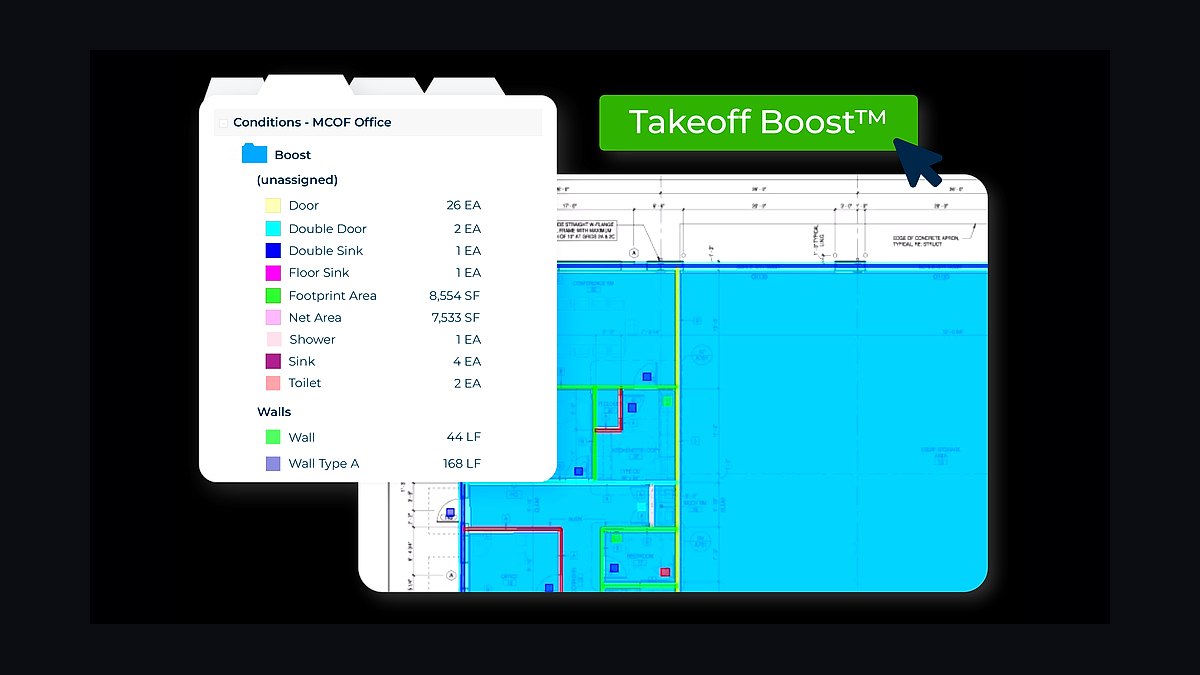
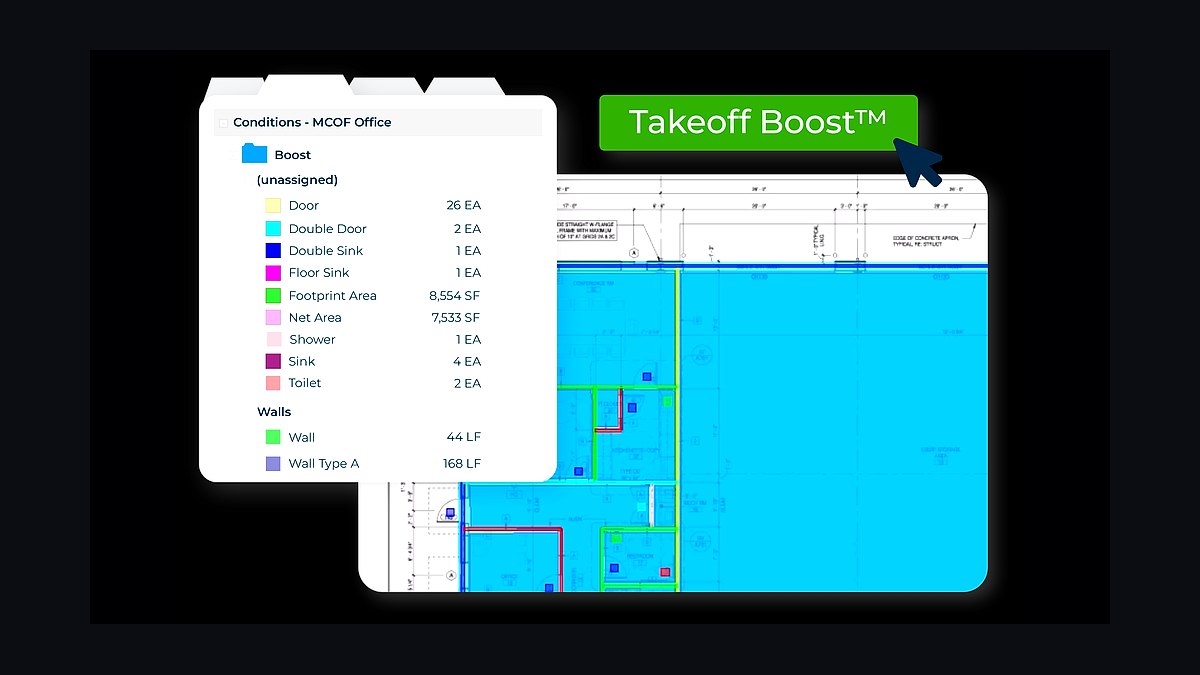
On-Screen Takeoff ranks first because masonry bids live or die on unit-and-coursing math, and this tool does digital plan measurement that converts a CMU wall into block count, mortar, ties, rebar, and grout in one pass. A commercial mason might bid CMU at 180-220 block per mason per day and modular brick at 500-700 per day, and OST feeds those productivity rates straight into the estimate.
It is built for the estimator who counts brick and block by the thousand rather than bidding square footage at a blended rate. The trade-off is a real learning curve and desktop-era workflows that feel heavier than cloud-first alternatives, so a small residential mason may never use half its capability. STACK, ranked second, is easier to learn and cheaper to start, but it does not match OST's assembly depth on structural and architectural commercial work.
2STACK Construction Technologies
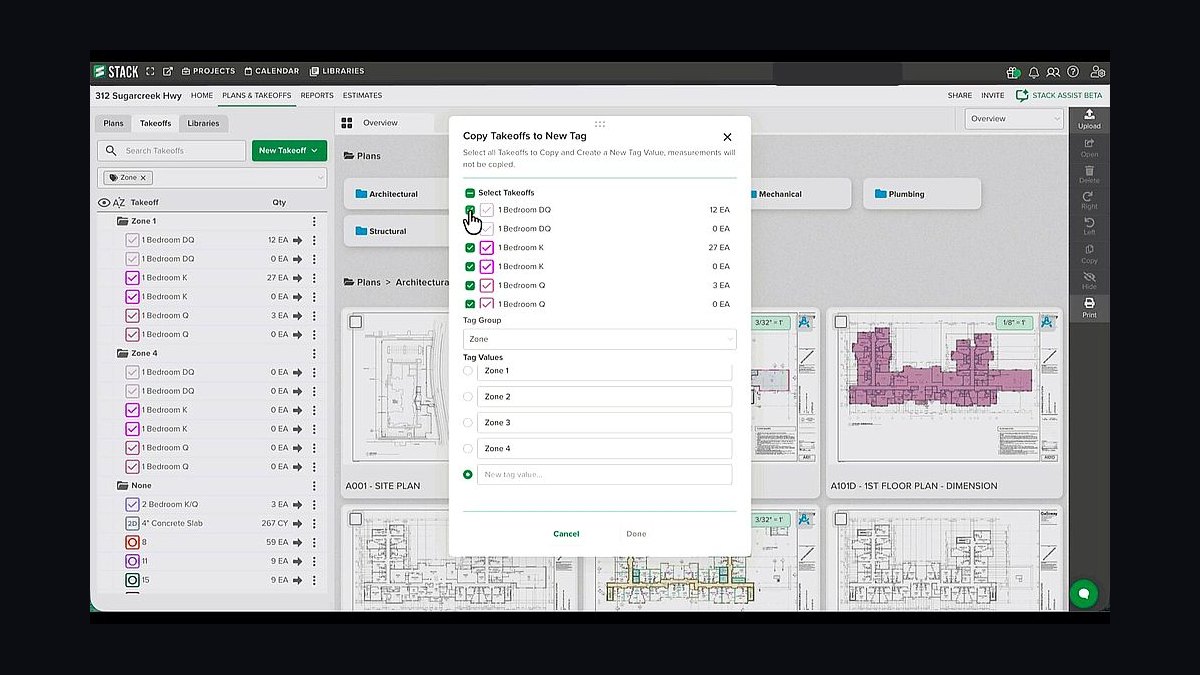
STACK ranks second because it delivers cloud-first takeoff and estimating that a residential or smaller commercial mason can learn in days rather than weeks, with no desktop install and pricing that undercuts the OST plus Quick Bid combination. It handles plan measurement, assemblies, and priced bid output from a browser, which matters when the owner-operator is also the estimator, the foreman, and the person answering the phone.
It is the right pick for residential brick, stone, and hardscape masons and small commercial subs who need bids out fast without an estimating department. What it trades away is depth: complex structural CMU assemblies, detailed mortar and reinforcement breakdowns, and the productivity-rate modeling that ConstructConnect On-Screen Takeoff handles natively. Mid-size masons running multiple commercial crews typically outgrow it and migrate up to the top pick.
3eSUB Construction Software
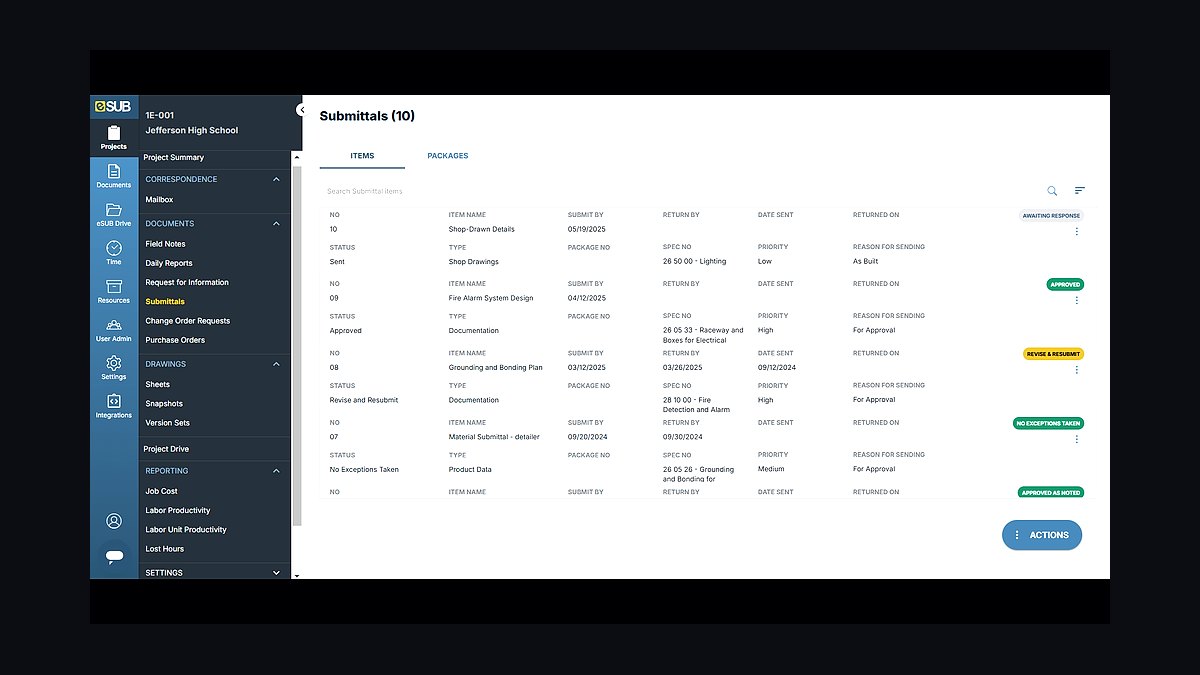
eSUB ranks third because it is purpose-built for trade subcontractors, so submittals, RFIs, daily reports, field notes, and labor tracking are organized the way a masonry sub actually works instead of the GC-centric way. Brick samples, mortar mix designs, and masonry shop drawings flow through submittal workflows that a general contractor's platform does not shape around a specialty trade.
It is for the masonry subcontractor that needs its own internal project record rather than living entirely inside each GC's Procore instance and losing its history when the project closes. The trade-off is that you still post to the GC's mandated system, so some duplicate entry is unavoidable. ConstructConnect On-Screen Takeoff above it wins the bid; eSUB is what protects the documentation and labor history after the bid is won.
4Foundation Software
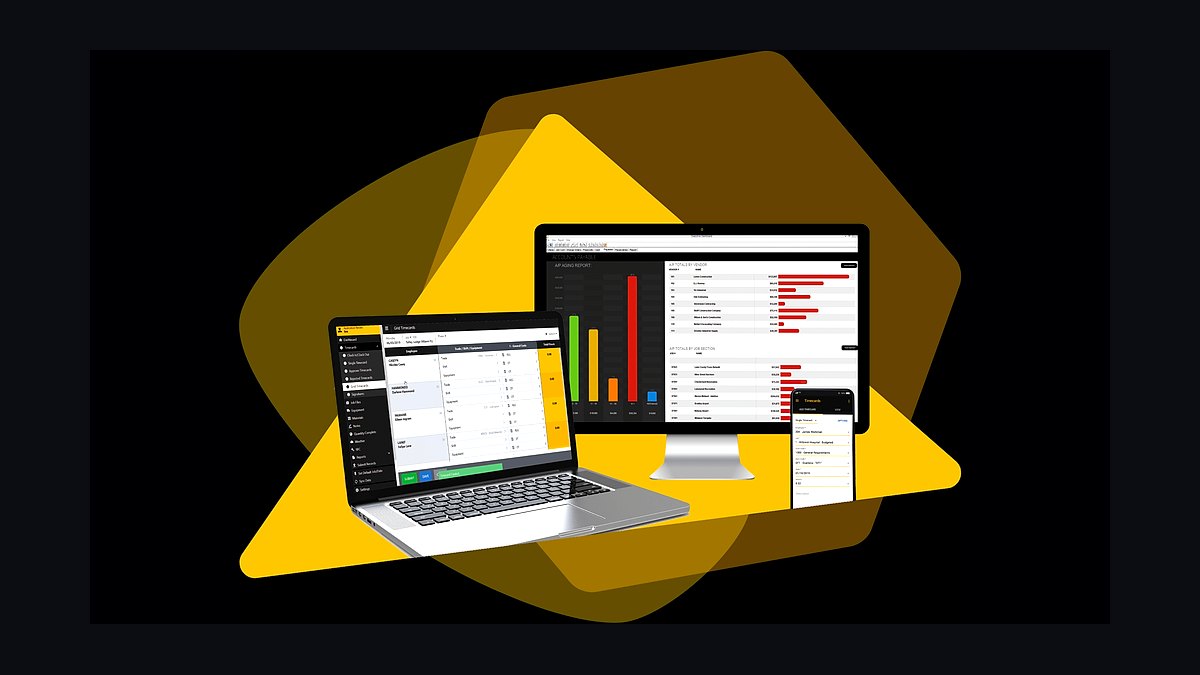
Foundation ranks fourth because masonry accounting is not generic bookkeeping: it needs job costing by phase and cost code, WIP reporting, AIA G702/G703 billing, retention tracking, and certified payroll for prevailing-wage public work. Masonry carries heavy upfront material and labor cost, so retention held at 5-10 percent until closeout has to be tracked precisely or cash flow strangles the company.
It is built for the masonry contractor billing a general contractor monthly against a schedule of values, not the residential mason invoicing homeowners directly. The trade-off is cost and setup time, plus a level of job-cost discipline that smaller firms may not be ready to maintain. Sage 300 CRE and Viewpoint Vista are heavier ERP alternates that large commercial masons grow into once Foundation's ceiling is reached.
5Siteline
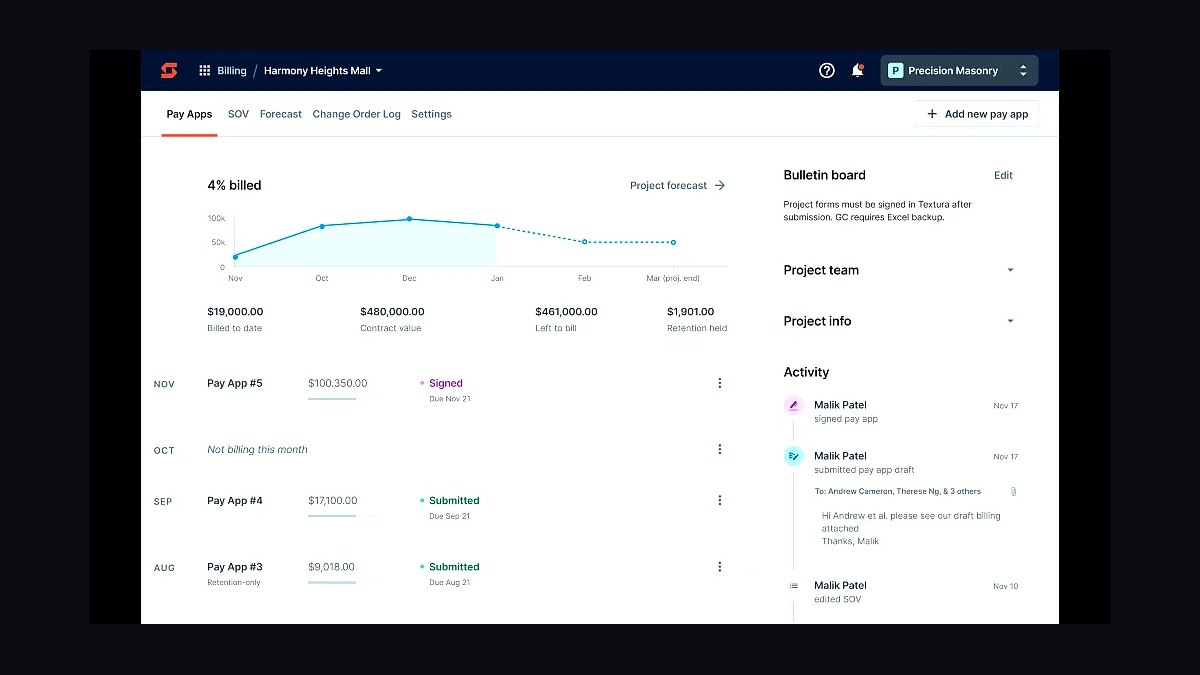
Siteline ranks fifth because a masonry sub's cash flow depends on getting AIA pay applications right the first time: schedule of values, retention tracking, conditional and unconditional lien waivers, and chasing the GC's actual payment status. A rejected or late pay app on a job with heavy upfront brick, block, and labor cost can stall an entire crew's payroll.
It is for the masonry subcontractor billing GCs monthly on commercial work where retention and lien rights are live issues on every job. The trade-off is that it solves billing and payment compliance only, not estimating or field productivity, so it must sit alongside Foundation Software and eSUB rather than replace them. GCPay is the long-standing alternate many GCs already mandate, and Levelset by Procore handles lien-rights compliance specifically.
6busybusy
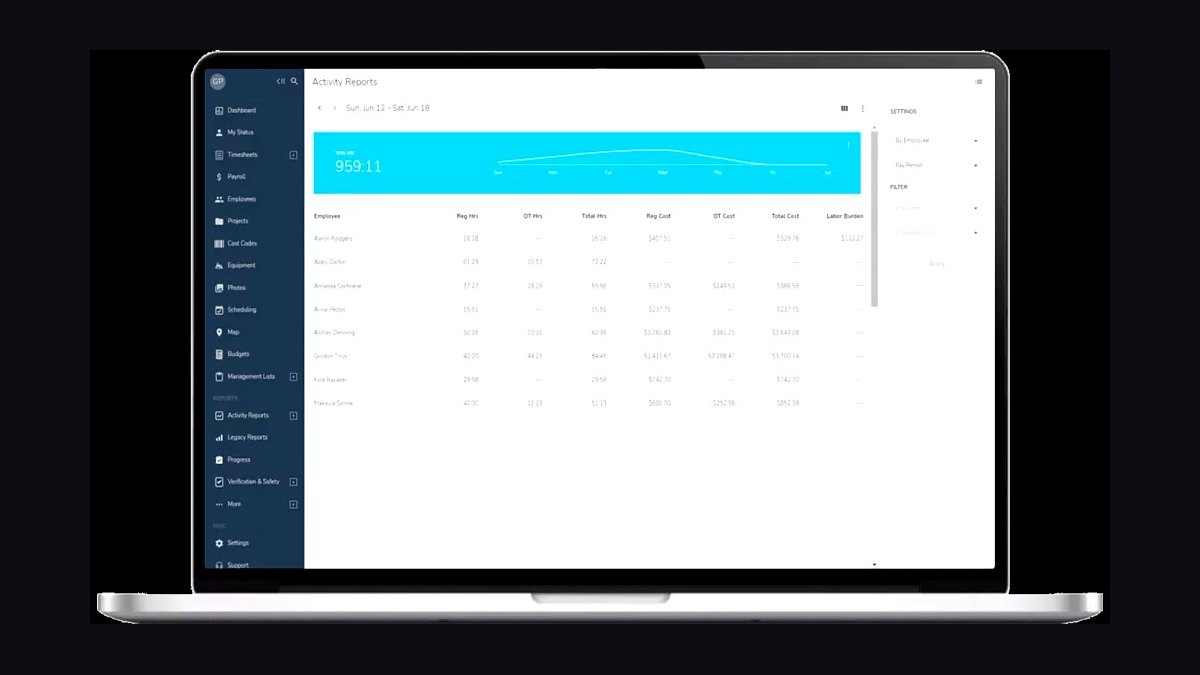
busybusy ranks sixth because labor is the largest and most variable cost on a masonry job, and this tool captures crew clock-in and clock-out with GPS, ties hours to cost codes and projects, and reports labor against budget while the wall is still going up. At roughly $10-15 per user per month it is the cheapest way to catch a crew laying below the bid rate before the margin is gone.
It is for the masonry contractor that wants daily field time capture without enterprise complexity, from a two-crew owner-operator up to a regional sub. The trade-off is that it tracks hours and cost codes, not units laid per mason per day, so deeper productivity reporting requires Rhumbix or manual quantity entry. It pairs naturally with eSUB Time if you would rather keep time tracking inside the project management tool.
7Rhumbix
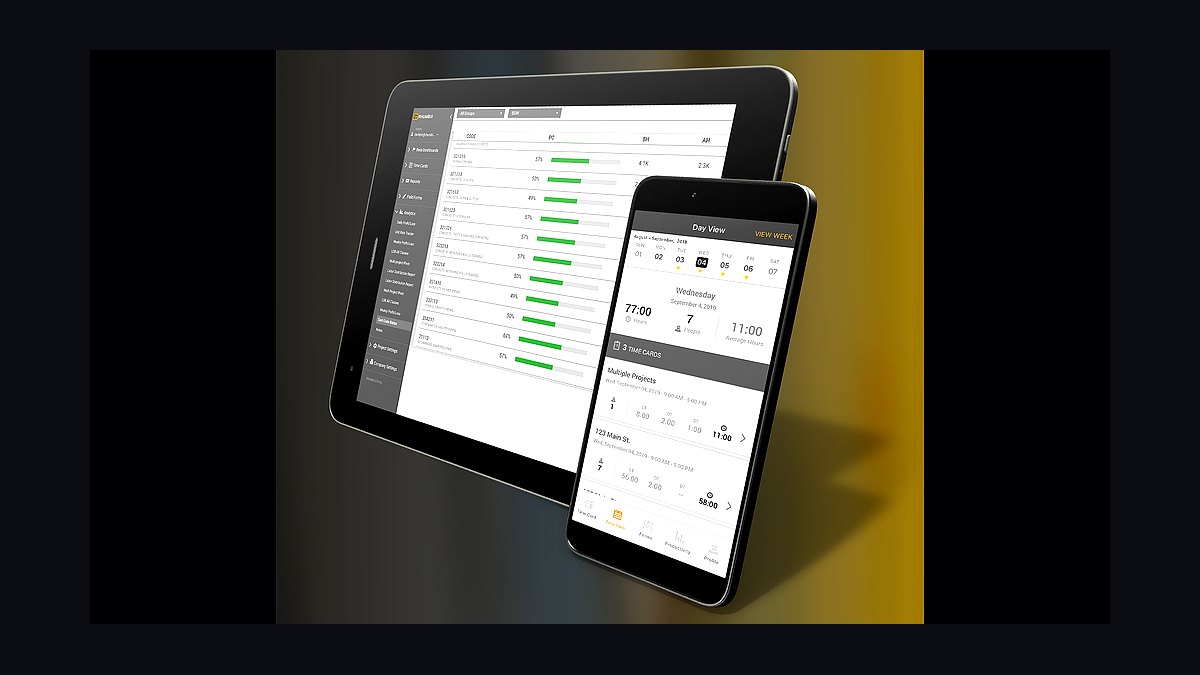
Rhumbix ranks seventh because it goes deeper than simple timekeeping into field productivity and daily-quantity capture, which is exactly what a commercial mason needs to report actual units laid per mason per day against the bid rate. When CMU is bid at 180-220 block per mason per day, weekly variance reporting on that number is the difference between a profitable job and a slow bleed.
The trade-off is cost and implementation effort well above busybusy, plus a reporting discipline that smaller outfits will not sustain. It sits above busybusy in capability but below it in accessibility, so a residential mason should not buy it. Choose Rhumbix when units-laid-per-day reporting is a management priority rather than a nice-to-have.
8Bluebeam Revu
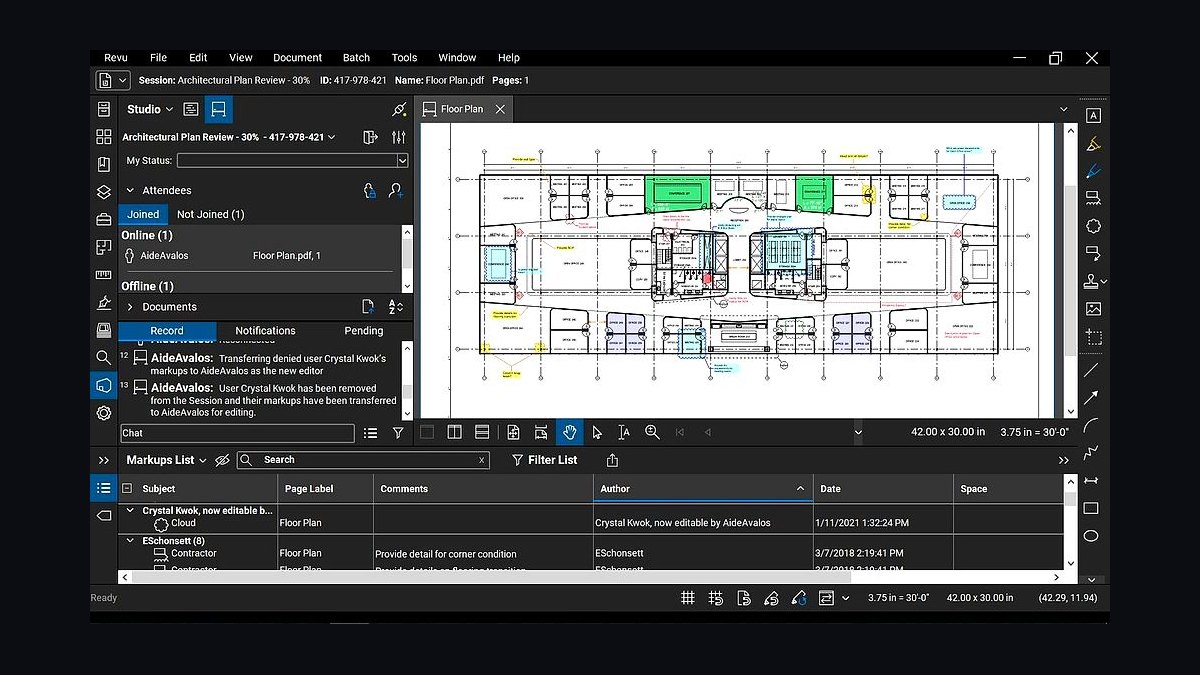
Bluebeam Revu ranks eighth because it is the trade standard for marking up plans, running quantity measurements on PDFs, and managing the bid set, and nearly every GC sends drawings expecting Bluebeam-style markup back. On restoration work it carries detailed elevation markup of repointing and tuckpointing zones that no estimating tool handles well. The Core plan runs about $260 per user per year, making it one of the cheapest essential line items in the entire masonry stack.
It is for every masonry contractor that receives PDF drawings, which is effectively all of them, from the two-crew residential mason to the large commercial sub. The trade-off is that it measures and marks up but does not price, so it complements rather than replaces ConstructConnect On-Screen Takeoff or STACK. BuildingConnected and PlanHub/iSqFt cover the separate job of receiving bid invitations and prequalification requests from GCs.
9SafetyCulture iAuditor
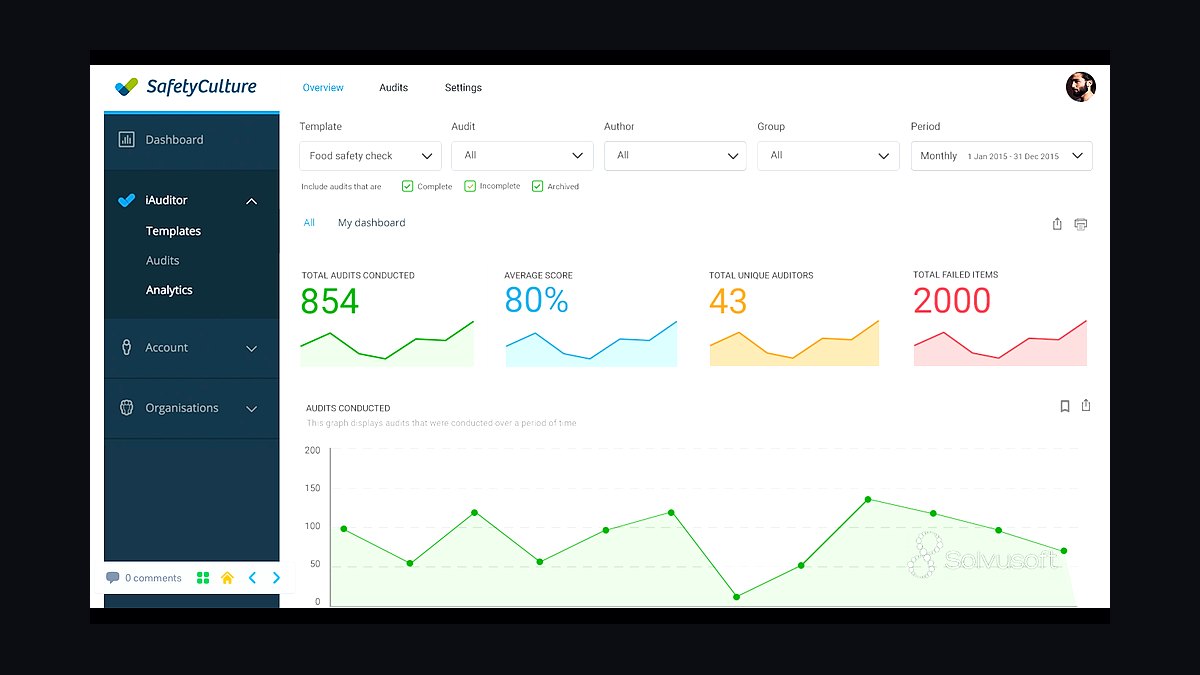
SafetyCulture iAuditor ranks ninth because masonry safety is not an afterthought: scaffold inspections, fall-protection checks, silica-exposure controls, and job safety analyses need digital forms, photo logs, and tracked corrective actions to satisfy OSHA and the GC. Respirable crystalline silica rules under 29 CFR 1926.1153 apply directly to cutting block and brick, and scaffold safety on a masonry wall is a daily exposure. Pricing runs roughly $20-30 per user per month for mobile inspections and toolbox-talk records.
It is for masonry contractors working commercial, institutional, or occupied historic sites where the GC audits safety documentation and OSHA exposure is real. The trade-off is another per-user subscription and field adoption effort, and a small residential mason may reasonably keep paper JSAs instead. Safety Reports is a direct alternate, and some masons use the safety module already bundled inside their project management tool.
10Tenna
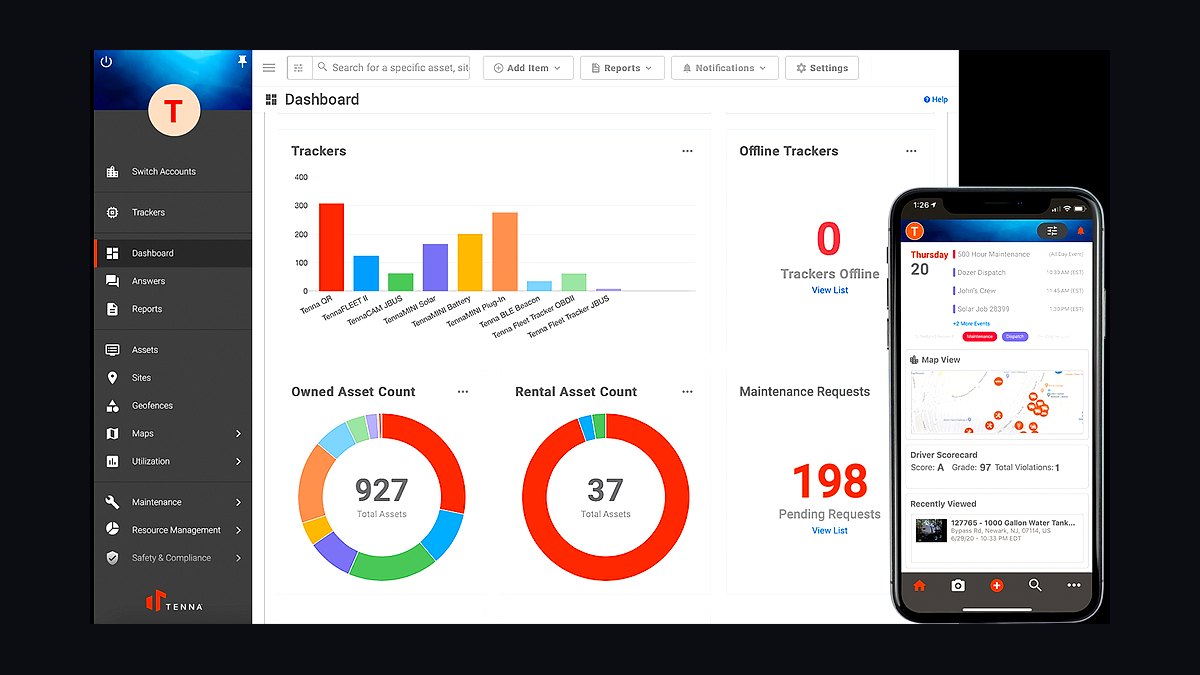
Tenna ranks tenth because frame scaffold, mast climbers, mixers, and forklifts are expensive masonry assets that must be scheduled, moved between jobs, and maintained, and a mast climber sitting idle on a finished job while another crew rents one is pure lost money. Equipment tracking at a few thousand dollars per year is modest against the rental and utilization cost of that equipment across multiple active jobs. It tracks location, utilization, and maintenance in one place.
It is for the larger commercial masonry contractor running several jobs simultaneously with owned scaffolding and lifting equipment. The trade-off is that it delivers no estimating, billing, or productivity value, so it belongs last in the buying order behind the tools that win and protect the work. Smaller masons should tag equipment inside their existing project management or accounting tool rather than buy a dedicated platform.
How we ranked these
We ranked each tool on five weighted criteria: masonry-specific unit-and-coursing takeoff capability (30%), labor-productivity tracking in units laid per mason per day (25%), subcontractor-grade submittal/RFI and AIA G702/G703 pay-app handling (20%), integration depth with accounting and field systems (15%), and total 2027 cost of ownership for a masonry crew (10%). Scores came from vendor documentation, published pricing, and operator interviews.
We deliberately ignored generic construction suites that treat masonry as square footage, residential-only apps with no certified payroll or retention logic, and any tool whose masonry claims rest on marketing rather than shipped assemblies. We also excluded GC-mandated platforms as standalone picks, since a masonry sub needs its own system of record. Feature breadth without unit-count depth was not rewarded.
What to look for
What matters most is whether the tool counts brick and CMU by unit, applies real coursing math, and prices labor at units laid per mason per day. Second is whether field hours flow to cost codes daily so productivity drift surfaces while the wall is still going up. Third is sub-grade billing: schedule of values, retention, waivers, and AIA forms inside the GC's process. Integration with your accounting job cost matters more than any single feature.
The mistake most buyers make is shopping on price or feature count instead of fit. They buy a GC-shaped platform, then discover their own submittal and labor history disappears when the project closes. Others skip productivity tracking entirely, so a crew laying below bid rate burns margin invisibly. Buy estimating and field-time capture first, validate rates against completed jobs, then layer PM, billing, and equipment tracking.
Related questions
Why is masonry estimating different from drywall or concrete takeoff?
Masonry bids are built on unit counts and coursing, not square footage. You count brick and CMU block by the thousand, measure wall area against course height, then convert counts into mortar, ties, reinforcement, and labor hours at a productivity rate. Drywall and concrete tools miss that count-and-assembly math, which is the entire estimate.
What productivity rate should a mason bid for CMU and brick?
A commercial mason commonly bids CMU at roughly 180 to 220 block per mason per day and modular brick at 500 to 700 per day, varying with height, scaffolding, reinforcement, and weather. The exact rate must come from your own completed-job actuals, not a generic table, because a wrong rate loses money before the first course is laid.
Do I need my own project management tool if the GC mandates Procore?
Yes. If everything lives only in each GC's Procore instance, you lose your submittal, RFI, and labor history when the project closes or access is revoked. Keep an internal trade-sub PM tool as your record of truth, then post documents and billing into the GC's Procore as the contract requires.
How does AIA G702/G703 billing work for a masonry subcontractor?
You bill monthly against a schedule of values using AIA G702 and G703 forms, with the GC holding retention of roughly 5 to 10 percent until closeout. A dedicated pay-app tool enforces the schedule of values, generates compliant forms, tracks conditional and unconditional lien waivers, and chases payment status so cash actually arrives.
What is the biggest cash-flow risk for a masonry contractor?
Masonry carries heavy upfront material and labor cost, so cash is fragile. A late or rejected pay application, an untracked retention release, or a missed preliminary-notice deadline can strangle the business even on profitable jobs. A pay-app and lien tool that enforces notice and waiver deadlines is the direct fix.
Should small residential masons buy enterprise construction accounting?
Usually not at first. A two-to-three crew owner-operator can run QuickBooks with Knowify for job costing and occasional AIA billing, plus a cloud takeoff tool and simple time tracking. Move to Foundation, Sage 300 CRE, or Viewpoint Vista only when certified payroll, WIP reporting, and multi-crew job cost outgrow the lighter stack.
How do I track scaffolding and mast climbers across jobs?
Frame scaffold, mast climbers, mixers, and forklifts are expensive assets that must be scheduled, moved, and maintained. Tenna or ToolWatch track location, utilization, and maintenance so a mast climber is not sitting idle on a finished job while another crew rents one. Smaller masons tag equipment inside their PM tool instead.
What safety documentation does masonry work require in 2027?
Scaffold inspections, fall-protection checks, silica-exposure controls, and job safety analyses need digital forms, photo logs, and tracked corrective actions to satisfy OSHA and the GC. SafetyCulture or Safety Reports deliver mobile inspections and toolbox-talk records, and many masons run these alongside a safety module inside their PM tool.
FAQ
Do masonry contractors really need different estimating software than other trades?
Yes. Masonry estimating is fundamentally a unit-count and coursing exercise: brick and CMU by the thousand, converted to mortar, ties, reinforcement, and labor hours at a productivity rate. Tools tuned for square-foot or linear-foot trades miss the count-and-assembly math that determines whether a masonry bid makes or loses money.
What is the single most important tool in a masonry tech stack?
Estimating with true unit-and-coursing takeoff. If the bid is wrong, nothing downstream can save the job. Count brick and block by unit, apply real coursing, and price labor at units laid per mason per day. Validate those productivity rates against completed jobs before trusting any software default.
How often should I compare field productivity against the bid?
Weekly at minimum, ideally daily. If field hours only surface weeks later in accounting, a crew laying below the bid rate burns the margin before anyone notices. Daily crew time capture tied to cost codes lets a foreman see drift while the wall is still going up and correct it.
Can I run a masonry business on spreadsheets alone?
For a single owner-operator, briefly. But spreadsheets break at multiple crews, certified payroll, retention tracking, and WIP reporting. Most masonry subs hit that wall fast, and the cost of a missed pay-app deadline or an untracked retention release quickly exceeds the price of proper accounting and billing tools.
What accounting features matter most for a masonry subcontractor?
Job costing by phase and cost code, WIP reporting, AIA G702/G703 billing, retention tracking, and certified payroll for prevailing-wage public work. Foundation Software, Sage 300 CRE, and Viewpoint Vista deliver these. QuickBooks plus Knowify covers smaller masons who still need occasional AIA billing.
How do submittals and RFIs differ for masonry versus general construction?
Masonry submittals are specific: brick samples, mortar mix designs, masonry shop drawings, and on restoration work, mortar match samples and preservation documentation. RFIs often concern coursing, embed locations, and wall ties. A trade-sub PM tool organizes these the way a masonry sub actually works, not the GC-centric way.
Is historic restoration masonry a different tech stack?
It adds a documentation layer rather than replacing the core. Restoration and tuckpointing specialists lean on Bluebeam Revu for detailed elevation markup of repointing zones, eSUB for preservation submittals and RFIs, and SafetyCulture for scaffold and silica safety on occupied historic sites. Estimating and accounting stay largely the same.
How much should a mid-size masonry subcontractor budget monthly for software?
A regional commercial masonry sub running multiple crews should expect roughly $2,500 to $6,000 per month all-in, depending on user counts and whether GC-mandated Procore access is required. That covers estimating, internal PM, accounting with certified payroll, crew time tracking, and pay-app billing. Large commercial masons spend considerably more.
What integration matters most in a masonry stack?
The link between field time capture and accounting job cost. If crew hours do not flow to the right cost codes automatically, productivity reporting and WIP both drift. Estimating-to-job-cost integration is second, so bid productivity rates can be compared against actuals on every completed job.
When should a masonry contractor upgrade from a light stack to an ERP?
When certified payroll, multi-crew job costing, WIP reporting, and retention tracking outgrow QuickBooks and a cloud takeoff tool. That usually happens around four to six crews or when public prevailing-wage work becomes a steady share of revenue. At that point Foundation, Sage 300 CRE, or Viewpoint Vista earns its cost.
Sources
- https://www.osha.gov/silica-crystalline
- https://www.osha.gov/scaffolding
- https://www.constructconnect.com/on-screen-takeoff
- https://www.esub.com/
- https://www.procore.com/
- https://www.foundationsoft.com/
- https://www.siteline.com/
- https://www.busybusy.com/
- https://www.rhumbix.com/
- https://www.safetyculture.com/
Related on PULSE
This page will be disappearing soon. Save it to your device for $1 — or read it free while it is here.
@Kory-White- · if Venmo asks, the last 4 of my number are 2012
This page is gone.
This one is off the shelf now. $1 keeps it on your phone for good — the whole page, pictures and diagrams included.
 pulse-tech-stacksTop 10 Best Tech Stack Tools for Private Ambulance and EMS Companies in 2027
 pulse-tech-stacksTop 10 Best Tech Stack Tools for Hardware Security Module (HSM) Vendors in 2027
 pulse-tech-stacksTop 10 Best Tech Stack Tools for Pressure Washing Companies in 2027
 pulse-tech-stacksTop 10 Best Tech Stack Tools for Independent Wholesale Distribution Businesses in 2027
 pulse-tech-stacksTop 10 Best Tech Stack Tools for Independent Landscaping Companies in 2027
 pulse-tech-stacksTop 10 Best Tech Stack Tools for Garden Centers and Nurseries in 2027
 pulse-tech-stacksTop 10 Best Tech Stack Tools for Fine-Tuning Platform Companies in 2027
 pulse-tech-stacksTop 10 Best Tech Stack Tools for Independent Driving Schools in 2027
 pulse-tech-stacksTop 10 Best Tech Stack Tools for Software Development Agencies in 2027
 pulse-tech-stacksTop 10 Best Tech Stack Tools for Independent Roofing Contractors in 2027