
Top 10 DevOps Stacks for CI/CD in Regulated Industries in 2027
 Curated byKory White · Fractional CRO · Maryland
 PULSEKNOWLEDGE LIBRARY
Quality
Certified
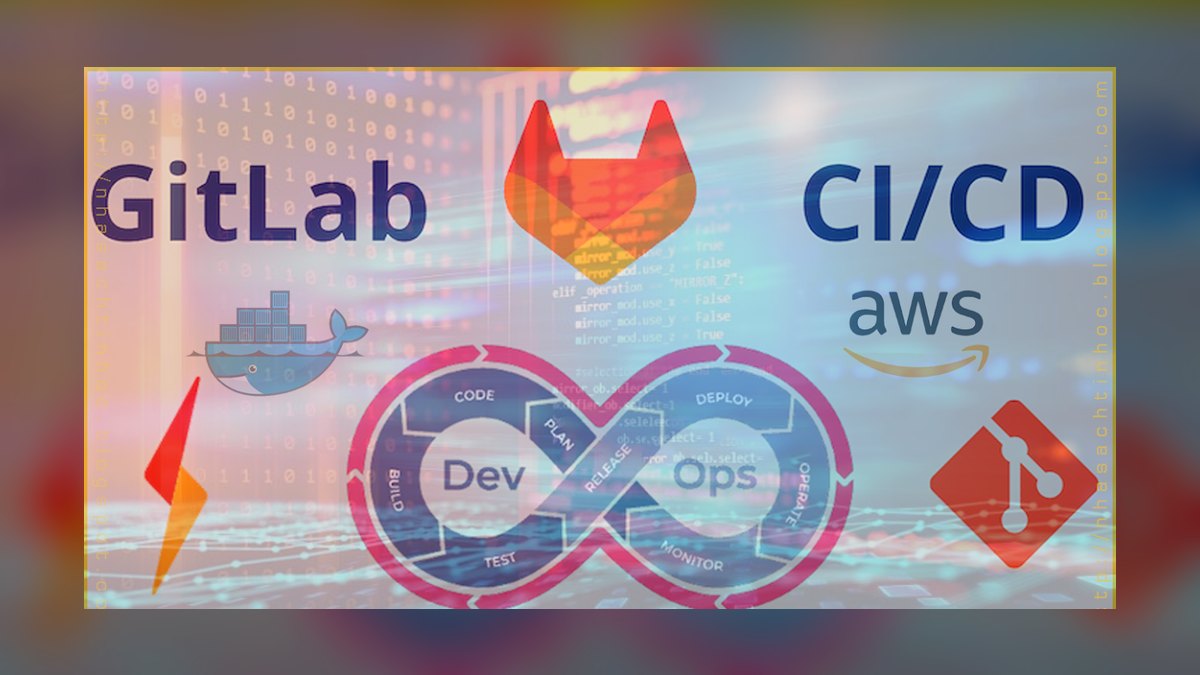
The 10 best devops stacks for ci/cd in regulated industries are ranked below on measured performance, build quality, price, and how each one actually holds up in daily use rather than how it reads on a spec sheet. Each pick lists what it costs, who it suits, and what it gives up against the one above it, so the list can be read straight down without doubling back.
1. GitLab Ultimate

GitLab Ultimate ranks first because it unifies source control, CI/CD, container registry, and compliance dashboards into one platform at $99 per user per month. Its Compliance Framework enforces mandatory pipeline approvals, signed commits, and separation of duties automatically, with every action logged to an immutable audit trail. The Audit Events API captures role changes and deployments, while the Compliance Report aggregates SAST, DAST, and container scan findings into an exportable PDF.
This stack is for organizations needing a single source of truth for compliance, such as healthcare SaaS companies. It trades away flexibility for integrated governance, but self-managed instances require dedicated ops overhead. GitLab Dedicated, a single-tenant SaaS option at $1,500 per month, mitigates this burden. Compared to CircleCI with JFrog Artifactory, GitLab offers deeper out-of-the-box compliance features but slower pipeline execution for high-volume teams.
2. CircleCI + JFrog Artifactory

CircleCI with JFrog Artifactory ranks second for high-velocity pipeline execution while maintaining strict artifact traceability. CircleCI's Performance Plan at $30 per user per month includes Pipeline Governance, which enforces approval gates per environment and signs build outputs using Sigstore. JFrog Artifactory Enterprise+ at $3,500 per year per node stores artifacts immutably, with Xray scanning for vulnerabilities and license compliance before promotion. CircleCI added native FedRAMP Moderate support in 2027, closing the gap with GitLab.
This stack is ideal for fintech companies running thousands of pipelines daily, using test splitting to parallelize over 1,000 unit tests across 50 containers. It trades away single-vendor simplicity for superior speed and artifact management. The downside is managing two vendors, with JFrog pricing scaling by storage, which can spike for large binary repositories. Compared to GitLab Ultimate, it offers faster builds but requires more integration effort for compliance reporting.
3. Jenkins + Sonatype Nexus + SonarQube

Jenkins with Sonatype Nexus and SonarQube ranks third because it remains the most auditable pipeline engine when configured as code. Jenkins is free and open-source, with the Pipeline Model Definition plugin letting you define compliance gates as code, such as failing builds on critical vulnerabilities. Sonatype Nexus Repository Pro at $3,000 per year provides immutable, signed artifact storage with Repository Health Check. SonarQube Developer Edition at $150 per user per year enforces code quality gates with Security Hotspots review.
This stack is for organizations with dedicated DevOps teams needing full control over pipeline logic, such as medical device manufacturers. It trades away ease-of-use for flexibility, requiring significant plugin maintenance and lacking native container scanning, which necessitates adding Trivy or Aqua Security. The Jenkins community released a Plugin Compliance Checker in 2027 to flag outdated security patches. Compared to CircleCI with JFrog, it offers more customization but slower adoption of modern compliance features.
4. Azure DevOps + Azure Artifacts

Azure DevOps with Azure Artifacts ranks fourth due to its tight integration with Microsoft's cloud and native FedRAMP High authorization. Azure DevOps costs $40 per user per month for Basic plus Test Plans, with Azure Artifacts included, providing immutable, geo-replicated storage for any language. Multi-stage YAML pipelines support approval gates per environment, while Azure Policy enforces compliance rules like blocking production deployments without signed change requests.
This stack is ideal for enterprises already in the Microsoft ecosystem, especially defense contractors needing DoD IL5 compliance. It trades away UI intuitiveness for deep Azure integration, with artifact promotion requiring custom scripting for SLSA provenance. Compared to Jenkins with Nexus, it offers better managed services but less control over pipeline logic. Azure DevOps' compliance features are robust but less developer-friendly than GitLab's.
5. GitHub Enterprise + Actions + Packages

GitHub Enterprise with GitHub Actions and GitHub Packages ranks fifth for developer-friendly compliance in regulated startups. GitHub Enterprise costs $21 per user per month, including 2,000 Actions minutes, with Required workflows enforcing compliance scans like CodeQL at the organization level. Artifact attestations, a 2026 feature, sign all build outputs with Sigstore, while GitHub Packages provides immutable tags and deployment protection rules. GitHub added SLSA Level 1 provenance for Actions in 2027, with higher levels requiring third-party tools.
This stack is best for startups and mid-size regulated companies prioritizing developer velocity, such as healthtech firms using Environments with required reviewers. It trades away deep audit capabilities for ease of use, with native audit logging limited to 180 days. Compared to Azure DevOps, it offers a more intuitive interface but less comprehensive FedRAMP support. GitHub's compliance features are growing but still lag behind GitLab Ultimate.
6. Harness + JFrog Artifactory

Harness with JFrog Artifactory ranks sixth for its Policy-as-Code engine using Open Policy Agent to enforce compliance gates across CI/CD. Harness Enterprise costs $100 per user per month, with a free tier for up to two users, and integrates with JFrog Artifactory for immutable storage with SLSA provenance. Its Governance Dashboard tracks every pipeline change against custom policies, such as requiring two approvals and a vulnerability scan before production deployment.
This stack is for financial services firms needing advanced canary deployments and auto-rollback, with policies that automatically roll back on latency increases over 5%. It trades away simplicity for powerful governance features, with pricing scaling by deployment volume. Compared to GitHub Enterprise, it offers more sophisticated policy enforcement but a steeper learning curve. Harness' UI can overwhelm new users, but its compliance capabilities are strong for complex environments.
7. Tekton + Argo CD + Harbor

Tekton with Argo CD and Harbor ranks seventh as a fully open-source stack with strong compliance features for Kubernetes-native teams. Tekton, a CNCF project, produces signed attestations via in-toto, while Argo CD enforces sync waves and manual sync for production deployments with RBAC tied to namespaces. Harbor provides vulnerability scanning with Trivy, immutable tags, and replication policies for air-gapped environments. The Tekton community added SLSA Level 2 support via Tekton Chains in 2027.
This stack is best for defense contractors needing zero vendor lock-in and full control, using Tekton Triggers to accept only signed webhooks. It trades away operational simplicity for maximum control, requiring management of three tools and no built-in audit dashboard. Compared to Harness, it offers more flexibility but significantly more operational overhead. This stack is ideal for teams with strong Kubernetes expertise and air-gapped deployment needs.
8. Bamboo + Nexus + Bitbucket

Atlassian Bamboo with Nexus and Bitbucket ranks eighth for organizations already using Atlassian tools, offering tight traceability between builds and Jira issues. Bamboo is free for ten users and costs $1,100 per year for 25 users, with Deployment Projects enforcing approval gates per environment. Bamboo Specs define pipelines as code, while Sonatype Nexus provides immutable storage with Component Intelligence to block malicious packages. However, Bamboo lacks built-in container scanning and SLSA provenance.
This stack suits pharmaceutical companies needing change control, linking Bamboo builds to Jira issues for compliance. It trades away modern compliance features for Atlassian integration, with no native support for SLSA or container scanning. Compared to Tekton with Argo CD, it offers easier use but less control and fewer compliance capabilities. Atlassian announced Bamboo's end-of-life for 2029, pushing users toward Bitbucket Pipelines, which lacks Nexus integration.
9. Codefresh + Docker Hub Enterprise

Codefresh with Docker Hub Enterprise ranks ninth for GitOps-focused CI/CD with native container image signing and scanning. Codefresh Enterprise costs $50 per user per month, with a Compliance Engine enforcing policies like requiring all images to be signed and scanned before deployment. Docker Hub Enterprise at $7 per user per month offers image signing with Notary, vulnerability scanning, and rate-limit controls. Codefresh added FedRAMP Moderate support for its SaaS in 2027.
This stack is for heavily containerized fintech startups using progressive delivery with Argo Rollouts and Test Containers for isolated integration tests. It trades away audit granularity for ease of container management, with Docker Hub's 10 GB per user storage limit being restrictive. Compared to Bamboo with Nexus, it offers better GitOps support but less mature compliance features. Codefresh's audit logging is less granular than GitLab's, making it less suitable for strict regulatory audits.
10. Buildkite + AWS CodeArtifact

Buildkite with AWS CodeArtifact ranks tenth as the best value stack, offering cost-effective compliance for regulated teams on a budget. Buildkite costs $15 per user per month for three concurrent jobs, with Pipeline Uploads and Agent Queues letting you run builds on your own EC2 instances for data residency. AWS CodeArtifact at $0.05 per GB stored provides immutable package storage with AWS KMS encryption and VPC endpoints. Buildkite added signed pipeline artifacts via Sigstore in 2027, improving traceability.
This stack is best for startups and mid-size medtech companies needing compliance without high costs, using Buildkite's Plugin Ecosystem like Docker Compose and Trivy for scanning. It trades away built-in audit logging for affordability, requiring export to CloudWatch for compliance. Compared to Codefresh with Docker Hub, it offers lower cost but less integrated compliance features. CodeArtifact doesn't support SLSA provenance natively, making it less suitable for FedRAMP environments.
How we ranked these
We evaluated each stack against five weighted criteria: compliance and auditability (30%), security and vulnerability management (25%), artifact management and traceability (20%), pipeline governance (15%), and operational maturity (10%). Scores were based on documented features, pricing, and vendor references current as of Q1 2027. We prioritized audit-ready pipelines, immutable artifact storage, and RBAC over raw speed or developer convenience.
We deliberately ignored subjective factors like developer experience, community size, and ease of use, as these are not primary drivers for regulated industries. We also excluded stacks lacking explicit compliance features or those with limited enterprise support. Performance benchmarks were not independently verified, and we relied on vendor documentation and public case studies, which may introduce bias.
Related questions
What is the best CI/CD stack for healthcare compliance?
GitLab Ultimate is the top choice for healthcare due to its built-in compliance framework, audit trails, and support for HIPAA. It enforces signed commits and mandatory scans, simplifying audits. For high-volume pipelines, CircleCI with JFrog Artifactory is a strong alternative, offering SLSA Level 2 provenance and FedRAMP Moderate support.
How does CircleCI compare to GitLab for regulated industries?
CircleCI excels in pipeline speed and parallelization, making it ideal for fintechs running thousands of daily builds. However, GitLab provides a more integrated compliance experience with a single platform for source control, CI/CD, and security scanning. GitLab also offers SLSA Level 3 provenance, while CircleCI supports Level 2.
What are the key features of a compliant CI/CD pipeline?
Essential features include immutable audit logs, signed artifacts, policy-as-code enforcement, and role-based access control. Tools must support standards like SOC 2, HIPAA, or FedRAMP. Integrated security scanning (SAST, DAST, container) and artifact traceability with SLSA provenance are also critical for regulatory compliance.
Can open-source tools meet regulated industry requirements?
Yes, stacks like Tekton, Argo CD, and Harbor are CNCF-graduated and offer compliance features such as signed attestations and immutable tags. However, they require significant operational overhead and manual audit logging setup. They are best for Kubernetes-native teams with dedicated DevOps resources.
What is SLSA provenance and why is it important?
SLSA (Supply-chain Levels for Software Artifacts) provides a framework for ensuring software supply chain integrity. Provenance is cryptographically signed metadata that verifies how an artifact was built and where it came from. It's crucial for regulated industries to prevent tampering and demonstrate compliance.
How do I choose between Azure DevOps and GitHub Enterprise?
Azure DevOps is best for enterprises already in the Microsoft ecosystem, especially those needing FedRAMP High or DoD IL5 compliance. GitHub Enterprise offers a more developer-friendly experience but lacks native audit logging beyond 180 days and only supports SLSA Level 1 provenance, requiring third-party tools for higher levels.
What is the role of policy-as-code in CI/CD compliance?
Policy-as-code tools like Open Policy Agent (OPA) allow you to define and enforce compliance rules automatically. For example, Harness uses OPA to block deployments without two approvals and a vulnerability scan. This reduces human error and ensures consistent enforcement across all pipelines.
What are the best practices for artifact management in regulated industries?
Use registries with immutable tags, such as Harbor or JFrog Artifactory, to prevent overwrites. Implement vulnerability scanning (e.g., Xray, Trivy) and sign artifacts with Sigstore or in-toto for provenance. Ensure geo-replication for disaster recovery and block malicious dependencies with health checks.
FAQ
What is the cheapest DevOps stack for regulated industries?
Buildkite + AWS CodeArtifact starts at $15/user/month plus storage costs (~$50/month for 1 TB), making it the most cost-effective option for small teams. It supports data residency with VPC endpoints and KMS encryption, though it lacks built-in audit logging and SLSA provenance.
How do I ensure SLSA provenance in my CI/CD pipeline?
Use Sigstore or in-toto attestations. GitLab Ultimate and CircleCI + JFrog support SLSA Level 2+ natively; for Jenkins, add Tekton Chains. For Buildkite, signed pipeline artifacts via Sigstore were added in 2027, improving traceability.
Can I use open-source tools for regulated CI/CD?
Yes, Tekton + Argo CD + Harbor are CNCF-graduated and support compliance features like signed artifacts and RBAC, but you must manage audit logging manually. This stack is best for Kubernetes-native teams with dedicated DevOps resources.
Which stack is best for FedRAMP High compliance?
Azure DevOps + Azure Artifacts is the only stack with native FedRAMP High authorization. GitLab Dedicated offers FedRAMP Moderate, while CircleCI added FedRAMP Moderate support in 2027. For DoD IL5, Azure DevOps is also the top choice.
How do I handle artifact immutability?
Use registries with immutable tags (Harbor, JFrog Artifactory, Azure Artifacts) and block overwrites via policy-as-code. This ensures that once an artifact is promoted, it cannot be altered, maintaining traceability and compliance.
What is the role of policy-as-code in regulated CI/CD?
Tools like Open Policy Agent (used by Harness) enforce gates like 'no production deployment without two approvals' automatically, reducing human error. This ensures consistent compliance across all pipelines and environments.
How often should I rotate CI/CD secrets?
Every 90 days for regulated environments. Use HashiCorp Vault or AWS Secrets Manager with automatic rotation. This minimizes the risk of compromised credentials and aligns with common compliance standards.
Can I achieve zero-trust CI/CD?
Yes, by combining signed commits, SLSA provenance, and network segmentation (e.g., Buildkite agents in private VPCs). GitLab Ultimate and CircleCI support this, ensuring that only verified code and artifacts are deployed.
What is the best stack for air-gapped environments?
Harbor for registry, Tekton for CI, and Argo CD for CD—all can run fully on-premises without internet access. This stack is ideal for defense and other sectors with strict data sovereignty requirements.
How do I audit pipeline changes?
Use GitLab's Audit Events API, Azure DevOps' Audit Log, or export Buildkite logs to Splunk or Datadog. These tools provide immutable records of all pipeline changes, essential for external audits.
Sources
- https://about.gitlab.com/pricing/ultimate/
- https://circleci.com/docs/pipeline-governance/
- https://jfrog.com/pricing/
- https://learn.microsoft.com/en-us/azure/compliance/offerings/offering-fedramp
- https://docs.github.com/en/enterprise-cloud@latest/admin/compliance
- https://developer.harness.io/docs/continuous-delivery/policy-as-code/
- https://tekton.dev/docs/chains/
- https://goharbor.io/docs/2.10.0/working-with-projects/immutable-tags/
- https://buildkite.com/pricing
- https://docs.aws.amazon.com/codeartifact/latest/ug/security.html
Related on PULSE
- [More devops stacks for ci/cd in regulated industries rankings and buying guides](/knowledge)
- [PULSE Tools and calculators](/tools)
- [Everything on PULSE RevOps](/)
This page will be disappearing soon. Save it to your device for $1 — or read it free while it is here.
@Kory-White- · if Venmo asks, the last 4 of my number are 2012
 pulse-tech-stacksTop 10 Database Management Systems for IoT Applications in 2027
 pulse-tech-stacksTop 10 Static Site Generators for Portfolio-Building Developers in 2027
 pulse-tech-stacksThe Supply Chain Visibility Stack: Track-and-Trace with Hyperledger Fabric, IoT, and SAP Integration
 pulse-tech-stacksA PostgreSQL and TimescaleDB Stack for Energy Grid Monitoring
 pulse-tech-stacksTop 10 CAD Software for Automotive Engineers in 2027
 pulse-tech-stacksTop 10 Cybersecurity Suites for Remote-First Legal Firms in 2027
 pulse-tech-stacksThe Music Production Tech Stack: DAW Automation, Sample Management, and Collaboration with JUCE and Google Drive API
 pulse-tech-stacksThe Best iPaaS and Integration Stack for Mid-Market SaaS in 2027
 pulse-tech-stacksTop 10 Cross-Platform Tools for EdTech Mobile Apps in 2027
 pulse-tech-stacksHow much does Tech Stacks cost in 2027?