


Top 10 Best Tech Stack Tools for Accounting Firms in 2027
Quality
Certified
The 10 best tech stack tools for accounting firms are ranked below on measured performance, build quality, price, and how each one actually holds up in daily use rather than how it reads on a spec sheet. Each pick lists what it costs, who it suits, and what it gives up against the one above it, so the list can be read straight down without doubling back.
1Intuit QuickBooks Online

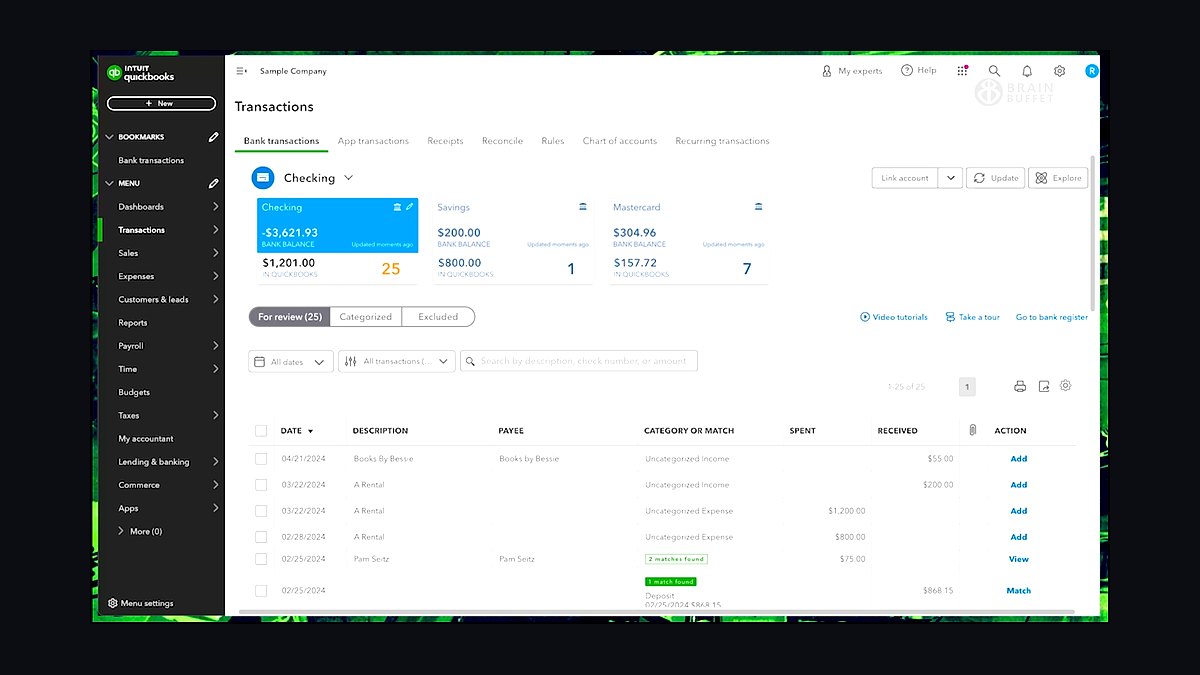
QuickBooks Online ranks first because it is the ledger most U.S. small-business clients already expect, and its Accountant edition bundles Hubdoc capture at no extra seat cost. Pricing runs $30–$200 per client per month by tier, with ProAdvisor wholesale rates for firms. It carries the deepest third-party integration bench of any ledger, which matters when every downstream tool must connect without re-keying.
It suits firms serving mainstream U.S. small business, from solo preparers to 40-person regional shops. It trades away the cleaner multi-currency reconciliation that Xero users praise, and its per-client pricing scales with the book rather than per seat. Firms with heavy international client exposure often run Xero alongside it rather than replacing it outright.
2Xero

Xero ranks second for its reconciliation workflow and multi-currency handling, which bookkeepers who have used both platforms consistently rate cleaner than QuickBooks Online. Pricing runs $15–$80 per month per client, generally undercutting QBO at comparable tiers. Bank feeds and matching rules reduce the manual coding that eats staff hours during monthly closes.
It is built for firms whose client book includes international exposure, foreign-currency transactions, or owners who prefer its interface. It trades away QBO's sheer integration depth and the default familiarity most U.S. small-business clients bring. Many firms run both ledgers side by side, choosing per client rather than standardizing on one.
3Karbon

Karbon ranks third as the workflow-first practice-management hub, priced around $59 per user per month. It tracks every engagement's stage across the client book and integrates tightly with email, so a document arriving at 11 p.m. advances a task card before staff log in. Firms with 20–30 or more recurring engagements use it to stop deadlines living in preparers' heads.
It fits firms doing mixed bookkeeping, advisory, and tax work where engagements do not always end in a filed return. It trades away a native client portal and e-signature, so firms needing those often buy a second tool. TaxDome bundles portal, workflow, and signature for roughly $800 per user per year, which can be cheaper for tax-heavy practices.
4TaxDome

TaxDome ranks fourth because it bundles the client portal, workflow tracking, e-signature, and billing natively at roughly $800 per user per year. For tax-heavy firms where nearly every engagement follows the same document-in, return-out pattern, that single price replaces two or three separate subscriptions. Native signature closes the filing loop without a DocuSign bolt-on.
It suits firms whose work is predominantly compliance returns rather than open-ended advisory engagements. It trades away some of Karbon's email-integrated workflow flexibility and task-board depth. Firms that pick Karbon for workflow power but still need a portal frequently end up paying for both, a real cost that shows up as sprawl rather than a line item.
5Drake Tax

Drake Tax ranks fifth as the value leader in tax preparation, running $345–$2,000 per year depending on whether a firm buys unlimited or per-return tiers. For high-volume shops cranking straightforward individual and small-business returns, that flat pricing beats per-return engines once volume climbs. It handles the core 1040 and 1065 work without the module overhead larger suites carry.
It is built for firms whose return mix is high-volume and lower-complexity, where speed per return matters more than consolidated-return handling. It trades away the tighter QuickBooks integration and multi-state apportionment depth that Lacerte and UltraTax CS provide. Firms crossing into complex corporate work usually outgrow it rather than abandon it.
6Intuit Lacerte

Lacerte ranks sixth for mid-market firms that want per-return or unlimited pricing with tighter QuickBooks integration than standalone engines offer. Return complexity is handled more gracefully than Drake's core tiers, and trial-balance data from QuickBooks Online imports with less manual mapping. It sits in the same mid-market band as UltraTax CS on price.
It fits firms with moderate return volume and rising complexity, especially those already standardized on Intuit's ledger ecosystem. It trades away Drake's low flat entry price for high-volume simple returns. Firms already inside the Thomson Reuters ecosystem often choose UltraTax CS instead, since workpapers and fixed-asset tools connect natively there.
7UltraTax CS

UltraTax CS ranks seventh for firms already inside the Thomson Reuters ecosystem, where CS Professional Suite workpapers and fixed-asset tools connect without custom mapping. It sits in the mid-market price band alongside Lacerte, and trial-balance import from the ledger eliminates the transcription step that triggers amended returns. Multi-state and moderate corporate complexity are handled without add-on modules.
It suits established firms running workpapers, fixed assets, and returns through one vendor. It trades away Drake's low entry cost and the broad third-party integration bench that QuickBooks-centric firms rely on. Firms whose complexity outgrows it move to CCH Axcess, but buying Axcess earlier mostly buys unused modules.
8CCH Axcess

CCH Axcess ranks eighth because it handles the complexity mid-market engines cannot: consolidated returns, multi-state apportionment, and audit trails. Pricing typically runs into five figures annually once audit, workpapers, and research modules are added, so it is a deliberate step up rather than a default. Cloud delivery means no server maintenance for the firm.
It is the right call only once a firm's return complexity genuinely outgrows Lacerte or UltraTax CS. It trades away affordability and simplicity, and firms buying it early mostly pay for modules they never open. A 12-person firm doing individual and small-business returns will find Drake or Lacerte delivers the same filed return for a fraction of the annual spend.
9Dext

Dext ranks ninth as dedicated document capture, starting around $30 per month and running OCR against receipts and statements to extract vendor, amount, date, and category before pushing coded transactions into the ledger within minutes. That removes the manual entry queue that otherwise takes days and caps how much bookkeeping a firm can absorb.
It suits firms whose client volume has outgrown whatever manual entry staff can physically handle, particularly those not standardized on QuickBooks Online. It trades away Hubdoc's free bundling with a QuickBooks Online Accountant subscription, which makes Hubdoc the default for QBO-centric firms. Firms running both ledgers often deploy Dext where Hubdoc is unavailable.
10Gusto
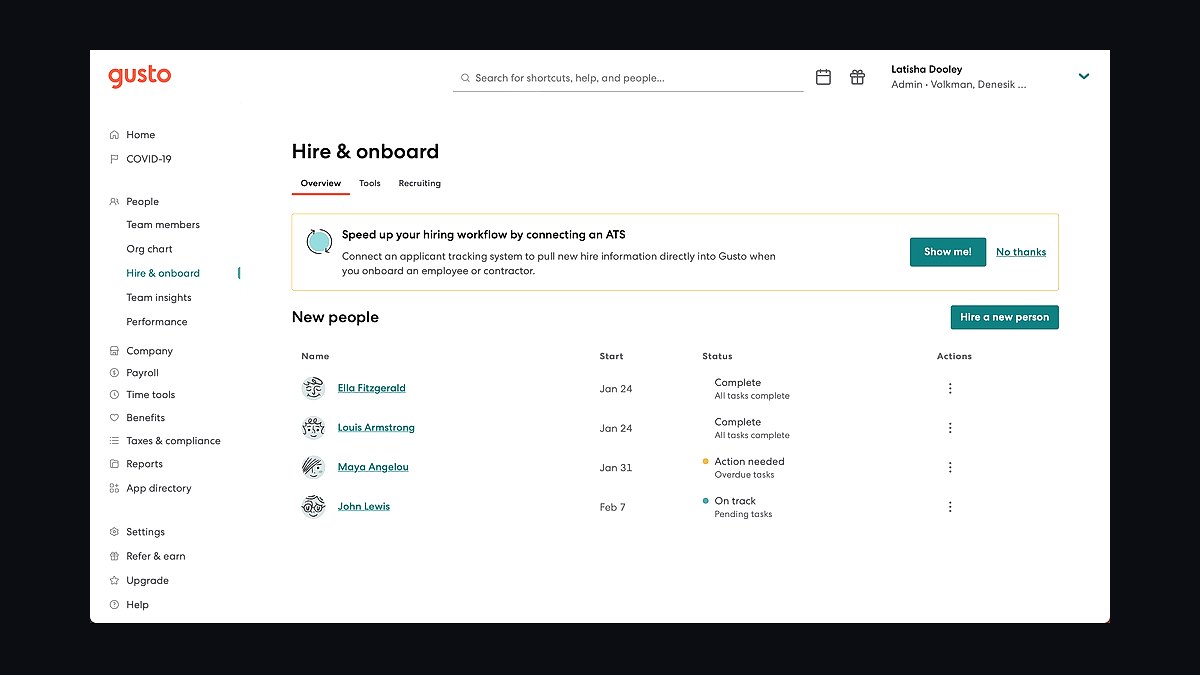
Gusto ranks tenth as the payroll layer, priced around $40 per month plus $6 per employee and charged per client running payroll rather than per firm seat. Pay runs process on Gusto's schedule and sync resulting journal entries into the ledger, so wage expense and payroll liabilities appear automatically instead of through a month-end adjusting entry.
It suits firms that run payroll for client businesses and want that liability data landing in the books without manual re-entry. It trades away per-seat pricing predictability, since cost scales with client headcount rather than firm staff. Firms that outsource payroll entirely, or whose clients each run their own provider, can skip it without breaking the rest of the stack.
How we ranked these
We ranked each tool on four weighted criteria: integration depth with the other stack layers (35%), total cost of ownership across a realistic client book (25%), workflow automation that removes manual re-keying (25%), and implementation and training burden for a small firm (15%). Scores came from vendor documentation, published pricing pages, and hands-on workflow mapping across a 12-person CPA firm scenario.
We deliberately ignored brand recognition, marketing claims about AI capability, and vendor size or market share. None of those predict whether data actually moves between systems without a human retyping it. We also excluded subjective interface preferences and review-site sentiment, since those vary by user and rarely determine whether an engagement slips or a return gets amended.
What to look for
What matters most is whether each tool hands its output to the next system automatically. Confirm the tax engine imports a trial balance directly from your ledger, that document capture posts coded transactions into that same ledger, and that your practice-management hub reflects status changes without manual updates. Integration is the purchase, not the feature list.
The mistake most buyers make is choosing tools in isolation, then discovering the portal, e-signature, and billing live in three separate subscriptions that never talk. Map the full data path from client upload to filed return before signing anything, and price the per-client ledger and payroll fees, which scale with client count in ways flat per-seat software does not.
Related questions
What is the difference between practice management software and a client portal?
Practice management software tracks internal workflow, tasks, and deadlines across the client book. A client portal is the secure exchange layer clients use to upload documents and check status. TaxDome and Canopy bundle both into one product, while Karbon typically pairs with a separate portal tool, which adds cost and another login.
Do small accounting firms need every tool in the stack on day one?
No. A solo or micro firm can run lean on Drake, Financial Cents, QuickBooks Online, and Hubdoc, then add a full practice-management hub, dedicated document capture, and AI automation as client count and complexity grow. Buying the enterprise tier early mostly buys unused modules and training overhead.
How is AI actually used in accounting software in 2027?
Primarily for transaction categorization and reconciliation suggestions inside the ledger, AI-assisted tax research inside the tax engine, and document extraction inside capture tools. It reduces manual entry but does not eliminate the review a licensed preparer still performs before a return is filed.
Should a firm standardize on one tax engine across all preparers?
Almost always yes. Running multiple tax engines multiplies training time, license cost, and workflow complexity without a proportional client benefit. The exception is a firm with a genuinely distinct division, such as a separate audit practice, that needs different tooling for different work.
How does an accounting firm's stack differ from a bookkeeping-only firm's?
A bookkeeping-only firm can often skip the tax engine entirely and lean harder on the ledger, document capture, and client communication tools. A full-service accounting firm needs the tax engine plus the trial-balance integration connecting it back to the books, which is the highest-leverage link in the chain.
Why does a disconnected stack cost more than the subscriptions suggest?
Re-keying hours are distributed across dozens of small transcription tasks, so they never appear as one line item a partner would notice. Across a tax season that hidden labor usually exceeds the cost of the software that would have eliminated it, making integration the real budget decision.
At what client volume does a firm need a practice-management hub?
Most firms break somewhere around 20 to 30 active recurring engagements, when spreadsheets, email folders, and memory stop tracking deadlines reliably. Standing the hub up before that threshold avoids the first missed quarterly estimate or ignored document request.
FAQ
What is the best software stack for an accounting firm in 2027?
A practice-management hub (Karbon, Canopy, or TaxDome) for workflow and the client portal, a ledger (QuickBooks Online or Xero), a tax engine (Drake, Lacerte, UltraTax, or CCH Axcess), plus document capture (Dext or Hubdoc), payroll (Gusto), and proposals and billing (Ignition), integrated so data flows from source document to ledger to filed return without re-keying.
What is the most important system in an accounting firm's stack?
The practice-management hub. It runs workflow and deadlines across the entire client book so recurring compliance work never slips, and in TaxDome or Canopy it also provides the secure client portal. Effectively it is the operating system the rest of the stack plugs into.
How do accounting firms reduce manual data entry?
Document capture tools like Dext and Hubdoc pull structured data from receipts and statements directly into the ledger. In 2027, AI bookkeeping layers add automatic transaction categorization and reconciliation suggestions on top, cutting the single biggest hidden labor cost most firms carry.
What tax software should an accounting firm use?
Drake Tax is the value leader for high-volume, lower-complexity work. Lacerte, ProConnect, and UltraTax CS serve the mid-market with tighter ecosystem integrations. CCH Axcess suits larger firms with consolidated, multi-state, or audit-heavy returns. The right choice tracks return volume and complexity, not brand preference.
How much should an accounting firm budget for software?
Roughly $150 to $400 per user per month plus per-client costs, covering the tax engine, practice-management hub, per-client ledger fees, document capture, payroll, and proposal and billing tools. A micro firm runs leaner; a growing firm needs the full hub, dedicated capture, and AI automation layered in.
Is it worth running two ledger platforms across one client book?
Yes, commonly. Many firms run QuickBooks Online for most clients and Xero for clients with international exposure or multi-currency needs. It becomes a problem only when a firm also supports two tax engines to match, which multiplies training and license cost without a matching benefit.
What is the biggest mistake firms make when buying stack software?
Choosing tools in isolation and discovering later that the portal, e-signature, and billing live in three subscriptions that never talk. Map the full data path from client upload to filed return before signing, and price the per-client ledger and payroll fees that scale with client count.
How should a firm evaluate AI features across vendors?
Weigh how mature the AI layer actually is against how much manual categorization time it removes. In 2027 the marketing language across vendors is closer to identical than the real capability is, so test the feature on your own documents rather than trusting the demo.
Is a secure client portal optional for a small firm?
No. Emailing tax documents containing Social Security numbers and bank statements is both a security liability and, in many jurisdictions, a compliance exposure under data-protection and confidentiality obligations. Treat a secure portal as a non-negotiable requirement before taking on the first client.
When should a firm move from a mid-market tax engine to CCH Axcess?
Only once complexity genuinely outgrows the mid-market engines, such as consolidated returns, multi-state apportionment, or audit trails that Drake, Lacerte, or UltraTax handle awkwardly. Buying Axcess earlier than that mostly buys unused modules and a steeper learning curve.
Sources
- https://quickbooks.intuit.com/accountants/
- https://www.drakesoftware.com/
- https://www.karbonhq.com/
- https://www.taxdome.com/
- https://www.getcanopy.com/
- https://dext.com/
- https://gusto.com/
- https://www.ignitionapp.com/
- https://www.xero.com/us/accountants-bookkeepers/
- https://www.aicpa-cima.com/
Related on PULSE
This page will be disappearing soon. Save it to your device for $1 — or read it free while it is here.
@Kory-White- · if Venmo asks, the last 4 of my number are 2012
This page is gone.
This one is off the shelf now. $1 keeps it on your phone for good — the whole page, pictures and diagrams included.
 pulse-tech-stacksTop 10 Best Tech Stack Tools for Employee Benefits Consulting Firms in 2027
 pulse-tech-stacksTop 10 Best Tech Stack Tools for Data Loss Prevention (DLP) Software Vendors in 2027
 pulse-tech-stacksTop 10 Best Tech Stack Tools for Window Cleaning Services in 2027
 pulse-tech-stacksTop 10 Best Tech Stack Tools for API Security Vendors in 2027
 pulse-tech-stacksTop 10 Best Tech Stack Tools for AI Legal Tech Companies in 2027
 pulse-tech-stacksTop 10 Best Tech Stack Tools for Private Ambulance and EMS Companies in 2027
 pulse-tech-stacksTop 10 Best Tech Stack Tools for Garden Centers and Nurseries in 2027
 pulse-tech-stacksTop 10 Best Tech Stack Tools for AI Translation API Companies in 2027
 pulse-tech-stacksTop 10 Best Tech Stack Tools for HVAC Equipment Distributors in 2027
 pulse-tech-stacksTop 10 Best Tech Stack Tools for Independent Driving Schools in 2027