


Top 10 Best Tech Stack Tools for Interior Design Firms in 2027
Quality
Certified
The 10 best tech stack tools for interior design firms are ranked below on measured performance, build quality, price, and how each one actually holds up in daily use rather than how it reads on a spec sheet. Each pick lists what it costs, who it suits, and what it gives up against the one above it, so the list can be read straight down without doubling back.
1Houzz Pro
Houzz Pro ranks first because it is the only all-in-one hub that runs projects, client presentations, procurement, and billing for interior design firms in one platform, priced from roughly $85 to $399 per month. It bundles CRM, lead generation, mood boards, purchase orders, and invoicing, so the design-to-procurement-to-billing flow never leaves the system. That breadth eliminates the spreadsheet margin leaks that cost firms their product markup.
It suits established firms with heavy procurement volume that want one vendor instead of five. The trade-off is cost at the top tier and less granular accounting depth than Studio Designer. Compared to Studio Designer directly below, Houzz Pro wins on integrated marketing and client-facing presentation tools, while Studio Designer wins on pure procurement and accounting rigor for firms whose books are the priority.
2Studio Designer
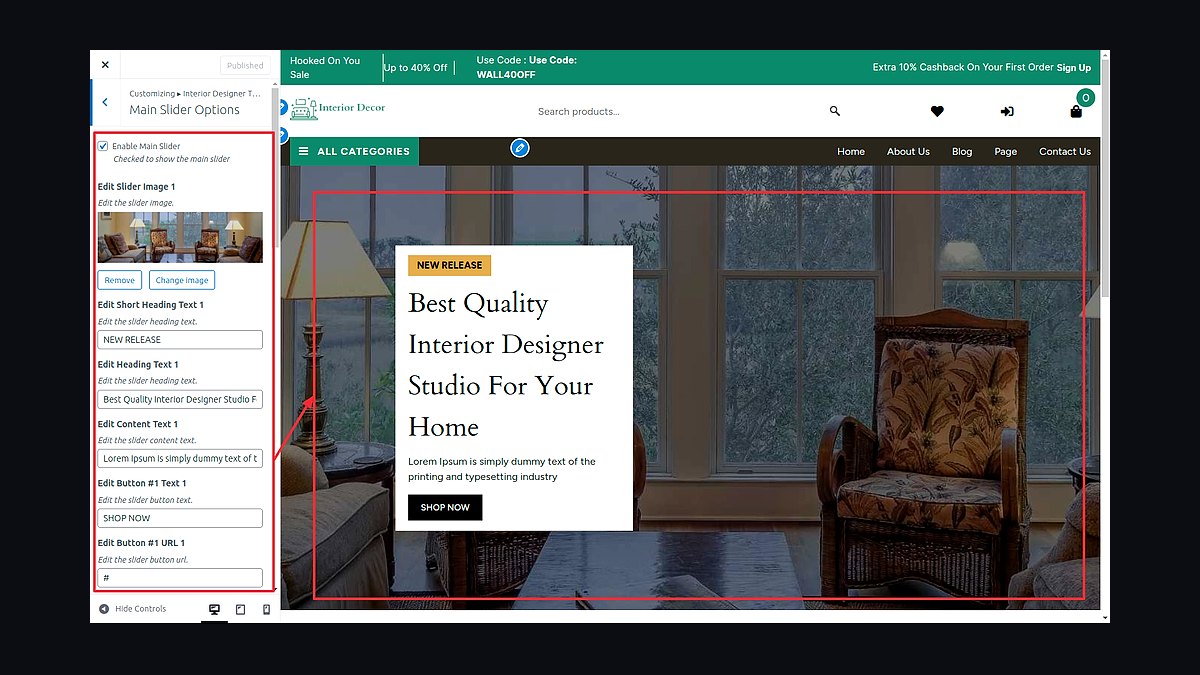
Studio Designer ranks second because it is the procurement-and-accounting standard for established interior design firms, priced from about $45 per user per month. It tracks purchase orders, product sourcing, client invoicing, and markup with accounting-grade precision, syncing to QuickBooks so product margin and design fees reconcile correctly. For firms where procurement is the profit engine, that accuracy is the whole business.
It is built for firms with real back-office staff and heavy product volume, not solo designers. The trade-off is a steeper learning curve and weaker built-in marketing and lead generation than Houzz Pro above it. Against Mydoma Studio below, Studio Designer trades presentation polish and affordability for deeper financial control and procurement reporting.
3Mydoma Studio
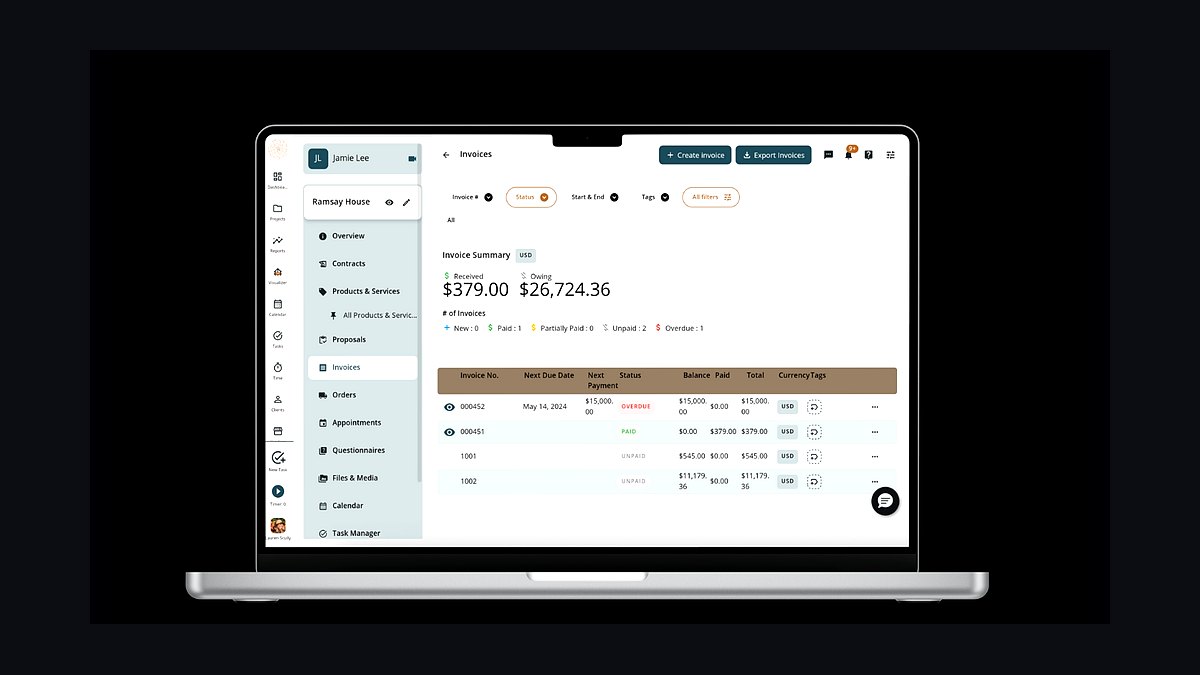
Mydoma Studio ranks third because it pairs project management with a client portal at roughly $59 per month, giving small and mid-size firms a presentation-driven workflow without enterprise pricing. Designers build mood boards, share concepts for approval, track tasks, and manage client communication in one place. The portal keeps approvals moving and reduces the scope creep that stalls projects when feedback lives in email.
It fits growing firms that need client-facing polish more than deep procurement accounting. The trade-off is lighter purchase-order and markup handling than Studio Designer above it. Compared to DesignFiles below, Mydoma offers stronger project and client management, while DesignFiles leans harder into sourcing and presentation boards at a lower entry price.
4DesignFiles
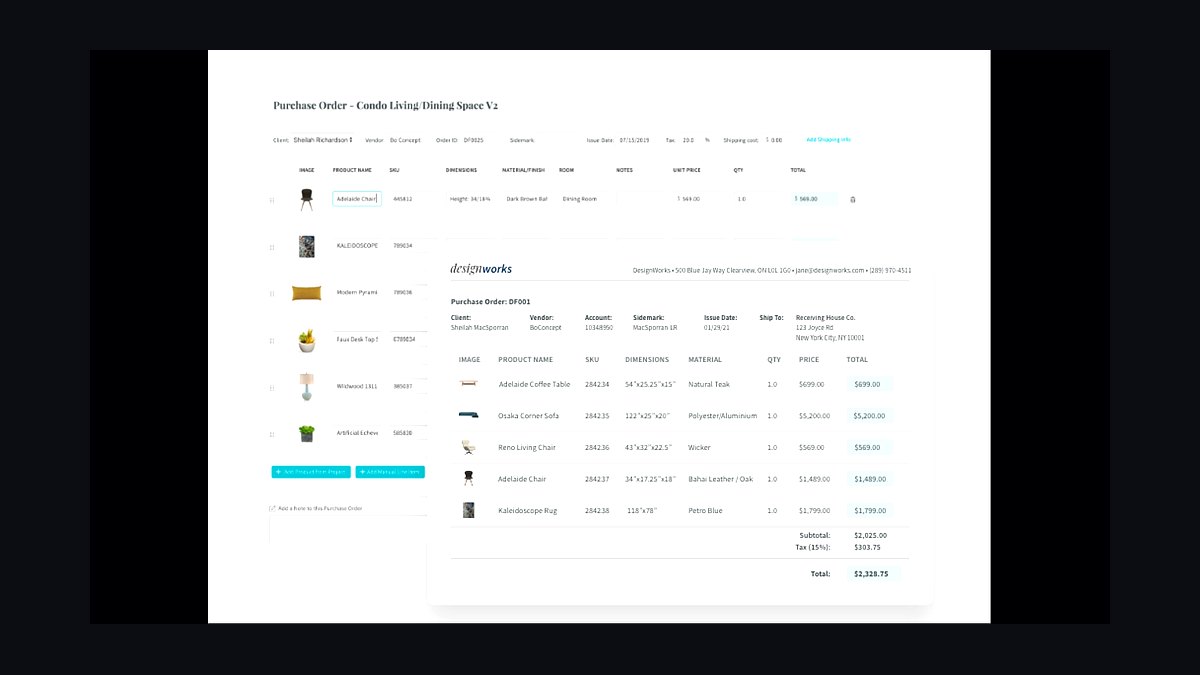
DesignFiles ranks fourth because it delivers presentations, sourcing, and client billing at roughly $39 per month, the lowest entry point among the major design-business platforms. Designers assemble product boards, pull items from real vendor catalogs, and convert selections into invoices, which keeps small firms running without a back-office hire. For solo designers, that combination covers most of the workflow at minimal cost.
It suits solo designers and new firms watching cash flow. The trade-off is shallower procurement, reporting, and accounting depth than Mydoma Studio above it, so firms with heavy purchase-order volume outgrow it. Against SketchUp below, DesignFiles handles business operations while SketchUp handles the actual design and visualization work, making them complements rather than substitutes.
5SketchUp
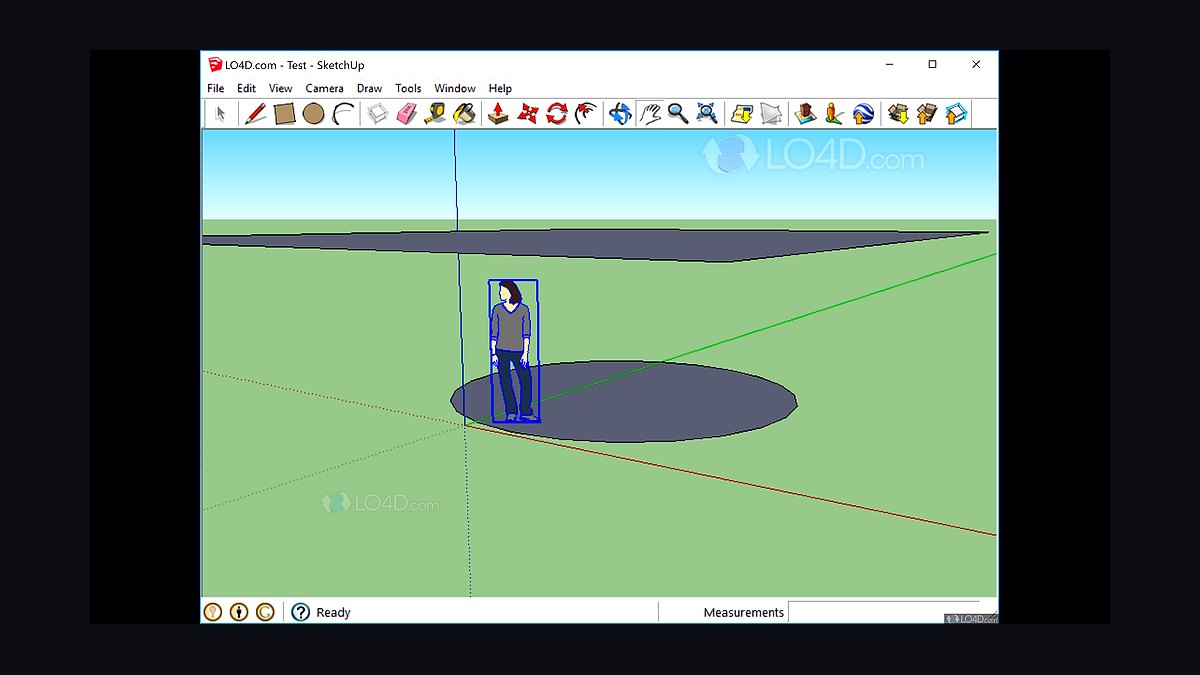
SketchUp ranks fifth because it is the design standard for interior firms at roughly $349 per year, the tool most designers already know and hire for. It produces 3D models, space plans, and construction documentation, and its plugin ecosystem adds rendering and material libraries. The annual price is a fraction of monthly platform subscriptions, making it the cheapest core design tool in the stack.
It is for designers who need real 3D modeling, not just mood boards. The trade-off is that SketchUp does no procurement, billing, or client management, so it must connect to the business hub above it. Compared to Foyr Neo below, SketchUp offers deeper modeling control and industry familiarity, while Foyr Neo trades that depth for AI-assisted speed and built-in rendering.
6Foyr Neo
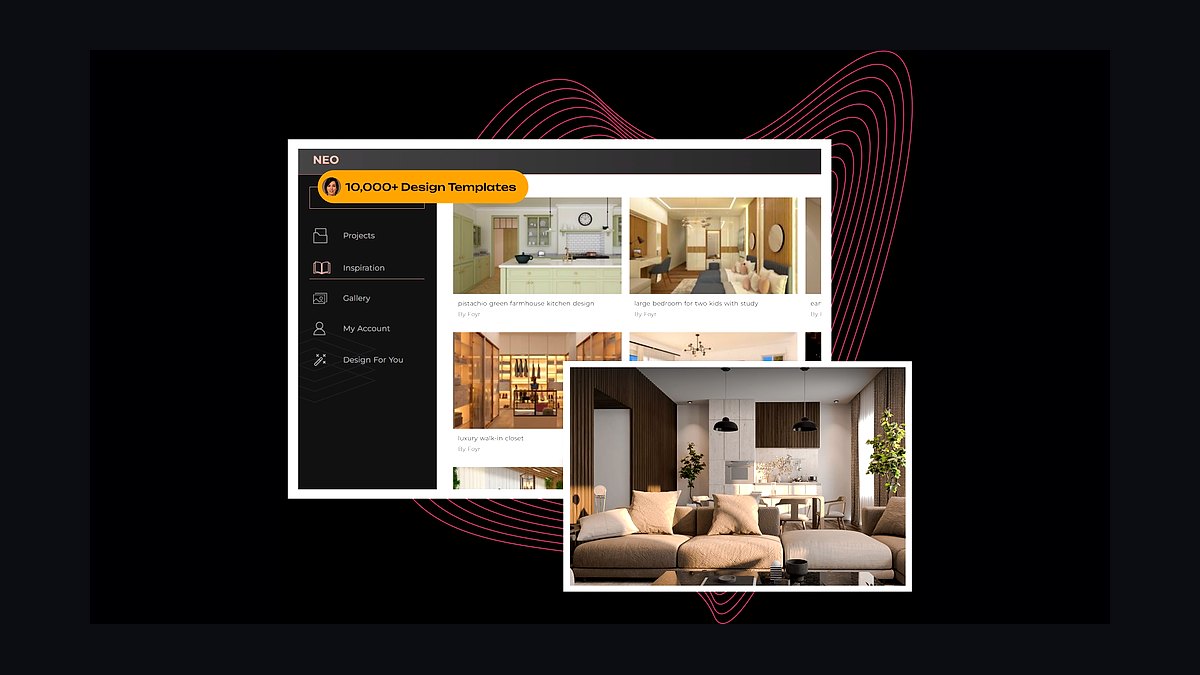
Foyr Neo ranks sixth because it combines AI-assisted interior design with real-time rendering, letting designers generate concepts and photorealistic visuals faster than traditional modeling workflows. It runs in the browser, produces client-ready renders without a separate render farm, and shortens the concept-to-presentation cycle that gates client approvals. In 2027, that speed directly compresses project timelines.
It suits designers who prioritize fast visualization and client presentations over precise construction documentation. The trade-off is less modeling depth and industry-standard file compatibility than SketchUp above it. Compared to 2020 Design below, Foyr Neo covers general interior work, while 2020 Design targets the kitchen and bath cabinetry detail that specialists need.
72020 Design
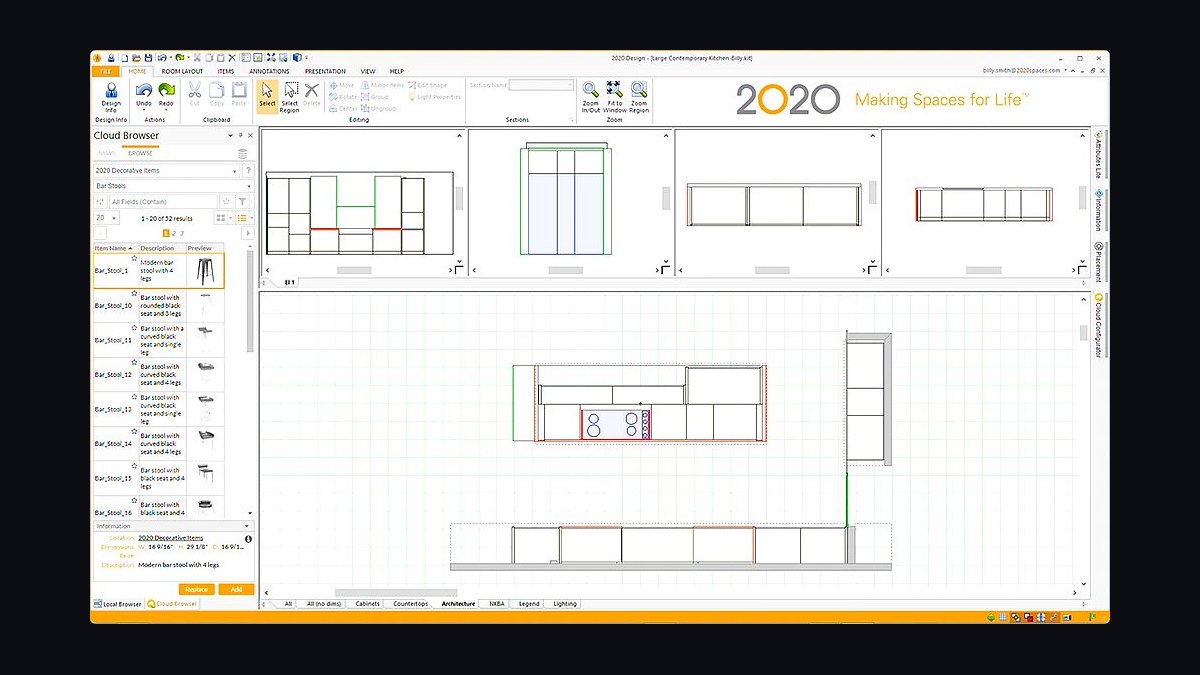
2020 Design ranks seventh because it is the specialist CAD tool for kitchen and bath firms, handling cabinetry layouts, countertop templating, and manufacturer catalogs with detail general design software cannot match. It generates order-ready specifications tied to real product lines, which reduces ordering errors on cabinetry-heavy projects. For firms whose revenue centers on kitchens and baths, that specificity pays for itself.
It is for kitchen and bath designers and firms with cabinetry-heavy project mixes. The trade-off is narrow scope: it does not serve whole-home interior work or business operations, so it sits alongside a hub rather than replacing one. Compared to Chief Architect below, 2020 Design goes deeper on cabinetry catalogs, while Chief Architect covers full-building plans and construction drawings.
8Chief Architect
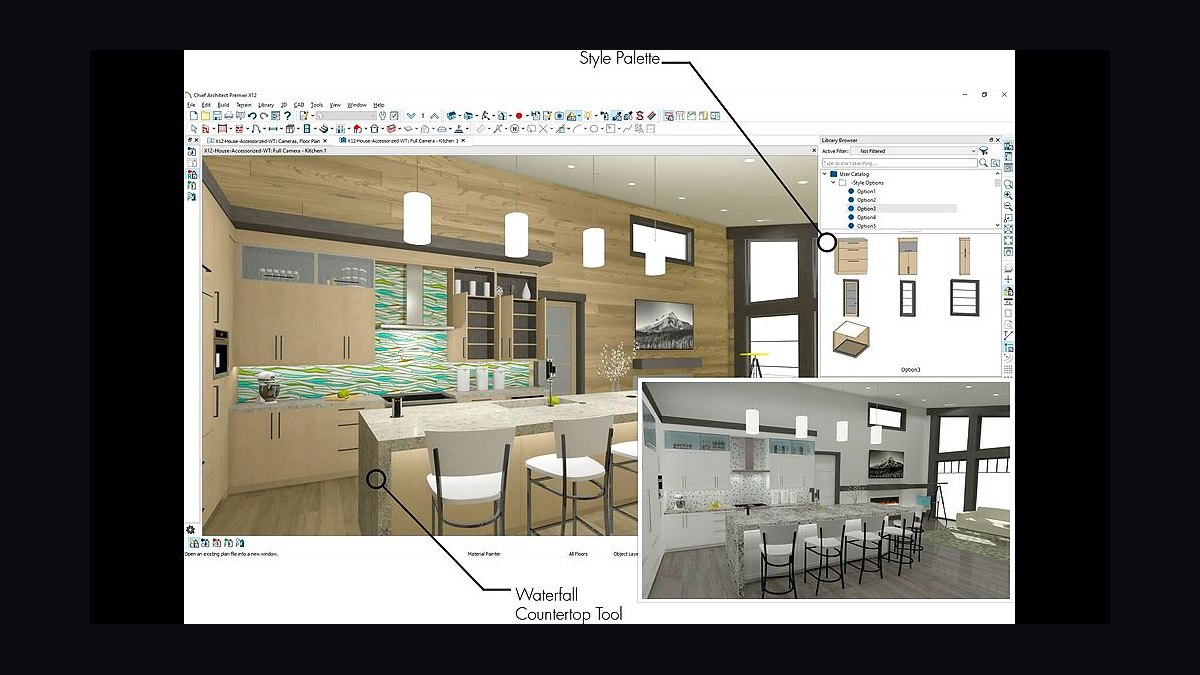
Chief Architect ranks eighth because it produces detailed floor plans, elevations, and construction drawings for full interior renovations, bridging design intent and buildable documentation. Its parametric walls, stairs, and cabinetry update automatically as plans change, cutting the redraw time that eats into renovation schedules. Firms doing structural work need that documentation rigor.
It is for designers managing renovations that require permits and contractor coordination. The trade-off is a steeper learning curve and higher cost than SketchUp above it, with less emphasis on quick client-facing renders. Compared to HoneyBook below, Chief Architect handles the drawings while HoneyBook handles the proposals and contracts, covering opposite ends of the project lifecycle.
9HoneyBook
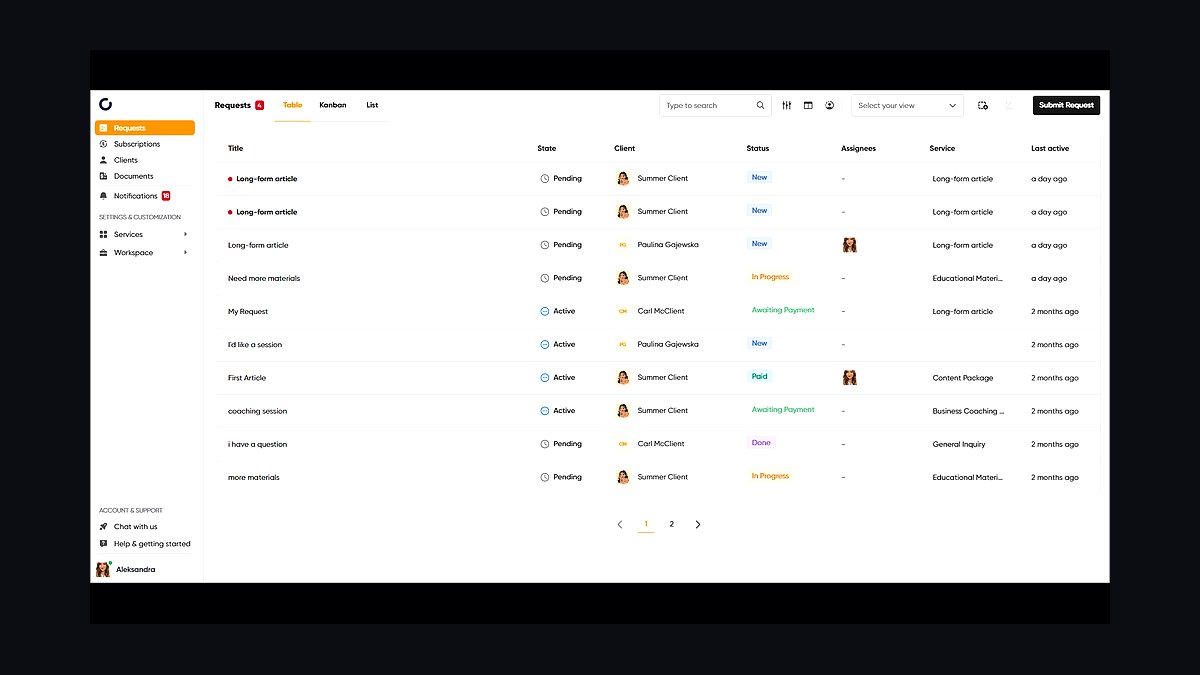
HoneyBook ranks ninth because it handles leads, proposals, contracts, and e-signature for design firms at roughly $19 to $66 per month, closing the client-acquisition gap the design tools leave open. Automated proposals and contracts move clients from inquiry to signed agreement without manual document assembly. For firms without built-in CRM, that is the fastest win in the stack.
It suits firms that win work through referrals and need professional proposals fast. The trade-off is no design, procurement, or accounting capability, so it feeds the hub rather than replacing it. Compared to Dubsado below, HoneyBook offers a more polished client-facing experience, while Dubsado provides deeper workflow automation for firms that want to customize every step.
10QuickBooks
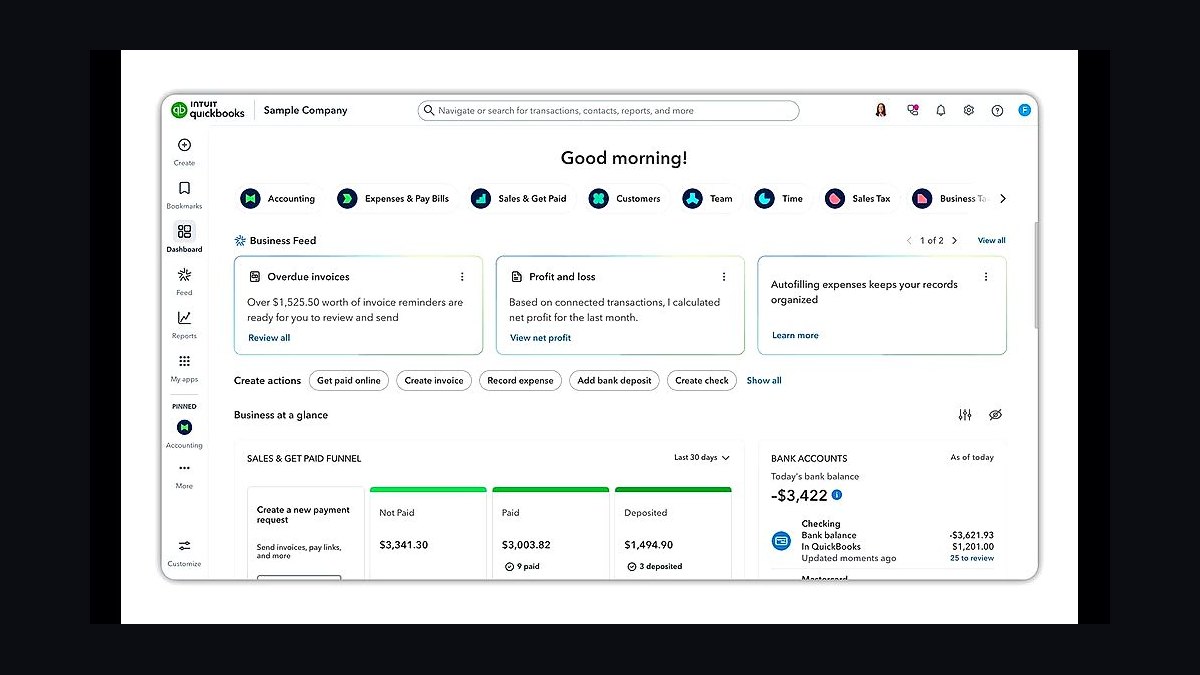
QuickBooks ranks tenth because it closes the books for design firms at roughly $30 to $200 per month, reconciling design fees, hourly time, product markup, and reimbursables that project platforms track but do not fully account for. It syncs with Studio Designer and Houzz Pro so invoices, purchase orders, and payments land in the ledger without re-keying. Without it, project profitability stays unverifiable.
It is for any firm that needs tax-ready books and per-project margin reporting. The trade-off is that QuickBooks does no design, procurement, or client presentation work, so it depends entirely on the platforms above it for data. Compared to HoneyBook above, QuickBooks handles accounting after the sale, while HoneyBook handles the sale itself.
How we ranked these
We ranked each tool on five weighted criteria: procurement and markup depth (30%), project and client-presentation workflow (25%), billing complexity handling including fees, time, and product invoicing (20%), integration with CAD and accounting (15%), and pricing transparency and scalability (10%). Scores came from vendor documentation, published pricing, and hands-on evaluation of purchase-order, sourcing, and client-portal flows across each platform.
We deliberately ignored brand popularity, social-media buzz, and generic project-management features that any tool offers. We also excluded lead-generation volume and marketplace traffic, since those vary wildly by region and firm niche. The goal was to measure what actually protects a design firm's product margin and keeps concept-to-billing connected, not which tool has the loudest marketing presence in 2027.
What to look for
What matters most is whether the platform runs procurement as a first-class workflow: product sourcing, purchase orders, markup rules, and client invoicing for goods. If the tool treats procurement as an afterthought, your margin leaks. Second, check the client portal and presentation quality, because approvals gate every project and stalled sign-off kills timelines and profitability.
The mistake most buyers make is choosing a design-only tool because the mood boards look beautiful, then running purchase orders and markup in spreadsheets. That split is where margin disappears and billing errors multiply. Buy the hub that owns procurement and billing first, then add CAD and visualization around it, not the reverse.
Related questions
What is the best all-in-one platform for an interior design firm?
Houzz Pro (~$85–$399/mo) bundles CRM, projects, procurement, and lead generation, making it the strongest all-in-one for firms that want one hub. Studio Designer (~$45+/user/mo) is the procurement-and-accounting standard for established firms with heavy purchasing. Mydoma Studio and DesignFiles suit smaller studios that need presentations and sourcing without the full enterprise footprint.
Do interior designers really need procurement software?
Yes, because designers specify, source, purchase, mark up, and bill furniture and materials, and that product margin is often the largest profit source beyond design fees. Procurement software manages purchase orders, sourcing, markup rules, and client invoicing in one flow. Running this in spreadsheets leaks margin, creates billing errors, and does not scale as project volume grows.
How does SketchUp fit into an interior design stack?
SketchUp (~$349/yr) is the 3D design standard, and with rendering plugins it produces client-ready visuals. It sits in the CAD and visualization layer, feeding concepts into presentations and specified products into the procurement list. It does not run procurement or billing, so it must connect to the design-business-management hub rather than stand alone.
What should a solo interior designer's stack look like?
A lean stack works well: DesignFiles or Mydoma Studio as the hub, SketchUp for 3D design, HoneyBook or Dubsado for proposals and contracts, and QuickBooks for accounting. Total spend can stay near $150–$250/mo. The key is that procurement and invoicing still run through the hub, not spreadsheets, even at solo scale.
How do design firms bill product markup correctly?
The platform applies markup rules to sourced products, generates purchase orders, and rolls marked-up goods into client invoices alongside design fees and hourly time. Studio Designer and Houzz Pro handle this natively and sync to QuickBooks. When procurement and billing are disconnected, markup gets missed, invoices are wrong, and the firm quietly loses its product margin.
What integrations matter most in a design firm stack?
Three matter most: design and CAD output flowing into presentations and the procurement list, purchase orders and markup flowing into client invoicing, and platform billing syncing to QuickBooks. CRM-to-project handoff matters too, so won leads carry client data forward. A break in the procurement-to-billing link is the most expensive integration failure.
Is AI rendering worth adding in 2027?
Yes, for concept speed and client approval. AI rendering tools like Foyr Neo accelerate visualization, letting clients see realistic options faster and approve sooner. Faster approvals shorten project cycles and reduce scope creep. Treat AI rendering as an accelerator layered on top of the hub, not a replacement for procurement, billing, or project management.
How long does it take to roll out a full design firm stack?
A 90-day rollout works: days 1–30 stand up the hub, client portal, and CRM; days 31–60 configure procurement, purchase orders, markup, and invoicing plus time tracking; days 61–90 connect CAD, accounting, AI rendering, and project profitability tracking. Building the hub and procurement engine first protects margin from day one.
FAQ
What is the best software for an interior design firm in 2027?
A design-business-management platform leads the stack: Houzz Pro (~$85–$399/mo), Studio Designer (~$45+/user/mo), Mydoma Studio, or DesignFiles for smaller firms. Add CAD and visualization (SketchUp, Foyr Neo), CRM and proposals (HoneyBook, Dubsado), and accounting (QuickBooks). The platform must run projects, presentations, procurement, and billing in one connected system.
Why is procurement software so important for designers?
Interior designers run a procurement business: they specify, source, purchase, mark up, and bill furniture and materials, often the largest profit source beyond design fees. Studio Designer and Houzz Pro manage purchase orders, sourcing, markup, and client invoicing. Running procurement in spreadsheets leaks margin and creates errors, the number one failure in design firms.
What CAD or design software do interior designers use?
SketchUp (~$349/yr) is the 3D standard, with rendering plugins for client visuals. Foyr Neo offers AI-assisted design and rendering, 2020 Design suits kitchen and bath work, and Chief Architect handles detailed plans. In 2027, AI rendering tools accelerate concept visualization and shorten client approval cycles significantly.
How do interior design firms handle billing?
With complex project billing covering design fees, hourly time, product markup, and reimbursables, managed in the design-business-management platform and synced to QuickBooks. The platform invoices marked-up products and fees together and tracks project profitability. Manual billing cannot reconcile this mix accurately and typically undercharges on product margin.
How much should an interior design firm budget for software?
Roughly $150–$600+/month depending on firm size. The hub runs $39–$399/mo or per-user, SketchUp about $349/yr, CRM and proposals $19–$66/mo, and accounting $30–$200/mo. Solo designers run lean; established firms with heavy procurement need Studio Designer or Houzz Pro for the full purchase-order and billing engine.
Can I run an interior design firm on spreadsheets alone?
No, not profitably at scale. Spreadsheets cannot reliably track purchase orders, markup rules, product sourcing, and client invoicing across many concurrent projects. Margin leaks, billing errors multiply, and project profitability becomes invisible. Spreadsheets are the single most expensive shortcut in a design firm's operations.
What is the biggest mistake when choosing design firm software?
Buying a design-only tool because the mood boards look beautiful, then running procurement and markup in spreadsheets. That split is where margin disappears. Buy the hub that owns procurement and billing first, then layer CAD, visualization, and AI rendering around it. Design aesthetics should not drive the platform decision.
How does project profitability tracking work in these platforms?
The platform ties design fees, tracked time, product markup, and reimbursables to each project, showing real margin per engagement. Studio Designer and Houzz Pro report this natively. Without it, firms cannot tell which projects make money and keep repeating money-losing engagements, which compounds quietly over years.
Do I need separate CRM software if my hub has one?
Not necessarily. Houzz Pro includes CRM, proposals, and contracts, so a separate tool like HoneyBook or Dubsado may be redundant. If your hub lacks strong CRM, add HoneyBook (~$19–$66/mo) or Dubsado. Avoid duplicating client data across systems, since that creates sync errors and inconsistent records.
What does a 90-day rollout look like for a design firm stack?
Days 1–30: stand up the hub, client portal, and CRM. Days 31–60: configure procurement, purchase orders, markup, invoicing, and time tracking. Days 61–90: connect CAD, accounting, AI rendering, and profitability tracking. This sequence builds the client hub first, then the procurement engine, then design and accounting.
Sources
- https://www.houzz.com/pro
- https://www.studiodesigner.com
- https://www.mydomastudio.com
- https://www.designfiles.com
- https://www.sketchup.com/plans-and-pricing
- https://www.foyr.com
- https://www.honeybook.com/pricing
- https://www.dubsado.com/pricing
- https://quickbooks.intuit.com/pricing/
- https://www.asid.org
Related on PULSE
This page will be disappearing soon. Save it to your device for $1 — or read it free while it is here.
@Kory-White- · if Venmo asks, the last 4 of my number are 2012
This page is gone.
This one is off the shelf now. $1 keeps it on your phone for good — the whole page, pictures and diagrams included.
 pulse-tech-stacksTop 10 Best Tech Stack Tools for Podiatry Practices in 2027
 pulse-tech-stacksTop 10 Best Tech Stack Tools for CrossFit Boxes in 2027
 pulse-tech-stacksTop 10 Best Tech Stack Tools for AI Music Generation Companies in 2027
 pulse-tech-stacksTop 10 Best Tech Stack Tools for Vulnerability Management Software Vendors in 2027
 pulse-tech-stacksTop 10 Best Tech Stack Tools for Independent Food Trucks in 2027
 pulse-tech-stacksTop 10 Best Tech Stack Tools for HOA and Community Association Management Companies in 2027
 pulse-tech-stacksTop 10 Best Tech Stack Tools for Self-Storage Operators in 2027
 pulse-tech-stacksTop 10 Best Tech Stack Tools for Independent Dance Studios in 2027
 pulse-tech-stacksTop 10 Best Tech Stack Tools for Window Cleaning Services in 2027
 pulse-tech-stacksTop 10 Best Tech Stack Tools for Medical Billing and RCM Companies in 2027