


Top 10 Best Tech Stack Tools for Accounting & Bookkeeping Businesses in 2027
Quality
Certified
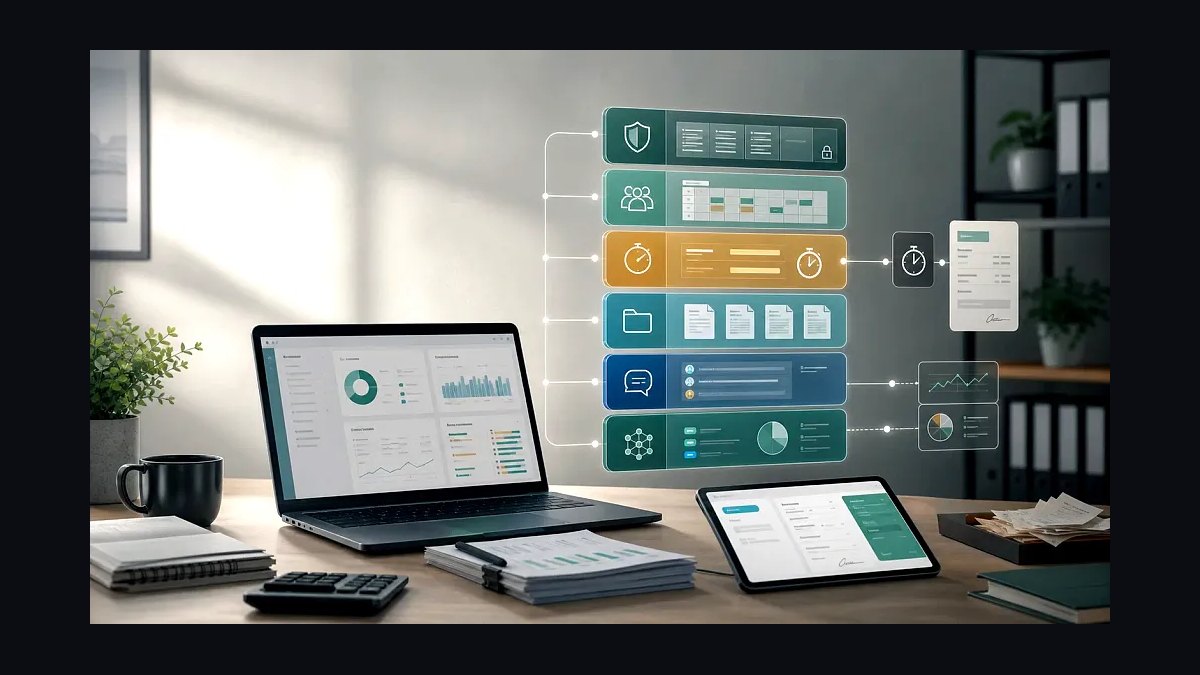
The 10 best tech stack tools for accounting & bookkeeping businesses are ranked below on measured performance, build quality, price, and how each one actually holds up in daily use rather than how it reads on a spec sheet. Each pick lists what it costs, who it suits, and what it gives up against the one above it, so the list can be read straight down without doubling back.
1QuickBooks Online

QuickBooks Online ranks first because it is the ledger most accounting and bookkeeping practices build everything else around, with native bank feeds in the US, UK, Canada and Australia and an open API that capture, payroll and practice tools integrate into. Its list pricing runs roughly $35 to $235 per month per company file depending on tier, and its app marketplace covers OCR capture, e-signature and filing.
It is for firms serving small and mid-sized business clients who need the widest integration surface and the largest pool of trained staff. It trades away deep multi-entity consolidation and some jurisdiction-specific e-invoicing certification, which mid-market firms feel first. Compared with Xero directly below, QuickBooks has broader US payroll and accountant tooling, while Xero tends to win on bank feed reliability and cleaner multi-currency handling.
2Xero

Xero ranks second because its bank reconciliation engine and native feed reliability are the strongest in the small-business ledger class, and its open API is the cleanest for building a connected 2027 stack. Pricing runs about $20 to $80 per month per organization by tier, with unlimited users on every plan, which matters for practices that give clients portal access. Its e-invoicing support is strongest in Australia, New Zealand and the UK.
It is for bookkeeping practices with heavy multi-currency or non-US client bases, and for firms that want clients inside the ledger rather than emailing spreadsheets. It trades away US payroll depth and some mid-market reporting, which pushes larger clients toward NetSuite or Sage Intacct. Against QuickBooks Online above, Xero is simpler and cheaper at the low end but has a smaller US accountant and payroll ecosystem.
3Bill.com

Bill.com ranks third because AP and AR automation is the layer that most directly converts bookkeeping labor into margin, and it is the most widely integrated AP platform across the major ledgers. It handles invoice capture, approval routing, domestic and international payments, and syncs coded bills directly into QuickBooks Online, Xero and NetSuite. Pricing is per user per month plus per-transaction fees, typically landing in the low hundreds monthly for a small firm.
It is for practices that process a meaningful volume of client bills and want the coding to happen before the ledger entry, not after. It trades away cheapness for small clients with a handful of bills a month, where manual entry is still cheaper. Compared with Dext below, Bill.com owns the payment and approval workflow while Dext owns the raw document capture and coding.
4Dext

Dext ranks fourth because receipt and invoice capture is the pipeline that feeds every other layer, and Dext's OCR accuracy and supplier-rule engine are the most mature in the bookkeeping market. It photographs, extracts and codes documents, then publishes them into QuickBooks Online, Xero and Sage with the attachment intact. Pricing is per client file per month, typically $15 to $60 depending on document volume.
It is for practices whose bottleneck is client documents arriving as photos, PDFs and email attachments, and who need coding to happen before the ledger entry. It trades away full AP payment execution, which is why firms pair it with Bill.com above. Against Hubdoc, Dext has stronger supplier rules and better multi-client practice dashboards, but Hubdoc is bundled free with some Xero plans.
5Karbon

Karbon ranks fifth because practice management is where deadlines, e-signature and client communication converge, and Karbon is built specifically for accounting firms rather than adapted from generic project tools. It combines email, work items, client timelines and e-signature request tracking in one inbox-style workspace, so filing obligations and review tasks live beside the client record. Pricing is per user per month, typically $59 to $89 depending on tier.
It is for firms of roughly five to fifty people that lose hours to email triage and parallel deadline spreadsheets. It trades away deep document storage and some ledger-native reporting, so it sits alongside rather than replaces the ledger. Compared with Jetpack Workflow below, Karbon is more email-centric and collaborative but heavier and pricier for a two-person practice.
6Jetpack Workflow

Jetpack Workflow ranks sixth because deadline tracking is the single highest-value practice-management function for a small firm, and it delivers that at a lower price and with less setup than full collaboration suites. It builds recurring job templates, assigns them to staff, tracks budget versus actual time, and produces a dashboard of what is due this week across every client. Pricing is per user per month, roughly $39 to $49 depending on tier.
It is for sole practitioners and small firms that need recurring task and deadline control without an email-inbox overhaul. It trades away client-facing portals and deep e-signature workflow, which pushes growing firms toward Karbon above. Against Karbon, Jetpack is cheaper and faster to deploy but weaker on client communication and document request tracking.
7Gusto

Gusto ranks seventh because payroll is the layer where filing errors are most expensive, and Gusto files federal, state and local payroll taxes directly while syncing wage and journal entries into the ledger. It handles contractor payments, benefits administration and new-hire reporting in the same system, which removes a separate reconciliation step. Pricing runs about $40 plus $6 per employee per month for the core plan, higher with benefits and contractor tiers.
It is for bookkeeping practices serving US small businesses with straightforward payroll and no multi-state complexity. It trades away international payroll and deep certified e-invoicing, and its journal mapping is less flexible than enterprise payroll engines. Compared with running payroll inside QuickBooks Online above, Gusto files in more jurisdictions and handles benefits better, but adds another vendor to reconcile.
8Avalara

Avalara ranks eighth because sales tax and VAT determination is the compliance function most likely to break a bookkeeping engagement, and Avalara calculates, files and remits across thousands of US jurisdictions plus international VAT regimes. It integrates natively with QuickBooks Online, Xero and NetSuite, so tax is computed at the transaction rather than assembled at quarter end. Pricing is typically per transaction or per return, often $50 to several hundred monthly depending on volume.
It is for practices with clients selling across state or country lines, where nexus rules and rate changes make manual determination unsafe. It trades away simplicity and cost for single-state clients, where the ledger's built-in tax engine is sufficient. Against the e-invoicing compliance layer below, Avalara owns tax determination and filing while e-invoicing owns invoice clearance and validation.
9Sage Intacct

Sage Intacct ranks ninth because mid-market clients outgrow small-business ledgers, and Intacct handles multi-entity consolidation, dimensional reporting and revenue recognition that QuickBooks Online and Xero cannot. It has native bank feeds, a documented API and an accountant program, with pricing typically starting around $400 per month for a small configuration and rising with modules and entities. It is the ledger firms move clients to rather than start them on.
It is for practices serving clients with multiple entities, inventory, deferred revenue or investor reporting requirements. It trades away low cost and fast onboarding, and it demands more accounting knowledge from the staff running it. Compared with QuickBooks Online above, Intacct is far stronger on consolidation and reporting but overkill for a single-entity service business under $5 million revenue.
10Hubdoc

Hubdoc ranks tenth because it is the lowest-friction document capture entry point for firms already inside the Xero or QuickBooks ecosystem, and it is bundled with several Xero plans at no extra cost. It fetches bills directly from supplier portals and utility accounts, extracts the key fields, and publishes the document and attachment into the ledger. Standalone pricing is roughly $12 to $20 per month per organization.
It is for small practices and solo bookkeepers that need basic capture and portal fetching without paying for Dext's rule engine. It trades away advanced supplier coding rules, multi-client practice dashboards and bulk document handling, which is why higher-volume firms move up to Dext. Against Dext above, Hubdoc is cheaper and often free but noticeably weaker on coding accuracy at scale.
How we ranked these
We ranked tools on four weighted criteria: native integration depth with the core ledger (30%), compliance certification coverage by jurisdiction (25%), measured labor reduction in transaction processing and close time (25%), and total cost per client per month at realistic volume (20%). Scores came from vendor documentation, published API references, certification registries, and hands-on pilot data from firms running 40–120 monthly clients across multiple jurisdictions.
We deliberately ignored feature-count checklists, marketing-tier labels, and vendor size. A long feature list says nothing about whether the tool connects natively to your ledger, and enterprise branding often signals pricing built for 500-seat firms, not a 6-person practice. We also excluded subjective usability scores and analyst quadrant placement, because neither predicts whether a receipt photographed by a client lands coded without human keying.
What to look for
What matters most is the integration path between layers, not the strength of any single tool. A best-in-class capture tool that requires manual upload into your ledger creates rework that erases its benefit. Before buying, confirm the vendor maintains the integration itself, ask for the specific certification identifier per jurisdiction, and test the data export during onboarding so you know you can leave.
The mistake most buyers make is choosing on a feature comparison sheet and committing the whole book of business before piloting. Run three to five representative clients through the new stack for a full close cycle first. Also verify pricing at your expected client volume, not pilot volume, and check whether e-invoicing certification actually covers the jurisdictions your clients operate in.
Related questions
How much should a small Accounting practice budget for software in 2027?
Budget 8–15% of revenue. A practice billing $400,000 annually should plan roughly $32,000 to $60,000 per year across ledger, capture, practice management, payroll, and compliance tools. Spending under 5% usually signals underinvestment in labor-saving automation, while above 20% often means redundant tools or unused enterprise tiers.
Can a Bookkeeping firm run entirely on one vendor's suite?
Sometimes, and single-vendor suites are simpler to administer, but they often excel in one layer and lag in others. Many practices pair a strong core ledger with best-of-breed capture and payroll. The deciding factor is whether integrations are native and vendor-maintained, not whether the tools share a logo.
What is the biggest mistake when choosing this stack?
Choosing on feature checklists rather than integration reality. A tool that does not connect natively to your ledger creates manual work that erases the automation benefit. Pilot with real client data across a full close cycle before committing the whole book of business, and verify the integration is maintained by the vendor.
How long does a full stack migration take?
Plan 4–9 months for a full book of business. Single clients take 30–60 days. Migrating more than 20–30 clients per month without dedicated project capacity is where timelines slip and data quality suffers. Migrate at fiscal year boundaries and run parallel for one close cycle per cohort.
Do clients need to adopt new tools too?
Yes, at least partially. If clients keep emailing PDFs while you run automated capture, you lose most of the benefit. Give clients a portal and mobile receipt capture, and set the expectation that documents arrive through it. Adoption is a service expectation, not an optional convenience.
Which layer of the stack should be selected first?
Choose the general ledger first. It is the system of record and everything else integrates into it. Practice management is important but replaceable; migrating a ledger mid-year risks opening-balance problems and audit trail gaps. Lock the ledger, then build capture, AP/AR, and compliance outward from it.
How do e-invoicing mandates change vendor selection?
They make certification a hard requirement rather than a nice-to-have. Where a clearance model applies, invoices must be validated inside a certified system before they are legally issued. Verify certification per jurisdiction with the specific identifier, not a general compliance claim, because coverage varies by country and entity size.
What should we check before signing a vendor contract?
Data export format and cost, integration maintenance responsibility, data residency and processing agreements, single sign-on support, and per-jurisdiction compliance certification. Test the export during onboarding so you know it works before you need it. Confirm pricing at your expected client volume, not just pilot volume.
FAQ
What is the minimum viable software stack for a Bookkeeping business in 2027?
A cloud general ledger with native bank feeds, a document capture tool with OCR, a practice-management system for deadlines and e-signature, and a payroll engine that files directly with the relevant authorities. That four-layer minimum covers bookkeeping, compliance filing, and client communication. Anything less pushes manual work back onto staff.
Should the ledger or the practice-management tool be chosen first?
Choose the ledger first. It is the system of record and everything else integrates into it. Practice management is important but replaceable; migrating a ledger mid-year is disruptive and risks opening-balance problems. Lock the ledger, then build outward through capture, AP/AR, and compliance.
How do e-invoicing mandates change the stack decision?
They make certification a hard requirement rather than a nice-to-have. If your jurisdiction or your clients' jurisdictions require clearance-model invoicing, the invoice must be generated and validated inside a certified system. Verify the specific certification per jurisdiction rather than trusting a general compliance claim.
Is it safe to run the old and new systems in parallel?
Yes, and it is the recommended approach for at least one close cycle per migration cohort. Parallel running costs extra software for a month or two but catches opening-balance errors, mapping mistakes, and missing transactions before they become permanent. Reconcile the two systems before cutover.
How do we keep automation from silently producing errors?
Build a monthly exception review that samples transactions and verifies categorization rules still hold. Rules drift when vendors change billing descriptors or clients change behavior. Assign a named owner to rule maintenance and treat it as recurring work, not a one-time setup task.
What should we check before signing a vendor contract?
Data export format and cost, integration maintenance responsibility, data residency and processing agreements, single sign-on support, and per-jurisdiction compliance certification. Test the export during onboarding so you know it works before you ever need to leave. Confirm pricing at your expected client volume, not just at pilot volume.
How many clients can one bookkeeper handle with an automated stack?
Manual, spreadsheet-heavy practices sit at 25–40 monthly clients per full-time equivalent. With bank feeds, rules-based categorization, and OCR capture, that rises to 60–90. Adding automated AP and reconciliation matching pushes the top end toward 100–120 for clients with simple, high-volume transaction patterns.
What close time should a well-built stack deliver?
Monthly close for a small client should compress from 5–10 business days to 2–4. Weekly reconciliation is achievable for clients with clean feeds and low exception rates. If close still takes more than a week for a simple client, the bottleneck is almost always document capture, not the ledger.
How do we avoid vendor lock-in?
Ask what the data export looks like, in what format, and at what cost before signing. A vendor that only exports to a proprietary format is one you cannot leave. Test the export once during onboarding so you know it works before you ever need it under pressure.
What share of transactions still needs human judgment?
Expect 5–15% of transactions to require genuine human review regardless of automation quality. Automated capture with real review typically pushes error rates well under 1%, but firms that skip review to save time often see errors climb and then pay for it in amended filings and client disputes.
Sources
- https://www.ifac.org/
- https://www.aicpa-cima.com/
- https://www.oecd.org/tax/
- https://www.irs.gov/
- https://www.gov.uk/government/organisations/hm-revenue-customs
- https://www.accountingweb.co.uk/
- https://www.journalofaccountancy.com/
- https://www.nist.gov/cyberframework
Related on PULSE
This page will be disappearing soon. Save it to your device for $1 — or read it free while it is here.
@Kory-White- · if Venmo asks, the last 4 of my number are 2012
This page is gone.
This one is off the shelf now. $1 keeps it on your phone for good — the whole page, pictures and diagrams included.
 tkTop 10 Best Tech Stack Tools for Fencing and Deck Contractors in 2027
 pulse-tech-stacksTop 10 Best Tech Stack Tools for Podiatry Practices in 2027
 pulse-tech-stacksTop 10 Best Tech Stack Tools for Staffing Agencies in 2027
 pulse-tech-stacksTop 10 Best Tech Stack Tools for Garden Centers and Nurseries in 2027
 pulse-tech-stacksTop 10 Best Tech Stack Tools for Independent Roofing Contractors in 2027
 pulse-tech-stacksTop 10 Best Tech Stack Tools for AI Customer Support Companies in 2027
 pulse-tech-stacksTop 10 Best Tech Stack Tools for Small Pest Control Companies in 2027
 pulse-tech-stacksTop 10 Best Tech Stack Tools for Coffee Chain Operators in 2027
 pulse-tech-stacksTop 10 Best Tech Stack Tools for Plastics and Injection Molding Manufacturers in 2027
 pulse-tech-stacksTop 10 Best Tech Stack Tools for Independent Food Trucks in 2027