
The 10 Best AI Tools for Website Speed Testing in 2027
 Curated byKory White · Fractional CRO · Maryland
 PULSEKNOWLEDGE LIBRARY
Quality
Certified
The 10 best ai tools for website speed testing are ranked below on measured performance, build quality, price, and how each one actually holds up in daily use rather than how it reads on a spec sheet. Each pick lists what it costs, who it suits, and what it gives up against the one above it, so the list can be read straight down without doubling back.
1. Google PageSpeed Insights

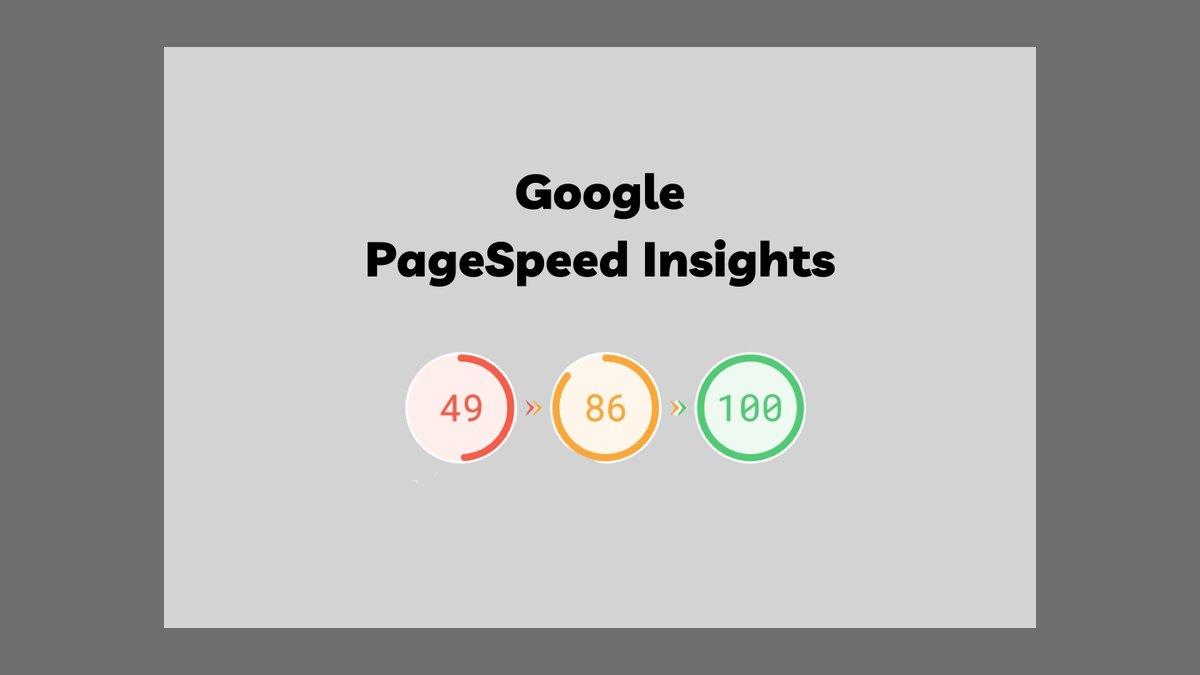
Google PageSpeed Insights ranks first because it uniquely combines a Lighthouse lab run with real-world Chrome UX Report field data, then prioritizes opportunities by estimated savings so you fix what matters most. It reports the exact Core Web Vitals Google uses for ranking, creating the most direct line between a speed test and SEO impact. The tool is completely free and includes an API for automation.
This tool is for developers and site owners who want the fastest path from a speed test to actionable, ranking-relevant fixes. It trades away deep waterfall diagnostics and long-term historical tracking, which tools like WebPageTest provide. Compared to WebPageTest, PageSpeed Insights offers less granular lab detail but superior field data and direct SEO alignment, making it the best overall starting point for most users.
2. WebPageTest

WebPageTest ranks second for delivering the deepest free lab analysis available, including request waterfalls, connection views, filmstrips, video capture, and Core Web Vitals from real browsers in dozens of global locations and on real devices. Its Opportunities and Experiments view lets you test a fix before shipping it, which is unmatched in free tools. This depth makes it the best value for diagnosing exactly what slows a page.
This tool is for performance engineers who need to root-cause slow pages with granular detail. It trades away simplicity and field data, as its dense UI can overwhelm newcomers and heavy use requires a paid plan. Compared to Google PageSpeed Insights, WebPageTest offers far more diagnostic depth but lacks integrated real-user metrics, making it a complementary tool rather than a replacement for the top pick.
3. Lighthouse

Lighthouse ranks third because it is the open-source audit engine behind many speed tools, runnable in Chrome DevTools, from the CLI, or as Lighthouse CI in a development pipeline. It audits performance, accessibility, best practices, and SEO, scoring each and explaining every failed metric with concrete guidance. Running it in CI lets you fail a build when a performance budget regresses, baking speed into the development loop.
This tool is for developers who want a free, scriptable audit engine integrated into their workflow. It trades away field data and user-friendly dashboards, as it is lab-only and scores can vary run to run. Compared to WebPageTest, Lighthouse offers stronger CI integration and a broader audit scope but less detailed waterfall analysis, making it ideal for automated checks rather than deep debugging.
4. GTmetrix

GTmetrix ranks fourth for combining Lighthouse metrics with its own structure analysis and a clean letter-grade summary, plus waterfalls, video playback, and historical tracking. Its readable layout and prioritized recommendations make it a favorite for site owners and agencies who want a shareable, plain-language speed report without parsing raw traces. The free tier is useful, with paid plans starting around $11 per month.
This tool is for site owners and agencies who need a client-friendly report with a clear grade. It trades away the deep diagnostic control of WebPageTest, as best test locations are behind paid tiers and free tests are rate-limited. Compared to Lighthouse, GTmetrix offers a more polished interface and historical tracking but less flexibility for CI integration, making it better for reporting than for automated development workflows.
5. SpeedCurve

SpeedCurve ranks fifth for continuously tracking performance with both synthetic tests and real-user monitoring, charting Core Web Vitals over time and alerting on regressions or performance-budget breaches. Its competitive benchmarking and correlation between speed and business metrics make it a strong fit for teams treating performance as an ongoing discipline. Pricing starts around $20 per month.
This tool is for teams that need continuous monitoring and trend analysis rather than one-off tests. It trades away the simplicity of a quick page test, as the subscription cost and feature depth are more than a hobbyist needs. Compared to GTmetrix, SpeedCurve offers superior real-user monitoring and budget alerting but a steeper learning curve, making it better for performance-focused product teams than for casual site owners.
6. Calibre

Calibre ranks sixth for running scheduled Lighthouse-based tests across pages and devices, enforcing performance budgets, and posting results into pull requests and Slack so regressions surface before users feel them. Its team-oriented dashboards and clear, jargon-light reports make performance accessible to product and engineering alike. Pricing starts around $60 per month.
This tool is for product and engineering teams that want performance budgets integrated into their CI and communication workflows. It trades away deep field data, as its focus is synthetic monitoring, and the price point excludes hobbyists. Compared to SpeedCurve, Calibre offers stronger pull-request integration and cleaner dashboards but less comprehensive real-user monitoring, making it better for teams that prioritize development workflow over business-metric correlation.
7. DebugBear
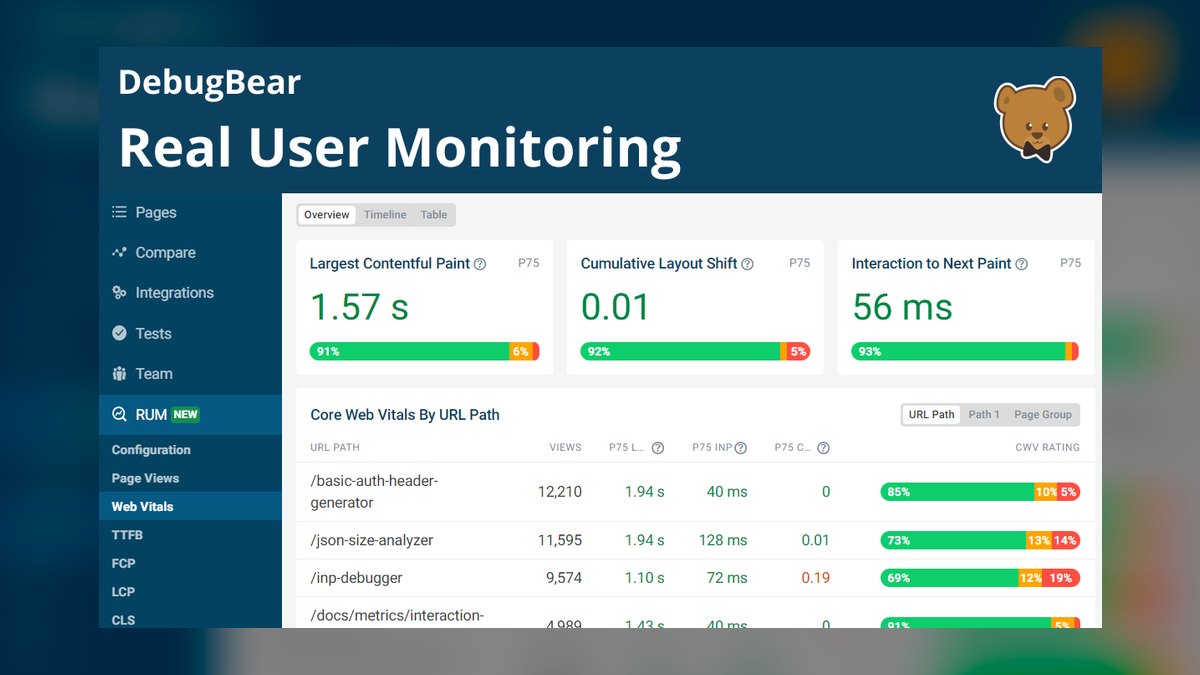
DebugBear ranks seventh for combining scheduled lab testing with real-user monitoring and going deep on diagnostics, including request waterfalls, long tasks, layout-shift attribution, and element-level LCP analysis. It shows not just that a metric is slow but exactly which element or script caused it, which is built for engineers who want to root-cause Core Web Vitals issues precisely. Pricing starts around $60 per month.
This tool is for engineers who need precise, element-level attribution for performance problems. It trades away accessibility for non-technical users, as the diagnostic depth has a learning curve and full coverage requires a paid plan. Compared to Calibre, DebugBear offers more granular diagnostic insights and real-user data but less polished team dashboards, making it better for deep debugging than for broad team reporting.
8. Pingdom
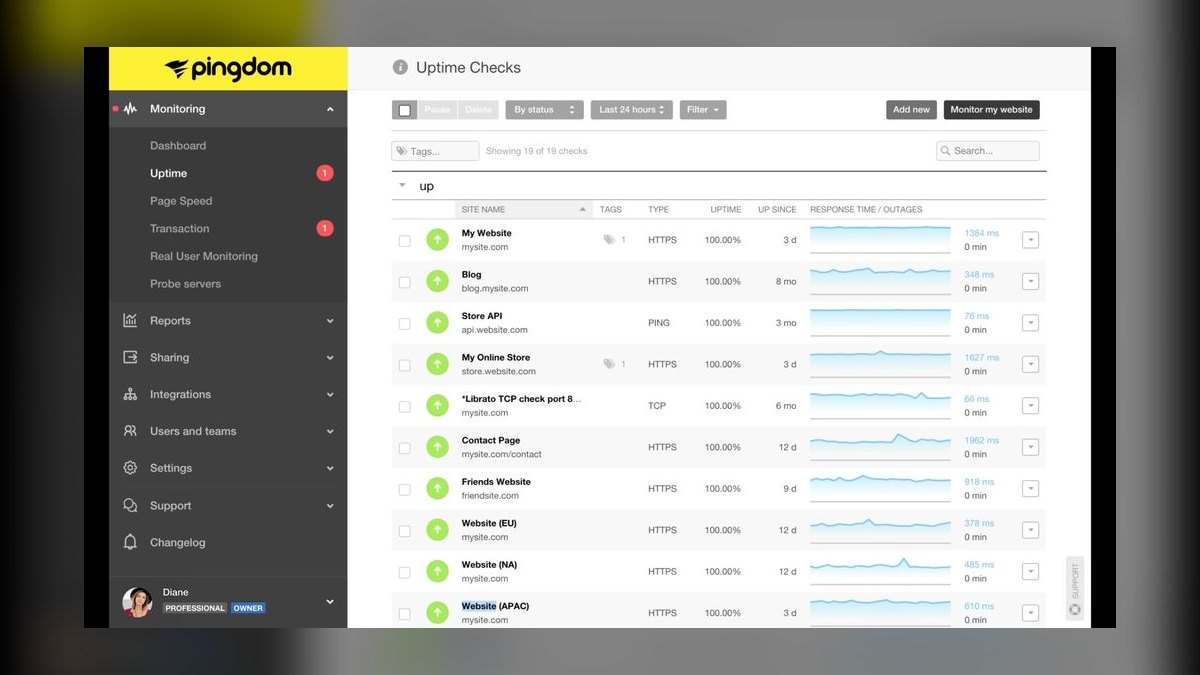
Pingdom ranks eighth for blending global uptime checks with page-speed monitoring and real-user monitoring, alerting you when a site goes down or slows from any of many worldwide locations. For teams that want availability and speed watched together with simple alerting, its long-standing, easy-to-read monitoring covers both bases. Pricing starts around $10 per month.
This tool is for site owners who want a combined uptime and speed monitor with reliable alerts. It trades away the deep diagnostic capabilities of developer-focused tools, as its speed depth is secondary to uptime monitoring. Compared to DebugBear, Pingdom offers broader global uptime coverage and simpler alerting but far less diagnostic detail, making it better for availability monitoring than for root-causing performance issues.
9. Chrome DevTools Performance Panel
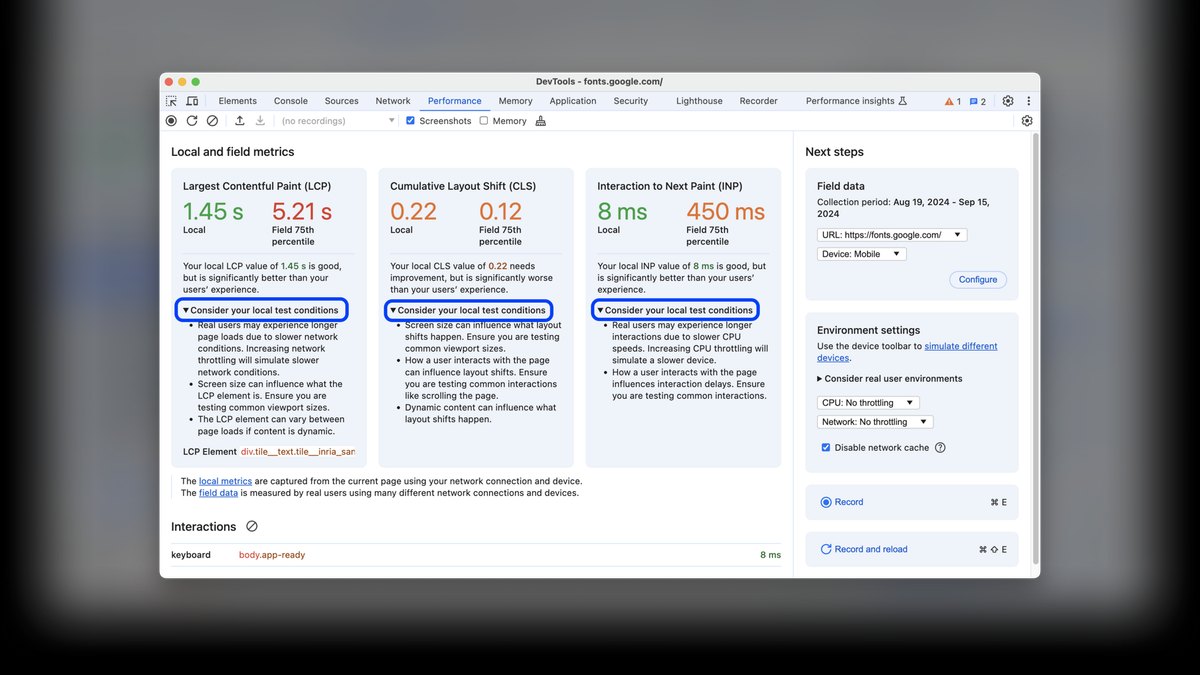
Chrome DevTools Performance Panel ranks ninth for profiling a page directly in the browser, recording the main thread, long tasks, layout shifts, and rendering work down to the millisecond. Its Performance and Insights panels show exactly where time goes during load and interaction, letting developers profile a fix locally before they ever publish or run an external test. It is completely free and built into Chrome.
This tool is for developers who need hands-on, local profiling in their browser. It trades away automation and historical tracking, as it is manual and single-session by nature with no alerting. Compared to Pingdom, Chrome DevTools offers far more granular, millisecond-level detail but no monitoring capabilities, making it ideal for debugging specific interactions rather than tracking site health over time.
10. ChatGPT

ChatGPT ranks tenth for turning a dense PageSpeed or WebPageTest report into a plain-language action plan, explaining what metrics like render-blocking resources mean for your stack and drafting the preload tags or caching headers to add. It prioritizes fixes by impact, making it a fast bridge from test result to code change. It has a free tier, with Plus at $20 per month.
This tool is for developers and site owners who need help interpreting reports and writing fixes, not for measuring speed itself. It trades away measurement capability entirely, as it requires report data to be supplied. Compared to Chrome DevTools Performance Panel, ChatGPT offers no profiling but excels at explaining and generating code from existing results, making it a complementary copilot rather than a standalone testing tool.
How we ranked these
We ranked tools by weighting six criteria from hands-on testing and product documentation: measurement accuracy (30%), diagnostics (20%), monitoring (15%), workflow fit (15%), price/value (12%), and usability (8%). Accuracy focused on Core Web Vitals fidelity, diagnostics on waterfalls and root-cause hints, and monitoring on continuous synthetic and real-user tracking. Workflow fit covered CI, alerts, and integrations, while price/value balanced cost against depth and coverage.
We deliberately ignored marketing claims, unverifiable AI hype, and features not directly tied to measuring or improving page speed. We also excluded tools without a real, testable product or transparent pricing. The goal was to rank only tools that provide actionable, reliable performance data, not those that merely promise AI-driven insights without measurable impact on load times or user experience.
Related questions
What is the best AI tool for website speed testing in 2027?
Google PageSpeed Insights is the best overall because it combines lab and real-world field data and ranks fixes by savings, tying directly to the Core Web Vitals Google uses for ranking. For value, WebPageTest gives the deepest free diagnostics.
What are Core Web Vitals?
Core Web Vitals are Google's user-experience metrics — Largest Contentful Paint, Cumulative Layout Shift, and Interaction to Next Paint — that measure loading, visual stability, and responsiveness, and influence search ranking.
What is the difference between lab and field data?
Lab data comes from a controlled synthetic test on a fixed device and network; field data reflects real users' experiences over time. PageSpeed Insights shows both, so you see ideal and real-world performance.
How do I keep my site fast over time?
Use continuous monitoring with budgets — SpeedCurve, Calibre, or DebugBear — and run Lighthouse in CI so a build fails when a key metric regresses before it reaches users.
Which tool shows exactly what slows a page?
WebPageTest and DebugBear expose request waterfalls, long tasks, and element-level LCP and CLS attribution, and Chrome DevTools profiles the main thread millisecond by millisecond for local debugging.
Can AI help me act on a speed report?
Yes. ChatGPT reads a Lighthouse or WebPageTest report, explains each opportunity in plain language, prioritizes by impact, and drafts the preload tags, caching headers, or code changes to apply.
What is the best free tool for website speed testing?
WebPageTest offers the deepest free lab analysis, including waterfalls, filmstrips, and real-device testing from global locations. Google PageSpeed Insights is also free and provides prioritized opportunities based on Core Web Vitals.
How much do paid speed testing tools cost?
Paid plans start around $10–$30/month for small sites (e.g., GTmetrix Pro) and scale to $100–$500/month for agencies or high-traffic sites needing RUM and CI integration (e.g., SpeedCurve, Calibre). Most tools offer a free trial.
FAQ
What is the best AI tool for website speed testing in 2027?
Google PageSpeed Insights is the best overall because it combines lab and real-world field data and ranks fixes by savings, tying directly to the Core Web Vitals Google uses for ranking. For value, WebPageTest gives the deepest free diagnostics.
What are Core Web Vitals?
Core Web Vitals are Google's user-experience metrics — Largest Contentful Paint, Cumulative Layout Shift, and Interaction to Next Paint — that measure loading, visual stability, and responsiveness, and influence search ranking.
What is the difference between lab and field data?
Lab data comes from a controlled synthetic test on a fixed device and network; field data reflects real users' experiences over time. PageSpeed Insights shows both, so you see ideal and real-world performance.
How do I keep my site fast over time?
Use continuous monitoring with budgets — SpeedCurve, Calibre, or DebugBear — and run Lighthouse in CI so a build fails when a key metric regresses before it reaches users.
Which tool shows exactly what slows a page?
WebPageTest and DebugBear expose request waterfalls, long tasks, and element-level LCP and CLS attribution, and Chrome DevTools profiles the main thread millisecond by millisecond for local debugging.
Can AI help me act on a speed report?
Yes. ChatGPT reads a Lighthouse or WebPageTest report, explains each opportunity in plain language, prioritizes by impact, and drafts the preload tags, caching headers, or code changes to apply.
What is the best free tool for website speed testing?
WebPageTest offers the deepest free lab analysis, including waterfalls, filmstrips, and real-device testing from global locations. Google PageSpeed Insights is also free and provides prioritized opportunities based on Core Web Vitals.
How much do paid speed testing tools cost?
Paid plans start around $10–$30/month for small sites (e.g., GTmetrix Pro) and scale to $100–$500/month for agencies or high-traffic sites needing RUM and CI integration (e.g., SpeedCurve, Calibre). Most tools offer a free trial.
What is the difference between synthetic and real-user monitoring?
Synthetic testing runs controlled tests from fixed locations and devices, while real-user monitoring (RUM) collects data from actual visitors. Combining both gives a complete picture, as lab tests may miss issues like slow third-party scripts that only appear in real-world conditions.
How does AI improve speed testing in 2027?
AI tools simulate user behavior across devices and networks, predict the impact of code changes on Core Web Vitals before deployment, and automatically group performance regressions by severity. This cuts debugging time by an estimated 30–50% compared to manual trial-and-error.
Sources
- https://pagespeed.web.dev
- https://www.webpagetest.org
- https://developer.chrome.com/docs/lighthouse
- https://gtmetrix.com
- https://www.speedcurve.com
- https://calibreapp.com
- https://www.debugbear.com
- https://www.pingdom.com
- https://developer.chrome.com/docs/devtools/performance
- https://chatgpt.com
Related on PULSE
This page will be disappearing soon. Save it to your device for $1 — or read it free while it is here.
@Kory-White- · if Venmo asks, the last 4 of my number are 2012
This page is gone.
This one is off the shelf now. $1 keeps it on your phone for good — the whole page, pictures and diagrams included.
 pulse-ai-infrastructureThe 10 Best AI Tools for Data Analysis in 2027
 pulse-ai-infrastructureThe 10 Best AI Tools for Language Learning in 2027
 pulse-ai-infrastructureThe 10 Best AI Tools for UX and UI Design in 2027
 pulse-ai-infrastructureWhat is the best architecture for multi-tenant AI applications in 2027?
 pulse-ai-infrastructureThe 10 Best AI Tools for Navigation and Menu Design in 2027
 pulse-ai-infrastructureThe 10 Best AI Tools for Image Upscaling in 2027
 pulse-ai-infrastructureThe 10 Best AI Tools for Summarizing Articles in 2027
 pulse-ai-infrastructureThe 10 Best AI Tools for Sales Outreach in 2027
 pulse-ai-infrastructureThe 10 Best AI Observability Tools for RAG Pipelines in 2027
 pulse-ai-infrastructureThe 10 Best AI Tools for Album Art in 2027