


Top 10 Pen Displays — Best Overall + Best Value in 2027
Quality
Certified
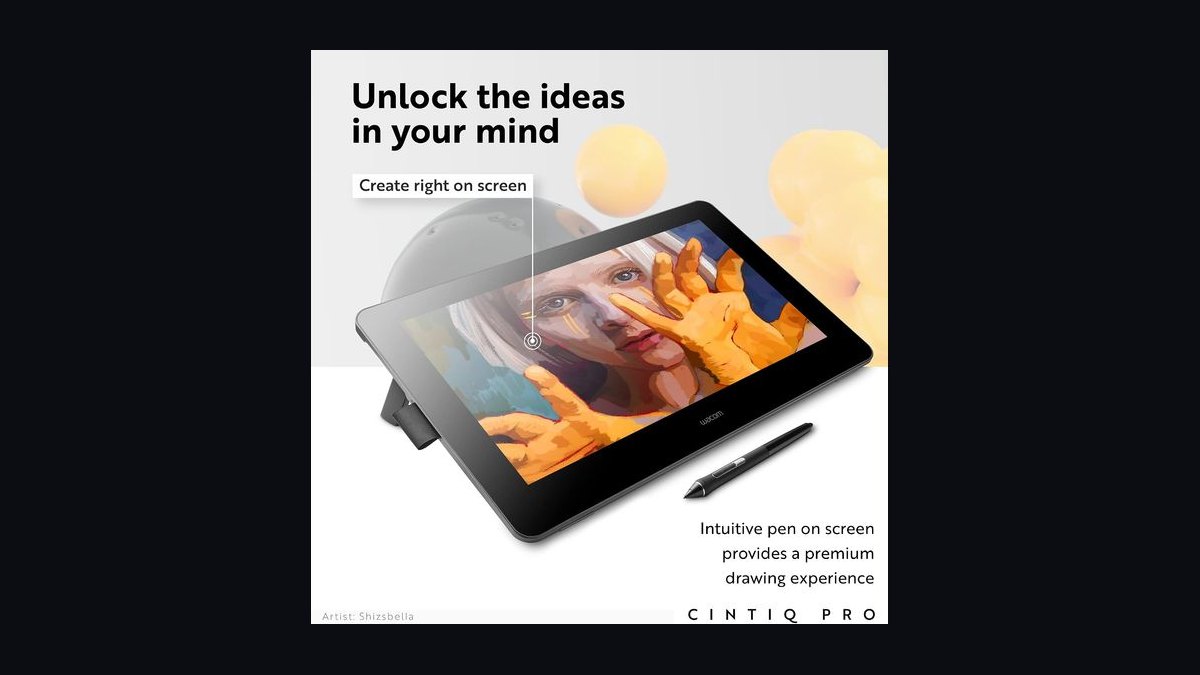
The 10 best pen displays are ranked below on measured performance, build quality, price, and how each one actually holds up in daily use rather than how it reads on a spec sheet. Each pick lists what it costs, who it suits, and what it gives up against the one above it, so the list can be read straight down without doubling back.
1Wacom Cintiq Pro 27 4K
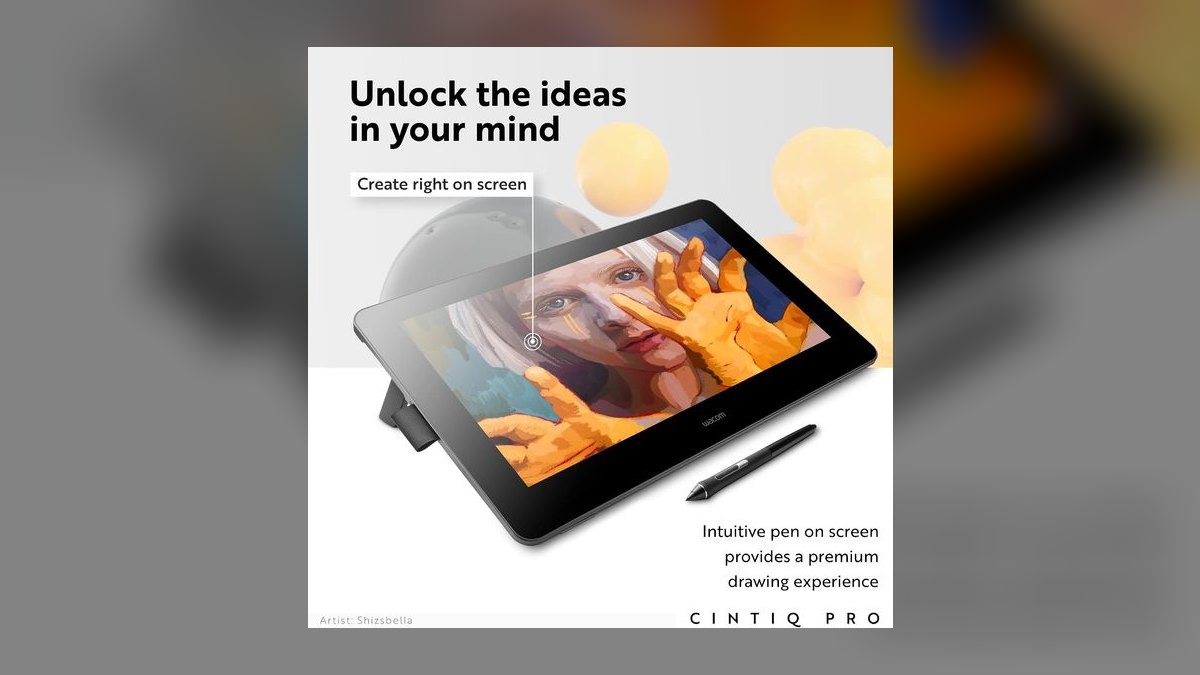
This ranks first because no other pen display pairs reference-grade color with the lowest parallax in the category. The 26.9-inch 4K UHD IPS panel covers 99% Adobe RGB and 98% DCI-P3 with factory ΔE under 2, so painted color matches printed color. Pro Pen 3 delivers 8,192 pressure levels, 60° tilt, and ±0.5mm accuracy through etched glass bonded edge-to-edge. A 120Hz refresh gives the smoothest line-out available at $3,499.
This is for studio colorists and illustration professionals whose billed hours justify a four-figure panel. It trades away affordability and charges $499 extra for the Pro Stand, which the Cintiq Pro 22 below includes free. What the money buys over cheaper 4K panels is Wacom's driver stack, which runs Photoshop, Toon Boom Harmony, ZBrush, and Substance Painter across macOS and Windows 11 without re-pairing. Thunderbolt 3 carries video, data, and power on one cable.
2Huion Kamvas Pro 24 4K
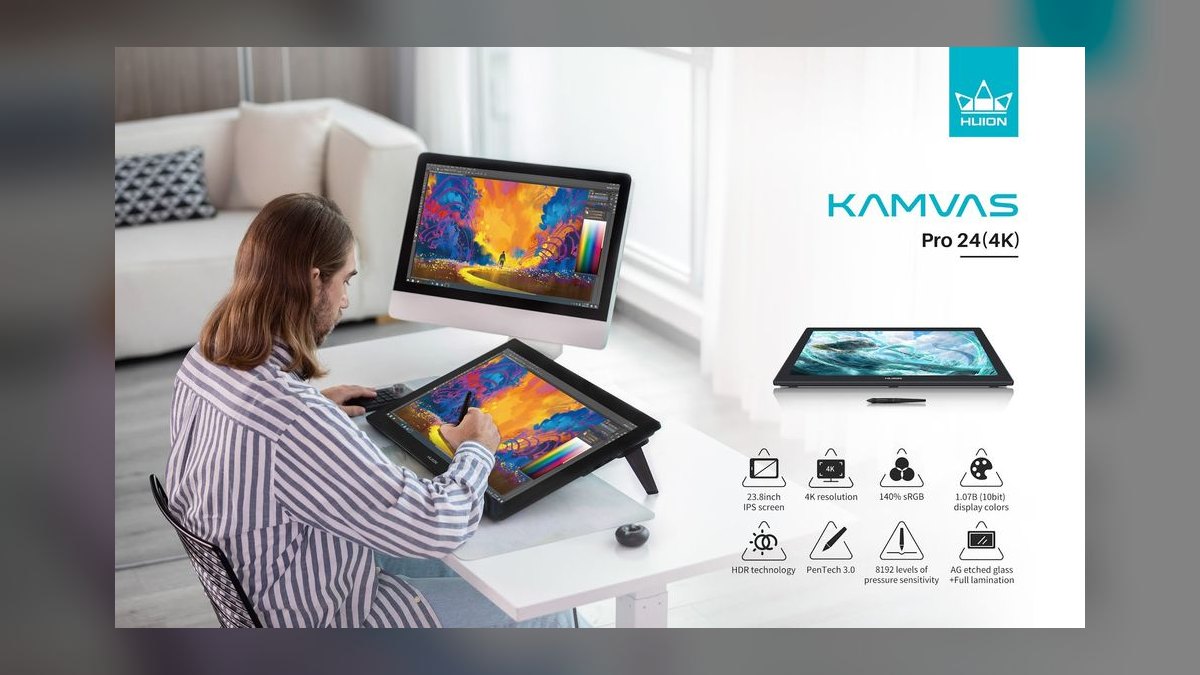
Second place goes to the panel that matches the flagship's color numbers at $1,499. The 23.8-inch 4K UHD IPS screen hits 140% sRGB, 99% Adobe RGB, and factory ΔE under 2, shipped with a calibration report in the box. Brightness reaches 350 nits, and the PenTech 3.0 PW517 stylus provides 8,192 pressure levels with 60° tilt through laminated etched glass. Measured parallax sits near 1.5mm.
Studio artists who want maximum 4K canvas per dollar should start here. It trades away Wacom's driver maturity and ships no stand, so budget $129 for the ST200. Against the Cintiq Pro 27 above, it costs less than half and gives up 6mm of diagonal, 120Hz refresh, and Thunderbolt. Twenty physical shortcut keys, two touch bars, USB-C single-cable operation, and VESA 100×100 mounting are standard. Calibration holds six-plus months.
3Wacom Cintiq Pro 22
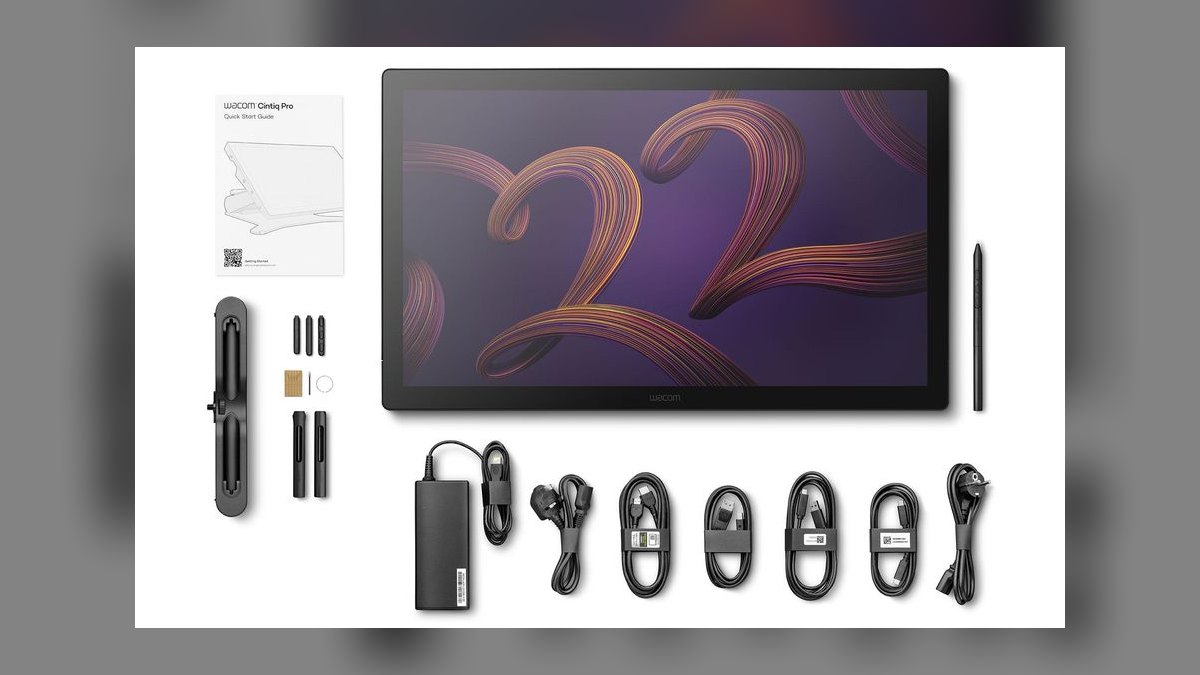
Third because it delivers flagship pen hardware at a desk-friendly size for $1,999. The 21.5-inch QHD+ 2560×1440 IPS panel covers 99% sRGB and 98% DCI-P3 with factory ΔE under 2 and 400 nits — brighter than the 27's 350. Pro Pen 3 supplies 8,192 pressure levels and 60° tilt through laminated etched anti-glare glass. The adjustable stand tilts 19° to 68° and costs nothing extra.
Concept artists and 2D animators bouncing between Toon Boom Harmony, TVPaint, and Adobe Animate get the most out of it. It trades away 4K resolution and runs at 60Hz rather than the 27's 120Hz. Compared with the Huion above, it costs $500 more for less resolution but buys driver stability and an included stand worth $499 on the flagship. The 22-inch footprint fits beside a 27-inch reference monitor on a standard desk.
4XP-Pen Artist Pro 24 4K
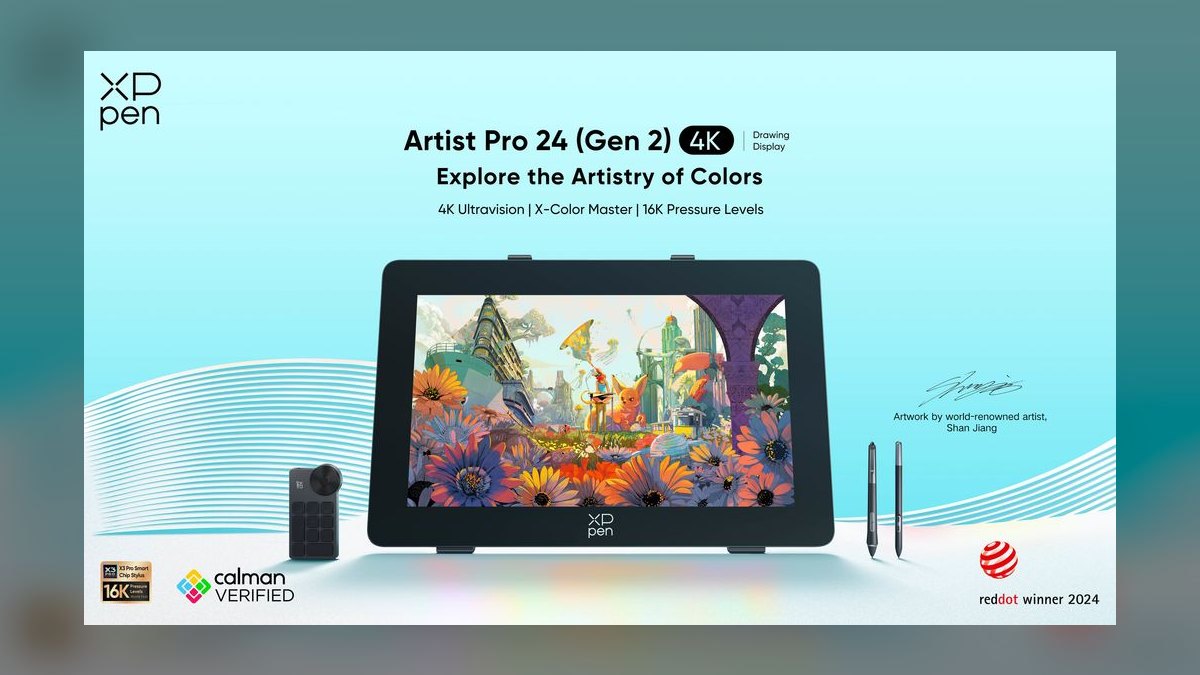
Fourth on raw specification density per dollar at $1,199. The 23.8-inch 4K UHD panel measures 99% Adobe RGB, 99% DCI-P3, and factory ΔE at or under 1.6 — tighter than either Wacom above. The X3 Pro Smart Chip stylus registers 16,384 pressure levels, double the Wacom count, with 60° tilt and 5g initial activation force. Twenty shortcut keys, dual rotary dials, 350 nits, and the AC50 stand are all included.
Indie studios and freelance illustrators working in Photoshop, Blender, and Procreate Dreams get the most panel here. It trades away driver polish — Photoshop edge cases still surface occasionally. Against the Huion Kamvas Pro 24 4K above, it saves $300 and bundles a 20°-to-80° stand that Huion charges $129 for. The pressure-level advantage is largely marketing; pros stop distinguishing steps past roughly 4,096.
5Wacom MovinkPad 11
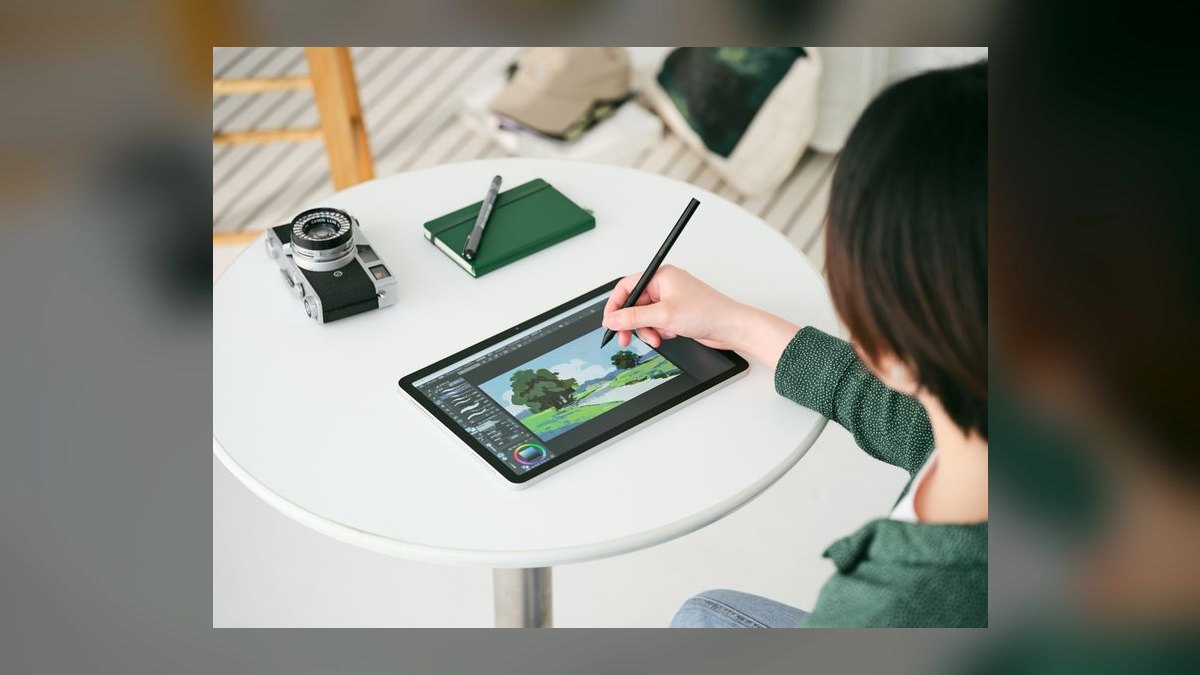
Fifth because it is the most color-accurate display under $1,000 and weighs 1.2 pounds. The 11.45-inch 2200×1440 OLED panel covers 100% DCI-P3 with HDR, 500 nits, and factory ΔE under 2 — true blacks no IPS panel on this list produces. Pro Pen 3 is included, bringing 8,192 pressure levels and 60° tilt through laminated edge-to-edge glass. At 8mm thick and $799, a single USB-C cable carries video and power.
Field illustrators and on-set storyboard artists are the buyers. It trades away workspace: an 11-inch canvas cannot serve as a primary studio display. Compared with the XP-Pen Artist Pro 24 4K above, it surrenders roughly twelve inches of diagonal for portability and OLED contrast. It runs from a laptop, an iPad, or an Android phone via Samsung DeX with no power brick. The folding cover doubles as a magnetic tilt stand.
6XP-Pen Artist Pro 16 Gen 2
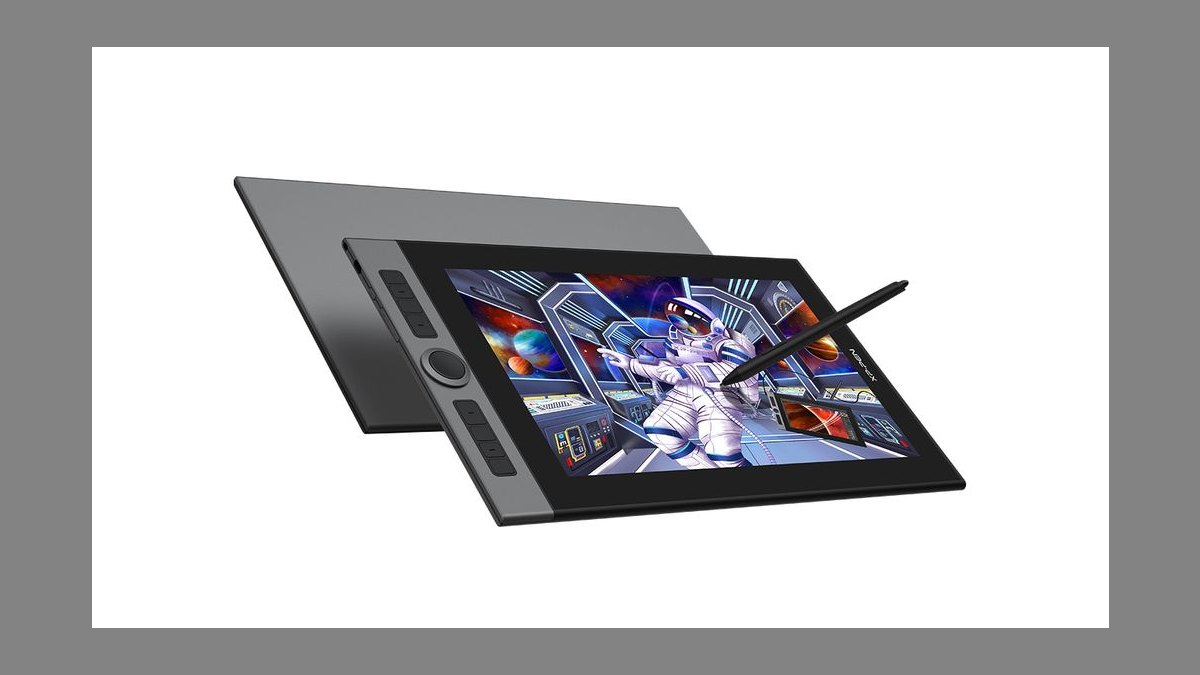
Sixth overall and the best value on the list at $499. The 15.4-inch 2560×1600 fully laminated IPS panel covers 99% sRGB and 99% Adobe RGB at factory ΔE 1.8 — gamut that cost $1,500 a few years ago. The X3 Pro stylus delivers 16,384 pressure levels, 60° tilt, and a 3g initial activation force, the lightest here. Two rotary dials, eight shortcut keys, 350 nits, and a 9mm chassis complete it.
Aspiring professionals and serious hobbyists who want pro specifications under $500 should buy this. It trades away size and ships no stand; the folding AC42 costs $25. Against the Wacom Cintiq 16 at $649 lower on this list, it undercuts by $150 while offering higher resolution, wider gamut, and dials the Wacom lacks entirely. Single USB-C works with compatible laptops.
7Huion Kamvas 13
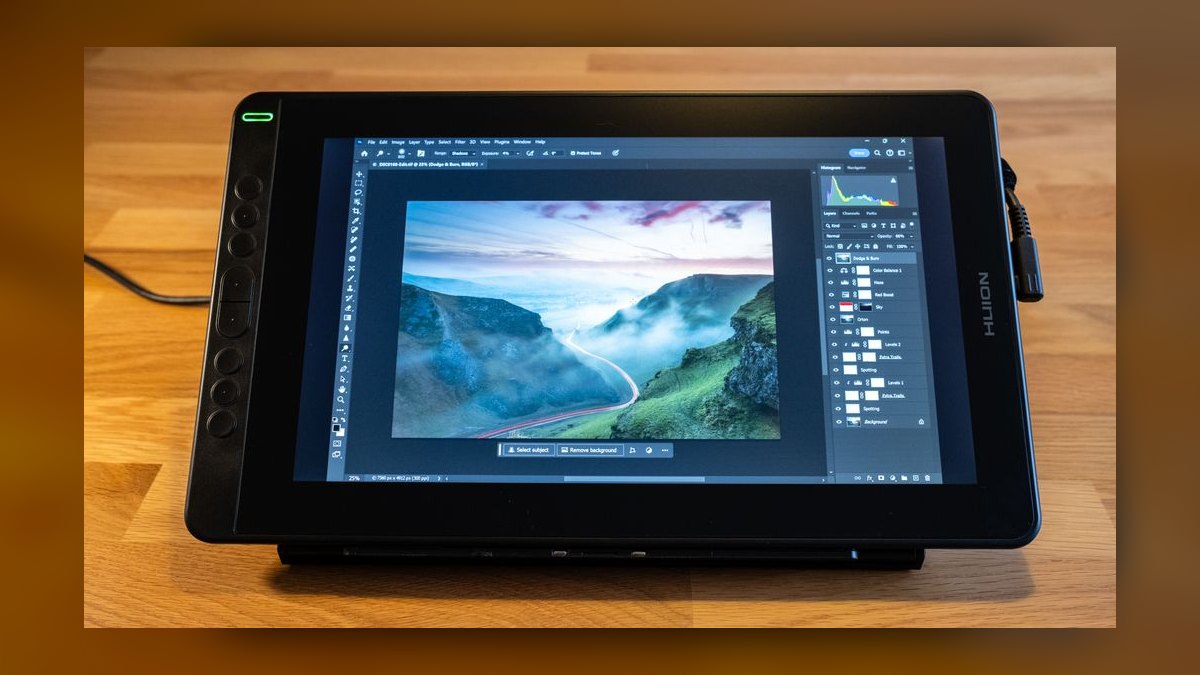
Seventh because $249 buys 120% sRGB and 92% Adobe RGB with factory ΔE under 2. The 13.3-inch 1920×1080 fully laminated IPS panel runs at 220 nits and weighs 2.0 pounds, light enough for lap work. The battery-free PW517 stylus is the same pen shipped with Huion's $1,499 Kamvas Pro 24 4K, giving 8,192 pressure levels and 60° tilt. Eight shortcut keys and a 3-in-1 USB-C cable are standard.
First-time pen-display buyers moving up from screenless tablets, plus comic inkers and manga artists on sub-$300 budgets, are the audience. It trades away resolution — 1080p pixels are visible at arm's length. Against the XP-Pen Artist Pro 16 Gen 2 above, it costs half as much but gives up 2.5K resolution, Adobe RGB coverage, and both dials. Amazon bundles frequently add the ST200 stand and a glove.
8Wacom Cintiq 16
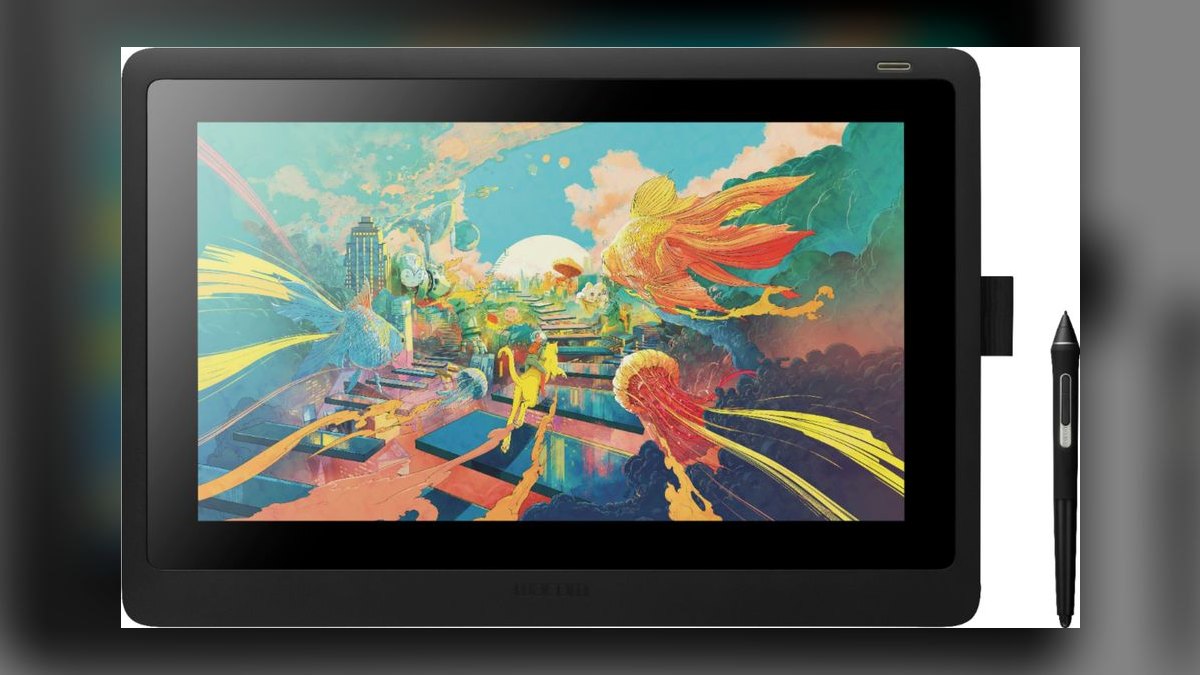
Eighth because the color numbers lag the price. The 15.6-inch 1920×1080 IPS panel covers roughly 96% sRGB at 72% NTSC with ΔE under 4 — the weakest accuracy on this list — for $649. Pro Pen 2 still delivers 8,192 pressure levels and 60° tilt through fully laminated anti-glare glass, and built-in foldable legs set a 19° tilt. A 3-in-1 X-shape cable handles HDMI, USB, and power together.
Students and hobbyists who want Wacom's driver reliability with a real screen are the buyers. It trades away shortcut keys entirely and costs $150 more than the higher-ranked XP-Pen Artist Pro 16 Gen 2 while offering lower resolution and narrower gamut. What justifies it: rock-solid behavior in Photoshop, Clip Studio, and ZBrush, a 2-year warranty, and resale at 65-75% of MSRP after three years.
9Huion Kamvas Pro 16 Plus 4K
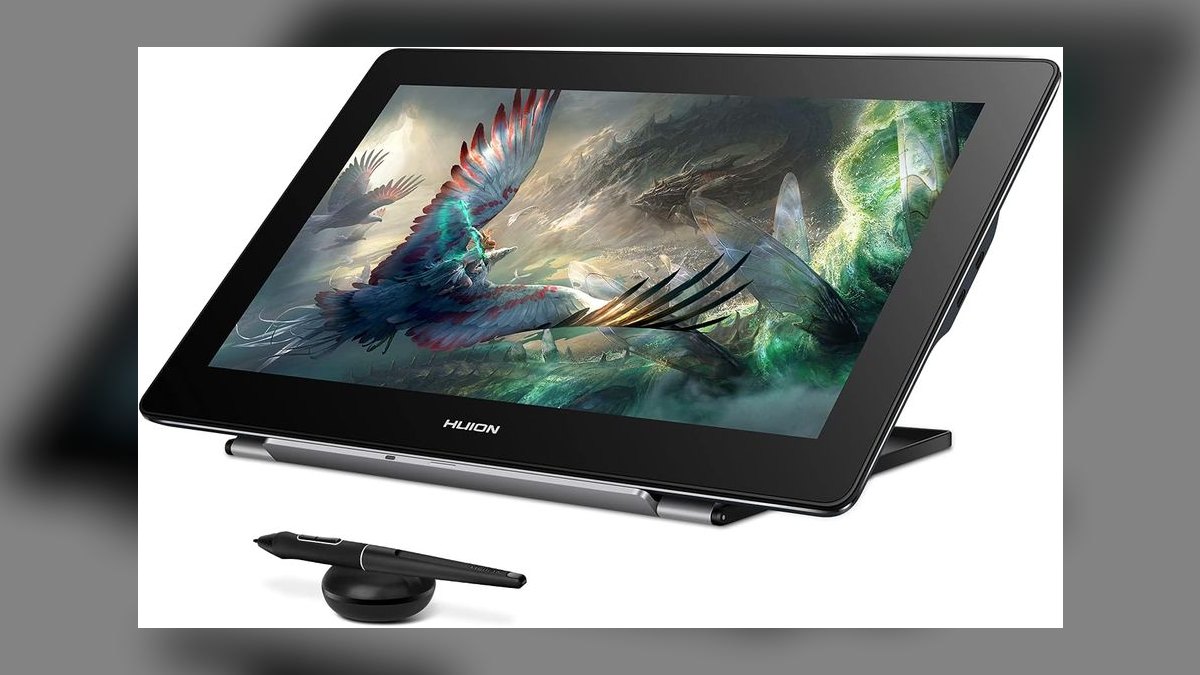
Ninth because 282 PPI is the sharpest pixel density here, but 220 nits and a cramped canvas limit its range. The 15.6-inch 3840×2160 IPS panel covers 148% sRGB and 99% Adobe RGB at factory ΔE under 2, packed into a 2.6-pound, 11mm body priced at $899. The PW517 stylus provides 8,192 pressure levels and 60° tilt behind laminated etched glass. Six shortcut keys and a touch bar sit above the screen.
Detail artists doing trading-card illustration, miniature painting, or microscopy work benefit most from the density. It trades away comfortable UI scale — 4K at 15.6 inches forces aggressive scaling that eats the workspace. Against the XP-Pen Artist Pro 16 Gen 2 above, it costs $400 more for higher resolution but dimmer output and fewer controls. USB-C single-cable operation works on Thunderbolt machines.
10XP-Pen Artist 12 (2nd Gen)
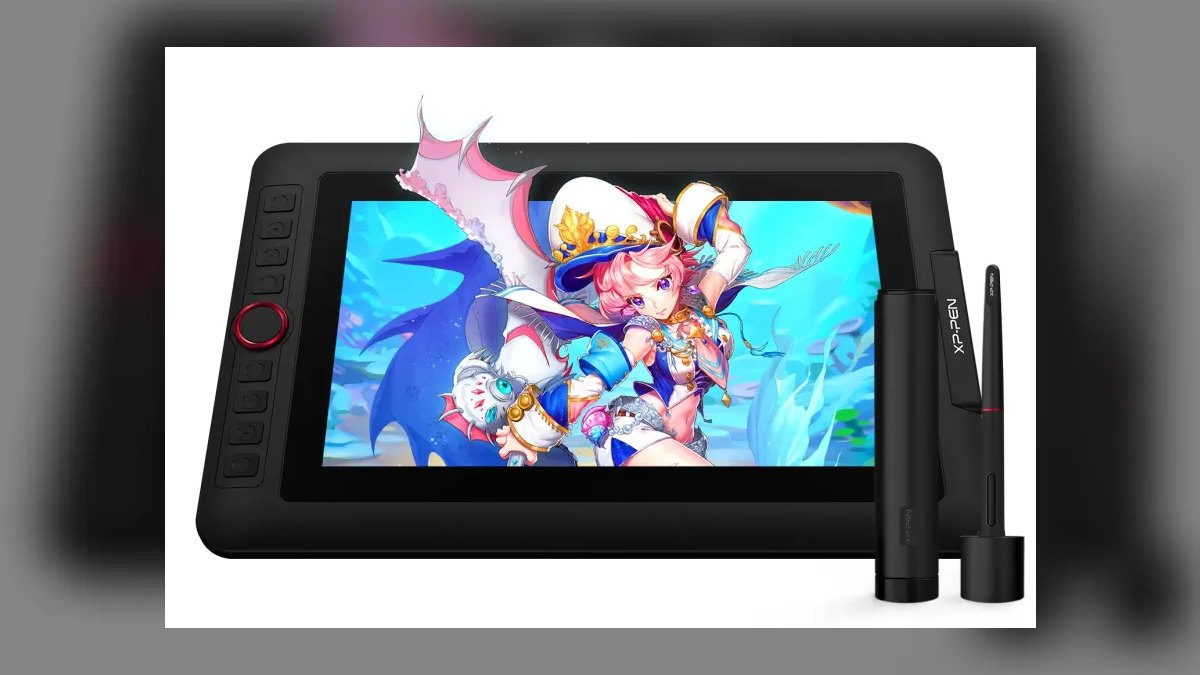
Tenth because it is the smallest and least capable panel here, though the color is honest for $229. The 11.9-inch 1920×1200 fully laminated IPS screen covers 94% sRGB and 88% DCI-P3 at factory ΔE 1.6. The X3 chip stylus gives 8,192 pressure levels, 60° tilt, and 3g initial activation force. Eight shortcut keys, a folding back leg, a 3-in-1 USB-C cable, and 2.0 pounds of total weight round it out.
Absolute beginners and kids drawing manga, Roblox skins, or thumbnails are the intended buyers. It trades away desk usability — 1080p at 12 inches is tight for sustained work. Against the Huion Kamvas 13 above, it saves $20 but gives up an inch of diagonal and noticeably narrower sRGB coverage. A 2-year warranty and a 10-pack of replacement nibs in the box lower ownership cost in heavy-use households.
How we ranked these
We scored every panel on six weighted axes: color accuracy and gamut at 25 percent, display quality at 20, pen feel and parallax at 20, build and ergonomics at 15, connectivity at 10, and price-to-performance at 10. Pricing came from B&H, Adorama, and manufacturer stores as of Q1 2027. Gamut and Delta-E claims were cross-checked against independent spectrophotometer reports rather than marketing sheets.
We ignored bundled software trials, artist-endorsement marketing, and Amazon star averages — all three track promotion budgets, not panel quality. We also set aside peak brightness above 350 nits, since studio work happens in controlled light, and refresh rate was only a tiebreaker. Where reviewers disagreed on parallax or driver stability, we took the harsher score, because a flaky driver costs more hours than a spec sheet ever wins back.
What to look for
Two specs decide most of this: lamination and gamut. A fully laminated panel bonds glass to the LCD so the cursor sits under the nib instead of floating a millimeter away. Then ask what your output is. Print work needs 99 percent Adobe RGB and factory Delta-E under 2; web and game art are fine at 99 percent sRGB, which costs far less.
The common mistake is buying resolution and forgetting the stand. A 4K panel at 16 inches needs UI scaling and still cramps your canvas, while the Cintiq Pro 27 arrives without its $499 stand and the Artist Pro 16 Gen 2 without a $25 one. Budget the stand, the cable, and a nib pack before you compare prices, and check driver support for your actual app.
Related questions
What is the best overall pen display in 2027?
The Wacom Cintiq Pro 27 4K at $3,499. It pairs a 3840x2160 fully laminated panel with 99 percent Adobe RGB, factory Delta-E under 2, 120Hz refresh, and Pro Pen 3 with 8,192 pressure levels and 60 degrees of tilt. Thunderbolt 3 carries video, data, and power on one cable, and Wacom's driver remains the most stable in the category.
What is the best pen display under $500?
The XP-Pen Artist Pro 16 Gen 2 at $499. You get a 15.4-inch 2560x1600 laminated IPS panel, 99 percent Adobe RGB, factory Delta-E at or under 1.8, 16,384 pressure levels, and two rotary dials. The Huion Kamvas 13 at $249 is the cheaper step down, trading the 2.5K panel for 1080p.
Do I actually need 4K on a pen display?
Only if you work small and zoom deep. The Kamvas Pro 16 Plus 4K packs 282 PPI into 15.6 inches, which is superb for trading-card art or miniature detail but demands UI scaling. For most illustration, a 2.5K laminated panel with 99 percent Adobe RGB beats a sharper screen with weaker color.
Is the Wacom driver worth the price premium?
Often yes, though the gap narrowed through 2026. Wacom's stack pairs cleanly across macOS, Windows 11, Photoshop, Clip Studio, Toon Boom, and ZBrush without periodic re-pairing. If your income depends on a deadline, that reliability is cheap. If you mostly paint in one app, Huion and XP-Pen drivers are now stable enough to save the money.
What is parallax and why does lamination fix it?
Parallax is the visible gap between your nib and the cursor, caused by air between the glass and the LCD. Full lamination bonds them, collapsing that gap to near zero. Every panel here is laminated, including the $249 Kamvas 13. Non-laminated clearance models still circulate; skip them at any price.
Should a beginner buy a pen display or a screenless tablet?
Buy the screenless tablet if budget is tight and you already draw comfortably from muscle memory. Buy the pen display if hand-eye disconnect is what's stopping you. The $229 XP-Pen Artist 12 and $249 Kamvas 13 both cross the line into genuinely usable, so the price argument for screenless is weaker than it used to be.
Do more pressure levels make a real difference?
Barely, past 8,192. XP-Pen's 16,384 levels on the X3 Pro look impressive on paper, but initial activation force matters far more day to day. The X3 Pro triggers at 3 grams versus 5 on the Artist Pro 24, and that is what you feel in light sketching strokes and tapering line ends.
Which pen display works best for travel?
The Wacom MovinkPad 11 at $799. It is an 11.45-inch OLED at 1.2 pounds and 8mm thick, covering 100 percent DCI-P3 at 500 nits with Pro Pen 3. One USB-C cable powers it from a laptop, tablet, or Android phone, so there is no brick to pack. The folding cover doubles as a tilt stand.
FAQ
How much should a first pen display cost?
Between $229 and $499 covers nearly everyone starting out. The XP-Pen Artist 12 at $229 and Huion Kamvas 13 at $249 are genuine entry points with lamination and 8,192 pressure levels. If you already know you will go professional, the $499 Artist Pro 16 Gen 2 saves you a second purchase within a year.
Does a pen display need its own power supply?
It depends on the panel. Small displays like the MovinkPad 11 and Artist 12 draw power over a single USB-C or 3-in-1 cable from the host machine. Large 4K panels including the Cintiq Pro 27 and Kamvas Pro 24 4K need their own mains adapter, since a laptop port cannot feed a 24-inch backlight.
What does Delta-E under 2 mean for artists?
Delta-E measures how far a displayed color drifts from the true value. Under 2 is generally considered imperceptible to the eye, which means what you paint is close to what prints. Every panel on this list except the Cintiq 16, rated under 4, ships factory-calibrated to that threshold.
Can these connect to an iPad or an Android phone?
Some do. The MovinkPad 11 connects over USB-C to laptops, tablets, and Android phones including Samsung DeX. Most desktop-class panels expect HDMI plus USB or Thunderbolt from a computer. iPads generally cannot drive a pen display as a graphics tablet, so check the manufacturer's compatibility list before buying.
Are shortcut keys and dials worth paying for?
Yes, more than most resolution upgrades. Dials for zoom and brush size keep your off-hand off the keyboard, which compounds over a long session. The Artist Pro 24 4K and Artist Pro 16 Gen 2 both include dual dials; the Kamvas Pro 24 4K offers 20 keys and two touch bars. The Cintiq 16 has none.
How long do nibs last and are replacements included?
Nibs wear with pressure and surface texture, typically weeks to months of daily work. Etched anti-glare glass wears them faster than smooth glass. The XP-Pen Artist 12 ships a 10-pack in the box, and replacement packs run a few dollars across brands. Budget for them the way you would budget for pencils.
Is 60Hz enough or do I need 120Hz?
60Hz is fine for illustration and most animation work. Only the Cintiq Pro 27 runs 120Hz here, and the benefit shows up as slightly smoother line rendering during fast strokes rather than lower latency. Do not pay a premium for refresh rate; pay it for lamination, gamut, and driver stability instead.
Do pen displays hold their resale value?
Wacom does noticeably better. A three-year-old Cintiq 16 typically resells for 65 to 75 percent of MSRP, while Huion and XP-Pen panels land nearer 30 to 40 percent. Factor that into total cost, because the Wacom premium partly returns when you sell, which narrows the real gap against cheaper competitors.
Which screen size should I buy?
Match size to your desk and your work. 22 to 24 inches suits studio color and animation with reference open alongside the canvas. 15 to 16 inches is the sweet spot for most freelancers and fits beside a separate main monitor. 12 to 13 inches is for beginners and travel.
Can I hardware-calibrate a pen display?
Yes, and it is worth doing on the higher tiers. Reviewers using an X-Rite i1Display Pro report the Kamvas Pro 24 4K holds calibration for six months or more without meaningful drift. Factory calibration reports ship in the box with several panels here, but a hardware puck is what verifies the claim over time.
Sources
- https://www.wacom.com/en-us/products/pen-displays
- https://www.huion.com/
- https://www.xp-pen.com/
- https://www.pcmag.com/picks/the-best-drawing-tablets
- https://www.tomsguide.com/best-picks/best-drawing-tablets
- https://www.nytimes.com/wirecutter/reviews/best-drawing-tablets/
- https://www.rtings.com/monitor
- https://www.bhphotovideo.com/
- https://www.theverge.com/
Related on PULSE
This page will be disappearing soon. Save it to your device for $1 — or read it free while it is here.
@Kory-White- · if Venmo asks, the last 4 of my number are 2012
This page is gone.
This one is off the shelf now. $1 keeps it on your phone for good — the whole page, pictures and diagrams included.
 pulse-reviewsTop 10 NVMe SSD Enclosures — Best Overall + Best Value in 2027
 pulse-reviewsTop 10 4K TVs — Best Overall + Best Value in 2027
 pulse-reviewsTop 10 Car Phone Mounts for Field Sales Reps in 2027
 pulse-reviewsTop 10 Boom Pole Kits — Best Overall + Best Value in 2027
 pulse-reviewsTop 10 Backpack Leaf Blowers — Best Overall + Best Value in 2027
 pulse-reviewsTop 10 Tire Inflators — Best Overall + Best Value in 2027
 pulse-reviewsTop 10 Radar Detectors — Best Overall + Best Value in 2027
 pulse-reviewsTop 10 TCL TVs — Best Overall + Best Value in 2027
 pulse-reviewsTop 10 Wireless Earbuds for Quick Sales Calls in 2027
 pulse-reviewsTop 10 Tablet Styluses — Best Overall + Best Value in 2027