


Top 10 Desk Lamps for Late-Night Sales Calls in 2027
Quality
Certified
The 10 best desk lamps for late-night sales calls are ranked below on measured performance, build quality, price, and how each one actually holds up in daily use rather than how it reads on a spec sheet. Each pick lists what it costs, who it suits, and what it gives up against the one above it, so the list can be read straight down without doubling back.
1BenQ ScreenBar Halo
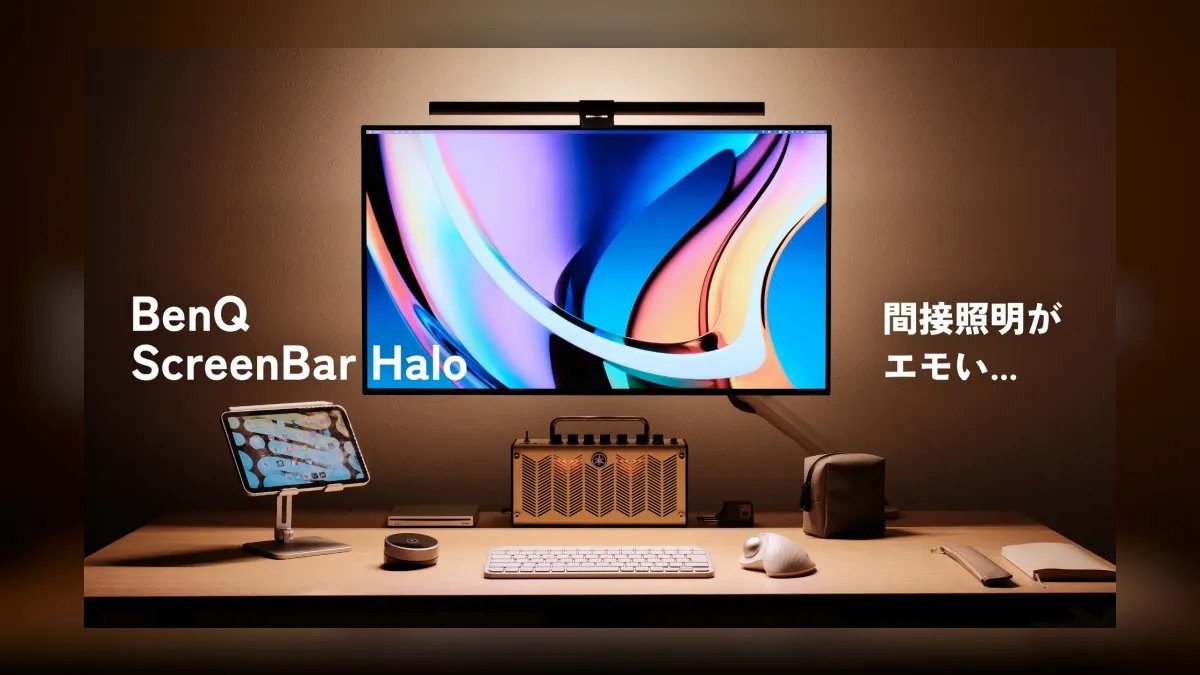
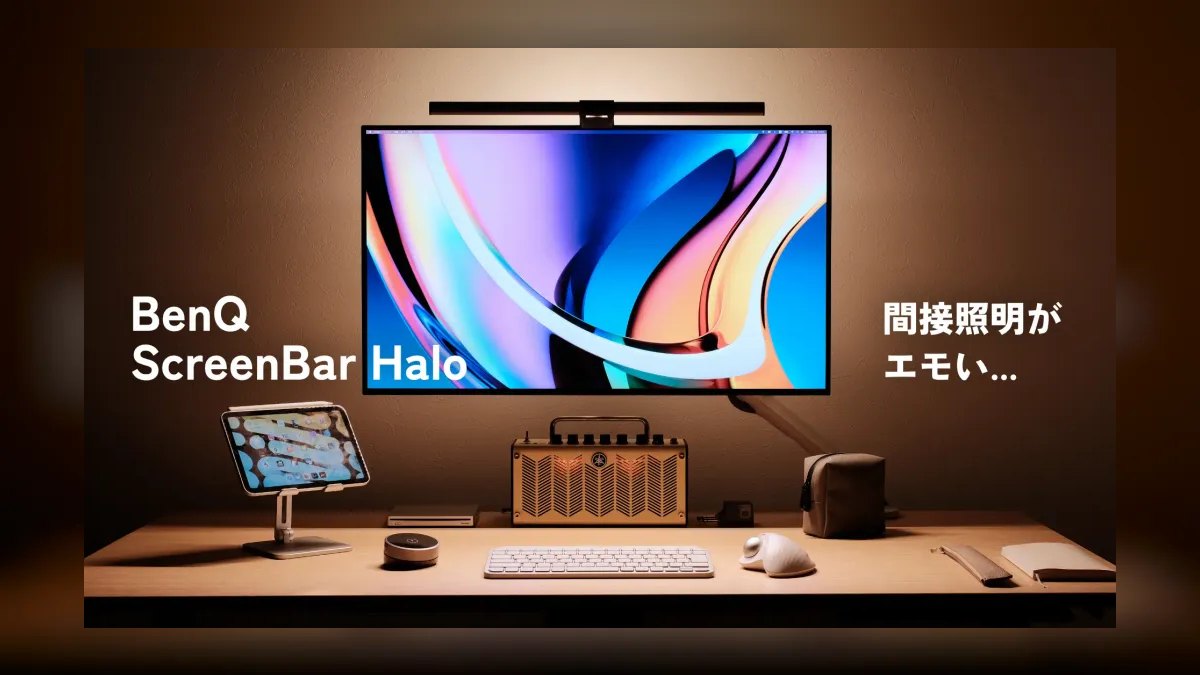
The BenQ ScreenBar Halo ranks first because its asymmetric forward-throw optics put 1,000 lux on the desk with zero glare bouncing back off the monitor. Color temperature adjusts from 2700K to 6500K, so late-night calls run warm and daytime prospecting runs cool. A rear-facing bias LED lights the wall behind the screen, cutting the contrast that causes eye strain. An auto-dim sensor reads ambient room light and adjusts output automatically.
This is for account executives and remote founders on video for six-plus hours a day who care how they read on camera. It costs $189, the wireless puck eats desk space, and the 1.5 m USB-C cable is short for deep desks. The spring clip fits monitors 1 cm to 6 cm thick, covering essentially every ultrawide. Against the ScreenBar Plus below, the $60 premium buys the bias light and the auto-dim sensor.
2BenQ ScreenBar Plus
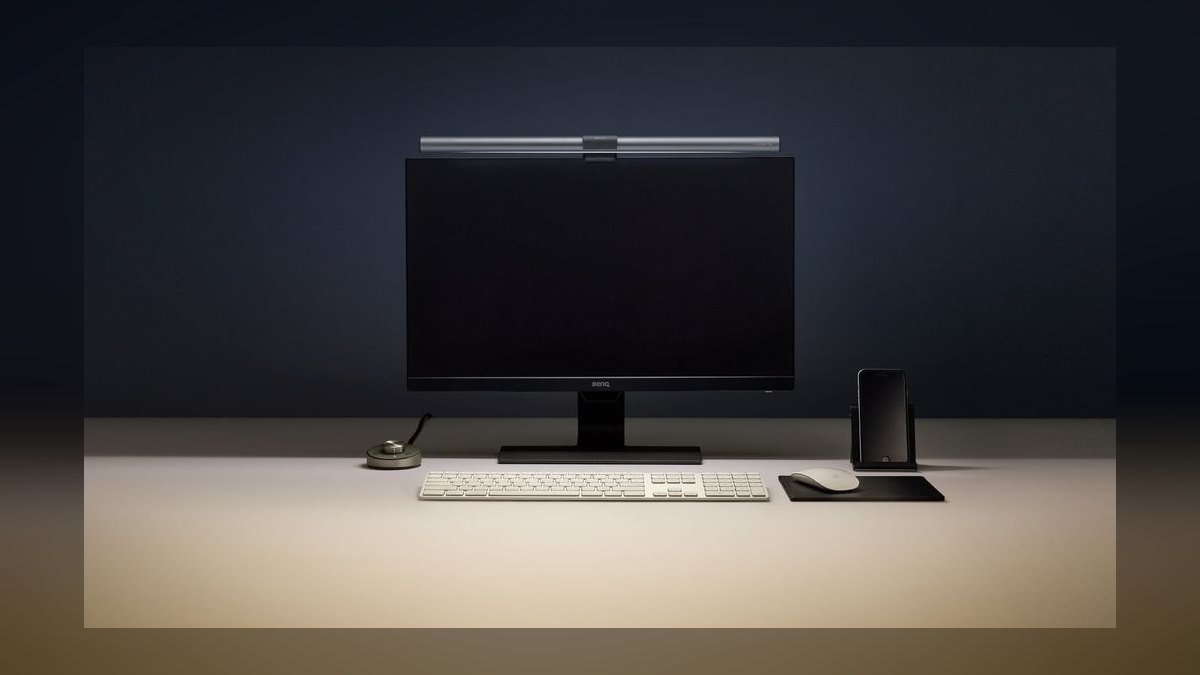
The ScreenBar Plus sits second because it uses the same 1,000 lux forward-throw optics as the Halo but drops the rear bias light, landing at $129 instead of $189. Color temperature still spans 2700K to 6500K across the full range. Control comes from a wired puck with a manual dial rather than a wireless unit. Power is USB-A, which runs off any laptop port or wall adapter without an adapter hunt.
This is for AEs who want BenQ optical quality and will skip bias lighting to save $60. The trade is real: no ambient wall glow, a puck cable adding desk clutter, and manual dimming instead of the Halo's ambient sensor. The wired puck is arguably more reliable than the Halo's wireless one. Compared with the Xiaomi bar below, it doubles desk illuminance for roughly twice the money.
3Xiaomi Mi Monitor Light Bar 1S
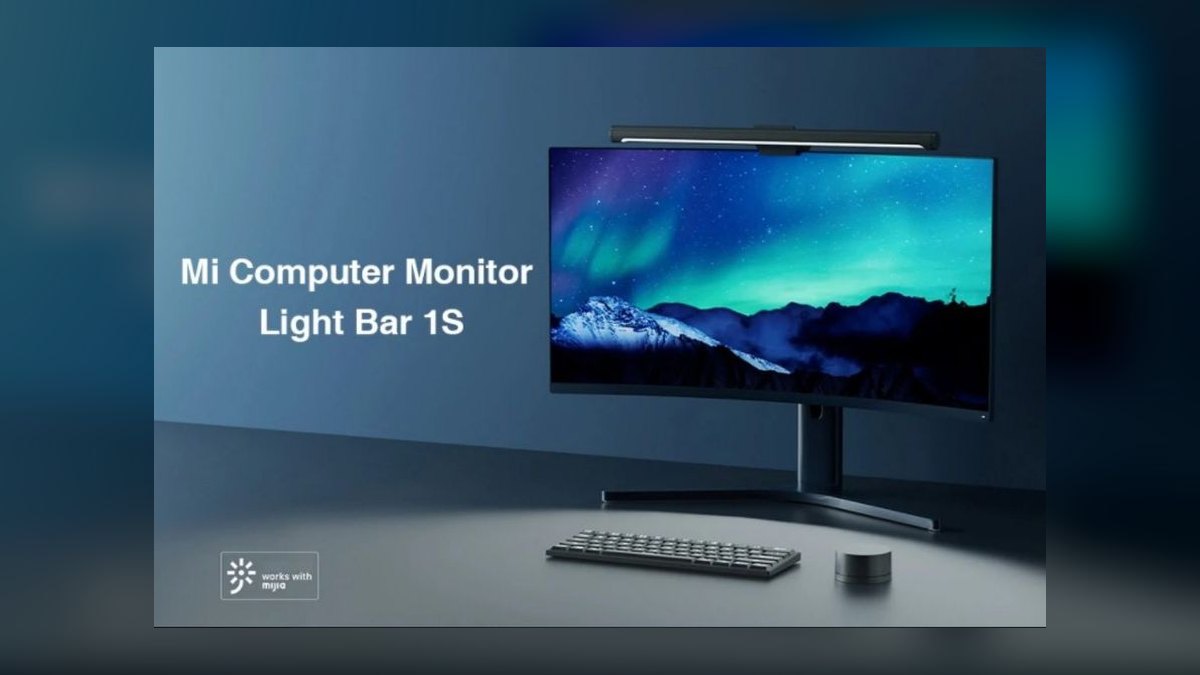
The Mi Computer Monitor Light Bar 1S ranks third on price-to-performance: $69 buys a clip-on monitor light delivering 500 lux at the desk with a 2700K to 6500K adjustable range. A wireless puck is included at that price, which the cheaper Quntis does not offer. Power is USB-C. The mount is a counterweight clip rather than spring tension, so it rests on the bezel instead of squeezing it.
This is for SDRs and BDRs who want a legitimate monitor light under $75. Brightness is half the BenQ Halo's, the plastic body reads cheap next to BenQ's, and the counterweight clip grips thick monitors poorly. On 49-inch ultrawides it can sit slightly off-center. Versus the ScreenBar Plus above, you give up half the lux and the build quality to save $60.
4Quntis L208 Monitor Light Bar
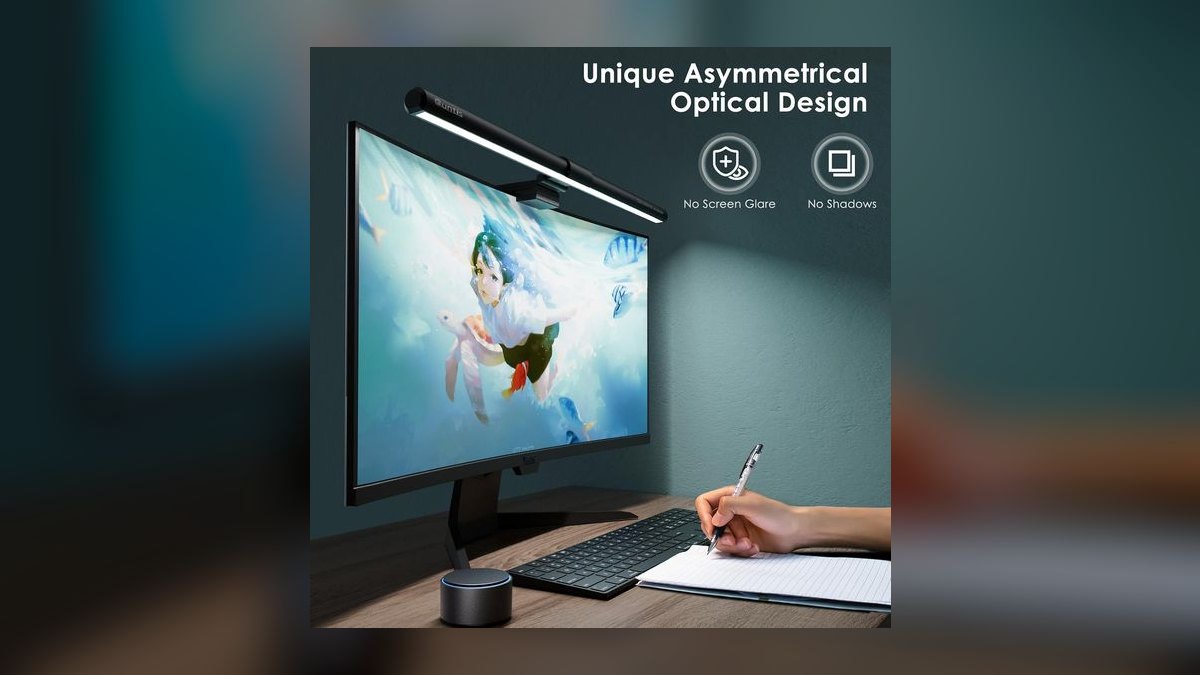
The Quntis L208 ranks fourth as the cheapest credible monitor light here at $59, putting 550 lux on the desk with the full 2700K to 6500K adjustable range. Touch controls sit directly on the bar, so nothing extra occupies the desk surface. It mounts by counterweight clip and runs on USB-A, which works off any laptop port. Quntis backs it with a three-year warranty.
This is for budget-conscious reps who will trade convenience for the lowest entry price. Reaching up to the monitor to change brightness mid-call is the real cost, and the plastic housing feels cheap in the hand. Like the Xiaomi above, it may sit off-center on a 49-inch panel. It undercuts that bar by $10 but has no wireless puck at all.
5Humanscale Element 790 LED
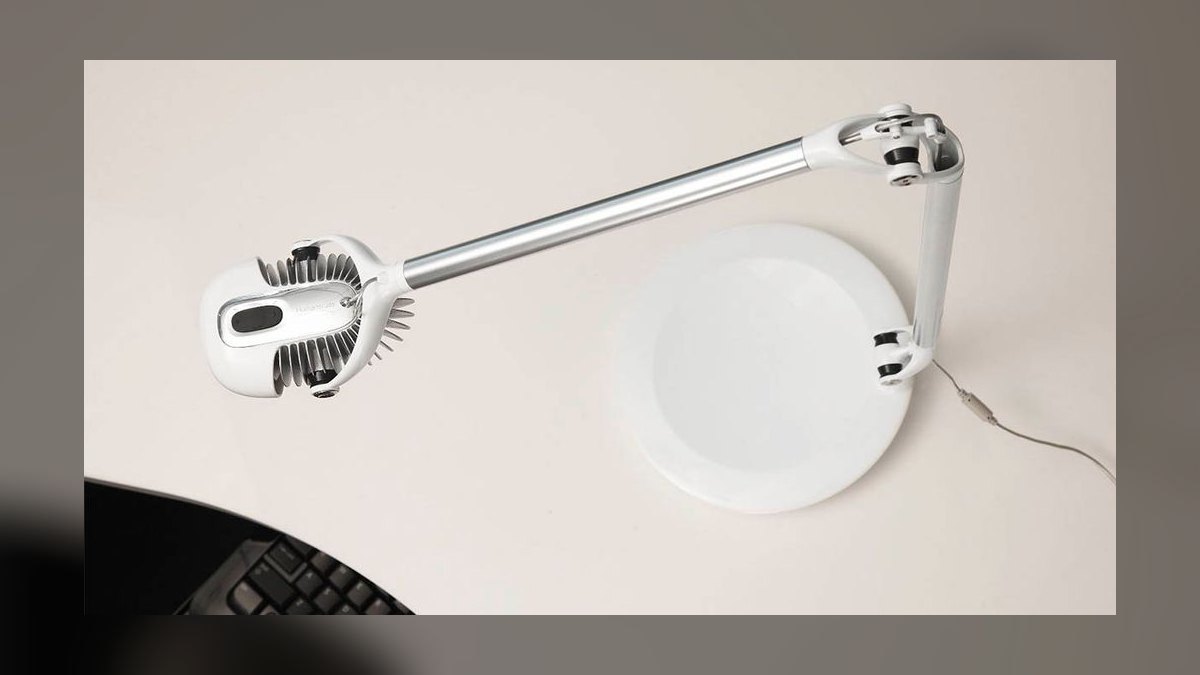
The Element 790 ranks fifth as the best sit-down task lamp rather than a monitor light, pushing 600 lumens across five brightness levels from a 28-inch articulating aluminum arm. The weighted base holds position without clamping to anything. Color temperature is fixed at 3000K warm white. A tap-on touch base handles switching, and Humanscale covers it with a 15-year warranty at $499.
This is for CROs, senior AEs, and home offices where the lamp is furniture as much as equipment. It is the second-priciest pick here, the color temperature cannot be shifted cooler for daytime work, and it requires a wall outlet with no USB option. The 28-inch reach covers any keyboard position. Against the Dyson below, it drops daylight tracking and app control for a simpler, $200-cheaper object.
6Dyson Solarcycle Morph
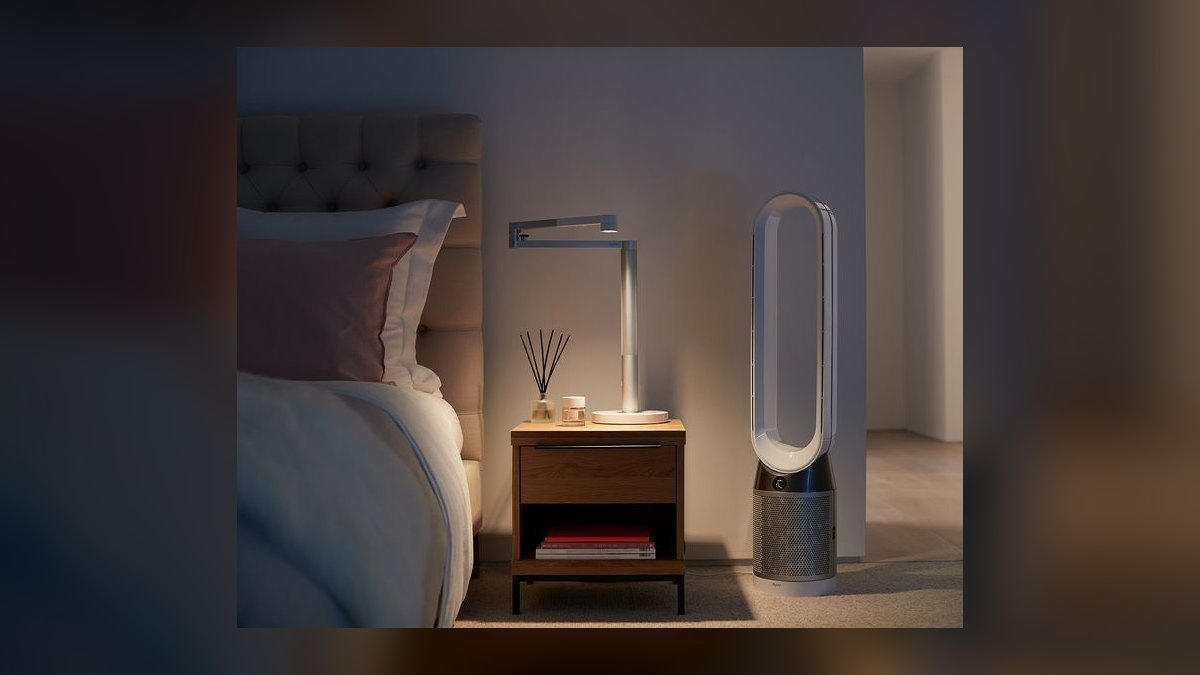
The Solarcycle Morph ranks sixth because it is the only lamp here that tracks the local daylight cycle, shifting between 2700K and 6500K automatically through the day. It outputs 1,000 lumens, the brightest task figure on this list, across three modes: task, indirect, and ambient. The 26-inch arm mounts on a heavy weighted base. Control runs through the Dyson app or on-arm touch, with Apple Home and Alexa integration.
This is for wellness-focused founders who want evening light that does not wreck sleep quality. At $699 it is the most expensive pick here, the app is required for full functionality, and the weight rules out moving it between rooms. Three modes cover task, wall wash, and room fill. Against the Humanscale above, you pay $200 more for circadian tracking and adjustable color temperature.
7Govee Smart Table Lamp 2
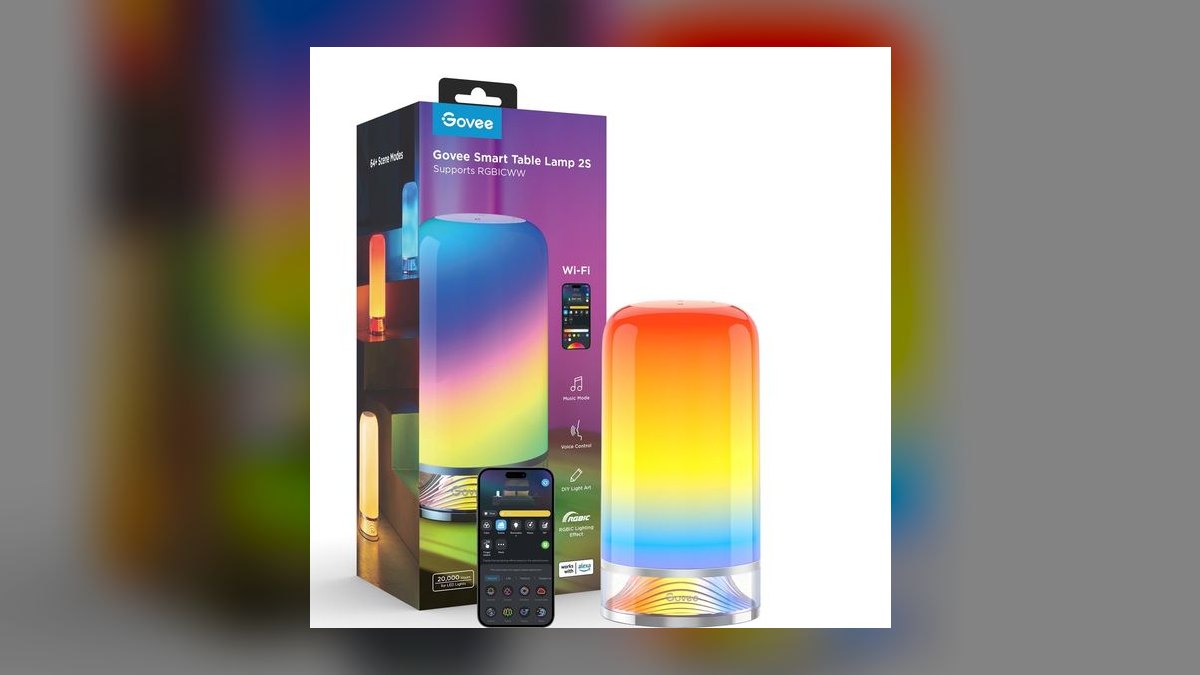
The Govee Smart Table Lamp 2 ranks seventh for doing two jobs at $99: 800 lumens of usable white light for face illumination plus RGBIC color zones for the wall behind you. White output adjusts across 2700K to 6500K. It supports Wi-Fi, Matter, Apple Home, Google Home, and Alexa, so it drops into any smart-home stack. Control is by app, voice, or top touch.
This is for reps who record content or stream alongside selling and want color in the background. The cylindrical body throws light outward rather than down, so it lights your face far better than your keyboard. Setup requires the Govee app, and the RGB section is decorative rather than functional. Compared with the TaoTronics below, it nearly doubles usable lumens for $54 more.
8TaoTronics TT-DL13 Desk Lamp
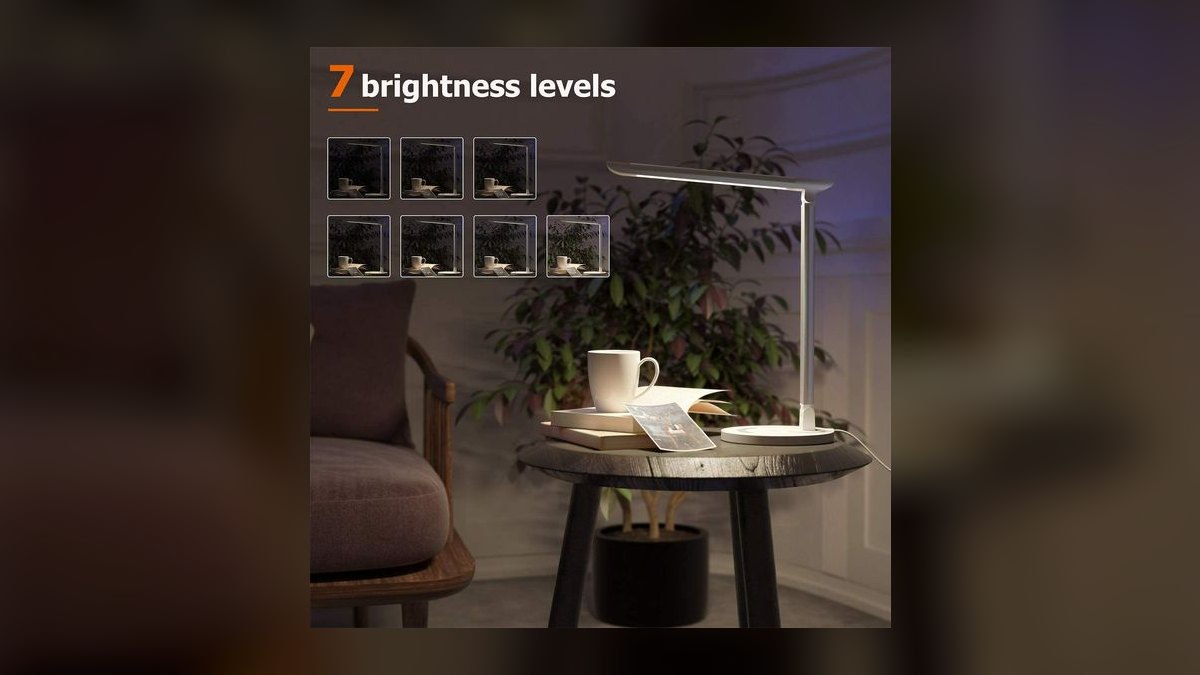
The TT-DL13 ranks eighth as the value sit-down lamp at $45, offering five brightness levels and five color temperatures spanning 3000K to 6000K. A USB-A charging port sits in the base, so a phone charges while the lamp runs. The 17-inch articulating arm folds completely flat for storage. Auto-off timers run at one hour and two hours.
This is for inside AEs and SDRs who need a real desk lamp under $50 and nothing more. Output tops out at 410 lumens, which is dim if it is the only light in the room, the charging port is USB-A rather than USB-C, and the arm feels light for its reach. Against the Govee above, it halves both the price and the usable light output.
9BenQ e-Reading LED
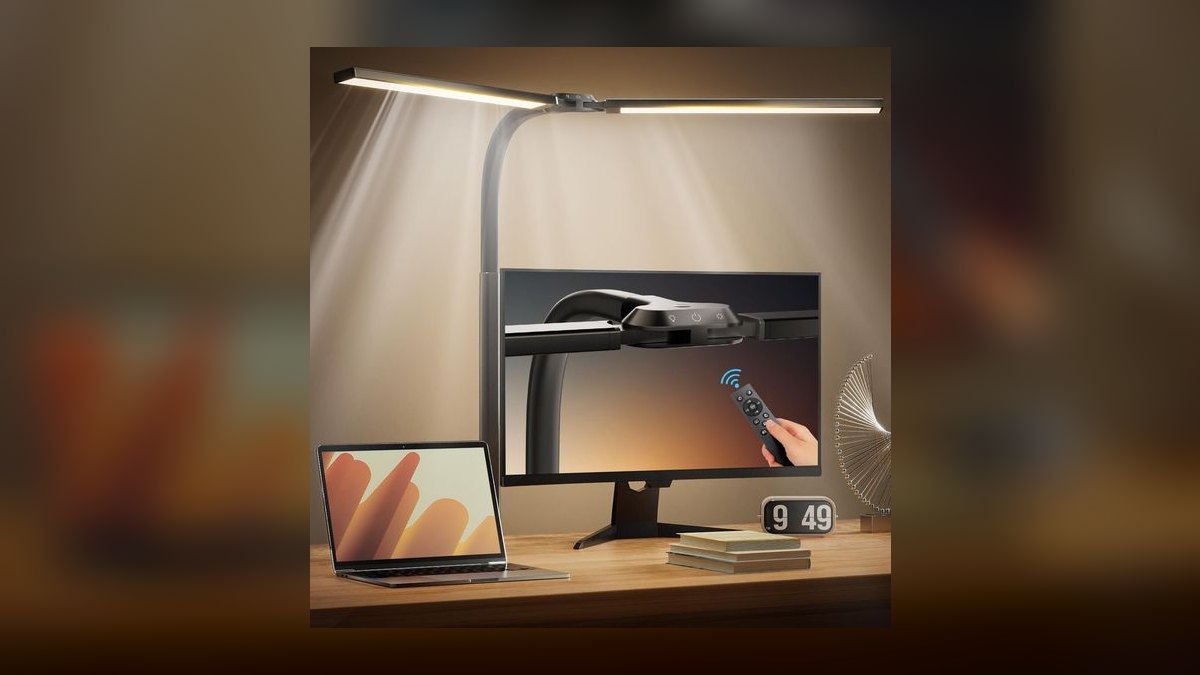
The BenQ e-Reading LED ranks ninth because its curved arm spreads light across a 35-inch field at 1,300 lux center brightness, the broadest coverage on this list. Three preset modes tune output for screen, paper, and color work across a 2700K to 5700K range. An auto-dim sensor adjusts to room light automatically. Capacitive touch controls sit on the heavy weighted base, and it runs on wall power at $179.
This is for AEs working a 60-inch or wider desk who need the entire surface lit, not just the keyboard. The base footprint is large, the lamp is heavy enough that it stays where you put it, and $179 is steep for a non-monitor-light. It covers ground no clip-on bar can. Against the Anker below, it delivers vastly more light for $100 more.
10Anker Eufy Lumi T1011
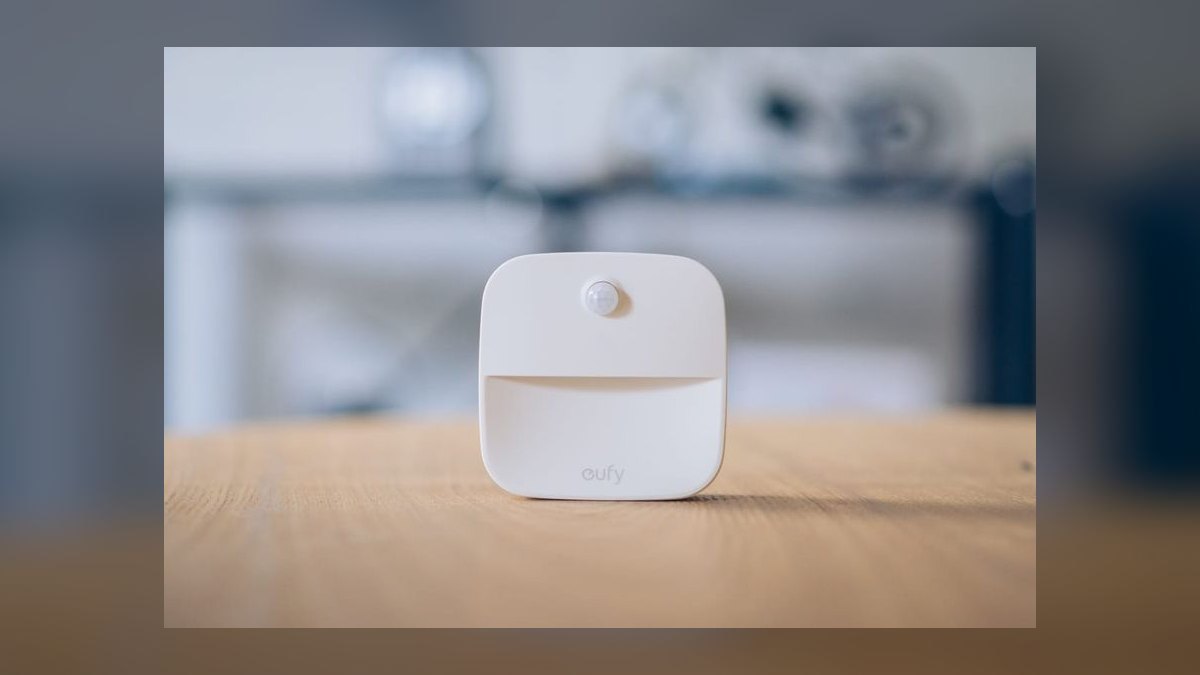
The Eufy Lumi T1011 ranks tenth on output: 250 lumens across three brightness levels at a fixed 2700K warm white. That is the dimmest figure here, which places it last despite solid Anker build quality and an 18-month warranty. It runs on either a wall plug or two D-cell batteries. The cylindrical body is tapped on top to switch, with no app, no Wi-Fi, and no RGB.
This is for people who want a small warm lamp that supplements existing room light rather than carrying a workspace alone. It will not light a keyboard for typing, the color temperature cannot be shifted cooler for daytime, and the cylindrical shape scatters rather than directs. Battery power means you can carry it to a couch or hotel desk. Against the BenQ e-Reading above, it trades nearly all output for portability.
How we ranked these
Ten lamps were ranked on four measured axes: usable light at the desk surface (lux or lumens at working distance), color-temperature range and whether it reaches 2700K for late-evening calls, glare behavior against a monitor, and how the light falls on a face at camera height. Price was checked against BenQ direct, Amazon, B&H, and Best Buy as of June 2026, and mount compatibility was confirmed against monitor thickness up to 6 cm.
Deliberately ignored: RGB color zones, app ecosystems, and smart-home integration, none of which change how a buyer perceives you at 11 p.m. Also ignored were manufacturer "eye-care" certifications, which are self-administered and near-universal in this category, and stated CRI figures, which are rarely third-party verified. Battery life was skipped because nine of ten lamps are permanently tethered to a desk anyway.
What to look for
The real decision is monitor light versus sit-down lamp, and it is decided by desk depth, not budget. A clip-on bar consumes zero surface area and throws forward, away from the panel — the correct answer if your desk is under 30 inches deep or your monitor dominates it. A weighted-base lamp with a long arm wins only when you also work on paper, sign physical documents, or need a light that reaches past a second display.
The common mistake is buying brightness. A 1,000-lux bar aimed at a keyboard does nothing for how you read on camera, because face light has to come from roughly eye level and in front of you. Buyers spend $189 expecting a key light and get a very good desk light. If camera presence is the actual goal, budget separately for a front-facing source and treat the desk lamp as task lighting.
Related questions
Does a monitor light bar work with a laptop screen?
Poorly. Most bars, including the BenQ ScreenBar Plus and Halo, use a clip designed for panels 1 cm to 6 cm thick with a rigid top bezel. A laptop lid is thinner, hinges freely, and will tip forward under the weight. If you work laptop-only, a small weighted-base lamp like the TaoTronics TT-DL13 is the more stable choice.
What is bias lighting and does it actually reduce eye strain?
Bias lighting is a soft glow thrown at the wall behind your monitor, raising the ambient level so your pupils are not swinging between a bright screen and a dark room. The BenQ ScreenBar Halo adds a rear-facing LED specifically for this. It is the single feature that separates the Halo from the cheaper ScreenBar Plus at a $60 premium.
Is 2700K really better than 5000K for evening calls?
For your own comfort, yes — warm light late in the evening is gentler and less likely to keep you wired afterward. For camera appearance it is a tradeoff: warm light can render skin slightly orange if your webcam white-balances to the screen instead of the lamp. A lamp with an adjustable range, rather than the fixed 2700K of the Anker Eufy Lumi, avoids being locked in.
Why does my monitor look washed out after adding a desk lamp?
Ambient light landing on the panel raises the black level, which flattens contrast. That is exactly the failure a monitor light bar is engineered around — the asymmetric optics on the BenQ bars throw light forward and down, not backward at the screen. A conventional lamp placed beside the monitor almost always bounces some light onto the display surface.
How much light do I actually need at the desk?
Common office guidance puts general desk work around 300 to 500 lux at the surface, with higher levels for detailed tasks. That means the 500-lux Xiaomi Mi Bar 1S is genuinely sufficient for typing and reading, and the 1,000-lux BenQ Halo is headroom rather than necessity. Brightness beyond that is useful mainly if you also work with paper documents.
Do USB-powered lamps drain a laptop battery meaningfully?
Yes, enough to notice on a long unplugged day. A monitor light bar drawing from a laptop USB port pulls several watts continuously, which is a real fraction of what a thin laptop consumes at idle. Run the bar off a powered hub, a monitor's USB port, or a wall adapter rather than the laptop itself when you are away from power.
Is the Dyson Solarcycle Morph worth $699 over a $189 bar?
Only for the daylight tracking and the three-mode flexibility. As pure task lighting the gap does not justify roughly $500. The case for it is circadian: it shifts color temperature across the day automatically, which matters if you are managing sleep quality around a late-call schedule. As a desk light alone, the BenQ Halo does the job.
Can I use one lamp for both desk work and video calls?
You can, with placement compromises. A cylindrical lamp like the Govee Smart Table Lamp 2 sits at roughly face height and can serve as a soft front source, but it does not aim light down at a keyboard well. The reverse is also true. Most people running heavy call days end up with a bar for the desk and a separate front source for the camera.
FAQ
What is the difference between lux and lumens on these spec sheets?
Lumens measure total light output from the fixture; lux measures how much of it lands on a surface at a given distance. Monitor light bars are usually rated in lux at the desk because they sit close and aim down. Sit-down lamps are rated in lumens. The two numbers are not directly comparable across the two categories.
Will a monitor light bar scratch or damage my display?
Not under normal use, though the mechanism matters. Spring-clip mounts like the BenQ bars apply constant tension to the top bezel; counterweight designs like the Xiaomi and Quntis rest against the panel instead. Counterweight is gentler on thin bezels but grips thick monitors less securely. Check your panel thickness before ordering either style.
Does the wireless puck on the ScreenBar Halo need batteries?
Yes — the Halo's wireless controller runs on its own cell, which is the tradeoff for keeping a cable off your desk. The ScreenBar Plus uses a wired puck instead, which never needs a battery but adds another cable to route. If you dislike managing small batteries, the Plus is arguably the more practical of the two.
Can these lamps be dimmed low enough for late-night work?
Most go usefully low. The multi-level lamps here — TaoTronics at five brightness steps, Humanscale Element 790 at five, Anker Eufy Lumi at three — step down rather than dim continuously, so you may not land exactly where you want. The BenQ bars with auto-dim sensors adjust continuously against ambient room light, which suits changing evening conditions better.
Is a fixed color temperature ever the better choice?
It can be, if you only work at one time of day. The Humanscale Element 790 is fixed at 3000K and the Anker Eufy Lumi at 2700K, and both are pleasant, consistent, and free of a setting you will fiddle with. The argument against is inflexibility: neither will give you neutral or cool light for daytime detail work.
Do I need Matter or smart-home support in a desk lamp?
For most people, no. The Govee Smart Table Lamp 2 supports Matter, Apple Home, Google Home, and Alexa, which is genuinely useful if lighting scenes are already automated in your house. If you simply reach over and touch the lamp when you sit down, the app dependency is friction rather than a feature and gives you another account to maintain.
What arm reach do I need for a sit-down lamp?
Match it to desk depth and where the keyboard sits. The TaoTronics 17-inch arm covers a compact desk; the Humanscale 28-inch and Dyson 26-inch arms reach across deep surfaces or past a second monitor. Too short and you end up lighting the back of the desk instead of your hands, which is the most common placement error.
Should I buy a lamp with a built-in USB charging port?
Only if you actually want a phone tethered to the desk. The TaoTronics TT-DL13 includes a USB-A port in its base, which is convenient but slow by current standards and not USB-C. A dedicated charger is faster and more flexible. Treat the port as a minor bonus rather than a reason to choose one lamp over another.
How does a desk lamp compare to a dedicated key light for calls?
A key light is purpose-built: larger diffused surface, mounted at eye level in front of you, aimed at your face. Everything on this list is task lighting first. For internal Zoom calls, a bar or a cylindrical lamp is plenty. For recorded webinars or demo video, a dedicated key light is the correct tool and the desk lamp stays for the keyboard.
Are these prices likely to hold through 2027?
Treat them as reference points, not guarantees. Figures here were checked against BenQ direct, Amazon, B&H, and Best Buy as of June 2026. Monitor light bars in particular discount frequently, and the budget tier — Quntis and Xiaomi — moves the most. The premium sit-down lamps from Humanscale and Dyson tend to hold list price far more consistently.
Sources
- https://www.nytimes.com/wirecutter/reviews/best-desk-lamp/
- https://www.benq.com/en-us/lighting/monitor-light/screenbar-halo.html
- https://www.energy.gov/energysaver/led-lighting
- https://www.aao.org/eye-health/tips-prevention/computer-usage
- https://www.cdc.gov/niosh/topics/lighting/default.html
- https://www.dyson.com/lighting/task-lights/solarcycle-morph/desk-mount
- https://www.humanscale.com/products/task-lights/element-790-led-task-light
- https://www.rtings.com/monitor/learn/what-is-the-monitor-glare-and-reflection-handling
- https://www.sleepfoundation.org/bedroom-environment/light-and-sleep
Related on PULSE
This page will be disappearing soon. Save it to your device for $1 — or read it free while it is here.
@Kory-White- · if Venmo asks, the last 4 of my number are 2012
This page is gone.
This one is off the shelf now. $1 keeps it on your phone for good — the whole page, pictures and diagrams included.
 pulse-reviewsTop 10 TCL TVs — Best Overall + Best Value in 2027
 pulse-reviewsTop 10 Noise-Cancelling Headphones — Best Overall + Best Value in 2027
 pulse-reviewsTop 10 Electric Back Massagers — Best Overall + Best Value in 2027
 pulse-reviewsHow do I reduce echo in a home office for sales calls in 2027?
 pulse-reviewsTop 10 TDS Water Testers — Best Overall + Best Value in 2027
 pulse-reviewsTop 10 Rugged Phones — Best Overall + Best Value in 2027
 pulse-reviewsTop 10 Open-Ear Earbuds — Best Overall + Best Value in 2027
 pulse-reviewsTop 10 Battery Chainsaws — Best Overall + Best Value in 2027
 pulse-reviewsTop 10 Foldable Phones — Best Overall + Best Value in 2027
 pulse-reviewsTop 10 Multimeters — Best Overall + Best Value in 2027