


Top 10 4K External Webcams for Sales Demos in 2027
Quality
Certified
The 10 best 4k external webcams for sales demos are ranked below on measured performance, build quality, price, and how each one actually holds up in daily use rather than how it reads on a spec sheet. Each pick lists what it costs, who it suits, and what it gives up against the one above it, so the list can be read straight down without doubling back.
1OBSBOT Tiny 2
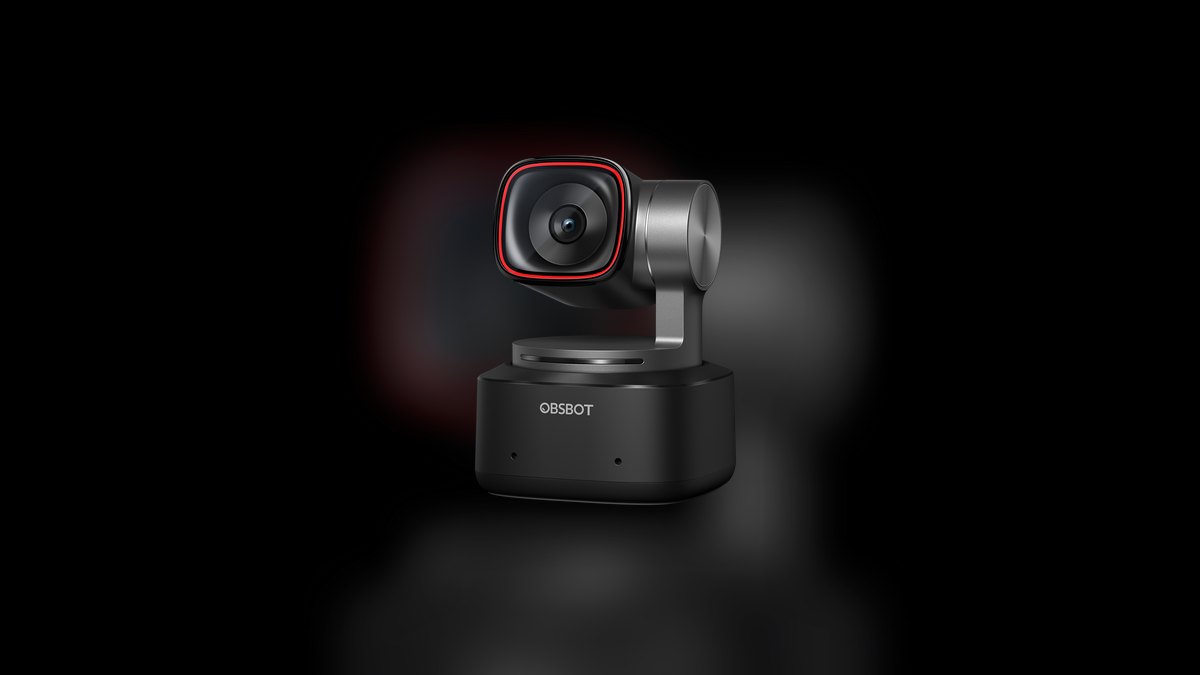
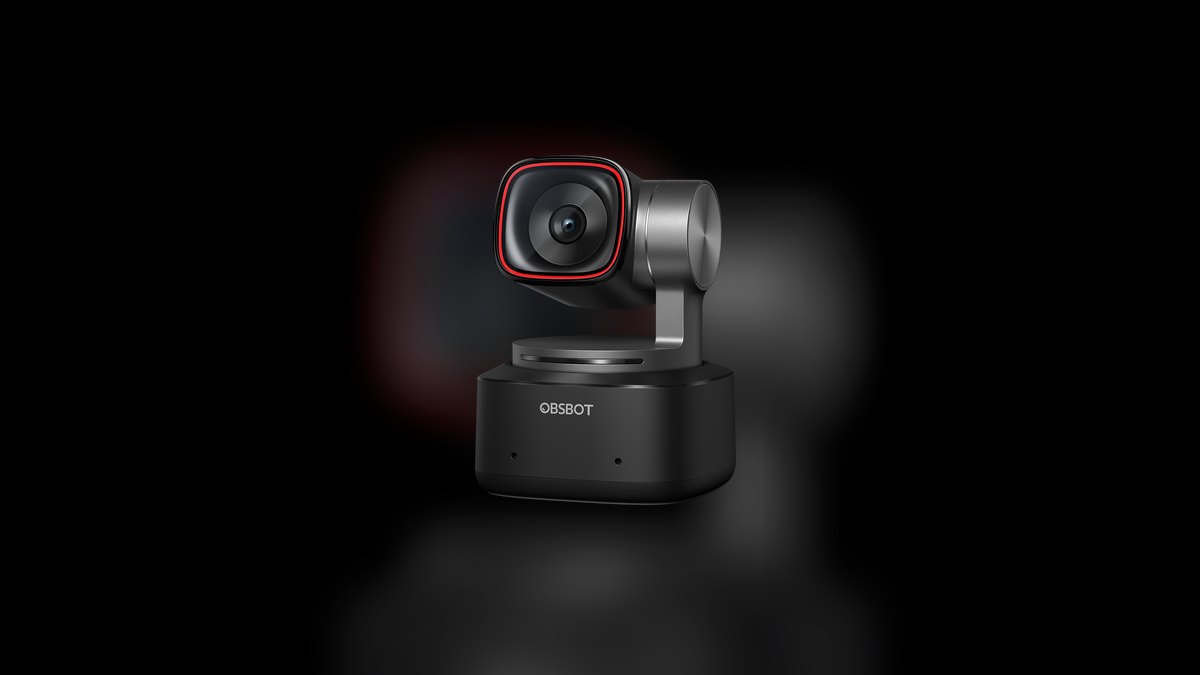
The OBSBOT Tiny 2 ranks first because it is the only pick with a real mechanical gimbal that physically pans and tilts to track you, rather than digitally cropping a fixed frame. A 1/1.5-inch CMOS sensor behind an f/1.9 aperture holds detail at 4K30 in mediocre coworking-space light. Gesture control locks tracking with an open palm and zooms to a contract or laptop screen with an L-shaped hand sign. It costs $329.
This is for outbound AEs and sales engineers who stand up mid-demo, walk to a whiteboard, and keep talking. You pay $130 more than the Insta360 Link 2 for a modestly better sensor and gesture vocabulary, which is hard to justify at fleet scale. Power runs over a single USB-C cable and the magnetic base snaps to the included monitor mount or a tripod, so travel setup stays under a minute.
2Insta360 Link 2
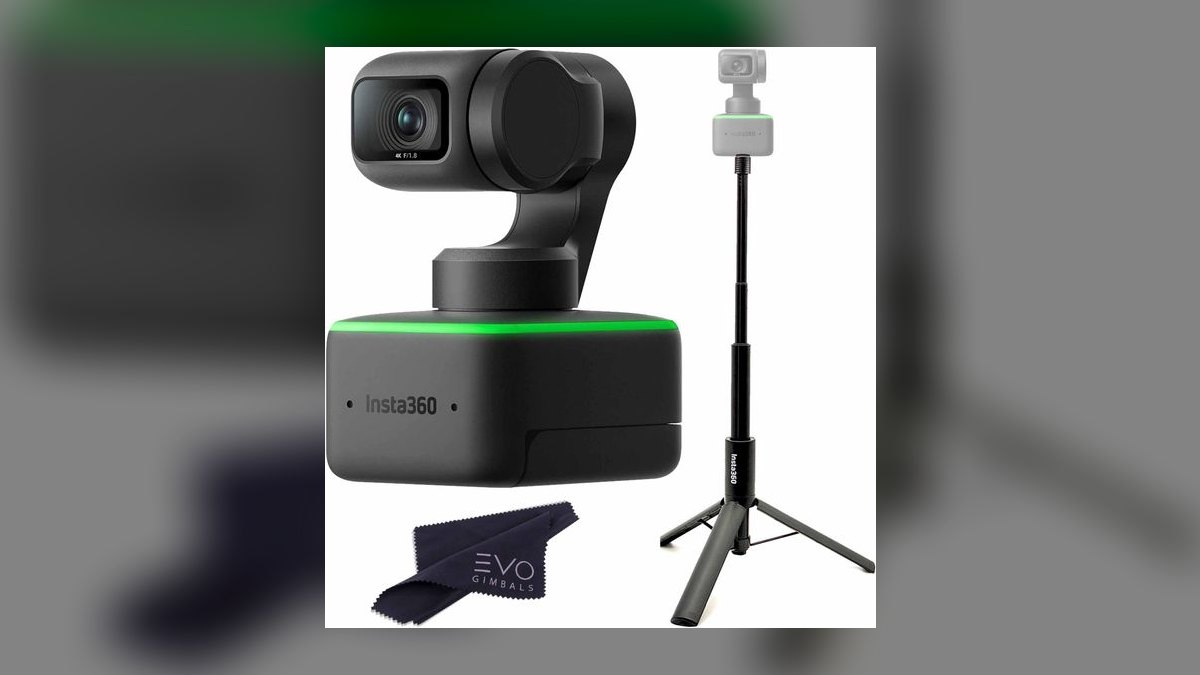
At $199 the Insta360 Link 2 ranks second because it delivers roughly ninety percent of the Tiny 2 experience for two-thirds of the money. It uses the same approach — a mechanical gimbal that physically tracks your face — paired with a 1/2-inch Sony sensor shooting 4K30 with HDR. Whiteboard mode auto-detects and dewarps a board, and DeskView tilts the gimbal straight down for hardware demos without touching the mount.
Buy this when standardizing one SKU across an SDR team or a founder-led sales org where budget multiplies by headcount. The microphone array improved enough over the original Link that reps who refuse headsets on prospect calls have a defensible option. Against the Tiny 2 above it, you give up the smaller sensor's low-light margin and the gesture controls, which matter only if you actually leave your chair.
3Razer Kiyo Pro Ultra
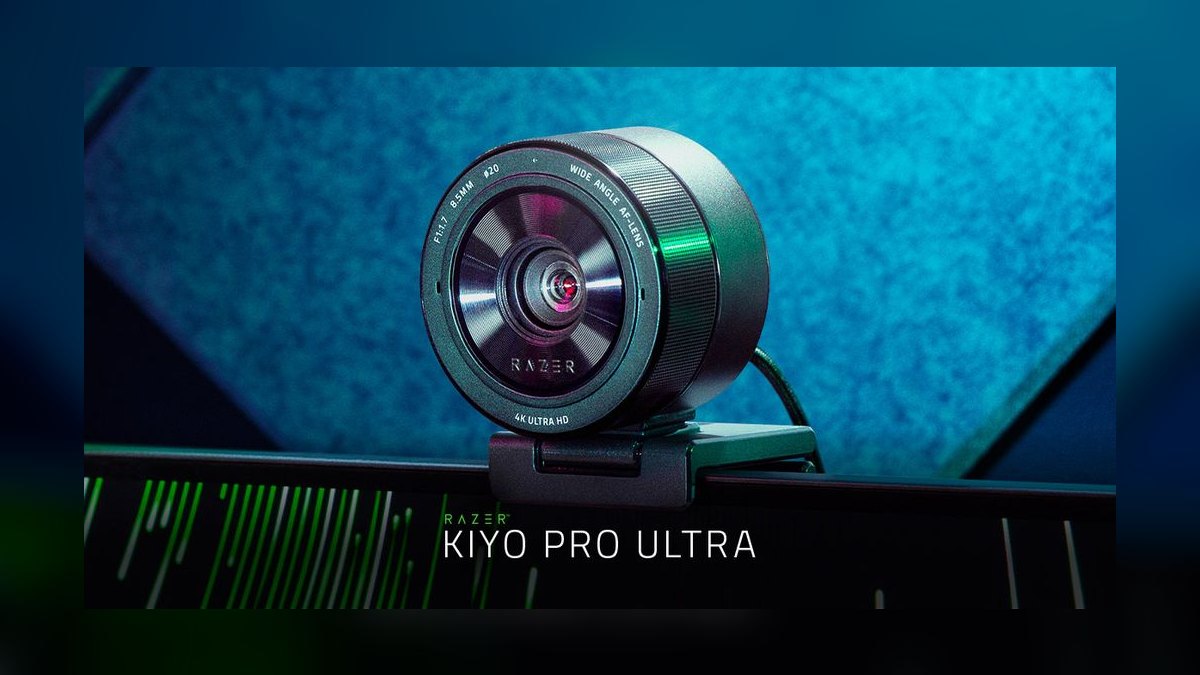
The Razer Kiyo Pro Ultra earns third on raw image quality alone: a 1/1.2-inch Sony Starvis 2 sensor, the largest put in a webcam, sits behind an f/1.7 aperture. That combination produces genuine shallow depth of field that otherwise requires a mirrorless body and a capture card. Skin tones run warmer than the Brio line, which shows on a 45-minute recorded demo replayed by a buying committee. It costs $299.
It drops below the gimbal cameras because output tops out at 4K24 or 1440p30, and there is no tracking or panning whatsoever — it sits still and looks expensive. That suits enterprise AEs and revenue leaders recording asynchronous deal updates from one fixed seat. Razer Synapse is required for color tuning, and some IT teams block it outright, so confirm before standardizing.
4Logitech MX Brio 705
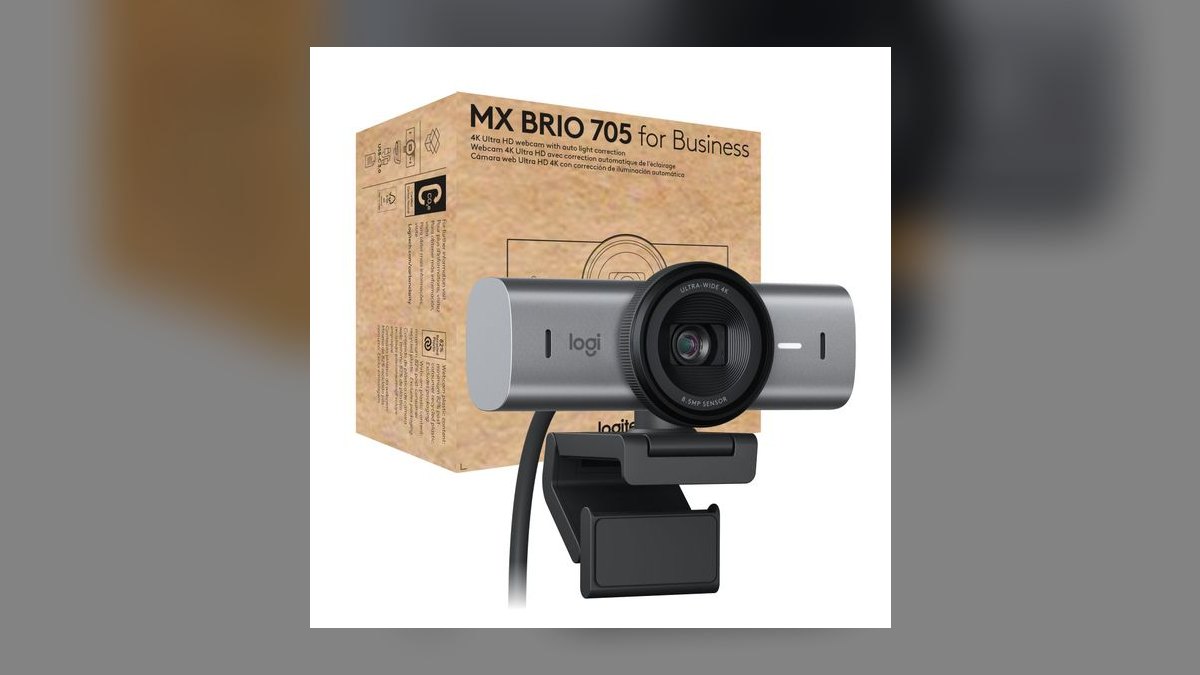
The Logitech MX Brio 705 for Business ranks here as the procurement-safe 4K choice at $229. It pairs a 1/2.6-inch Sony Starvis sensor and 4K30 output with Logi Tune management, Sync fleet provisioning, and a three-year business warranty. RightSight 2 auto-framing works acceptably, dual beamforming mics with AI noise suppression handle a loud coworking floor, and the integrated privacy shutter clears most security reviews.
This is for enterprise sales orgs already on Logitech and regulated buyers in healthcare or fintech where the IT questionnaire decides the purchase. Against the Kiyo Pro Ultra above, the smaller sensor gives up visible depth-of-field character and low-light latitude. Against the OBSBOT and Insta360, it cannot physically pan — framing is a digital crop, so a rep who walks away from the desk falls out of frame.
5Anker PowerConf C300
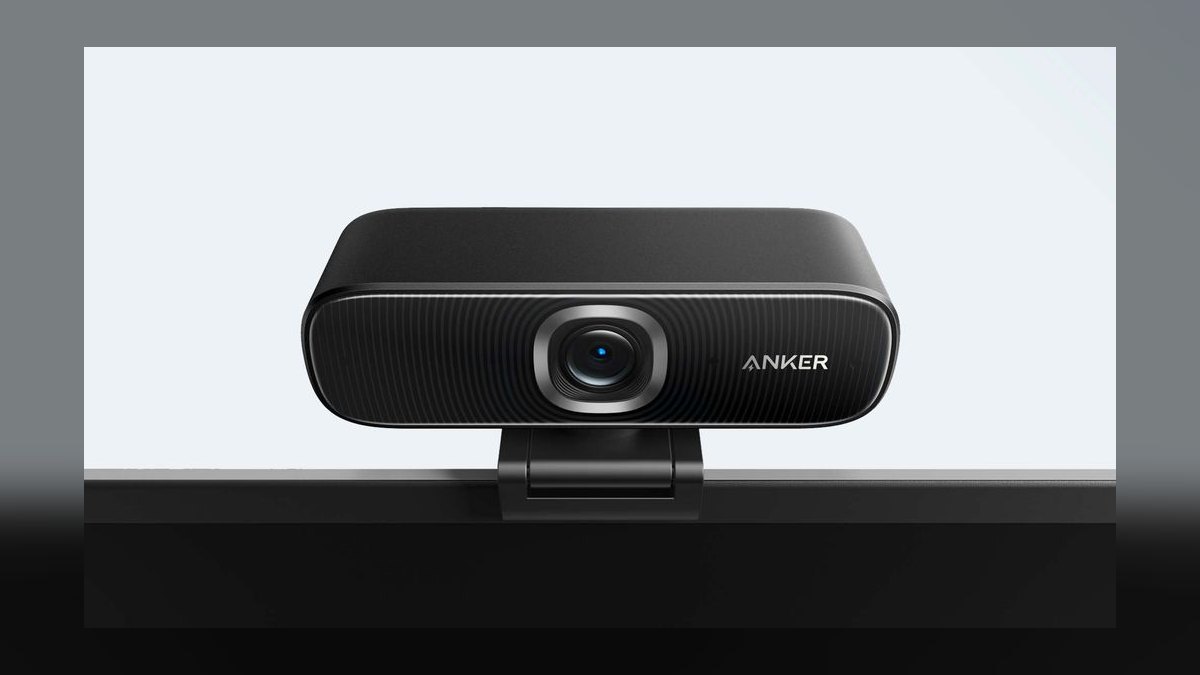
The Anker PowerConf C300 ranks fifth because it solves the multi-person problem cheaper than anything else here at $129. A 115-degree adjustable field of view, switchable down to 90 or 78 degrees, seats three or four reps around a table without a $1,500 conference bar. Dual stereo microphones carry the whole room, and AI auto-framing reacts faster than the Brio's. The fixed lens means no gimbal motor noise during quiet pauses.
The compromise is resolution: it tops out at 1080p60, not true 4K, so it does not belong in front of a recorded flagship demo. Sales managers equipping a bullpen and RevOps leaders shipping remote SDR kits care more that $129 outfits fifty reps instead of twenty-five. Compared with the MX Brio 705, you lose fleet management, warranty length, and every pixel above 1080p.
6Logitech Brio 500
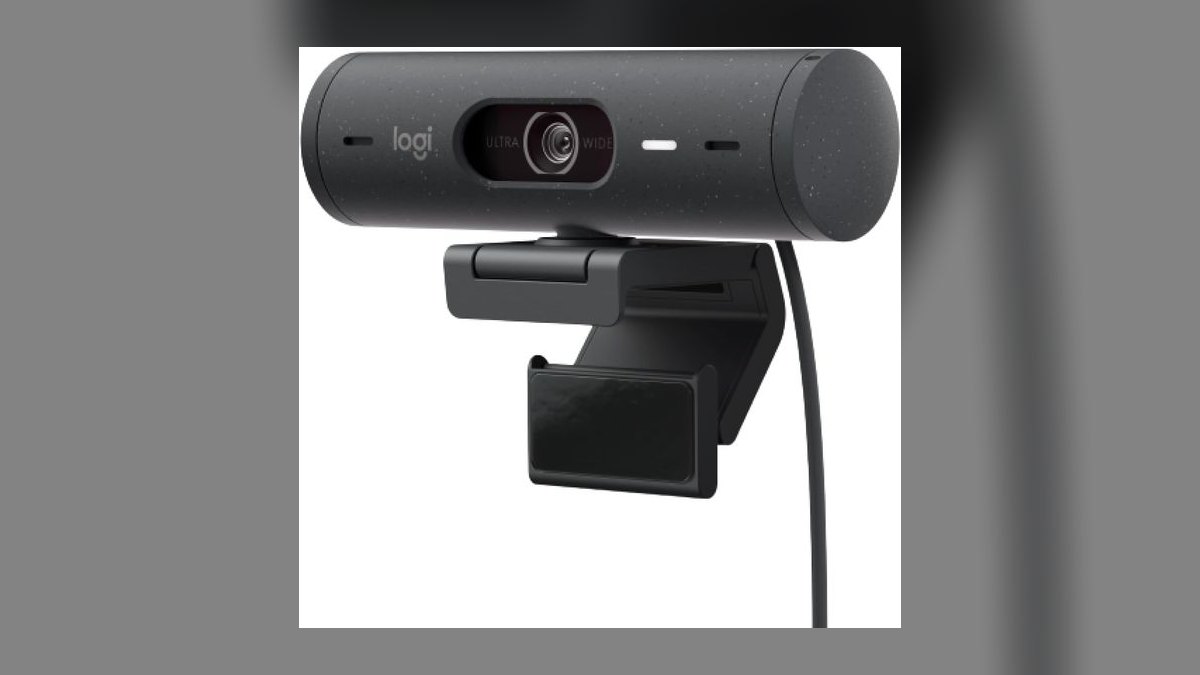
The Logitech Brio 500 lands sixth in a 4K roundup on an honest technicality — it outputs 1080p30, not 4K. What keeps it on the list is deployment reality: RightLight 4 auto-exposure rescues a rep sitting against a backlit window, and Show Mode physically tilts the camera down to share a document or laptop screen mid-discovery-call. USB-C works on MacBook Pro and Dell Latitude without a dongle. It costs $129.
This is the pick for inside sales teams on a tight refresh budget and orgs that need two hundred units shipped to remote workers next week. The integrated privacy shutter clears enterprise security requirements the way the MX Brio 705 does, at a hundred dollars less. Against the Anker C300 at the same price, you get better single-presenter exposure but a narrower frame that will not seat a room.
7Dell UltraSharp WB7022
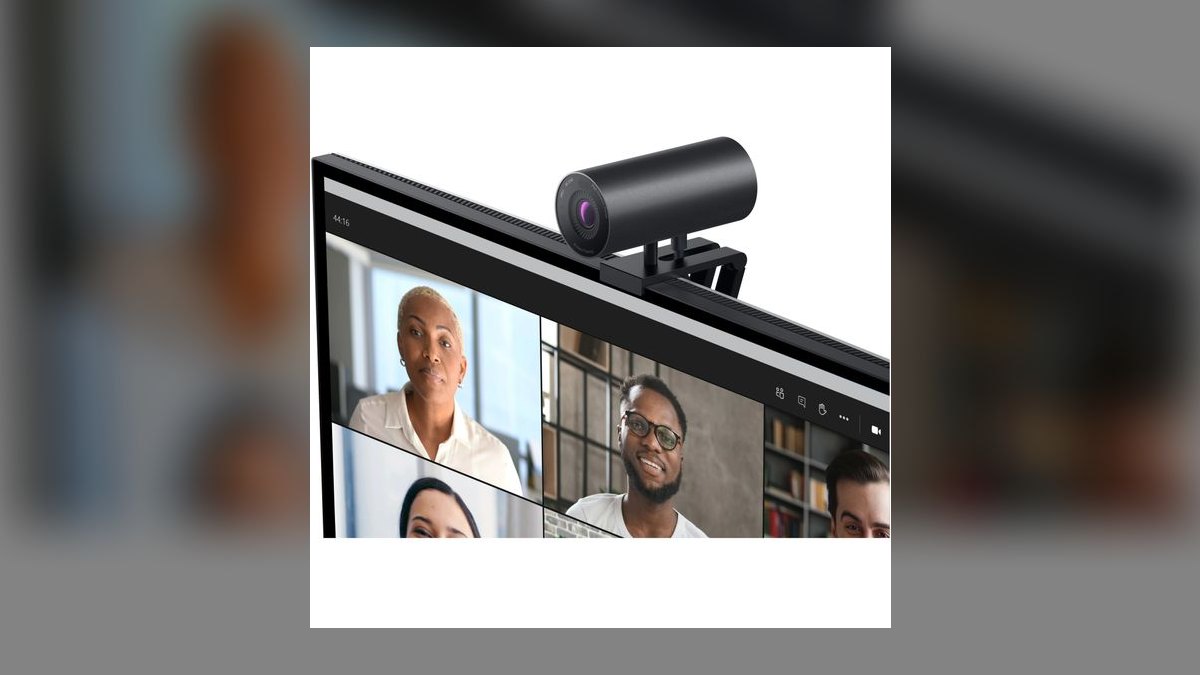
The Dell UltraSharp WB7022 sits seventh as the former enterprise 4K reference that newer Logitech hardware caught, priced at $199. It still ships a 4K Sony STARVIS CMOS sensor, Digital Overlap HDR, AI auto-framing, and three field-of-view settings at 65, 78, and 90 degrees. Color science is deliberately conservative and corporate, which is exactly right for recording a customer-success kickoff rather than a personal-brand video.
There is no built-in microphone at all, and that is intentional — Dell expects pairing with a USB speakerphone like the Jabra Speak 2 75, which beats any integrated webcam array. That makes it a poor standalone buy and a strong one for demo engineers who already own good audio. Compared with the Brio 500 above, you gain true 4K and FOV control but lose Show Mode and any usable mic.
8Elgato Facecam Pro
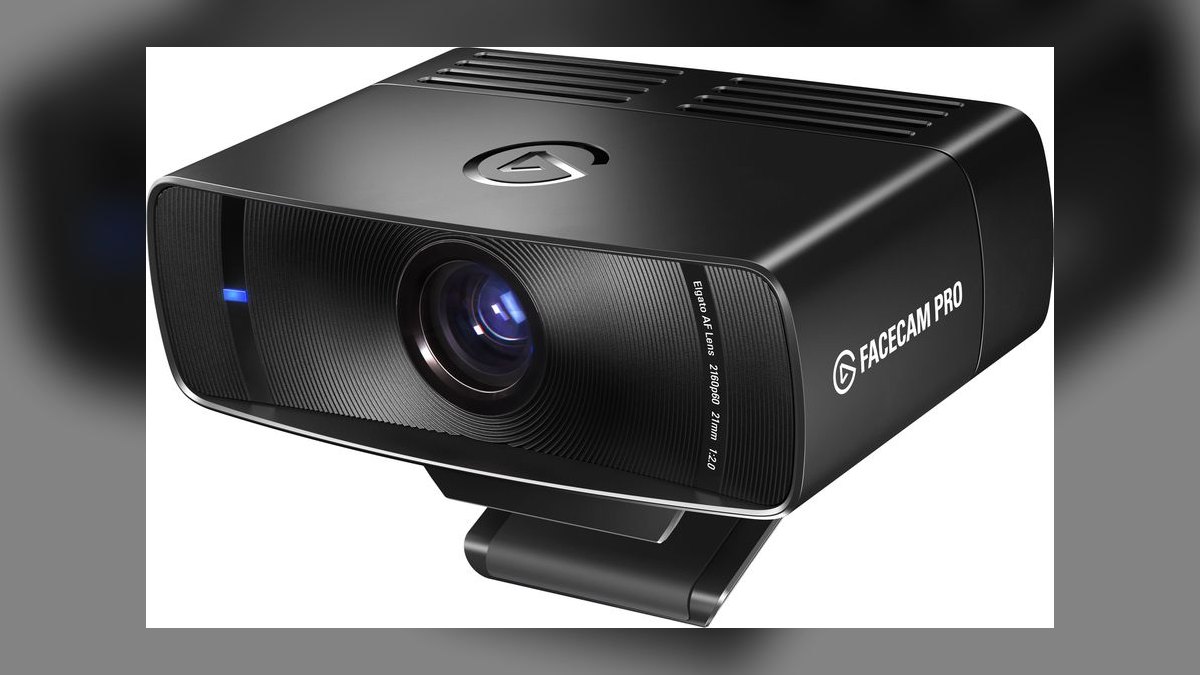
The Elgato Facecam Pro is the only camera here doing true 4K at 60fps, built on a Sony Starvis sensor and a fixed-focus prime lens tuned for the 30-50cm desktop range, at $299. Camera Hub exposes ISO, white balance, shutter, and gain — the manual controls a mirrorless shooter expects — so a rep with a real lighting kit can color-match precisely. Stream Deck integration swaps demo scenes on a physical button press.
It ranks eighth because the constraints are severe for ordinary use: no autofocus, no microphone, and a wide lens that shows every object on your desk. That narrows it to product marketing leaders recording polished demo video and founders who livestream pitches on LinkedIn. Against the Kiyo Pro Ultra, you trade a much larger sensor and easier setup for double the frame rate and manual exposure control.
9Logitech MX Brio
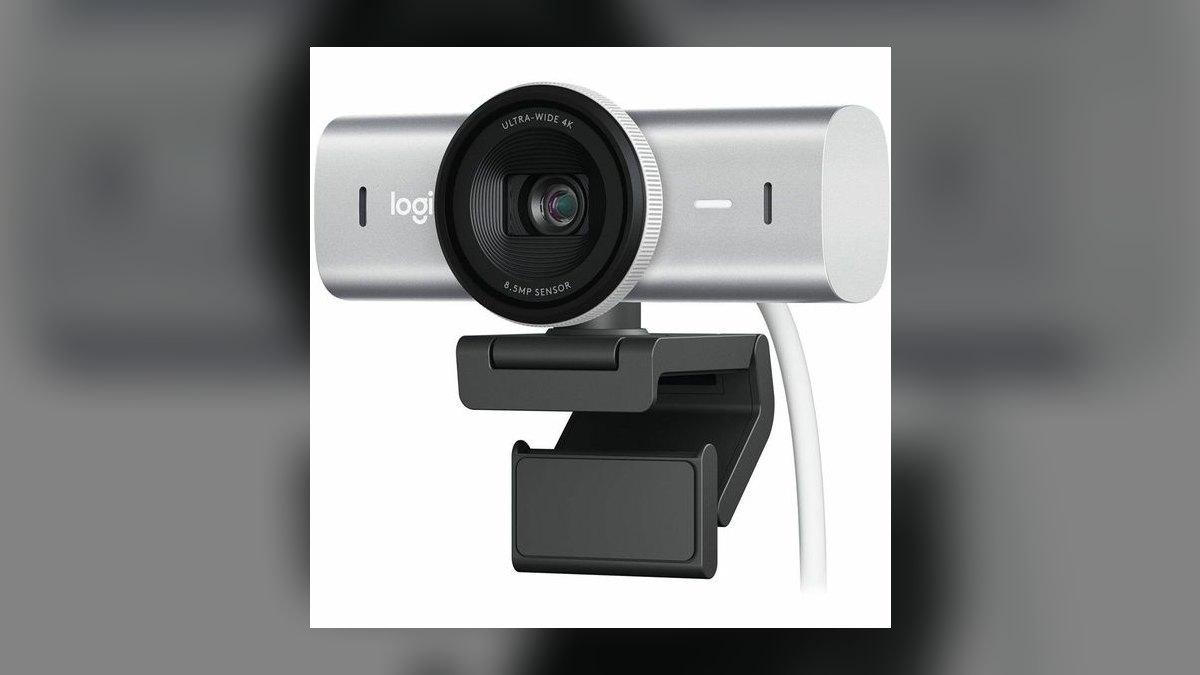
The consumer Logitech MX Brio is the identical physical hardware as the 705-for-Business at thirty dollars less, costing $199. Same Sony Starvis sensor, same 4K30 output, same dual beamforming microphones that are good enough to skip a headset on internal standups. Color reproduction is best-in-class at this price. It ships from Amazon in two days and connects over USB-C with no procurement cycle and no IT ticket.
What you forfeit versus the 705 directly above is Logi Sync fleet enrollment, the three-year business warranty, and the business SKU that some purchasing systems require. For an individual contributor expensing gear through Brex or a reimbursement flow, none of that matters. This is the buy for fractional sales leaders, founder-mode CEOs working their own pipeline, and AEs paying out of pocket first.
10Opal Tadpole
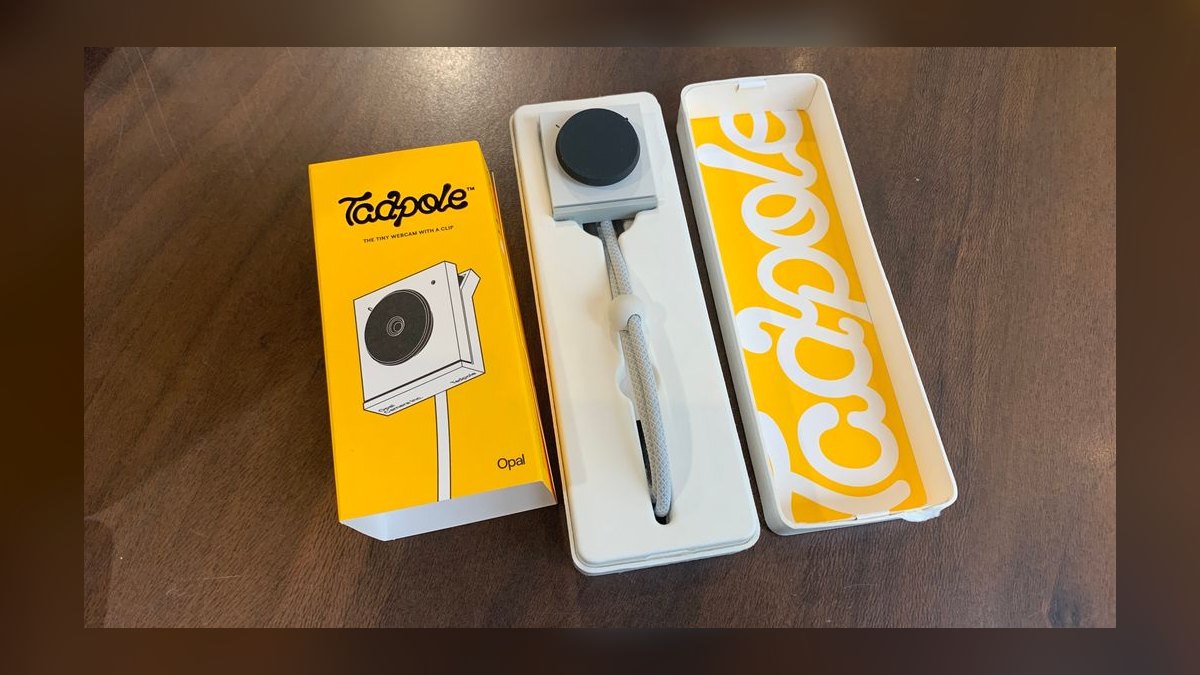
The Opal Tadpole ranks tenth on image capability and first on portability: 45 grams, roughly 1.2 inches square, clipping to a laptop lid and disappearing into a bag, at $175. A real Sony 4K sensor scales down cleanly to 1080p for Zoom and Teams. VisiMic directional microphones capture only audio inside the camera's field of view, filtering hotel HVAC and hallway noise that ruin a laptop mic.
It draws power over USB-C and runs plug-and-play on macOS and Windows with no required software, which matters when demoing from a client's locked-down office. The trade-offs are real: no AI tracking, no gimbal, and a fixed wide-angle lens. Road-warrior AEs and CSMs running QBRs from hotel rooms should carry it; anyone with a permanent desk gets more camera for the money one rank up.
How we ranked these
We scored ten 4K-capable webcams on sensor size, max resolution and framerate, aperture, autofocus, and whether tracking is mechanical or digital. Demo-specific weighting favored recovery speed when standing, mic usability without a headset, document/desk-view modes, USB-C power draw, and software compatibility with locked-down corporate laptops. Price was weighted against feature set and fleet scalability.
We deliberately ignored RGB lighting, streaming overlays, gaming presets, and marketing hype. We excluded webcams without external mount options, those requiring capture cards or separate power bricks, and models whose 4K mode only exists in vendor software rather than as UVC output. Price-per-megapixel was skipped because it rewards small sensors cramming pixels, which is the opposite of good demo video.
What to look for
Sensor size beats resolution on a spec sheet. A 1/1.2-inch sensor at 1440p looks better on a recorded Gong call than a 1/3-inch sensor claiming 4K, because Zoom and Teams compress your stream to roughly 1080p anyway. What survives compression is light-gathering, skin tone, and background separation. Decide first whether your demos are seated and recorded or mobile and live—that single question splits this list cleanly in half.
The common mistake is buying gimbal tracking for a seated demo. Mechanical pan-tilt only pays off if you stand, walk to a whiteboard, or hold up hardware; otherwise it is a motor that occasionally whirs during silence. The second mistake is skipping IT review—Razer Synapse and some vendor apps get blocked on managed laptops, stranding you with default color and no way to tune it mid-quarter.
Related questions
Does 4K resolution actually reach the prospect on a Zoom demo?
Usually not at full resolution. Zoom and Teams typically cap participant video near 1080p and compress aggressively based on bandwidth. The benefit of a 4K sensor is oversampling—downscaling a 4K capture to 1080p produces cleaner detail and less noise than a native 1080p sensor. Recorded demos stored locally or in Gong retain more of that quality than the live stream does.
Is mechanical gimbal tracking better than digital auto-framing?
For movement-heavy demos, yes. A gimbal on the OBSBOT Tiny 2 or Insta360 Link 2 physically rotates the lens, so you keep full sensor resolution while tracking. Digital framing like Logitech RightSight crops into the sensor, losing pixels and producing visible jumps when you reposition. If you stay seated, digital framing is fine and quieter.
Do I need a separate microphone if the webcam has one?
For external prospect calls, yes. Integrated dual-mic arrays on the MX Brio and Insta360 Link 2 are good enough for internal standups, but they sit at monitor distance and pick up keyboard noise and room reflections. A headset or USB speakerphone like the Jabra Speak 2 75 gives you consistent levels no matter how you shift in your chair.
Why does the Dell UltraSharp WB7022 ship without a microphone?
Dell assumed enterprise buyers already own a conference speakerphone or use the laptop's array. Omitting the mic avoids a mediocre component that buyers would bypass anyway, and it sidesteps echo issues when two audio inputs compete. Pair it with a dedicated USB speakerphone and the combined result beats any webcam's integrated mics.
Will a 4K webcam slow down my laptop during a live demo?
It can. Encoding 4K, running screen share, and driving a CRM tab simultaneously loads the CPU on older machines. Most reps get better results setting the webcam to 1080p output while screen sharing, then switching to 4K for recorded content. Check that your port is USB 3.0 or later—USB 2.0 caps throughput and forces lower resolution.
How many people can one webcam cover in a huddle room?
Field of view decides this, not resolution. The Anker PowerConf C300 at 115 degrees fits three or four people around a table. Most premium cams run 78 to 90 degrees, which frames one or two. Beyond four participants, a dedicated conference camera with speaker tracking serves the room better than any USB webcam.
Does the Razer Kiyo Pro Ultra's 4K24 limit matter for demos?
For seated, recorded demos, barely. Twenty-four frames per second reads as cinematic and video platforms downsample anyway. It matters if you move a lot, gesture quickly, or demo motion-heavy software, where 24fps shows judder. The 1440p at 30fps mode is the practical compromise, and its huge sensor still outresolves most competitors after compression.
Is the business SKU worth the premium over the consumer version?
Only if IT deploys it. The MX Brio 705 for Business costs $30 more than the identical consumer MX Brio, buying Logi Sync fleet provisioning and a three-year warranty. For an org shipping 200 units to remote reps, centralized firmware and settings management pays for itself. For a single AE expensing gear, the consumer model is the same camera.
FAQ
Can I use a 4K external webcam with any laptop?
Almost any modern one. These cameras connect over USB-C or USB-A and register as standard UVC devices on Windows, macOS, and ChromeOS. The constraint is port generation—USB 2.0 lacks the bandwidth for 4K and will drop you to 1080p or introduce latency. Check your laptop's port spec before assuming you will get full resolution.
Do AI tracking features require installing software?
Basic tracking usually runs on-camera and works plug-and-play. The OBSBOT Tiny 2 and Insta360 Link 2 both track without a host app. Gesture controls, zoom presets, whiteboard mode, and color tuning need the companion application. That matters on managed corporate laptops where installs require IT approval, so confirm before standardizing a fleet on gesture-dependent workflows.
How much does sensor size matter for demo video quality?
More than resolution. The Razer Kiyo Pro Ultra's 1/1.2-inch sensor and the OBSBOT's 1/1.5-inch gather far more light than the 1/2.6-inch sensor in the MX Brio line, producing better skin tones and usable video in dim rooms. In a well-lit home office the gap narrows considerably, so lighting investment often beats sensor upgrades.
Which of these works best for group demos?
The Anker PowerConf C300, because its 115-degree field of view and dual stereo mics cover a table rather than a face. It gives up true 4K for 1080p at 60fps, which is the right trade in a room. Narrower 78 to 90 degree lenses on the premium models are built for a single seated presenter.
Are the built-in microphones good enough for prospect calls?
For internal calls, generally yes. The Insta360 Link 2 and MX Brio both have beamforming arrays with noise suppression that handle a quiet home office. In open-plan or coworking spaces they pick up neighboring conversation. Anything revenue-critical deserves a headset or speakerphone—audio dropouts kill demos faster than a soft image does.
How long should a high-end webcam last?
Three to five years typically, with software support ending before the hardware does. Gimbal motors in tracking models are the wear point under daily use, and vendor apps eventually stop receiving OS compatibility updates. Fixed-lens cameras like the Elgato Facecam Pro or Dell WB7022 have fewer failure modes and often outlast the tracking models.
Should I buy a webcam or use a mirrorless camera with a capture card?
Buy the webcam for daily selling. A mirrorless setup delivers better image quality but adds a capture card, dummy battery, tripod, and a boot sequence before every call. The Razer Kiyo Pro Ultra closes most of that gap with one USB cable. Reserve the camera rig for scheduled recorded content, not live pipeline calls.
Does a privacy shutter matter for enterprise sales?
It comes up in security reviews. Logitech's Brio 500, MX Brio, and 705 for Business all include integrated shutters, which satisfies checklist items at SOC 2 and regulated buyers. It rarely blocks a purchase outright, but showing up to a healthcare or fintech demo on a camera your own security team flagged is an avoidable credibility hit.
Is the Opal Tadpole enough for a traveling account executive?
For hotel rooms and client sites, yes. At 45 grams it clips to a laptop lid, draws power over USB-C, and needs no software. Its VisiMic array rejects audio outside the frame, which handles HVAC noise well. You give up tracking and gimbal movement, so it is a laptop-webcam replacement rather than a studio setup.
What is the fastest way to improve demo video without new hardware?
Add a light source in front of you and raise the camera to eye level. A $40 key light does more for perceived quality than a $300 sensor upgrade, because every webcam struggles with backlit windows and overhead office fixtures. Fix lighting first, then decide whether the camera is actually the limiting factor.
Sources
- https://www.xda-developers.com/insta360-link-2-review/
- https://www.tomsguide.com/computing/peripherals/insta360-link-2-webcam-review
- https://www.xda-developers.com/obsbot-tiny-2-review/
- https://www.tomshardware.com/reviews/razer-kiyo-pro-ultra-webcam
- https://www.pcworld.com/article/1654613/razer-kiyo-pro-ultra-webcam-review.html
- https://www.tomsguide.com/reviews/anker-powerconf-c300-webcam
- https://www.tomshardware.com/peripherals/webcams/logitech-mx-brio-review
- https://www.pcgamer.com/dell-ultrasharp-wb7022/
- https://www.laptopmag.com/laptops/webcams/opal-tadpole-review
- https://www.tomshardware.com/best-picks/best-webcams
Related on PULSE
This page will be disappearing soon. Save it to your device for $1 — or read it free while it is here.
@Kory-White- · if Venmo asks, the last 4 of my number are 2012
This page is gone.
This one is off the shelf now. $1 keeps it on your phone for good — the whole page, pictures and diagrams included.
 pulse-reviewsTop 10 Noise-Cancelling Headphones — Best Overall + Best Value in 2027
 pulse-reviewsTop 10 Cordless Brad Nailers — Best Overall + Best Value in 2027
 pulse-reviewsTop 10 LG TVs — Best Overall + Best Value in 2027
 pulse-reviewsTop 10 Smart Water Leak Detectors — Best Overall + Best Value in 2027
 pulse-reviewsTop 10 Electric Back Massagers — Best Overall + Best Value in 2027
 pulse-reviewsHow do I reduce echo in a home office for sales calls in 2027?
 pulse-reviewsTop 10 Foldable Phones — Best Overall + Best Value in 2027
 pulse-reviewsTop 10 Standing Desks $500-$1500 in 2027
 pulse-reviewsTop 10 NVMe SSD Enclosures — Best Overall + Best Value in 2027
 pulse-reviewsTop 10 Smart Notebooks — Best Overall + Best Value in 2027