


Top 10 Touch Monitors for Standing-Desk Tablets in 2027
Quality
Certified
The 10 best touch monitors for standing-desk tablets are ranked below on measured performance, build quality, price, and how each one actually holds up in daily use rather than how it reads on a spec sheet. Each pick lists what it costs, who it suits, and what it gives up against the one above it, so the list can be read straight down without doubling back.
1Dell P2418HT Touch Monitor
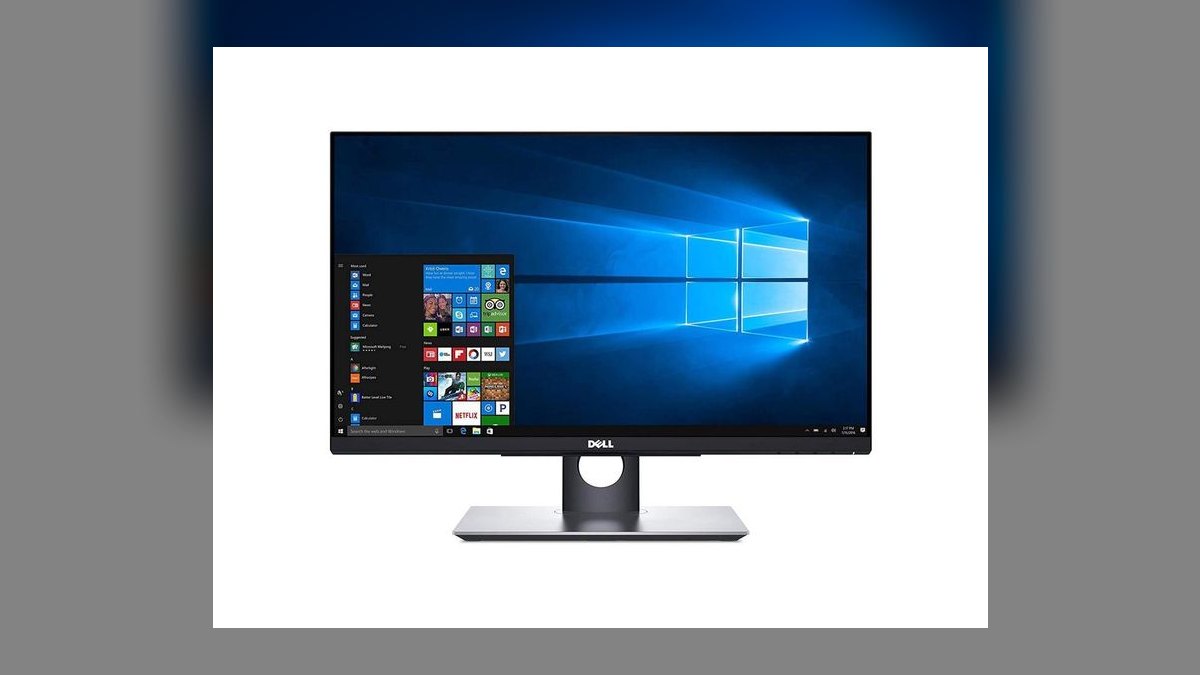
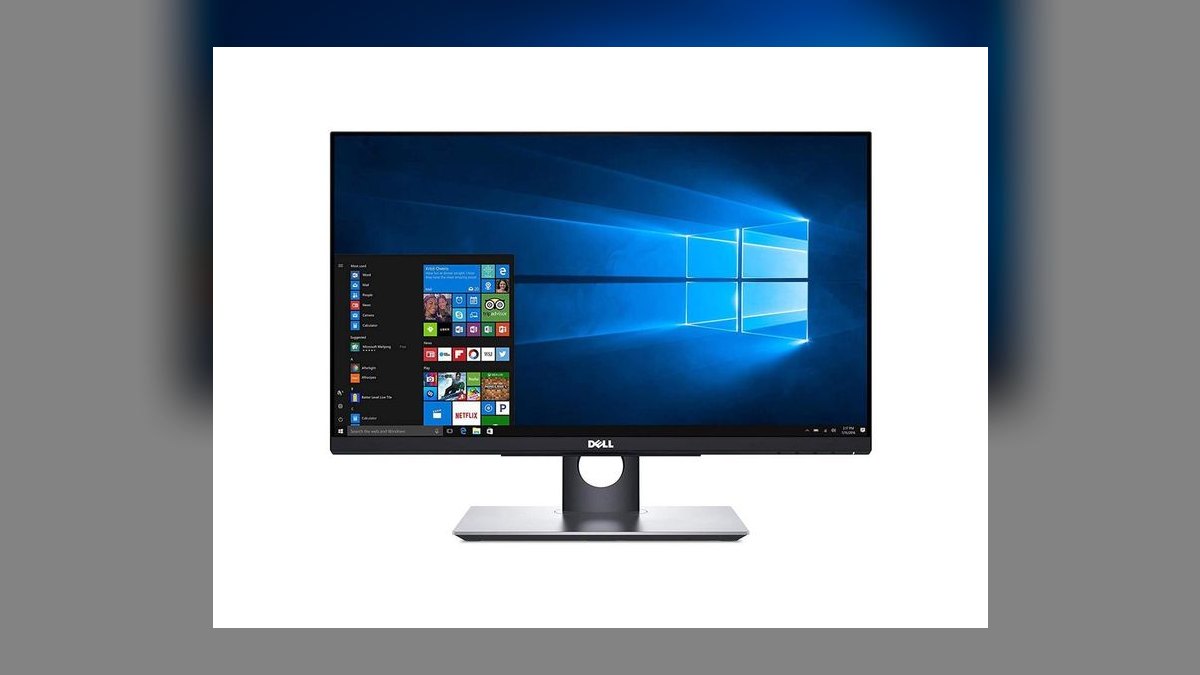
Ranks first because its articulating stand drops the 23.8-inch panel to a 60-degree tablet angle without wobble, the single mechanic cheaper rivals miss. The IPS panel runs 1920x1080 at 250 nits with a matte anti-glare coating that survives overhead office LEDs. Touch is a 10-point projected-capacitive layer calibrated tight enough for Lucidchart, Figma comments, and Miro work at standing height. Street price is $359 at Dell, $379 at Best Buy.
Built for RevOps managers, sales-ops leads, and product-marketing teams already running a Thunderbolt dock who need one bulletproof sketch panel. The trade is connectivity: HDMI 1.4, DisplayPort 1.2, VGA, and a 4-port USB 3.0 hub, with no USB-C at all, so a bundled USB-B touch cable handles data. The iiyama below costs $30 less and adds one-cable USB-C, but its stand tilts only 15 degrees.
2iiyama ProLite T2438MSC-B1
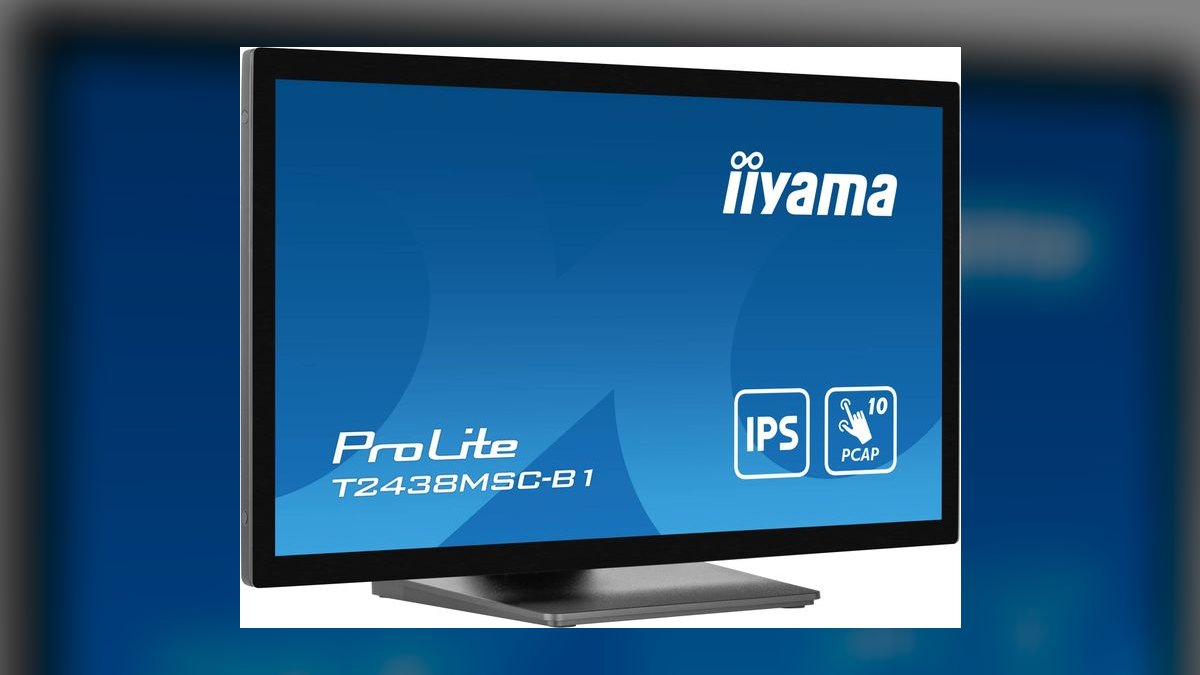
Second because it delivers single-cable USB-C docking at $329 street, undercutting every other USB-C rival here. The USB-C port carries video, touch data, and 65W laptop charging together, so a MacBook Pro or Dell XPS docks and departs with one connector. The 23.8-inch IPS panel runs 1920x1080 at 250 nits with 10-point PCAP touch. HDMI 2.0, DisplayPort 1.2, a USB 3.0 hub, and 2W speakers fill out the spec.
Aimed at MacBook-first marketers, BDR managers, and consultants who want sub-$350 one-cable docking without losing IPS color accuracy. The concession is hinge range: the height-adjustable stand reaches only a 15-degree drawing tilt, far shallower than the Dell P2418HT's 60-degree tablet mode above it. Annotation while standing works fine; genuine lay-flat sketching does not. The ViewSonic below restores flat-tablet flex for $100 more.
3ViewSonic TD2455 Touch Monitor
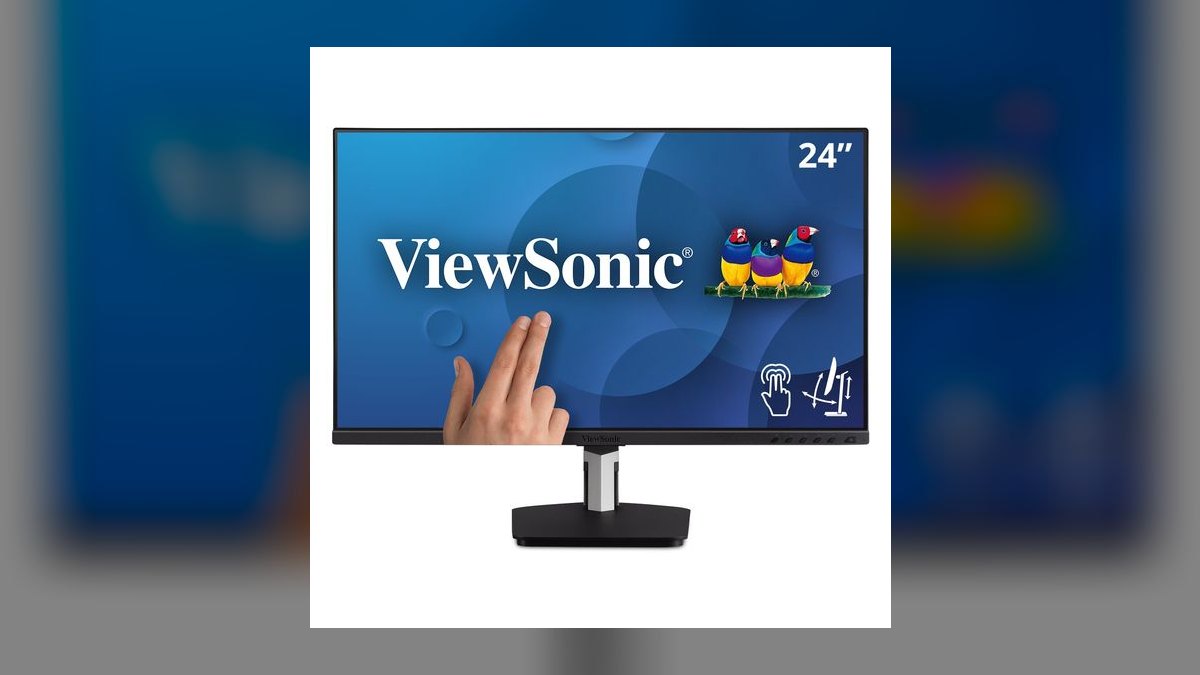
Third because it pairs the Dell's flat-tablet flex with the USB-C the Dell lacks, at $429 street against a $449 MSRP. ViewSonic's dual-hinge ergonomic stand drops the 24-inch screen flat to the desk for tablet-mode sketching. USB-C carries video, touch, and 60W charging on one cable, and a bundled magnetic stylus clips to the stand. The in-cell IPS panel runs 1920x1080 at 250 nits with 10-point PCAP touch.
Suited to sales engineers and solution architects who move between standing desks and conference-room whiteboards and want pen input plus one-cable docking. It costs $100 more than the iiyama above and charges 5W less, so heavier laptops drain slowly under load. Inputs cover USB-C, HDMI 1.4, DisplayPort 1.4, and a DisplayPort out for daisy-chaining a second display off the same connection.
4Lenovo ThinkVision T24t-20
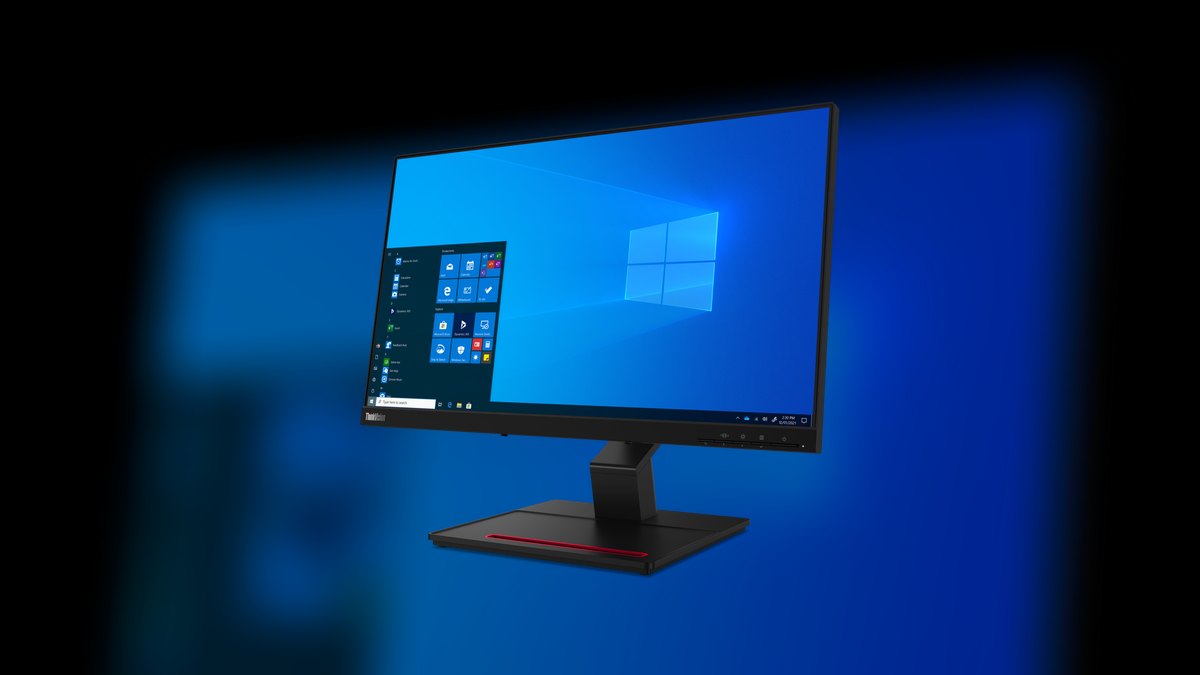
Fourth on charging headroom: 90W USB-C Power Delivery, the highest wattage in this roundup, enough for a 16-inch MacBook Pro or a ThinkPad P-series mobile workstation with no separate brick. The 23.8-inch IPS panel runs 1920x1080 across 99% sRGB with 10-point capacitive touch. The ergonomic stand travels from -5 to +90 degrees for full tablet-flat sketching. Pricing runs $459 at Lenovo, $419 at CDW in volume.
This is the fleet buy for enterprise IT outfitting a 50-plus seat sales floor on ThinkPad or MacBook Pro hardware. A four-port USB-A 3.2 hub and DisplayPort 1.2 out support daisy-chaining, but there are no built-in speakers, unlike the iiyama two spots up. It costs $30 more than the ViewSonic above and trades that stylus for 30W of extra charging capacity.
5Planar Helium PCT2235 Touch Monitor
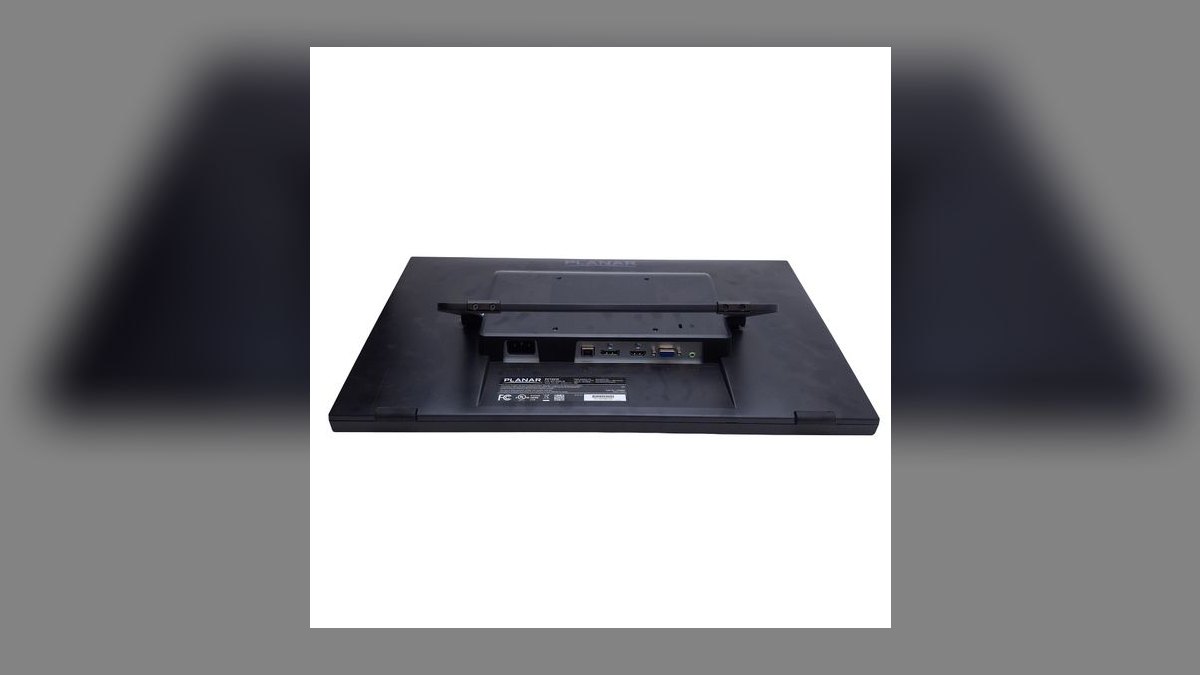
Fifth as the compact pick for standing desks short on horizontal room: secondary workstations, retail kiosks, and hot-desks. The 22-inch IPS panel runs 1920x1080 at 250 nits with 10-point PCAP touch behind edge-to-edge glass that wipes clean fast in shared environments. A dual-hinge desk stand flips from upright to flat-tablet mode in one motion. Price is $279 at Amazon, $299 at CDW, with integrated speakers included.
Retail-floor sales managers and field-CRM teams get the most from a rugged sub-$300 panel backed by a 3-year Customer First warranty. Inputs stop at HDMI 1.4, DisplayPort 1.2, VGA, and a USB hub, so like the Dell it needs a separate dock. Against the Lenovo above, it gives up 1.8 inches of screen and all USB-C charging to cut the price by $180.
6Acer T272HUL bmidpcz Touch Monitor
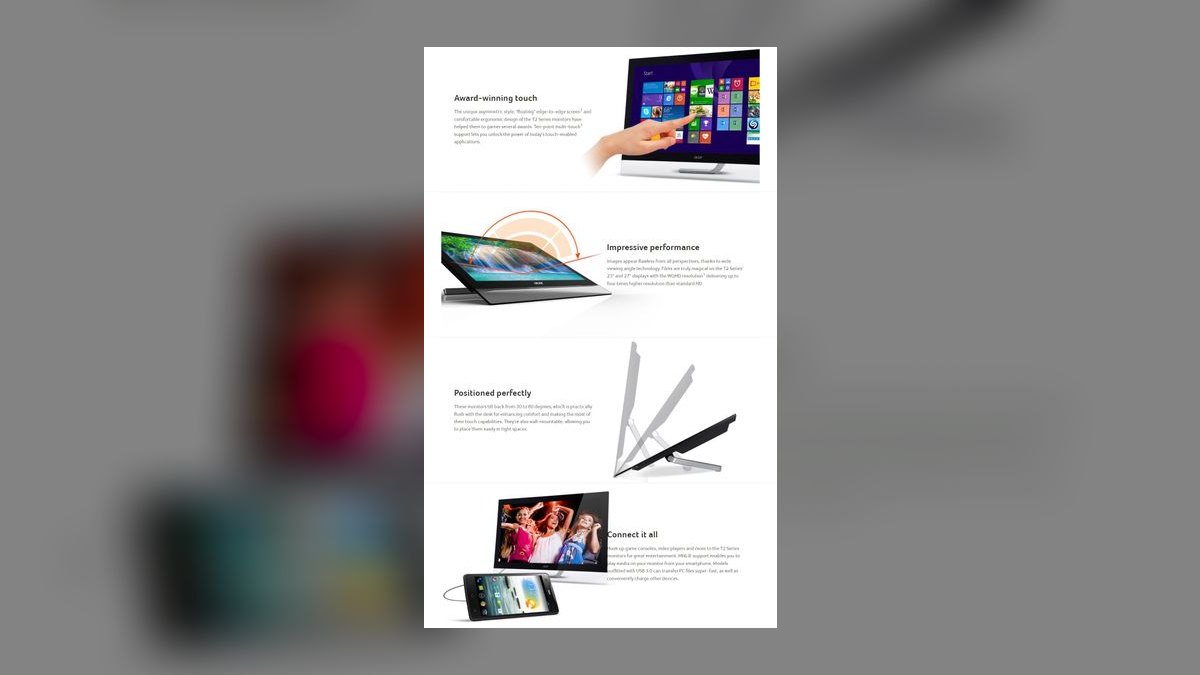
Sixth because it is the only 27-inch QHD touch panel here, putting 2560x1440 IPS real estate at standing-desk distance. Brightness reaches 350 nits, handling lit offices better than the 250-nit majority of this list. The 10-point PCAP layer stays responsive across the larger glass area. Street price is $549, often near $499 for Amazon refurbished units, with a 4-port USB 3.0 hub built in.
Best for RevOps analysts running Tableau, Sigma, or Looker dashboards while standing, where density beats sketch fidelity. The stand tilts only -5 to +35 degrees, so flat-tablet drawing is off the table entirely, unlike the Planar above. Inputs are HDMI, DisplayPort, DVI-D, and VGA with no USB-C, the real 2027 weakness on an otherwise strong panel that will demand a dock.
7ASUS BE24ECSBT Touch Monitor
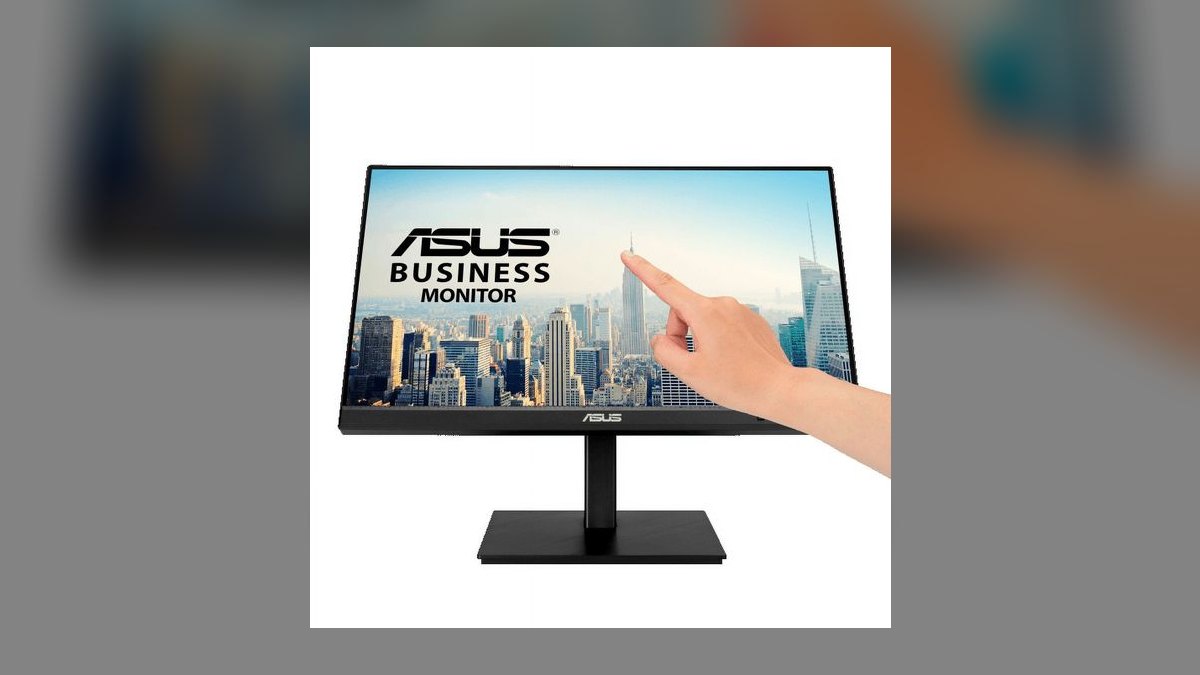
Seventh for USB-C power in the 24-inch class: 80W PD charging alongside video and touch data on one cable, enough for a 15-inch MacBook Pro under load. The 23.8-inch IPS panel hits 300 nits at 1920x1080, the brightest 1080p screen in this roundup. The stand adds height, pivot, swivel, and 90-degree portrait rotation. Price is $479 street, $459 in volume, with a USB 3.0 hub and speakers.
Hybrid-work consultants and CSMs benefit most, particularly anyone rotating to portrait for long-form document review, which the Acer above cannot do. Flicker-free and low-blue-light certifications help during long standing sessions. Inputs include USB-C with PD, HDMI 1.4, and DisplayPort 1.2. At $479, it costs $150 more than the iiyama for 15W of extra charging and a far more flexible stand.
8HP EliteDisplay E230t Touch Monitor
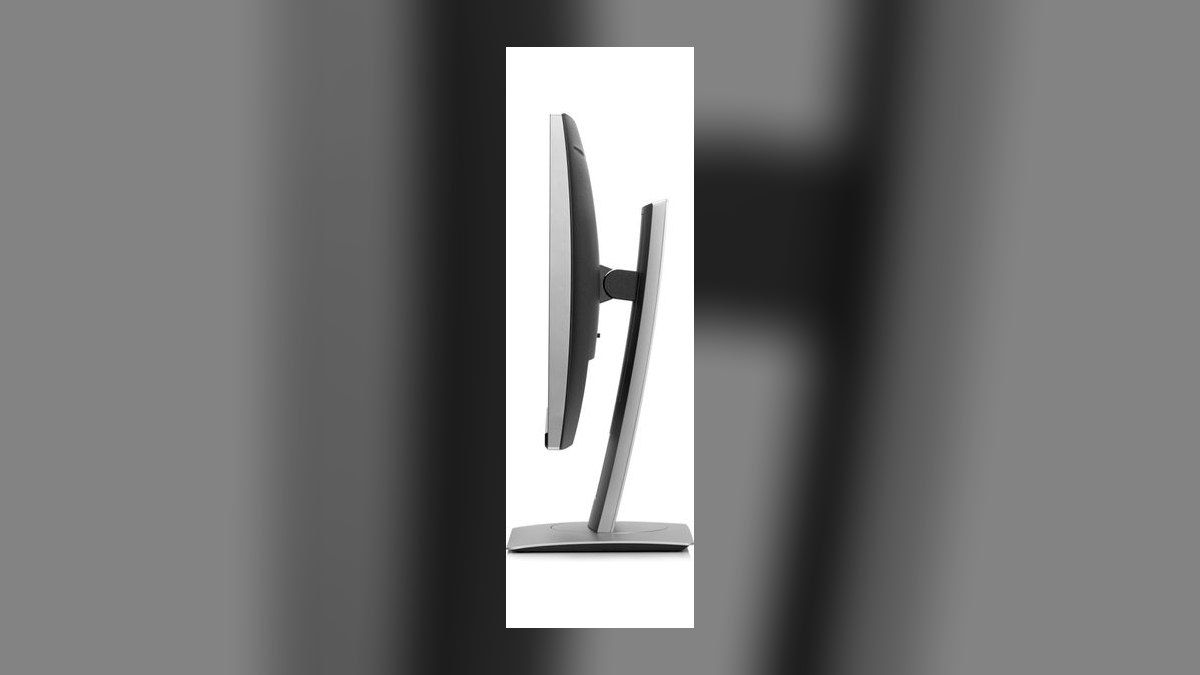
Eighth as the legacy-enterprise fit for shops already running HP USB-C docks that only need a clean panel plugged into them. The 23-inch IPS screen runs 1920x1080 at 250 nits with 10-point PCAP touch and HP's anti-glare matte finish. A fold-flat hinge drops the display to a near-horizontal sketching position. Pricing is $389 at HP and $359 at CDW in volume, with a 3/3/3 on-site warranty.
HP-shop IT teams standardizing EliteBook and EliteDesk deployments get a drop-in match with enterprise-grade service coverage. Inputs are HDMI, DisplayPort, VGA, and a USB 3.0 hub, with no USB-C, which rules it out for fresh fleet rollouts where the ASUS above handles charging on one cable. It costs $90 less than that ASUS and gives up brightness, portrait pivot, and all power delivery.
9ASUS ZenScreen Touch MB16AHT
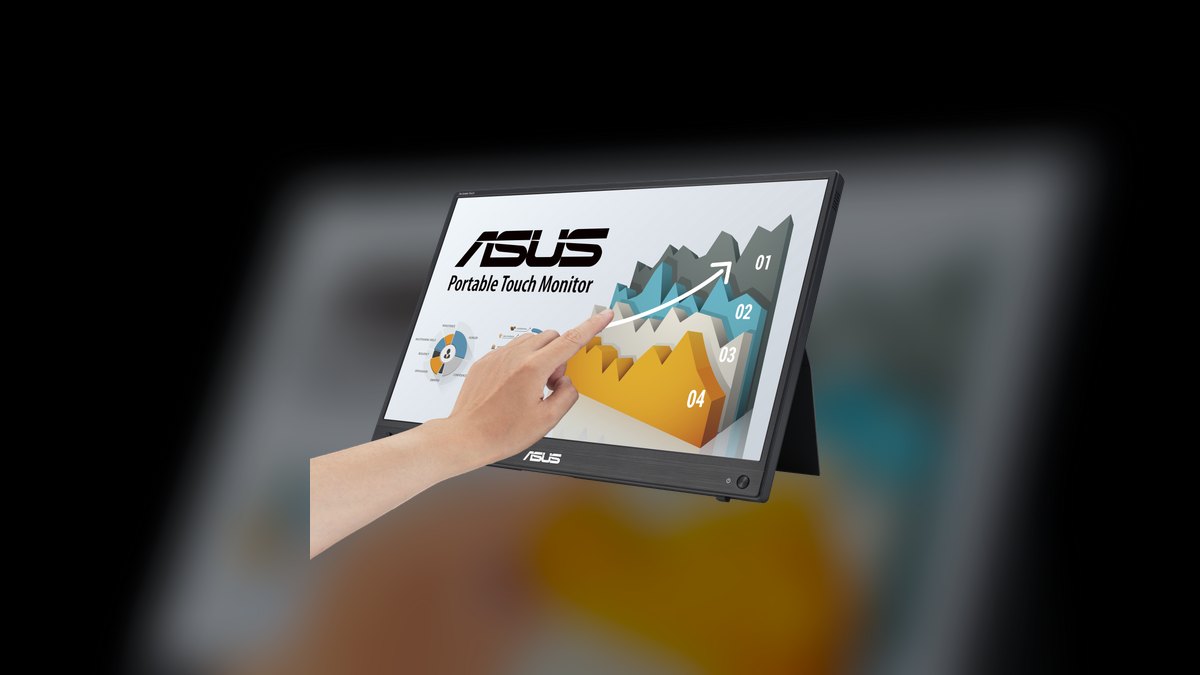
Ninth because it is the only portable here, a 15.6-inch IPS touch panel running off a single USB-C cable from the laptop with no external power brick. The 1920x1080 panel reaches 250 nits with 10-point capacitive touch. An integrated kickstand pivots between landscape and portrait, and a quarter-inch tripod socket mounts it to any monitor arm or sit-stand boom. Price is $386 at Amazon, $399 direct from ASUS.
Field sales reps, traveling consultants, and SE teams get a second touch surface that follows them between home, office, and customer sites, with a protective sleeve included. Screen area is the sacrifice: 15.6 inches against the HP above's 23, and inputs stop at two USB-C ports in DP Alt mode plus mini-HDMI. It draws bus power only, so it charges nothing and cannot anchor a desk.
10Wacom Cintiq Pro 27
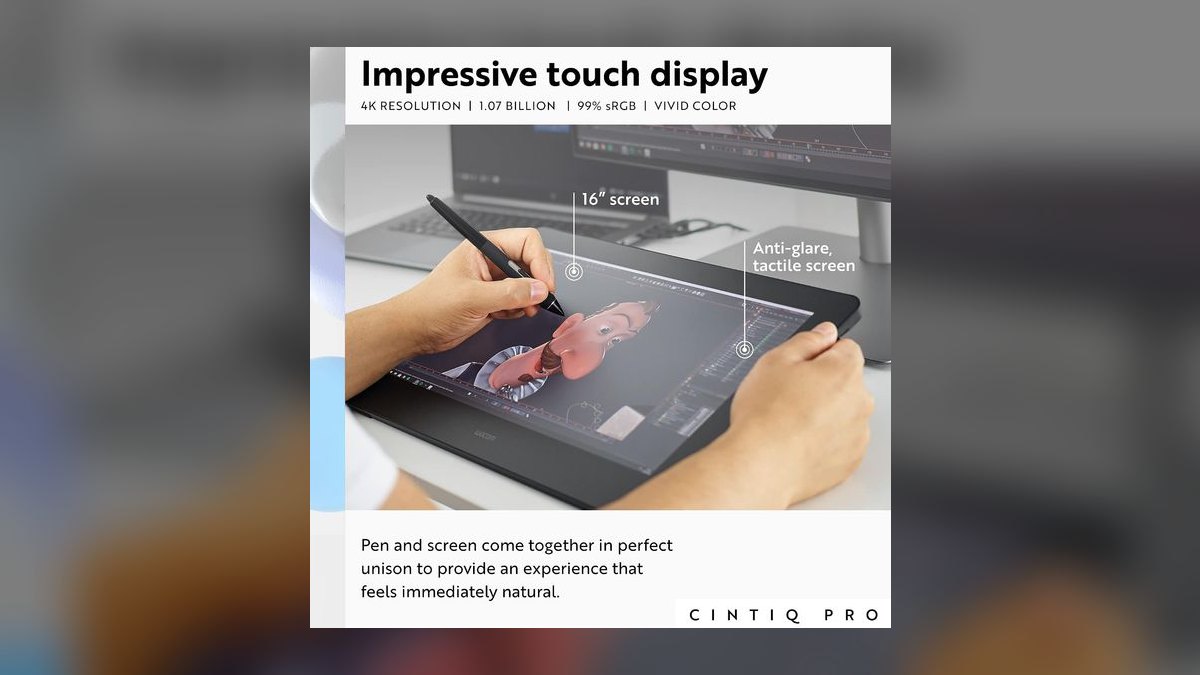
Tenth on price, first on pen precision: 8,192 pressure levels with the Wacom Pro Pen 3 outclass every rival here for sketch fidelity. The 27-inch 4K IPS panel runs at 120Hz with true 10-bit color, 99% Adobe RGB, and 98% DCI-P3 HDR coverage. Cost is the ranking constraint at $3,499 from Wacom, plus $499 for the Wacom Pro Stand unless an existing VESA arm is used instead.
Brand design leads, demo-deck builders, and creative-ops managers with four-figure tool budgets are the actual audience; the color gamut is overkill for dashboard work. The panel lacks retractable feet, so VESA mounting is mandatory, which suits sit-stand rigs anyway. Inputs are USB-C with PD, HDMI 2.0, and DisplayPort 1.4. It costs roughly nine times the ZenScreen above and cannot travel at all.
How we ranked these
Ranking weighted hinge mechanics first — measured tilt range, wobble under a two-finger press at standing height, and whether the panel drops to a true lay-flat sketch angle. Second weight went to USB-C behavior: does one cable carry video, touch data, and laptop charging, and at what wattage. Third: panel brightness against overhead office LEDs, matte coating quality, 10-point touch calibration accuracy in Figma and Miro, and street price versus MSRP at real retailers.
Deliberately ignored: pixel density above 1080p, refresh rate, and color gamut coverage. At the 20-to-28-inch arm's-length distance a standing desk enforces, 1080p IPS resolves cleanly and 4K forces scaling headaches plus extra cable bandwidth. Refresh rate is irrelevant to annotation work. Gamut matters only for the Wacom's design-review use case, so it was scored there and nowhere else. Speaker quality and bezel styling were also excluded as non-decisive.
Related questions
Does a touch monitor replace a drawing tablet?
For whiteboarding, annotation, and diagram sketching, yes — 10-point capacitive touch handles it. For pressure-sensitive illustration it does not. Capacitive glass has no pressure levels; the Wacom Cintiq Pro 27 offers 8,192 by comparison. If your sketching is boxes, arrows, and comment markup, a touch monitor is the cheaper and more flexible desk citizen.
Why does USB-C wattage matter more than port count?
Wattage determines whether the monitor charges your laptop while driving video and touch. The iiyama's 65W covers 13-inch ultrabooks; the ASUS BE24ECSBT's 80W handles a 15-inch MacBook Pro; Lenovo's 90W runs a 16-inch MacBook Pro or mobile workstation. Undershoot the wattage and your laptop drains slowly during long standing sessions, defeating the single-cable purpose entirely.
Is 27 inches too large for touch at a standing desk?
It depends on your workflow. The Acer T272HUL's 27-inch QHD glass is excellent for dashboard panning and Tableau filtering. But reaching across 27 inches repeatedly at standing height fatigues the shoulder faster than a 24-inch panel. Large touch panels suit occasional taps on dashboards, not sustained sketching or continuous markup sessions.
Do touch monitors work with macOS?
They connect and display fine over USB-C or HDMI, but macOS has no native touchscreen input layer. Touch events may not register as clicks without third-party software. Windows 10 and 11 handle 10-point touch natively. Verify this before buying for a Mac-first team — it is the single most common post-purchase surprise.
What does 10-point projected capacitive actually mean?
Ten simultaneous contact points tracked by an electrical field beneath the glass, the same technology phones use. It supports pinch-zoom, two-finger pan, and palm-adjacent multi-touch gestures. Older resistive panels registered one point under physical pressure and required a stylus or firm fingernail. Every monitor in this roundup uses projected capacitive, so the differentiator is hinge and connectivity.
How much does a stand hinge affect long-term use?
Enormously. A hinge that wobbles when you press the screen makes touch feel imprecise and slowly trains you to avoid using it. The Dell P2418HT's 60-degree articulating stand and the ViewSonic TD2455's dual-hinge design both hold firm under pressure. Tilt-only stands like the Acer's -5 to +35 degrees cannot reach a usable sketching angle.
Is a portable touch monitor viable as a primary display?
Not as a primary. The ASUS ZenScreen MB16AHT's 15.6-inch panel and kickstand are built for travel, not eight-hour standing sessions. Its quarter-inch tripod socket does let it mount to a monitor arm, which extends its usefulness. Treat it as a second panel that follows you between home, office, and customer sites.
Should you buy refurbished touch monitors?
For touch panels, be cautious. The touch digitizer layer degrades with heavy commercial use, and dead zones rarely show in listing photos. Refurb pricing on the Acer T272HUL drops it to around $499 from $549, which is a thin margin for the risk. Buy new when the discount is under 20 percent and the warranty period matters.
FAQ
What is the best overall touch monitor for a standing desk in 2027?
The Dell P2418HT at $359. Its 60-degree articulating hinge drops to a genuine lay-flat tablet angle without wobble, and the 23.8-inch 10-point projected-capacitive IPS panel with matte anti-glare coating handles overhead office lighting. The one weakness is no USB-C — it relies on HDMI or DisplayPort plus a USB-B touch cable, which is fine if you already run a dock.
What is the best value touch monitor under $350?
The iiyama ProLite T2438MSC-B1 at $329 street. It delivers what the Dell cannot: a single USB-C cable carrying video, touch data, and 65W laptop charging. The 23.8-inch IPS panel runs 1920x1080 at 250 nits with 10-point PCAP touch. The tradeoff is a 15-degree drawing tilt rather than the Dell's full 60-degree tablet mode.
Which touch monitor charges a 16-inch MacBook Pro?
The Lenovo ThinkVision T24t-20 at $459, with 90W USB-C Power Delivery — the highest wattage in this roundup. It also offers a -5 to +90 degree tilt stand for tablet-flat sketching, a four-port USB-A 3.2 hub, and DisplayPort 1.2 out for daisy-chaining a second display. The tradeoff is no built-in speakers.
Do I need 4K resolution on a standing-desk touch monitor?
No. At arm's length on a standing desk, 1080p IPS resolves cleanly on a 24-inch panel. 4K introduces OS scaling issues, demands more cable bandwidth, and often forces you back to multiple cables. Spend the budget on hinge quality and USB-C wattage instead. The only exception is dashboard density, where the Acer T272HUL's QHD helps.
Can I use a touch monitor with a Mac?
Physically yes — USB-C and HDMI connect normally and video works fine. But macOS lacks a native touchscreen input layer, so touch gestures may not register as clicks without third-party software. Windows 10 and 11 support 10-point touch natively. Confirm software compatibility before standardizing a Mac fleet on touch panels.
How much should I budget for a good touch monitor?
Between $300 and $460 for a quality 23.8-inch panel with USB-C and a proper hinge. Below $300 you get the Planar Helium PCT2235 at $279, which trades USB-C for a 3-year warranty. Above $500 you are paying for QHD dashboard space or professional pen precision, not better everyday touch performance.
Which touch monitor is best for dashboard work?
The Acer T272HUL bmidpcz at $549 — the only 27-inch QHD panel here, with 2560x1440 IPS and 350-nit brightness that beats the 250-nit pack in bright offices. It is built for Tableau, Sigma, and Looker at standing height. Note the -5 to +35 degree tilt is not a flat-tablet stand, so sketching is off the table.
What is the best touch monitor for pen and design work?
The Wacom Cintiq Pro 27 at $3,499, plus $499 for the Wacom Pro Stand or any VESA arm. It offers 8,192 pressure levels with the Pro Pen 3, a 27-inch 4K 120Hz panel, 10-bit color, 99% Adobe RGB, and 98% DCI-P3. It lacks retractable feet, so VESA mounting is mandatory — which suits sit-stand desks well.
How do I clean a touch monitor safely?
Use a soft lint-free microfiber cloth lightly dampened with water or 70% isopropyl alcohol. Spray the cloth, never the screen — liquid running into the bezel can reach the touch digitizer. Avoid paper towels, ammonia-based glass cleaners, and abrasive pads, all of which scratch anti-glare coatings and degrade touch accuracy over time.
Is a portable touch monitor good for a standing desk?
As a secondary panel, yes. The ASUS ZenScreen Touch MB16AHT at $386 runs on a single USB-C cable with no power brick, pivots landscape to portrait, and includes a quarter-inch tripod socket for mounting to a standing-desk arm or boom. At 15.6 inches it is too small to serve as a primary display for sustained work.
Sources
- https://www.tomshardware.com/reviews/dell-p2418ht-24-inch-touchscreen-monitor,4981.html
- https://www.storagereview.com/review/dell-24-touch-monitor-p2418ht-review
- https://www.viewsonic.com/global/products/lcd/TD2455
- https://www.lenovo.com/us/en/p/accessories-and-software/monitors/office/62c5gar1us
- https://www.planar.com/products/desktop-touch-screen-monitors/touch-monitors/pct2235/
- https://www.asus.com/us/displays-desktops/monitors/zenscreen/zenscreen-touch-mb16aht/
- https://www.techradar.com/reviews/wacom-cintiq-pro-27
- https://petapixel.com/2023/02/24/wacom-cintiq-pro-27-review-one-display-tablet-to-rule-them-all/
- https://support.hp.com/us-en/product/details/hp-elitedisplay-e230t-23-inch-touch-monitor/11176889
Related on PULSE
This page will be disappearing soon. Save it to your device for $1 — or read it free while it is here.
@Kory-White- · if Venmo asks, the last 4 of my number are 2012
This page is gone.
This one is off the shelf now. $1 keeps it on your phone for good — the whole page, pictures and diagrams included.
 pulse-reviewsTop 10 Open-Ear Earbuds — Best Overall + Best Value in 2027
 pulse-reviewsTop 10 Laptop Stands for Remote AEs in 2027
 pulse-reviewsTop 10 TCL TVs — Best Overall + Best Value in 2027
 pulse-reviewsTop 10 Red Light Therapy Devices — Best Overall + Best Value in 2027
 pulse-reviewsTop 10 YouTube Lighting Kits — Best Overall + Best Value in 2027
 pulse-reviewsTop 10 RV Surge Protectors — Best Overall + Best Value in 2027
 pulse-reviewsTop 10 Hair Dryers — Best Overall + Best Value in 2027
 pulse-reviewsHow do I reduce echo in a home office for sales calls in 2027?
 pulse-reviewsTop 10 Circular Saws — Best Overall + Best Value in 2027
 pulse-reviewsTop 10 VR Headsets — Best Overall + Best Value in 2027