


Top 10 Key Lights for Professional Sales Demos in 2027
Quality
Certified
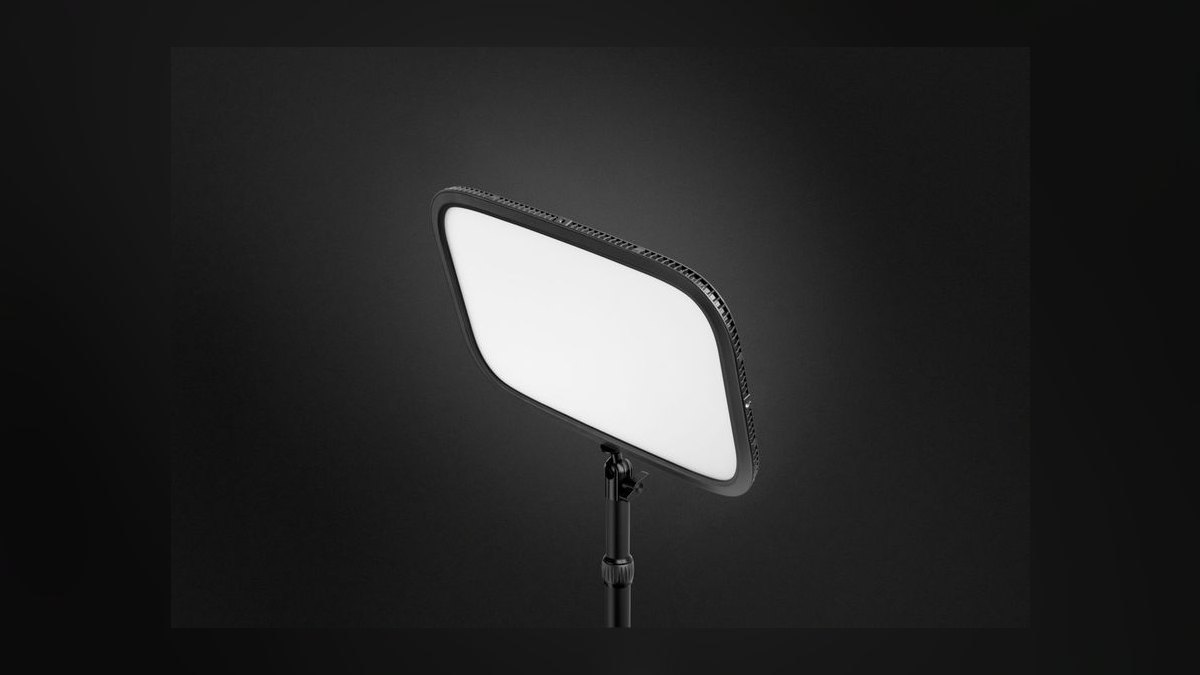
The 10 best key lights for professional sales demos are ranked below on measured performance, build quality, price, and how each one actually holds up in daily use rather than how it reads on a spec sheet. Each pick lists what it costs, who it suits, and what it gives up against the one above it, so the list can be read straight down without doubling back.
1Elgato Key Light (2nd Gen)
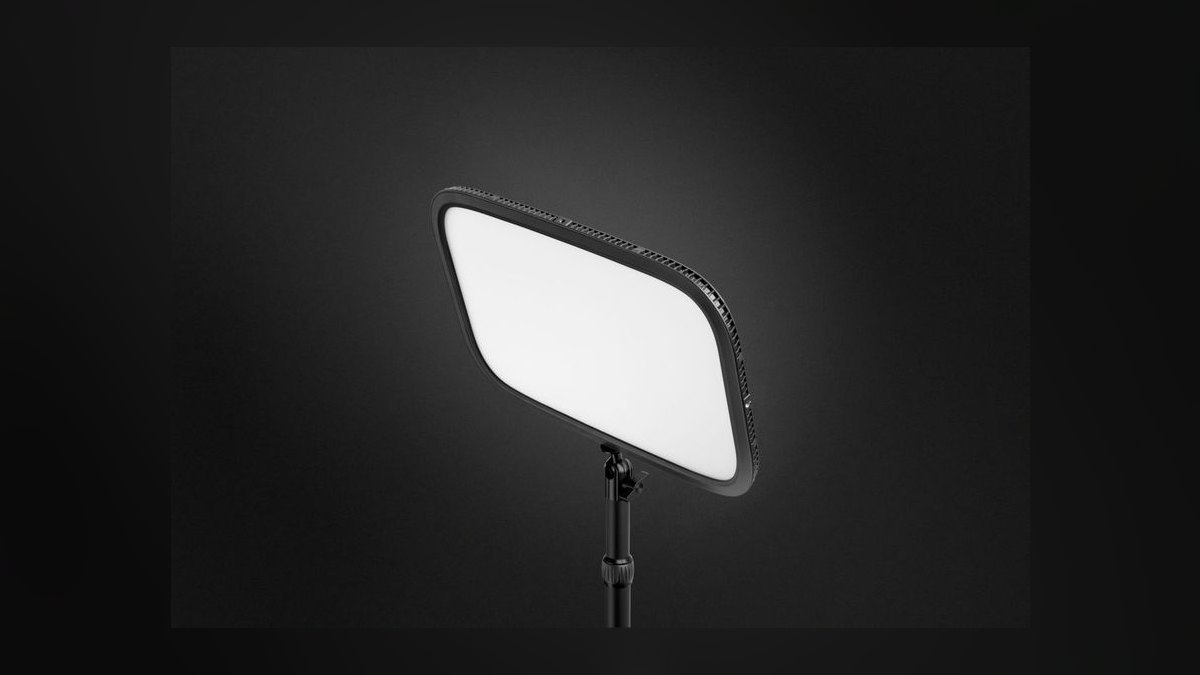
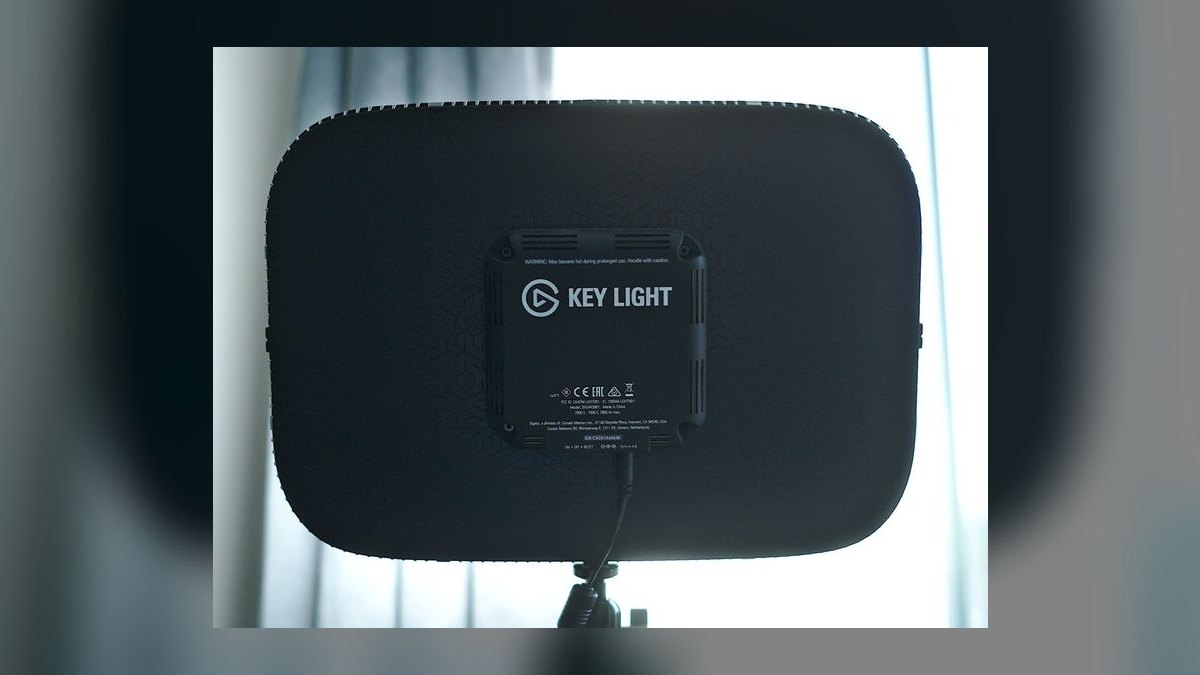
It ranks first because nothing else pairs 2,800 lumens with CRI 94+ and Wi-Fi control at $199.99. The edge-lit OSRAM LED array pushes through a frosted opal diffuser bright enough to balance a sunlit window behind you. Color temperature spans 2,900K-7,000K in 50K steps through Elgato Control Center on macOS and Windows. The steel desk clamp handles desks up to 2.36 inches thick.
This is the pick for enterprise AEs and solutions engineers demoing from a fixed home office desk every day. It trades away portability completely: there is no battery, and the clamp plus power supply make it a permanent install. Against the Litra Beam LX below it, the Elgato is seven times brighter and Stream Deck native, but it lights only your face and offers no background wash.
2Logitech Litra Beam LX
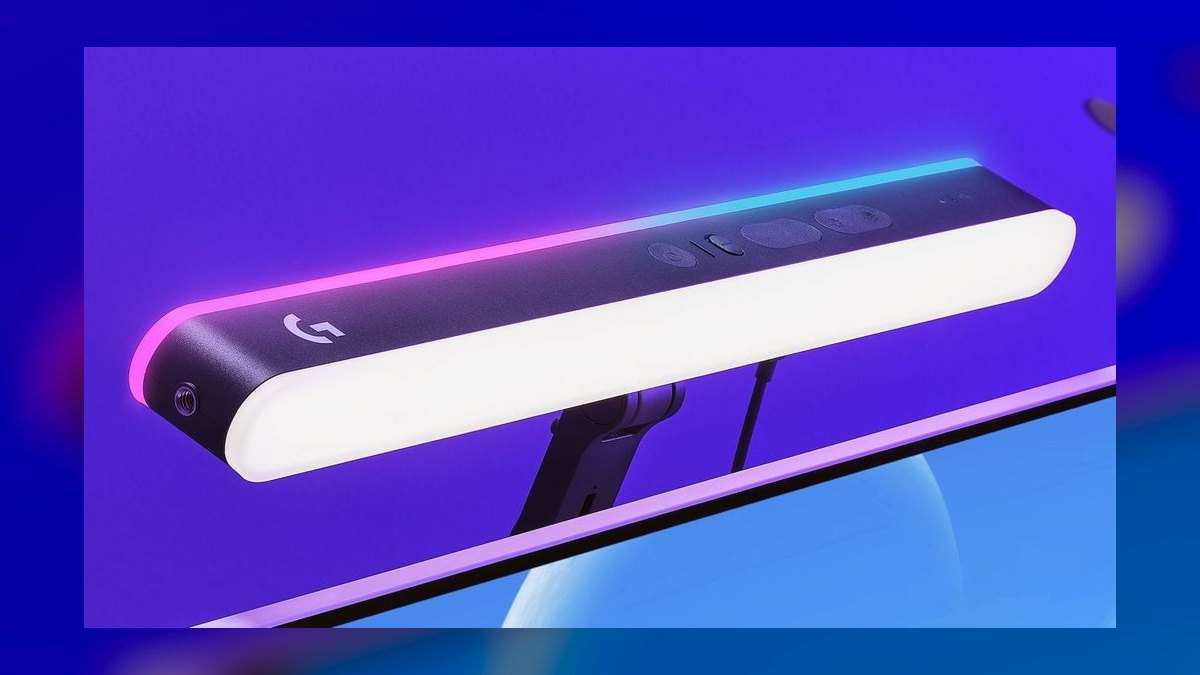
Second place goes to the dual-sided design: TrueSoft full-spectrum LEDs at 400 lumens on the front, LIGHTSYNC RGB on the back for a background wash. The telescoping pole extends 12.6 to 22.4 inches on a weighted base, so it works on glass desks a clamp cannot grip. Bi-color runs 2,700K-6,500K, with 16.8 million colors on the rear panel. PCMag scored it 4 out of 5.
Built for reps in glass-walled coworking offices and partner sellers running customer-facing webinars who want the wall behind them lit too. The trade is raw output: 400 lumens will not overpower a bright window the way the Elgato above it does. It costs $169.99 and controls over Bluetooth and USB through G HUB rather than Wi-Fi, with a physical dial on the pole.
3Aputure Amaran P60c
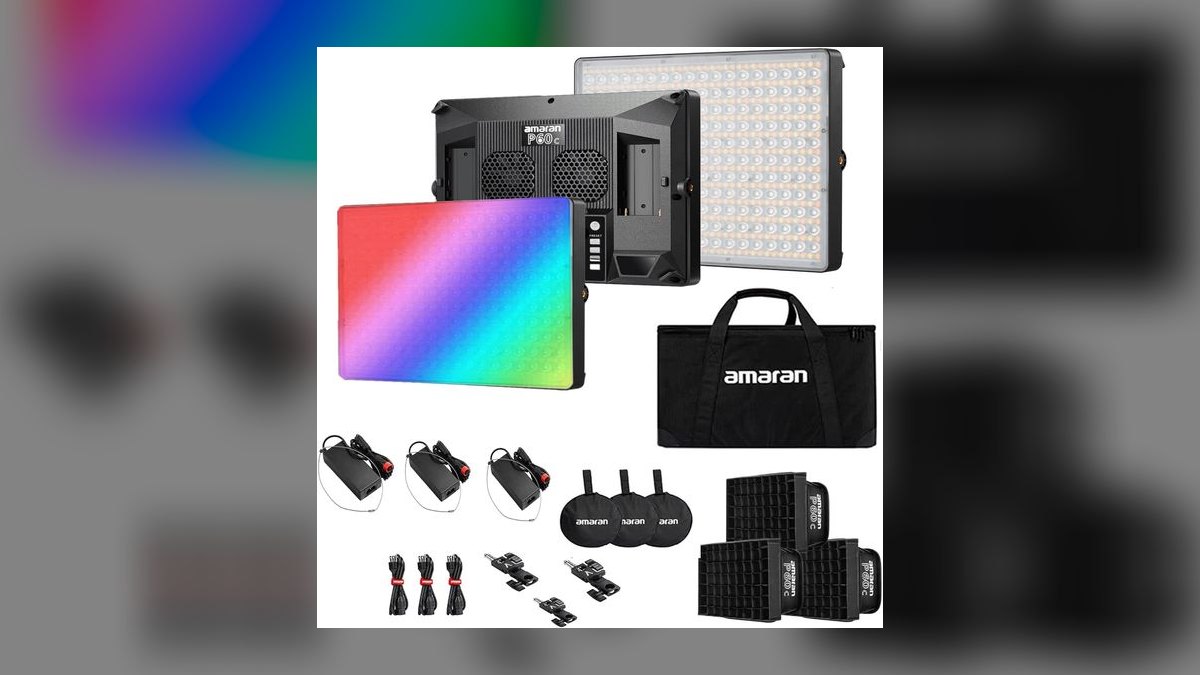
It earns third for being the only genuinely portable pro panel here: a 60W RGBWW soft panel with a built-in V-mount battery plate running roughly 70 minutes on one brick. White modes span 2,500K-7,500K with CRI 95+ and TLCI 96+, plus full HSI control across 16.7 million colors. The Bowens-style accessory mount accepts softboxes, grids, and fresnels. It lists at $299.00.
Aimed at field sales engineers demoing robotics, drones, or construction equipment outdoors, and product marketers shooting B-roll between calls. It trades desk convenience for studio flexibility — no clamp, no Stream Deck tile, and you are buying batteries separately. Compared to the Litra Beam LX above, it costs $130 more and demands more setup, but it works in a parking lot where the Logitech cannot.
4Elgato Key Light Air
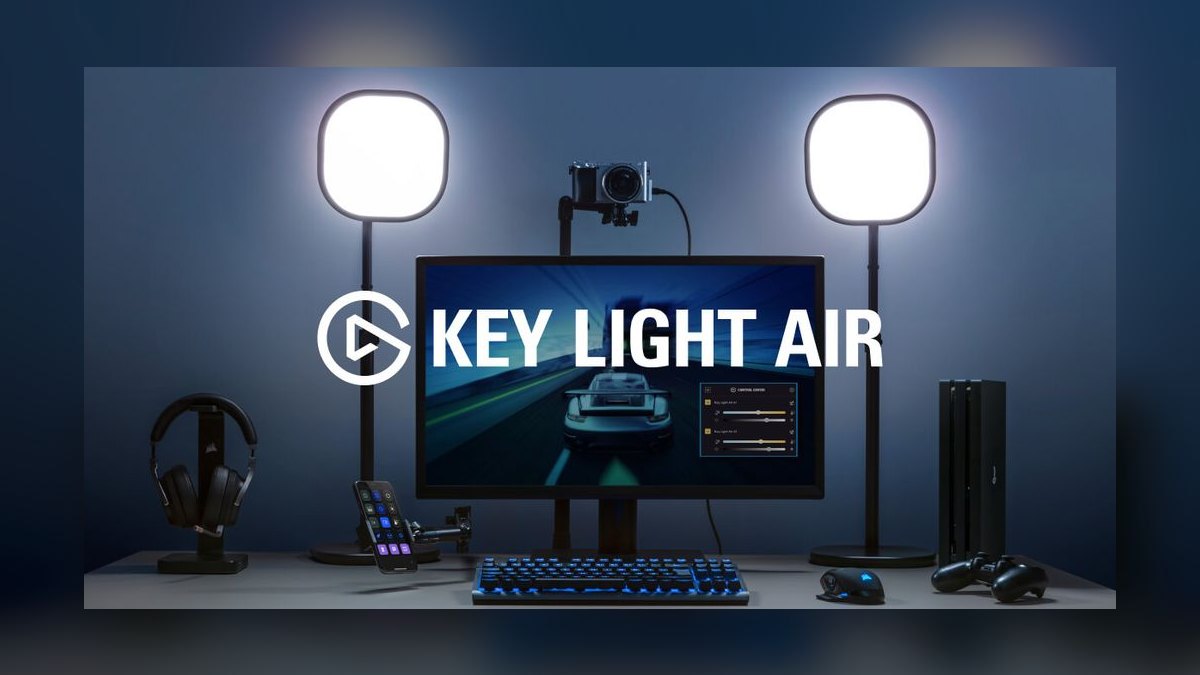
Fourth because it delivers the full Elgato software stack at $129.99, giving up brightness rather than control. Output is 1,400 lumens, half the flagship, in a thinner aluminum housing that fits behind a single monitor without blocking ports. The 2,900K-7,000K range and CRI 94+ match the 2nd Gen exactly, and it pairs to 2.4GHz Wi-Fi as a Stream Deck tile within seconds.
Right for SDRs and BDRs running 30-plus video calls a week from a dedicated desk, and mid-market AEs who want one-tap dim between discovery calls. The clamp is rated for 1.4 to 1.97 inch desks, thinner than the flagship's 2.36 inches, so thick-top desks are out. Versus the Amaran P60c above, it is far simpler but has no battery and no color.
5Logitech Litra Glow
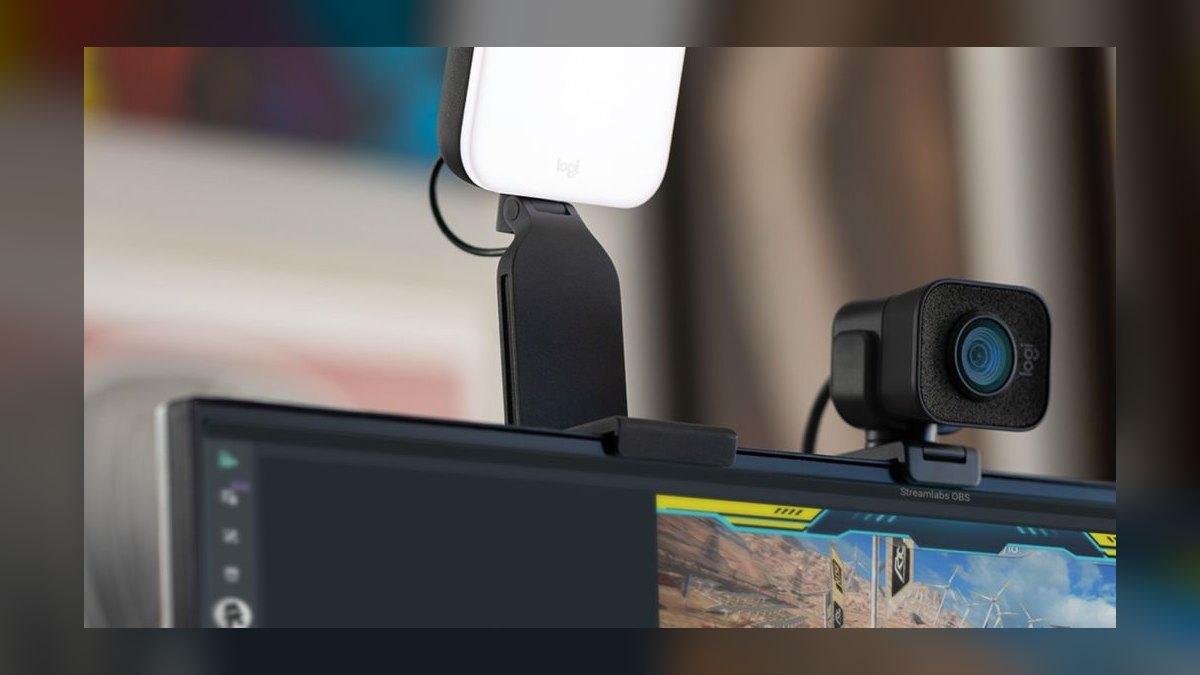
It lands at five as the cheapest light here clearing CRI 95+, at $59.99. TrueSoft full-spectrum LEDs put out 400 lumens across 2,700K-6,500K with seven brightness steps, set from Logitech G HUB or the physical dial. USB-C power off the laptop means no wall outlet and no Wi-Fi pairing. There is no fan, so it runs silent and cool inches from your face through a 60-minute demo.
Built for traveling field reps, road-warrior account managers, and remote BDRs in shared apartments who need a real light in a backpack. The trade is output and mounting rigidity — 400 lumens will not fight a bright window. The monitor clip grips laptop lids and 24 to 27 inch external displays. Against the Key Light Air above, it costs $70 less but loses Stream Deck integration entirely.
6Razer Key Light Chroma
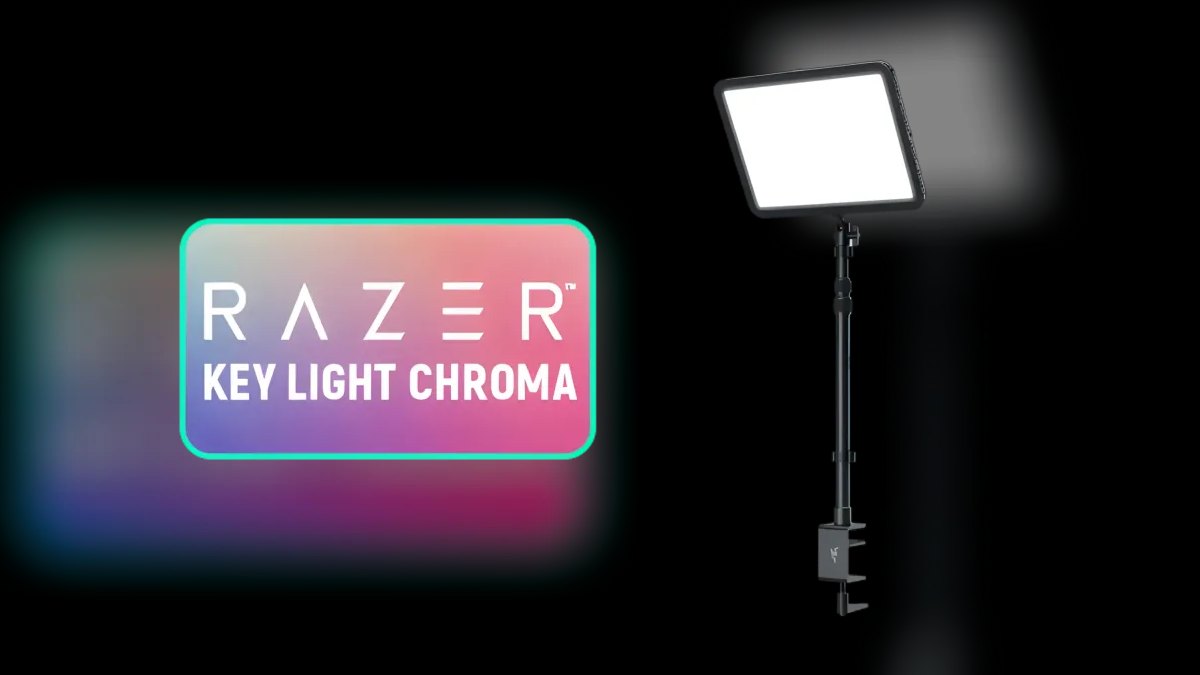
Sixth because it matches the Elgato flagship's 2,800 lumens and $199.99 price but adds 16.8 million RGB colors most sales reps will never use. Bi-color runs 3,000K-7,000K over Wi-Fi through Razer Synapse and the Razer Streaming App. A single Chroma scene syncs up to 11 devices. PC Gamer scored it 86 out of 100, and Tom's Hardware called it a real Elgato challenger.
Makes sense for sales engineers who also stream community content, and demo specialists at developer-tools companies who want to color-match a prospect's brand in frame. The trade is software weight: Synapse is heavier than Elgato Control Center for identical core output. It uses a slim clamp with extendable pole much like the Key Light Air above, but at $70 more for features outside a demo workflow.
7Godox ES45 Bi-Color Kit
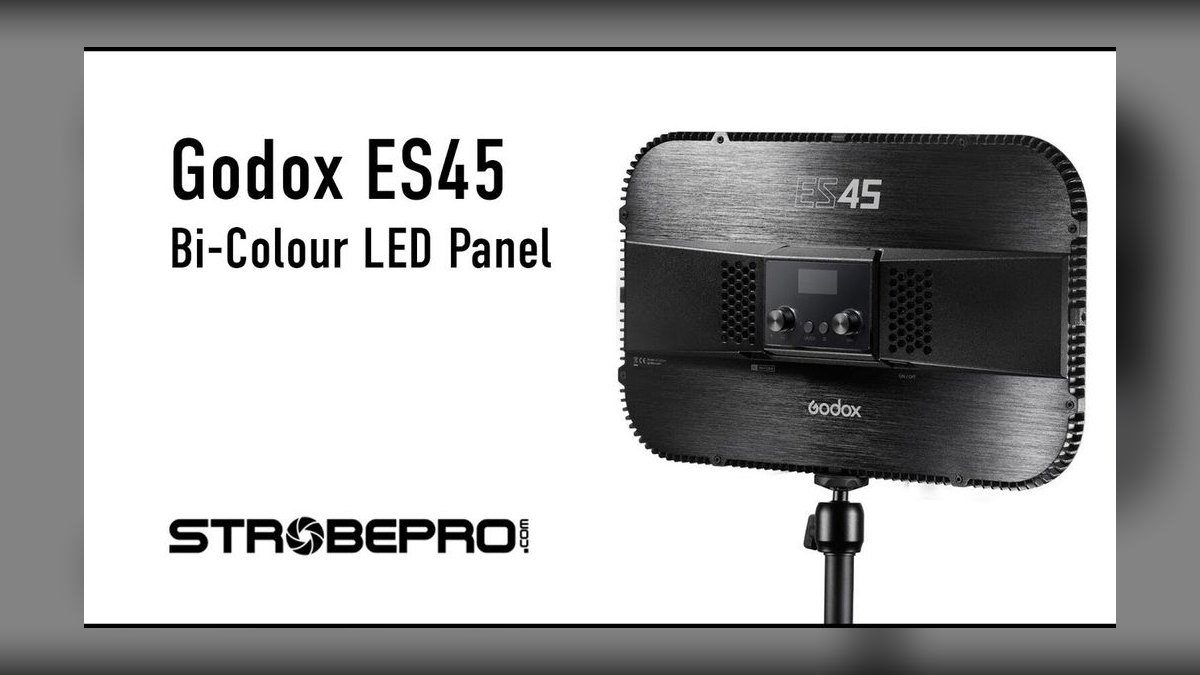
Seventh on the strength of needing zero software: a 40W bi-color panel around 2,400 lumens with a magnetic snap-on remote that sticks to the housing. Range is 2,800K-6,500K behind a frosted diffuser, flicker-free at every dim level per Godox PWM testing. The $169.00 kit includes the extendable desk clamp; the bare panel runs about $110. A 45W USB-C adapter means one cable from outlet to panel.
The pick for sales managers buying ten-plus units for a floor where IT will not approve app installs on company laptops. It trades away Wi-Fi, Bluetooth, and Stream Deck integration entirely. B&H rates it 4.7 out of 5. Compared to the Razer above, it is $30 cheaper and starts in five seconds, but it will not integrate with anything else on your desk.
8Lume Cube Panel Pro 2.0
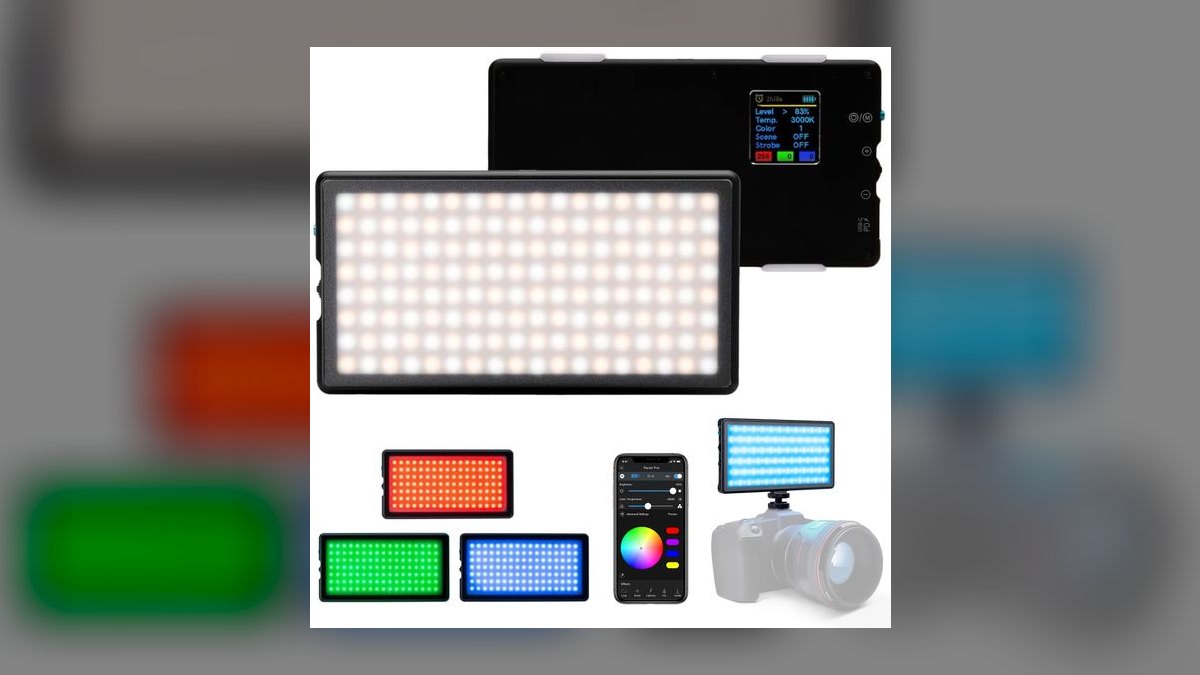
Eighth because it is the brightest portable panel listed — 3,000 lumens peak — but built more for cinematography than desk calls. The 10,400 mAh battery runs roughly 150 minutes at full output and about four hours at half power, with USB-C PD passthrough. Range spans 3,200K-10,000K, read off an OLED rear display showing exact Kelvin and battery level. It sells for $189.99.
For field reps on medtech, industrial, or IoT installs who need one battery light for customer photos and a recorded deal-review video. The box includes a magnetic diffuser, CTO/CTB gel pack, and barn doors, mounting via 1/4-20 thread or cold shoe. Versus the Godox above, it goes anywhere on battery but is over-featured and $20 pricier for a pure Zoom setup.
9Neewer NL660 Bi-Color LED Panel
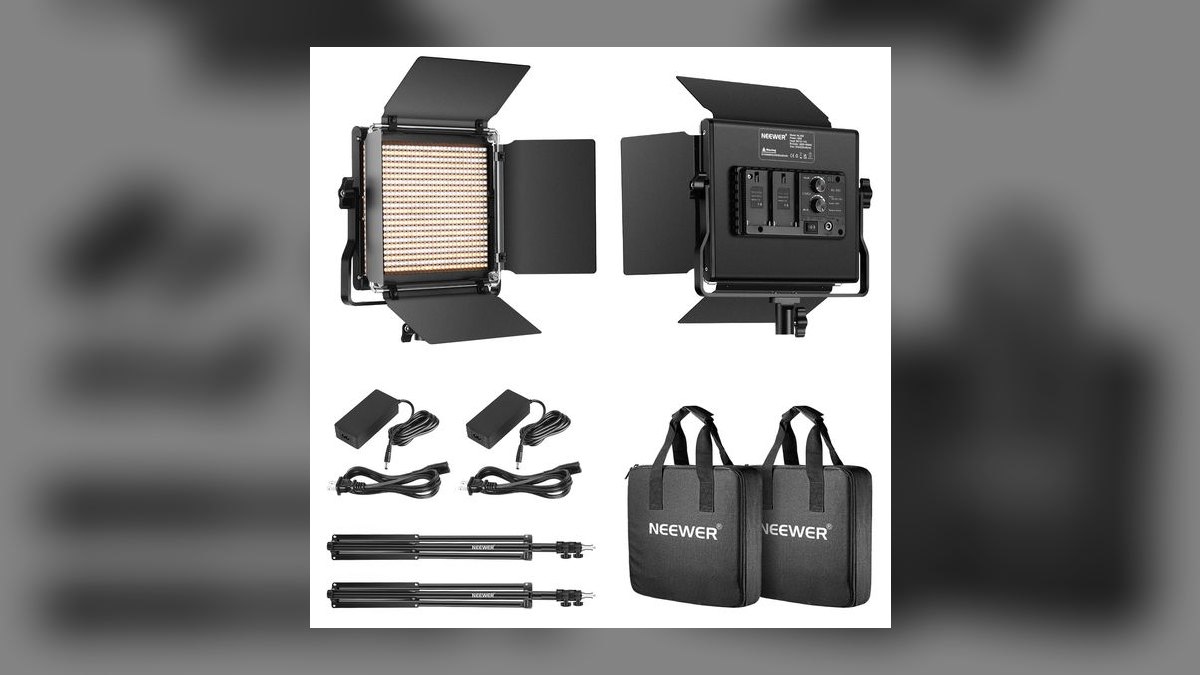
Ninth for panel size: 660 SMD LEDs across a 12 by 7.5 inch face spread light over your whole upper body, producing softer shadows than any desk-sized light here. Bi-color covers 3,200K-5,600K at CRI 96+, dimmable 0-100% from the rear knob or a 2.4GHz remote. The $119.99 kit ships with barn doors, diffuser, U-bracket, AC adapter, and a 75-inch light stand.
Suited to demo studios, partner marketing teams, and reps filming personalized prospecting video. The trade is footprint: there is no desk clamp, so it lives on a floor stand beside you and is slow to reposition for a quick call. It also accepts Sony NP-F970 batteries. The NL660 II revision adds Bluetooth app control the original lacks.
10Elgato Key Light Mini
Tenth because 800 lumens in a smartphone-sized aluminum body is genuinely pocketable but thin on output for the $99.99 price. A 4,000 mAh battery gives about one hour at full brightness or four hours at 25%, charged over USB-C. Bi-color spans 2,900K-7,000K at CRI 94+, controlled over Bluetooth from Control Center mobile and Stream Deck Mobile. Rear magnets stick to whiteboards and metal monitor backs.
For roadshow AEs hitting eight cities a quarter and customer marketing managers filming testimonial video on location inside the Elgato ecosystem. Daisy-chain mode pairs four Minis into one virtual light for trade booths. Best Buy and Amazon reviews average 4.6 out of 5. It ranks below the Neewer because at $99.99 a Litra Glow plus a battery pack costs less and puts out comparable usable light.
How we ranked these
Ranking weighted five measured attributes: peak lumen output at the panel face, color rendering fidelity (CRI/TLCI, since skin tone is what a prospect actually sees), bi-color Kelvin range and step granularity, mount type against real desk surfaces, and control latency mid-call. Price-per-lumen was normalized across the set. Published third-party measurements from Wirecutter, RTINGS, PCMag, PetaPixel, and B&H owner ratings were used to corroborate manufacturer specs rather than accepting them outright.
Deliberately ignored: RGB color count, streaming-event reactivity, and Chroma-style device sync — these move zero needles on a Zoom, Teams, or Gong call and inflate price. Also excluded were unboxing impressions, influencer affiliate rankings, and Amazon star averages under 200 reviews. Bundled softbox accessories were not credited, since a frosted diffuser already handles a seated demo subject. Lifetime warranty length was noted but not scored.
What to look for
The decision collapses to one question: does your light live on a fixed desk or in a bag? Fixed desks reward Wi-Fi control and a heavy clamp — you dim from a Stream Deck without touching the panel and breaking eye contact. Bag-dwellers need USB-C bus power and a clip that grips a laptop lid. Everything else — lumen headroom, Kelvin range, CRI above 94 — is close enough across this set to be secondary.
The common mistake is buying brightness. Reps see 2,800 lumens versus 400 and assume the bigger number wins, then run the panel at 20% forever because full output at eighteen inches is blinding. What actually matters is whether the light is *soft* and whether it sits above the webcam line. A 400-lumen panel correctly placed beats a 2,800-lumen panel aimed up your nose from beside the keyboard.
Related questions
Where should a key light sit relative to my webcam?
Place it slightly above eye level and offset 15 to 30 degrees to one side, angled back toward your face. Dead-center placement flattens features; too far off-axis carves harsh shadows. The panel should be above the top edge of your monitor so it never enters frame. Articulating clamp poles like the Elgato's exist precisely to reach that position.
Does color temperature need to match my room lighting?
Yes, or your face reads a different color than the wall behind you. If overhead office fluorescents run around 4000K and you set the key to 6500K daylight, your skin turns cold blue against a warm background. Match the dominant ambient source, then adjust slightly warmer for a friendlier read on camera during customer-facing calls.
What does CRI actually measure and why does it matter?
Color Rendering Index scores how faithfully a light source reproduces colors compared to natural daylight, on a 100-point scale. Below CRI 90, skin tones shift sallow or waxy on camera and product colors misrepresent themselves during a demo. Every light on this list clears 94, which is the practical floor for anything a prospect will watch.
Can one key light replace a full three-point setup?
For seated video calls, usually yes. Three-point lighting solves for cinematic separation from a background — a concern for filmed content, not a Zoom window. A single soft key plus whatever ambient room light exists produces a fill naturally. Add a second panel only if your background is a dark wall and you want visible edge separation.
Do battery-powered panels last through a full demo day?
Rarely at full output. The Lume Cube Panel Pro 2.0 runs roughly 150 minutes at peak and about four hours at half power; the Elgato Key Light Mini manages an hour at full and four at 25 percent. Both accept USB-C passthrough charging, so a power bank in your bag effectively removes the limit for onsite work.
Is Wi-Fi control worth paying extra for over a physical dial?
It depends on whether reaching the panel breaks your frame. Wi-Fi plus Stream Deck means one tap dims mid-demo without leaning out of shot. A physical dial requires reaching, which reads as fidgeting on camera. For a team deployment where IT blocks app installs, the Godox magnetic remote solves the same problem without software.
Will a key light help if my webcam is already good?
More than a new webcam will. Every camera sensor performs better with more light — noise drops, autofocus locks faster, and the image processor stops guessing at white balance. A $60 light on a mediocre webcam beats a $200 webcam in a dim room. Lighting is the higher-leverage upgrade almost every time.
Do these lights flicker on recorded video?
Quality panels use high-frequency PWM or constant-current dimming that stays invisible to camera sensors at standard frame rates. Godox publishes flicker-free testing across its dim range, and the Elgato and Logitech panels show no banding at 30 or 60fps. Cheap unbranded LED panels are where flicker artifacts appear in Gong recordings and Loom exports.
FAQ
Is a key light really necessary, or can I use a window?
Window light is free and flattering but uncontrollable. Cloud cover, sunset, and seasonal angle shifts change your exposure between a morning discovery call and an afternoon demo. A key light delivers identical output at 8am and 6pm. Most reps end up using both — window as fill, panel as the consistent key that guarantees a usable image.
How many lumens do I actually need for a home office demo?
For a seated desk setup at roughly two feet, 400 to 1,400 lumens is plenty and most people dim below maximum anyway. The 2,800-lumen panels earn their output only when fighting a bright window behind you or lighting a standing presenter in a larger room. Buy headroom if you have backlight problems; otherwise it goes unused.
Should I buy a ring light instead?
Generally no for sales demos. Ring lights produce flat, shadowless light and a distinctive circular catchlight that reads as beauty-vlog rather than business. A rectangular panel with a frosted diffuser placed off-axis gives directional light with gentle falloff, which renders faces dimensionally. Ring lights also block monitor space that a clamp-mounted panel keeps clear.
Is RGB worth it, or is bi-color enough?
Bi-color is enough for essentially every sales use case. The 2,900K-to-7,000K range covers matching tungsten office lamps, daylight windows, and everything between. RGB earns its cost only if you also stream, film branded content, or want a background accent wash — which is the specific argument for the Litra Beam LX's rear panel, not the front.
Which light works best for traveling reps?
The Logitech Litra Glow at $59.99 clips to a laptop lid and runs on USB-C bus power, so there is no adapter, no outlet hunt, and no pairing step in a hotel room. If you need battery independence away from a laptop, the Elgato Key Light Mini adds a 4,000mAh cell and magnetic mounting in a similar footprint.
What should I budget for a light that looks professional?
Sixty dollars buys genuinely professional color accuracy — the Litra Glow hits CRI 95 at that price. The $130 to $200 tier adds brightness, Wi-Fi control, and better mounts. Above $300 you are paying for cinematography features like HSI color, V-mount batteries, and Bowens accessory mounts that a seated demo will never use.
Can a desk clamp damage my desk?
Clamps use padded jaws and are rated for specific thicknesses — 2.36 inches for the full Elgato Key Light, 1.4 to 1.97 inches for the Air. Exceeding the rating strains the mount and can mar a finish. Glass desks are the real problem; they offer no grip surface, which is why a weighted pole stand suits coworking spaces better.
Do I need an app, and what if IT blocks installs?
Several strong options skip software entirely. The Godox ES45 ships a magnetic snap-on remote, the Litra Glow has a physical dial alongside its optional G HUB app, and the Neewer NL660 uses a rear knob plus a 2.4GHz remote. These are the sensible picks for managed corporate laptops or bulk team purchases.
How does a key light affect Gong or Loom recordings?
Recorded clips are compressed harder than live video, so a noisy underlit image degrades badly on playback. Adding light lowers sensor gain, which reduces noise and gives the encoder cleaner data. High-CRI panels also keep skin tones stable through that compression, which matters when a recorded demo circulates to stakeholders who never joined the call.
Can I mount a key light on a monitor arm instead of the desk?
Yes, and it is often cleaner. Panels with a 1/4"-20 thread — the Lume Cube Panel Pro 2.0 and Neewer NL660 among them — attach to standard arm accessories or a small ball head. The Key Light Mini's magnets stick to metal monitor backs directly. This frees desk edge space and puts the light above frame.
Sources
- https://www.rtings.com/
- https://www.pcmag.com/reviews/logitech-litra-beam-lx
- https://www.elgato.com/us/en/p/key-light
- https://www.logitech.com/en-us/products/lighting/litra-glow.html
- https://www.bhphotovideo.com/
- https://www.digitalcameraworld.com/reviews/lume-cube-rgb-panel-pro-20-review
- https://www.theverge.com/
- https://www.nytimes.com/wirecutter/reviews/best-webcam-lighting/
- https://www.aputure.com/products/amaran-p60c/
Related on PULSE
This page will be disappearing soon. Save it to your device for $1 — or read it free while it is here.
@Kory-White- · if Venmo asks, the last 4 of my number are 2012
This page is gone.
This one is off the shelf now. $1 keeps it on your phone for good — the whole page, pictures and diagrams included.
 pulse-reviewsTop 10 TDS Water Testers — Best Overall + Best Value in 2027
 pulse-reviewsTop 10 Circular Saws — Best Overall + Best Value in 2027
 pulse-reviewsTop 10 85-Inch TVs — Best Overall + Best Value in 2027
 pulse-reviewsTop 10 TCL TVs — Best Overall + Best Value in 2027
 pulse-reviewsTop 10 Noise-Cancelling Headphones — Best Overall + Best Value in 2027
 pulse-reviewsTop 10 Rugged Phones — Best Overall + Best Value in 2027
 pulse-reviewsTop 10 Posture Correctors — Best Overall + Best Value in 2027
 pulse-reviewsTop 10 Clothes Steamers — Best Overall + Best Value in 2027
 pulse-reviewsTop 10 Open-Ear Earbuds — Best Overall + Best Value in 2027
 pulse-reviewsTop 10 Smart Mirrors — Best Overall + Best Value in 2027