


Top 10 Wireless Presenters for Sales Pitches in 2027
Quality
Certified
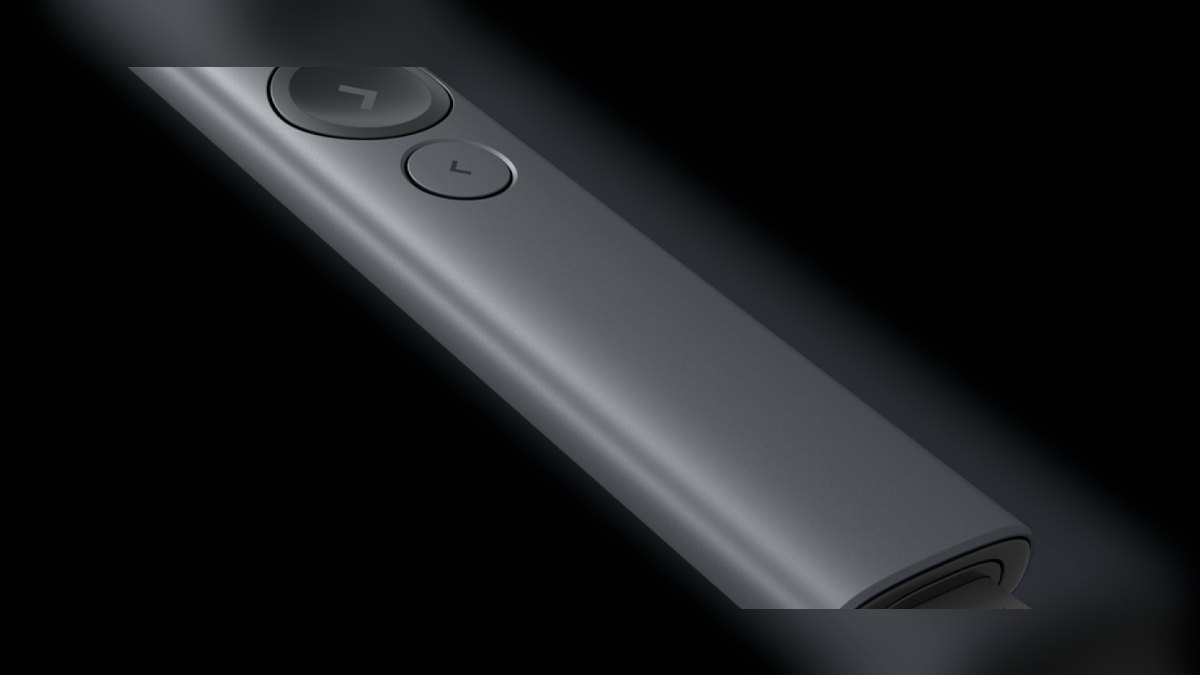
The 10 best wireless presenters for sales pitches are ranked below on measured performance, build quality, price, and how each one actually holds up in daily use rather than how it reads on a spec sheet. Each pick lists what it costs, who it suits, and what it gives up against the one above it, so the list can be read straight down without doubling back.
1Logitech Spotlight Plus
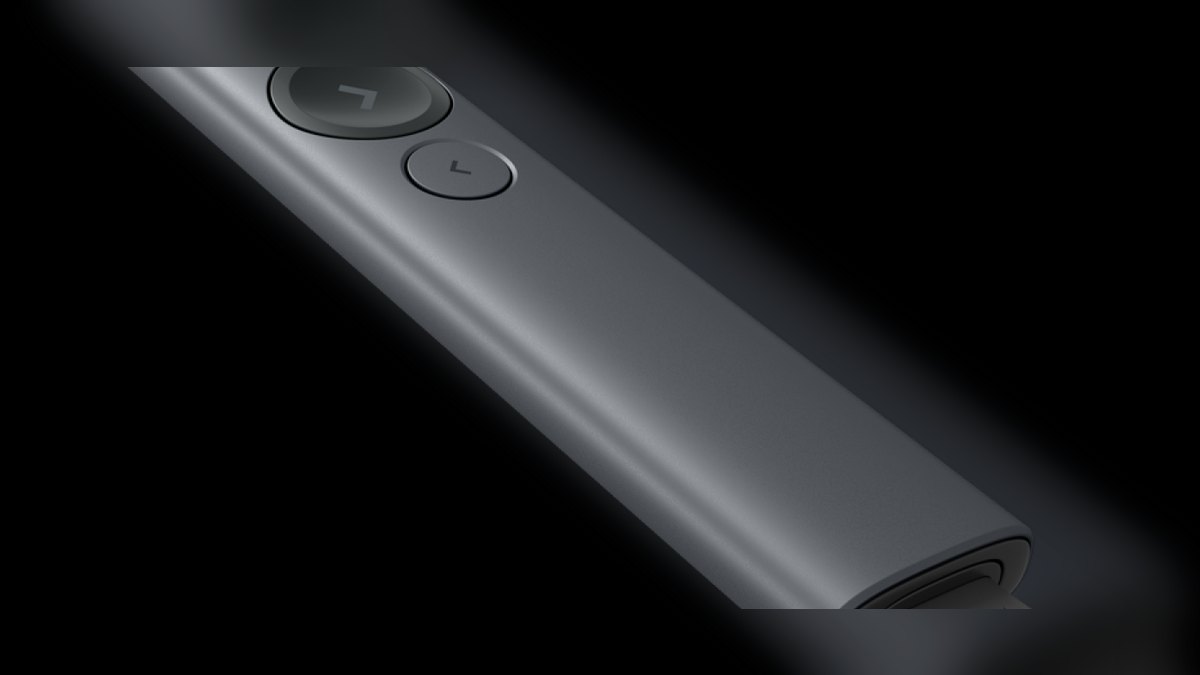
At $129 it ranks first because it is the only mainstream presenter whose pointer is visible to remote viewers on a Zoom or Teams share, where a physical red dot renders as nothing. The gyroscopic controller drives a digital spotlight circle, a 2x-5x on-screen magnifier, and a digital laser cursor. Range is 100 ft over a 2.4 GHz USB-C receiver or Bluetooth Low Energy. A one-minute charge yields three hours of use.
This is the pick for enterprise AEs, VPs of Sales, and founders pitching on LED video walls, 75-inch boardroom TVs, or to a remote buying committee. You trade away swappable batteries and pay roughly three times the R500s price for three physical buttons instead of four. The R500s below covers a traditional projector room for $40.99; the Spotlight earns its premium only on surfaces where a laser dot dies.
2Logitech R500s
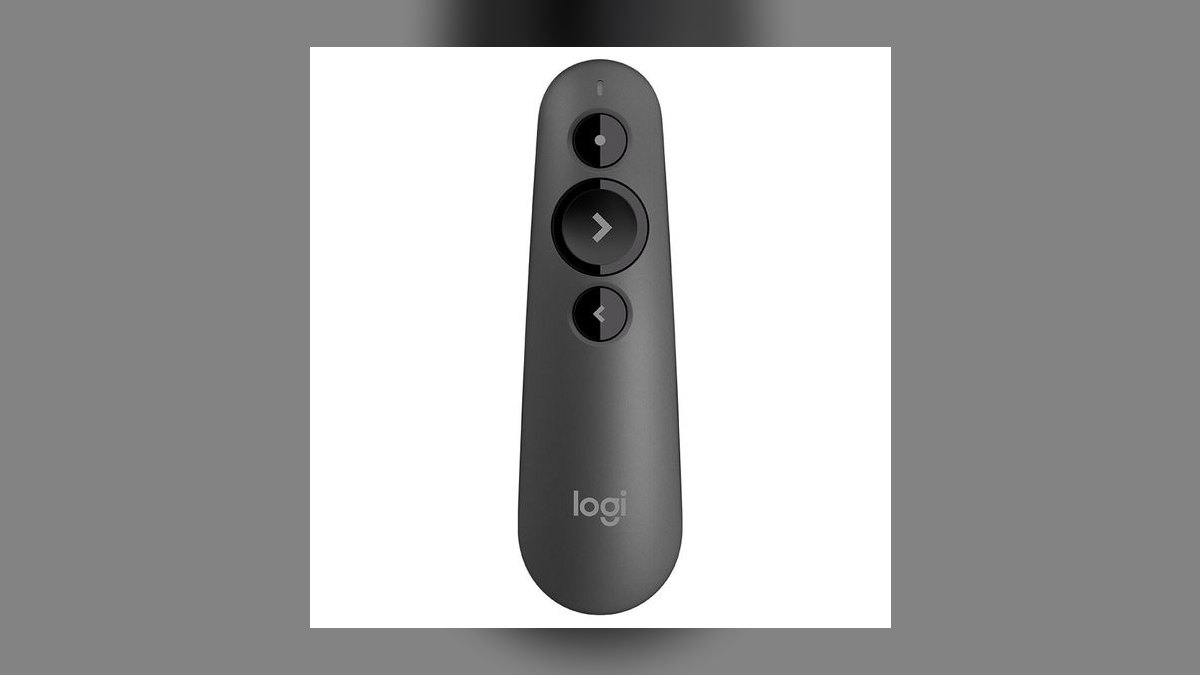
It ranks second on dollar-per-feature: $40.99 buys dual Bluetooth LE and 2.4 GHz USB connectivity, so it pairs directly to a MacBook and still falls back to the dongle when conference-room Bluetooth is congested. Range is 65 ft over 2.4 GHz and roughly 30 ft over Bluetooth. Two AAA alkalines run about 18 months at one pitch per week. The pen-style body weighs 56 g with batteries loaded.
Inside sales reps, mid-market AEs, and sales engineers who pitch weekly are the buyers here. You give up the digital highlight the Spotlight above provides, which matters the moment your deck moves to an LED wall or a Zoom share. In exchange you get swap-in AAAs instead of a rechargeable cell, a real Class 2 red laser for projector rooms, and a price low enough to stock a spare in every demo bag.
3Logitech R800
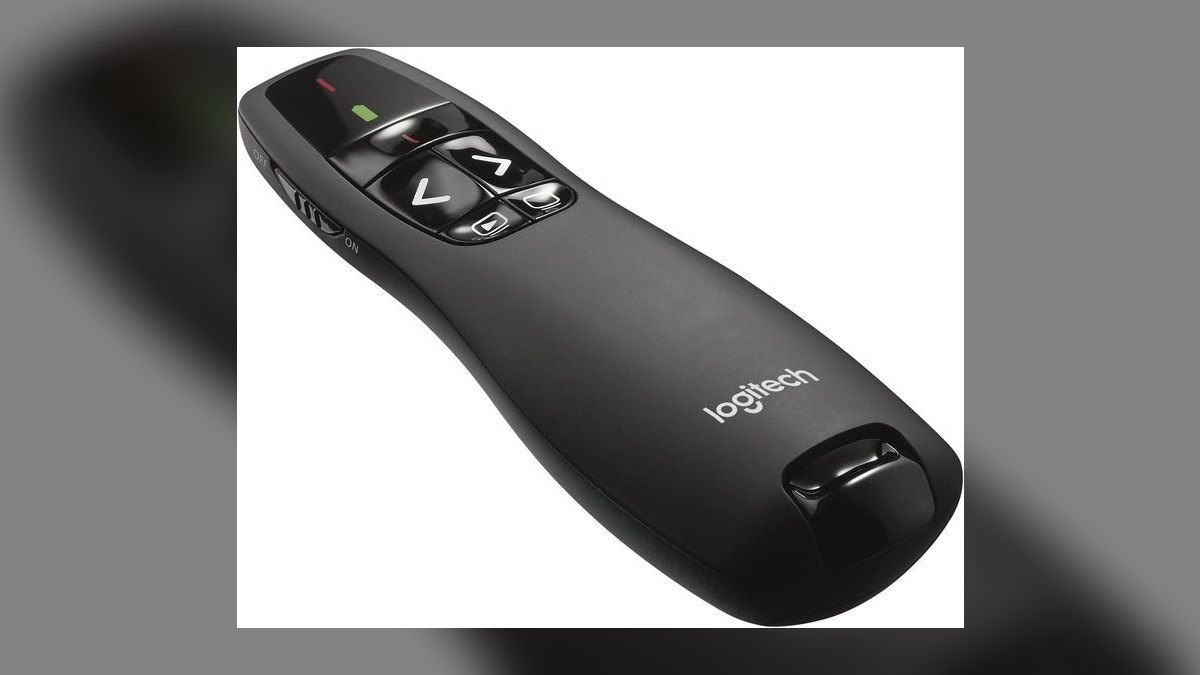
Third place goes to the only sub-$60 presenter with a green laser, which reads roughly five times brighter to the human eye than red at the same 1 mW Class 2 rating. That matters against 500-lux boardroom lighting and blue-heavy slides. The backlit LCD shows elapsed time, countdown, and battery level, with haptic alerts at the five- and two-minute marks.
Conference keynote speakers, partner kick-off hosts, and sales-kickoff MCs working a hard time block should buy this. The trade is bulk and $14 more than the R500s directly above, with no Bluetooth pairing at all. Against the Spotlight at rank one, the green beam still wins at distance in bright rooms, but nothing here reaches a remote Zoom audience.
4Kensington Presenter Expert
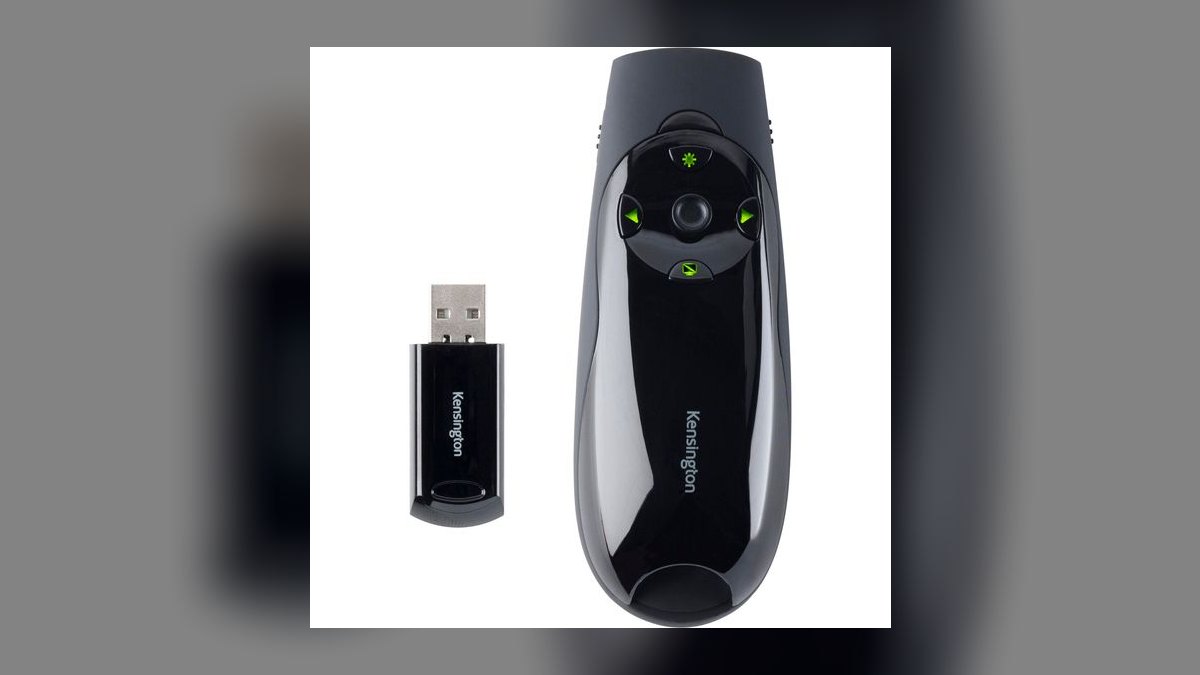
The K72425AM ranks fourth as the best cursor-control remote under $100. One button toggles the remote into an air-mouse with a trackball-style nub and left/right click keys, so you can open hyperlinks, drill into a nested PDF, or leave PowerPoint for a live web demo without walking to the podium. Six buttons total, 65 ft of range over a 2.4 GHz nano receiver, and two AAAs lasting about 12 months at $79.99.
Sales engineers, solution consultants, and RevOps demo specialists whose pitch leaves the deck and enters live software are the audience. You pay nearly double the R500s for a red laser good to only 45 ft and a busier six-button layout that takes practice. Compared to the R800 above, you lose the green laser and countdown timer and gain the ability to run a live Salesforce screen from across the room.
5Canon PR1100-R
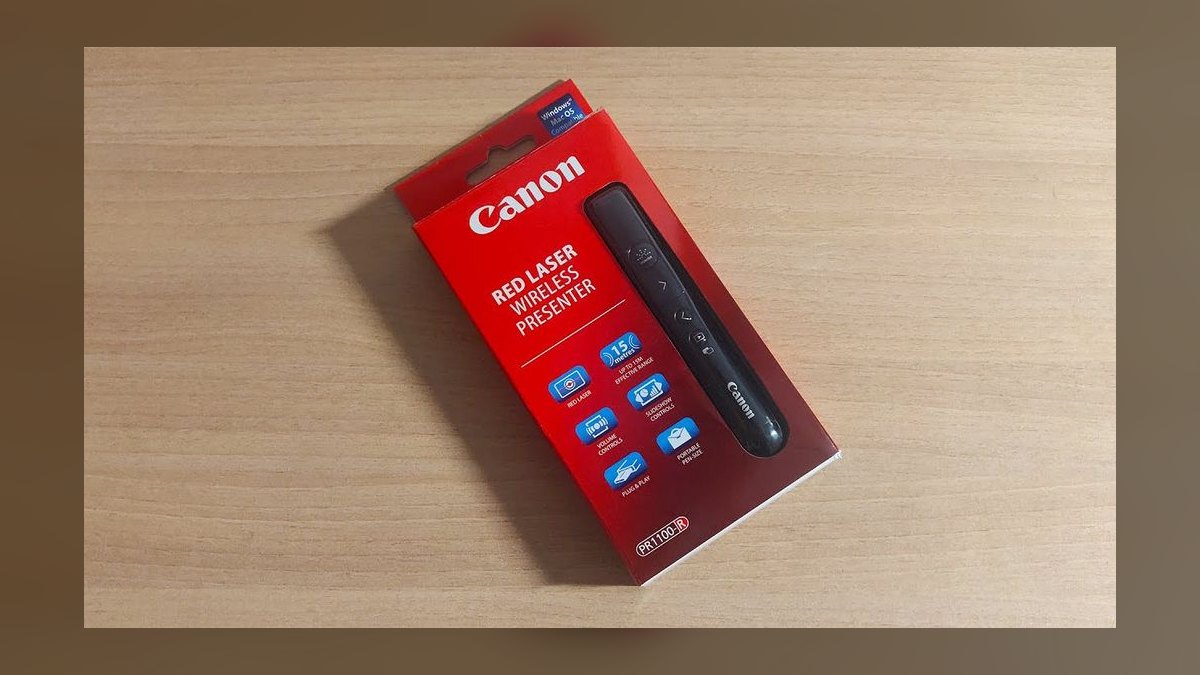
It lands at five for the best ergonomics under $50. The contoured shell borrows the Canon EOS shutter grip, and at 49 g it is the lightest presenter Canon makes, which your hand notices ninety minutes into a pitch. A dedicated up/down volume rocker controls embedded demo video without reaching for the laptop slider. Range is 50 ft over a 2.4 GHz USB-A receiver that stores magnetically inside the body, and two AAAs last about 15 months.
Field reps pitching in customer offices on borrowed projectors, especially those whose decks embed video case studies, get the most from it. The 50 ft range is the shortest on this list so far, and there is no Bluetooth and no cursor control. Against the Kensington Expert above, you lose air-mouse navigation entirely and save $35; against the R400 below, you pay $11 more for the volume rocker and grip.
6Logitech R400
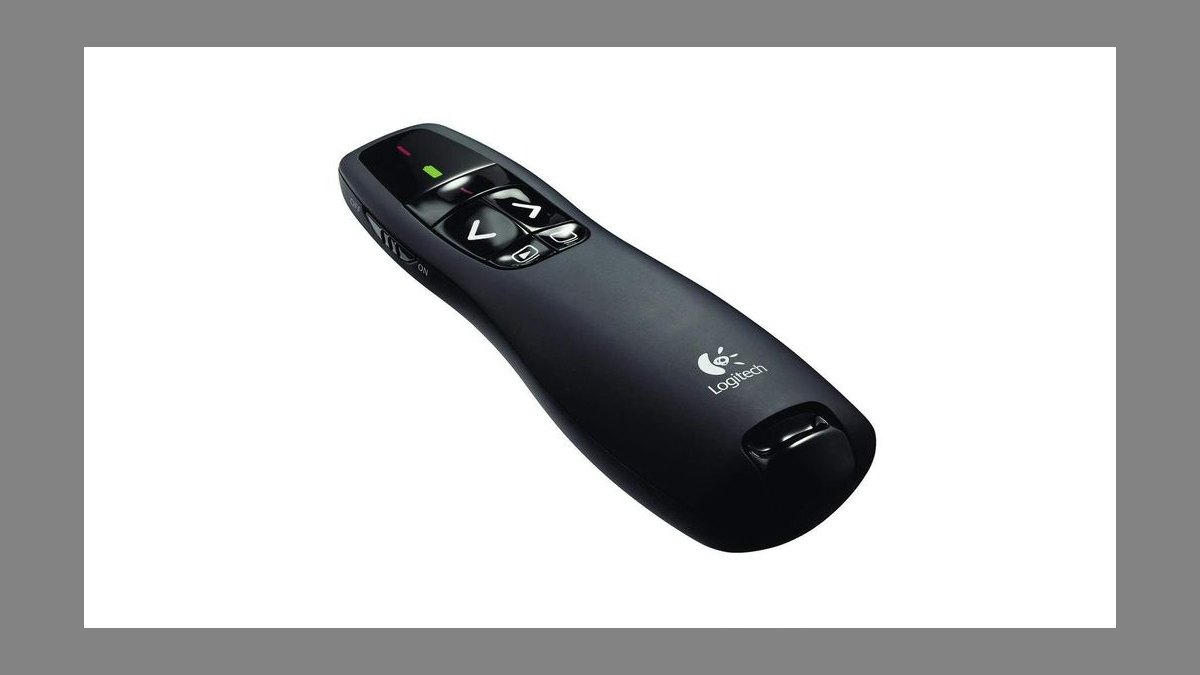
Sixth because it is the cheapest genuinely reliable name-brand presenter, with over 12 million units sold since 2009 and nothing on it that can fail. Four buttons: forward, back, blank screen, laser. Range is 50 ft over a 2.4 GHz USB-A receiver, the laser is Class 2 red, and two AAAs run roughly 20 months. There is no driver, no companion software, and no firmware update path at $33.99.
SDRs, mid-market AEs, and training departments buying fifty units at a time should start here, because the learning curve is zero. You give up volume control, Bluetooth, rechargeable power, and any digital pointer. The Canon above costs $11 more and adds a volume rocker and a better grip; the DinoFire below costs $9 less and doubles the range, but trades a decade of proven field reliability for it.
7DinoFire Hyperlink Presenter
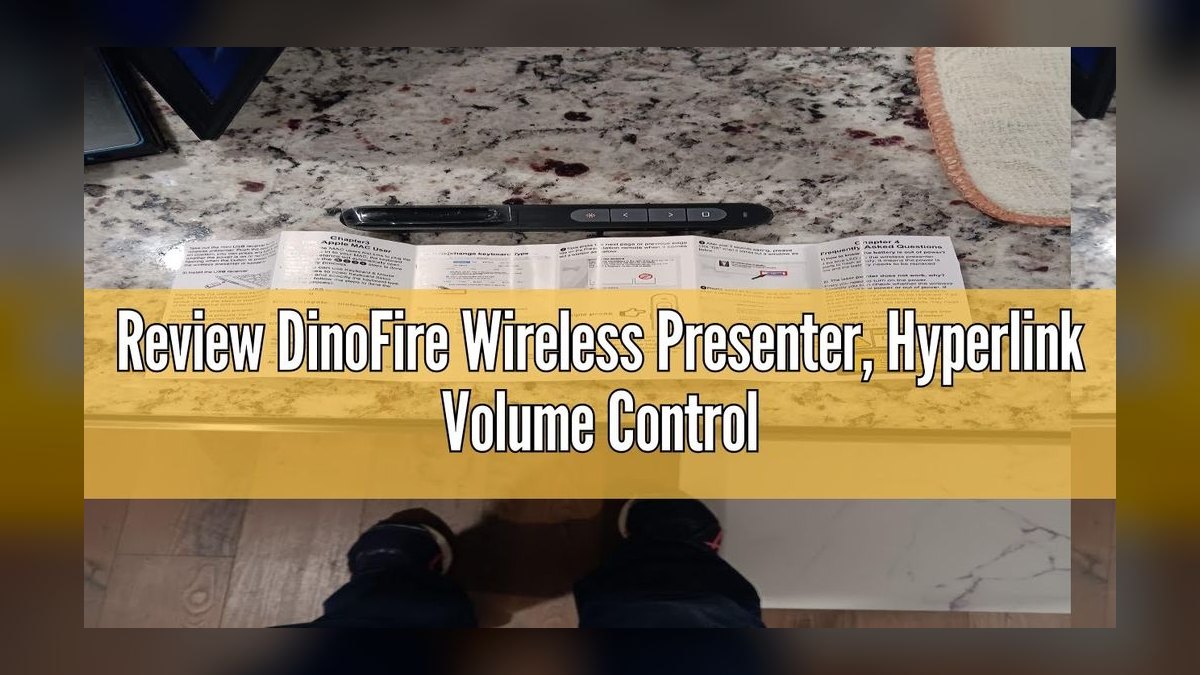
It ranks seventh as the best Amazon-tier presenter, punching well above $24.99 with 100 ft of 2.4 GHz range and seven buttons, including a hyperlink key, a volume rocker, and a switch-window key that is unusually useful in SaaS demos. Power is a built-in lithium-ion cell good for roughly 30 hours of active use over USB. The USB-A dongle stores magnetically inside the remote body, and the laser is Class 2 red.
Inside sales reps on a budget and bootcamps stocking twenty-plus units are the fit, along with anyone alt-tabbing between deck and live product. The trade is brand risk and a sealed battery you cannot swap mid-trip, unlike the R400's AAAs directly above. Against the Kensington K33272WW below it wins on features and price outright, but it carries no procurement compliance credential at all.
8Kensington Wireless Presenter K33272WW
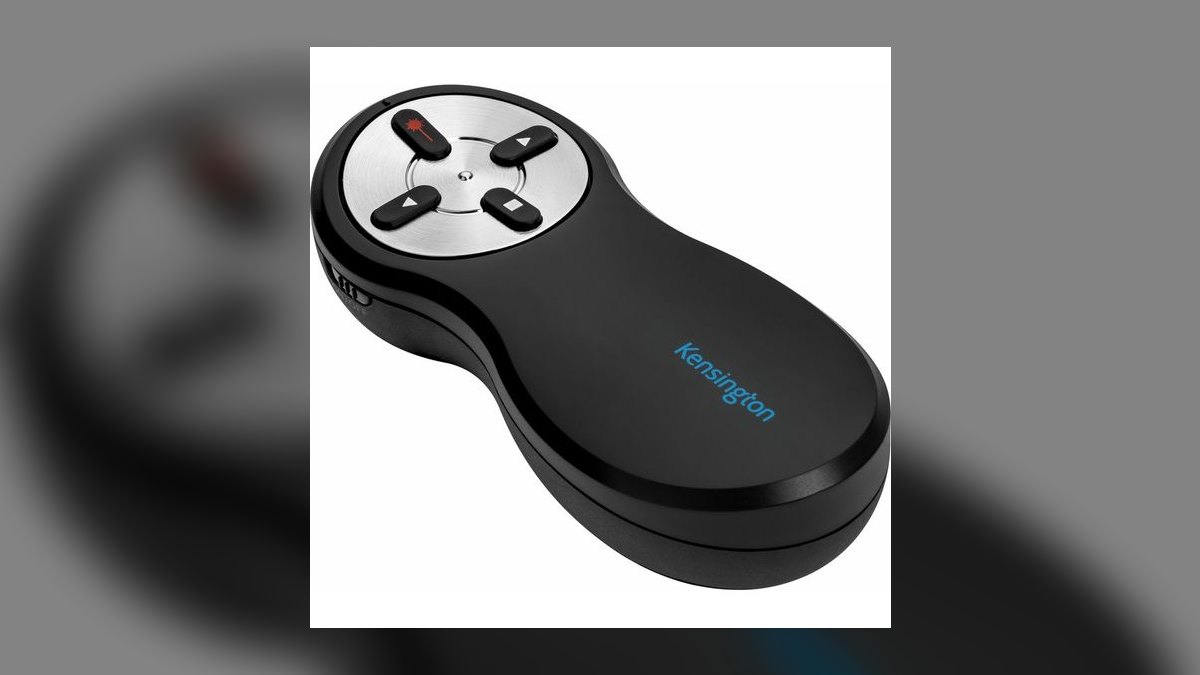
Eighth place is earned on compliance, not features: this $49.99 four-button remote is TAA-compliant and GSA Schedule eligible, which makes it the only presenter allowed on many federal and defense customer sites. Range is 65 ft over a 2.4 GHz USB-A nano receiver, the laser is Class 2 red, and two AAAs last around 18 months. The button set is forward, back, laser, and blank screen with no software layer.
Federal sales reps, defense industrial-base AEs, and government solution consultants are the buyers. Outside that vertical it is a poor value, since the R500s at rank two offers dual Bluetooth and 2.4 GHz for $9 less. The DinoFire above delivers seven buttons and 100 ft for half the money, but no Trade Agreements Act listing, which is exactly what a procurement officer will ask about.
9SMK-Link RemotePoint Navigator
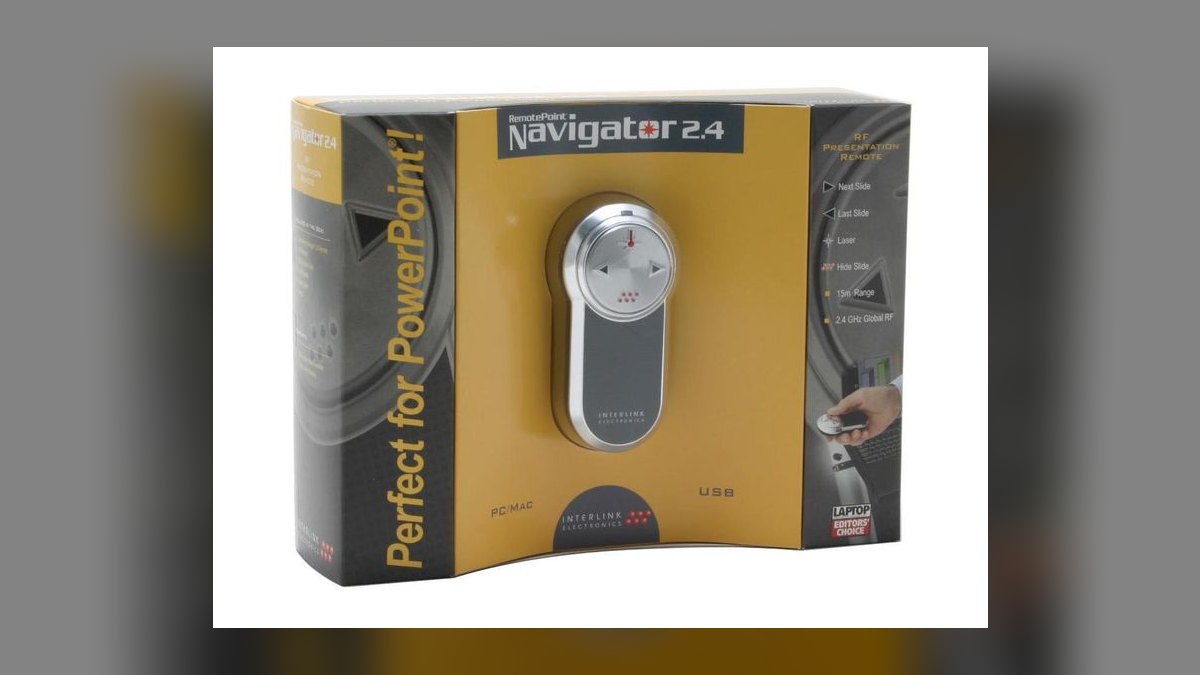
The VP4150 ranks ninth on build rather than capability: a brushed-metal 78 g body and a single large rocker disk replacing four micro-buttons, at $89.99. Range is 75 ft over a 2.4 GHz USB receiver, the laser is Class 2 red at 1 mW, and two AAAs run about 14 months. The disk control means you never look down to find forward or back, and the object has weight when you set it on a table.
Enterprise AEs, partner managers, and CROs pitching board-level deals where the object you hand back carries signaling value are the audience. Functionally it is close to the R500s at rank two while costing more than twice as much, and it offers no Bluetooth and no digital highlight. Against the Kensington K33272WW above it wins on feel and range but carries no procurement listing.
10Beboncool 2-in-1 USB-C Presenter
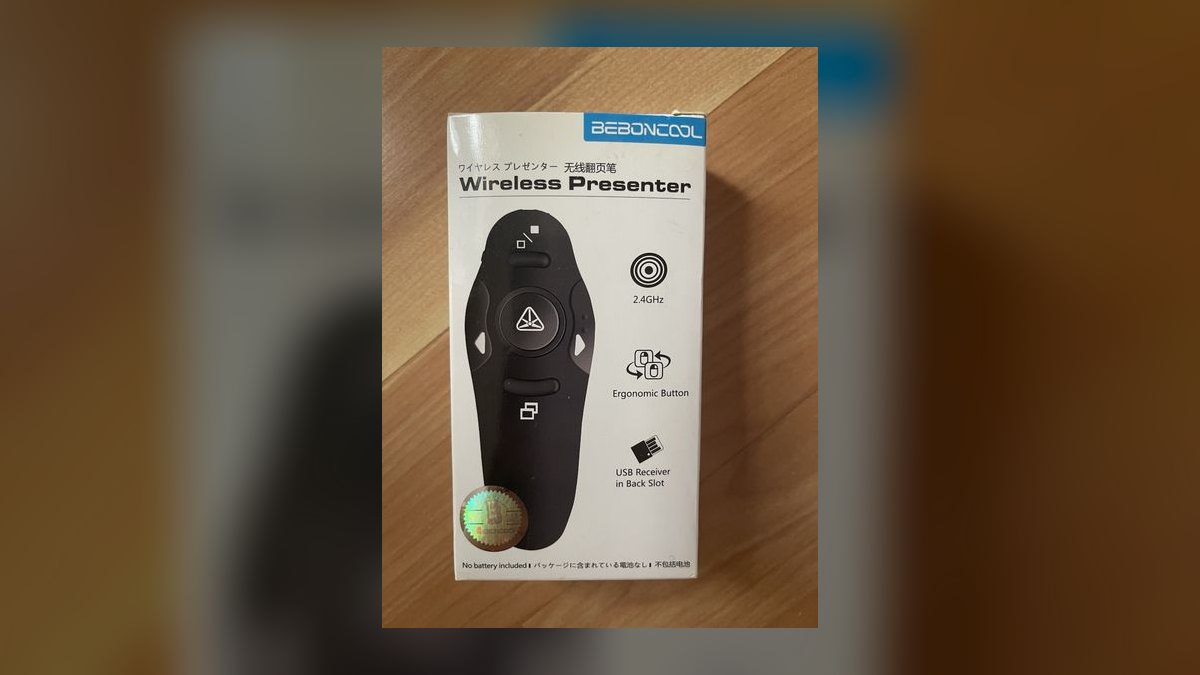
Tenth because it solves one specific 2027 hardware mismatch for $19.99: it ships with both USB-A and USB-C receivers in the box, so it works on a USB-C-only M-series MacBook or an iPad without a dongle adapter. Range is 100 ft over 2.4 GHz, the laser is Class 2 red, and two AAAs last about 12 months. Buttons are forward, back, blank screen, and laser.
MacBook Air and Pro M-series owners and iPad-based reps who may be handed either port generation on a customer laptop are the buyers. The body is plastic and the laser is noticeably dim next to the R800's green beam, so this is plug compatibility purchased at the expense of build quality. Against the SMK-Link above it is the opposite trade entirely: no premium feel, but it will actually connect to the machine in front of you.
How we ranked these
Ranking weighted four measurable things: pointer visibility on the surfaces sales actually pitches to in 2027 (LED walls, 4K panels, Zoom shares), verified wireless range under 2.4 GHz and Bluetooth, stated battery endurance normalized to one pitch per week, and connector compatibility with USB-C-only laptops. Button count mattered only where an extra key mapped to a real pitch action — blank screen, volume, window switch, cursor control.
Deliberately ignored: Amazon star ratings, which reward packaging over four-year durability; software ecosystems requiring a driver install on a customer-loaned laptop; and "presentation modes" that only work inside one vendor's app. Also skipped color options, carrying pouches, and marketing claims about range that no independent reviewer reproduced. Price was recorded but never used as a ranking penalty — the $19.99 pick and the $129 pick both earned their slots on function.
Cheapest reliable name-brand hardware still beats expensive hardware you distrust mid-pitch.
Related questions
Why does a red laser pointer disappear on a large 4K TV?
A laser dot is reflected light on a projection screen, but an LED or LCD panel emits its own light and is coated to resist glare. The dot either washes out against the panel brightness or scatters. On a Zoom share it does not exist at all — the remote audience sees only the captured video signal, which never contains your physical dot.
Does Bluetooth or the 2.4 GHz dongle work better in conference rooms?
The dongle is more reliable. Corporate conference rooms stack wireless mics, room-booking panels, and dozens of phones on the 2.4 GHz band, and Bluetooth pairing can drop or refuse to reconnect under load. A dedicated receiver holds a private link. Dual-mode remotes like the R500s let you fall back when one path fails — carry the dongle regardless.
Is a green laser actually brighter than a red one?
At identical milliwatt ratings, yes — roughly five times brighter to the human eye. Human vision peaks near 555 nm, close to green laser wavelength, and falls off sharply toward red at 650 nm. The physical power is the same; the perceived brightness is not. In a boardroom lit to 500 lux, that difference decides whether anyone sees where you are pointing.
Should a sales team standardize on one presenter model?
Standardize on two: one budget unit for conference-room pitches and one digital-highlight unit shared across the enterprise team. Single-model standardization fails because field reps on borrowed projectors and enterprise AEs on LED walls have opposite requirements. Buying fifty of the wrong one is a common procurement mistake that surfaces only after the first big-room pitch goes badly.
What happens when the presenter dies mid-pitch?
With AAA models you swap batteries in fifteen seconds if you carry spares. With rechargeable models you are done unless a cable is nearby — though the Spotlight Plus recovers three hours of use from a one-minute charge. The practical answer is to keep a $34 R400 in the bag as a backup and never rely on a single remote.
Do wireless presenters work with Google Slides and Keynote?
Yes. Almost every 2.4 GHz presenter registers as a keyboard and sends Page Up and Page Down, which every presentation app already understands. No driver, no configuration. The exceptions are advanced features — digital highlight, magnify, timers — which need the vendor's software installed and therefore fail on a customer-loaned laptop you cannot install onto.
Is TAA compliance a real purchasing constraint?
For federal, defense, and some Fortune 500 procurement it is binding. Trade Agreements Act rules restrict which countries hardware may originate from, and non-compliant electronics can be refused entry to a customer site. That is why the Kensington K33272WW ranks despite being functionally beaten by cheaper remotes — in that vertical it is sometimes the only device allowed in the room.
Why do cursor-control remotes matter for solution consultants?
Because consultative pitches leave the deck. Clicking a hyperlink, opening a nested PDF, or dropping into a live Salesforce instance normally means walking back to the laptop, which breaks the room and hands attention back to the buyer. An air-mouse remote like the Kensington Expert keeps you standing where you were and keeps the demo continuous.
FAQ
How much should I spend on a wireless presenter for sales pitches?
Between $30 and $150 covers everything worth owning. A $40 Logitech R500s handles standard conference-room projectors completely. The jump to $129 for the Spotlight Plus buys digital highlighting for LED walls and Zoom shares, not better slide advancing. Spend the extra money only if your pitches actually land on those surfaces; otherwise it is overspend.
Do I need a laser pointer at all in 2027?
Only for traditional projector rooms. On LED video walls, large 4K TVs, and any Zoom or Teams screen share, the physical dot is invisible or absent to your audience. Digital highlight remotes draw the pointer into the video signal itself, so remote viewers see it. Many reps carry both because customer rooms are unpredictable.
What wireless range do I actually need?
Most conference rooms need under 40 feet, which every remote here clears. The 65-foot R500s covers all normal rooms with margin. Hundred-foot range matters for ballroom keynotes and sales-kickoff stages where you roam. Manufacturer range figures assume clear line of sight — expect meaningful reduction through bodies, walls, and a crowded 2.4 GHz band.
Are rechargeable or AAA batteries better for field sales?
AAA wins on the road. You can buy replacements in any airport, swap in seconds, and get twelve to twenty months per set. Rechargeable models mean one more cable and a hard failure if you forget it. The Spotlight Plus mitigates this with a one-minute charge yielding three hours, but the cable still has to exist.
Will a presenter work on a customer's loaned laptop?
Basic functions yes, advanced functions no. Plug in the 2.4 GHz receiver and the remote appears as a keyboard sending Page Up and Page Down — no driver, no admin rights. But digital highlight, magnify, timers, and vibration alerts need vendor software you likely cannot install on a locked corporate machine. Rehearse assuming basic mode only.
Do these work with USB-C-only MacBooks?
Only if the remote ships a USB-C receiver or supports Bluetooth. Most presenters still include USB-A dongles that M-series MacBooks cannot accept without an adapter. The Beboncool 2-in-1 includes both connectors for under $20, and the R500s and Spotlight Plus pair over Bluetooth directly. Check the connector before buying, not the night before a pitch.
Is a gyroscopic presenter worth the extra cost?
It is worth it if your deck reaches a remote audience. Gyroscopic remotes render the highlight, magnifier, and cursor inside the shared screen, so everyone on the Zoom call sees what you are pointing at. If you only advance slides in a projector room, you are paying roughly ninety dollars for capability you will never trigger.
What does a blank-screen button do and why does it matter?
It blacks the display instantly, pulling every eye off the slides and onto you. Experienced closers use it when the conversation turns to price or objections, where a competing visual costs attention. It is a single button on nearly every model on this list, and it is the most underused feature in sales presenting.
Does a countdown timer with haptic alerts actually help?
On stage, considerably. The Logitech R800 buzzes at five and two minutes so you can pace an ending without checking a phone or squinting at a monitor clock. Running long on a sales-kickoff stage or partner keynote reads as poor preparation. In a small conference room the feature is largely irrelevant.
How long do these devices last before replacement?
Name-brand units routinely run four to eight years — the R400 has been in continuous production since 2009 for that reason. Failure is usually loss, not breakage: remotes vanish in hotel conference rooms and customer offices. Budget for replacement by attrition rather than wear, which is another argument against buying the most expensive model available.
Sources
- https://www.logitech.com/en-us/products/presenters/spotlight-presentation-remote.html
- https://www.logitech.com/en-us/products/presenters/r500s-laser-presentation-remote.html
- https://www.logitech.com/en-us/products/presenters/r800-laser-presentation-remote.html
- https://www.kensington.com/p/products/electronic-control-solutions/wireless-presenter-remote/presenter-expert/
- https://www.bhphotovideo.com/c/product/1428263-REG/canon_2927c002_pr1100_r_wireless_presenter_remote.html
- https://www.computerworld.com/article/1674442/review-the-logitech-spotlight-a-new-kind-of-presentation-remote.html
- https://speaking.io/prep/presenter-remotes/
- https://www.smklink.com/products/remotepoint-navigator
- https://pointerclicker.com/logitech-r400-r500-r800/
- https://www.bestbuy.com/site/reviews/logitech-spotlight-presentation-remote-with-100-ft-range-and-quick-charging-slate/5749105
Related on PULSE
This page will be disappearing soon. Save it to your device for $1 — or read it free while it is here.
@Kory-White- · if Venmo asks, the last 4 of my number are 2012
This page is gone.
This one is off the shelf now. $1 keeps it on your phone for good — the whole page, pictures and diagrams included.
 pulse-reviewsTop 10 Blue Light Glasses for Sales Reps in 2027
 pulse-reviewsTop 10 Multimeters — Best Overall + Best Value in 2027
 pulse-reviewsTop 10 Drone Batteries — Best Overall + Best Value in 2027
 pulse-reviewsTop 10 Rugged Phones — Best Overall + Best Value in 2027
 pulse-reviewsTop 10 Sports Earbuds — Best Overall + Best Value in 2027
 pulse-reviewsTop 10 Tire Inflators — Best Overall + Best Value in 2027
 pulse-reviewsTop 10 Noise-Cancelling Headphones for Sales Reps on Phone Calls in 2027
 pulse-reviewsTop 10 Cordless Brad Nailers — Best Overall + Best Value in 2027
 pulse-reviewsTop 10 Smart Notebooks — Best Overall + Best Value in 2027
 pulse-reviewsTop 10 LG TVs — Best Overall + Best Value in 2027