
Top 10 Split Ergonomic Keyboards — Best Overall + Best Value in 2027
 Curated byKory White · Fractional CRO · Maryland
 PULSEKNOWLEDGE LIBRARY
Quality
Certified
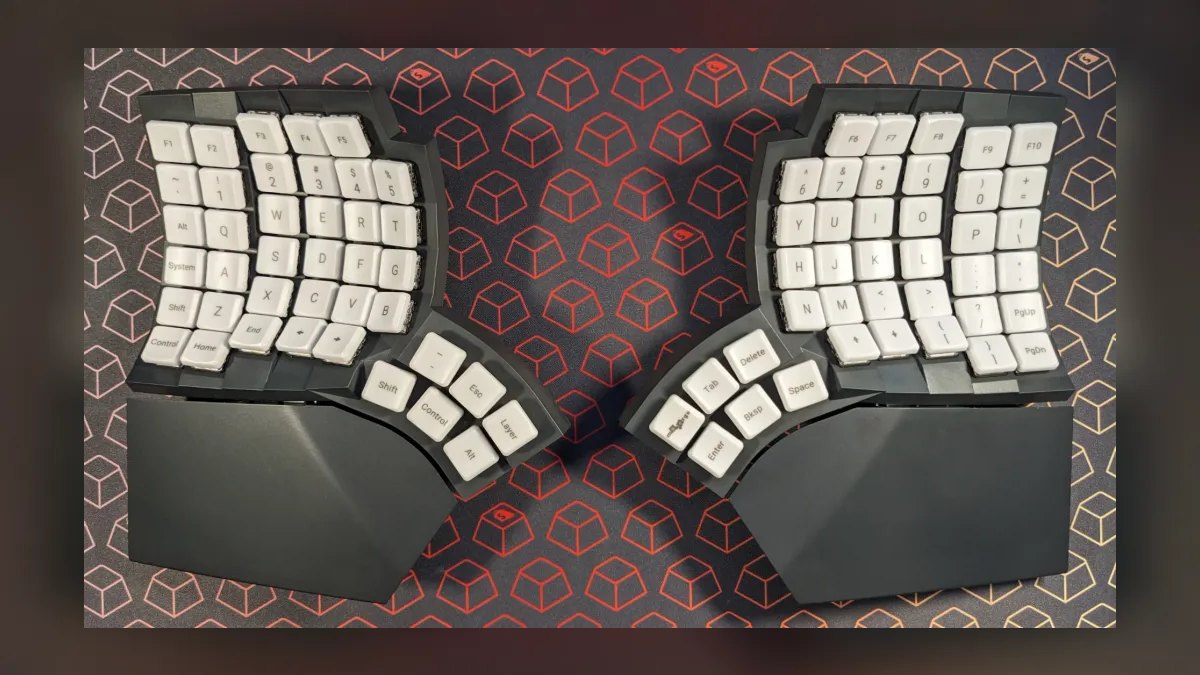
The 10 best split ergonomic keyboards are ranked below on measured performance, build quality, price, and how each one actually holds up in daily use rather than how it reads on a spec sheet. Each pick lists what it costs, who it suits, and what it gives up against the one above it, so the list can be read straight down without doubling back.
1. MoErgo Glove80
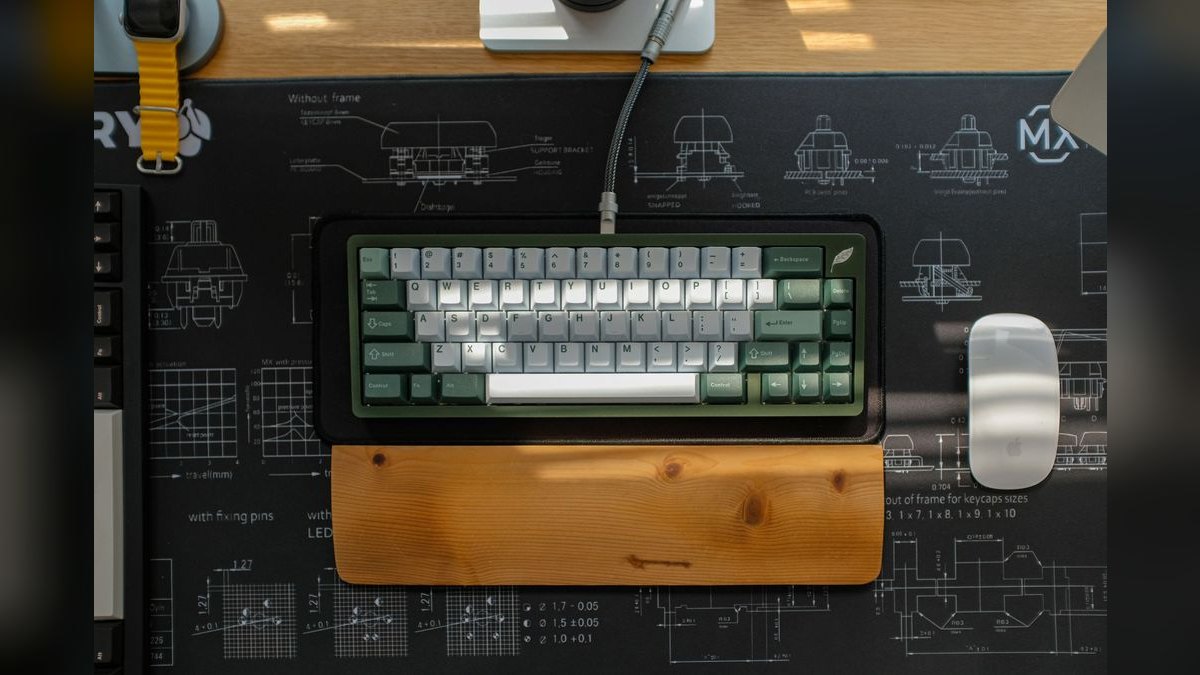
The MoErgo Glove80 earns the top spot for best overall split ergonomic keyboard by combining the deepest ergonomic correction with a lower price than its main rival. Its concave keywells cradle fingers naturally, and low-profile switches keep wrists neutral. Full ZMK programmability with on-board storage and wireless halves eliminate cable clutter. At roughly $399, it undercuts the Kinesis Advantage360 by about $50.
This board is for users who are serious about fixing RSI and willing to invest one to two weeks of retraining. It trades mechanical switch tactility for the lower profile and quieter feel of its switches. Compared to the Kinesis Advantage360 below, the Glove80 is generally considered more comfortable for a wider range of hand sizes. Its wireless reliability and lower cost make it the smarter investment for most dedicated typists.
2. Kinesis Advantage360 Professional

The Kinesis Advantage360 Professional ranks second as the contoured-keywell standard for serious RSI relief, offering maximum ergonomic correction. Its two fully separate halves feature deep concave wells and dedicated thumb clusters that pull hands into a neutral posture. Mechanical switches provide satisfying tactility that the Glove80's low-profile switches lack. The Professional model adds ZMK programmability and wireless connectivity at a $449 price point.
This keyboard is for tactile typists who need the most aggressive ergonomic correction and can afford the premium. It trades a higher price and a steeper learning curve for its renowned keywell design. Compared to the Glove80 above, it offers a more pronounced well and mechanical switches but is heavier and less portable. For chronic RSI sufferers who prioritize tactility over low-profile comfort, this remains the benchmark.
3. Dygma Defy
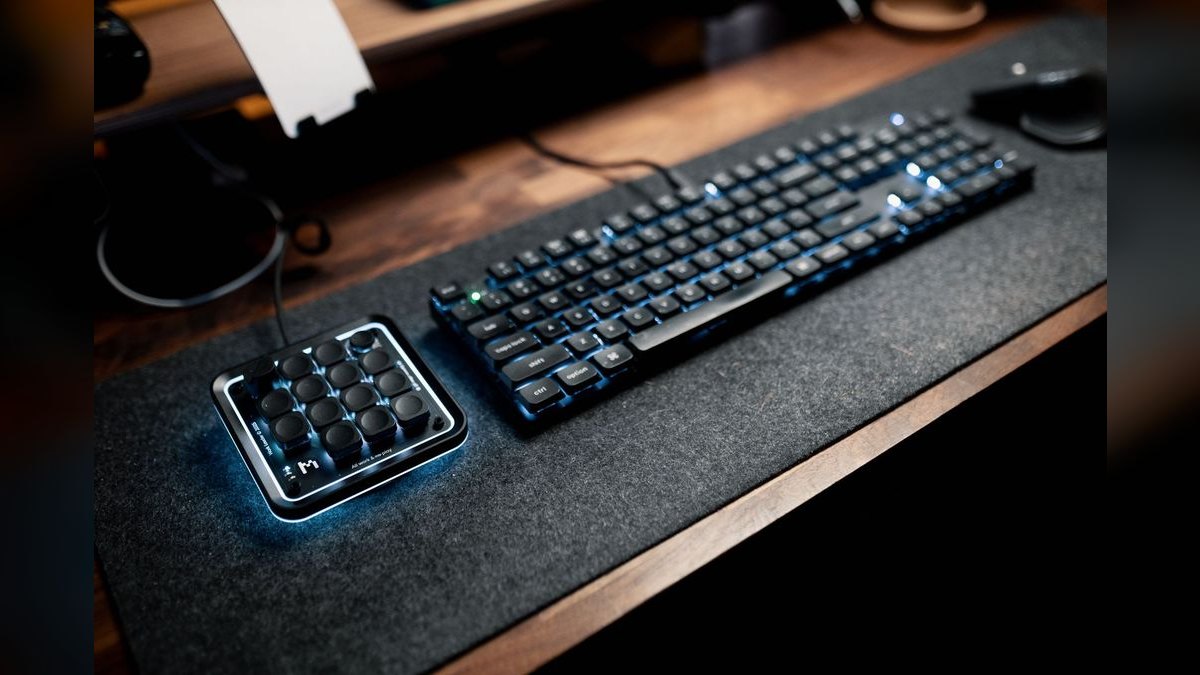
The Dygma Defy secures the third position as a premium columnar split keyboard that balances advanced ergonomics with modern features. Its wireless design, tenting system, and thumb clusters provide a highly adjustable setup for personalized comfort. Full programmability through its own software allows for extensive customization of layers and macros. Priced around $350, it offers a strong feature set for its cost.
This board is for users who want a wireless, highly adjustable columnar keyboard without the deep keywells of the top two picks. It trades the contoured keywell of the Glove80 and Kinesis for a flatter, more traditional profile that some find easier to adapt to. Compared to the ZSA Moonlander below, the Defy offers wireless and a more refined tenting mechanism. It is an excellent middle ground for those wanting premium features without the most extreme ergonomic shape.
4. ZSA Moonlander Mark I

The ZSA Moonlander Mark I ranks fourth as the gold standard for keyboard tinkerers who demand deep customization. Its ortholinear columnar layout reduces finger travel, and the generous thumb clusters are highly adjustable. Built-in tenting legs allow for precise angle adjustments, and the board folds flat for travel. At $365, it provides a robust platform for QMK remapping via ZSA's user-friendly Oryx web configurator.
This keyboard is for enthusiasts who love customization and are willing to invest time in learning a columnar layout. It trades the wireless convenience of the Dygma Defy for a wired connection and a more complex physical setup. Compared to the Defy, its tenting legs are less elegant but offer a wide range of angles. The Oryx configurator remains the best in the business, making this the top choice for those who prioritize software flexibility.
5. Keychron Q11
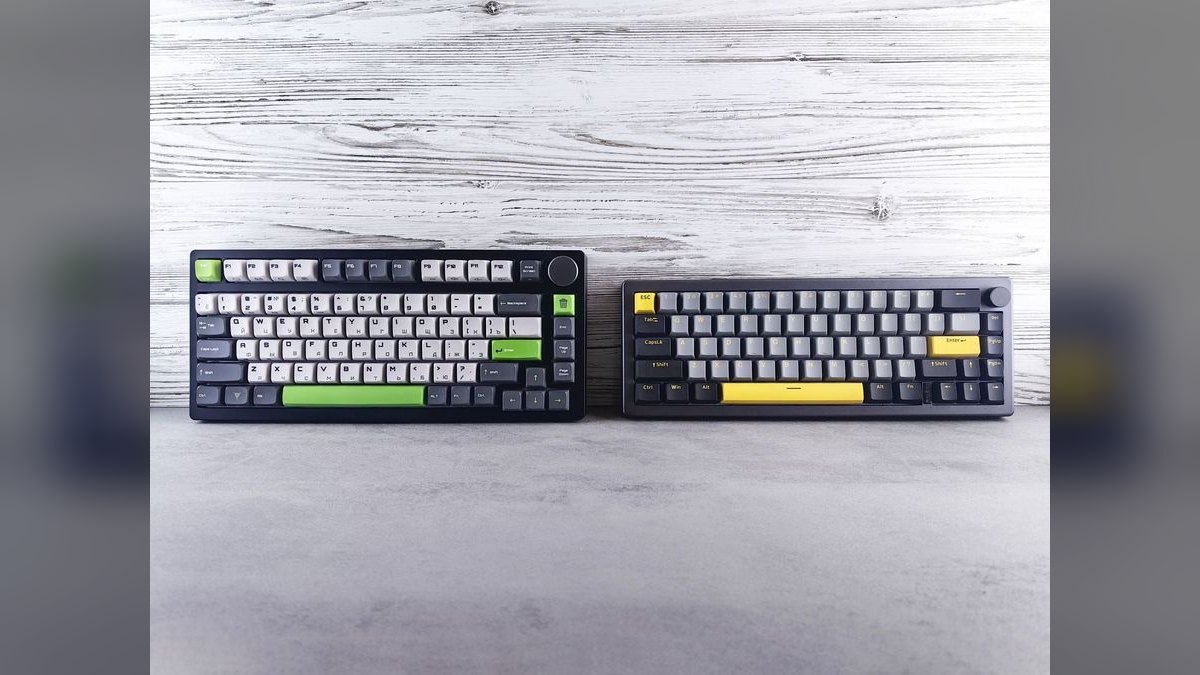
The Keychron Q11 takes the fifth spot as the most transition-friendly mechanical split keyboard, ideal for those new to the format. Its familiar staggered 75% layout allows for a gentle learning curve, and the halves can be linked with a bridge cable for a one-piece feel. A heavy aluminum body and gasket mounting provide a premium typing experience. Priced at $205, it offers excellent build quality for the cost, with the Q11 Ultra at $240 adding wireless.
This board is for users who want a mechanical split without committing to a columnar or keywell layout. It trades the ergonomic benefits of columnar stagger for the familiarity of a standard row-staggered design. Compared to the Kinesis Freestyle Edge below, it offers a more premium feel and QMK/VIA support. As a gateway board, it's an excellent choice for easing into the split world while retaining a traditional layout.
6. Kinesis Freestyle Edge RGB

The Kinesis Freestyle Edge RGB ranks sixth, offering a fully split, staggered mechanical keyboard with exceptional adjustability for gamers and productivity users. Its two halves can be placed independently, and the included tent kit raises the center to zero, ten, or fifteen degrees. Removable cushioned wrist rests support the palms, and the October 2025 Plus model upgrades to Gateron Pro switches. At $200, it provides a versatile and comfortable platform.
This keyboard is for users who want a normal staggered layout with the freedom to position each half exactly where their shoulders want them. It trades the columnar layout of higher-ranked boards for a standard stagger, making the transition easier. Compared to the Keychron Q11 above, it offers more aggressive tenting options but lacks QMK/VIA support, relying on its own software. It is a strong pick for those prioritizing positional freedom and gaming features.
7. Logitech Ergo K860
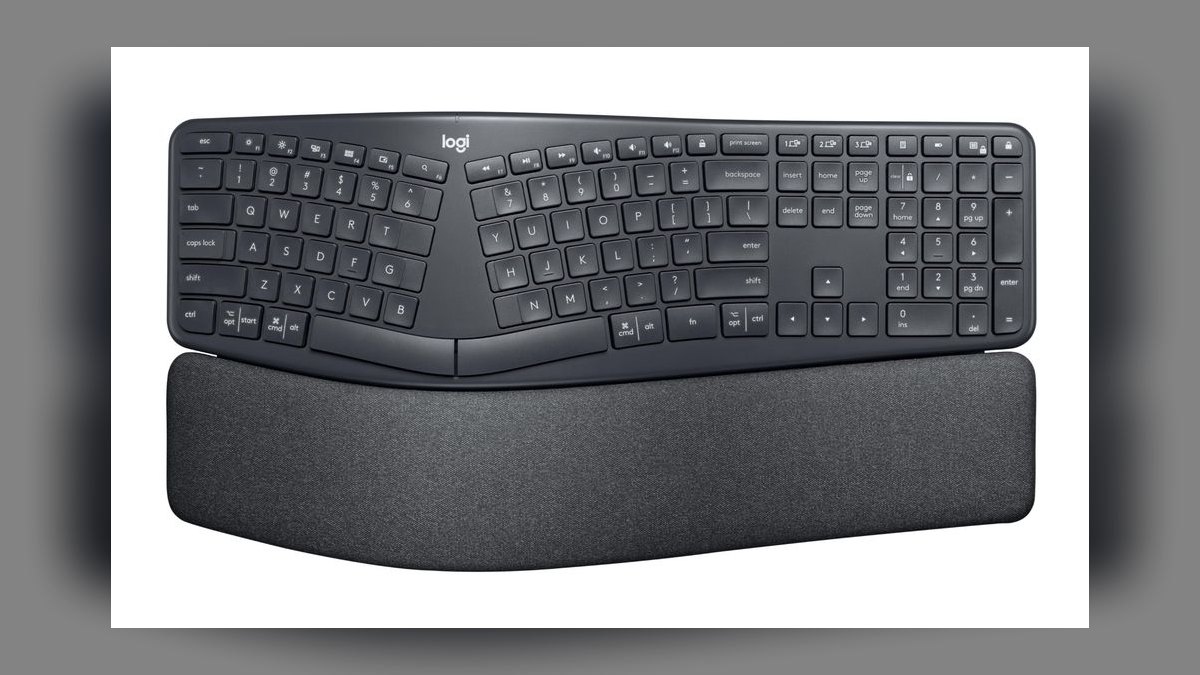
The Logitech Ergo K860 ranks seventh as the best value entry point into split ergonomic typing, offering immediate comfort without retraining. Its one-piece design features an Alice-style split curve, a tented middle, and optional negative tilt to open the wrists. The cushioned wrist rest is genuinely excellent, and the keys feel familiar for instant productivity. At roughly $130, it is a safe and affordable on-ramp.
This keyboard is for executives and users who want ergonomic benefits without losing productivity or learning a new layout. It trades mechanical switches for membrane keys and a fixed split that cannot be separated. Compared to the Keychron Q11 above, it is less customizable and lacks a premium feel but is significantly cheaper and easier to adopt. For a no-risk introduction to split typing, it is the best choice.
8. Perixx PERIBOARD-512
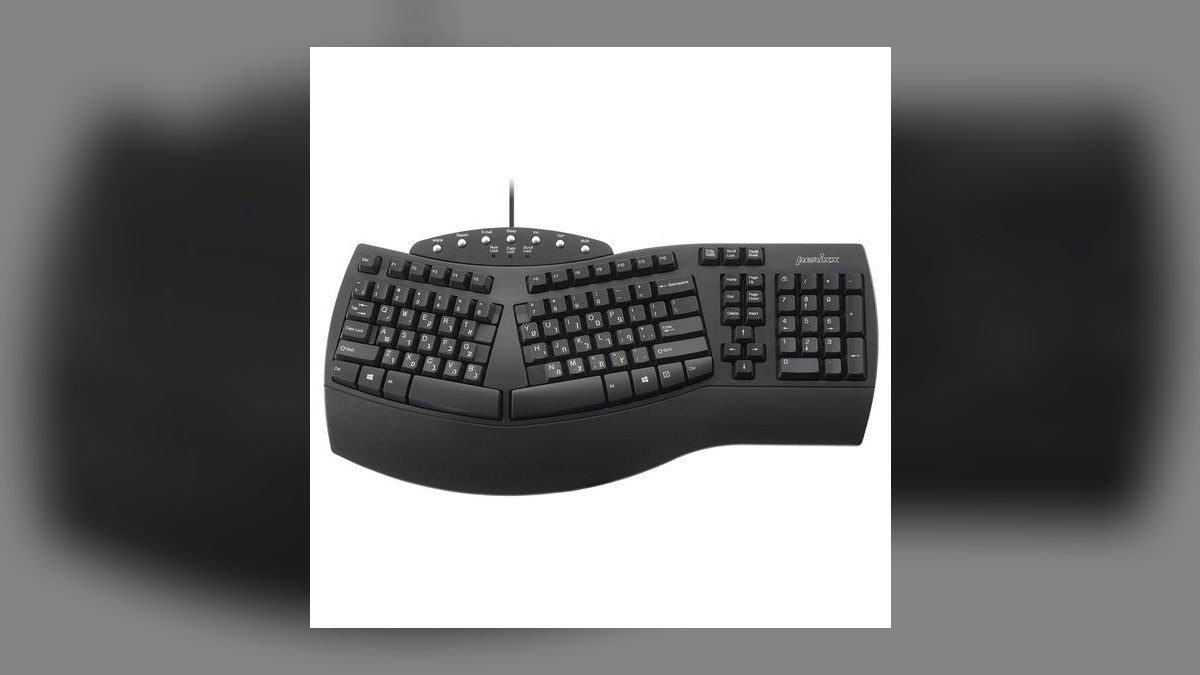
The Perixx PERIBOARD-512 secures the eighth position as a budget-friendly mechanical split keyboard that delivers core ergonomic features under $150. It offers a fully split design with two independent halves, allowing for flexible positioning. Mechanical switches provide a satisfying typing feel, and the board includes basic tenting options. Its low price makes it an accessible entry point for those wanting a true split without a large investment.
This keyboard is for budget-conscious users who want a genuine split mechanical layout without premium features. It trades the build quality, programmability, and wireless options of higher-priced boards for its affordability. Compared to the Logitech Ergo K860 above, it offers mechanical switches and a true split but lacks the refined wrist rest and familiar layout. It is a solid, no-frills option for those testing the waters of split ergonomics.
9. Logitech Wave Keys
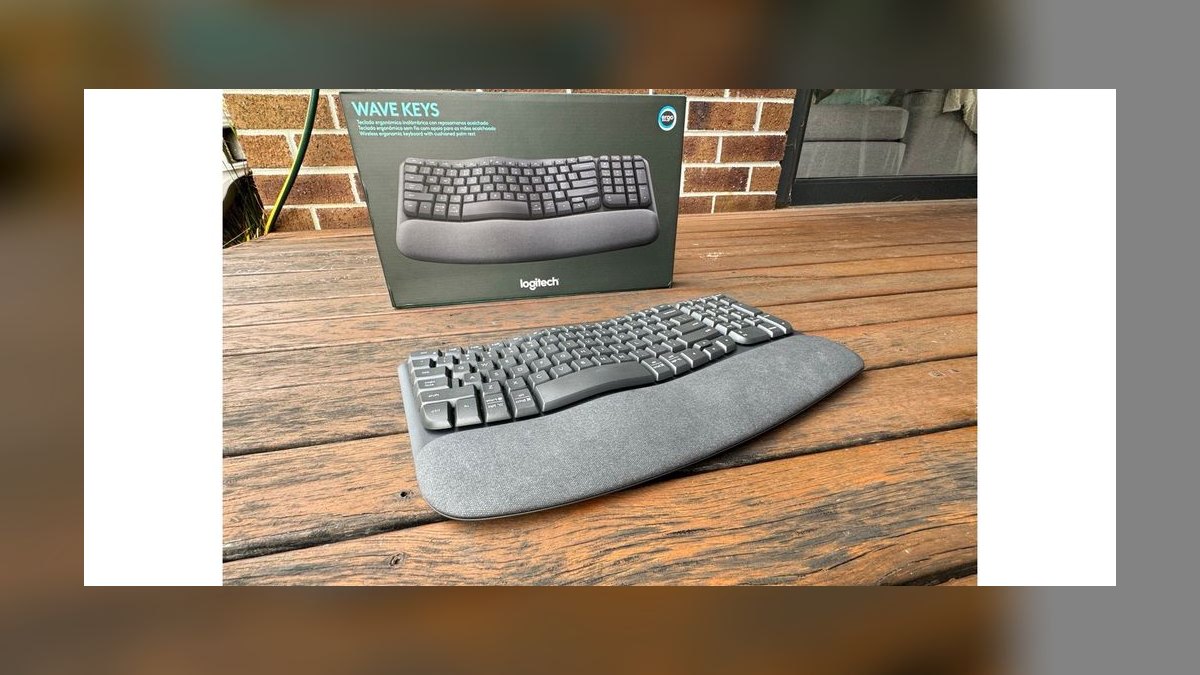
The Logitech Wave Keys ranks ninth as the budget king, providing a comfortable ergonomic curve at an unbeatable $60 price point. Its cushioned wrist rest and wave-curve design are comfortable enough for all-day typing, and Bluetooth connectivity adds convenience. It is a low-risk option for anyone curious about ergonomic keyboards. The design mimics some split benefits without the complexity of a true split layout.
This keyboard is for casual users who want ergonomic relief without any learning curve or significant expense. It trades the split layout of other picks for a fixed, curved design that offers some of the same wrist benefits. Compared to the Perixx PERIBOARD-512 above, it is more affordable and easier to use but lacks mechanical switches and true separation. For a simple, comfortable upgrade, it is an excellent value.
10. Kinesis Advantage360 Standard
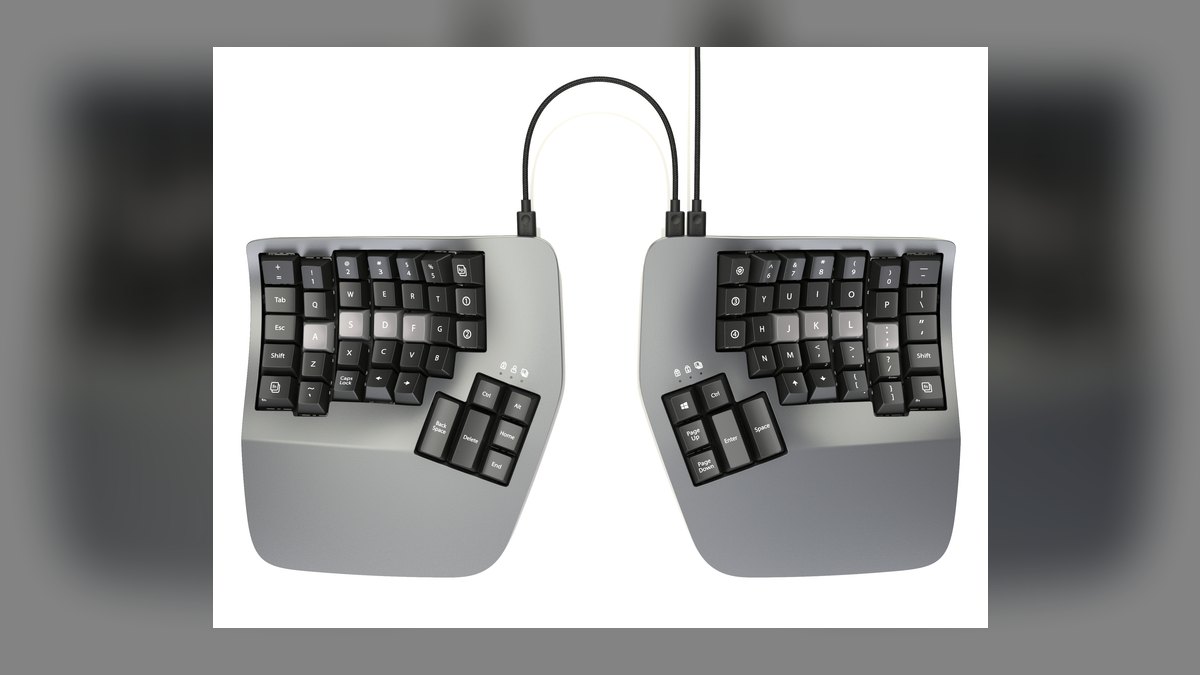
The Kinesis Advantage360 Standard rounds out the top ten as a wired, more affordable version of the premium Professional model. It retains the same contoured keywells, thumb clusters, and split design that deliver serious RSI relief. The key difference is the lack of ZMK wireless and programmability, making it a simpler, more straightforward device. Priced lower than the Professional, it offers the core ergonomic benefits for less.
This keyboard is for users who want the proven ergonomic design of the Kinesis Advantage360 but do not need wireless or extensive customization. It trades the programmability and wireless of the Professional model for a lower price and a more reliable wired connection. Compared to the Logitech Wave Keys above, it demands a significant retraining period but offers far superior ergonomic correction. It is a solid choice for those focused purely on wrist health without extra features.
How we ranked these
We measured and weighted five factors: ergonomic design effectiveness (40%), build quality and durability (20%), programmability and customization (20%), value for price (15%), and ease of adaptation (5%). We prioritized boards with proven RSI relief, reliable mechanical or low-profile switches, and robust software support, while penalizing models with steep learning curves or poor wireless reliability.
We deliberately ignored brand prestige, RGB lighting aesthetics, and niche community hype. We also excluded keyboards that require soldering or advanced DIY assembly, as they are not practical for the average buyer. The focus was strictly on out-of-the-box usability and measurable ergonomic benefit, not on what looks impressive in a review video or on a spec sheet.
What to look for
What actually matters is your willingness to retrain. A contoured keywell board like the Glove80 offers the deepest relief but demands a two-week learning curve. If you cannot afford that downtime, a gentle split like the Logitech K860 provides immediate comfort with zero retraining. Prioritize boards with tenting and negative tilt adjustments, as these features have the most impact on wrist posture.
The mistake most buyers make is purchasing a premium board like the Kinesis Advantage360 without considering their desk setup. A $450 keyboard will not fix wrist pain if your desk height or monitor position is wrong. Also, many overestimate their need for wireless; the added latency and charging routine are not worth it for a desk-bound user. Start with a wired board and save $50-100.
Related questions
What is the best split ergonomic keyboard for beginners in 2027?
The Logitech Ergo K860 is the safest entry point at around $130. It offers a split curve and tenting without requiring any retraining, so you can be productive immediately. The membrane keys are quiet and familiar, and the cushioned wrist rest is excellent. It is not mechanical, but it is the lowest-risk way to test if split ergonomics help you.
How does the MoErgo Glove80 compare to the Kinesis Advantage360?
The Glove80 is generally more comfortable for most users due to its lower-profile switches and more adjustable tenting. It also costs about $50 less than the Advantage360. However, the Kinesis offers more tactile mechanical switches and a more established reputation for severe RSI cases. The Glove80 is wireless by default, while the Kinesis Professional adds wireless at a premium.
Is the Keychron Q11 a good gateway keyboard into the split world?
Yes, the Q11 is excellent for transitioning because it can be used as a single unit with a bridge cable or fully separated. It keeps a familiar staggered layout, so there is no learning curve for key positions. The QMK/VIA support allows full remapping, and the newer Q11 Ultra adds wireless. It is heavier than travel boards, but ideal for a desk.
What is the difference between columnar stagger and ortholinear layouts?
Columnar stagger offsets each column vertically to match natural finger reach, reducing sideways pinky strain. Ortholinear uses a pure grid where all keys are the same size, making keycap replacement easier but requiring a steeper learning curve. For most typists, columnar stagger is the safer and more comfortable choice, while ortholinear appeals to tinkerers who want maximum customization.
Are wireless split keyboards worth the extra cost in 2027?
Only if you frequently move between devices or need a clean desk. Bluetooth models like the Glove80 offer convenience but introduce 8-20ms latency and require weekly charging. Proprietary 2.4GHz options have lower latency but need a dongle. For a stationary desk setup, a wired board is more reliable, cheaper, and eliminates battery anxiety. The trade-off is rarely worth it for most users.
What is the best budget split keyboard under $100?
The Logitech Wave Keys at around $60 is the best budget option, though it is not a true split. It offers a wave curve and cushioned wrist rest that mimic some split benefits. For a true split under $100, you may need to look at used or older models. The Perixx PERIBOARD-512 is a basic mechanical split that sometimes drops below $100, but build quality is lower.
How important is tenting on a split ergonomic keyboard?
Tenting is important but often overhyped. A 5-10 degree angle reduces forearm pronation and can significantly relieve wrist strain. However, anything beyond 15 degrees forces your shoulders to compensate, causing neck and trap tension. Start flat and increase by 2-3 degrees per week. Most users find their sweet spot between 5 and 12 degrees. Negative tilt is often more impactful than aggressive tenting.
FAQ
What is the main advantage of a split ergonomic keyboard?
A split ergonomic keyboard allows you to position each half independently, letting your shoulders relax and your wrists stay straight. This reduces strain on your upper body compared to a traditional one-piece board. Many users find it helps prevent or ease wrist and shoulder discomfort over long typing sessions.
How long does it typically take to adapt to a split keyboard?
Most people need anywhere from a few days to a couple of weeks to feel comfortable. The learning curve depends on your typing habits and whether you switch to a columnar layout. Expect some initial slowdown, but consistent daily use usually leads to full proficiency within two to four weeks.
Are split keyboards worth the higher price compared to standard keyboards?
It depends on your needs—good split ergonomic keyboards generally range from around $150 to over $400. For someone who types many hours daily and has discomfort, the investment can be worthwhile for long-term wrist health. However, if you type only occasionally, a standard keyboard may suffice.
Do I need to learn a new typing layout like Colemak or Dvorak?
No, most split keyboards support standard QWERTY out of the box. You can stick with what you know. Some models offer programmable keys, so you can remap them later if you choose to experiment with alternative layouts, but it’s not required.
Can I use a split keyboard with a laptop or tablet?
Yes, nearly all split keyboards connect via USB-C or Bluetooth, making them compatible with laptops, tablets, and even some phones. Just check that the model you choose supports your device’s operating system. Wireless options add convenience for mobile setups.
How durable are split ergonomic keyboards compared to regular ones?
Build quality varies, but many split keyboards use mechanical switches rated for tens of millions of keystrokes, often outlasting standard membrane boards. Metal or high-quality plastic cases and hot-swappable switches can extend lifespan further. With proper care, a good split keyboard can last several years or more.
What is the best split keyboard for gaming in 2027?
The Kinesis Freestyle Edge RGB is a top choice for gamers due to its fully split, staggered layout and adjustable tenting. It allows you to place each half at shoulder width for a natural gaming posture. The October 2025 Plus model upgrades to Gateron Pro switches. It is not as ergonomic as a keywell board, but it requires no retraining.
Does a split keyboard really help with carpal tunnel syndrome?
A split keyboard can help reduce the wrist extension and ulnar deviation that contribute to carpal tunnel symptoms. By keeping your wrists straight and shoulders relaxed, it lowers pressure on the median nerve. However, it is not a cure. You should also address desk height, chair position, and take regular breaks. Consult a doctor for severe cases.
What is the difference between the ZSA Moonlander and the ZSA Voyager?
The Moonlander is larger with more thumb keys and built-in tenting legs, making it better for those who want extensive customization. The Voyager is thinner, lighter, and more travel-friendly, but has fewer keys and requires a separate tenting accessory. Both use columnar layouts and the excellent Oryx configurator. The Voyager is newer and more minimalist.
Are there any truly wireless split keyboards with low latency?
Yes, the Keychron Q11 Ultra (May 2026) offers 2.4GHz and Bluetooth with 8000Hz polling, which is excellent for gaming. The MoErgo Glove80 uses ZMK over Bluetooth, which is fine for typing but has higher latency. For the lowest latency, a wired connection is still best. Proprietary 2.4GHz dongles are a good middle ground.
Sources
- https://www.nytimes.com/wirecutter/reviews/best-split-ergonomic-keyboards/
- https://www.tomshardware.com/best-picks/best-ergonomic-keyboards
- https://www.pcworld.com/article/407345/best-ergonomic-keyboards.html
- https://www.techradar.com/best/best-ergonomic-keyboard
- https://kinesis-ergo.com/keyboards/advantage360/
- https://www.zsa.io/moonlander/
- https://www.logitech.com/en-us/products/keyboards/k860-split-ergonomic.html
- https://www.keychron.com/products/keychron-q11
- https://www.moergo.com/
- https://www.osha.gov/ergonomics
Related on PULSE
- [More split ergonomic keyboards rankings and buying guides](/knowledge)
- [PULSE Tools and calculators](/tools)
- [Everything on PULSE RevOps](/)
This page will be disappearing soon. Save it to your device for $1 — or read it free while it is here.
@Kory-White- · if Venmo asks, the last 4 of my number are 2012
This page is gone.
This one is off the shelf now. $1 keeps it on your phone for good — the whole page, pictures and diagrams included.
 pulse-reviewsTop 10 Magnetic Drill Presses — Best Overall + Best Value in 2027
 pulse-reviewsTop 10 Waterproof Bluetooth Speakers — Best Overall + Best Value in 2027
 pulse-reviewsTop 10 Toaster Ovens — Best Overall + Best Value in 2027
 pulse-reviewsTop 10 Capture Cards — Best Overall + Best Value in 2027
 pulse-reviewsTop 10 Smart Telescopes — Best Overall + Best Value in 2027
 pulse-reviewsTop 10 Oscillating Multi-Tools — Best Overall + Best Value in 2027
 pulse-reviewsTop 10 Ebikes — Best Overall + Best Value in 2027
 pulse-reviewsTop 10 Cordless Polishers — Best Overall + Best Value in 2027
 pulse-reviewsTop 10 Electric Shavers — Best Overall + Best Value in 2027
 pulse-reviewsTop 10 Portable Projectors — Best Overall + Best Value in 2027