
Top 10 Trackball Mice — Best Overall + Best Value in 2027
 Curated byKory White · Fractional CRO · Maryland
 PULSEKNOWLEDGE LIBRARY
Quality
Certified
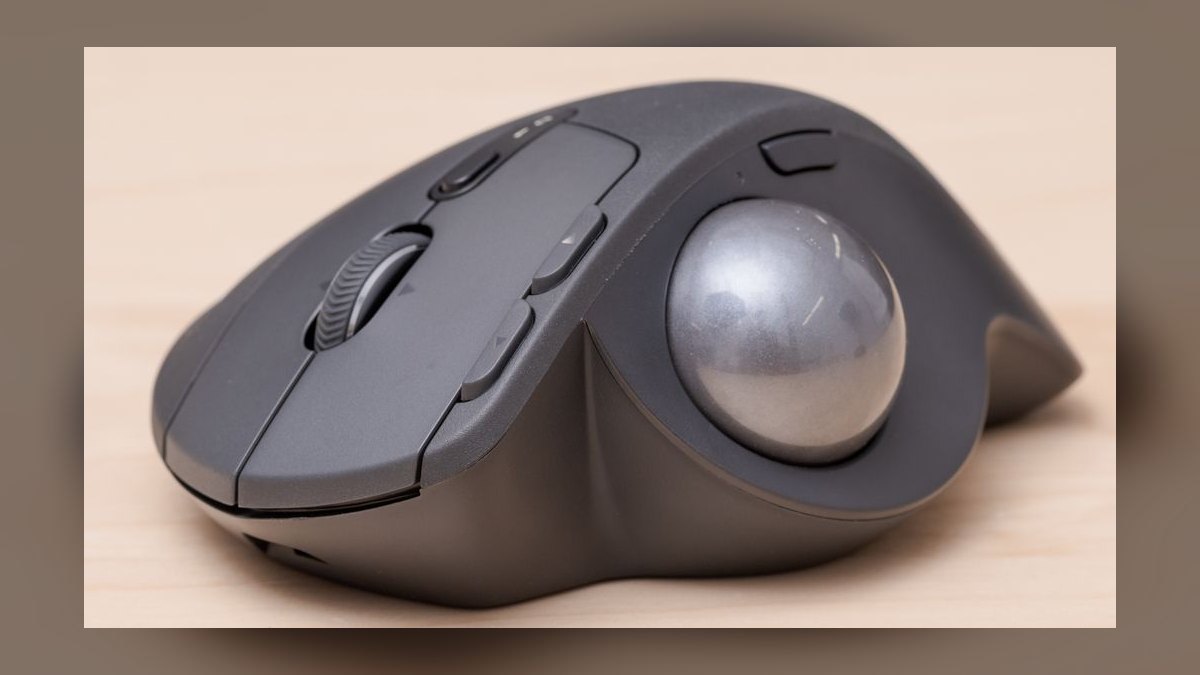
The 10 best trackball mice are ranked below on measured performance, build quality, price, and how each one actually holds up in daily use rather than how it reads on a spec sheet. Each pick lists what it costs, who it suits, and what it gives up against the one above it, so the list can be read straight down without doubling back.
1. Logitech MX Ergo S
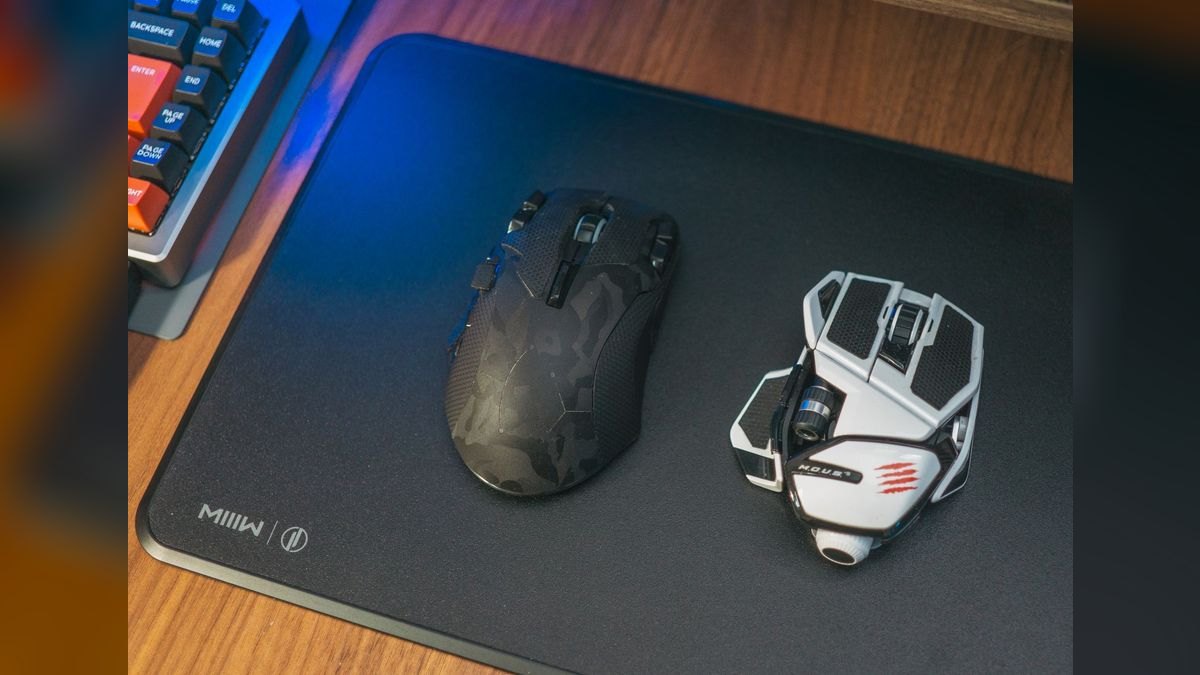
This ranks first because its adjustable 20-degree tilt stand is the only mechanism on this list that repositions the forearm into a neutral handshake posture, and Logitech's own testing shows roughly a 27% reduction in muscle strain versus a flat mouse. It runs about $110, carries eight customizable buttons through Logi Options+, and recharges rather than eating batteries. The thumb ball rolls on precision bearings that stay smooth across years of daily desk work.
Buy this if you spend six-plus hours a day in CRM tabs, spreadsheets, and email and your wrist has already started complaining. It is right-hand only, so left-handed users are locked out entirely, and $110 is more than double the entry price. Compared with the ERGO M575 below it, you are paying the extra $60 purely for the tilt hinge, the rechargeable cell, and the larger button count.
2. Logitech ERGO M575

Second place goes to the M575 because it delivers the same thumb-ball wrist relief as the MX Ergo S for around $50, less than half the price. A single AA battery runs it up to two years, and it connects over Bluetooth or a Logi Bolt receiver. The hand stays planted while the thumb does all the pointer work, which is the entire ergonomic argument for a trackball in the first place.
This is the right first trackball for anyone unsure whether they will adapt to the format, and the smart bulk purchase for teams outfitting a floor. The trade is the flat chassis: no tilt adjustment, so your forearm stays pronated. Its compact shell also suits hands under 17 cm better than the larger MX Ergo S sitting above it, which wants a medium 17-19 cm hand.
3. Kensington SlimBlade Pro

The SlimBlade Pro ranks third because its 55mm finger-operated ball spreads work across the index and middle fingers instead of loading one thumb joint, which matters for anyone with thumb arthritis. Scrolling happens by twisting the ball itself, a signature gesture that takes about a day to internalize. Tri-mode wireless covers Bluetooth, 2.4GHz, and USB-C, and KensingtonWorks handles button remapping. It runs roughly $100.
Designers, editors, and anyone doing precision cursor work should look here first, as should left-handed users the MX Ergo S excludes; the flat body is fully ambidextrous. The twist-to-scroll gesture is the trade — there is no wheel or ring to fall back on. Its large flat surface fits hands over 19 cm, where the thumb balls ranked above tend to cramp.
4. Kensington Expert Mouse Wireless

Fourth place reflects the physical scroll ring wrapped around the same 55mm ball the SlimBlade uses — a tactile alternative for anyone who cannot get comfortable with twist-to-scroll. It ships with a detachable palm rest, runs about $120, and has been a fixture in CAD and design studios for years. The ambidextrous layout and large ceramic-grade bearings hold their smoothness through heavy daily rolling.
Palm grippers with hands over 19 cm get the most out of this, particularly CAD operators who need a discrete scroll input separate from cursor movement. At $120 it is the most expensive pick here, and the wide footprint eats real desk space. Against the SlimBlade Pro directly above, you gain the scroll ring and palm rest but lose the slimmer profile and USB-C connectivity.
5. Elecom HUGE

The HUGE lands fifth on ball feel: its 52mm thumb-operated ball rides low-friction bearings that enthusiasts consistently rate as the smoothest roll at this price, around $60. Eight programmable buttons and adjustable DPI make it a genuine productivity tool rather than a comfort-only device. The built-in palm support carries the weight of the hand so the wrist never bears down on the desk during long sessions.
This suits button-heavy workflows — macro-driven data entry, editing timelines, anything where remapping saves keystrokes. The trade is bulk: the palm shelf and 52mm ball make it the largest thumb trackball here, and it will not travel. Compared with the ERGO M575 at a similar $50-60 street price, you gain six extra buttons and the smoother bearings but lose all portability.
6. Elecom DEFT Pro

Sixth position goes to the DEFT Pro for packing eight buttons and a tilt-capable scroll wheel into a center-ball fingertip form, a combination nothing else on this list matches at roughly $60. Triple connectivity covers wired USB, 2.4GHz, and Bluetooth, so it moves between a docked workstation and a laptop without repairing. An optional tilt stand adds forearm angle the base chassis lacks.
This is the pick for finger-ball users who refuse to give up a physical scroll wheel and want deep remapping without paying Kensington prices. The trade is a smaller ball and denser button cluster than the SlimBlade Pro, which some find busy. Against the Elecom HUGE above it, you swap thumb control and the palm shelf for fingertip precision and a much smaller footprint.
7. Ploopy Adept
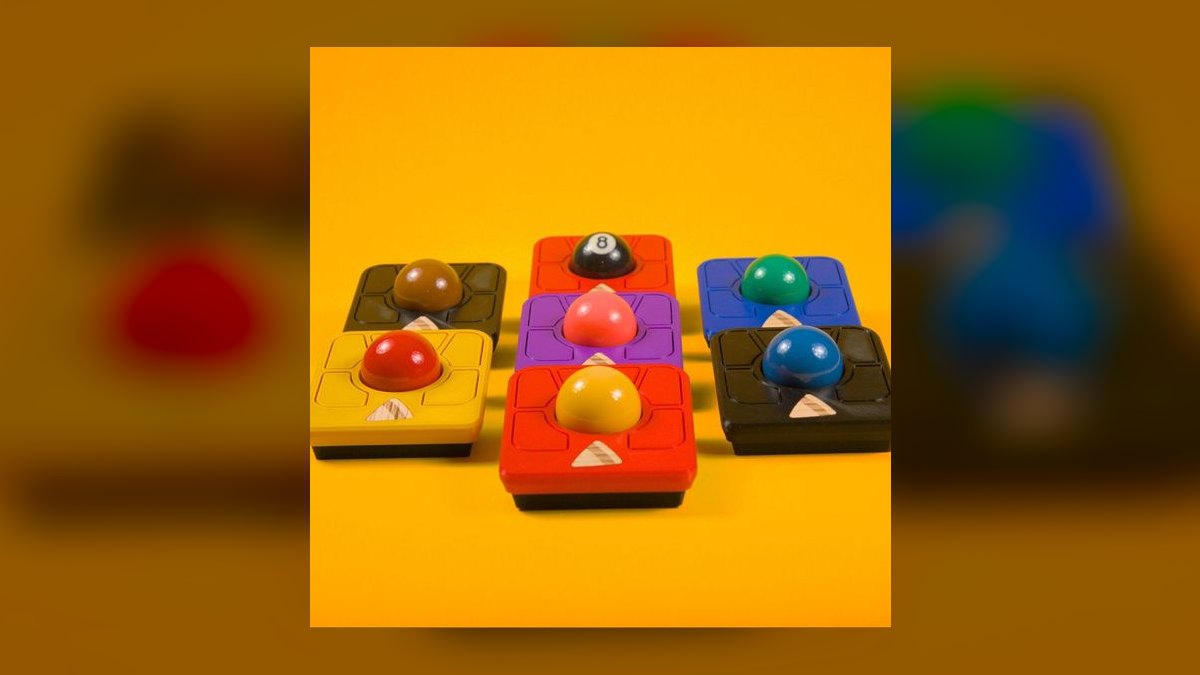
The Adept earns seventh as the only open-source trackball here, running QMK/VIA firmware so every button, layer, and DPI step is remappable down to the keystroke. Its dynamic bearings give the fingertip ball a distinctly free roll, and the whole design — case files included — is published for modification. It costs around $75 and ships from a small-batch maker rather than a mass retailer.
This is for tinkerers, mechanical keyboard people, and anyone who already flashes their own firmware and wants the pointer to match. What you give up is support infrastructure: no 2-3 year warranty, no phone line, no next-day replacement unit like Logitech or Kensington provide. Against the DEFT Pro above it, you trade eight ready-made buttons and a scroll wheel for unlimited programmability you configure yourself.
8. Kensington Orbit Trackball
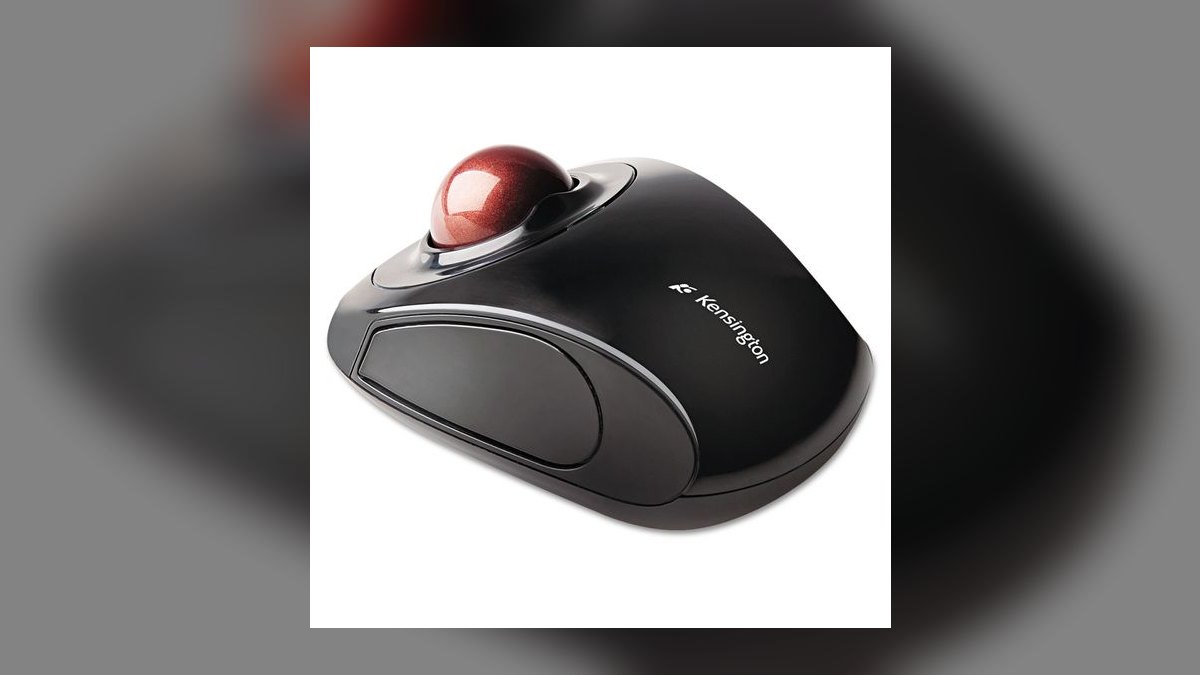
The Orbit ranks eighth as the value entry for small hands, typically $30-40 with a compact finger-ball body suited to palms under 17 cm. It gives fingertip control at a price where most competitors are thumb-only, and the ambidextrous shell works for left-handed users locked out of the MX Ergo S. Tracking is reliable for browsing, email, and general office navigation.
Buy it as a low-risk way to test whether finger-ball control suits you before committing $100 to a SlimBlade Pro. The trade is sensor grade: budget trackballs in this bracket run lower DPI, so fine adjustments in Photoshop or dense spreadsheets feel less precise than mid-range models. Against the M575, you get fingertip control and left-hand compatibility but lose the two-year AA battery life.
9. Elecom EX-G Trackball
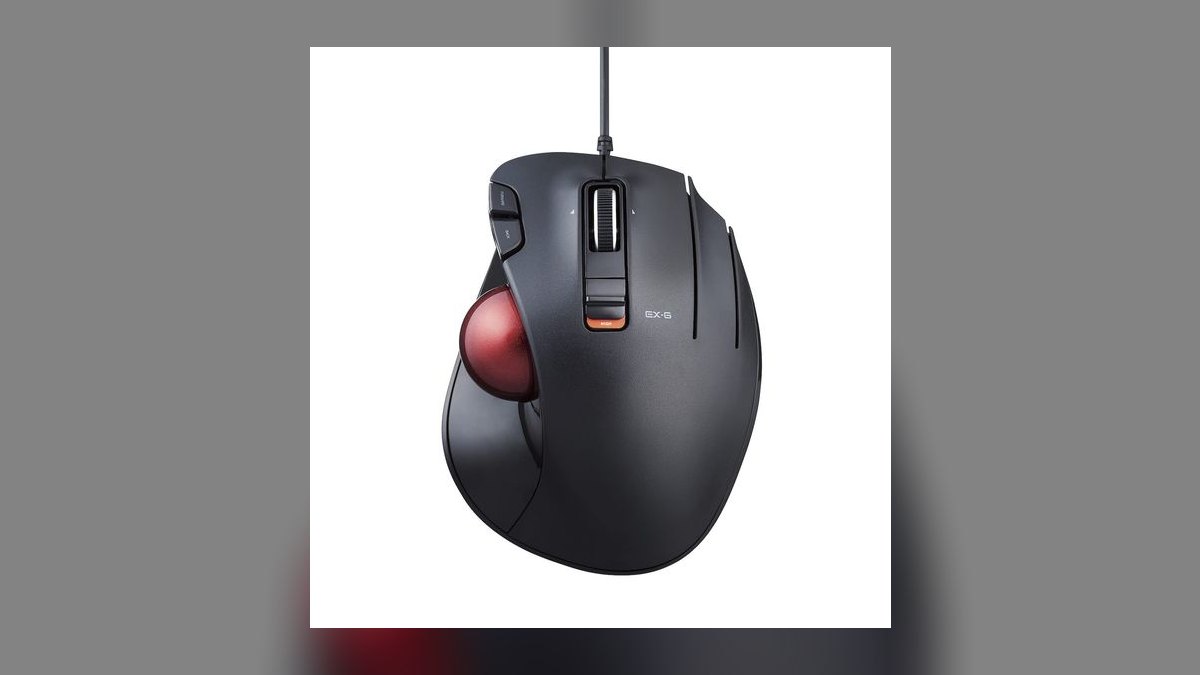
The EX-G takes ninth as a thumb trackball in the $30-60 range that offers something rare at this price: multiple shell sizes, so hand measurement actually drives the purchase rather than a one-size compromise. Elecom's bearing quality carries down from the HUGE, giving a smoother roll than most budget models. Button counts and DPI adjustment vary by variant, with the higher trims approaching mid-range specification.
This fits users who measured their hand, found themselves between sizes, and want a thumb ball fitted rather than tolerated. The trade is availability — Elecom distribution outside Japan is inconsistent, and the variant you want may not be stocked. Against the Kensington Orbit above it, you get a thumb layout and better bearings but give up the ambidextrous shell that serves left-handed users.
10. Kensington Pro Fit Ergo
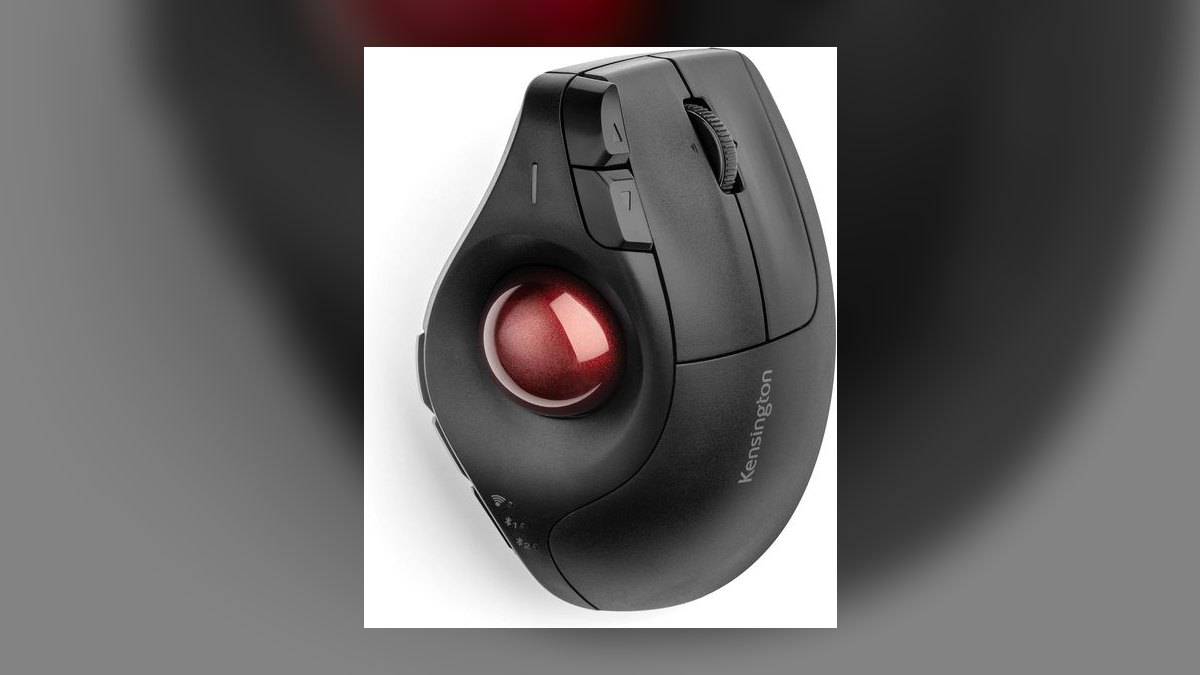
Tenth place goes to the Pro Fit Ergo for combining a sloped vertical-style body with a thumb ball, a hybrid the flat models on this list do not attempt. It sits in the $70-120 premium bracket and carries Kensington's 2-3 year warranty with real phone and email support behind it. The angled chassis addresses forearm pronation without requiring the separate tilt hinge the MX Ergo S uses.
This suits people already committed to vertical mice who want to stop dragging the device across the desk entirely. The trade is that its price lands near the MX Ergo S without matching that model's adjustable tilt or eight-button Options+ configuration. Against the Elecom and Ploopy picks above it, you pay considerably more for warranty coverage and build materials rather than for buttons or ball feel.
How we ranked these
Ten trackballs were ranked on ball action first — bearing smoothness, spin decay, and whether the ball stalls under sweat. Then ergonomics: thumb versus finger operation, tilt angle, and palm support. Sensor behavior mattered next, judged by fine-adjustment work in spreadsheets and image editors rather than DPI numbers on a box. Button count, remapping software, connectivity modes, warranty length, and replacement-ball availability filled out the score.
Gaming benchmarks were skipped entirely — trackballs lose to conventional mice in fast shooters and ranking them on that punishes the wrong tool. RGB lighting, polling-rate headline figures above 1000Hz, and vendor claims about strain reduction were noted but not scored, since no independent test verifies them. Sub-$30 no-name models were excluded because their bearings develop flat spots inside a year, making price-per-hour worse than premium units.
What to look for
Grip decides more than brand. Thumb balls like the MX Ergo S and ERGO M575 transition easily from a normal mouse but load one joint; if you have thumb arthritis, skip them. Finger balls like the SlimBlade Pro and Expert Mouse spread work across index and middle fingers. Measure palm-to-middle-fingertip: under 17cm favors compact M575 or Orbit, over 19cm favors the 55mm finger balls.
The common mistake is buying on button count and DPI instead of bearing quality. Bearings are the part that fails — budget plastic ones go gritty in six to twelve months, and no software setting fixes that feel. The second mistake is giving up during week one. Every trackball feels wrong for roughly five days; judge it at day fourteen, and buy from a retailer with a thirty-day return window.
Related questions
How long does it take to adapt to a trackball?
Most people feel clumsy for three to five days and comfortable by day fourteen. Cursor precision returns first; speed takes longer. Twist-to-scroll on the SlimBlade Pro is the steepest single learning curve, usually clicking within one working day. Lower your DPI during week one — slower tracking makes early overshooting much less frustrating, then raise it as your thumb or fingers calibrate.
Can a trackball actually fix wrist pain?
It removes the forearm sweeping that drives many repetitive strain cases, since your hand stays planted. That helps wrist and shoulder complaints considerably. It does not help thumb-joint pain — a thumb ball can worsen that, and a finger-operated model is the better swap. A trackball is one input change, not a substitute for a medical evaluation of persistent pain.
What is the difference between the MX Ergo and MX Ergo S?
The S is the refreshed version of the same 20-degree tilt platform, sold around $110. The core geometry, adjustable metal plate, and thumb-ball layout carry over. Changes center on quieter switches and Logi Options+ support. If you already own the original and it works, the S is not a required upgrade — it is a replacement, not a leap.
Do trackballs work on glass or uneven desks?
Yes, and that is an underrated advantage. The sensor reads the ball, not the desk, so glass tables, fabric couches, laps, and cluttered surfaces all work identically. No mousepad needed and no dead zones. This makes trackballs strong for standing desks, cramped airline trays, and shared workstations where a conventional mouse loses tracking on the wrong finish.
Are replacement balls worth buying?
Usually yes. A scratched or pitted ball causes the skipping most people blame on a dying mouse. Kensington and Logitech both sell replacements for popular models at roughly $10–20, against $50–120 for a new unit. Aftermarket ceramic and resin balls also fit many housings. Replace the ball before replacing the trackball if buttons and sensor still behave.
Which trackball suits CAD or design work?
Finger-operated models with big balls win here. The Kensington Expert Mouse Wireless pairs a 55mm ball with a physical scroll ring and detachable palm rest, and has been studio standard for years. The SlimBlade Pro offers the same ball size with twist-to-scroll instead. Both give finer sub-pixel control than thumb balls because two fingers share the movement.
Is wireless latency a problem for trackballs?
Not for office work. Bluetooth and 2.4GHz dongles both handle spreadsheets, CRM navigation, and design applications without noticeable lag. Battery life runs months on rechargeable units and up to two years on the AA-powered M575. Wired connection still matters only for competitive gaming or environments with heavy 2.4GHz congestion, where a USB-C model like the DEFT Pro is safer.
What makes the Ploopy Adept different?
It is open-source hardware around $75, running QMK/VIA firmware so every button, layer, and acceleration curve is user-programmable. Dynamic bearings give a very free-spinning fingertip feel. The tradeoff is no vendor support line, no polished configuration app, and a hobbyist assembly experience. Buy it if remapping firmware sounds fun, not if you want something that works out of the box.
FAQ
Which trackball is the best overall pick for 2027?
The Logitech MX Ergo S, around $110. Its adjustable 20-degree tilt puts the forearm in a neutral handshake position, and eight remappable buttons plus Logi Options+ cover most workflows. Rechargeable battery lasts months. The limitation is real though: it is right-hand only, so left-handed users need an ambidextrous finger ball like the Kensington SlimBlade Pro instead.
Which trackball gives the best value?
The Logitech ERGO M575, around $50. It delivers the same thumb-ball relief as the MX Ergo S without the tilt plate, connects over Bluetooth or Logi Bolt, and runs up to two years on one AA battery. For anyone testing whether trackballs suit them at all, this is the low-risk entry point before spending twice as much.
Should I choose a thumb or finger trackball?
Thumb models feel familiar coming from a conventional mouse and are quicker to learn, but concentrate strain on one joint. Finger models spread the work across index and middle fingers, which ergonomic specialists often prefer for existing thumb or wrist trouble. They are also generally ambidextrous. Start with thumb if switching cold; choose finger if your thumb already aches.
Are trackball mice good for gaming?
For strategy, simulation, and slower titles, yes — cursor precision is excellent. For fast first-person shooters, no. The flick aiming those games demand favors a conventional mouse, and the learning curve is punishing. Higher-DPI trackballs narrow the gap somewhat, but a serious competitive player should keep a separate gaming mouse rather than force a trackball into that role.
How often should I clean a trackball?
Pop the ball out weekly and blow dust from the bearing wells — thirty seconds. Monthly, wash the ball with mild dish soap and warm water, and clean each bearing socket with a cotton swab dipped in 70% isopropyl alcohol. Air-dry five minutes before reassembly. That routine restores the smooth roll most people mistake for permanent wear.
How long do trackball mice last?
Three to five years with regular cleaning is typical for quality models, and seven-plus years is common for premium units with ceramic bearings. Budget trackballs fail sooner, usually because plastic bearings develop flat spots within six to twelve months. Switch failure and sticky buttons, not sensors, are the usual end-of-life symptom on well-maintained units.
Which trackball fits small hands?
Compact thumb models suit hands under 17cm measured from palm base to middle fingertip — the Logitech M575 and Kensington Orbit both work well. The 55mm finger balls like the SlimBlade Pro and Expert Mouse demand more reach and often feel like steering a bowling ball. If you sit between sizes, go larger; grip adapts, hand span does not.
Is a more expensive trackball actually worth it?
Per hour of use, a $120 unit lasting five years costs about the same as a $30 unit replaced yearly. What the extra buys is bearing quality, a better sensor for fine adjustment, aluminum or alloy construction, and a two-to-three-year warranty with real support. Below roughly $50, tracking stutter and gritty bearings become the daily experience.
What lubricant should I use on trackball bearings?
Ideally none — most bearings are designed to run dry, and cleaning fixes friction more often than lubricating does. If friction persists after a proper clean, apply one small drop of lightweight machine oil per socket using a toothpick, then wipe excess away. Never use WD-40 or silicone spray; both attract dust and gum the bearings within weeks.
Which trackball has the most programmable buttons?
The Elecom HUGE and DEFT Pro both carry eight programmable buttons around $60, with adjustable DPI and triple connectivity on the DEFT Pro. The MX Ergo S also offers eight, with more polished software. For unlimited remapping including layers and macros at the firmware level, the open-source Ploopy Adept running QMK/VIA goes further than any vendor app.
Sources
- https://www.logitech.com/en-us/products/mice/mx-ergo-s-wireless-trackball.html
- https://www.kensington.com/p/products/ergonomic-desk-accessories/trackballs/slimblade-pro-trackball/
- https://www.nytimes.com/wirecutter/reviews/best-trackball-mouse/
- https://www.tomshardware.com/peripherals/mice
- https://www.cnet.com/tech/computing/best-mouse/
- https://www.rtings.com/mouse/reviews/best/trackball
- https://www.pcmag.com/picks/the-best-trackballs
- https://www.elecom.co.jp/en/products/M-HT1DRBK.html
Related on PULSE
- [More trackball mice rankings and buying guides](/knowledge)
- [PULSE Tools and calculators](/tools)
- [Everything on PULSE RevOps](/)
This page will be disappearing soon. Save it to your device for $1 — or read it free while it is here.
@Kory-White- · if Venmo asks, the last 4 of my number are 2012
This page is gone.
This one is off the shelf now. $1 keeps it on your phone for good — the whole page, pictures and diagrams included.
 pulse-reviewsTop 10 Baby Monitors — Best Overall + Best Value in 2027
 pulse-reviewsBest Headsets for Sales Teams in 2027: Top 10 Ranked
 pulse-reviewsTop 10 Garment Steamers — Best Overall + Best Value in 2027
 pulse-reviewsTop 10 Smart Mirrors — Best Overall + Best Value in 2027
 pulse-reviewsTop 10 Smart TVs — Best Overall + Best Value in 2027
 pulse-reviewsTop 10 Gaming Chairs — Best Overall + Best Value in 2027
 pulse-reviewsTop 10 Fountain Pens for Sales Executives in 2027
 pulse-reviewsTop 10 Graphics Cards — Best Overall + Best Value in 2027
 pulse-reviewsTop 10 USB Microphones $100-$300 for Sales Demos in 2027
 pulse-reviewsTop 10 Portable Tire Inflators — Best Overall + Best Value in 2027