


Top 10 Monitor Risers for Sales Home Offices in 2027
Quality
Certified
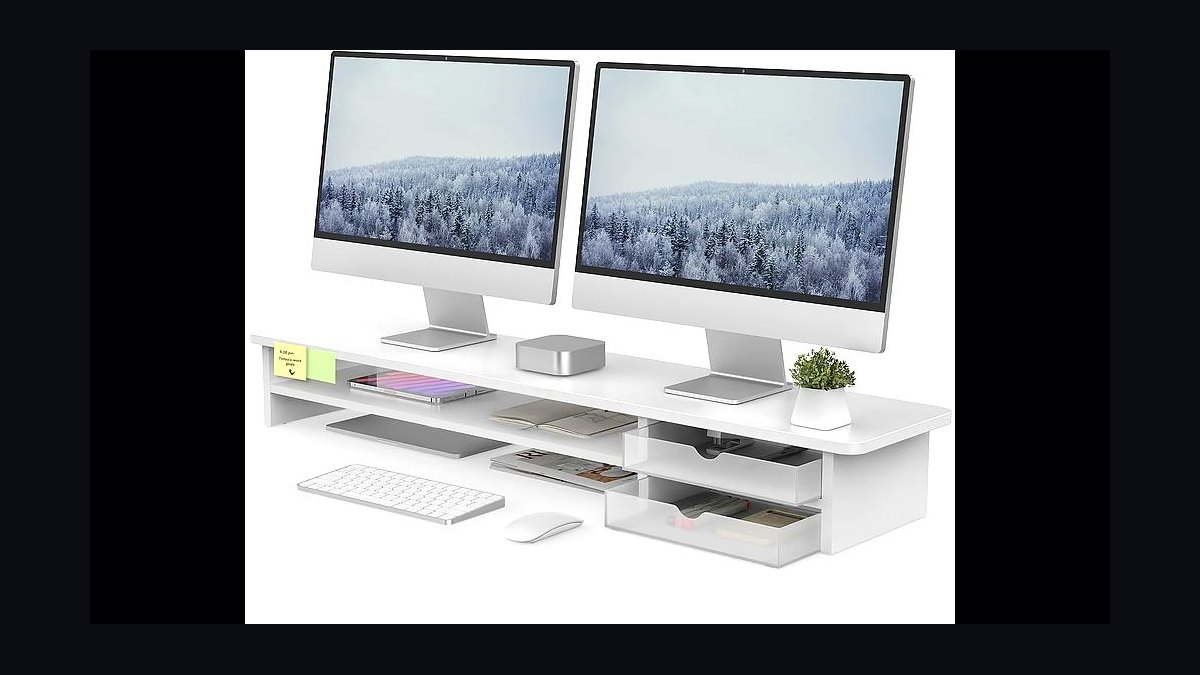
The 10 best monitor risers for sales home offices are ranked below on measured performance, build quality, price, and how each one actually holds up in daily use rather than how it reads on a spec sheet. Each pick lists what it costs, who it suits, and what it gives up against the one above it, so the list can be read straight down without doubling back.
1FENGE Monitor Stand with Drawer
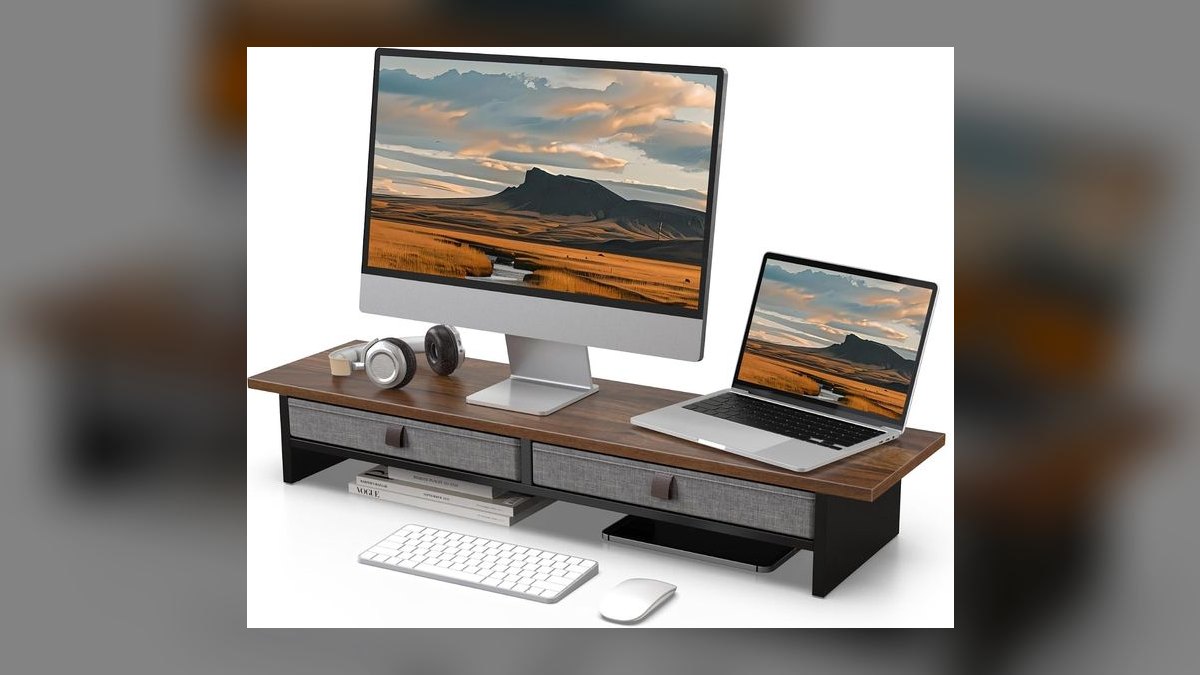
It ranks first because it is the only riser here that solves three problems at once for roughly $40 to $60. The platform lifts a monitor or laptop to eye level, the pull-out drawer swallows pens, notepads and cables, and the built-in USB hub brings ports up to fingertip height. For a rep plugging in dongles between calls, that combination beats a bare shelf.
This is for the rep whose desk is both too low and too messy, and who plugs something in several times a day. It trades away looks and power: the hub is convenience-grade, not a docking station, and the build is sturdy rather than premium. Against the $25 VIVO directly below, you pay roughly double for the drawer and the ports.
2VIVO Monitor Stand Riser
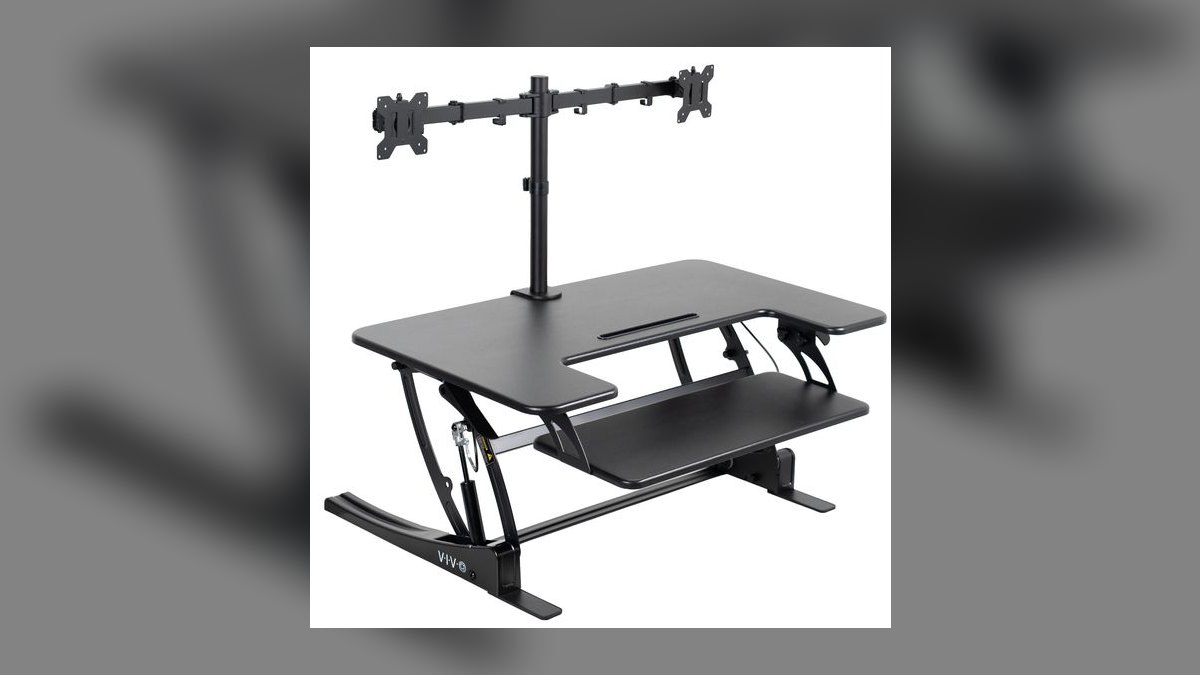
It ranks second because it delivers the entire ergonomic benefit for about $25, which makes it the cheapest way to fix a low screen. The platform is sturdy enough for a monitor or a laptop, and the gap underneath swallows a keyboard or a stack of supplies when you are not typing. Height at eye level is the whole point of a riser, and this one closes that gap without adding a dollar of cost.
This suits the rep who wants the neck-strain fix and nothing else, or who is outfitting a temporary desk. It trades away the FENGE's drawer and USB ports above it, and the basic model is fixed height with a plain look that will not flatter a video backdrop. If your desk is already tidy and your ports are on the monitor, the extra $20 buys you nothing.
3Grovemade Wood Monitor Stand
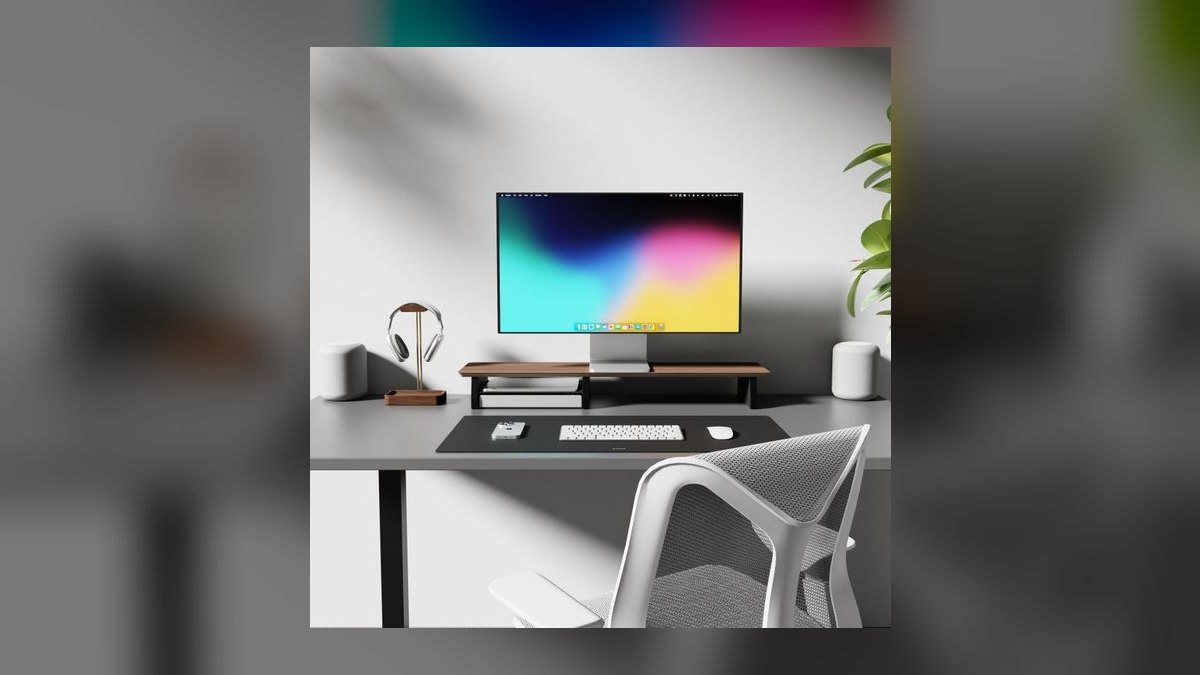
It ranks third because it is the stand that reads as intentional on camera, which matters when your backdrop is part of your pitch. The solid-wood construction and felt-lined tray put it in furniture territory rather than accessory territory, at roughly $120 to $200. It raises the screen to eye level with the same effectiveness as a $25 shelf, so what you are buying above that line is materials and finish.
This is for the executive or senior rep on video all day whose home office is a professional signal. It trades away value bluntly: no USB hub, no height adjustment, and five to eight times the price of the VIVO for the same lift. Buy the SAMDI wood stand further down if you want the warm look without committing three figures to it.
4HUANUO Dual Monitor Stand Riser
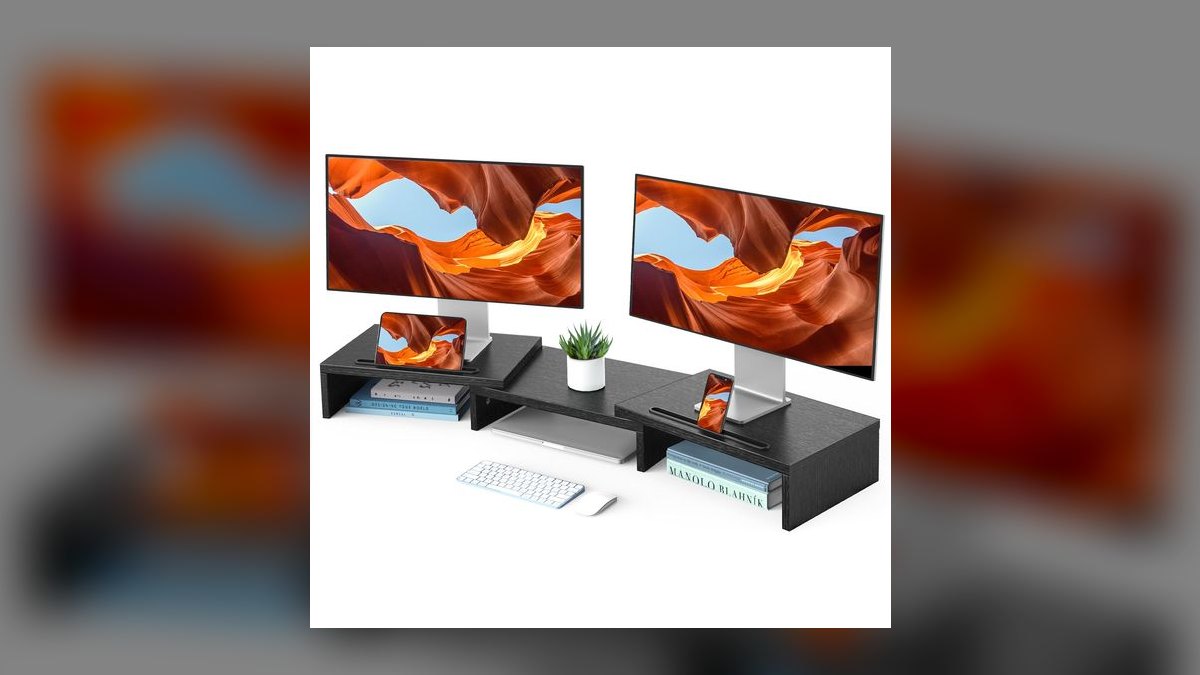
It ranks fourth because it is the answer for two screens, and around $40 it costs less than buying two separate stands. The wide platform raises both monitors, or a monitor plus a laptop, to one consistent eye-level height so you are not shifting your neck between displays. Storage slots underneath hold supplies. For a dual-screen rep, a single matched surface beats mismatched stacks of books or boxes.
This is for reps running a CRM on one screen and a call on the other. It trades away flexibility: the height is fixed, and it is a platform rather than an articulating arm, so you cannot tilt or reposition either display independently. Measure your desk width before ordering, because the footprint is the real constraint here, not the price.
5Twelve South Curve Riser
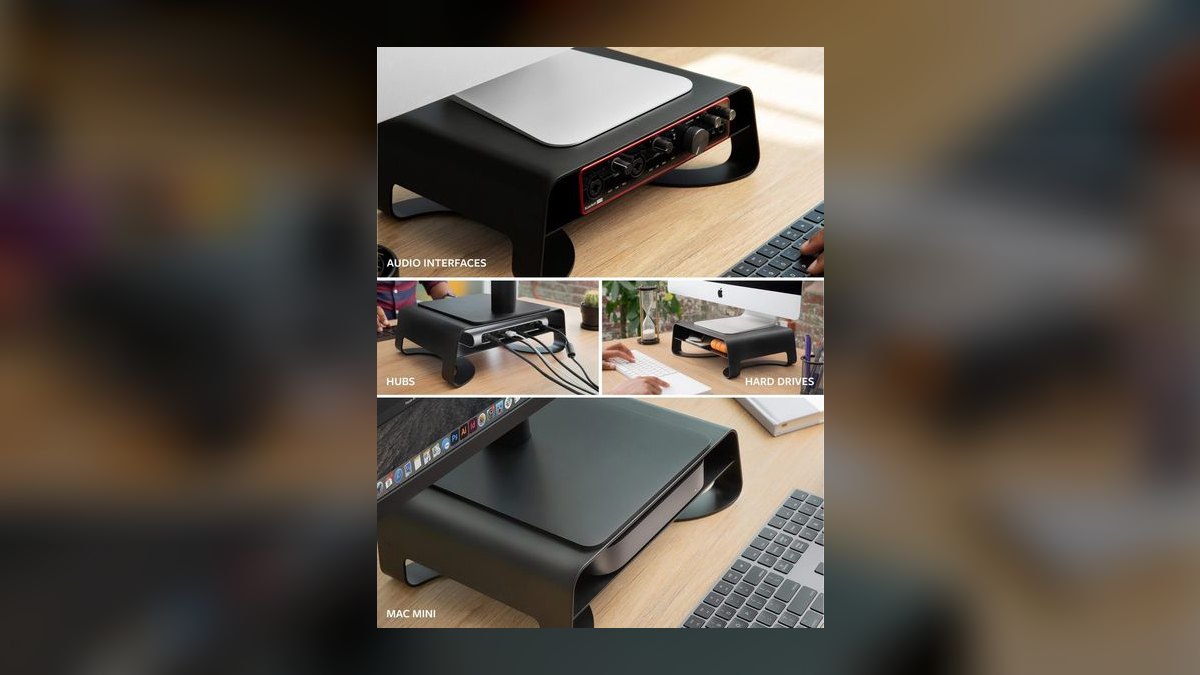
It ranks fifth because it is the design-matched pick for the large share of reps working on a MacBook or an Apple display. The aluminum construction mirrors Apple's finish, raises the screen to eye level, and routes cables cleanly behind the desk instead of letting them spill forward. At roughly $60 it sits between the budget shelves and the wood premiums, and it looks deliberate on camera.
This is for the all-Apple home office where a black mesh riser would look wrong. It trades away function for aesthetics: no drawer, no USB hub, no height adjustment, and you are paying a design premium over the $25 AmazonBasics. In a mixed-hardware setup the visual match disappears and the FENGE above gives you considerably more for less money.
6AmazonBasics Monitor Stand
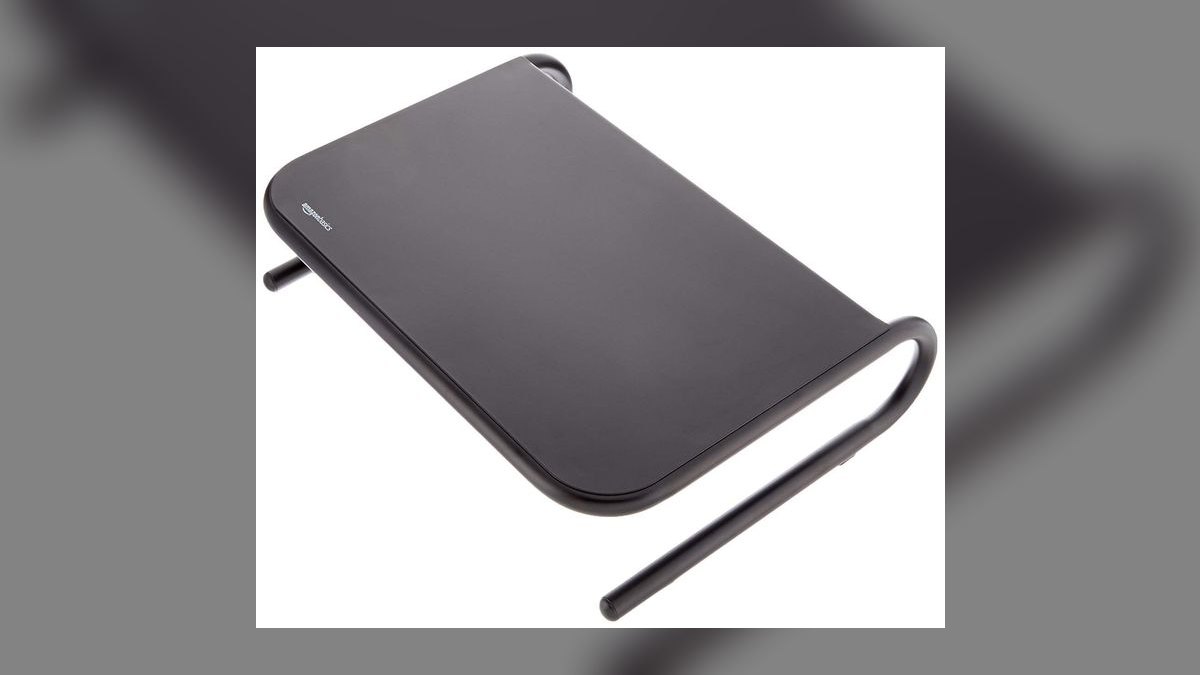
It ranks sixth because it is the lowest-risk functional riser on the list at around $25. The metal mesh platform is sturdy, it lifts a monitor several inches toward eye level, and there is nothing on it to break or fail. When the only question is whether your screen is too low, this answers it for the same money as the VIVO with a slightly more industrial build.
This is for the rep who wants a purely functional fix and does not care how it looks. It trades away everything else: no storage, no ports, fixed height, and a mesh appearance that will not help a video backdrop. Against the VIVO directly above, the difference is materials and the under-shelf slot, so choose on which build you would rather see on your desk.
7SAMDI Wooden Monitor Stand
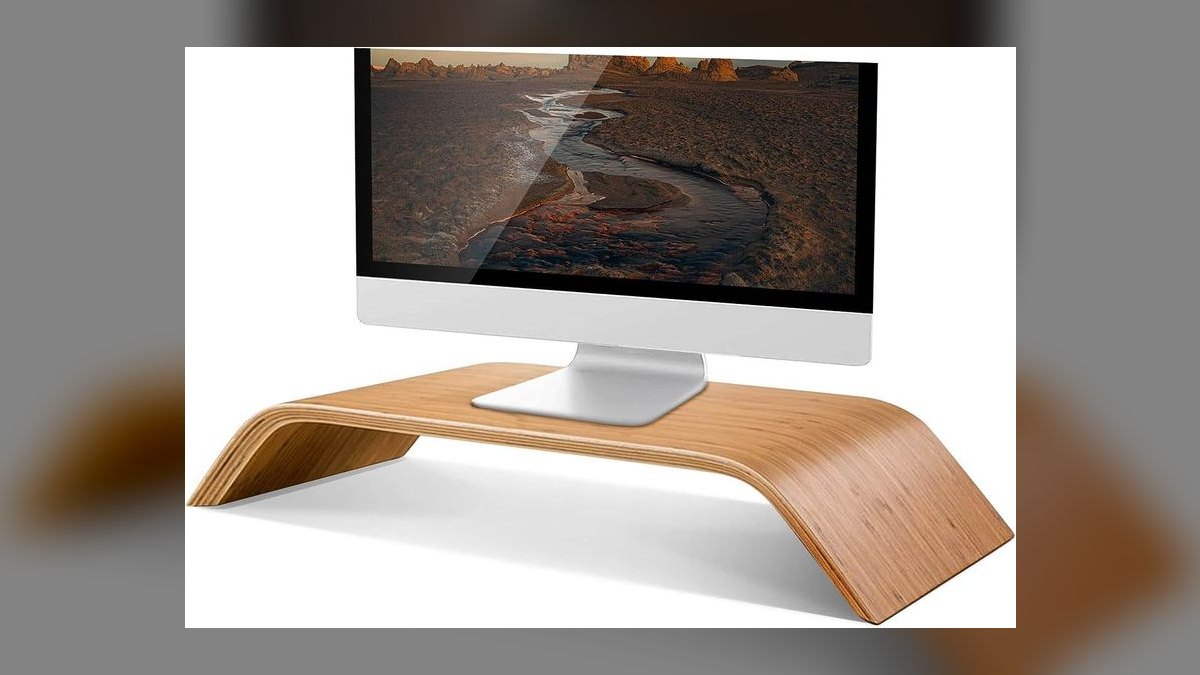
It ranks seventh because it delivers the warm wood look at roughly $40, a fraction of Grovemade's $120 to $200. The slot for a phone or tablet keeps your second screen visible during calls without taking up desk surface. For a rep who wants a stand that photographs well behind them but cannot justify a premium spend, this is the honest value position in the wood category.
This is for the rep building a presentable home office on a real budget. It trades away build quality: the construction sits a clear notch below the premium brands, and there is no USB hub or height adjustment. Compared with the FITUEYES below it, you are choosing appearance over storage volume, since SAMDI offers one slot rather than shelves and a drawer.
8FITUEYES Monitor Stand with Storage
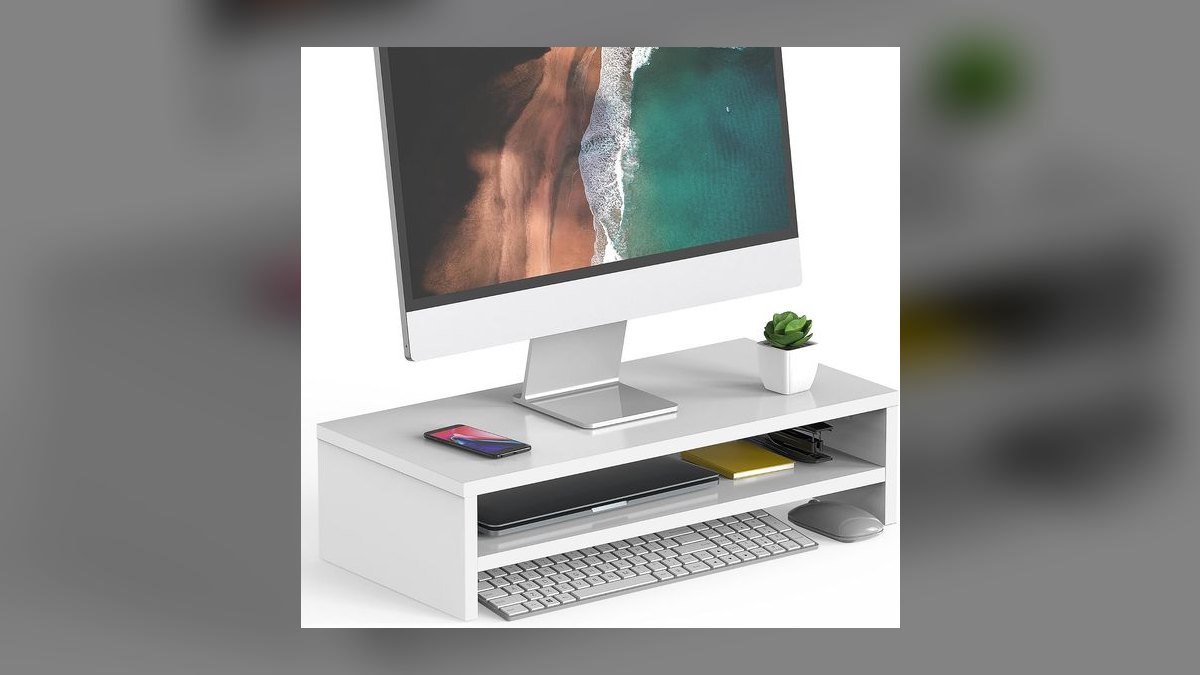
It ranks eighth because it carries the most storage per dollar here, with multiple shelves and a drawer for around $30. The tiered design pulls office supplies, notepads and chargers off the desk surface while still raising the screen. For a rep whose desk clutter is the actual problem and whose neck is the secondary one, the organization is what justifies the purchase.
This is for the paperwork-heavy desk where things accumulate faster than they get filed. It trades away refinement: the particle-board build feels utilitarian, and the bulkier footprint eats desk depth that a slim riser would not. The FENGE at the top of this list offers a drawer plus USB ports for more money, so pay up only if you need the connectivity too.
9ELOVEN Adjustable Monitor Riser
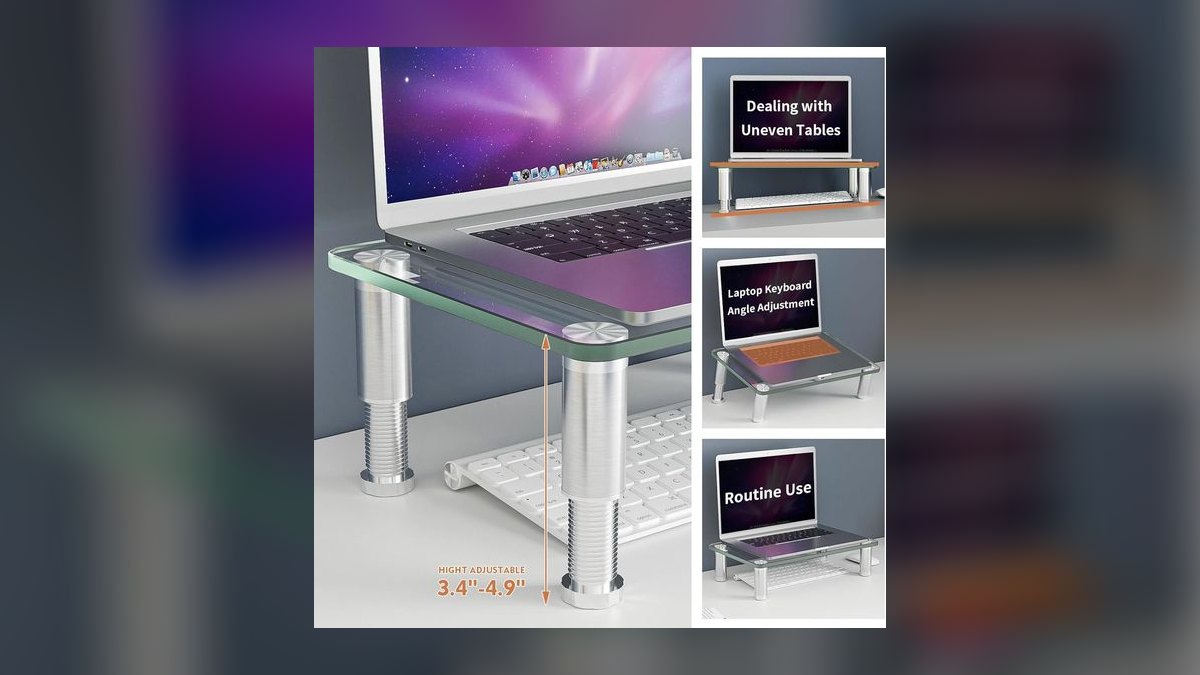
It ranks ninth because it is the one riser here with genuine height adjustment, using stackable legs to let you dial in the exact position for your chair and desk. Most risers add a fixed four to six inches, which either overshoots or undershoots your seated eye level. At roughly $35, being able to tune the lift matters if a standard shelf leaves your screen slightly wrong.
This is for reps who fall outside average seated height, or who share a desk with someone taller or shorter. It trades away elegance and materials: the stackable-leg system is fiddlier than a gas-lift column, and the build is plastic rather than metal or wood. If a standard riser already lands your screen at eye level, the VIVO does the same job for less.
10Heavy-Duty Hardwood Riser
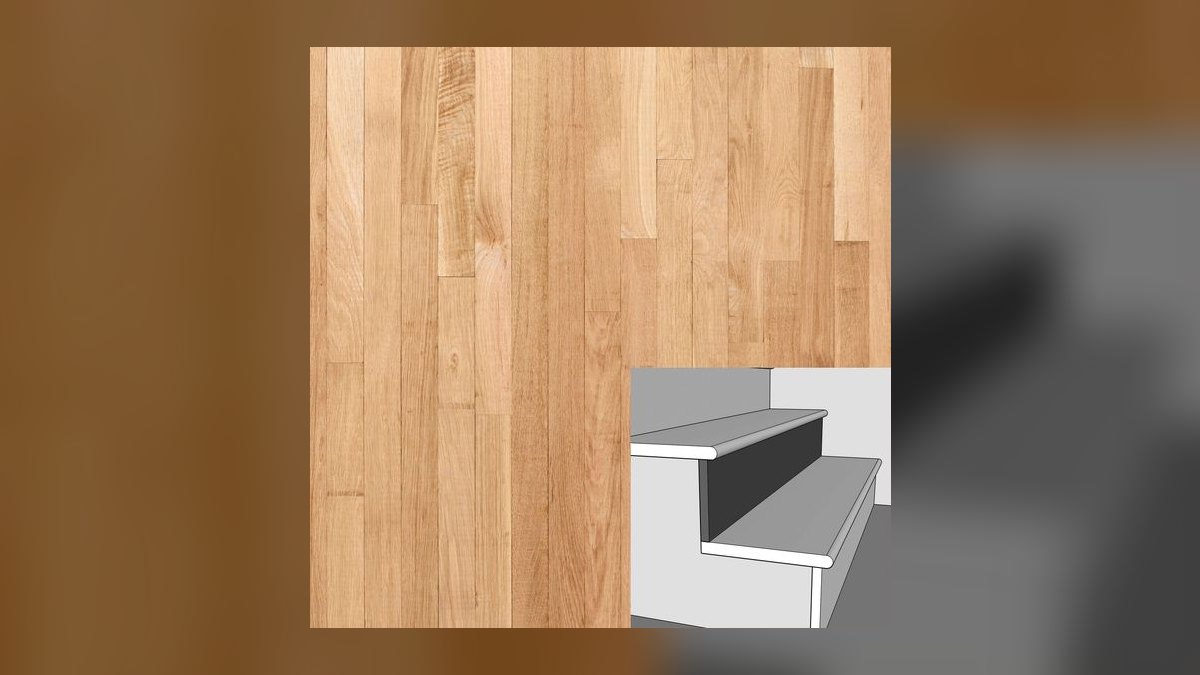
It ranks tenth because it is the durability play rather than the value or feature play, typically $100 and up for heavy metal or solid hardwood construction. Nothing about the lift is different from a $25 shelf, but the mass and materials mean it will not flex, wobble or wear out over years of daily use. That solidity is the entire argument for the price.
This is for someone furnishing a permanent home office as real furniture, not kitting out a temporary corner. It trades away features completely: no drawer, no USB hub, no adjustment, at four times the cost of the functional risers. Against the ELOVEN above it, you are buying longevity instead of fit, which is the wrong trade unless your setup is already dialed in.
How we ranked these
Each riser was scored first on usable lift: the measured gap between platform surface and desk, checked against a seated eye line for a 27-inch panel. Weighted next were load stability under that panel, platform depth and width against typical desk footprints, and whether a drawer or USB hub genuinely removed clutter. Price-per-inch of usable lift broke ties between near-identical picks.
Deliberately ignored: brand pedigree, packaging, and vague "posture correction" marketing, none of which change geometry. Articulating monitor arms were excluded as a separate product class with clamp and VESA requirements. Color options, warranty length, and Amazon star counts were also set aside, since ratings on a $25 shelf mostly reflect shipping damage rather than height fit.
What to look for
Measure before you shop. Sit upright, note where your eyes land, then measure the gap to the top of your current screen. Most risers add four to six inches; if your gap is two inches, a fixed six-inch riser overshoots and you tilt your head up instead of down. That is why the ELOVEN's stackable legs matter for unusual desk-and-chair combinations, and why width matters on dual setups like the HUANUO.
The common mistake is buying for the drawer instead of the height. Shoppers see the FENGE's USB hub and storage compartment and treat lift as a given, then end up with a tidy desk and the same neck angle. Function is a bonus on top of correct geometry, never a substitute. The second mistake is paying premium-wood money for on-camera looks when the riser sits behind you, mostly out of frame.
Related questions
Does a monitor riser fix neck strain on its own?
It fixes the downward head tilt, the largest single contributor for desk workers. It does not fix a chair that is too low, a keyboard forcing shoulder shrug, or leaning toward the screen. Treat the riser as the cheapest first correction, then check seat height and viewing distance, roughly an arm's length from the display.
Should I get a riser or a monitor arm instead?
An arm wins if you need depth adjustment, frequent repositioning, or reclaimed desk surface underneath. A riser wins on price, requires no VESA pattern or desk clamp, and works with laptops and all-in-ones that arms cannot mount. Renters and anyone with a glass or thin-edge desk usually land on a riser for that reason alone.
How high does the riser lift my webcam?
By whatever the platform height is, typically four to six inches for the models here. That moves an external webcam or laptop camera from a below-chin angle toward eye level, which flattens the shot and reads as more engaged on calls. Raising a laptop screen also lifts its keyboard out of comfortable reach.
Will a riser hold a 32-inch or ultrawide monitor?
Check two numbers: the stated load rating and the platform width against your monitor's base. Most budget risers rate for 40 to 60 pounds, well above a typical panel, but a wide base overhanging a narrow platform is the real failure mode. Ultrawides often need a dual-width platform even for one screen.
Is a USB hub built into a riser worth paying for?
It is worth roughly the ten to fifteen dollars it adds if your ports sit behind a tower or under a desk edge. Understand the limit: these are convenience-grade hubs for flash drives, headsets, and phone charging. They will not drive a second display, deliver laptop-class power, or replace a docking station.
Does a wood riser actually matter on video calls?
Less than most buyers assume. The riser sits directly behind your monitor, so the camera usually sees the wall or the room, not the stand. What does show is the general tidiness a drawer creates. On a side-angle setup where your desk is visible, material choice starts earning its price.
Can I stack books instead of buying a riser?
For a week, yes. Books work as a test to confirm the right height before you spend money. They fail long-term on stability, since paper compresses unevenly and stacks shift when you bump the desk. A $25 platform also gives you keyboard storage underneath, which hardcovers do not.
How do I set the right height for a dual-monitor setup?
Both panels need their top edges at the same line, or your neck rotates and tilts at once. That means a single wide platform or two identical risers, never one riser plus improvisation. Angle the outer screen inward slightly so both sit at a similar viewing distance.
FAQ
How many inches should a monitor riser add?
Most people need four to six inches, which is exactly what standard risers deliver. Measure the gap between your seated eye level and the top of your current screen to confirm. Taller users at standard-height desks sometimes need less lift, not more, because their eye line already sits above the panel.
What is the best monitor riser overall for 2027?
The FENGE Monitor Stand with Drawer and USB Hub, at roughly $40 to $60. It delivers eye-level lift, a pull-out drawer that clears desk clutter, and a USB hub positioned where you actually plug things in. For a rep juggling dongles between calls, that combination beats anything else near the price.
What is the cheapest riser that still works?
The VIVO Monitor Stand Riser at around $25, or the AmazonBasics mesh stand at a similar price. Both are sturdy fixed platforms that lift a screen and leave a slot for a keyboard underneath. Neither offers ports, drawers, or adjustment, but the ergonomic benefit matches stands costing four times as much.
Do monitor risers work with laptops?
Yes, provided the platform is deep enough to support the full laptop base. The catch is the keyboard: raising the laptop puts its keys at an awkward height, so plan on an external keyboard and mouse. That combination is the correct setup anyway for anyone working from a laptop more than an hour or two.
Are adjustable-height risers worth the extra cost?
They are if you share a desk, sit at a nonstandard chair height, or alternate between a laptop and a monitor. The ELOVEN uses stackable legs, which is less refined than a gas lift but adds about ten dollars over a fixed model. If a fixed riser lands your eye line correctly, adjustment buys nothing.
How much should I spend on a monitor riser?
Twenty-five to forty dollars covers the vast majority of buyers. Simple platforms start near $25, drawer-and-hub models run $40 to $70, and premium hardwood stands reach $120 to $200. The ergonomic payoff is fully captured at the bottom of that range; everything above it buys storage, ports, or appearance.
Will a riser damage or scratch my desk?
Quality risers have rubber or felt feet that protect the surface, but check before buying, since some budget metal models ship with bare feet. If yours does, a few dollars of adhesive felt pads solves it. The bigger risk is concentrated weight on a thin glass desk, so verify your desk's load rating.
Can I put a printer or other equipment on a monitor riser?
Only if you check the load rating first. Most risers handle 40 to 60 pounds, which covers a small printer, but the platform depth is usually sized for a monitor base and leaves equipment overhanging. Printers also vibrate during a job, which you do not want transmitted to a screen.
Should the riser go under my monitor or my whole setup?
Under the monitor only. The point is raising the display relative to your eyes while your keyboard stays at elbow height; lifting both together preserves the same bad geometry. This is also why the storage slot underneath most risers exists: it holds the keyboard when you step away, not while you type.
Does the storage drawer actually fit anything useful?
Drawers on models like the FENGE and FITUEYES are shallow, roughly an inch and a half, so they hold pens, notepads, cables, and a phone. They will not hold a laptop, a binder, or anything with real thickness. Judge them as a desktop clutter sink rather than genuine storage capacity.
Sources
- https://www.osha.gov/etools/computer-workstations/components/monitors
- https://www.cdc.gov/niosh/ergonomics/about/index.html
- https://www.mayoclinic.org/healthy-lifestyle/adult-health/in-depth/office-ergonomics/art-20046169
- https://www.health.harvard.edu/pain/tips-to-reduce-neck-strain-from-computer-use
- https://www.wired.com/gallery/best-monitor-stands/
- https://www.nytimes.com/wirecutter/reviews/best-monitor-arms/
- https://www.cnet.com/tech/computing/best-monitor-stand/
- https://ergo.human.cornell.edu/ergoguide.html
Related on PULSE
This page will be disappearing soon. Save it to your device for $1 — or read it free while it is here.
@Kory-White- · if Venmo asks, the last 4 of my number are 2012
This page is gone.
This one is off the shelf now. $1 keeps it on your phone for good — the whole page, pictures and diagrams included.
 pulse-reviewsTop 10 Laser Levels — Best Overall + Best Value in 2027
 pulse-reviewsTop 10 Fitness Trackers (No Smartwatch) — Best Overall + Best Value in 2027
 pulse-reviewsTop 10 Hoverboards — Best Overall + Best Value in 2027
 pulse-reviewsTop 10 Electric Crepe Makers — Best Overall + Best Value in 2027
 pulse-reviewsTop 10 Popcorn Machines — Best Overall + Best Value in 2027
 pulse-reviewsWhat should you know before investing in Electronics in 2027?
 pulse-reviewsTop 10 Ethernet Adapters for MacBook — Best Overall + Best Value in 2027
 pulse-reviewsTop 10 Countertop Dishwashers — Best Overall + Best Value in 2027
 pulse-reviewsTop 10 Heated Towel Racks — Best Overall + Best Value in 2027
 pulse-reviewsTop 10 Random Orbital Sanders — Best Overall + Best Value in 2027