


Top 10 UPS battery backups for the sales home office in 2027
Quality
Certified
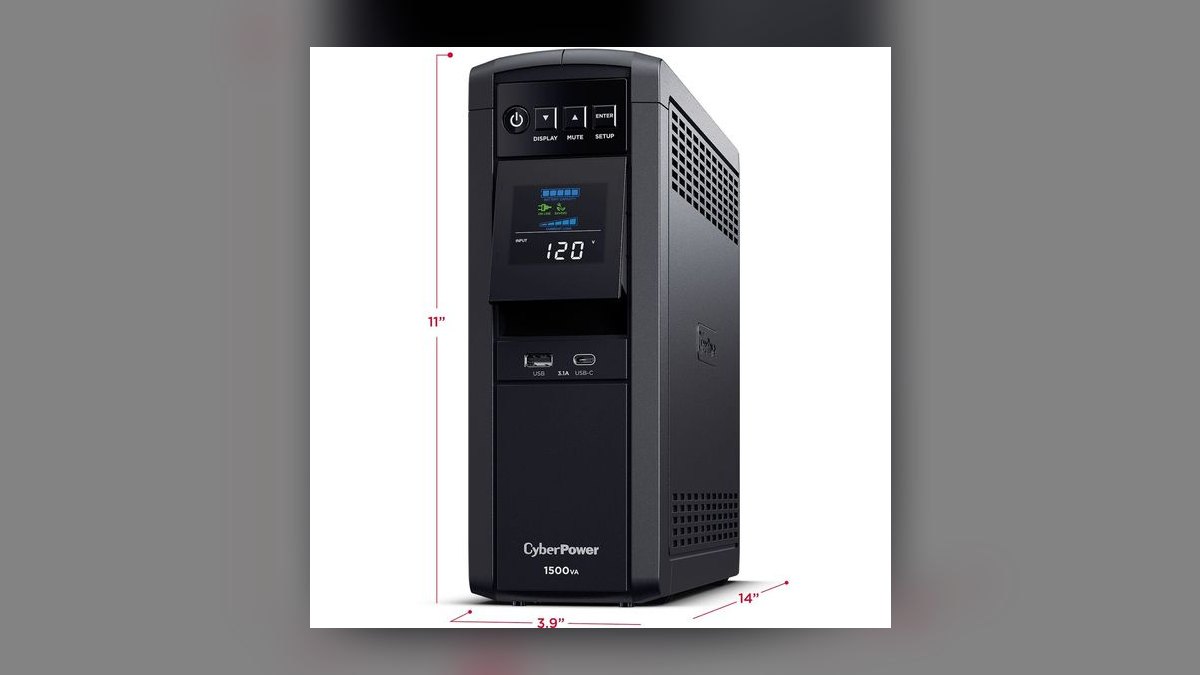
The 10 best ups battery backups for the sales home office are ranked below on measured performance, build quality, price, and how each one actually holds up in daily use rather than how it reads on a spec sheet. Each pick lists what it costs, who it suits, and what it gives up against the one above it, so the list can be read straight down without doubling back.
1CyberPower CP1500PFCLCD
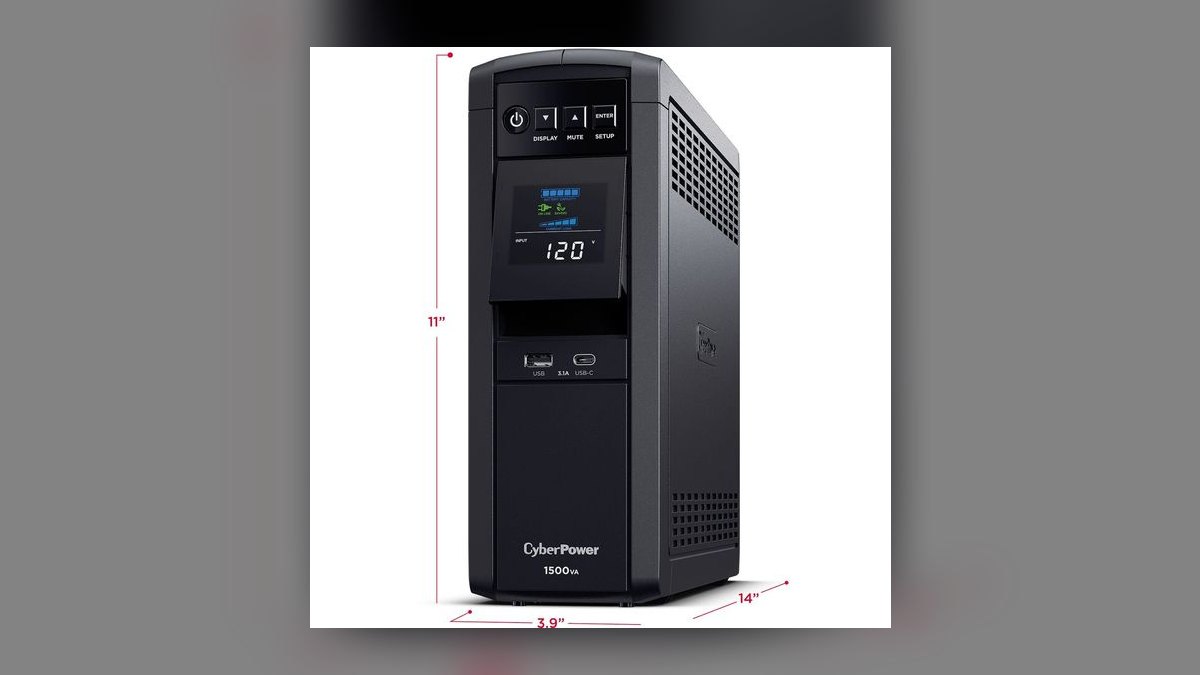
It ranks first because it pairs true pure sine wave output with the most usable headroom on this list: 1500VA / 1000W for roughly $220. Active-PFC desktop power supplies stay stable through minor sags instead of kicking to battery. Twelve outlets split six battery+surge and six surge-only, AVR corrects brownouts without draining the battery, and PowerPanel software triggers a graceful USB auto-shutdown when runtime drops.
This is for a full desktop-plus-monitors office — tower, dual displays, dock, modem, and router on one protected unit. It trades away portability: it is heavier than a basic standby UPS, and the sealed batteries need replacing every three to five years. Against the APC Back-UPS Pro BR1500MS2 below it, the CyberPower gives up the front USB-C charging port but adds 100W of ceiling for about $10 less.
2APC Back-UPS Pro BR1500MS2
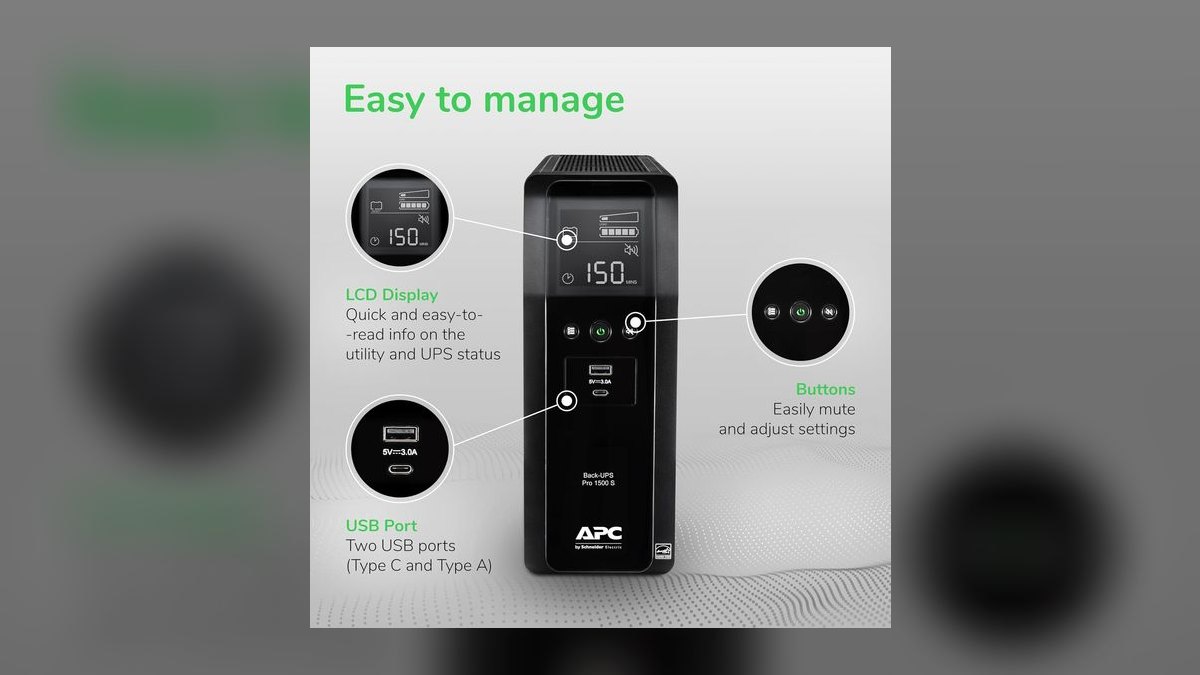
Second place goes to the closest competitor to the top pick: 1500VA / 900W with sine wave output, ten outlets, and AVR for about $230. What separates it is the built-in USB-A and USB-C charging ports on the front panel, so the unit doubles as a phone and earbuds charger at a sales desk. PowerChute software handles clean auto-shutdown over USB when battery runtime runs low.
Buy this if you already run APC gear or if desk-side device charging matters more than raw ceiling. The trade is 900W versus the CyberPower CP1500PFCLCD's 1000W, for $10 more — meaningful only if you stack a power desktop plus a NAS. APC's firmware support and build reputation are the counterweight, and PowerChute is the more mature of the two shutdown utilities.
3CyberPower CP1350PFCLCD
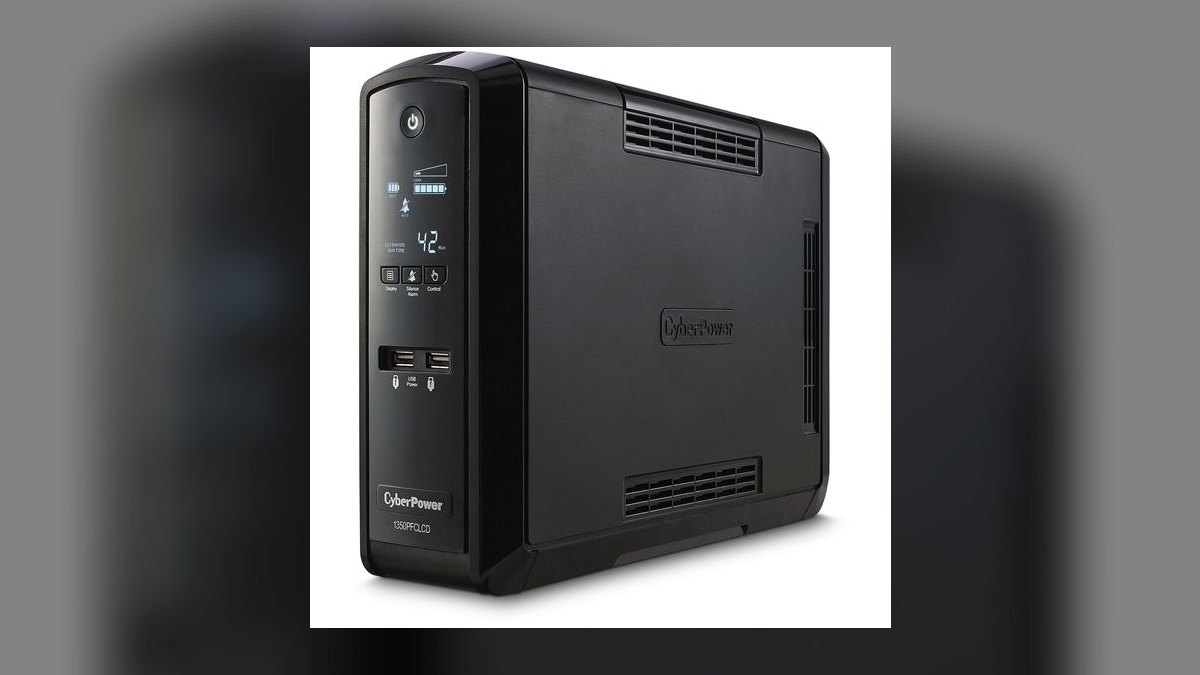
Third because it keeps every protection feature of the flagship while shedding capacity you may not need: 1350VA / 880W of pure sine wave, PFC-compatible, at roughly $190. Ten outlets, AVR, the same multifunction LCD, and the identical PowerPanel auto-shutdown ecosystem come along unchanged. The smaller chassis fits under a desk more easily than the 1500VA units above it.
The right buyer runs a single mid-range desktop or a strong laptop dock with two monitors and no plans to expand. What you give up is headroom — add a second machine or a NAS later and 880W gets tight, where the CP1500PFCLCD's 1000W would absorb it. Against the CP1000PFCLCD below, it costs $40 more and buys 280 additional watts.
4CyberPower CP1000PFCLCD
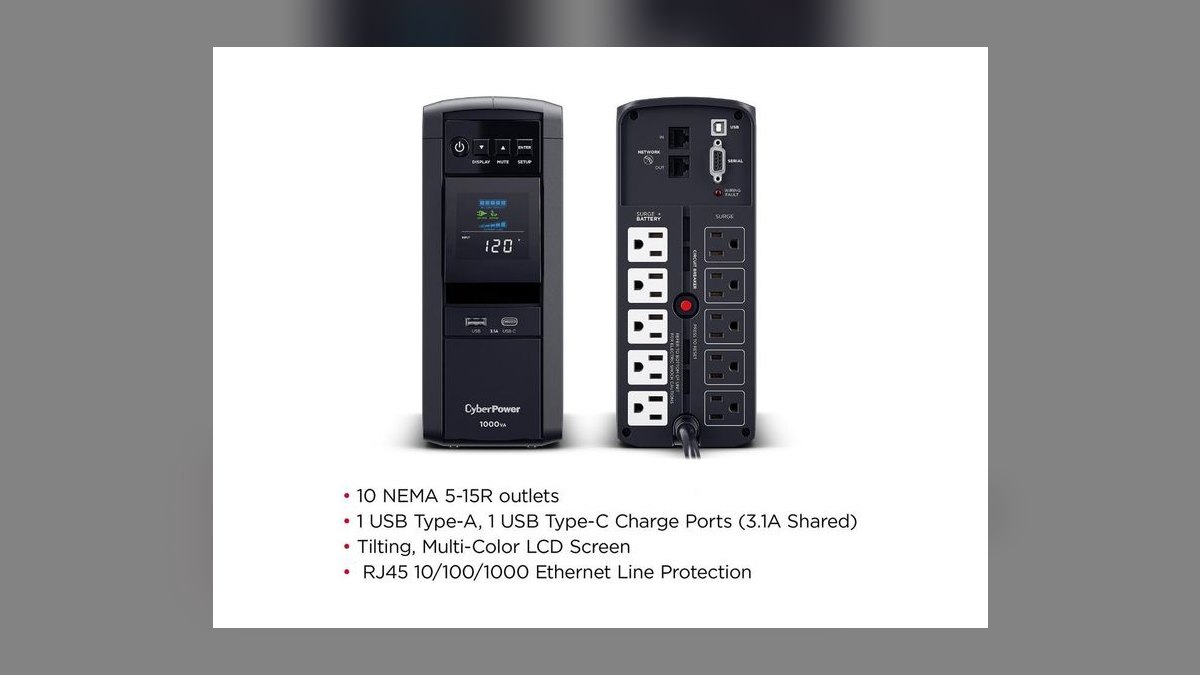
Fourth is the value standout: true pure sine wave protection at 1000VA / 600W for around $150, the cheapest unit here that does not compromise on waveform. That covers a laptop dock, one or two monitors, a router, and a modem — the load most remote AEs actually run. PFC compatibility, AVR, and PowerPanel USB auto-shutdown all carry over from the more expensive PFC-series models.
This is the pick for a single-workstation desk on a budget, and it is quiet and compact enough to sit on the floor unnoticed. The hard limit is 600W: a power desktop or gaming PC will overrun it. Compared with the $160 simulated-sine budget units below, it costs the same or less and protects an active-PFC computer they cannot.
5APC Back-UPS BX1500M
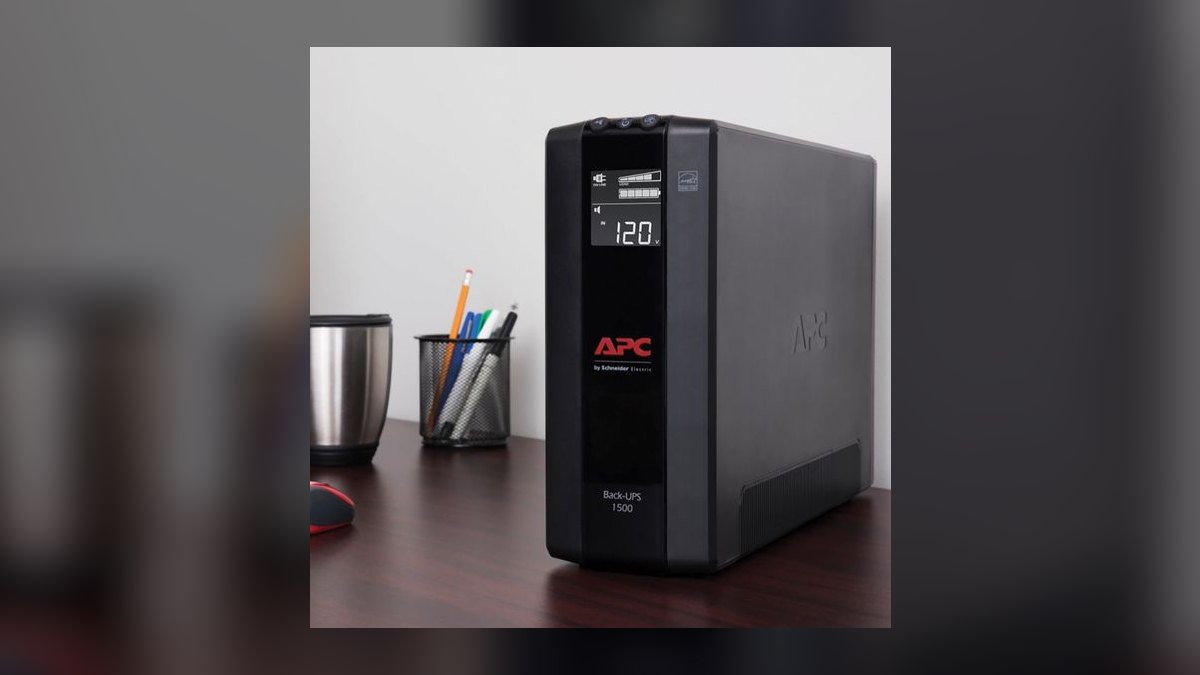
Fifth on capacity-per-dollar: 1500VA / 900W, ten outlets, AVR, and an LCD for about $160. That is the most watts per dollar on this list. The reason it sits below the pure-sine picks is waveform — the BX1500M outputs simulated stepped sine, not pure sine, so an active-PFC desktop supply may click over to battery on minor voltage sags.
It fits a laptop, monitors, dock, and networking gear, all of which tolerate stepped sine without complaint. What it trades is desktop compatibility, and you must know your load before buying. Against the CyberPower CP1000PFCLCD directly above, the BX gives you 300 more usable watts for $10 more but drops the waveform quality that makes the CyberPower safe for a tower PC.
6Eaton 5S1500LCD
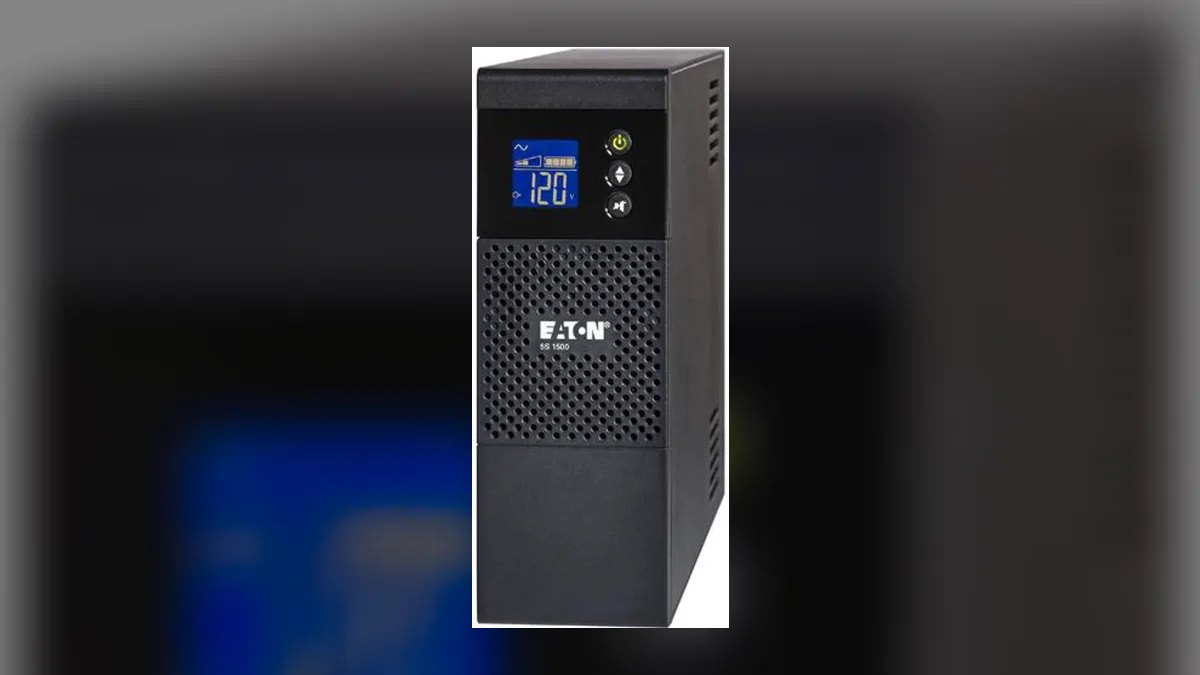
Sixth for build pedigree rather than spec-sheet advantage: 1500VA / 900W, line-interactive with AVR, an informative LCD, and Eaton's Intelligent Power Manager software for monitoring and shutdown, at roughly $250. Eaton is a serious data-center power name, and chassis quality plus battery serviceability sit a clear step above the budget tier. Support reputation is strong for long-term ownership.
This suits buyers who plan to keep one unit through several battery swaps and want a vendor that treats power protection as its core business. The trade is price: equivalent-capacity CyberPower units cost $60 to $100 less for similar watts. Against the Tripp Lite SMART1500LCDT below it, the Eaton is cheaper but less rugged for network-closet duty.
7Tripp Lite SMART1500LCDT
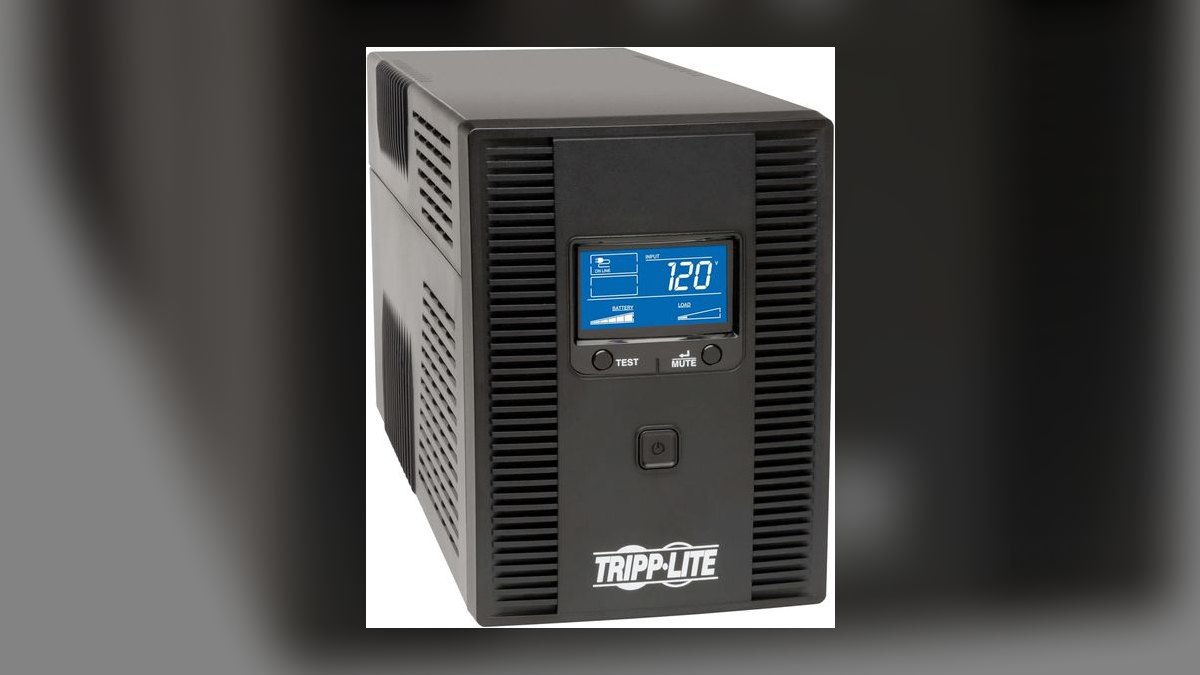
Seventh because its strength is durability, not capacity: 1500VA / 900W line-interactive, with AVR, an LCD, USB monitoring, and a metal chassis built for small-business and network-closet duty, at around $280. Tripp Lite is now an Eaton brand, and the warranty support behind it is strong. The construction is tougher than any mainstream consumer tower here.
The fit is a home office that doubles as a mini rack — router, switch, NAS, and PoE gear on one protected feed. It trades money and weight for that toughness, running $30 above the Eaton 5S1500LCD at identical 900W. If your gear lives on a desk rather than a shelf, the Eaton or CyberPower picks deliver the same watts for less.
8APC Smart-UPS SMC1500C
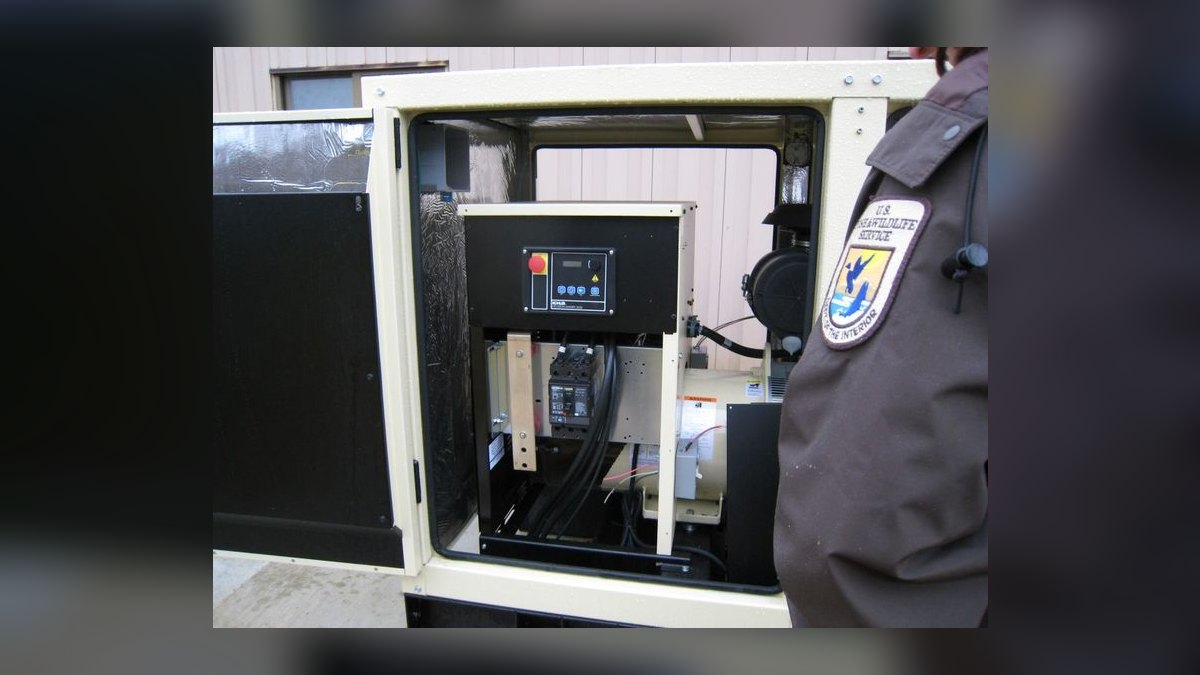
Eighth on value despite being the most capable unit listed: 1500VA / 900W of pure sine wave with server-grade AVR, smart monitoring, and a hot-swappable battery, at roughly $520. The management layer is what you pay for — PowerChute Business Edition, tighter voltage regulation, and serviceability APC engineered for server rooms rather than desks. Nothing else here matches its long-term reliability profile.
It earns its place for a CRO or RevOps lead running a workstation, multiple displays, a NAS, and networking on one circuit that must never blink. The trade is stark: $520 is more than double the CyberPower CP1500PFCLCD for 100W less ceiling. For a single laptop or a lone desktop, it is straightforward overkill.
9Amazon Basics 1500VA UPS
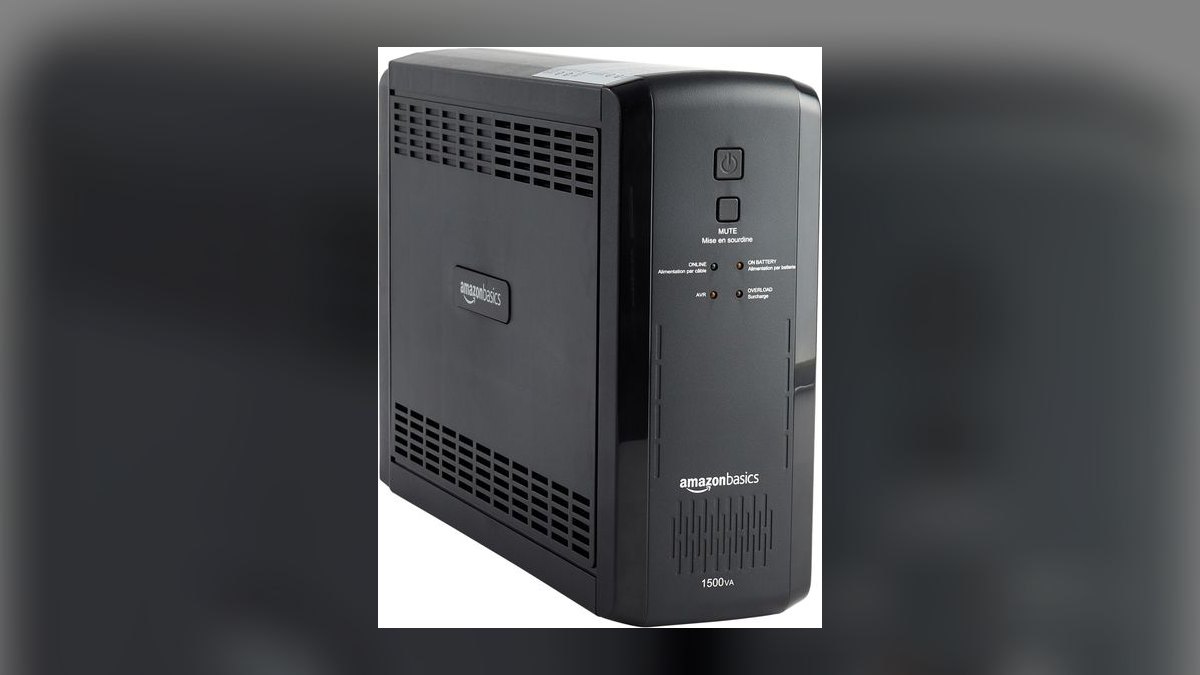
Ninth as the no-frills entry: 1500VA / 900W, ten outlets, AVR, and an LCD at about $160. The capacity number matches units costing far more, but the output is simulated sine wave, and the monitoring software and support depth trail both APC and CyberPower noticeably. It handles ride-through and surge duty without pretending to be more.
This is for brand-agnostic buyers protecting a secondary desk or a laptop-and-monitor setup where cheap, adequate coverage beats a premium feature set. It trades away software polish and warranty confidence. Against the APC Back-UPS BX1500M at the same $160 and the same 900W, the APC wins on PowerChute support and build; pick the Amazon unit on availability alone.
10CyberPower EC850LCD
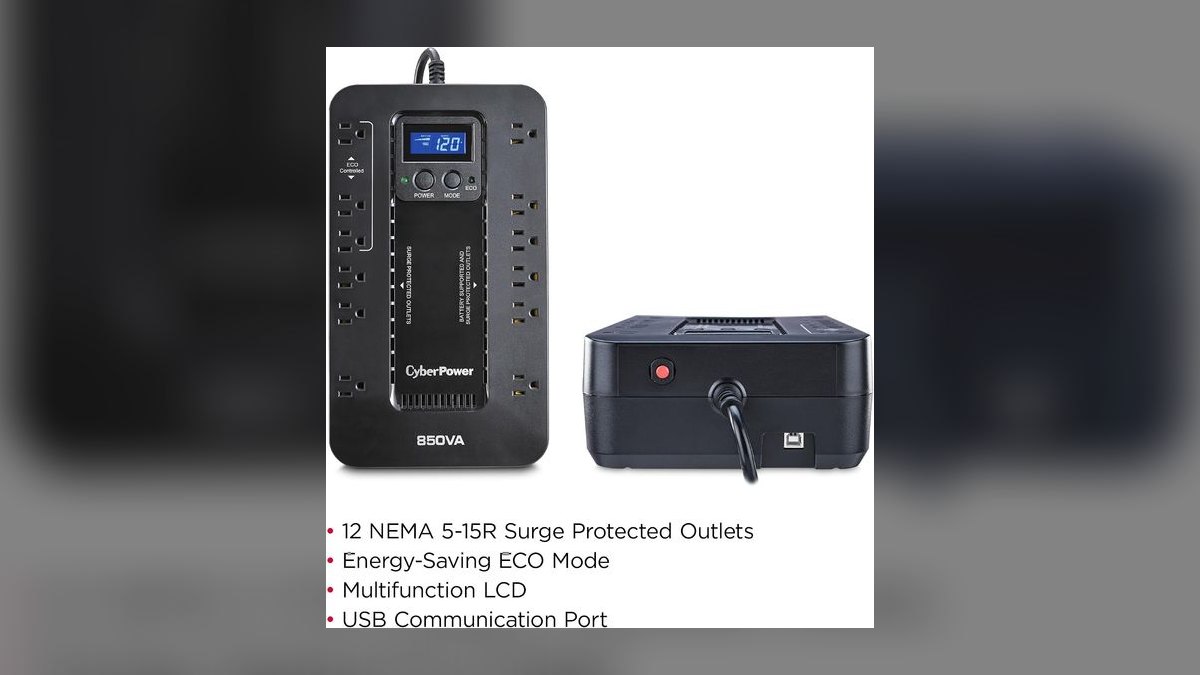
Tenth because it is the smallest unit worth owning: 850VA / 510W with twelve outlets, AVR, and an LCD for around $110. That is the lowest price for a brand-name UPS here, and PowerPanel software is still included for USB auto-shutdown. Output is simulated sine, so the safe load list is laptops, monitors, and networking gear only.
The use case is a secondary station — an SDR's spare call desk, a partner's workspace, or a travel base that still deserves blip protection. It trades away roughly 400 watts against the $150 CyberPower CP1000PFCLCD, plus that unit's pure sine wave. If a desktop tower ever plugs into this desk, buy the CP1000PFCLCD instead.
How we ranked these
Ranking weighted waveform quality at 30% — pure sine versus simulated stepped sine — because active-PFC desktop power supplies stutter on cheap inversion. Capacity and runtime took 20%, scored against watts rather than headline VA. Build quality and battery replaceability took 15%, monitoring and USB auto-shutdown another 15%, outlet count and battery-versus-surge split 10%, and price 10%. Inputs came from Wirecutter, PCMag, Tom's Hardware, ServeTheHome, Consumer Reports, and CyberPower, APC, and Eaton spec sheets.
Deliberately ignored: headline VA numbers used as hero marketing, since watts set the real ceiling. Outlet counts above ten, because a desk uses roughly six. Portable power stations from EcoFlow and Bluetti were excluded outright — most lack true always-on instant transfer for a desktop, so they solve outages, not blips. Rackmount and network-management-card models were pushed to an honorable mention rather than ranked against consumer towers.
What to look for
Two specs decide this purchase. First, does your desk run an active-PFC desktop power supply? If yes, buy pure sine — the CyberPower PFC series or an APC Smart-UPS — because simulated sine makes those supplies click to battery on ordinary sags. Second, size to watts. A 900W unit backing a 250W desk yields roughly ten to twenty-five minutes, which is ride-through and clean shutdown time, not a workday.
The common mistake is buying capacity instead of protection: a 1500VA simulated-sine unit at $160 looks like more UPS than a 1000VA pure-sine unit at $150, and for an active-PFC desktop it is strictly worse. The second mistake is the outlet split — plugging a laser printer into a battery outlet, where its startup draw can overload the unit. Printers belong on surge-only.
Related questions
What does active PFC actually do to a UPS?
Active power factor correction shapes the current a PC supply draws to match the incoming voltage waveform. A simulated-sine UPS outputs blocky steps instead of a smooth curve, and the PFC circuit reads that as an unstable feed. The supply may click, buzz, or drop to battery during minor sags. Pure sine output removes the mismatch entirely.
Why is AVR worth paying for?
Automatic voltage regulation corrects brownouts and overvoltage by adjusting the transformer tap, without touching the battery. Without AVR, every sag forces a battery transfer, and sealed lead-acid cells have a finite cycle count. In an area with unstable grid voltage, AVR is the difference between a battery lasting five years and one lasting eighteen months.
How many minutes of runtime should I expect?
Runtime scales inversely and non-linearly with load. A 900W unit backing a 250W desk gives roughly ten to twenty-five minutes. Load it to 800W and you may see three or four. UPS runtime is designed for ride-through and graceful shutdown, not for working through a blackout — that is a portable power station's job.
Which outlets should the computer go into?
Most units split outlets between battery-plus-surge and surge-only. The CP1500PFCLCD, for example, gives six of each. Put the computer, modem, and router on battery outlets so your internet survives an outage alongside the machine. Monitors can go either way. Laser printers and desk lamps belong on surge-only, since printer startup draw can trip the unit.
Is a laptop-only desk worth protecting?
Yes, but for a different reason. The laptop has a battery; the monitor, dock, modem, and router do not. When power blips, the internet drops and a live demo dies even though the laptop stayed on. An 850VA unit like the EC850LCD at $110 covers the peripherals, and simulated sine is fine for that load.
What does the monitoring software actually accomplish?
PowerPanel from CyberPower and PowerChute from APC connect over USB and watch remaining runtime. When it drops below a threshold, the software triggers a clean operating-system shutdown — buffers flushed, files closed. That matters most when power fails while you are away from the desk. Without it, the UPS simply runs out and the machine drops hard.
When does a $520 Smart-UPS make sense?
When the desk is really a small server room. The SMC1500C earns its price if you run a workstation, multiple displays, a NAS, and networking gear on one protected circuit, and you want hot-swappable batteries plus PowerChute Business Edition management. For a single laptop dock it is roughly three times the unit anyone needs.
Should I consider a rackmount unit instead?
Only if the home office has already become a wall-mounted or closet rack. The APC Smart-UPS SMT1500 and Eaton or Tripp Lite 1U–2U rackmounts offer pure sine, network management card slots, and hot-swap batteries, and they outlast consumer towers. They also cost more and run noticeably louder, which matters when the rack shares a room with your calls.
FAQ
What is the best overall UPS for a sales home office in 2027?
The CyberPower CP1500PFCLCD at $220. It delivers 1500VA / 1000W of true pure sine wave power, twelve outlets split six battery-plus-surge and six surge-only, AVR brownout correction, PowerPanel auto-shutdown over USB, and a multifunction LCD showing load, runtime, and voltage. It handles a desktop, dual monitors, a dock, and networking with headroom.
What is the best value pick?
The CyberPower CP1000PFCLCD at roughly $150. It is the cheapest unit here that does not compromise on waveform: true pure sine at 1000VA / 600W, PFC-compatible, with PowerPanel auto-shutdown included. That covers a laptop dock, one or two monitors, a router, and a modem — the load most remote AEs actually run. The 600W ceiling rules out gaming desktops.
Pure sine wave or simulated sine — does it matter?
It matters for desktops with active-PFC power supplies, which can stutter or drop to battery on simulated sine. Buy pure sine for a desktop: the CyberPower PFC series or an APC Smart-UPS. Laptops, monitors, and networking gear run fine on simulated sine, which is why the APC BX1500M and Amazon Basics units remain reasonable budget buys.
How is a UPS different from a surge protector?
A surge protector only clamps voltage spikes traveling down the line. A UPS adds a battery that keeps devices powered through an actual outage, and line-interactive models add AVR to correct brownouts. For a home office, the UPS is the one that prevents lost work — a surge strip does nothing when the power simply stops.
How often do UPS batteries need replacing?
Every three to five years for most sealed lead-acid UPS batteries, sooner in areas with frequent outages that cycle the cells harder. Buy a unit with user-replaceable batteries so you refresh a $40 cartridge instead of the whole device. PowerPanel and PowerChute usually flag declining capacity before the battery fails outright.
Should I size by VA or by watts?
Watts. VA is the headline number manufacturers lead with, but the watt rating is the real ceiling — note that the 1500VA CP1500PFCLCD is rated 1000W while the 1500VA BX1500M is rated 900W. Add up your actual draw, then buy roughly three to four times that for useful ride-through and shutdown time.
Can one UPS cover my entire home office?
A 1500VA / 900–1000W unit comfortably covers a desktop, two monitors, a dock, a modem, and a router. Keep laser printers off the UPS entirely — their startup draw is large enough to overload the unit or trip an overload alarm mid-outage. Put the printer on a surge-only outlet or a separate surge strip.
Which UPS has USB charging ports?
The APC Back-UPS Pro BR1500MS2 at $230 builds USB-A and USB-C charging ports into the front panel, so it doubles as a phone and earbuds charger at the desk. It supplies 1500VA / 900W with sine wave output, ten outlets, AVR, and PowerChute software. Its only shortfall against the CyberPower is the 900W ceiling.
What is the right pick for a home network closet?
The Tripp Lite by Eaton SMART1500LCDT at $280. It is a 1500VA / 900W line-interactive unit with a metal chassis built for small-business and network-closet duty, plus AVR, an LCD, and USB monitoring. If your office also runs a router, switch, NAS, and PoE gear, its ruggedness justifies the premium over mainstream towers.
Are portable power stations a substitute for a UPS?
No, they are a different category. EcoFlow and Bluetti units are excellent for extended outages and travel, offering far more stored energy than any desk UPS. But most are not true always-on units with the instant transfer time a desktop needs — the gap during switchover is long enough to reboot the machine and lose unsaved work.
Sources
- https://www.nytimes.com/wirecutter/reviews/best-uninterruptible-power-supply-ups/
- https://www.pcmag.com/picks/the-best-ups-battery-backups
- https://www.tomshardware.com/best-picks/best-ups
- https://www.servethehome.com/category/power/
- https://www.consumerreports.org/home-garden/surge-protectors/
- https://www.cyberpowersystems.com/product/ups/pfc-sinewave/cp1500pfclcd/
- https://www.cyberpowersystems.com/product/ups/pfc-sinewave/cp1000pfclcd/
- https://www.apc.com/us/en/product/BR1500MS2/
- https://www.eaton.com/us/en-us/catalog/backup-power-ups-surge-it-power-distribution/eaton-5s-ups.html
- https://tripplite.eaton.com/support/SMART1500LCD
Related on PULSE
This page will be disappearing soon. Save it to your device for $1 — or read it free while it is here.
@Kory-White- · if Venmo asks, the last 4 of my number are 2012
This page is gone.
This one is off the shelf now. $1 keeps it on your phone for good — the whole page, pictures and diagrams included.
 pulse-reviewsTop 10 Phone Battery Cases — Best Overall + Best Value in 2027
 pulse-reviewsTop 10 Kegerators — Best Overall + Best Value in 2027
 pulse-reviewsTop 10 Random Orbital Sanders — Best Overall + Best Value in 2027
 pulse-reviewsTop 10 Woodworking Routers — Best Overall + Best Value in 2027
 pulse-reviewsTop 10 Laptop Stands for Field Sales Travel in 2027
 pulse-reviewsTop 10 Lap Desks for Remote AE Couch Work in 2027
 pulse-reviewsTop 10 Drones — Best Overall + Best Value in 2027
 pulse-reviewsTop 10 Treadmills — Best Overall + Best Value in 2027
 pulse-reviewsTop 10 Sunrise Alarm Clocks — Best Overall + Best Value in 2027
 pulse-reviewsTop 10 Open-Ear Earbuds — Best Overall + Best Value in 2027