


Top 10 Graphics Cards — Best Overall + Best Value in 2027
Quality
Certified
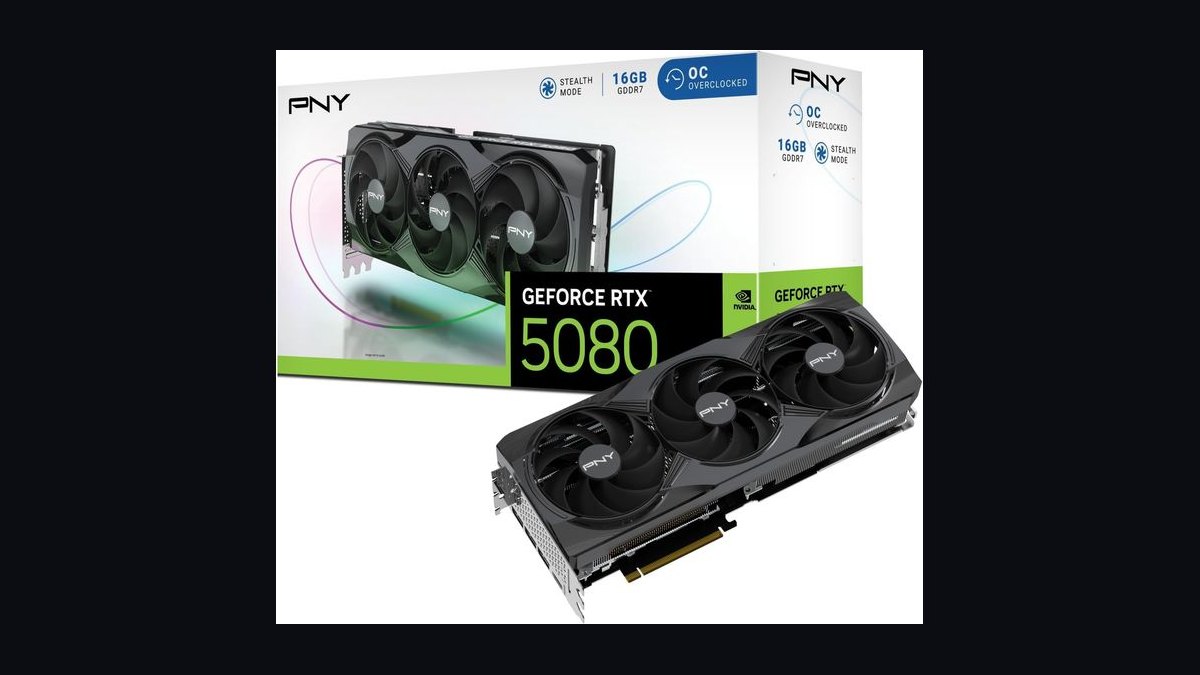
The 10 best graphics cards are ranked below on measured performance, build quality, price, and how each one actually holds up in daily use rather than how it reads on a spec sheet. Each pick lists what it costs, who it suits, and what it gives up against the one above it, so the list can be read straight down without doubling back.
1NVIDIA GeForce RTX 5080
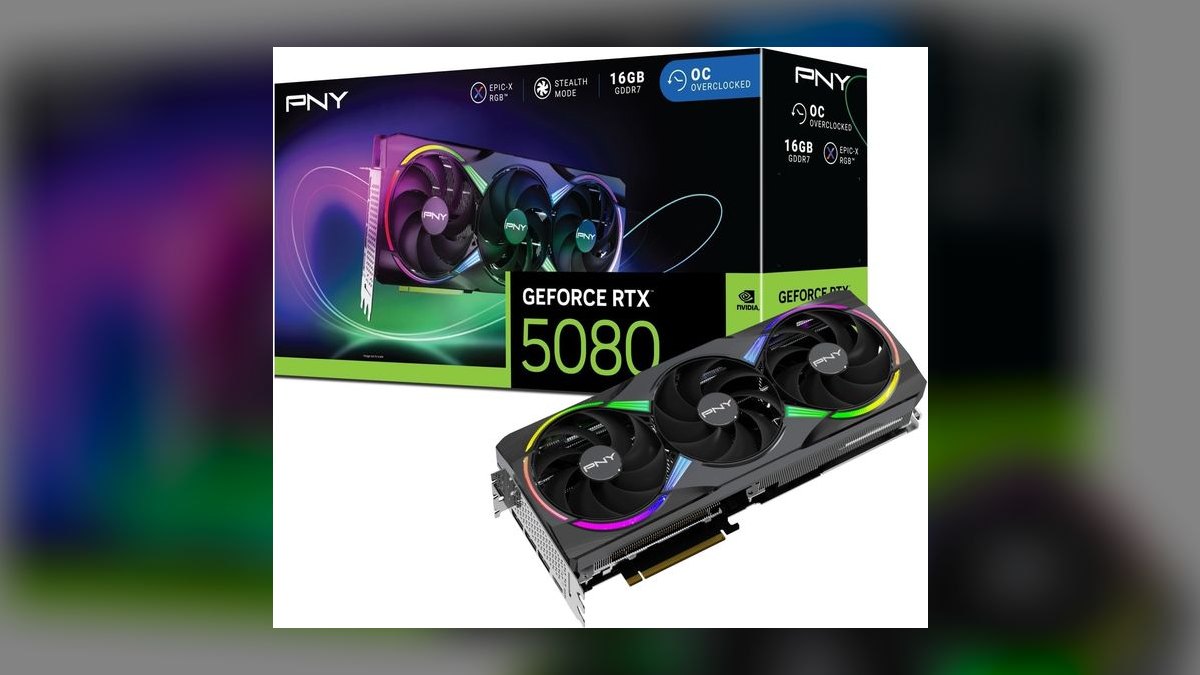
The RTX 5080 wins the best overall slot because it delivers near-flagship 4K performance at $999, roughly half the price of the RTX 5090. Built on Blackwell with 16GB of GDDR7, it runs about twice as fast as the RTX 4080 SUPER in DLSS 4 titles thanks to Multi Frame Generation. Gamers Nexus and Tom's Hardware both clock it as a comfortable 4K-120 card in most modern engines.
This card is for enthusiasts who want top-tier 4K gaming and ray tracing without paying halo-product money. It trades away the 5090's 32GB VRAM and extreme 4K-240 headroom, which matters only for 8K, professional rendering, or large local AI models. Compared to the RTX 5090, it offers far better value per frame and a much more reasonable power appetite.
2NVIDIA GeForce RTX 5090
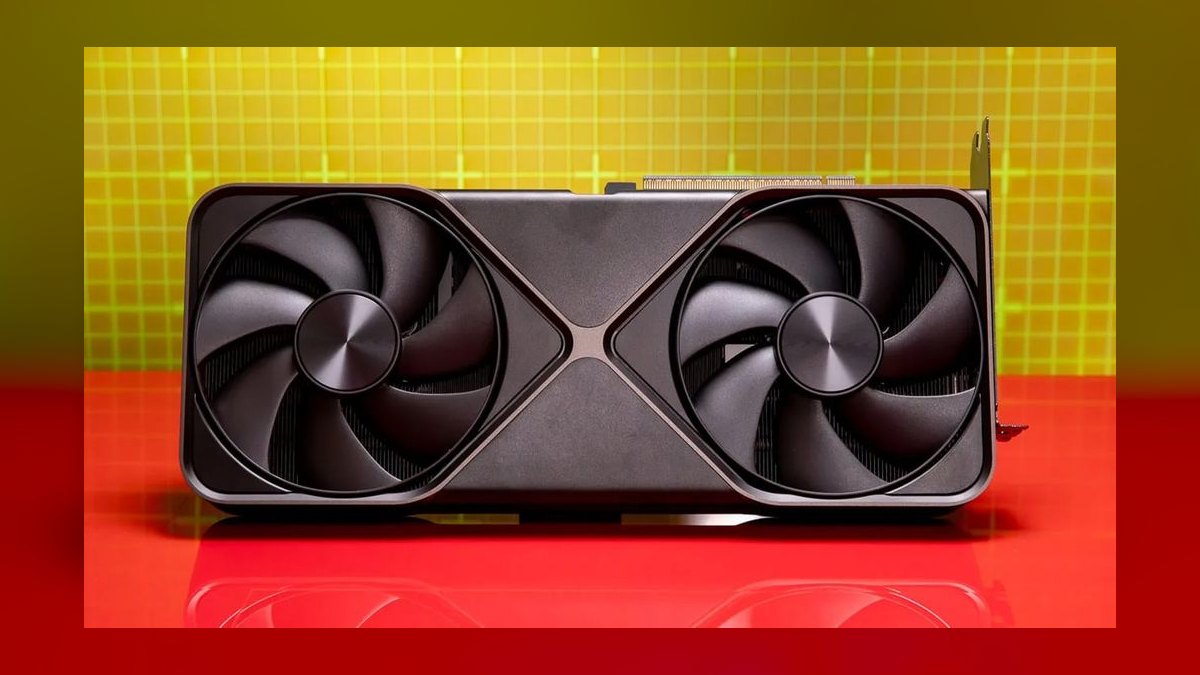
The RTX 5090 ranks second because it is the most powerful consumer GPU you can buy, with 32GB of GDDR7 and 21,760 CUDA cores. It is the only card here that brushes against 4K-240 in demanding titles and chews through local AI models and 3D rendering. Gamers Nexus measured chart-topping frame rates across the board, but the value curve is steep versus the 5080.
This card is for no-compromise 4K and 8K gamers plus heavy AI and rendering workloads where 32GB VRAM is essential. It trades away reasonable power draw and sensible pricing, demanding a 1000W-plus PSU and serious cooling. Compared to the RTX 5080, it costs twice as much for roughly 20-30% more raster performance, making it poor value purely for gaming. Buy it only if money is no object or your workload truly needs 32GB.
3NVIDIA GeForce RTX 5070 Ti
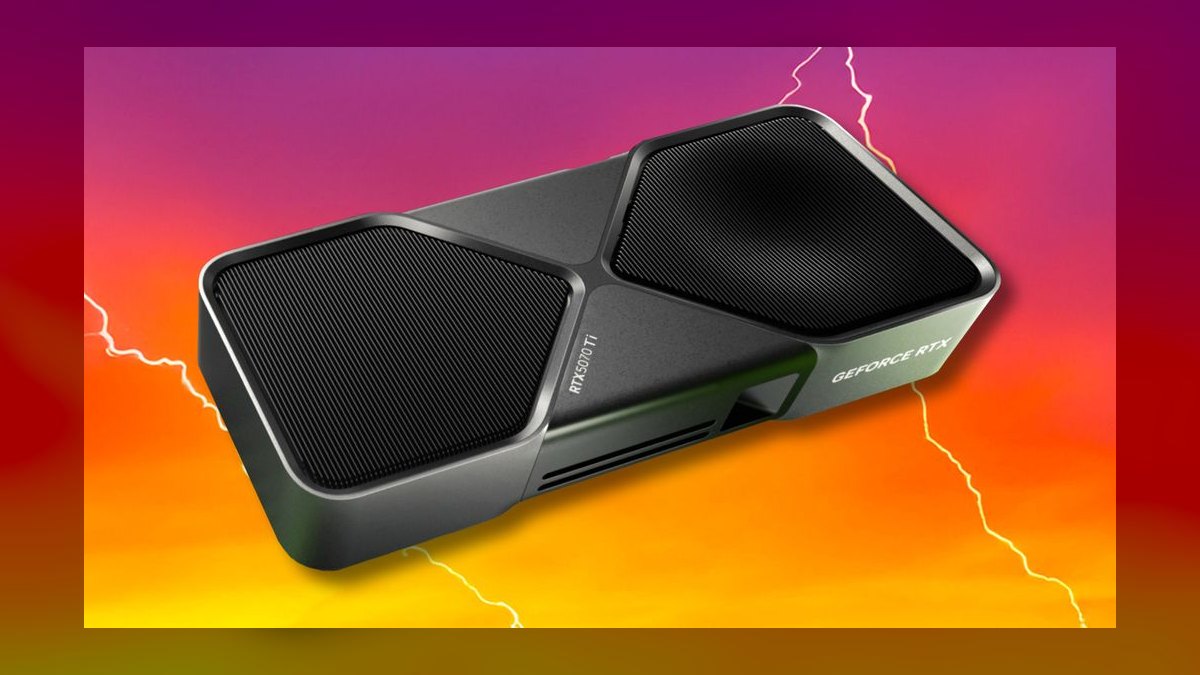
The RTX 5070 Ti takes third because it is widely called the sweet spot of the NVIDIA stack, offering RTX 4080-class performance for $749. With 16GB of GDDR7, 8,960 CUDA cores, and a 300W TDP, PCMag and TechRadar peg it as a capable 4K performer with DLSS 4. It handles 1440p-ultra effortlessly and is a strong entry 4K card for hundreds less than the 5080. The only friction is finding it at MSRP rather than inflated street pricing.
This card is for 1440p-ultra and entry 4K gamers who want high-end NVIDIA features without flagship cost. It trades away the 5080's higher 4K frame rates and the 5090's massive VRAM, but 16GB is plenty for 1440p and most 4K titles. Compared to the RTX 5080, it costs $250 less while delivering roughly 80% of the performance in most games. It is the best high-end NVIDIA value when you can grab it near list price.
4Intel Arc B580
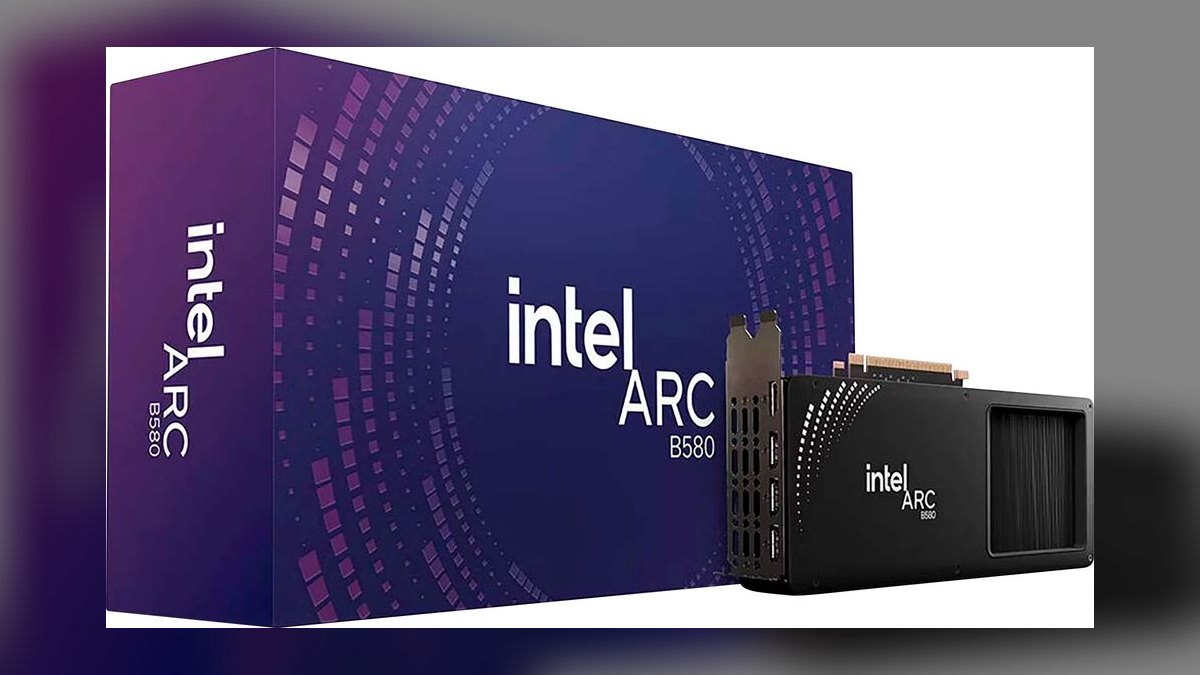
The Arc B580 is the best value pick because it delivers genuine 1440p gaming for just $249, with 12GB of VRAM. Tom's Hardware and TechRadar measure it at roughly 85-90% of the RTX 5060's gaming performance for far less money. That 12GB buffer means it ages better than NVIDIA's 8GB budget parts, and XeSS 2 upscaling closes much of the feature gap. Intel's drivers have matured dramatically, making it a dependable daily driver.
This card is for budget 1440p gamers and local-AI tinkerers who want the most performance and VRAM per dollar. It trades away top-tier ray tracing and the last few driver edge cases in older titles, but the day-to-day experience is solid. Compared to the RTX 5070 Ti above, it costs $500 less while delivering playable 1440p frame rates, though at lower settings.
5AMD Radeon RX 9070 XT
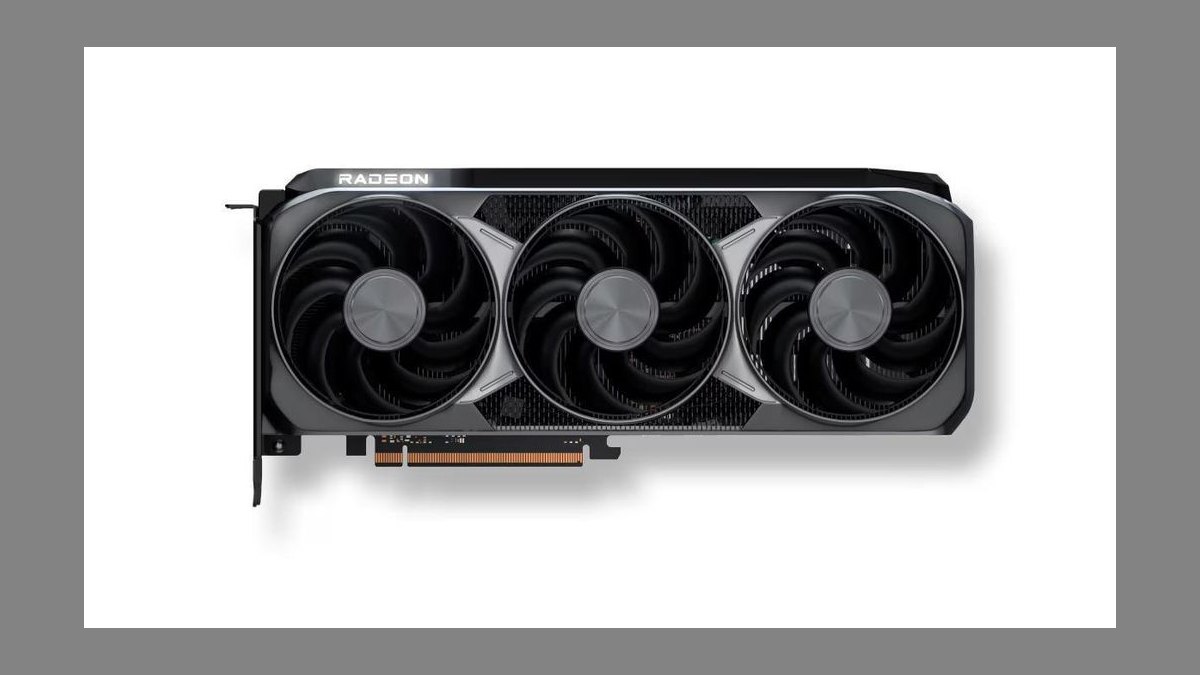
The RX 9070 XT ranks fifth because it trades blows with the RTX 5070 Ti in rasterization while costing $150 less, at $599. Gamers Nexus found it delivers strong 4K value with 16GB of GDDR6 and 64 compute units boosting to nearly 3GHz. RDNA 4 doubles ray tracing throughput per compute unit over the prior generation, closing much of the gap with NVIDIA. It is one of the strongest 4K-value cards on the market when supply holds.
This card is for 4K gamers chasing value over NVIDIA branding and who do not need the absolute best ray tracing. It trades away NVIDIA's DLSS 4 maturity and top-tier RT performance, though FSR and RDNA 4 ray tracing are greatly improved. Compared to the RTX 5070 Ti above, it offers comparable raster speed for less money but trails in RT and upscaling quality.
6AMD Radeon RX 9070
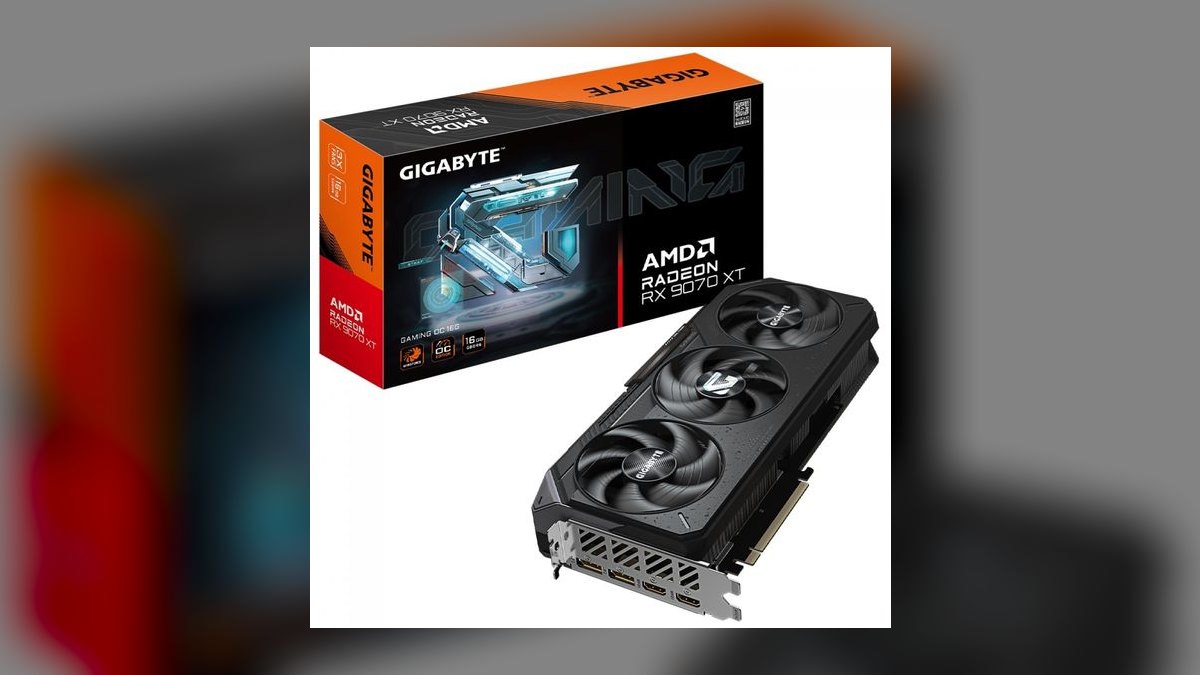
The RX 9070 ranks sixth because it offers the same 16GB buffer and RDNA 4 efficiency as the XT at a lower clock and $549 price. It is one of the most power-efficient cards in its class, delivering excellent 1440p performance with headroom for entry 4K. The generous frame buffer makes it a future-proof choice for mid-range buyers. It is a solid recommendation for those who want 16GB without paying the XT premium.
This card is for 1440p-high and entry 4K gamers on a tighter budget who still want a large VRAM buffer. It trades away noticeable performance versus the RX 9070 XT for only $50 less, making the XT often worth the small step up. Compared to the RX 9070 XT above, it is slower in raster and ray tracing but more power-efficient and cheaper.
7NVIDIA GeForce RTX 5070
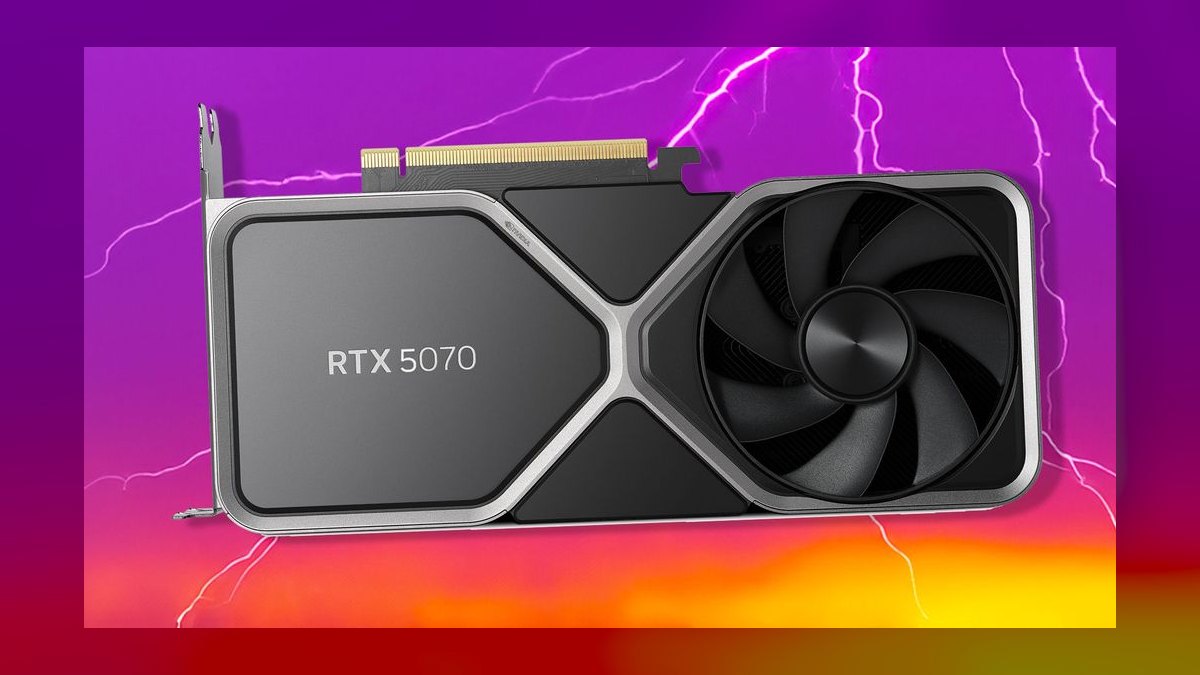
The RTX 5070 ranks seventh because it leans hard on DLSS 4 Multi Frame Generation to punch above its raw silicon, with NVIDIA marketing RTX 4090 performance in supported titles. At $549, it is a strong 1440p card with best-in-class ray tracing and DLSS 4 at this price. Its efficient power profile makes it easy to cool and run on a standard PSU.
This card is for 1440p gamers who value NVIDIA's feature set over raw VRAM and want top-tier upscaling. It trades away native raster performance versus the RX 9070 at a similar price, and the 12GB buffer limits long-term 4K headroom. Compared to the RX 9070 above, it offers superior ray tracing and DLSS 4 but trails in raw frame rates and VRAM capacity. It is best for buyers who prioritize NVIDIA's ecosystem over pure raster value.
8NVIDIA GeForce RTX 5060 Ti 16GB
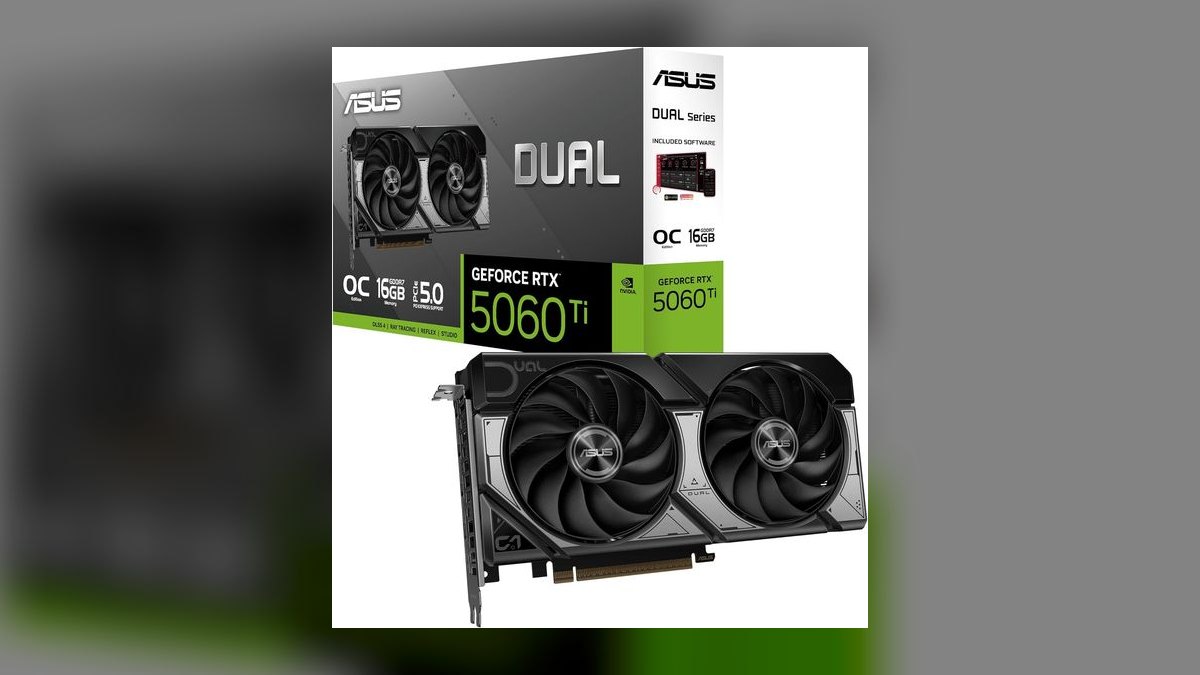
The 16GB RTX 5060 Ti ranks eighth because it is the version worth buying, with a 180W TDP and full DLSS 4 support at $429. HowManyFPS benchmarks place it a few percent ahead of AMD's rival at 1440p, making it a strong performer for the price. The larger frame buffer makes it far more comfortable for modern textures than NVIDIA's 8GB cards. It is a dependable 1440p pick for those who want NVIDIA features without breaking the bank.
This card is for 1440p gamers who want 16GB of VRAM and DLSS 4 without paying high-end prices. It trades away raw value versus the RX 9060 XT below, which offers near-equal performance for less money. Compared to the RTX 5070 above, it is slower but more affordable and more power-efficient, though the 8GB variant is best avoided at all costs. Be sure to get the 16GB model for future-proofing.
9AMD Radeon RX 9060 XT 16GB
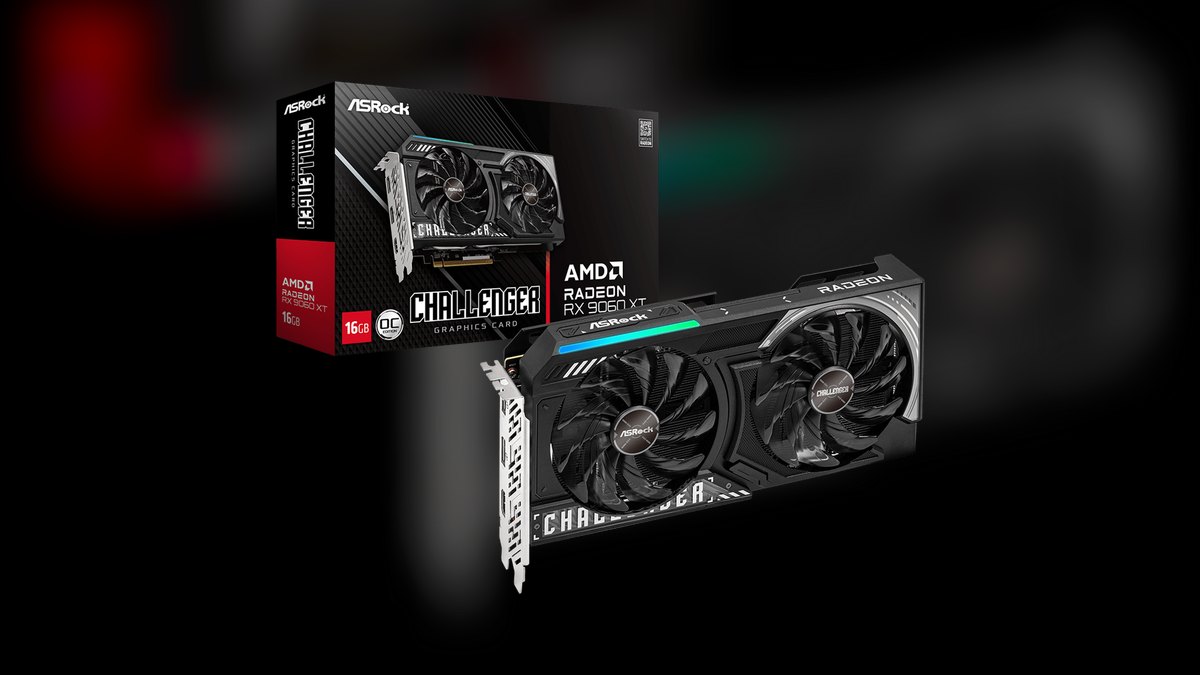
The RX 9060 XT 16GB ranks ninth because it undercuts NVIDIA hard, landing within about 5% of the RTX 5060 Ti at 1440p while costing $349. Leaked and retail benchmarks aggregated by Tom's Hardware show it delivers strong value with a lean 150-182W draw. The 16GB buffer at this price is the headline, making it the cheapest way to get a future-proof frame buffer with real 1440p muscle.
This card is for value-focused 1440p gamers who want 16GB of VRAM and low power consumption. It trades away ray tracing and FSR quality versus NVIDIA at this tier, though RDNA 4 has closed much of the gap. Compared to the RTX 5060 Ti above, it offers near-equal raster performance for $80 less, making it a smarter buy for most. It is the best choice for budget-minded gamers who prioritize VRAM capacity.
10Intel Arc B570
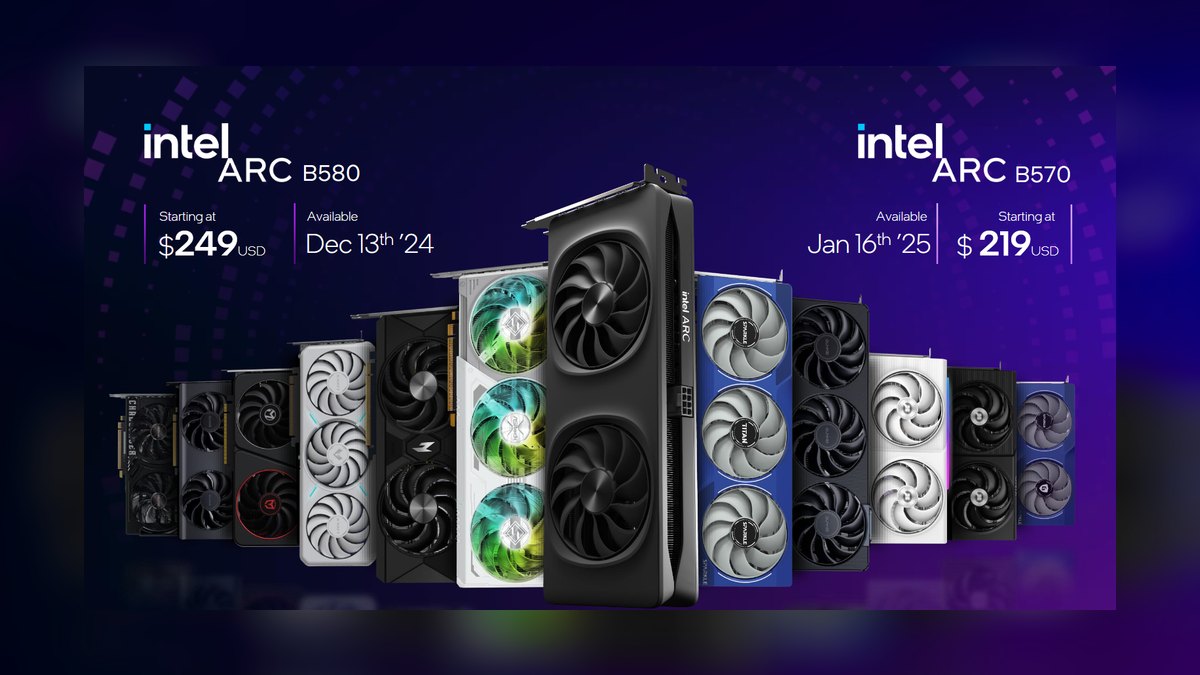
The Arc B570 ranks tenth because it is the cheapest genuinely good graphics card going, at $219, per TechRadar. It undercuts every current-gen NVIDIA and AMD card by 20-25%, and its 10GB buffer and Battlemage architecture make it a capable 1080p and entry-1440p performer. It is a solid pick for strict budgets and first-time builders. The low price makes it the most accessible current-gen card on the market.
This card is for the tightest budgets and 1080p first-time builders who want a modern GPU without spending much. It trades away performance versus the Arc B580 above, which is faster for only $30 more, making the B580 worth the small jump for most. Drivers still trail NVIDIA in a few older games, but the day-to-day experience is solid. It is the pick for the tightest budgets, though most should stretch to the B580.
How we ranked these
We weighted each card the way a real buyer should: raw frame rates matter most, but price-to-performance, power draw, and VRAM longevity decide who actually lives with the card happily for years. We cross-referenced benchmarks and pricing from Tom's Hardware, TechPowerUp, Gamers Nexus, RTINGS, PCMag, TechRadar, and Hardware Unboxed, plus the manufacturer spec sheets from NVIDIA, AMD, and Intel.
Gaming performance was 30%, ray tracing and upscaling 20%, price-to-performance 20%, power and thermals 15%, VRAM and future-proofing 10%, and drivers and features 5%.
We deliberately ignored synthetic teraflop numbers and headline frame-generation multipliers, as these often mislead rather than inform real-world gaming experience. We also excluded cards that are not currently available at retail or are clearly discontinued, focusing only on current-generation NVIDIA GeForce RTX 50, AMD Radeon RX 9000, and Intel Arc B-series models. We did not factor in brand loyalty or marketing hype, and we avoided over-weighting extreme 8K performance, which remains a niche use case.
Our goal was to reflect what actually matters for the majority of desktop PC gamers and creators.
Related questions
What is the best graphics card for 1440p gaming in 2027?
For 1440p, the NVIDIA GeForce RTX 5070 Ti at $749 is the sweet spot, offering RTX 4080-class performance with 16GB of GDDR7. If you're on a tighter budget, the Intel Arc B580 at $249 delivers genuine 1440p gaming for a fraction of the cost, making it the best value pick for this resolution.
Is the RTX 5080 worth the upgrade from a 4080?
Yes, if you want near-flagship 4K performance with DLSS 4 Multi Frame Generation, which can double frame rates in supported titles. The 5080 is roughly twice as fast as the 4080 SUPER in DLSS 4 games, making it a significant upgrade for high-refresh 4K gaming, though the 16GB VRAM is a modest increase.
How does the AMD RX 9070 XT compare to the RTX 5070 Ti?
The RX 9070 XT trades blows with the RTX 5070 Ti in rasterization while costing $150 less. It offers 16GB of VRAM and greatly improved ray tracing over RDNA 3, but NVIDIA still leads in ray tracing and DLSS 4 upscaling. For pure value in 4K gaming, the 9070 XT is a strong contender.
Is 12GB of VRAM enough for 1440p gaming in 2027?
Yes, 12GB is comfortable for 1440p and will handle most modern titles at high settings. However, for future-proofing and 4K, 16GB is the safer target. Cards like the Intel Arc B580 and RTX 5070 offer 12GB, which is adequate today but may become limiting in a few years.
What is the best budget graphics card for 1080p gaming?
The Intel Arc B570 at $219 is the cheapest genuinely good card, offering solid 1080p performance with 10GB of VRAM. For a bit more, the Arc B580 at $249 is worth the jump, providing 12GB and better 1440p capability, making it the best value overall.
Should I buy a 16GB version of the RTX 5060 Ti?
Yes, absolutely. The 16GB RTX 5060 Ti at $429 is a strong 1440p performer with full DLSS 4 support. The 8GB version should be avoided entirely, as it will struggle with modern textures and future titles. The 16GB model offers better longevity and is worth the extra cost.
How much power supply do I need for an RTX 5080?
NVIDIA recommends an 850W power supply for the RTX 5080, which has a 360W TDP. A quality 850W unit with a 12V-2x6 or 16-pin connector is sufficient. For the RTX 5090, you'll need 1000W or more, so plan your PSU accordingly.
FAQ
Is the RTX 5080 worth it over the RTX 5090?
For nearly everyone, yes. The RTX 5080 delivers strong 4K performance at half the price and far lower power draw, while the RTX 5090 only makes sense for 8K, professional rendering, or large local AI models.
How much VRAM do I need in 2027?
Aim for 12GB for 1440p and 16GB if you game at 4K or want a card that lasts several years. Avoid new 8GB cards unless you are strictly playing older or lighter titles at 1080p.
Is the Intel Arc B580 reliable now?
Yes. Intel's drivers have matured significantly, and the Arc B580 is a dependable 1440p card with 12GB of VRAM. A few older games still show quirks, but the day-to-day experience is solid.
Should I buy AMD or NVIDIA for ray tracing?
NVIDIA still holds the best-in-class ray tracing lead with DLSS 4, but AMD's RDNA 4 cards like the RX 9070 XT have closed much of the gap and offer better raster value.
What power supply do I need for these cards?
Budget cards run fine on a quality 550-650W unit. The RTX 5080 wants 850W, and the RTX 5090 needs 1000W or more with a proper 16-pin connector.
Is frame generation the same as real performance?
Not exactly. Upscaling and frame generation like DLSS 4 boost smoothness and are excellent in supported games, but native raster performance and VRAM remain the truest measure of a card's power.
What is the best value graphics card in 2027?
The Intel Arc B580 at $249 is the best value, offering 12GB of VRAM and genuine 1440p gaming performance for a budget price. It outperforms NVIDIA's 8GB budget cards and is the cheapest way to get a future-proof frame buffer.
Is the RX 9060 XT 16GB a good buy?
Yes, at $349 it's the cheapest way to get 16GB of VRAM with real 1440p muscle. It lands within 5% of the RTX 5060 Ti at 1440p while costing less, making it a great value for budget-conscious gamers.
Sources
- https://www.nvidia.com/en-us/geforce/graphics-cards/
- https://www.amd.com/en/products/graphics/desktops/radeon/9000-series/amd-radeon-rx-9060xt.html
- https://www.intel.com/content/www/us/en/products/details/arc/b-series.html
- https://www.tomshardware.com/best-picks/best-graphics-cards
- https://www.techpowerup.com/gpu-specs/
- https://www.gamersnexus.net/
- https://www.rtings.com/gpu
- https://www.pcmag.com/picks/the-best-graphics-cards
- https://www.techradar.com/news/best-graphics-card
- https://www.hardwareunboxed.com/
Related on PULSE
This page will be disappearing soon. Save it to your device for $1 — or read it free while it is here.
@Kory-White- · if Venmo asks, the last 4 of my number are 2012
This page is gone.
This one is off the shelf now. $1 keeps it on your phone for good — the whole page, pictures and diagrams included.
 pulse-reviewsTop 10 Fitness Trackers (No Smartwatch) — Best Overall + Best Value in 2027
 pulse-reviewsTop 10 Heated Mattress Pads — Best Overall + Best Value in 2027
 pulse-reviewsTop 10 Bluetooth Transmitters for TV — Best Overall + Best Value in 2027
 pulse-reviewsTop 10 Rechargeable Hand Warmers — Best Overall + Best Value in 2027
 pulse-reviewsTop 10 Popcorn Machines — Best Overall + Best Value in 2027
 pulse-reviewsTop 10 Indoor Air Quality Monitors — Best Overall + Best Value in 2027
 pulse-reviewsTop 10 Countertop Dishwashers — Best Overall + Best Value in 2027
 pulse-reviewsTop 10 Sewing Machines — Best Overall + Best Value in 2027
 pulse-reviewsTop 10 Woodworking Routers — Best Overall + Best Value in 2027
 pulse-reviewsHow do I set up a reliable home office network for video calls in 2027?