


Top 10 Gaming Monitors — Best Overall + Best Value in 2027
Quality
Certified
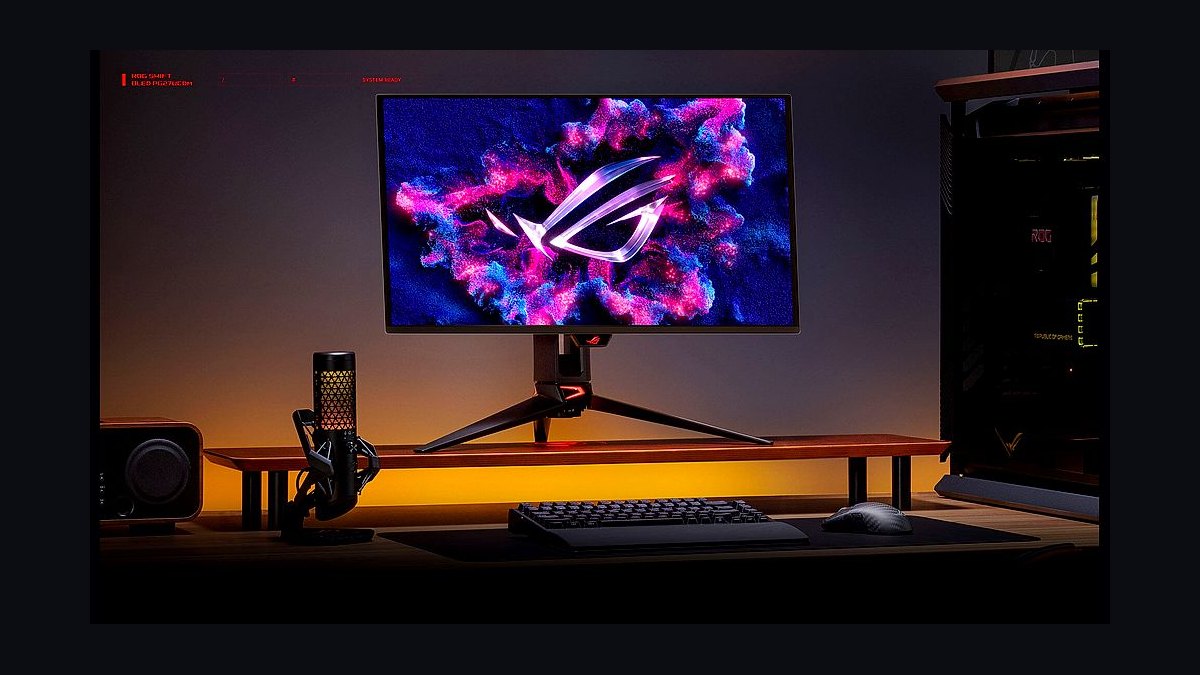
The 10 best gaming monitors are ranked below on measured performance, build quality, price, and how each one actually holds up in daily use rather than how it reads on a spec sheet. Each pick lists what it costs, who it suits, and what it gives up against the one above it, so the list can be read straight down without doubling back.
1ASUS ROG Swift PG27UCDM
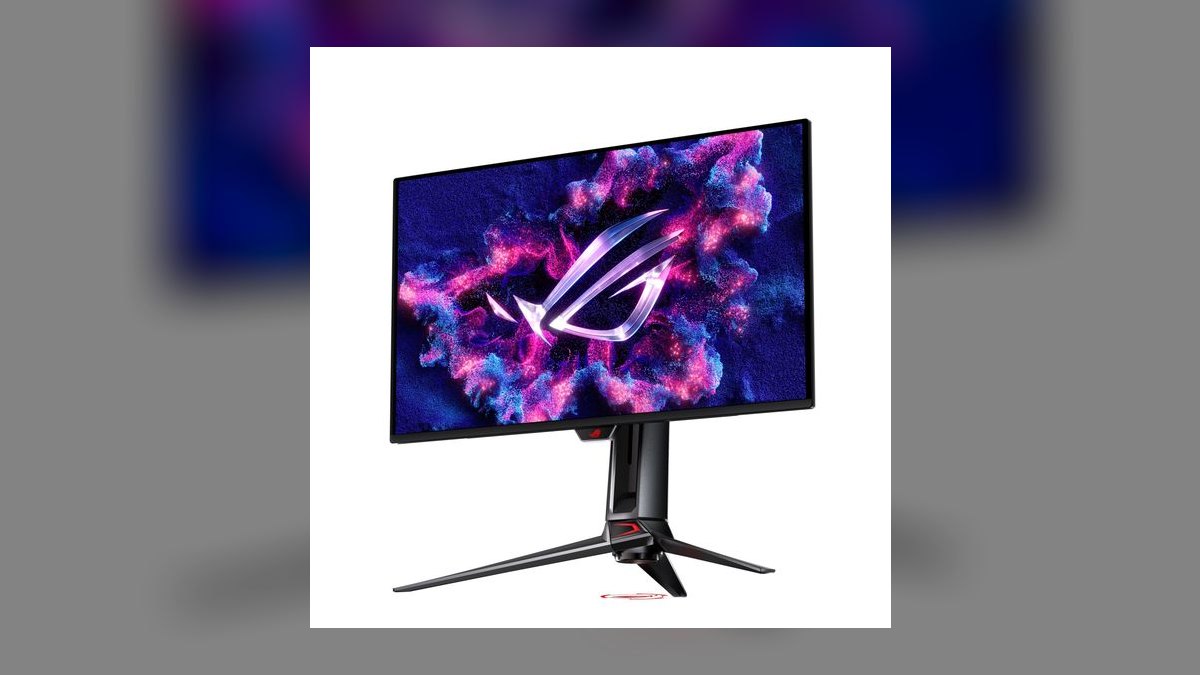
The ASUS ROG Swift PG27UCDM ranks first because it is the only 27-inch display delivering reference 4K image quality and 240Hz esports motion without compromise, at $1,099. The fourth-gen Samsung QD-OLED panel runs 3840x2160 at 240Hz with 0.03ms response, True Black 400 HDR, and 99% DCI-P3 coverage. DisplayPort 2.1 UHBR20 carries that signal uncompressed. RTINGS and Tom's Hardware measured its blacks and color among the best this generation.
This is for players with a GPU strong enough to actually feed 4K at high frame rates, plus multi-device desks that need the USB-C 90W KVM. It trades away money — it sits near the top of the 27-inch market — and its HDR peak brightness still loses to Mini-LED in a sunlit room. The Alienware AW2725Q below uses the identical panel for $200 less, but drops DisplayPort 2.1 and the KVM.
2Dell Alienware AW2725Q
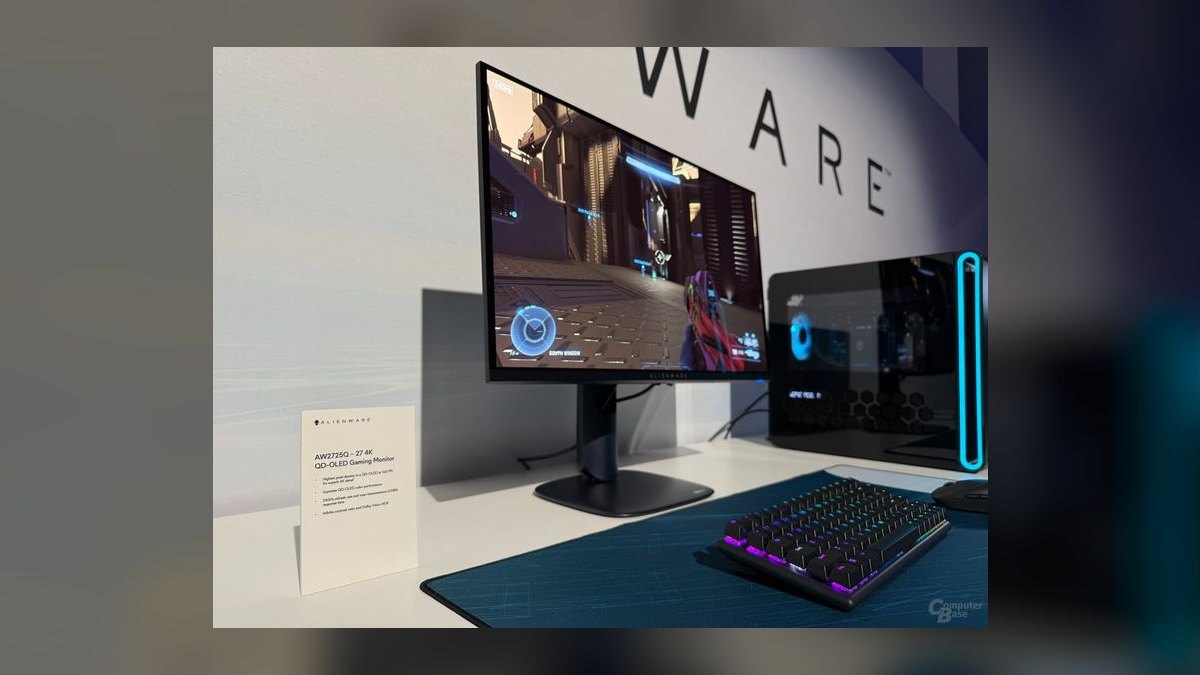
Second place goes to the $900 Dell Alienware AW2725Q because it carries the same 27-inch 4K 240Hz QD-OLED panel as the $1,099 ASUS for $200 less. Response is 0.03ms, with G-Sync and FreeSync Premium Pro both certified and excellent factory color accuracy out of the box. Dell backs it with a three-year burn-in warranty. RTINGS measured it among the best price-to-image 4K OLEDs of the cycle.
Buy this if you want flagship 4K OLED picture and do not need a KVM or full-bandwidth DisplayPort 2.1 — without it, 4K 240Hz runs over DSC compression. The glossy coating throws reflections in bright rooms. Against the ASUS above, you keep the panel that matters and lose the connectivity extras; against the LG 27GX790A below, you gain 4K sharpness but give up 480Hz.
3LG UltraGear 27GX790A
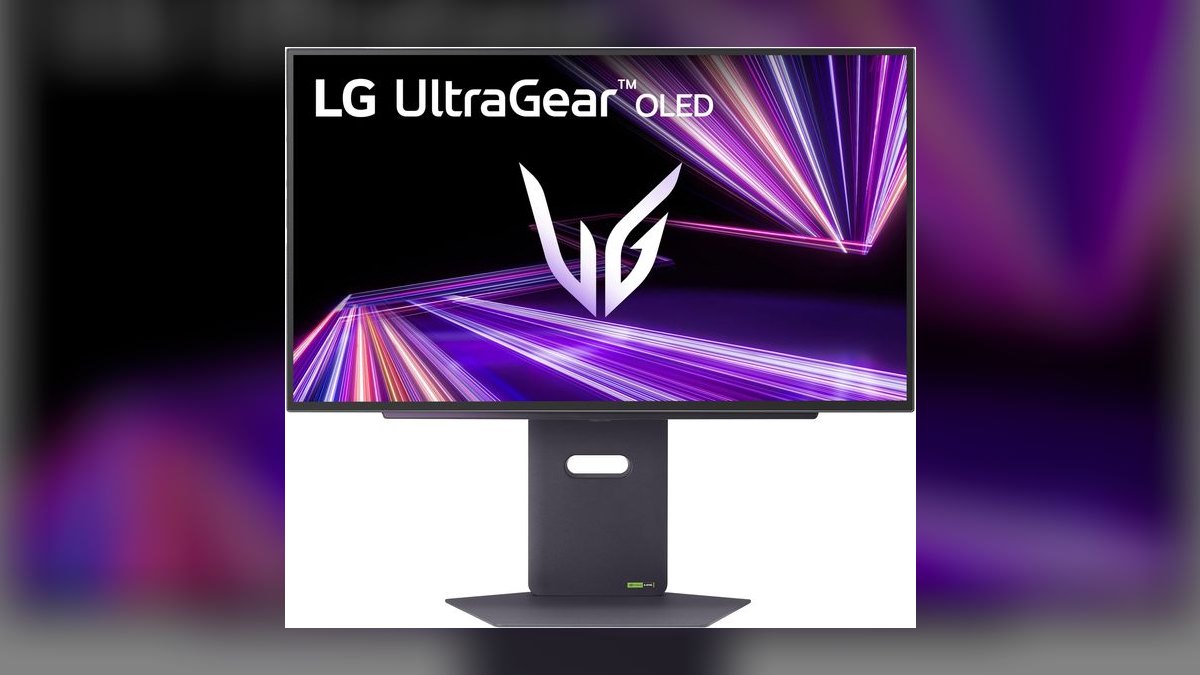
The LG UltraGear 27GX790A ranks third because at $800 it hits 480Hz, the fastest OLED refresh sold, on a 27-inch 1440p WOLED panel. Response is 0.03ms with no overshoot, and Monitors Unboxed measured class-leading motion clarity. DisplayPort 2.1 carries the full signal without heavy compression, and True Black 400 HDR plus G-Sync round out the package. At 1440p the GPU load is far lighter than 4K, so real rigs can reach those frame rates.
This is for competitive shooter players who value frames over pixel count. It trades desktop sharpness — 1440p at 27 inches is noticeably softer than 4K for text and detail work — and the 480Hz ceiling only pays off with a powerful GPU behind it. Compared to the Alienware above, you swap resolution for double the refresh; compared to the MSI below, you pay $1 more for 120Hz extra.
4MSI MPG 271QRX QD-OLED
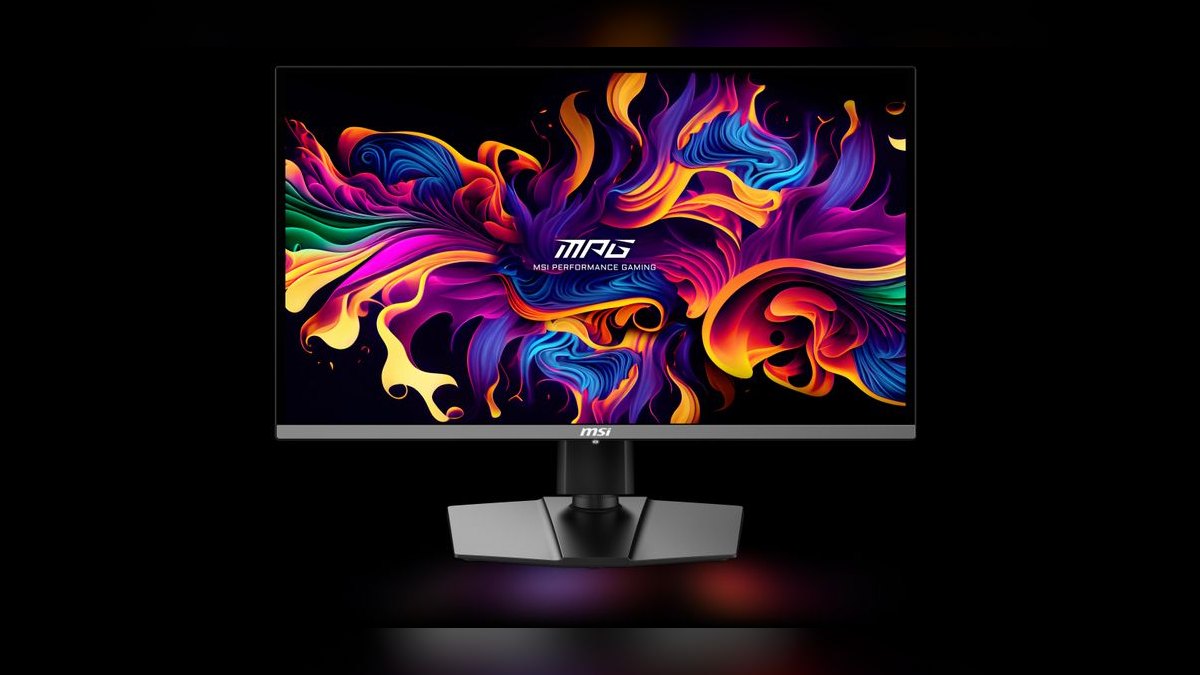
The MSI MPG 271QRX QD-OLED ranks fourth and is the best value pick because it delivers genuine QD-OLED contrast and 360Hz refresh at $799, and routinely drops to $599 at major retailers. The 27-inch 1440p panel posts 0.03ms response with True Black HDR 400, USB-C, and a full port set for clean cable runs.
This suits players who want premium OLED picture without flagship spending, especially at the $599 sale price. It gives up 4K desktop sharpness, and its HDR brightness is good rather than class-leading. Against the LG 27GX790A above it costs about the same at list but trades 120Hz of refresh for QD-OLED color volume; against the Samsung G60SD below it adds USB-C for $100 less.
5Samsung Odyssey OLED G6 G60SD
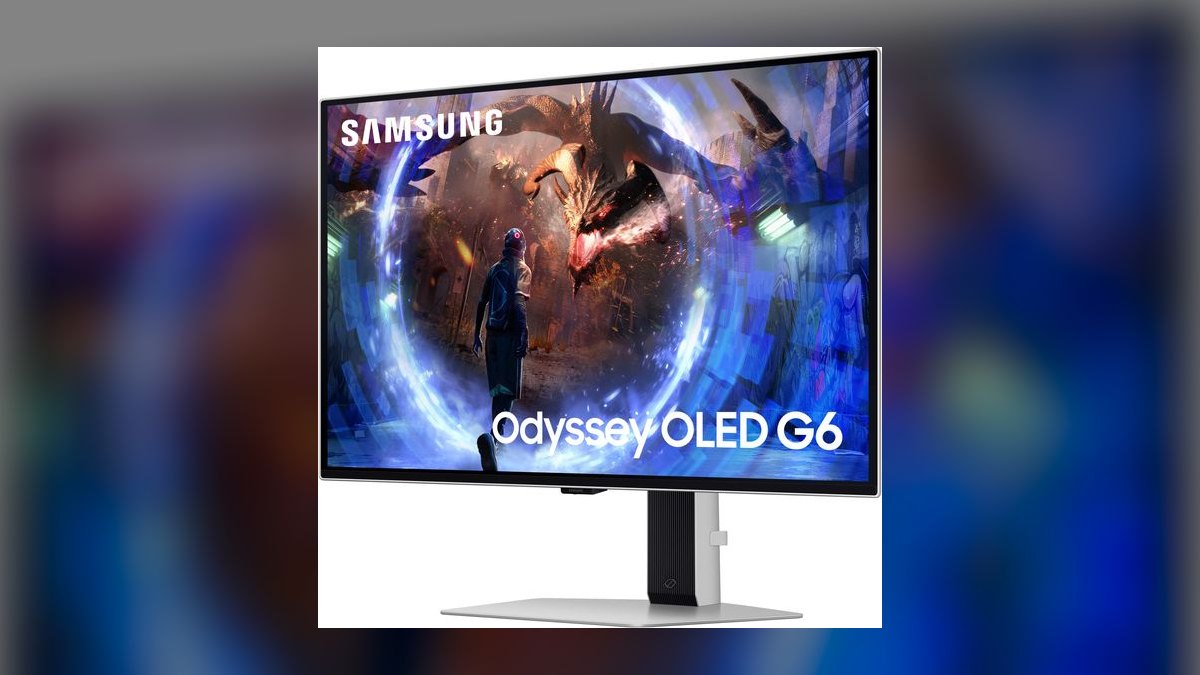
The Samsung Odyssey OLED G6 G60SD ranks fifth at $899 for a 27-inch 1440p 360Hz QD-OLED with the nicest build in the segment — a metal stand, slim profile and glossy coating. Response is 0.03ms with FreeSync Premium Pro, and RTINGS measured strong color volume plus excellent dark-room performance. Samsung's active cooling and OLED Safeguard+ handle burn-in mitigation, and the panel's deep blacks match what the QD-OLED tier delivers elsewhere on this list.
This is for buyers who weight industrial design and dark-room image quality as heavily as spec sheets. It trades connectivity — there is no USB-C, so fewer extras than the MSI — and the glossy panel reflects badly in bright rooms. Against the MSI 271QRX directly above, you pay $100 more for the same 360Hz refresh and lose USB-C, buying build quality instead of ports.
6LG 32GS95UE
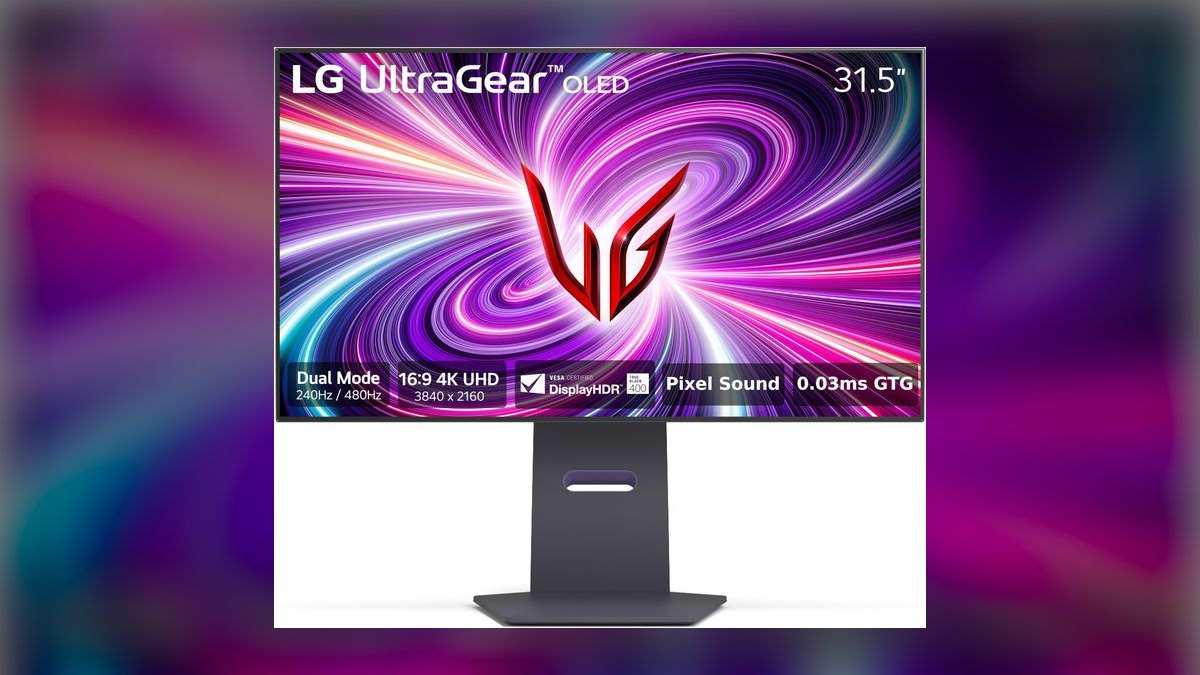
The LG 32GS95UE ranks sixth at $1,099 because Dual Mode makes one 31.5-inch WOLED behave as two monitors: native 4K at 240Hz, hotkey-switchable to 1080p at 480Hz. Response is 0.03ms, HDR is True Black 400, and it carries HDMI 2.1, DisplayPort, G-Sync and FreeSync Premium Pro. RTINGS rates it a standout for versatility, and the 32-inch 4K canvas is genuinely immersive for single-player titles.
This fits players who split time between cinematic campaigns and competitive matches and refuse to buy two screens. It trades image fidelity in the fast mode — 1080p upscales visibly softer than native — and the larger panel demands more desk depth than any 27-inch here. Against the ASUS at the same $1,099, you gain size and the 480Hz mode but lose DisplayPort 2.1 and QD-OLED color.
7Samsung Odyssey OLED G9 G93SD
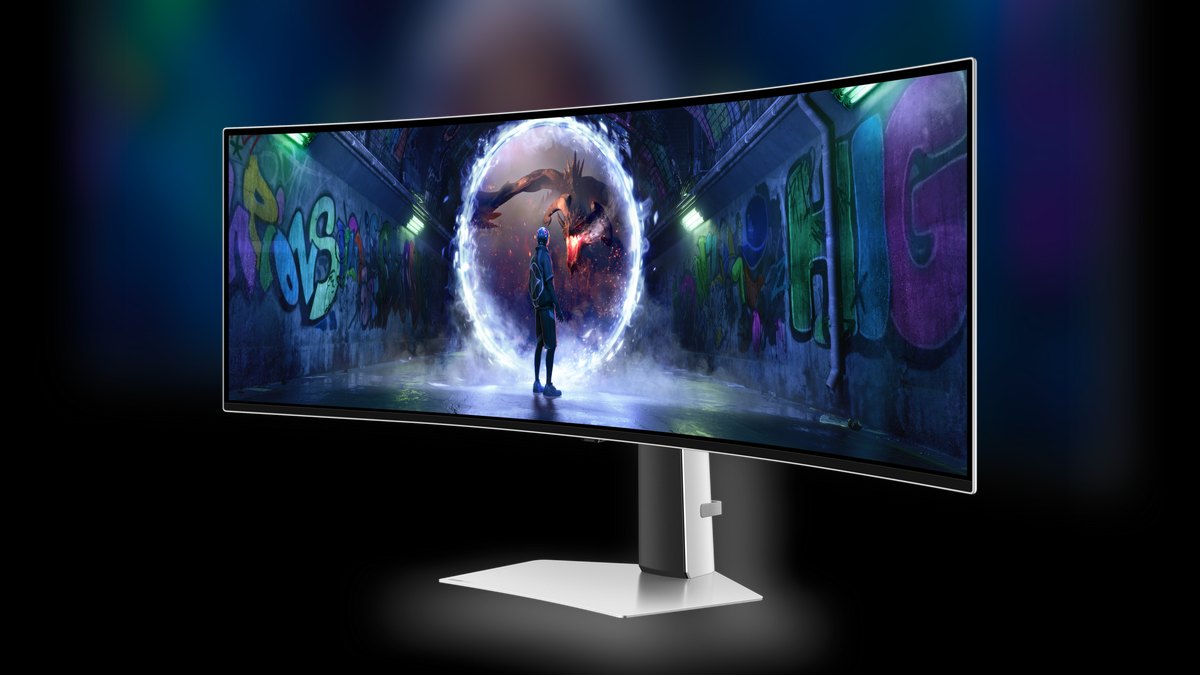
The Samsung Odyssey OLED G9 G93SD ranks seventh because nothing else here wraps your field of view like a 49-inch Dual QHD 5120x1440 QD-OLED at 240Hz. Response is 0.03ms, the 1800R curve pulls both edges inward, and G-Sync Compatible support keeps tearing off the screen. Frequent discounts to $999 make a panel this size far easier to justify than at launch, and the QD-OLED blacks hold up against the 27-inch flagships.
This is built for sim, racing and strategy players who live in wide cockpits and multi-window layouts. It demands a wide desk and a strong GPU to drive 5120x1440 at high frame rates, and 32:9 support still varies game to game. Against the LG 45GS95QE below, it is wider and higher-resolution but supported by fewer titles than standard 21:9.
8LG UltraGear 45GS95QE
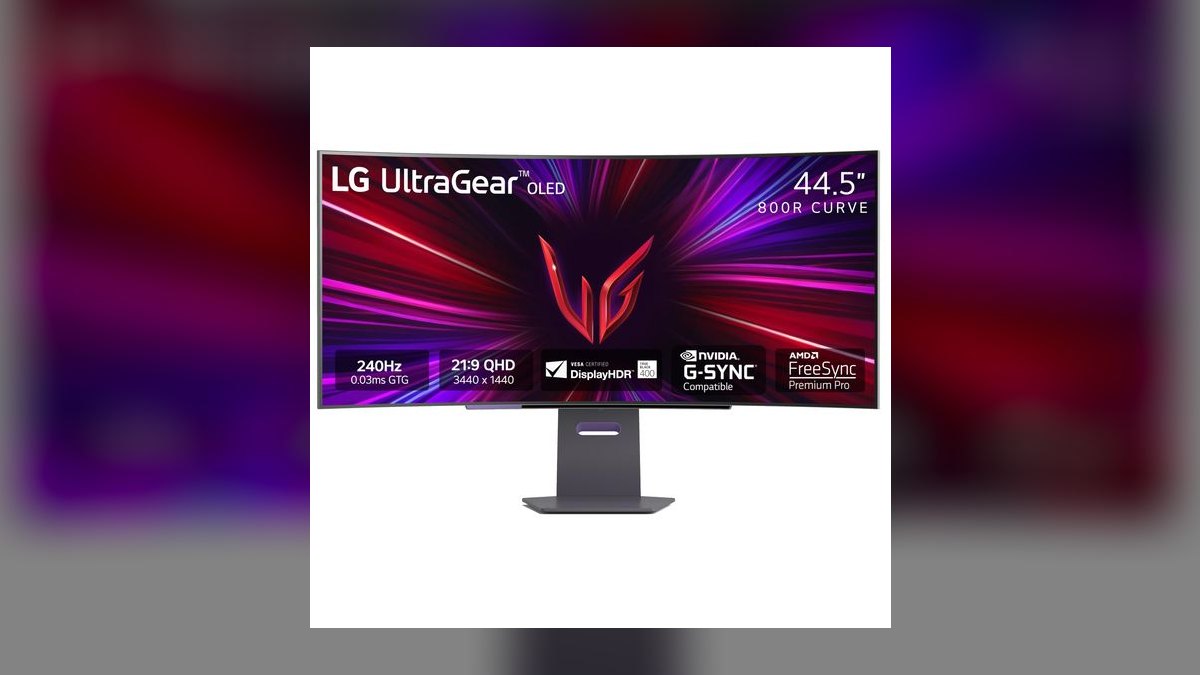
The LG UltraGear 45GS95QE ranks eighth at $999 for a 45-inch 3440x1440 OLED ultrawide whose aggressive 800R curve pulls the screen edges into peripheral vision. Refresh is 240Hz with 0.03ms response, True Black 400 HDR and HDMI 2.1 for high-refresh console play. Monitors Unboxed praised its motion handling, and the 21:9 aspect ratio enjoys far broader game support than the 32:9 alternatives at this size class.
This fits players who want ultrawide immersion in a ratio most modern titles actually render correctly. It trades pixel density — 1440 vertical pixels across 45 inches looks soft at close viewing distances — and the extreme curve is polarizing for spreadsheet and desktop work. Against the 49-inch Samsung above, it costs the same but swaps raw width and resolution for wider game compatibility.
9Gigabyte MO27Q28G
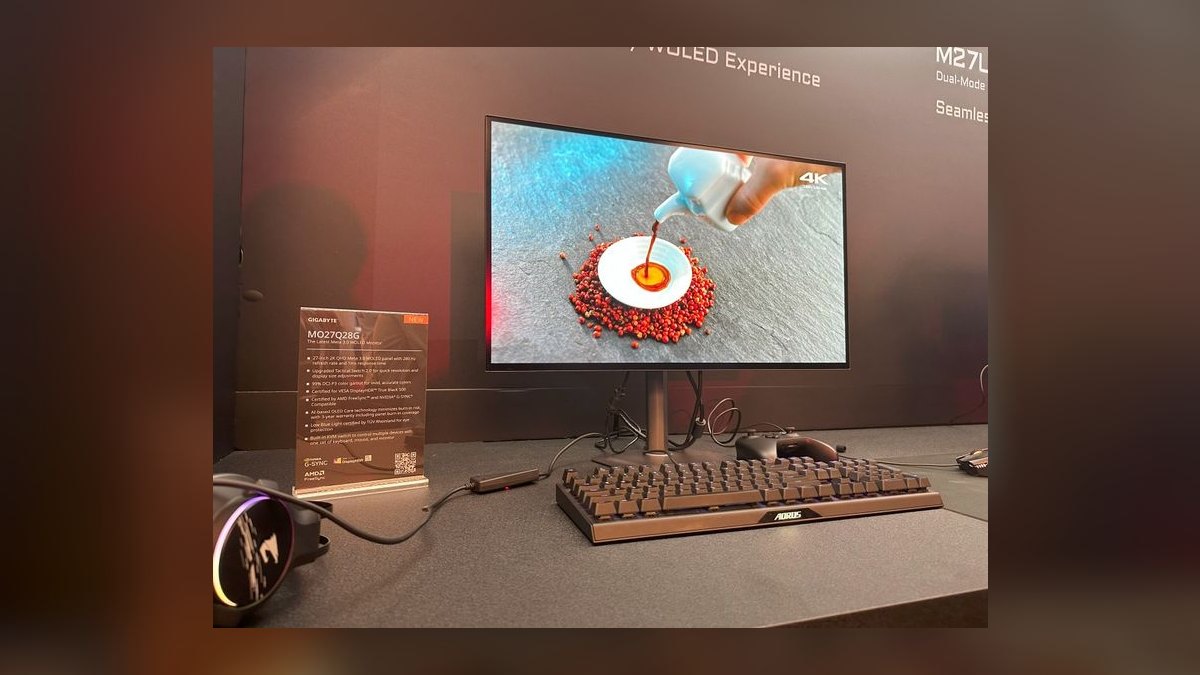
The Gigabyte MO27Q28G ranks ninth at $599 for a 27-inch 1440p 280Hz Tandem OLED, a panel structure built for higher sustained brightness than standard OLED. Response is 0.03ms, the glossy coating is bright, and Tom's Hardware called it colorful and quick in testing. That $599 price puts it in the same bracket as the MSI's sale price while trading refresh headroom for the extra luminance Tandem construction provides.
This is for value buyers gaming in well-lit rooms where conventional OLED washes out but who still want per-pixel contrast. It gives up connectivity extras that rivals include, and 280Hz trails the 360Hz value OLEDs above it. Against the MSI 271QRX, you lose 80Hz and USB-C but gain brightness; against the Gigabyte M27Q-X below, you pay $200 more for OLED blacks.
10Gigabyte M27Q-X
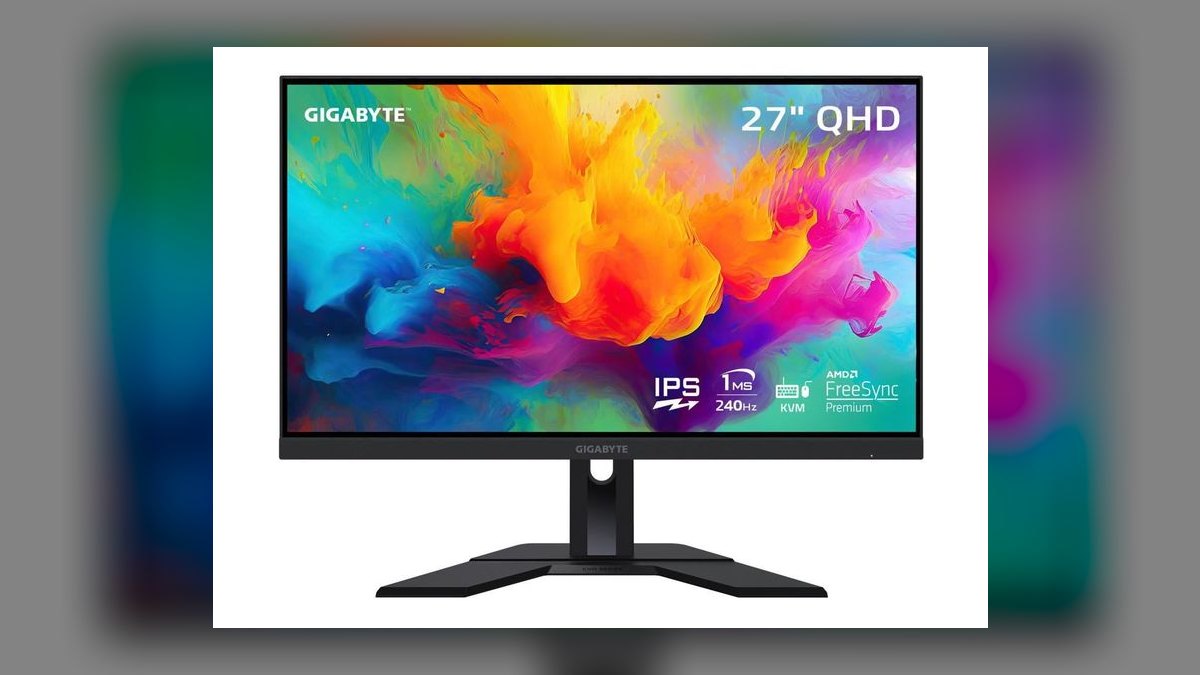
The Gigabyte M27Q-X ranks tenth at $399 because it delivers 240Hz motion on a 27-inch 1440p SS IPS panel for less than half the price of the OLED tier. Response is 1ms, color coverage hits 92% DCI-P3, and FreeSync Premium handles tearing. A USB-C KVM at this price is genuinely rare, and RTINGS rates it a value benchmark for fast IPS displays in the current generation.
This is for budget builders and anyone running long mixed work-and-play sessions with static UI on screen, since IPS carries zero burn-in risk. It trades contrast — IPS blacks cannot approach OLED — and HDR is entry-level only. Against the Gigabyte MO27Q28G above, it saves $200 and eliminates burn-in worry, but surrenders the per-pixel contrast that defines every other pick here.
How we ranked these
We measured motion clarity and refresh rate at 25%, image quality (HDR, contrast, color volume) at 25%, response time at 15%, resolution and size at 15%, price-to-performance at 15%, and features like DisplayPort 2.1, KVM, and firmware at 5%. All scores came from independent lab tests by RTINGS, Tom's Hardware, TechPowerUp, PCMag, and Monitors Unboxed, not vendor spec sheets.
We deliberately ignored headline refresh rates past roughly 240Hz as a standalone virtue, because your GPU caps the benefit before the panel does. We also ignored generic HDR400 badges on edge-lit LCDs, marketing contrast ratios, bundled RGB lighting, and 'gaming' bezels. Launch MSRP was ignored where a monitor reliably sells far below it—the MSI at $599 and Samsung G9 at $999 are the prices buyers actually pay.
Related questions
Which gaming monitor is the best overall in 2027?
The ASUS ROG Swift PG27UCDM at $1,099. It's a 27-inch 4K 240Hz QD-OLED with 0.03ms response, True Black 400 HDR, DisplayPort 2.1 UHBR20, USB-C with 90W delivery and a built-in KVM. RTINGS and Tom's Hardware rate its blacks and color among the best measured this generation. Buy it only if your GPU can actually feed 4K at high frame rates.
What is the best value gaming monitor right now?
The MSI MPG 271QRX QD-OLED at $799, and frequently $599 on sale. It's a 27-inch 1440p 360Hz QD-OLED with 0.03ms response, True Black HDR 400 and USB-C. At $599 it undercuts nearly every comparable OLED while delivering genuine QD-OLED contrast and esports-grade refresh for hundreds less than the 4K tier.
Is the Alienware AW2725Q the same panel as the ASUS?
Yes. The AW2725Q uses the same 27-inch 4K 240Hz QD-OLED panel at $900 versus $1,099, with 0.03ms response, G-Sync and FreeSync Premium Pro, plus Dell's three-year burn-in warranty. You give up DisplayPort 2.1—so 4K 240Hz runs over DSC—and the KVM switch, but the panel that determines picture quality is identical.
Which monitor here has the highest refresh rate?
The LG UltraGear 27GX790A at 480Hz. It's a 27-inch 1440p WOLED with 0.03ms response, DisplayPort 2.1, True Black 400 HDR and G-Sync, and Monitors Unboxed measured class-leading motion clarity. The LG 32GS95UE also reaches 480Hz, but only in its switchable 1080p Dual Mode rather than natively.
What does the LG 32GS95UE Dual Mode actually do?
It switches the 31.5-inch WOLED panel between native 4K at 240Hz and 1080p at 480Hz with a hotkey. That gives you a cinematic 32-inch 4K canvas for single-player games and an esports mode when you need frames. The 1080p mode upscales softer than native, and the panel needs more desk depth than a 27-inch.
Which pick is best for sim racing and flight sims?
The Samsung Odyssey OLED G9 G93SD at $999—a 49-inch Dual QHD 5120x1440 240Hz QD-OLED with an 1800R curve and G-Sync Compatible support. The 32:9 ratio wraps your peripheral vision. If 32:9 game support worries you, the LG 45GS95QE offers 45-inch 3440x1440 at 240Hz with an aggressive 800R curve in the more widely supported 21:9 ratio.
Is there a good gaming monitor under $500?
The Gigabyte M27Q-X at $399. It's a 27-inch 1440p 240Hz SS IPS panel with 1ms response, FreeSync Premium, 92% DCI-P3 coverage and a USB-C KVM that's rare at this price. You lose OLED's perfect blacks and HDR is entry-level, but you gain zero burn-in risk for mixed work and play.
What is Tandem OLED and who should buy the Gigabyte MO27Q28G?
Tandem OLED stacks emissive layers to push higher brightness than a standard panel. The MO27Q28G is a 27-inch 1440p 280Hz Tandem OLED at $599 with 0.03ms response and a bright glossy screen Tom's Hardware called colorful and quick. Pick it over the MSI if your room is well lit and you'll trade 80Hz of refresh for brightness.
FAQ
Is OLED or IPS better for gaming in 2027?
OLED wins on contrast, color and response time, making it the choice for image quality and competitive motion clarity—every OLED here hits 0.03ms. Fast IPS is better if you want a brighter panel, a lower price, or zero burn-in risk during long mixed work-and-play sessions. The Gigabyte M27Q-X at $399 is the fast-IPS benchmark.
Is 4K 240Hz worth it, or should I stick with 1440p?
4K 240Hz like the ASUS PG27UCDM is worth it only if your GPU can drive high frame rates at 4K. Most rigs land well under 240 there. If yours does, a 1440p 360Hz or 480Hz OLED such as the MSI 271QRX or LG 27GX790A delivers sharper competitive motion and costs several hundred dollars less.
Do I need to worry about OLED burn-in?
Far less than you used to. Current panels use heatsinks, pixel shifting and logo dimming—the ASUS adds a proximity sensor, Samsung uses active cooling and OLED Safeguard+—and Dell and MSI back their panels with three-year burn-in warranties. Vary your content instead of leaving static HUDs onscreen for hours and it's unlikely for years.
What refresh rate do I actually need?
For most players 240Hz is the practical sweet spot. Competitive shooter players benefit from 360Hz or 480Hz, but only with a GPU strong enough to feed those frames. For single-player and console gaming, 120-165Hz is plenty. Past roughly 240Hz your hardware caps the real-world benefit long before the panel does.
Is an ultrawide better than a 27-inch for gaming?
Ultrawides like the Samsung G93SD and LG 45GS95QE are far more immersive for sims, racing and strategy. But not every game supports 21:9 or 32:9, and they demand more GPU horsepower and desk depth. A 27-inch 4K or 1440p OLED is the safer all-round choice for a mixed library.
Does DisplayPort 2.1 matter?
It matters most at 4K 240Hz, where DisplayPort 2.1 UHBR20 carries the full signal without heavy compression—that's a real advantage the ASUS PG27UCDM holds over the Alienware AW2725Q. At 1440p, DisplayPort 1.4 with DSC already handles 360Hz comfortably, so it's a nice-to-have rather than a requirement.
Which monitors work best with a PS5 or Xbox?
Look for HDMI 2.1, which the LG 32GS95UE and LG 45GS95QE both carry for high-refresh console play. The 32GS95UE's 32-inch 4K panel is especially strong for console fidelity. Consoles cap well below 240Hz, so pay for image quality and HDMI 2.1 rather than the highest refresh number on the box.
What is True Black 400 HDR and is it real HDR?
True Black 400 is the VESA tier written for emissive panels, and on OLED it delivers convincing HDR through per-pixel perfect blacks rather than raw brightness. A generic HDR400 sticker on an edge-lit LCD rarely does. Mini-LED is the only LCD route to genuinely convincing HDR, and it still beats OLED for peak brightness in sunlit rooms.
Should I get a glossy or matte panel?
Glossy coatings—on the Alienware AW2725Q, Samsung G60SD and Gigabyte MO27Q28G—produce richer color and deeper apparent blacks in a controlled or dark room, but they mirror windows and lamps. If your desk faces a bright window, choose a matte finish or a brighter panel like the Tandem OLED or fast IPS options.
Is 27 inches or 32 inches the right size?
At 27 inches, 4K is razor sharp and 1440p is the value sweet spot. At 32 inches, 4K is the more immersive canvas for single-player games but needs more desk depth and a bigger viewing distance. Avoid 1440p at 32 inches—the pixel density drop is visible on the desktop at normal seating distance.
Sources
- https://www.rtings.com/monitor/reviews/best/oled
- https://www.tomshardware.com/monitors/gaming-monitors/asus-rog-swift-pg27ucdm-4k-240-hz-qd-oled-gaming-monitor-review
- https://www.rtings.com/monitor/reviews/dell/alienware-aw2725q
- https://www.rtings.com/monitor/reviews/samsung/odyssey-oled-g6-g60sd-s27dg60
- https://www.tweaktown.com/reviews/10681/msi-mpg-271qrx-qd-oled-1440p-360hz-gaming-monitor/index.html
- https://www.tomshardware.com/monitors/gaming-monitors/gigabyte-mo27q28g-27-inch-280-hz-oled-gaming-monitor-review
- https://www.rtings.com/monitor/reviews/lg/32gs95ue-b
- https://www.displayninja.com/gigabyte-m27q-x-review/
- https://tftcentral.co.uk/news/gigabyte-announce-mo27q28g-with-a-27-primary-rgb-tandem-woled-panel
- https://www.pcmag.com/picks/the-best-gaming-monitors
Related on PULSE
This page will be disappearing soon. Save it to your device for $1 — or read it free while it is here.
@Kory-White- · if Venmo asks, the last 4 of my number are 2012
This page is gone.
This one is off the shelf now. $1 keeps it on your phone for good — the whole page, pictures and diagrams included.
 pulse-reviewsTop 10 Woodworking Routers — Best Overall + Best Value in 2027
 pulse-reviewsTop 10 TDS Water Testers — Best Overall + Best Value in 2027
 pulse-reviewsTop 10 USB Microphones Under $100 for Sales Calls in 2027
 pulse-reviewsTop 10 Subwoofers — Best Overall + Best Value in 2027
 pulse-reviewsTop 10 Treadmills — Best Overall + Best Value in 2027
 pulse-reviewsHow do I set up a quiet, ergonomic home office for frequent video calls in 2027?
 pulse-reviewsTop 10 Lap Desks for Remote AE Couch Work in 2027
 pulse-reviewsWhat should you know before investing in Electronics in 2027?
 pulse-reviewsTop 10 Webcam Privacy Covers — Best Overall + Best Value in 2027
 pulse-reviewsTop 10 TCL TVs — Best Overall + Best Value in 2027