
The 10 Best AI Tools for Architecture Design in 2027
 Curated byKory White · Fractional CRO · Maryland
 PULSEKNOWLEDGE LIBRARY
The 10 best ai tools for architecture design are ranked below on measured performance, build quality, price, and how each one actually holds up in daily use rather than how it reads on a spec sheet. Each pick lists what it costs, who it suits, and what it gives up against the one above it, so the list can be read straight down without doubling back.
1. Autodesk Forma
Forma ranks first because it puts real environmental intelligence into the concept phase, where roughly 80% of a building's cost and carbon get locked in. Sketch massing volumes in the browser and it returns sun hours, daylight potential, wind comfort, microclimate, and noise readings in seconds using machine-learning surrogate models rather than slow full simulations. It also runs rapid operational-energy and carbon comparisons across schemes.
It suits architects and urban planners doing pre-design and site studies, especially studios already paying for the Autodesk AEC Collection, which includes it. What it trades away is deal math — it will not tell you whether a scheme pencils financially the way TestFit below does. Its advantage over every other pick is the direct Revit connection, so concept geometry carries downstream instead of being redrawn from scratch.
2. TestFit

TestFit ranks second because it answers the question that decides whether a project exists at all: what is the most valuable building this site can hold? Its configurators auto-generate code-compliant schemes for multifamily, parking, industrial, and townhome typologies, recalculating unit counts, parking stalls, and gross area the moment you drag a setback. The parking solver packs stalls and drive aisles around a footprint automatically.
This is a developer's tool first, architect's second — yield, unit mix, and cost update live, compressing a week of manual site tests into an afternoon. It is not a BIM authoring platform and does not try to be, exporting to Revit, Rhino, and CAD for documentation. Where Forma optimizes for climate and daylight, TestFit optimizes for the pro forma.
3. Veras
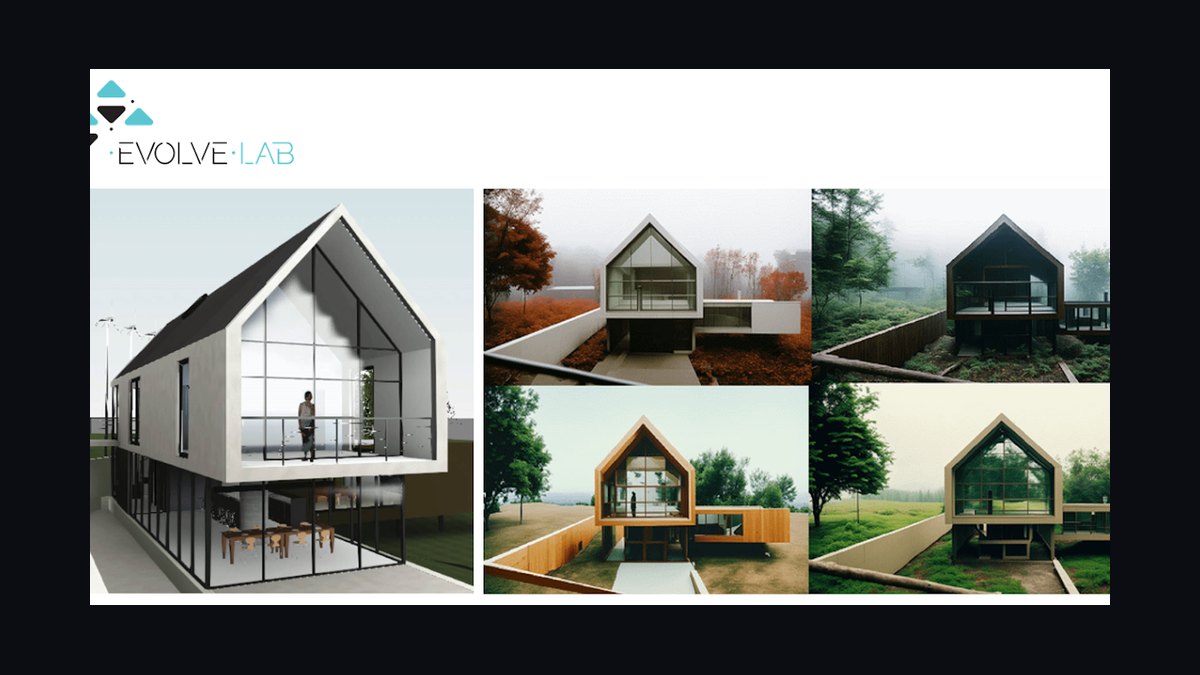
Veras from EvolveLAB ranks third because it applies generative AI to model geometry you already built rather than a blank prompt box. Plugins run inside Revit, SketchUp, Rhino, Forma, and Vectorworks, feeding your actual viewport into the engine. Massing and openings stay locked while materials, context, lighting, and mood restyle from text, so you can explore a dozen facade treatments in one sitting without losing the underlying design.
It fits firms that need client-facing options and concept boards that still match the real building. The trade is scope: Veras produces imagery, not editable buildable geometry, so it cannot generate layouts the way TestFit or the residential engines below do. Compared with pure text-to-image renderers, its geometry fidelity is the whole point — outputs track the model instead of fighting it.
4. Maket.ai
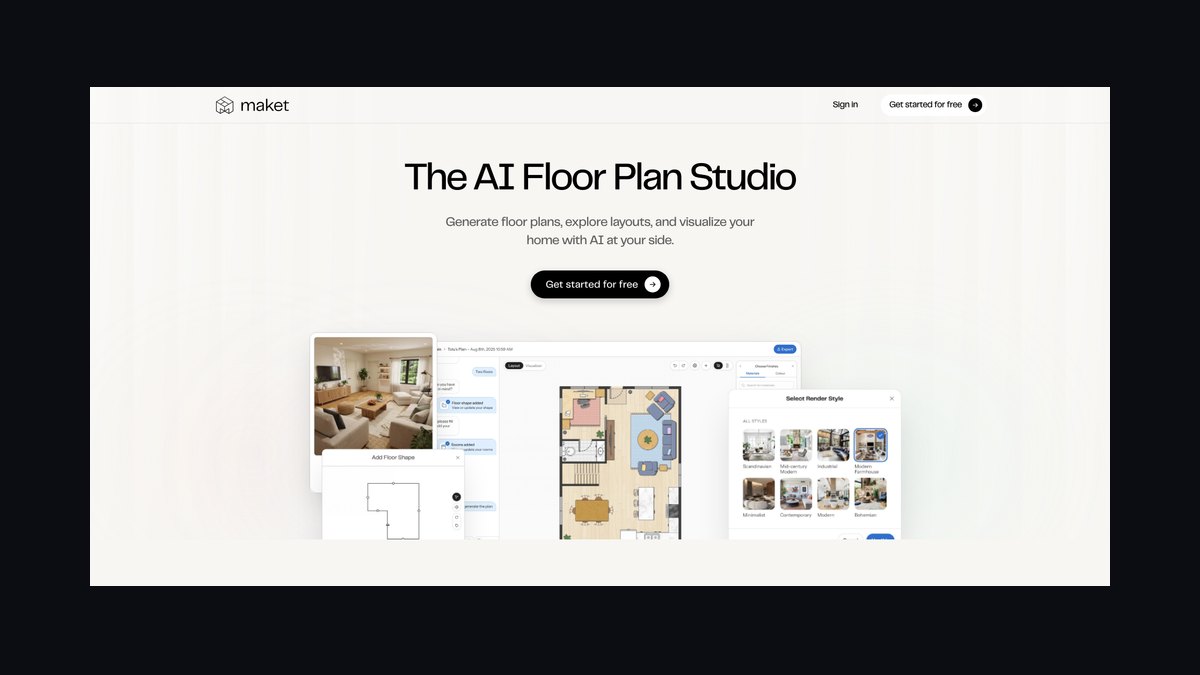
Maket.ai ranks fourth as the value pick because a free tier plus affordable paid plans buys genuine generative capability. Type a plain-language brief — three bedrooms, open kitchen, two-car garage — and it returns dozens of residential floor plan options in seconds. The Montreal-built platform also bundles a generative image tool for elevations and a building-code assistant that answers zoning and regulation questions conversationally.
It targets small firms, custom-home designers, and developers doing single-family or small multifamily work. The trade is ceiling: it will not produce a full BIM model or handle complex commercial typologies, which is where ARCHITEChTURES and Forma take over. Dollar-for-dollar nothing else here moves from brief to buildable-looking residential options faster, so start free and upgrade only when volume justifies it.
5. ARCHITEChTURES

ARCHITEChTURES ranks fifth because it generates editable building geometry, not inspiration images, for residential developers working at scale. Define the plot, regulations, and program targets, and its engine produces optimized multifamily layouts covering unit distribution, circulation, and structure. The Madrid-built platform reports buildable area, efficiency ratios, and program compliance as you iterate, shortening the gap between land acquisition and a credible scheme.
The model is human-AI collaboration: designers steer constraints like sellable area, unit mix, and daylight while the engine handles the combinatorial fitting. It is narrower than Forma — residential housing is the sweet spot, and commercial work falls outside it. Against Maket.ai one rank above, it handles far larger multifamily programs but costs more and expects a developer-grade brief rather than a sentence.
6. Finch
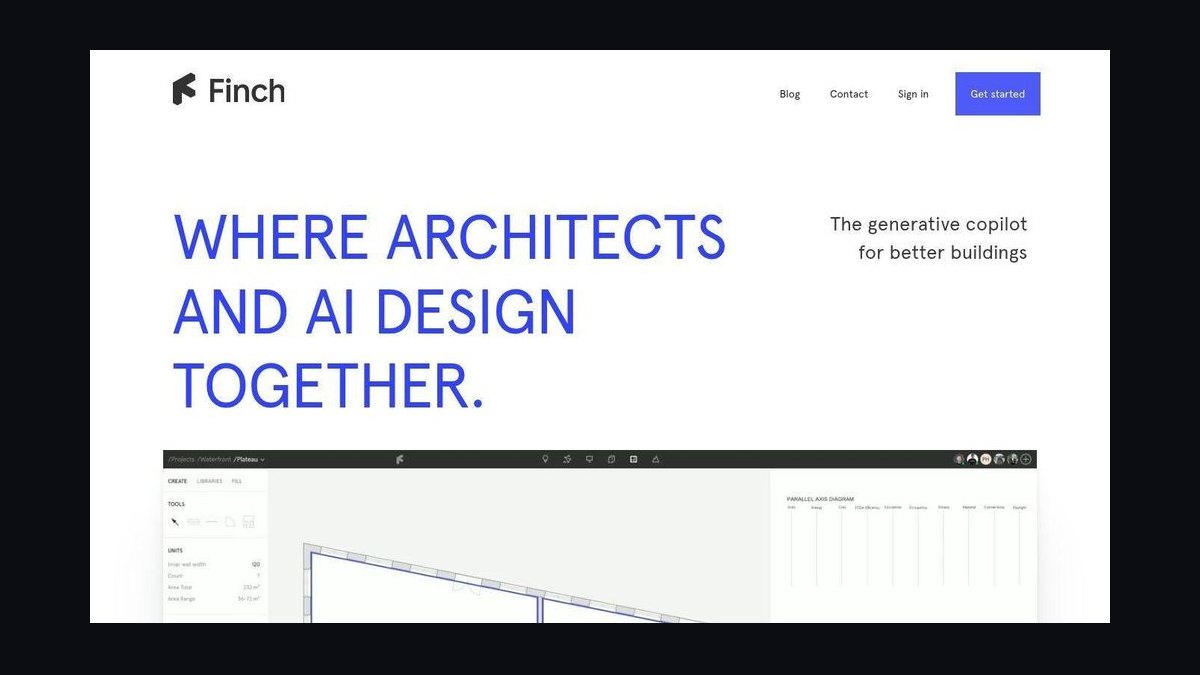
Finch ranks sixth for giving architects real-time feedback while they sketch rather than after. The Stockholm tool evaluates layouts against rules for areas, ratios, daylight, and circulation, flagging problems instantly like a spell-checker for floor plans. Its graph-based engine also proposes and regenerates layouts when a constraint changes, so testing an alternative does not mean redrawing the plan from scratch.
It is built for computational designers and firms already fluent in Rhino and Grasshopper workflows, slotting into that environment instead of pulling work elsewhere. The trade is prerequisite skill — teams without parametric fluency get less from it than they would from Maket.ai. Against Hypar below, Finch optimizes for the individual designer's live feedback loop rather than firm-wide encoded standards.
7. Hypar
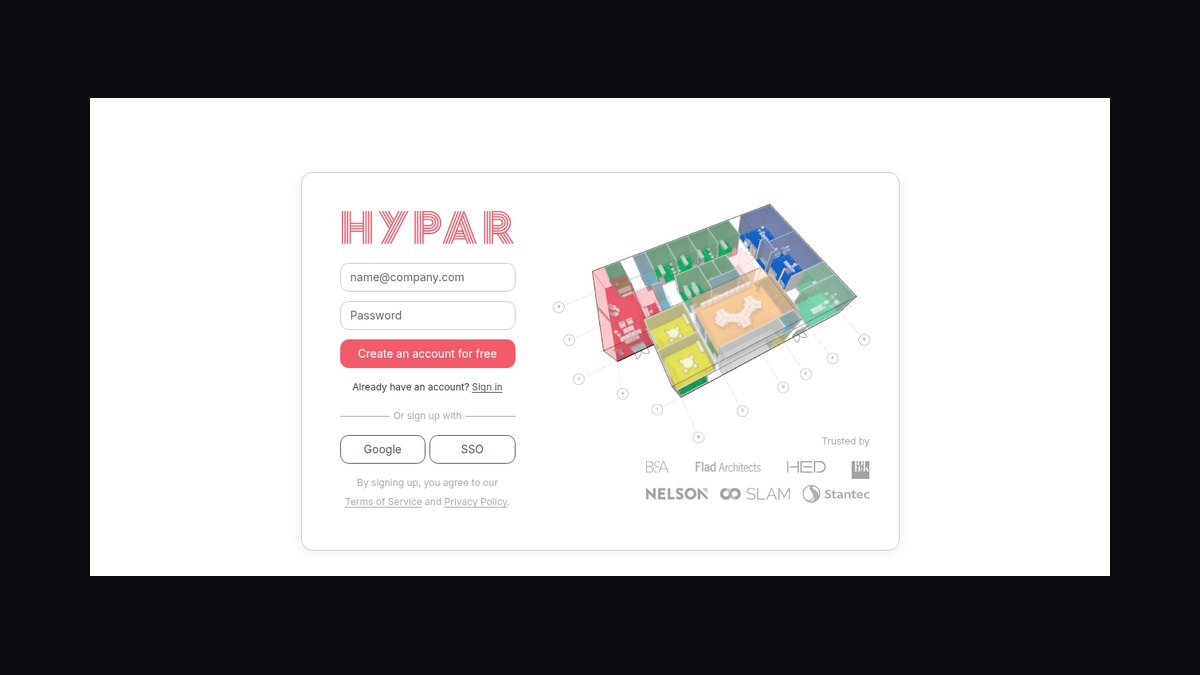
Hypar ranks seventh because it turns building logic into reusable code instead of one-off scripts. Founded by Ian Keough, creator of Autodesk's Dynamo, the cloud platform lets teams write Hypar functions that generate structure, cores, facades, or space plans, then compose them to assemble whole buildings computationally. It connects to Revit and supports IFC, fitting existing BIM pipelines rather than replacing them.
The payoff compounds: encode a firm's design standards and detailing rules once, then apply them automatically across every project. That makes it a fit for large practices systematizing how they design, not solo architects chasing a quick scheme. The trade is a steeper learning curve than any prompt-driven tool here, and unlike Finch it rewards organizational investment over individual speed.
8. Snaptrude
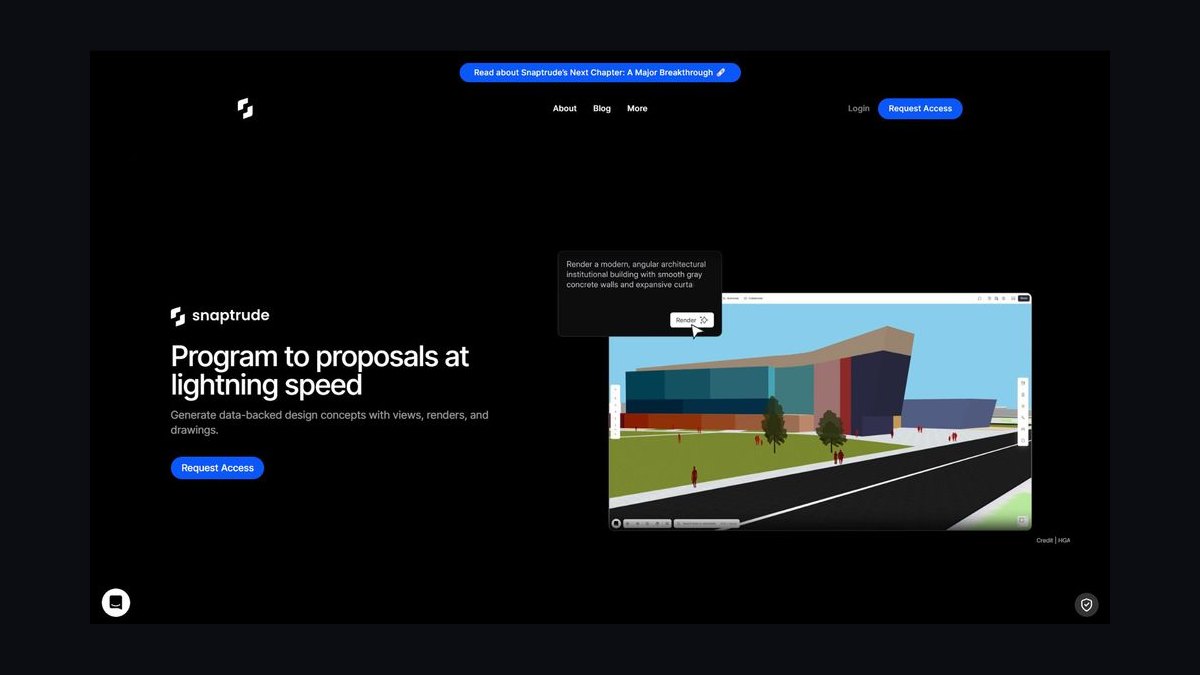
Snaptrude ranks eighth for running real BIM in a browser with multiplayer editing. Model spaces quickly on a shared canvas while the platform maintains actual BIM data behind the geometry, with Revit and SketchUp interoperability for downstream documentation. Its AI features convert sketches and imported plans into structured models, auto-generate layouts, and keep quantities and areas live as the design changes.
Distributed teams benefit most, since early-stage charrettes happen in real time without file-swapping across desktop installs. The trade is depth — it accelerates schematic design but does not replace heavyweight desktop BIM for construction documents. Where Hypar automates through code and demands programming investment, Snaptrude wins on immediacy and collaboration, requiring only a browser and no computational-design background.
9. LookX AI
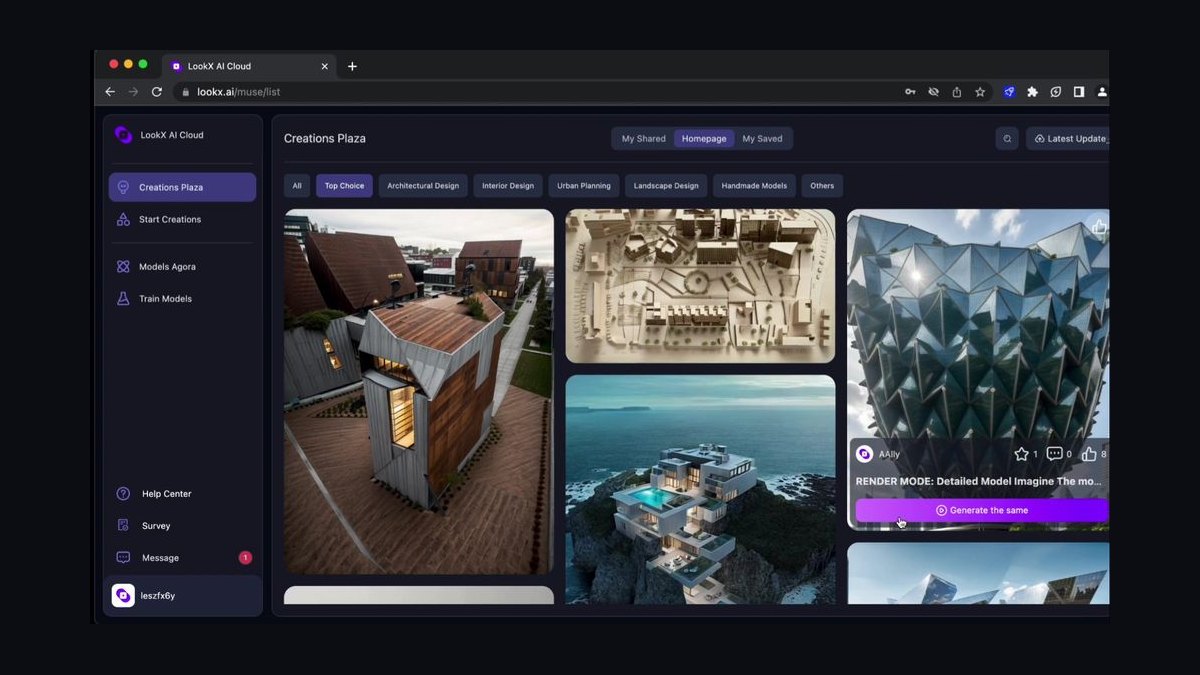
LookX AI ranks ninth because it delivers concept imagery and nothing buildable. Architects use it to generate conceptual visuals, explore facade and form options from prompts or reference images, and produce client-facing material while ideas are still fluid. Its differentiator is breadth of architectural style models plus reference control, letting you steer output toward a specific aesthetic or an existing sketch rather than generic AI output.
The honest framing is idea-generation tool, not documentation tool — directions surfaced here still need proper development in BIM afterward. It sits below Veras because Veras starts from your real model geometry while LookX starts from a prompt, so nothing it produces is guaranteed to match a designed building. For fast brainstorming of form and feel, it is competitive.
10. D5 Render

D5 Render ranks tenth because it is a renderer, not a generative designer, though visualization remains core to architectural delivery. Built by Dimension 5, its GPU-accelerated real-time path tracing produces photoreal stills and walkthrough animations quickly, and it imports from SketchUp, Rhino, 3ds Max, Revit, Blender, and Archicad. The newer D5 AI layer adds generative and texture tools that speed up material work and scene setup.
It fits firms that need presentation imagery without a render-farm budget or a steep technical setup. What it trades away is design intelligence entirely — it optimizes nothing and generates no layouts, which is why it sits last. Against LookX AI above, D5 renders your actual model faithfully rather than inventing imagery, making it the safer choice for client deliverables.
How we ranked these
Ten tools were scored on five weighted axes: design intelligence (does the AI generate, optimize, or analyze geometry rather than paint pictures), interoperability with Revit, Rhino, SketchUp, Grasshopper, and IFC, speed at concept stage where roughly 80% of cost and carbon lock in, code and constraint handling including setbacks, egress, zoning envelopes, and parking ratios, and proven adoption by working firms and developers.
Demo-reel hype was ignored entirely, as were funding rounds, logo walls, and conference awards. Pure text-to-image renderers were judged in a separate bracket and weighted lower unless they shipped genuine design utility, because a convincing image that cannot export editable geometry traps concept work in a silo. Standalone UI polish counted for nothing without a clean round-trip. Marketing claims about accuracy were not accepted without published methodology.
What to look for
Match the tool to your stage, not to the feature list. If you are testing massing and microclimate, Forma's surrogate models pay for themselves in the first week. If your first job is proving a site pencils, TestFit's yield and parking solvers do work no BIM tool touches. If you need imagery that respects geometry you already modeled, Veras beats any prompt-only renderer. Residential at small volume starts free on Maket.ai.
The common mistake is buying a renderer and expecting a designer. LookX and D5 produce beautiful images that contain no buildable data, so the concept has to be rebuilt from scratch in BIM afterward — erasing the time the AI supposedly saved. Test the export path during the trial: push your own model out to Revit, Rhino, or IFC and confirm it comes back editable before committing budget.
Related questions
What is Autodesk Forma and how does it relate to Spacemaker?
Forma is the rebranded evolution of Spacemaker, the Norwegian AI startup Autodesk acquired in 2020 and renamed in 2023. It runs in the browser and targets pre-design and concept work, returning sun hours, daylight, wind comfort, microclimate, and noise readings on sketched volumes in seconds using machine-learning surrogate models instead of full simulations.
Why does TestFit rank second instead of first?
TestFit is exceptional at one thing: proving a site pencils. Its configurators generate code-compliant multifamily, parking, industrial, and townhome schemes while unit counts, stalls, and gross area recalculate live. But it is deliberately not a BIM authoring tool. Forma covers a wider slice of concept-stage work, so it takes the overall slot while TestFit owns feasibility.
Which tool keeps my existing model geometry when generating imagery?
Veras from EvolveLAB. It installs as a plugin inside Revit, SketchUp, Rhino, Forma, and Vectorworks, then applies generative AI to your actual viewport. Massing and openings stay locked while materials, context, lighting, and mood shift from a text prompt, so you can explore a dozen facade treatments without the building drifting into something unbuildable.
What makes Maket.ai the best value pick?
A genuine free tier plus affordable paid plans, aimed at residential floor plans. Describe a brief in plain language — three bedrooms, open kitchen, two-car garage — and it returns dozens of layouts in seconds. It also bundles a generative elevation tool and a conversational building-code assistant. It will not handle complex commercial typologies or replace a full BIM model.
How is Hypar different from prompt-driven generative tools?
Hypar, founded by Dynamo creator Ian Keough, encodes building logic as reusable cloud functions rather than one-off scripts. Teams build functions that generate structure, cores, facades, or space plans and combine them into whole buildings. It connects to Revit and supports IFC. The learning curve is steeper, but firm standards get captured once and applied across every project.
Which tools fit a Rhino and Grasshopper workflow?
Finch, out of Stockholm, is built for exactly that. It evaluates plans in real time against areas, ratios, daylight, and circulation rules, flagging problems as you sketch — a spell-checker for floor plans. Its graph-based engine regenerates layouts when constraints change. Hypar also fits computational practices, though it targets firm-wide automation rather than in-canvas feedback.
Is browser-based BIM ready for real project work?
Snaptrude makes a credible case. You model spaces multiplayer-style in the browser while it maintains real BIM data behind the geometry, with Revit and SketchUp interoperability for documentation downstream. Sketches and imported plans convert into structured models, and quantities stay live. It is strongest for early-stage charrettes with distributed teams rather than construction documents.
Where does D5 Render fit if it isn't a generative designer?
Visualization is a core delivery, not a nice-to-have. D5 imports from SketchUp, Rhino, 3ds Max, Revit, Blender, and Archicad, and its GPU-accelerated real-time path tracing produces photoreal stills and walkthroughs quickly. The newer D5 AI layer speeds up material and scene setup. It earns the tenth slot on presentation quality and accessible licensing, not on design intelligence.
FAQ
What is the best overall AI tool for architecture design in 2027?
Autodesk Forma. Its cloud-based environmental analysis lets teams test massing options against sun, wind, noise, and operational carbon in minutes rather than days, and concept geometry hands off directly into Revit instead of getting redrawn. That combination of speed at the stage where decisions are cheapest and a clean downstream path is what puts it first.
Is AI architecture software expensive?
It varies widely. Forma ships as part of the Autodesk AEC Collection or as a subscription, and TestFit sells per seat. Maket.ai offers a free tier with affordable paid plans, so a small residential practice can start at effectively zero. Budget by stage: feasibility and rendering tools price differently than full generative platforms.
Can AI tools replace human architects?
No. These tools augment rather than replace. They absorb the repetitive grind — feasibility tests, massing iterations, parking packing, environmental checks — so architects spend their hours on creative direction, client relationships, and genuinely hard problems. Every tool here still needs a designer setting constraints and judging which of the generated options is actually worth building.
Which AI tool is best for real-estate feasibility studies?
TestFit, built in Dallas. Its configurators auto-generate code-compliant schemes for multifamily, parking, industrial, and townhome typologies, recalculating unit counts, stalls, and gross area the moment you drag a setback. Yield, unit mix, and cost update live, compressing a week of manual site tests into an afternoon. The parking solver alone justifies it on suburban wrap projects.
Do these AI tools work with Revit?
Most do. Forma connects directly so concept geometry carries forward. TestFit exports to Revit, Rhino, and CAD for documentation. Veras runs as a plugin inside Revit itself. Hypar connects to Revit and supports IFC, and Snaptrude offers Revit and SketchUp interoperability. Verify the round-trip on your own model during a trial before committing.
How accurate are the environmental analyses in these tools?
Accurate enough for comparative early-stage decisions, not for final compliance. Forma uses machine-learning surrogate models that approximate full simulations quickly, which is exactly what you want when ranking massing options. Validate the winning scheme with detailed simulation before it drives permitting or energy modeling submissions. The value is in choosing well, not in certifying the result.
Can I hand an AI-generated render to a contractor?
No. Tools like LookX AI and D5 Render produce convincing imagery that contains no buildable data — no dimensions, no assemblies, no coordination. Develop the design properly in BIM first, then render for presentation. Treating a generative image as documentation is how projects end up with details nobody costed and geometry nobody can construct.
Which tool suits residential developers working at scale?
ARCHITEChTURES, from Madrid. Define the plot, regulations, and program targets, and its engine generates optimized multifamily layouts covering unit distribution, circulation, and structure. It reports buildable area, efficiency ratios, and program compliance as you iterate. Narrower than Forma, but within residential housing it produces editable building geometry rather than inspiration images.
What should I test during a free trial?
The export path, before anything else. Run your own model through the tool and push it back out to Revit, Rhino, or IFC, then confirm the geometry arrives editable and correctly organized. A tool that cannot round-trip cleanly silos your concept work no matter how good its generation looks. Test that first, aesthetics second.
Should a small firm buy more than one of these?
Usually two, chosen by stage rather than overlap. A concept and analysis tool such as Forma or Maket.ai, paired with a visualization layer like Veras or D5, covers most small-practice work. Add TestFit only if feasibility studies are a recurring revenue line. Stacking three generative tools that solve the same problem wastes both budget and training time.
Sources
- https://www.autodesk.com/products/forma/overview
- https://www.testfit.io/
- https://www.evolvelab.io/veras
- https://www.maket.ai/
- https://www.architechtures.com/
- https://www.finch3d.com/
- https://hypar.io/
- https://www.snaptrude.com/
- https://www.d5render.com/
Related on PULSE
- [More ai tools for architecture design rankings and buying guides](/knowledge)
- [PULSE Tools and calculators](/tools)
- [Everything on PULSE RevOps](/)
Read it free — or make it yours for $1.
@Kory-White- · if Venmo asks, the last 4 of my number are 2012
 pulse-ai-infrastructureThe 10 Best AI Tools for Product Page Design in 2027
 pulse-ai-infrastructureThe 10 Best AI Tools for Supply Chain Planning in 2027
 pulse-ai-infrastructureThe 10 Best AI Tools for Brand Voice Guides in 2027
 pulse-ai-infrastructureThe 10 Best AI Tools for Stock Photos in 2027
 pulse-ai-infrastructureThe 10 Best AI Tools for YouTube Optimization in 2027
 pulse-ai-infrastructureHow do you scale LLM inference to handle thousands of concurrent users?
 pulse-ai-infrastructureThe 10 Best AI Tools for Web Illustration in 2027
 pulse-ai-infrastructureThe 10 Best AI Tools for Summarizing Books in 2027
 pulse-ai-infrastructureThe 10 Best AI Tools for SEO in 2027
 pulse-ai-infrastructureThe 10 Best AI Tools for Static Site Generation in 2027