


How do you use Palantir AIP to measure stage inflation without buyer evidence in Dynamics 365 during channel co-sell when marketing ops on Marketo in 2027?
Quality
Certified
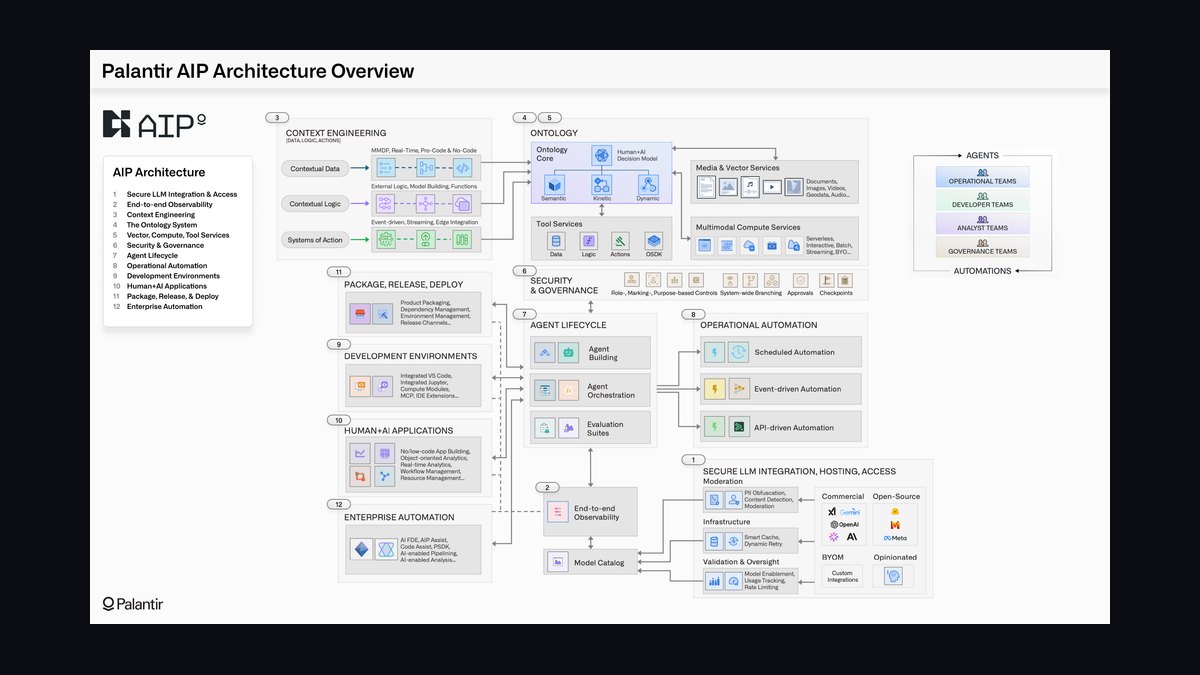
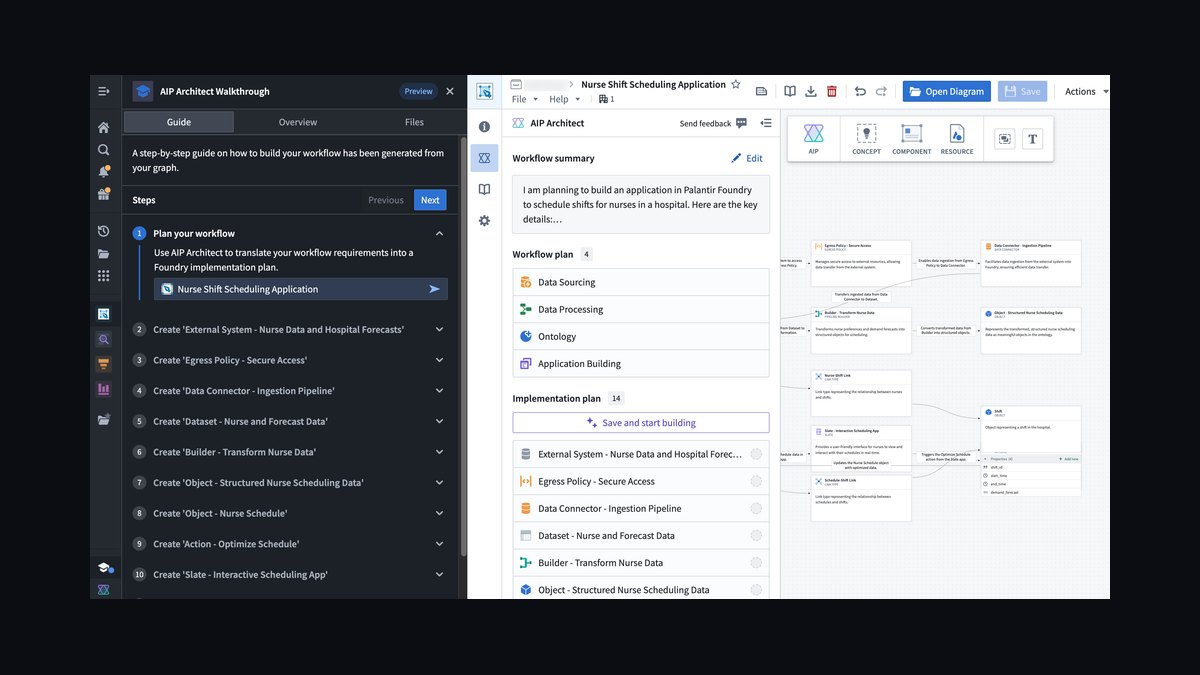
Wire Palantir AIP to ingest Dynamics 365 stage-change timestamps and Marketo engagement logs into one ontology, then flag any stage advance in Dynamics that has no matching Marketo buyer activity — email open, meeting, download, or form fill — within a 7-14 day window. For channel co-sell, extend the check to partner-rep activity so partner-driven advances without buyer evidence surface separately. Pilot on one partner's pipeline before scaling.
The Co-Sell Scenario That Exposes the Gap
Picture a mid-market software company running a co-sell motion with three regional systems integrator partners, all logging opportunities into Dynamics 365 while the vendor's own marketing operations team runs demand generation through Marketo. Every Friday, the partner reps update their shared pipeline view, and every Monday, the RevOps team pulls a forecast roll-up. Three weeks into a quarter, a partner suddenly shows twelve deals sitting in "Proposal Sent," a stage that historically correlates with a signed mutual action plan and at least one buyer-attended demo. When RevOps cross-checks Marketo, only four of those twelve accounts show any buyer-level engagement in the prior 30 days — no email opens, no webinar attendance, nothing beyond an initial form fill months earlier.
This is stage inflation in its most common channel form: the partner is optimizing for their own internal commission triggers or MDF eligibility thresholds, not for the accuracy of your forecast. Dynamics 365 has no native mechanism to distinguish a stage move backed by real buyer signal from one that's purely partner-motivated, because the CRM only records that a stage field changed and who changed it, not whether the market responded. Marketing operations, meanwhile, is sitting on the exact evidence that would resolve the ambiguity — engagement data in Marketo — but nobody has connected the two systems in a way that surfaces the mismatch before it reaches the CRO's forecast deck.
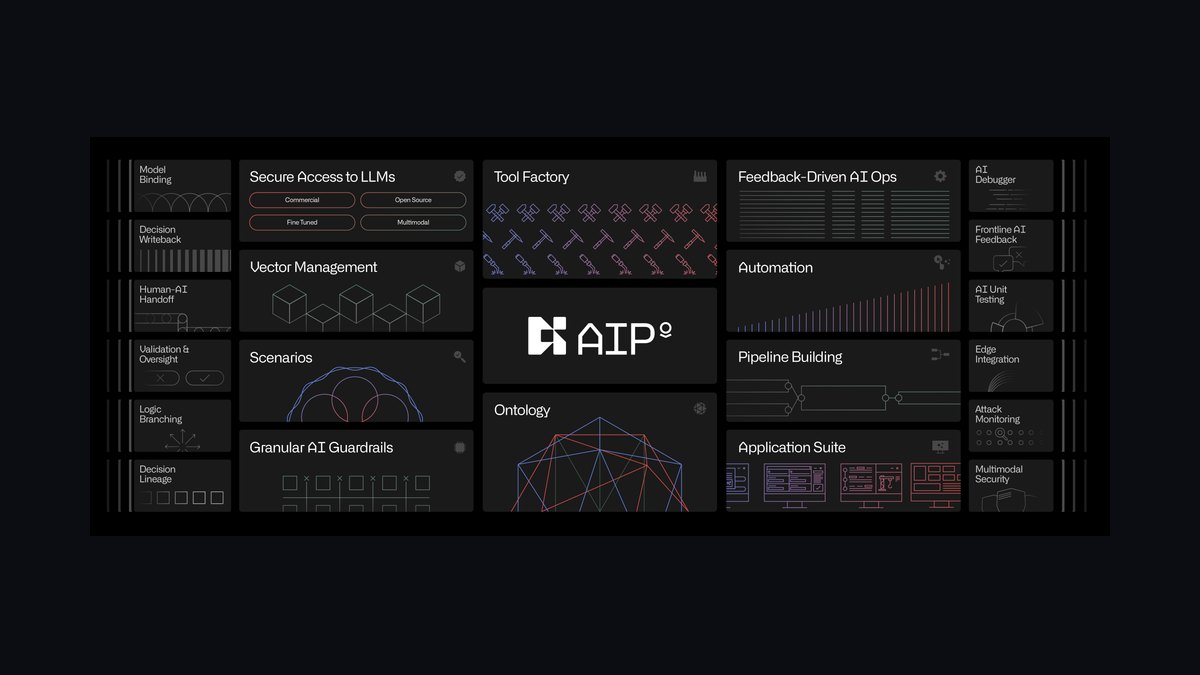
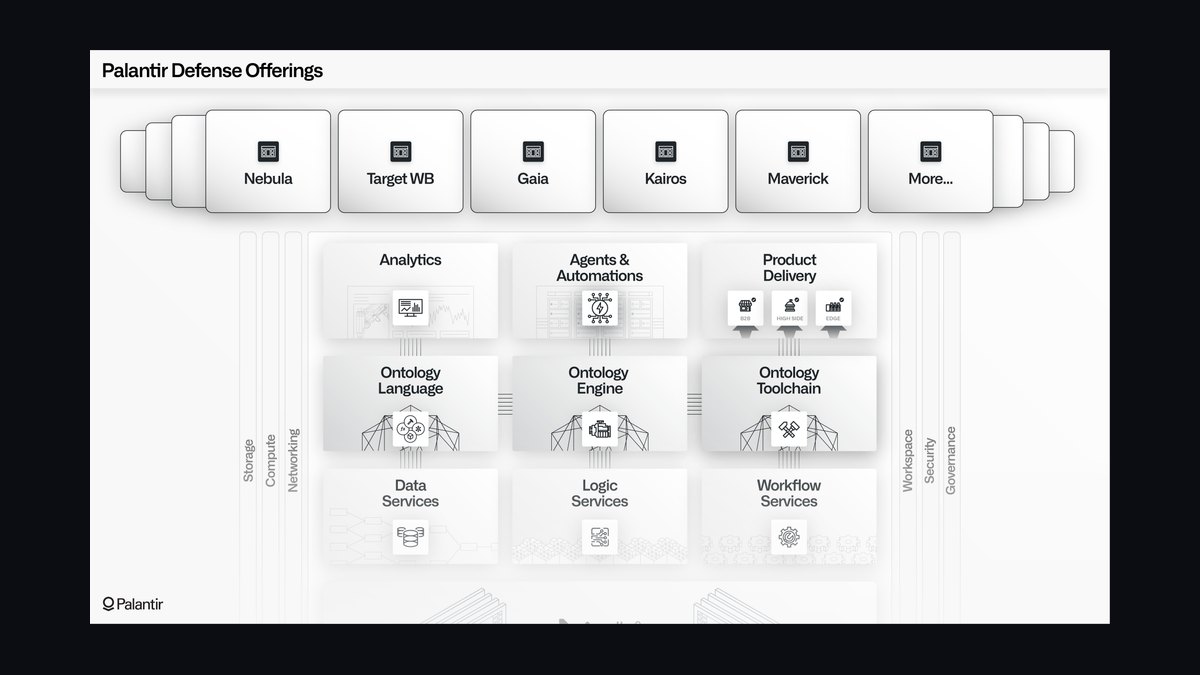
This is precisely the gap Palantir AIP is built to close: it doesn't replace Dynamics or Marketo, it sits across both, applying consistent logic to reconcile a stage claim against an evidence trail. The pattern generalizes beyond this one scenario — any environment where a second party (a partner, a channel rep, even an overzealous AE under quota pressure) controls stage progression without owning the buyer relationship is a candidate for the same treatment. Distributor-led deal registration, VAR-sourced renewals, and even internal SDR-to-AE handoffs where the SDR pre-advances a stage to hit activity metrics all produce a structurally identical inflation pattern, and all can be caught with the same evidence-matching approach described below.
How the Detection Mechanism Works
The mechanism has four moving parts: an ontology that unifies the two systems' objects, a nightly extraction job, a matching rule that defines "evidence," and an output layer that writes findings back where humans and downstream automation can act on them.
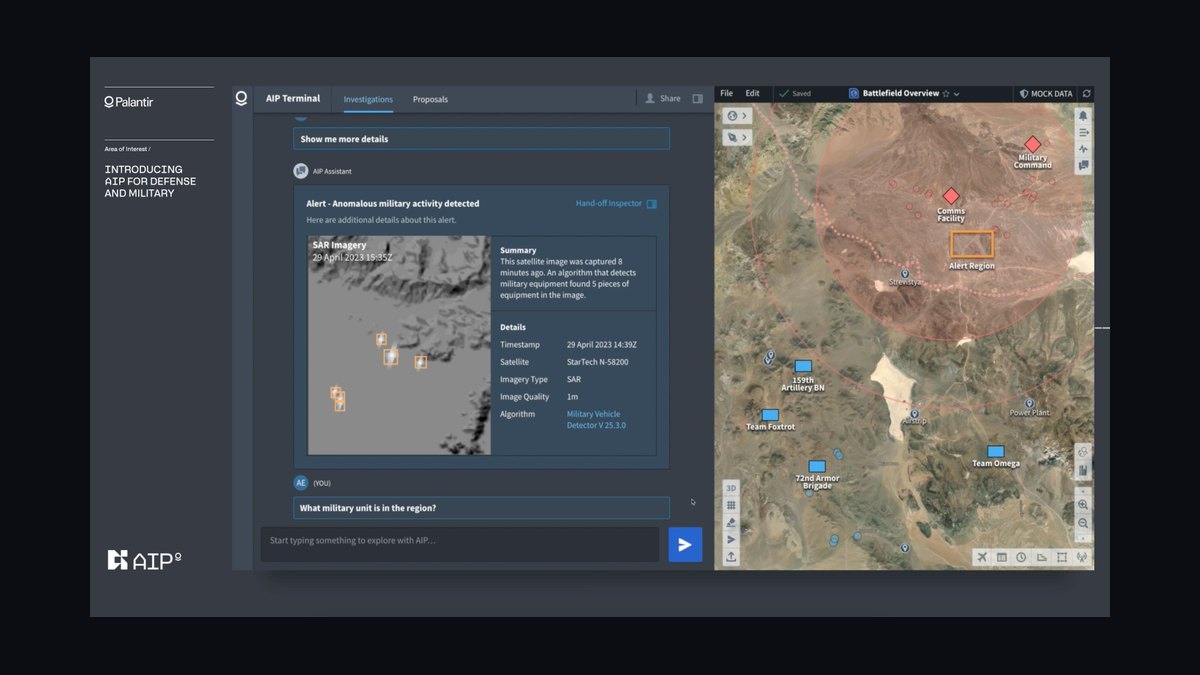
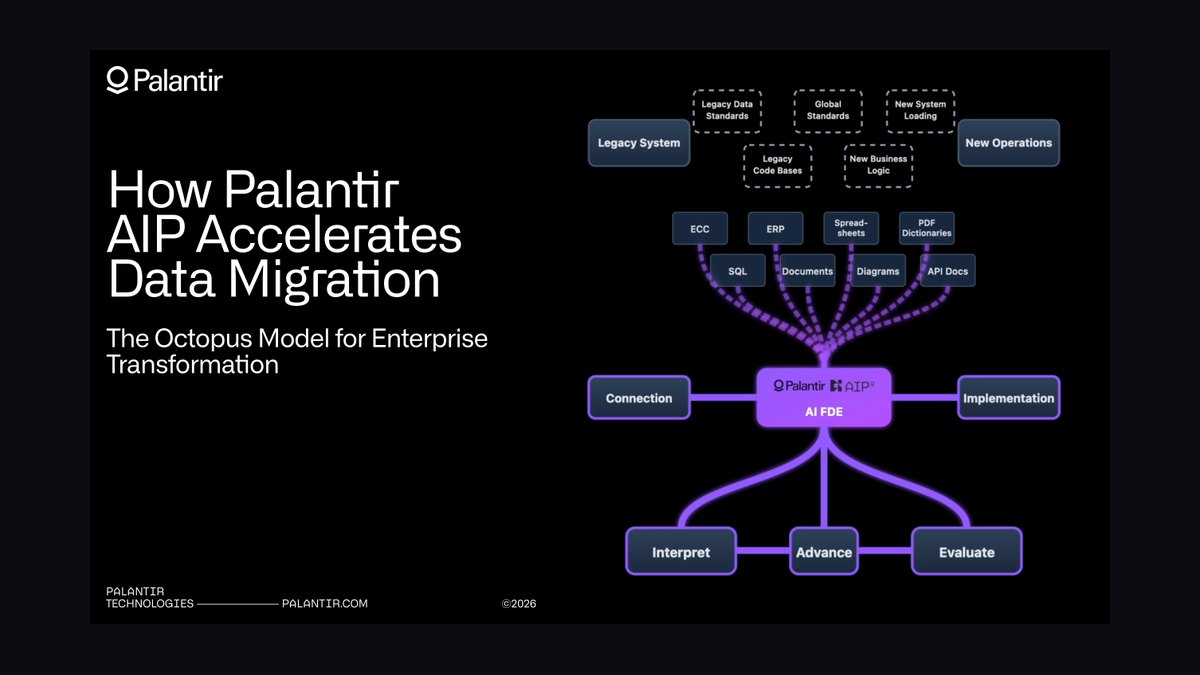
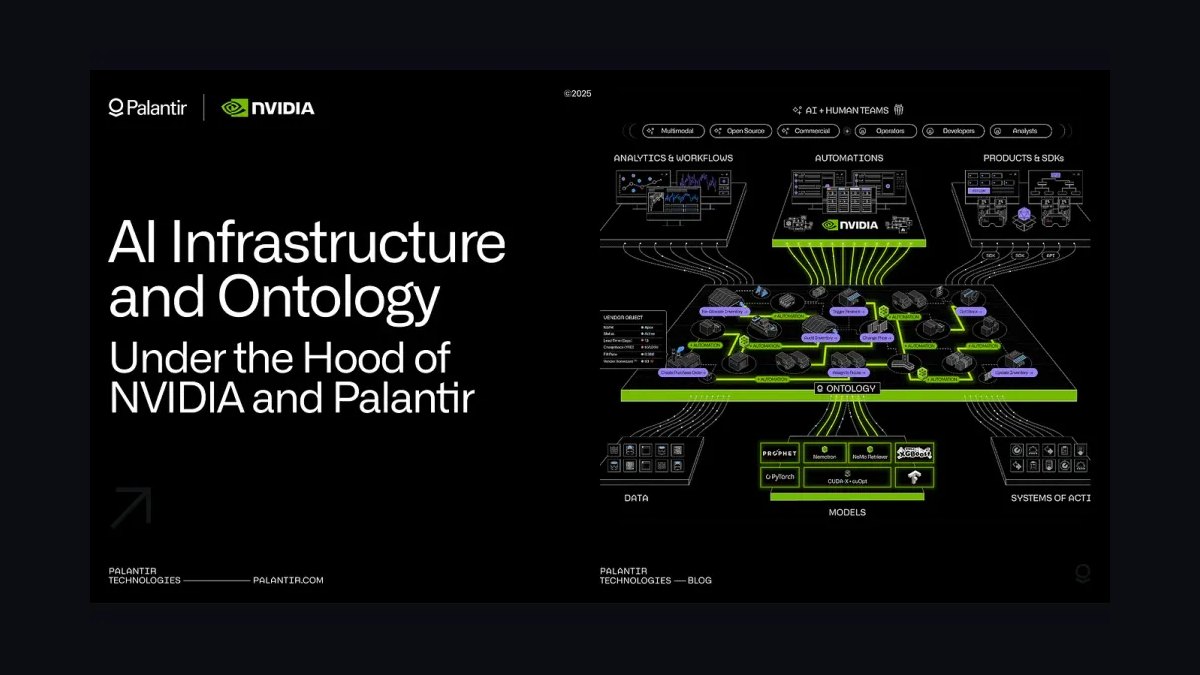
First, build the AIP ontology so a Dynamics 365 opportunity object maps one-to-one with its corresponding Marketo lead and account records, keyed on account ID and, where available, the specific buyer contact tied to the opportunity. This mapping is the single most common point of failure in real deployments — if account IDs aren't consistently populated on both sides, or if a partner creates opportunities under a house account instead of the actual buyer's account, the join silently fails and AIP will report false positives (or worse, false negatives that hide real inflation).
Second, pull stage transition history from the Dynamics 365 audit log rather than relying on the current stage field alone. The audit log gives you the exact timestamp of every stage change plus the user who made it, which is what lets you distinguish "the partner rep moved this to Proposal on a Tuesday afternoon with no calendar activity" from "the AE moved this the day after a signed mutual action plan was uploaded." Foundry's pipeline layer can run this extraction daily, landing a clean transition table.
Third, define the evidence window and evidence types explicitly, then encode them as a rule AIP evaluates against the Marketo activity log: any of email open, meeting attended, document or proposal downloaded, or form submission occurring within 14 days before or after the stage change counts as evidence. No qualifying activity in that window means the opportunity gets a "missing evidence" flag written back to a custom field on the Dynamics 365 record, visible to managers in their normal pipeline view without requiring them to leave the CRM.
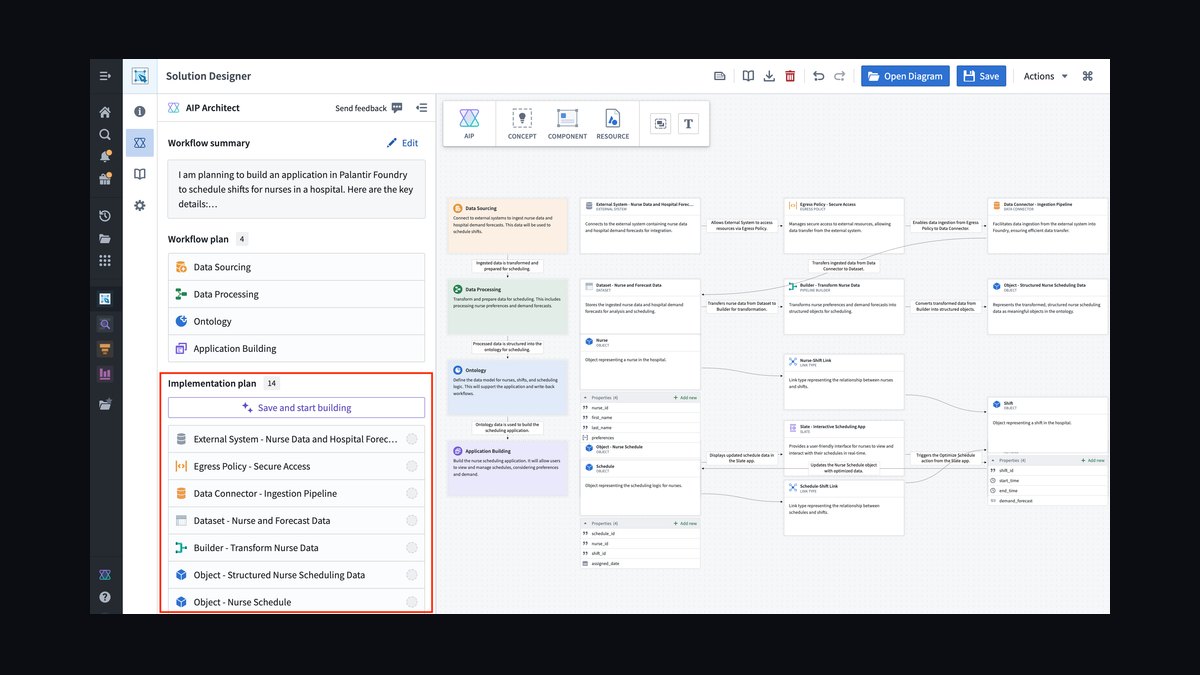
Fourth, for co-sell specifically, add a partner-activity dimension so the model can separate "no buyer evidence, but the partner rep clearly worked the deal" from "no buyer evidence and no partner activity either" — the latter is a much stronger inflation signal and should route to a different review queue than the former.
Benchmarks: How Much Inflation Is Normal
Teams running this comparison for the first time are almost always surprised by the scale of the gap. In practice, organizations that stand up this AIP-to-Dynamics-to-Marketo reconciliation for the first time on a co-sell segment typically discover that somewhere between 30% and 50% of stage advances in the partner-sourced pipeline lack any qualifying buyer evidence, compared to 10-20% in directly-managed pipeline where an AE controls the full sales motion. That spread alone is diagnostic: if your co-sell inflation rate is more than double your direct-sourced rate, the incentive structure with your partners — not your CRM hygiene — is the root cause.
Within channel co-sell specifically, inflation clusters at two transition points far more than others: Stage 2 (Qualified) to Stage 3 (Proposal), and Stage 4 (Negotiation) to Stage 5 (Closed Won). The first cluster happens because partners advance opportunities to hit quarterly deal-registration or MDF-eligibility thresholds well before a real proposal conversation has occurred. The second cluster is smaller in volume but far more damaging to forecast accuracy, because a deal inflated straight to Closed Won without evidence directly overstates booked revenue, not just pipeline coverage.
On the evidence-matching threshold itself, a 14-day window is a reasonable starting point for most B2B sales cycles of 60-120 days, but it needs tuning: teams with sales cycles under 30 days should tighten the window to 7 days, since a 14-day gap in a short cycle already represents a large fraction of total deal time, while teams with enterprise cycles over 180 days can safely widen it to 21-30 days without losing signal. AIP's partner-behavior scoring — comparing a partner's current stage-advancement cadence against their own historical norm — flags a meaningful anomaly at roughly 2 standard deviations of deviation; in practice this means a partner who typically takes 45 days between Negotiation and Closed Won but does it in under a week with zero Marketo activity should trigger a manual review essentially every time.
On calibration timelines, expect a rough signal within 2-4 weeks of turning on the data pipeline, but treat anything before 60-90 days of accumulated history as provisional. Full-quarter seasonality (end-of-quarter push behavior looks different from mid-quarter steady state) doesn't show up reliably until you've run at least one complete quarter through the model. When teams manually audit a sample of AIP-flagged deals against actual closed-won outcomes, a 70-80% match rate between "flagged as inflated" and "later confirmed as a pushed or lost deal" is a good calibration signal; below 60%, the evidence-window or activity-type definitions need adjustment before you trust the flags for forecast decisions.
Trade-offs and Alternatives
Palantir AIP is not the only way to attack this problem, and for many teams it is not the first thing to try. The core trade-off is setup cost and ongoing model maintenance versus detection sophistication and cross-partner pattern recognition.
The lightest-weight alternative is a Dynamics 365 native validation rule: require a populated "Evidence_Type" and "Evidence_Date" field before a stage can advance past Qualified, enforced at the point of save rather than detected after the fact. This costs almost nothing to build, requires no integration with Marketo at all, and stops a large share of inflation simply by making the rep or partner document evidence in the moment. Its weakness is that it relies on self-reported honesty — a partner motivated to hit a threshold can type a plausible-sounding note without any real buyer activity behind it, and the field becomes a compliance checkbox rather than a truth signal.
A middle option is a scheduled report or Power Automate flow that joins Dynamics opportunity exports against a Marketo activity export on a weekly cadence, manually reviewed by a RevOps analyst. This catches the same evidence gaps AIP catches, at a fraction of the engineering investment, but it doesn't scale past a handful of partners, doesn't learn partner-specific behavioral baselines, and depends entirely on an analyst's bandwidth to keep running week over week — exactly the kind of manual process that tends to quietly stop happening under deadline pressure.
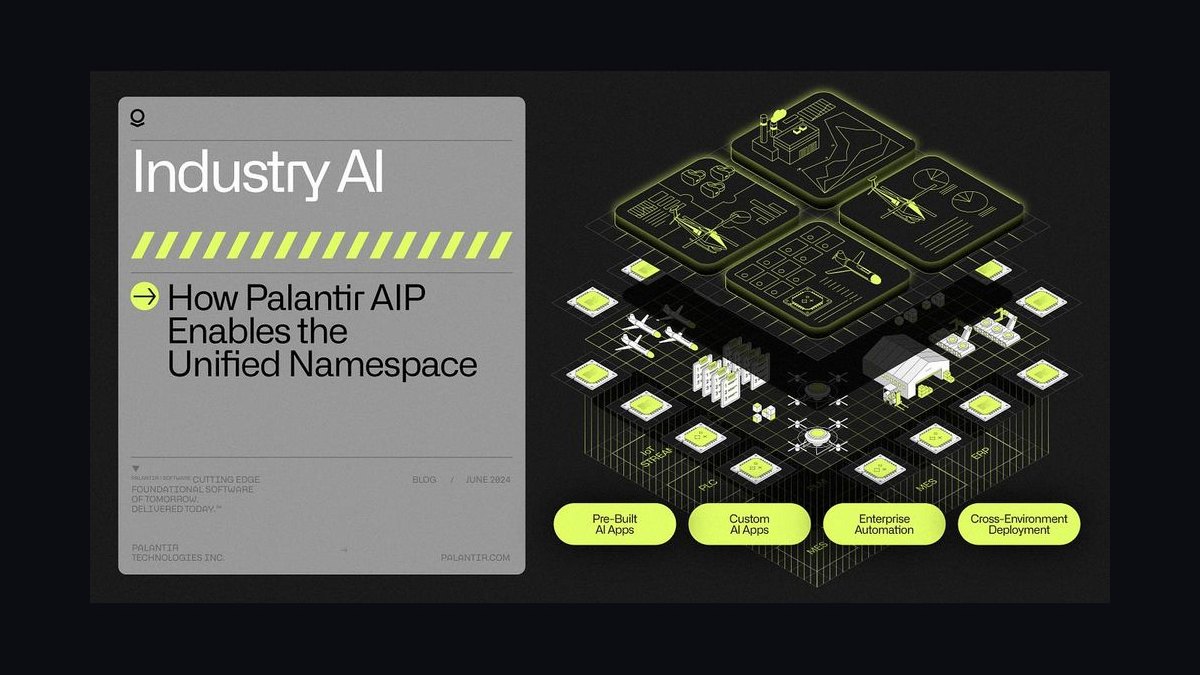
Palantir AIP earns its cost when you have enough partners, enough deal volume, or enough marketing complexity (multiple Marketo instances, regional co-sell programs, overlapping partner territories) that a static rule or a manual join stops being sufficient — specifically, the partner-behavior scoring that detects a 2-standard-deviation deviation in advancement cadence is something a static report simply cannot do, because it requires maintaining a rolling historical baseline per partner and re-evaluating it continuously. The trade-off is real engineering and data-governance overhead: someone has to own the ontology mapping, monitor for join failures when account IDs drift, and retune evidence-window thresholds as sales cycles shift.
A fourth path worth naming is doing nothing automated and instead relying entirely on the manager inspection process described elsewhere in this material — a human opening the Dynamics report every week and asking pointed questions. This is the cheapest option of all and works for small partner programs, but it does not scale past a few dozen partner-sourced opportunities a week before manager attention becomes the bottleneck instead of the safeguard.
Common Pitfalls and How to Avoid Them
The most frequent failure is treating account-ID mapping as a one-time setup task instead of an ongoing data-quality process. Partners create duplicate accounts, use house accounts instead of the buyer's actual account, or misspell company names when self-registering deals, and every one of those breaks the AIP-to-Marketo join silently — the opportunity simply never gets evaluated, so it looks clean by omission rather than by evidence. Build a weekly unmatched-record report specifically for this, separate from the inflation-flag report itself.
A second pitfall is defining "buyer evidence" too loosely at the start, particularly counting marketing-team-initiated activity (a nurture email open, a generic newsletter click) the same as buyer-initiated activity (a meeting the buyer accepted, a proposal they opened). Marketing operations running on Marketo can generate a lot of low-intent activity that technically satisfies a loose evidence rule without reflecting real buyer engagement, which reintroduces the exact false-confidence problem you built AIP to eliminate. Weight evidence types — a meeting attended should count more heavily than an email open — rather than treating every Marketo activity as equally valid proof.
A third pitfall is rolling the model out across every partner simultaneously instead of piloting on one. Different partners have genuinely different buying-committee structures, deal sizes, and sales-cycle lengths, so a single evidence window and threshold set calibrated on one partner's data will misfire on another's. Pilot on the single partner generating the most forecast disruption, run it for a full 60-90 day cycle, and only then generalize the thresholds — with per-partner adjustment where the data supports it — to the rest of the co-sell program.
A fourth pitfall is letting the "missing evidence" flag become punitive rather than diagnostic. If partners or reps learn the flag is used purely to penalize them, they will find ways to manufacture qualifying activity (a token email sent to themselves, a placeholder meeting logged) rather than fixing the underlying behavior. Frame the flag internally as a forecast-accuracy signal first and a coaching input second, and keep the raw flag data out of partner-facing scorecards until the model has proven reliable over at least one full quarter.
Finally, don't let the automation replace the weekly human inspection entirely. AIP's output is only as good as its evidence-window calibration, and a model that runs unmonitored for months will drift as sales cycles, partner behavior, and Marketo campaign structures change. Keep a manager or RevOps owner reviewing a sample of flagged and unflagged deals every week, the same discipline you'd apply to any other forecast-hygiene process, so degradation in the model itself gets caught before it corrupts the numbers going up to the CRO.
Related questions
Does this approach work with Salesforce instead of Dynamics 365?
Yes — the same ontology-mapping and evidence-window logic applies; only the extraction layer changes, since Salesforce exposes stage-history through its own audit trail (Field History Tracking) rather than the Dynamics 365 audit log.
How is this different from a standard lead-scoring model?
Lead scoring predicts likelihood to convert; this checks whether a stage change that already happened is backed by real activity. One is predictive, the other is a verification and hygiene layer applied after the fact.
Should marketing operations own this process or should RevOps?
RevOps should own the flag logic and inspection cadence since it affects forecast accuracy, but marketing operations must own the Marketo activity-type definitions, since only they know which activities genuinely reflect buyer intent versus automated nurture noise.
What happens to deals flagged as inflated?

They get downgraded a forecast category (e.g., out of Commit or Best Case) until evidence is documented, not automatically deleted or closed — the flag drives a review action, not an automatic pipeline change.
Can this same model catch internal SDR-to-AE inflation too?
Yes — the identical evidence-matching pattern applies whenever one party controls stage progression without owning full buyer context; just swap the partner-behavior baseline for a per-rep baseline.
FAQ
What is stage inflation in Dynamics 365? Stage inflation happens when deals are moved to later pipeline stages without sufficient buyer evidence, artificially inflating forecast accuracy. It's especially common in channel co-sell scenarios, where partners may advance deals prematurely to meet their own internal targets rather than reflect real buyer progress.
How does Palantir AIP detect missing buyer evidence? AIP ingests activity data from Dynamics 365 and Marketo into a shared ontology, then applies matching rules that check for qualifying buyer activity within a defined window around each stage change. Where no matching activity exists, it writes a flag back to the opportunity record for manager review.

Can this work without connecting Marketo to Dynamics 365? Yes, but with meaningfully lower accuracy. AIP can still analyze Dynamics 365 stage-change timestamps and cadence alone, but without Marketo's engagement data — email opens, meeting attendance, form fills — it loses the buyer-intent signal that makes the flag trustworthy rather than just a cadence anomaly.
What's the typical timeline to see results from AIP measurement? Most teams see initial inflation patterns within 2-4 weeks of ingesting data. Full model calibration, including partner-specific behavioral baselines, typically needs 60-90 days of historical data before the flags are reliable enough to drive forecast decisions.
Does Palantir AIP require custom development for Dynamics 365 integration? No — AIP ships with pre-built connectors for both Dynamics 365 and Marketo. Mapping custom or partner-specific fields, like non-standard stage names used by different co-sell partners, usually takes one to two weeks of configuration rather than custom engineering.
How do you validate that AIP is correctly identifying inflation? Run a two-week pilot on a single sales pod or partner. Manually audit 20-30 flagged deals against their actual outcomes. A 70-80% match rate between flagged deals and confirmed pushes or losses indicates good calibration; below 60% means the evidence-window or activity-weighting rules need adjustment.
Sources
- https://www.palantir.com/platforms/aip/
- https://learn.microsoft.com/en-us/dynamics365/sales/
- https://learn.microsoft.com/en-us/power-platform/admin/data-audit-log
- https://experienceleague.adobe.com/en/docs/marketo
- https://www.gartner.com/en/sales/topics/channel-management
- https://www.forrester.com/research/
- https://hbr.org/topic/subject/sales
- https://www.forrester.com/blogs/category/revenue-operations/
Related on PULSE
- How do you use Palantir Signals for GTM alerts to forecast stage inflation without buyer evidence in Dynamics 365 during outbound SDR when marketing ops on Marketo?
- How do you use Palantir pipeline digital twins to alert on stage inflation without buyer evidence in Dynamics 365 during consumption ramp deals when founder still owns largest accounts?
- How do you use Palantir Foundry to forecast stage inflation without buyer evidence in Dynamics 365 during land-and-expand when founder still owns largest accounts?
- How do you model colo and hyperscaler partner-sourced pipeline in HubSpot so stage inflation without buyer evidence does not break forecast accuracy when data warehouse in Snowflake?
- How do you prove Palantir Foundry improved win rate without creating a new shadow data mart for multi-year ramp contracts teams on Dynamics 365 when marketing ops on Marketo?
- How do you prove Palantir-driven forecast simulations improved win rate without creating a new shadow data mart for partner-sourced pipeline teams on Dynamics 365 when marketing ops on Marketo?
This page will be disappearing soon. Save it to your device for $1 — or read it free while it is here.
@Kory-White- · if Venmo asks, the last 4 of my number are 2012
This page is gone.
This one is off the shelf now. $1 keeps it on your phone for good — the whole page, pictures and diagrams included.
 revopsHow do you use Palantir Ontology to automate ramp quotas on new hires in Dynamics 365 during usage-based pricing when consumption pricing with minimum commits in 2027?
 revopsHow do you prove Palantir Foundry improved win rate without creating a new shadow data mart for multi-year ramp contracts teams on Dynamics 365 when marketing ops on Marketo in 2027?
 revopsHow do you prove Palantir Foundry improved win rate without creating a new shadow data mart for enterprise outbound teams on Dynamics 365 when consumption pricing with minimum commits in 2027?
 revopsHow do you prove Palantir AIP improved win rate without creating a new shadow data mart for AE-led pods teams on Dynamics 365 when founder still owns largest accounts in 2027?
 revopsHow do you use Palantir pipeline digital twins to alert on stage inflation without buyer evidence in Dynamics 365 during consumption ramp deals when founder still owns largest accounts in 2027?
 revopsHow do you use Palantir-driven forecast simulations to dedupe ramp quotas on new hires in Dynamics 365 during BDR-to-AE split when consumption pricing with minimum commits in 2027?
 revopsHow do you use Palantir pipeline digital twins to document ramp quotas on new hires in Dynamics 365 during PLG-to-sales handoff when BI in Looker in 2027?
 revopsHow do you prove Palantir Ontology improved win rate without creating a new shadow data mart for renewal-only CS motion teams on Dynamics 365 when BI in Looker in 2027?
 revopsHow do you use Palantir Foundry to forecast stage inflation without buyer evidence in Dynamics 365 during land-and-expand when founder still owns largest accounts in 2027?
 revopsHow do you prove Palantir-driven forecast simulations improved win rate without creating a new shadow data mart for partner-sourced pipeline teams on Dynamics 365 when marketing ops on Marketo in 2027?