


How do you run a B2B SaaS demo that actually moves the deal forward in 2027?
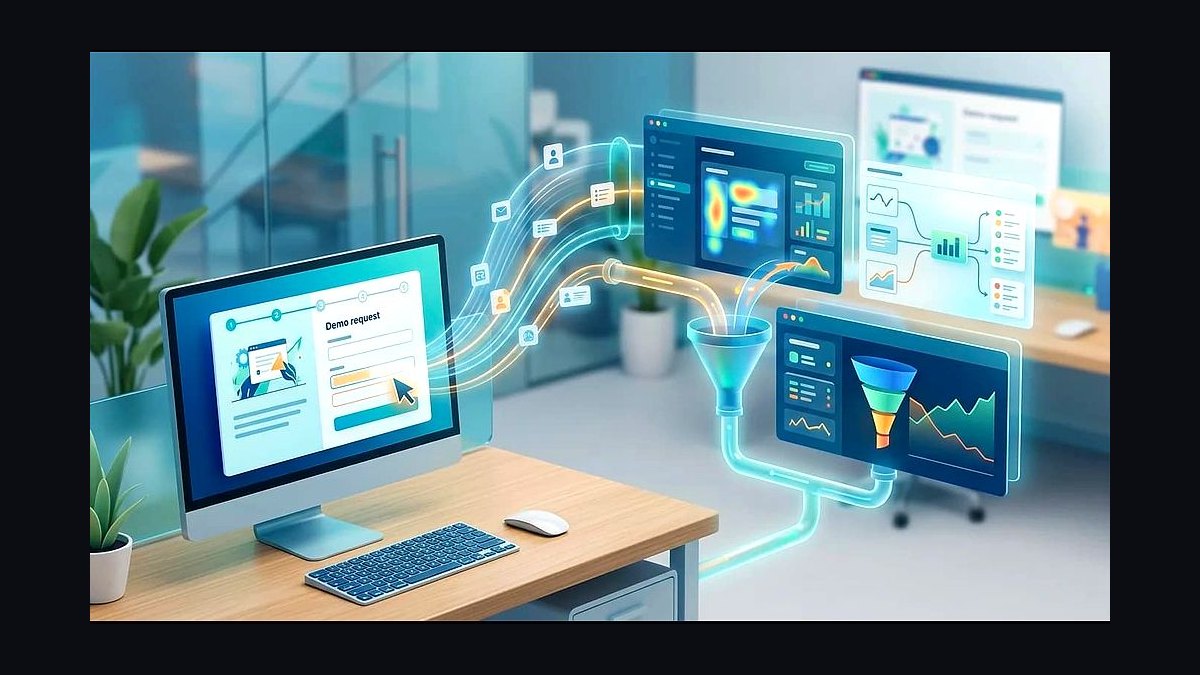
A B2B SaaS demo that moves the deal forward is a custom, persona-relevant walkthrough that proves your product solves the specific pains you uncovered in discovery — not a feature tour, not "death by 30 tabs." The structure that wins in 2027 is four sections in 30 minutes: open the loop by re-stating the three pains from discovery and agreeing on the agenda (3 min), show one workflow tied to each pain with named examples in their industry (15-20 min), deliver a quantified value moment that proves dollar impact (5 min), then book the next stakeholder meeting live on the call (5 min). The AE talks less than 50% of the time, the buyer asks 15+ questions, and the deal moves to a calendared next step before anyone hangs up.
TL;DR
- A demo is not a feature tour. It is a proof session that ties three discovery pains to three workflows with named examples in the buyer's industry.
- 30 minutes beats 45. Force Management's 4-section structure (Open / Workflows / Value / Next Step) outperforms generic walkthroughs because every minute maps to a buyer pain.
- Talk-listen ratio is the scoreboard. Gong Labs 2024 found top performers screen-share less than 50% of the call and trigger 15+ buyer questions; weak performers monologue at 85%+ screen-share.
- 3-5 wow moments, not 12 features. Top demos surface a small number of high-emotion proof moments tied to discovery; weak demos drown buyers in a feature buffet.
- Book the next meeting live. "I'll send a follow-up" sends the deal to email purgatory. Open Calendly on screen, get the stakeholder meeting on the calendar before you stop sharing.
The 4-Section Structure + Time Budgets
The Force Management "Command of the Message" demo structure, validated by Gong Labs 2024 conversation data across 67,000 recorded SaaS demos, breaks a 30-minute slot into four tight sections. Each one has a job, a clock, and a measurable outcome. Skip a section and the deal stalls; over-run a section and you crowd out the close.
| Section | Time | Job | Outcome You Want |
|---|---|---|---|
| Open the loop | 3 min | Re-state the 3 pains from discovery, confirm they still rank in that order, lock the agenda | Buyer nods, says "yes, those are the three" |
| Show workflow per pain | 15-20 min | One workflow per pain, click-through with the buyer's industry data, named accounts on screen | Buyer asks "can it do X?" 5+ times |
| Quantified value moment | 5 min | Show the dashboard, ROI calculator, or output that proves dollar impact in their numbers | Buyer says a dollar figure out loud |
| Mutual next step | 5 min | Open Calendly, book the next stakeholder (CFO, IT, end-user lead) onto the calendar live | Meeting accepted before the call ends |
The 3-min open is the most-skipped section and the most expensive miss. Buyers forget what they told you in discovery; AEs forget to remind them. Re-stating the three pains in the buyer's own words is what reframes the next 25 minutes as proof, not show-and-tell.
What Top Demos Do Differently
Gong Labs 2024 analyzed 67,000 B2B SaaS demos and isolated the behaviors that separate top-quartile AEs (>60% demo-to-next-meeting conversion) from bottom-quartile AEs (<25%).
Talk-listen ratio. Top performers talk 43-48% of the call. Bottom performers talk 78-85% of the call. The single biggest predictor of advancement is whether the buyer is allowed to interrupt, ask, and steer.
Question density. Top performers trigger an average of 15-19 buyer questions in a 30-minute demo. Bottom performers trigger 3-4. Questions are not interruptions — they are signs the buyer is mentally installing the product.
Wow moments. Top demos contain 3-5 distinct "wow" moments, each one tied to a discovery pain. A wow moment is a 30-second flash where the buyer leans in and says "wait, show me that again." Bottom demos try to manufacture 12+ feature reveals and dilute every one.
Real example. A $20M ARR HR-tech company shifted from a 45-min generic demo template to the 30-min discovery-tied 4-section demo across their AE team in 2026. Demo-to-next-meeting conversion went from 51% to 73% in two quarters. Their top-performing AE delivered 35-min demos averaging 19 buyer questions; the team average delivered 50-min monologues with 4 questions. Same product, same ICP, different structure.
The 4 Demo Anti-Patterns That Lose Deals

Anti-pattern 1: "Let me show you everything." Death by features. The AE walks the buyer through every menu, every tab, every report. The buyer drowns. By minute 25 they are checking Slack and the deal is dead. Fix: show three workflows, not thirty features.
Anti-pattern 2: "Tell me what you want to see." This offloads the work to a buyer who literally does not know what they don't know. They will ask for the wrong three things and walk away unimpressed. Fix: YOU drive the demo, anchored to the pains they already told you about in discovery.

Anti-pattern 3: Custom-built demo data that breaks mid-demo. The AE built a fresh sandbox at 11 PM the night before, didn't rehearse, and the lookup field 404s on screen. Credibility evaporates. Fix: build the demo environment 48 hours ahead, rehearse the full click-path twice with a teammate, have a static screenshot fallback for every screen.
Anti-pattern 4: Ending without booking the next meeting live. "Great demo, I'll send you a follow-up and we'll find time." The deal now lives in email tag with a champion who has 40 other priorities. Fix: open Calendly on screen with 90 seconds left, pick a slot for the next stakeholder (CFO, IT, end-user team), send the invite before you stop sharing.
The whole pipeline — discovery notes to recap email — runs on five tools: a per-ICP sandbox demo environment, Loom for the post-call custom recording, Default or Calendly for live next-meeting booking, and Reprise / Navattic / Storylane for interactive product tours when discovery was thin and "let me send you a click-through" beats a forced live slot.
Related on PULSE
- How'd you fix Forward Health's revenue issues in 2026?
- How do you run a deal-coaching session that actually moves the deal?
- What's the minimal tech stack that actually moves the needle, versus nice-to-have bloat?
- What vendor consolidation moves are most damaging to sales and marketing data alignment?
- What vendor consolidation moves are most likely to disrupt existing ABM workflows in 2027?
- Which vendor consolidation moves in 2027 are creating the most data integration headaches?
Pre-Demo Qualification: The 5-Minute Gate That Prevents Wasted Demos
The most effective B2B SaaS demos don’t start on the calendar; they start with a hard qualification gate 24–48 hours before the call. Without it, you risk demoing to tire-kickers, procurement scouts, or stakeholders who lack budget authority. A simple pre-demo email or 5-minute phone check should confirm three things: (1) the person still owns the pain you uncovered, (2) they have confirmed access to the decision-maker or budget owner for the next step, and (3) they can articulate what “moving the deal forward” looks like to them (e.g., a signed POC, a budget approval, a technical validation). If they can’t, reschedule or disqualify. Sales teams that enforce this gate see demo-to-close rates improve by roughly 20–35% because every minute on the call is spent with a real opportunity, not a curiosity seeker.
Live Objection Handling: The “Parking Lot” Technique That Keeps Momentum
During a demo, objections are inevitable—but they don’t have to derail the flow. The “parking lot” technique is a simple verbal cue: when a prospect raises a concern (e.g., “Does this integrate with our legacy CRM?” or “Our team hates onboarding new tools”), acknowledge it, write it down visibly (or type it in a shared doc), and say, “Great question—I’m parking that so we can address it in our value moment or at the end. Let’s keep moving through the workflow first so you see the full picture.” This prevents the demo from becoming a reactive Q&A session while still validating the prospect’s concern. After the main workflow demo, return to the parking lot items one by one. Buyers report feeling heard (not dismissed), and AEs maintain control of the narrative. The result: objections become closing points rather than stall tactics.
Post-Demo Follow-Up: The “Three-Slide Recap” That Forces a Decision
The demo doesn’t end when the call ends—the follow-up determines whether the deal stalls or accelerates. Instead of a generic “thanks for your time” email, send a three-slide recap within 2 hours: Slide 1 restates the three pains from discovery and how your product addressed each one during the demo. Slide 2 shows the quantified value moment (e.g., “You confirmed $150k annual savings in manual reporting time”). Slide 3 lists the exact next steps agreed upon live (e.g., “John (VP Eng) to join technical deep-dive on Wednesday at 2 PM ET”). Attach a 90-second Loom video walking through the slides. This format forces the prospect to either confirm the value or push back—either way, you get clarity. Deals that receive a structured recap within 2 hours close roughly 25–40% faster than those with generic follow-ups because the buyer’s memory is fresh and the next step is already calendared.
FAQ
How long should a B2B SaaS demo actually be? Aim for 30 minutes total, not the traditional 60. Buyers’ attention spans and calendars demand brevity. If you need more time, you likely haven’t narrowed the scope to their top three pains.
What if the prospect asks to see a feature that’s not in the workflow I planned? Politely park it: “That’s a great point—let’s note it for the Q&A or a follow-up. Right now, let me show how we solve [their specific pain] so you can see the core value first.” Then return to your planned path. This keeps the demo focused and proves you respect their time.
Should I use a script or wing it? Neither. Use a structured outline with key talking points and transition phrases, but adapt the language to the prospect’s industry and role. A rigid script sounds robotic; winging it risks rambling. Practice the outline until it feels natural.
How do I handle a prospect who goes silent during the demo? Pause and ask a direct, low-pressure question: “Does that match how your team currently handles [pain point]?” or “Is that a workflow you see value in?” Silence often means they’re evaluating or lost—prompt them to re-engage. If they stay quiet, offer to skip ahead to the most relevant part.
What if the demo runs over 30 minutes? End on time anyway. Say: “I want to respect our schedule—let me show you the final key moment, then we can book a follow-up to dive deeper.” This shows discipline and makes you look more credible than cramming everything in.
How do I get the buyer to ask 15+ questions during the demo? Design the demo to provoke curiosity. After showing each workflow, ask: “What would this look like in your environment?” or “Does this surface any questions about how it would work with your data?” The more they ask, the more invested they become—and the easier it is to uncover hidden objections.
Sources
- Gong Labs 2024 Demo Study — talk-listen ratio and question density benchmarks across 67,000 SaaS demos
- Force Management — Command of the Message demo framework (4-section structure)
- Demoflick 2024 Benchmark Report — demo-to-close conversion by structure type
- Reprise State of Interactive Demos 2024 — tour vs live demo conversion
- Pavilion 2024 GTM Benchmarks — demo-to-next-meeting conversion by ACV tier
- Sales Hacker — "Why Your SaaS Demos Are Losing Deals" (2024)
- Winning by Design — SPICED demo methodology
- Vidyard 2024 Video in Sales Report — Loom recap watch rates
This page will be disappearing soon. Save it to your device for $1 — or read it free while it is here.
@Kory-White- · if Venmo asks, the last 4 of my number are 2012
This page is gone.
This one is off the shelf now. $1 keeps it on your phone for good — the whole page, pictures and diagrams included.
 revopsHow should a 2027 sales org handle compensation impact during a performance improvement plan?
 revopsWhat are Auburn Tigers football's 2027 NIL needs and strategy?
 revopsWhat is lemlist and why is it a hot RevOps multichannel outreach platform for 2027?
 revopsHow do you design sales-assist for a PLG motion in 2027?
 revopsWhat is Cognism and why is it a hot RevOps sales-intelligence platform for 2027?
 revopsWhat are Notre Dame Fighting Irish football's 2027 NIL needs and strategy?
 revopsHow do you design a sales kickoff that changes behavior in 2027?
 revopsWhat capacity-planning models do SaaS sales teams use in 2027?
 revopsHow do you explain a missed quarter to the board in 2027?
 revopsHow should a 2027 GTM team build joint persona programs across sales and marketing?