


What CPI Security smart-home integrations actually work in 2027?
Quality
Certified

In 2027, CPI Security smart-home integrations that actually work are Amazon Alexa, Google Assistant, Z-Wave devices, and the inTouch app on the Alarm.com platform. Apple HomeKit, Matter, and Zigbee remain unsupported. Voice control, scenes, locks, thermostats, lights, garage controllers, and cameras all function reliably when installed and monitored by CPI.
What CPI Security smart-home integrations are and why they matter
CPI Security is a professionally installed and monitored security company headquartered in Charlotte, North Carolina, and its smart-home layer runs on the Alarm.com platform through a branded app called inTouch. When people ask which integrations actually work, they are usually asking a narrower question than it first appears: not "does CPI sell smart devices" but "which third-party ecosystems and protocols will genuinely control those devices, and which ones will leave me with a half-working house." That distinction matters because a security panel that controls locks, cameras, and thermostats is only as useful as the paths into it. A homeowner who buys a CPI system expecting Apple HomeKit scenes or Matter-over-Thread support will be disappointed, while a homeowner who wants Alexa voice control, Google routines, and a curated Z-Wave mesh will find the system does exactly what was promised.
The reason this question keeps coming up in 2027 is that the smart-home protocol landscape shifted hard over the previous three years. Matter and Thread matured, Apple, Amazon, Google, and Samsung all committed to interoperability, and a wave of DIY hubs absorbed hundreds of new device types. Against that backdrop, a professionally monitored platform built on Z-Wave and Alarm.com looks conservative. It is. The trade is deliberate: CPI trades breadth of device support for reliability, professional installation, cellular backup, and a single phone number to call when something breaks. For a large share of households, that trade is correct.
It also matters for a less obvious audience. RevOps and property-management teams that oversee multiple monitored sites — rental portfolios, small commercial properties, vacation homes — care about integrations because a single login that shows every property as a tile, with per-site user codes and per-site scenes, is an operational asset. The integration story is not just about a homeowner saying "goodnight" to a speaker. It is about whether the platform can be administered at scale without three apps and three sets of cloud credentials.

Finally, the word "actually" in the question is doing real work. Marketing pages list every device a platform has ever certified. What practitioners want to know is which integrations survive contact with a real house: a 3,000 square foot layout with a metal HVAC unit between the panel and the back-door lock, a Wi-Fi 7 router sitting two feet from the panel, and a family that expects voice commands to fire on the first try. That is the standard this page holds itself to.
The step-by-step process for getting CPI integrations working
The reason CPI integrations tend to work where DIY integrations fail is that most of the hard steps happen before the homeowner touches anything. Understanding the sequence explains both the reliability and the cost.
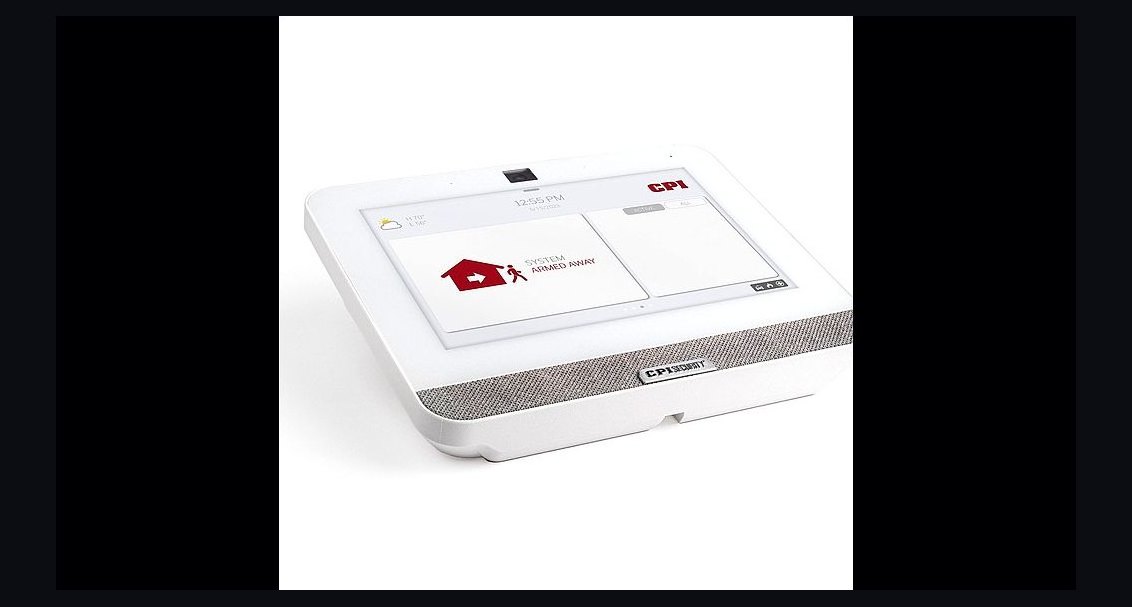
Step one: site survey and panel placement. A CPI technician walks the home and picks the panel location. This is the single highest-leverage decision in the whole install. Z-Wave is a mesh protocol operating in the sub-1 GHz band in North America (around 908 MHz), so it is less congested than 2.4 GHz Wi-Fi, but it is still attenuated by metal, masonry, and large appliances. A panel mounted on an interior wall central to the house will reach locks, thermostats, and switches far more reliably than one tucked into a coat closet next to the refrigerator. The technician also verifies cellular signal at the panel location, because the alarm path depends on it.
Step two: broadband and cellular verification. CPI provisions both a broadband path and a cellular backup path. The broadband path carries app traffic, camera streams, and voice-assistant commands; the cellular path carries alarm signals when the internet drops. This dual-path design is why local Z-Wave commands and alarm reporting keep working during an ISP outage even though remote app access and voice control do not.
Step three: Z-Wave device pairing. Locks, thermostats, dimmers, plugs, and garage controllers are paired to the panel, not to a consumer hub on the homeowner's Wi-Fi. This is the structural advantage. When the homeowner later replaces a router or changes an ISP, the Z-Wave mesh is untouched. In a DIY setup, the hub is often the thing that breaks.
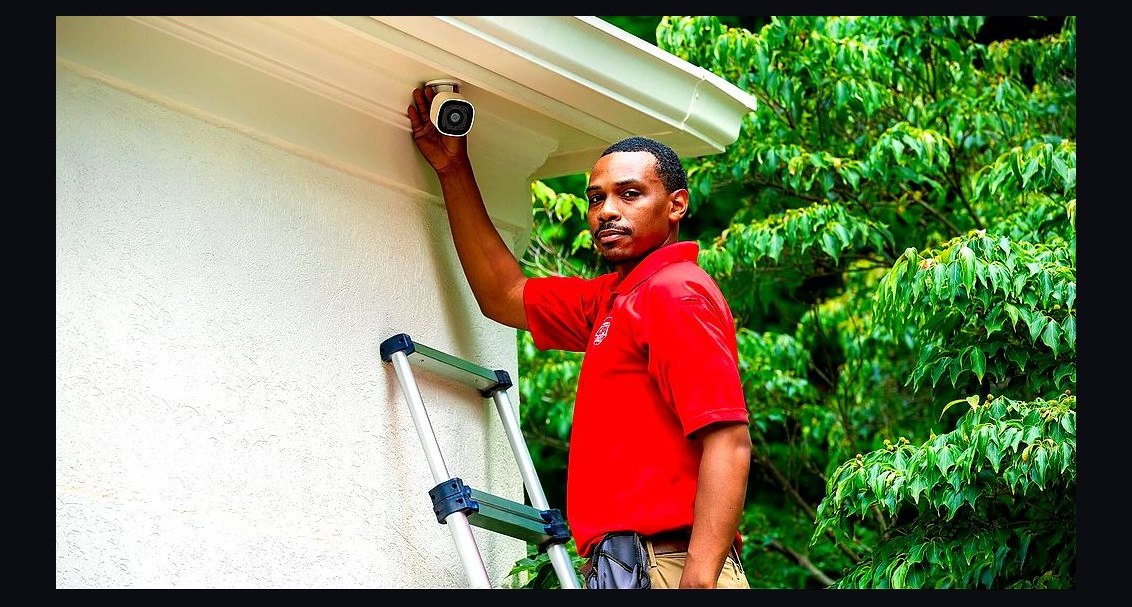
Step four: camera and doorbell provisioning. Cameras and video doorbells ride the home Wi-Fi network rather than Z-Wave, so they are limited by Wi-Fi coverage and bandwidth. The technician mounts them, aims them, and confirms the stream in the app. This is also where most post-install complaints originate, because Wi-Fi coverage at the far corner of a garage is a physical problem that no amount of software fixes.
Step five: voice-assistant linking. The CPI inTouch Alexa skill is enabled in the Amazon Alexa app and linked to the CPI account. Google Assistant is linked through the Alarm.com Google Home action. Both expose the same primitives: arm and disarm, lock and unlock named doors, set thermostat targets, turn lights on and off, run saved scenes, and trigger a fresh camera clip. Siri Shortcuts work through the inTouch iOS app, which exposes scene triggers to the Shortcuts library rather than offering a native HomeKit integration.
Step six: scene construction. Scenes are where the platform earns its keep. A typical Away scene arms the system, sets the thermostat back, kills interior lights, locks every exterior door, and starts a camera recording on the front porch. The same scene can be triggered by voice, by tapping the panel, by an app button, by a geofence, or on a schedule.
Step seven: walkthrough and sign-off. The customer signs off on a working system. This is the step DIY buyers skip, and it is the step that converts a box of hardware into a functioning home. If you take nothing else from this section, take this: the reliability of CPI integrations is mostly a function of the installation process, not the device catalog.
Costs, timelines, and typical ranges
CPI pricing varies by market, package, and contract length, so treat the following as planning ranges rather than quotes. Always confirm current numbers directly with CPI, because promotional pricing and equipment bundles change frequently.
Installation timeline. A typical single-family install runs roughly two to four hours for a base security package with a handful of sensors, and four to six hours when cameras, a doorbell, multiple locks, a thermostat, and lighting control are added. Multi-property rollouts are scheduled property by property and usually spread across several days.

Monthly monitoring. Entry-level monitoring generally lands in the range of roughly $30 to $40 per month. Tiers that add camera cloud storage, smarter automation, and video analytics push into the $45 to $60 range. Higher tiers with more cameras and automation features can exceed that. The important structural point is that smart-home features require an active monitoring subscription. Without it, the panel and the app lose most of their functionality. This is different from a DIY system, where the hub works forever and the subscription is optional.
Equipment. Panels, cameras, doorbells, locks, thermostats, and Z-Wave switches are typically bundled into the package price or financed across the contract term. A Z-Wave range extender, if one is needed to shore up a weak mesh segment, is an inexpensive add-on in the tens of dollars plus installation labor.
Contract structure. CPI sells on multi-year agreements, commonly three to five years. This is the single biggest cost consideration and the one buyers most often underweight. The monthly fee looks modest; the total commitment does not. If you are unsure whether you will stay in the home for the full term, model the early-termination exposure before signing.
The hidden cost of the wrong fit. The most expensive outcome is buying a professionally installed system and then discovering you wanted a tinkerer's platform. A homeowner who later decides they need Matter support, Zigbee sensors, or a niche lock brand will end up running a second hub alongside the CPI panel, paying two subscriptions, and managing two apps. That is a worse outcome than either choice made cleanly at the start.
Where the money actually goes. A meaningful share of what you pay covers monitoring center staffing, cellular connectivity, platform licensing on Alarm.com, and support labor — not hardware. That is why the hardware sometimes looks inexpensive relative to the monthly fee, and why the monthly fee is the number that should drive the decision.
Where teams get it wrong
Most failures with CPI smart-home integrations are not platform failures. They are expectation failures, and they cluster into a handful of recognizable patterns.
Mistake one: assuming broad protocol support. CPI does not natively support Apple HomeKit, and as of 2027 it has not enabled Matter integration in the inTouch app. A homeowner who buys a Matter-certified smart plug or sensor and expects it to appear in the CPI app will be disappointed. Third-party smart bulbs such as Philips Hue and LIFX are also not directly compatible with the CPI Z-Wave system; they need their own bridge and will not show up in inTouch. Stick to CPI-supported Z-Wave switches and outlets for unified control.
Mistake two: blaming the platform for a physical problem. The most common complaint is a lock or switch that intermittently drops offline. The usual cause is Z-Wave range or interference: a panel placed too close to a router, or a metal appliance blocking the mesh path. The fix is physical — relocate the panel or add a range extender — not a software setting. Teams that treat every dropout as a platform defect burn support time and never solve the underlying issue.

Mistake three: voice commands that "almost work." Saying "Alexa, lock the front door" tends to work. Saying "Alexa, arm CPI Security" often fails unless the inTouch skill is bound to a specific Alexa routine. The fix takes minutes once you know it, but it is a genuine source of frustration for buyers who assume voice control is uniform across every command. Build explicit routines for the commands your household actually uses.
Mistake four: skipping the cellular add-on to save money. DIY buyers frequently decline cellular backup to shave a few dollars a month, then discover that the alarm path dies with the internet. CPI builds cellular in, which is a real advantage — but only if the homeowner understands that remote app access and voice control still depend on broadband. Local Z-Wave commands keep working offline; cloud-dependent features do not.
Mistake five: overestimating device capacity. The inTouch platform supports roughly 40 to 60 Z-Wave devices per panel depending on signal range and interference. Cameras and doorbells are separate and limited by Wi-Fi. A large home with dozens of devices needs a capacity conversation during the site survey, not after.
Mistake six: choosing CPI for the wrong household. If the buyer is a tinkerer who wants to script automations, run a local hub, and integrate niche hardware, CPI is the wrong platform and no amount of professional installation fixes that. The honest positioning is that CPI is for households that want it done, monitored, and supported.
Decision framework: when to choose what

The cleanest way to decide is to answer three questions in order: how technical is the household, does it need professional monitoring, and how many properties are involved.
Choose CPI when the household wants professional installation, professional monitoring, cellular backup, and a single number to call for support. The clearest fit is a suburban single-family home in roughly the 2,000 to 4,000 square foot range whose owners are not interested in writing automations themselves. The second clear fit is the multi-property owner who wants one login, per-property scenes, per-property user codes, and per-property camera feeds. Adding a cleaning-crew code that only works Tuesdays from 9 AM to 1 PM takes about thirty seconds in that model; replicating it across three DIY ecosystems takes three apps and three sets of credentials. The third fit is the older or less technical homeowner, for whom Alexa and Google voice control is genuinely accessible and for whom a local technician is a real support channel.
Choose DIY when the household wants maximum device breadth, Matter and Zigbee support, local control, or niche hardware. A DIY setup takes meaningfully longer to stand up and requires ongoing maintenance — firmware updates, battery replacements, hub resets — but it will integrate devices CPI will never touch.
Choose a hybrid when you want CPI for security and monitoring but also want Matter devices. Run a separate hub such as an Apple HomePod or an Amazon Echo Hub alongside the CPI panel. You lose unified control in the inTouch app, but you keep the monitored security layer intact. Be explicit about this trade before you buy, not after.
A note on future-proofing. CPI has signaled movement toward Matter support, but as of 2027 there is no enabled Matter integration in inTouch and no firm public date. If Matter compatibility is a near-term requirement, do not buy on the promise of a future bridge. Buy Z-Wave devices for now — they are the platform's backbone and will remain supported — and treat any future Matter bridge as upside rather than a plan.
Related questions
Does CPI Security work with Apple HomeKit in 2027?
No. CPI does not natively support Apple HomeKit. A Homebridge-style intermediary can bridge some devices, but it requires technical know-how and falls outside CPI's support guarantee. Most households use Alexa or Google Assistant instead, or run a separate Apple hub for Matter devices.
Can I add my own Z-Wave devices to a CPI panel?
Yes, the panel supports standard Z-Wave devices, but compatibility varies and CPI recommends its approved list to avoid pairing issues. An unsupported device may pair and work, but CPI will not back it with installation or troubleshooting support. Confirm with CPI before buying third-party hardware.
What happens to CPI smart-home features if the internet goes down?
Alarm monitoring continues over cellular backup, and local Z-Wave commands such as locking a door still work if the panel has power. Remote app access, camera streaming, and voice-assistant commands require broadband and will not function during an outage. This split is by design.
How many smart devices can a CPI system handle?
The inTouch platform supports roughly 40 to 60 Z-Wave devices per panel, depending on signal range and interference. Cameras and doorbells are separate and limited by the home Wi-Fi network. CPI can assess capacity during the site survey for larger homes.
FAQ
Does CPI Security actually integrate with Alexa and Google Assistant? Yes. The CPI inTouch Alexa skill lets users arm and disarm the system, lock and unlock named doors, set thermostat targets, control lights, run saved scenes, and capture a fresh camera clip. Google Assistant works through the Alarm.com Google Home action and supports the same primitives through routines. Both are linked during installation and are the primary voice paths into the system.
Which smart-home protocols does CPI support in 2027? Z-Wave is the backbone for locks, thermostats, lights, plugs, and garage controllers. Cameras and doorbells run on Wi-Fi. Voice control runs through Alexa and Google Assistant. Apple HomeKit is not natively supported, and Matter and Zigbee are not enabled in the inTouch app as of 2027.

Do I need a monitoring plan to use the smart-home features? Yes. Smart-home integration requires an active CPI monitoring subscription. Without it, the panel and the inTouch app lose most of their functionality. Entry-level monitoring generally starts in the range of roughly $30 to $40 per month, with higher tiers adding camera storage and automation features.
Can I control CPI devices remotely when I am away from home? Yes. The inTouch app works remotely over cellular or Wi-Fi, letting you lock and unlock doors, adjust thermostats, view camera feeds, and arm or disarm the system. Response times are typically a few seconds on a good connection. Remote access depends on broadband at the home, so it is unavailable during an internet outage.
Why does my CPI Z-Wave lock keep dropping offline? The usual cause is Z-Wave range or interference rather than a platform defect. A panel placed too close to a Wi-Fi router, or a metal appliance blocking the mesh path, will cause intermittent dropouts. Relocating the panel or adding a CPI-approved Z-Wave range extender typically resolves it.
Is CPI a good fit if I want to build advanced automations myself? Generally no. CPI is built for households that want professional installation, monitoring, and support rather than scripting. If you want local control, Matter and Zigbee support, or niche hardware integration, a DIY hub such as Home Assistant or SmartThings is the better fit. Some households run both, accepting two apps and two subscriptions.
Sources
- CPI Security official site: https://www.cpisecurity.com
- CPI Security smart home automation: https://www.cpisecurity.com/smart-home
- CPI Security Works With compatibility page: https://www.cpisecurity.com/works-with/
- Alarm.com platform overview: https://www.alarm.com
- Amazon Alexa Skills store: https://www.amazon.com/alexa-skills
- Google Assistant help and actions: https://support.google.com/assistant
- Z-Wave Alliance on the Z-Wave protocol: https://z-wavealliance.org
- Consumer Reports home security system buying guide: https://www.consumerreports.org
- FCC on cellular and broadband connectivity basics: https://www.fcc.gov
Related on PULSE
- How do you attribute CHIEF executive introduction requests to bookings vs billings in Dynamics 365 during renewal-only CS motion when broken lead routing across brands breaks reporting and strict IT security review blocks integrations?
- How do you audit multi-site colocation expansion motions opportunity hygiene in Pipedrive during channel co-sell to prevent sandbox changes breaking production flows when strict IT security review blocks integrations?
- How do you model data center leasing pipeline in Pipedrive so broken lead routing across brands does not break bookings vs billings when strict IT security review blocks integrations?
- How do you operationalize GPU capacity reservation deals handoffs between sales, finance, and delivery when strict IT security review blocks integrations and leadership only reviews stage conversion monthly?
- How do you design a RevOps control tower in Palantir Foundry that catches duplicate contacts after acquisition before weekly commit calls for channel co-sell with strict IT security review blocks integrations?
- How do you use Palantir AIP to forecast product usage not syncing to CRM in Zoho CRM during partner-sourced pipeline when strict IT security review blocks integrations?
This page will be disappearing soon. Save it to your device for $1 — or read it free while it is here.
@Kory-White- · if Venmo asks, the last 4 of my number are 2012
This page is gone.
This one is off the shelf now. $1 keeps it on your phone for good — the whole page, pictures and diagrams included.
 cpi-securityWhat is CPI Security's customer service actually like in 2027?
 cpi-securityCPI Security for small business — what makes it competitive in 2027?
 cpi-securityWhat does CPI Security offer for medical alert and life safety in 2027?
 cpi-securityCPI Security's environmental monitoring — flood, freeze, CO in 2027
 cpi-securityCPI Security vs ADT — head-to-head for NC and Southeast homeowners in 2027
 cpi-securityCPI Security's Alarm.com dependency — the third-party risk in 2027
 cpi-securityWhy CPI Security's long-tenure customers feel like they're being squeezed in 2027?
 cpi-securityCPI Security vs SimpliSafe — which delivers better value for most homeowners in 2027?
 cpi-securityCPI Security equipment lock-in — can you switch providers in 2027?
 cpi-securityCPI Security installation quality — the documented technician complaints in 2027