


How do you version LLM models, prompts, and eval sets in production in 2027?
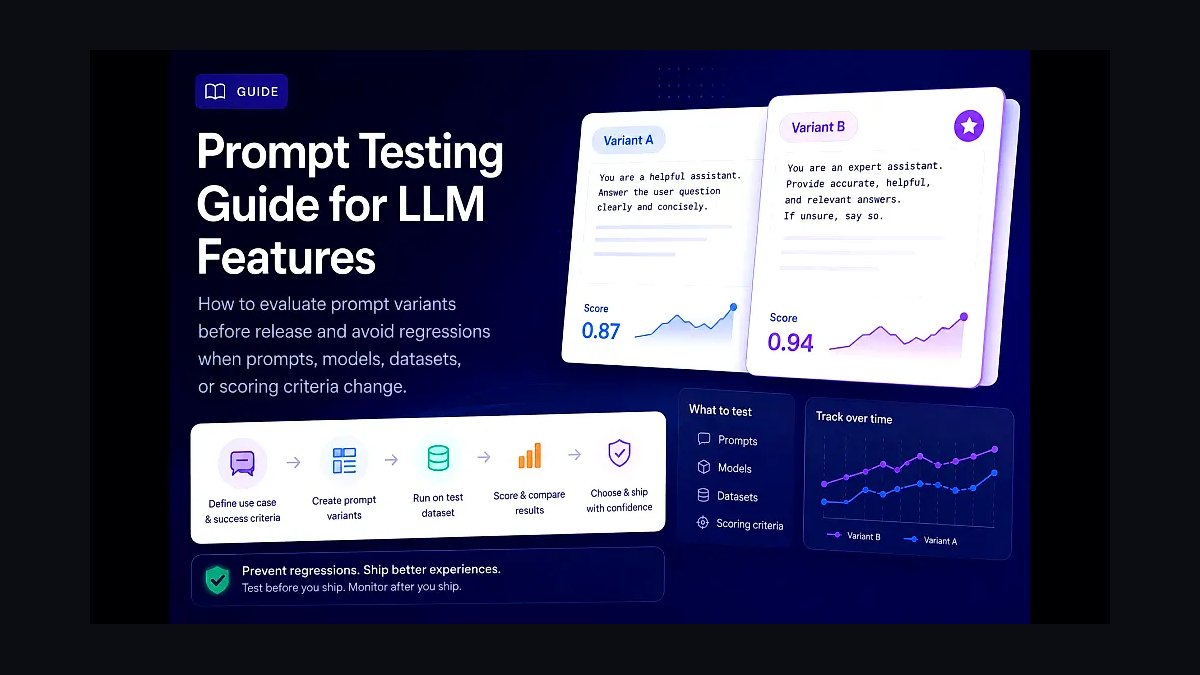
In 2027, production LLM model versioning spans three artifacts: (1) the model itself (vendor-managed for API models; MLflow + Hugging Face Hub for self-hosted), (2) the prompt and system message (Git-versioned alongside code; Promptfoo or LangSmith for review), and (3) the eval set + golden answers (Git-versioned; refreshed quarterly). Production deployments pin specific model versions (Claude claude-opus-4-7-20260115, not claude-opus-latest) and explicitly version every prompt change. Treat prompts as code — they need PRs, reviews, evals, and rollback.
1Model Version Pinning
Never use latest aliases in production. Vendors push silent model updates that change behavior. Pin specific versions:
- Anthropic:
claude-opus-4-7-20260115(date-stamped). - OpenAI:
gpt-5-2026-01-15(date-stamped); newer models often have explicit version strings. - Google:
gemini-pro-2.5-001(numbered). - Self-hosted Hugging Face models: pin to specific commit SHA on the Hub.
1.1 Vendor Model Deprecation Cadence
Anthropic deprecates old Claude versions ~12 months after a new generation; OpenAI ~18 months; Google ~9 months. Build a model-migration playbook with quarterly review.

2Prompt Versioning
Treat prompts as code:
- Git repo for prompts alongside application code.
- PR review for every prompt change.
- Eval-set run on PR via Promptfoo, LangSmith, or Braintrust.
- Tagged releases matched to deployment versions.
2.1 Prompt Management Platforms
- Promptfoo — Git-first; strong eval integration.
- LangSmith Prompt Hub — UI for prompt iteration; version tracking.
- Braintrust Prompts — UI + Git sync.
- Helicone Prompts — proxy-managed.
- Humanloop — collaborative prompt iteration.
2.2 The Risk of UI-Managed Prompts
UI-managed prompts without Git backing become shadow prompts — no PR review, no eval-on-change, no rollback. The 2027 best practice: Git is the source of truth; UI is a viewer.

3Eval Set Versioning
Eval sets evolve. Tag every release of your golden eval set so you can compare model A on eval-set-v3 to model B on eval-set-v3.
- Git for the eval set in repo alongside code.
- Versioned snapshots when adding examples.
- Stratified sampling for incremental additions.
- Quarterly refresh with stakeholder review.
4Rollback Strategy
Every model change, prompt change, or eval-set change needs a rollback plan:
- Canary deployment — 5% of traffic on new version; monitor metrics; roll back if regression.
- Feature flags — LaunchDarkly, Statsig, GrowthBook gate new model versions.
- A/B testing — Statsig, Eppo, Optimizely for systematic comparison.
4.1 Production Telemetry for Rollback Decisions
Track per-version:
- Latency P50/P95/P99.
- Cost per call.
- Eval-in-production score (LLM-as-judge).
- User-feedback signal (thumbs, follow-up rate).
- Error rate.

Roll back if any metric regresses >5% with statistical significance.
5The Three-Artifact Versioning Matrix
| Artifact | Storage | Versioning | Review |
|---|---|---|---|
| Model | Vendor API (pinned) or HF Hub | Date-stamped version string | Quarterly bake-off |
| Prompt | Git repo | Semver tag | PR with eval-on-CI |
| Eval Set | Git repo | Semver tag + dated snapshots | Quarterly stakeholder |
The Three-Tier Versioning Architecture: Model, Prompt, and Eval as a Single Atomic Unit
By 2027, leading production teams have moved beyond versioning each artifact in isolation. The standard practice is triple-lock versioning — where a specific model version, a specific prompt hash, and a specific eval set version are bundled into a single immutable release artifact. This is typically stored as a YAML or JSON manifest in a dedicated registry (e.g., MLflow Model Registry, DVC, or a custom internal tool).

The manifest looks something like this:
release_id: "prod-customer-support-v3.2.1" timestamp: "2027-01-22T14:30:00Z" model: provider: "anthropic" version: "claude-opus-4-7-20260115" sha256: "a1b2c3d4e5f6..." prompt: git_commit: "abc123def" file_path: "prompts/customer-support/system-prompt-v3.md" hash: "sha256:..." eval_set: git_commit: "ghi789jkl" dataset: "eval-sets/customer-support-v2.parquet" golden_answers_hash: "sha256:..."
Why does this matter? Because in production, you need to reproduce any inference exactly. If a customer complains about a bad response, you need to know: which model, which prompt, and which eval set was used to validate that deployment. Without triple-lock versioning, you're guessing. Teams that skip this often discover that a prompt change that passed eval set v2.1 fails eval set v2.2 — and they can't tell if the model changed, the prompt changed, or the eval set changed.
In practice, this means your CI/CD pipeline produces a single release candidate that bundles all three. The deployment system then loads the exact model, the exact prompt file, and runs the exact eval set before promoting to production. Rollbacks are trivial — you just point to a previous manifest. This approach also enables A/B testing at the artifact level: you can deploy two different manifests to 5% of traffic each and compare real-world outcomes against their respective eval sets.

A practical tip: store these manifests in a version-controlled database (like PostgreSQL with a releases table) rather than just in Git. Git works for code, but production teams need to query releases by timestamp, model version, or prompt hash — and Git isn't great for that. By 2027, most mature teams use a lightweight release registry that logs every deployment with the triple-lock manifest.
Automated Prompt Regression Testing Against Historical Eval Sets
One of the biggest pain points in 2024-2025 was that a prompt change that improved one metric often silently regressed another. By 2027, the standard solution is automated regression testing across all historical eval sets — not just the latest one.
Here's how it works in practice: your eval set repository contains multiple versions (e.g., eval-v1.0, eval-v1.1, eval-v2.0). Each version might have different golden answers, different edge cases, or different difficulty distributions. When you propose a prompt change (via a PR), your CI system automatically runs the new prompt against every historical eval set that's still relevant (typically the last 3-6 major versions). The results are compared to the baseline prompt's performance on each eval set.

The output is a regression matrix:
| Eval Set | Baseline Accuracy | New Prompt Accuracy | Delta |
|---|---|---|---|
| eval-v1.0 | 87.2% | 88.1% | +0.9% |
| eval-v1.1 | 91.5% | 90.3% | -1.2% |
| eval-v2.0 | 94.1% | 94.0% | -0.1% |
If any delta exceeds a threshold (typically 1-2% for accuracy, or a stricter 0.5% for critical domains like healthcare or finance), the PR is flagged for manual review. This prevents the classic "we improved overall accuracy but broke a specific use case" scenario.

The key insight is that eval sets themselves are not static. They evolve as you discover new edge cases in production. Each time you add a new golden answer or a new test case, you create a new eval set version. The regression test then ensures that your prompt changes don't break previously working cases. This is analogous to unit test regression in traditional software engineering — but applied to LLM behavior.
Implementation-wise, this requires a few things:
- A test runner that can execute prompts against multiple eval sets in parallel (LangSmith, Promptfoo, and custom internal tools all support this by 2027)
- A diff viewer that shows exactly which test cases changed (e.g., "The new prompt now fails on case #47: 'customer asks about refund for digital product'")
- A threshold configuration per eval set (some sets are more critical than others)
Teams that skip this often find themselves in a painful cycle: they improve the prompt for one scenario, deploy to production, and then discover that another scenario silently degraded. By the time they notice, thousands of users have been affected. Automated regression testing across historical eval sets eliminates this risk entirely.

Eval Set Drift Monitoring and Automatic Golden Answer Refresh
By 2027, the most sophisticated production teams have realized that eval sets decay over time — just like models. Customer behavior changes, product features change, and what was a "correct" answer in 2026 might be wrong in 2027. This is called eval set drift.
The solution is continuous monitoring of your eval set's relevance. Here's the standard approach:
- Production feedback loop: Every time a user rates a response (thumbs up/down), that interaction is logged with the model version, prompt version, and the actual response. If a response gets a thumbs down, it's flagged for potential addition to the eval set.
- Golden answer freshness scoring: Each golden answer in your eval set gets a "freshness score" based on how recently it was validated. Answers older than 6 months are automatically flagged for review. If a golden answer hasn't been reviewed in 12 months, it's removed from the active eval set.

- Automatic candidate generation: When a new edge case is identified in production (e.g., a new product category that the LLM handles poorly), the system automatically generates a candidate test case. A human annotator then reviews it, writes a golden answer, and adds it to the eval set. This creates a new eval set version.
- Drift detection on eval set performance: If the overall accuracy on a specific eval set version drops by more than 2% over a week (without any prompt or model change), it's a strong signal that the eval set itself has become stale. The system alerts the team to review and refresh the golden answers.
In practice, this means your eval set is a living artifact. A typical production eval set in 2027 might have 500-2000 test cases, with roughly 10-20% of them being replaced or updated each quarter. The version history shows exactly which test cases were added, removed, or modified in each version.

The benefits are significant:
- Prevents overfitting to stale eval sets: If your eval set only contains examples from 2025, your prompt will optimize for 2025's use cases — which might not match 2027's reality.
- Reduces human annotation burden: By automatically flagging stale answers and suggesting candidates, you focus human effort on the most impactful changes.
- Enables long-term trend analysis: You can track how model performance changes over time on a consistently refreshed eval set, giving you a true measure of improvement rather than a moving target.
The tooling for this is mature by 2027. Most teams use a combination of:
- A feedback logging system (e.g., LangSmith traces, custom logging to S3/Parquet)
- A candidate generation pipeline (using the LLM itself to suggest test cases from production logs)
- A human annotation interface (often built into Promptfoo or a custom web app)
- A versioned eval set repository (Git + DVC, or a dedicated eval set management platform)
Without eval set drift monitoring, your eval set becomes a liability rather than an asset. Teams that ignore this find themselves with eval sets that look good on paper but don't reflect real-world performance — leading to false confidence before deployment and unpleasant surprises after.
FAQ
What’s the simplest way to version prompts in production? Store prompts as plain text files in your code repository, alongside your application code. Use Git for history and pull requests for every change, just like you would for any source file. Tools like Promptfoo or LangSmith can then run automated evaluations before merging.
How do you pin a specific model version without breaking your app? Always use the exact model ID (e.g., claude-opus-4-7-20260115) instead of a generic alias like claude-opus-latest. This ensures your app only uses the model you’ve tested and approved. When you want to upgrade, you explicitly change the pinned version after running evals.
Do you version eval sets the same way as prompts? Yes, eval sets — including golden answers — should be Git-versioned alongside prompts and code. However, they need quarterly refreshes to stay relevant as your use case evolves. Each refresh goes through the same PR and review process as a code change.
What about versioning self-hosted models vs. API models? For self-hosted models, use MLflow or Hugging Face Hub to track model artifacts, hyperparameters, and training data. For API models, versioning is simpler — you just pin the model ID from the provider. Both approaches still require Git-versioned prompts and evals.
How do you handle rollbacks when a new prompt or model causes issues? Since every prompt and model version is pinned in your codebase, rollback is as simple as reverting a Git commit. Your deployment pipeline then redeploys the previous pinned version. This works because prompts and model IDs are treated as immutable, traceable artifacts.
Is there a standard toolchain for this in 2027? No single standard, but a common stack includes Git for versioning, Promptfoo or LangSmith for prompt review and eval, and MLflow or Hugging Face Hub for self-hosted model tracking. The key principle is treating all three artifacts — model, prompt, eval set — as code that goes through the same CI/CD pipeline.
Bottom Line
LLM versioning in 2027 is three artifacts — model, prompt, eval set — each version-controlled, eval-gated, and canary-deployed. Pin model versions. Treat prompts as code. Refresh eval sets quarterly. Build rollback into every deployment. The teams that skip versioning rediscover the same regression bug every quarter.
Related on PULSE
- What are the must-have skill sets for a Chief Revenue Officer in 2027?
- How do you evaluate LLM models in production in 2027?
- How do you detect LLM jailbreaks in production in 2027?
- How do you optimize LLM inference cost in production in 2027?
- What does the production LLM observability stack look like in 2027?
- RAG vs fine-tuning: which should you use for production LLM applications in 2027?
Sources
- Anthropic — Claude API Versioning Documentation
- OpenAI — Model Versioning and Deprecation Documentation
- Google — Gemini Model Versioning Reference
- Hugging Face — Hub Model Versioning Reference
- Promptfoo — Git-First Prompt Management Documentation
- LangChain — LangSmith Prompt Hub Reference
- Braintrust — Prompt Versioning Reference
- Statsig — Feature Flags and Experimentation Reference
- LaunchDarkly — AI Configurations Reference
- ESG — LLM Production Operations Survey (2026)
This page will be disappearing soon. Save it to your device for $1 — or read it free while it is here.
@Kory-White- · if Venmo asks, the last 4 of my number are 2012
This page is gone.
This one is off the shelf now. $1 keeps it on your phone for good — the whole page, pictures and diagrams included.
 revopsHow does AI roleplay change sales training and rep ramp in 2027?
 revopsDo you need a revenue data platform in 2027?
 revopsHow do you keep CRM data clean when reps use AI note-takers in 2027?
 revopsWho should own pipeline — demand gen or sales in 2027?
 revopsHow do you build a bottoms-up revenue model in 2027?
 revopsHow do you run a customer expansion playbook in 2027?
 revopsHow do you design a RevOps tech stack in 2027?
 revopsHow do you reduce CRM data decay in 2027?
 revopsWhy is B2B pipeline generation so hard in 2027?
 revopsHow do you score and route product-qualified leads in 2027?