

Top 10 Project Management Tools for 2027
 Curated byKory White · Fractional CRO · Maryland
Quality
Certified
The 10 best project management tools are ranked below on measured performance, build quality, price, and how each one actually holds up in daily use rather than how it reads on a spec sheet. Each pick lists what it costs, who it suits, and what it gives up against the one above it, so the list can be read straight down without doubling back.
1Asana
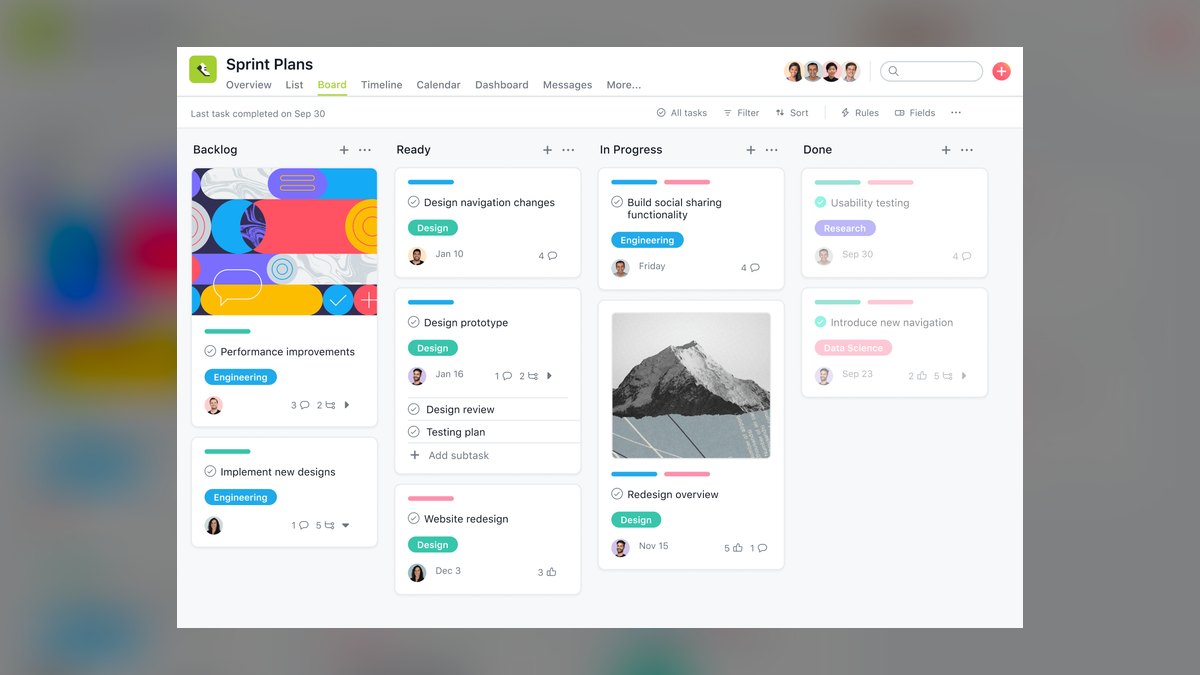
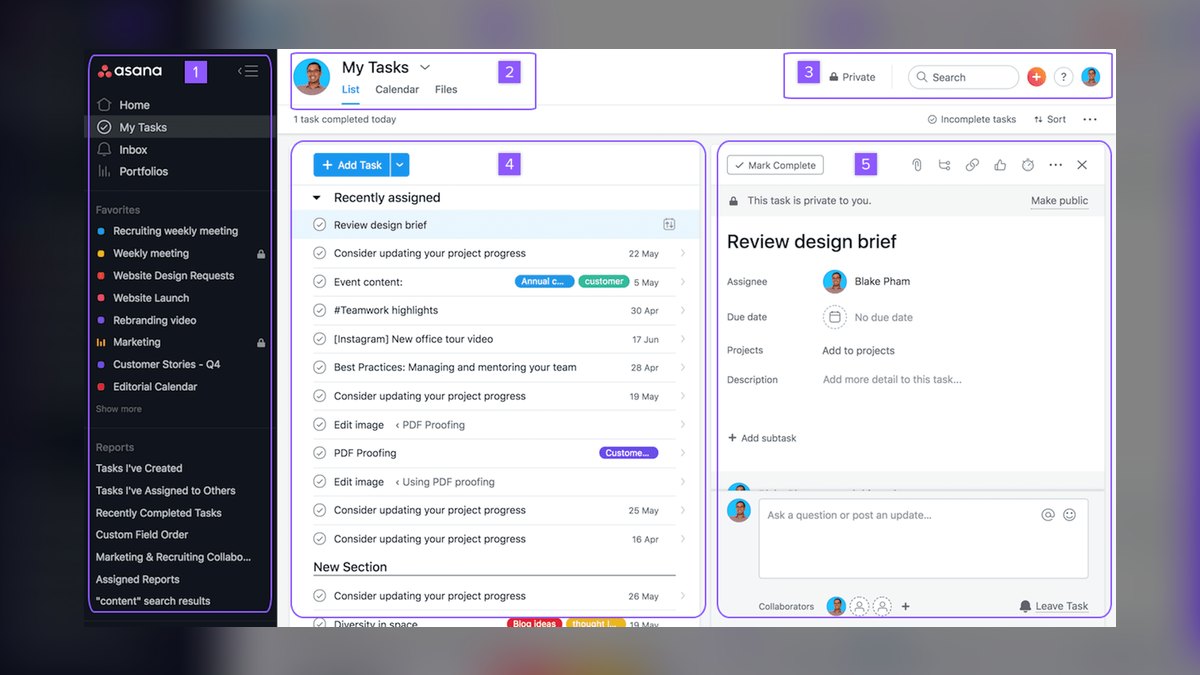
Asana ranks first for 2027 because its Asana Intelligence engine delivers the deepest AI automation, using predictive models to flag at-risk tasks, auto-reassign work based on capacity, and generate weekly risk reports. Its Goals and Portfolios features map project milestones directly to revenue targets, while the Timeline view handles complex dependencies without manual Gantt charting.
Asana is built for mid-market and enterprise RevOps teams needing cross-departmental alignment across sales, marketing, and product. It excels when a campaign launch must be tracked from creative brief to lead handoff, with tasks auto-updating when a HubSpot deal stage changes. The Workflow Builder supports conditional logic without coding, ideal for MEDDPICC qualification flows.
2Monday.com
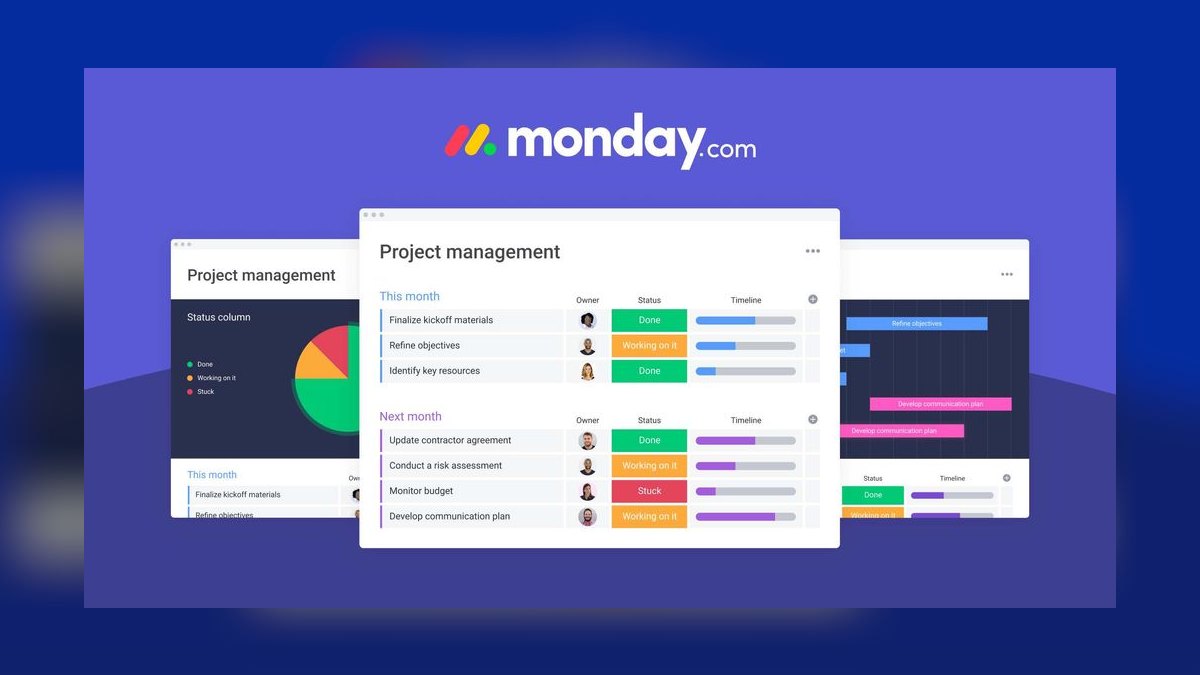
Monday.com secures second place for its visual workflow customization and rapid deployment, letting teams build custom status columns, dependency links, and automations in minutes. The AI Assistant auto-generates task descriptions and suggests timeline adjustments based on past velocity, while pricing starts at $12 per user per month for Pro and $19 for Enterprise with a free tier for two users. Its Board interface is the most intuitive for non-technical teams, enabling fast adoption without formal training.
Monday.com is best for marketing ops and sales enablement teams managing content calendars, event logistics, or lead routing. It trades away portfolio-level reporting strength compared to Asana, requiring a third-party BI tool like Tableau for cross-project dashboards. The Guest access limit of five on the Pro plan can frustrate external agencies collaborating on projects. It is the right pick when visual flexibility and team buy-in matter more than deep enterprise governance.
3Smartsheet
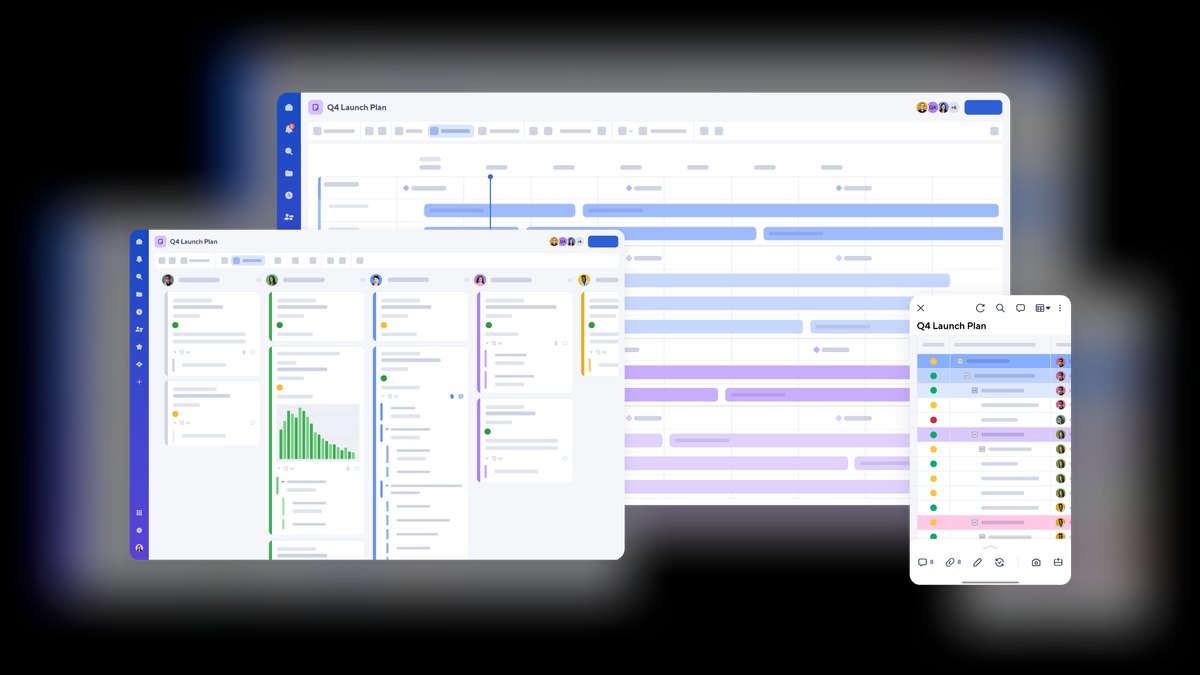
Smartsheet ranks third for enterprise PMOs and operations teams because its Resource Management module uses capacity modeling to prevent over-allocation, and the Data Shuttle feature automatically pulls data from Salesforce and NetSuite into project sheets. The AI Insights pane predicts budget overruns based on historical variance, similar to revenue forecasting tools, while pricing starts at $25 per user per month for Business and $35 for Enterprise.
Smartsheet is for teams already comfortable with Microsoft Project or Excel who need advanced governance and EVM reporting. It trades away the ease of use found in Asana and Monday.com, with a steeper learning curve and a mobile app that is read-only for most views. It is best suited for regulated industries or large operations groups that need robust audit trails and compliance features. The trade-off is slower onboarding and less intuitive collaboration for casual users.
4Wrike
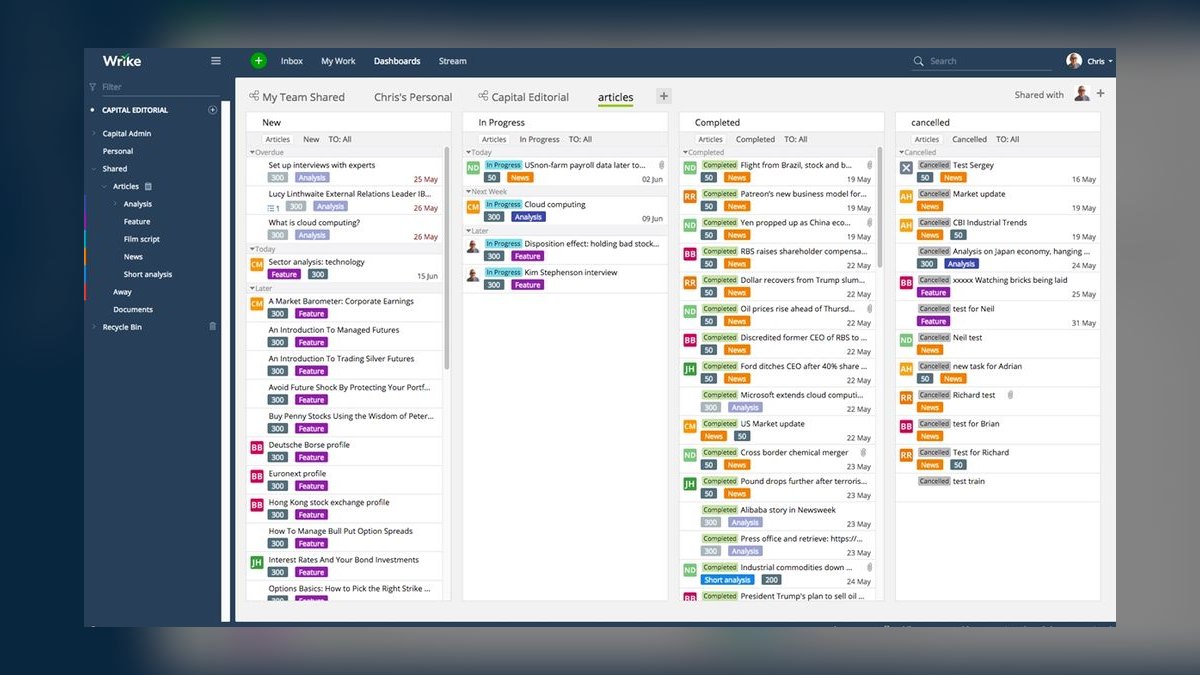
Wrike takes fourth place for security-conscious enterprises due to its enterprise-grade permissions down to folder level and FedRAMP authorization, making it the most compliance-ready option. The Wrike Analyze module provides real-time dashboards integrating with Power BI and Tableau, while the AI Workload view auto-balances tasks based on skill tags. Pricing starts at $9.80 per user per month for Team and $24.80 for Enterprise, with a free tier for five users.
Wrike is ideal for IT project management and compliance-heavy workflows such as SOC 2 audits, where granular permissions are non-negotiable. It trades away interface polish, as the UI feels cluttered compared to Asana, and the automation builder requires significant time to learn. It is overkill for small teams but a strong choice for regulated industries needing audit trails. The trade-off is a steeper learning curve and less intuitive collaboration for casual users.
5ClickUp
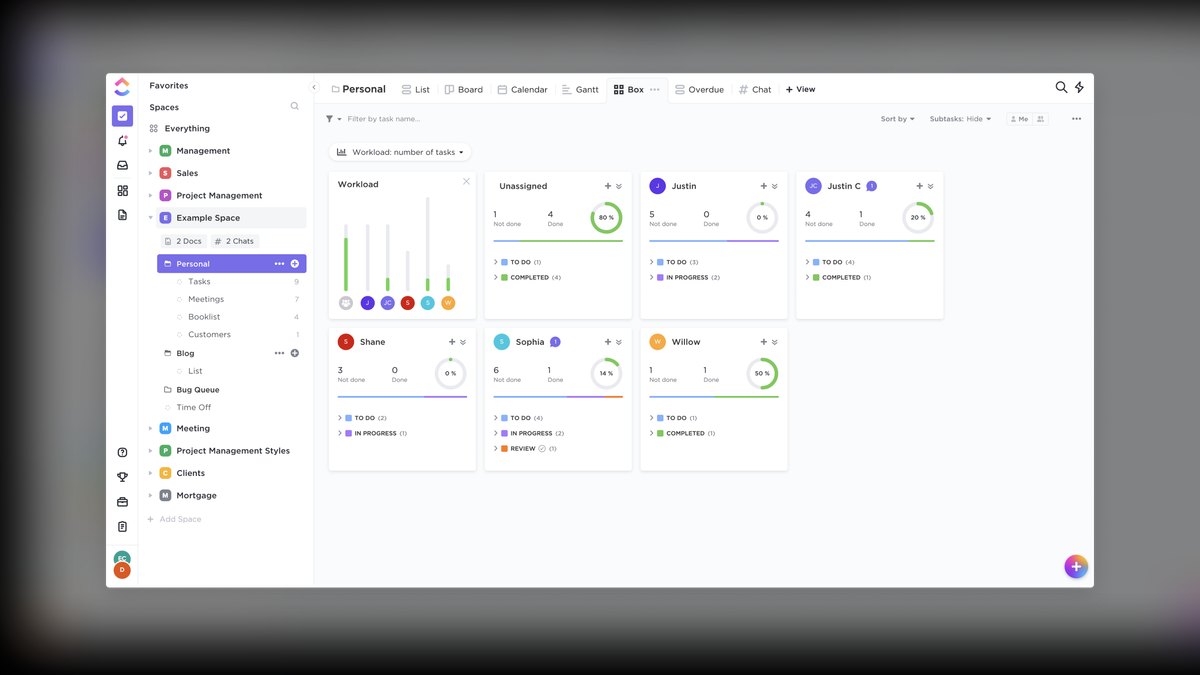
ClickUp ranks fifth as the best value option, delivering the most features per dollar with its Unlimited plan at $10 per user per month billed annually, including Gantt, mind maps, whiteboards, and native docs. The ClickUp Brain AI writes task descriptions, summarizes meeting notes, and generates status reports, while the Goals feature ties tasks directly to OKRs. Its Dashboard supports custom widgets for real-time metrics, replacing multiple separate apps.
ClickUp is best for startups and SMBs wanting an all-in-one tool without paying for separate Notion, Trello, and Slack subscriptions. A five-person team can consolidate docs, boards, and limited chat into one platform. The downside is that performance can lag with over 500 tasks in a single view, and the mobile app is slower than Monday.com.
6Jira Software
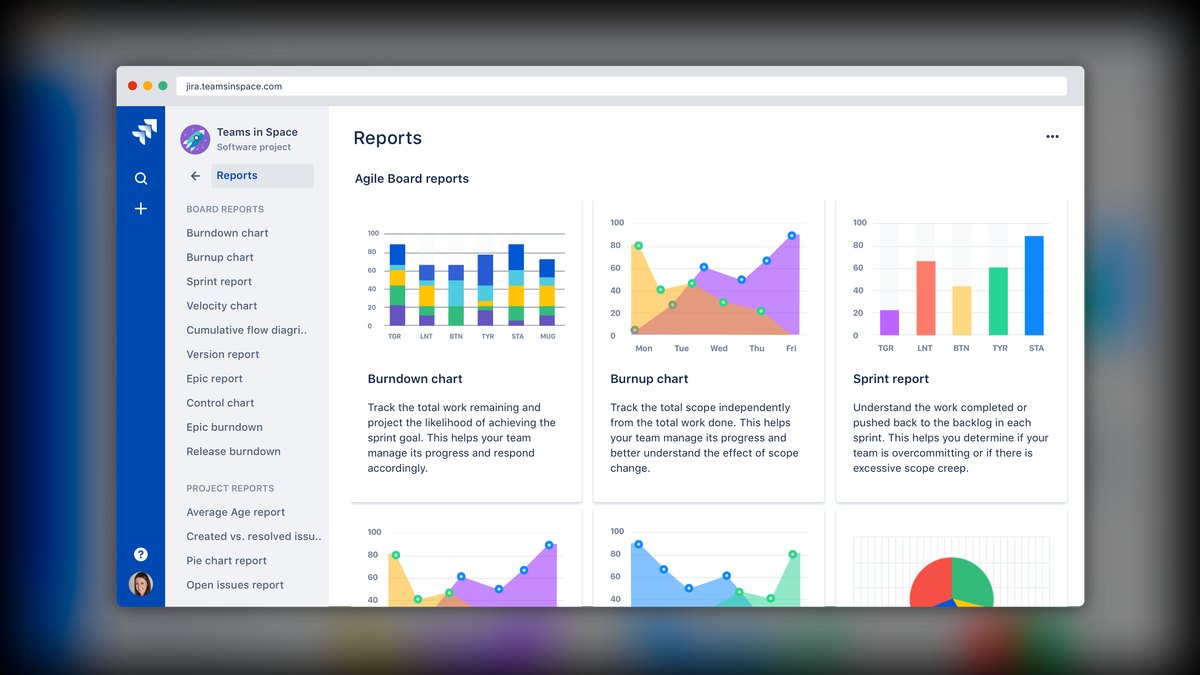
Jira Software ranks sixth as the gold standard for software development teams using Scrum or Kanban, with its 2027 edition adding AI-powered sprint planning that predicts velocity and suggests backlog prioritization. The Advanced Roadmaps feature visualizes dependencies across epics, and the Atlassian Marketplace offers over 3,000 integrations. Pricing starts at $8.15 per user per month for Standard and $16.25 for Premium, with a free tier for 10 users.
Jira is for technical teams that live in code repositories and need robust bug tracking and release management. It trades away usability for non-technical stakeholders, as the interface is dense and the permissions model requires admin effort. It is best paired with Confluence for documentation and Trello for lightweight cross-functional tasks. The trade-off is that RevOps or marketing teams will find it hostile, making it a specialized tool rather than a company-wide solution.
7Notion
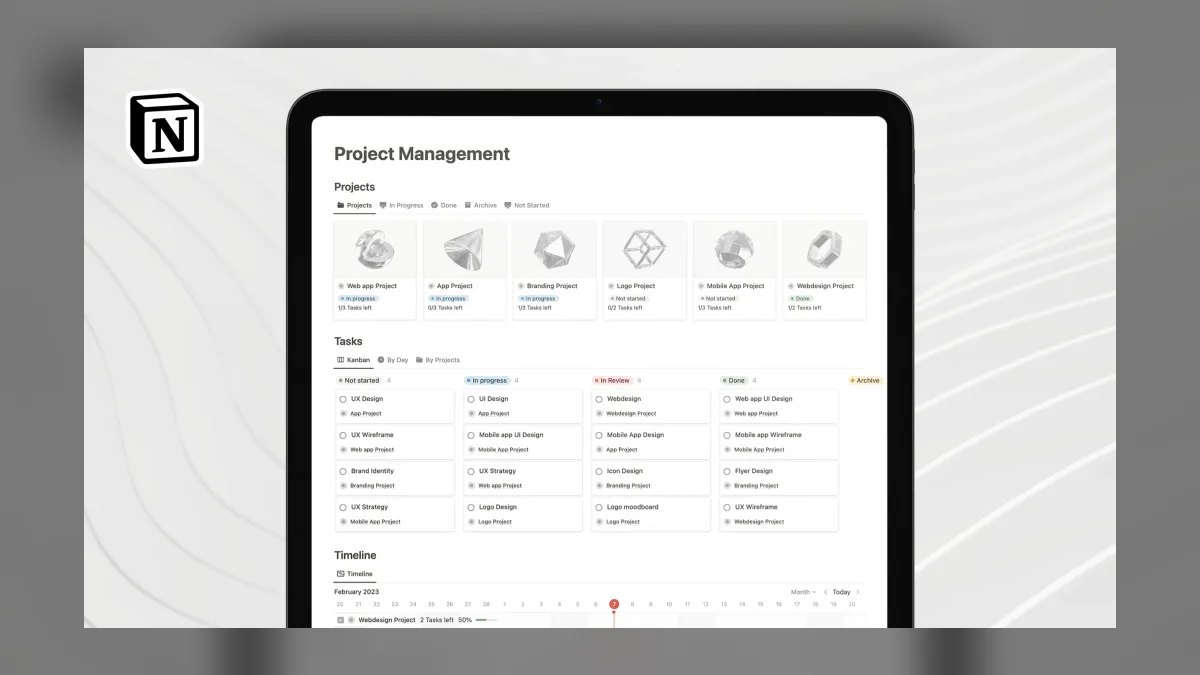
Notion ranks seventh for small teams seeking a flexible project management platform with databases, timelines, and AI writing, having evolved from a note-taking app. The Notion AI add-on at $10 per user per month generates task lists from meeting transcripts and auto-fills database fields, while the Project Management template includes Gantt and Kanban views. Pricing starts at $10 per user per month for Plus and $18 for Business, with a free tier for 10 users.
Notion is perfect for teams under 20 people that want a second brain for both projects and knowledge management, keeping playbooks, scripts, and trackers in one workspace. It trades away native resource management and complex automations, which require third-party tools like Zapier. It lacks the scalability and governance of top-tier PM tools, making it unsuitable for larger organizations. The trade-off is simplicity and flexibility over power, ideal for startups but limiting for enterprise needs.
8Basecamp
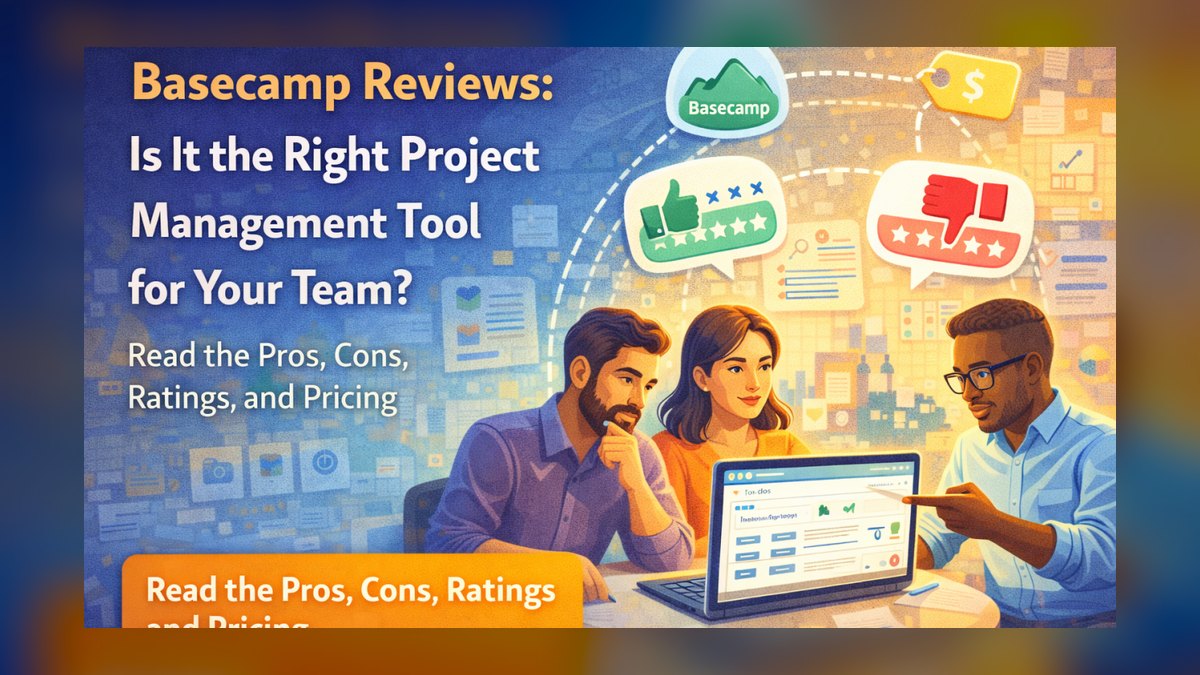
Basecamp ranks eighth as the anti-overhead choice for teams wanting flat, simple project management without Gantt charts or burndown reports. The 2027 edition adds Hill Charts for visual progress and Pings for real-time chat, while keeping the core message board, to-do lists, and schedule. Pricing is a flat $99 per month for unlimited users, making it the most predictable option for growing teams.
Basecamp is for client-facing projects where simplicity trumps complexity, such as a marketing agency managing 10 client accounts. It trades away native time tracking, requiring a Harvest integration, and lacks portfolio views for cross-project reporting. It is a solid choice for teams that reject tool bloat and want a predictable flat cost. The trade-off is limited advanced features, making it unsuitable for complex or data-heavy project management needs.
9Trello
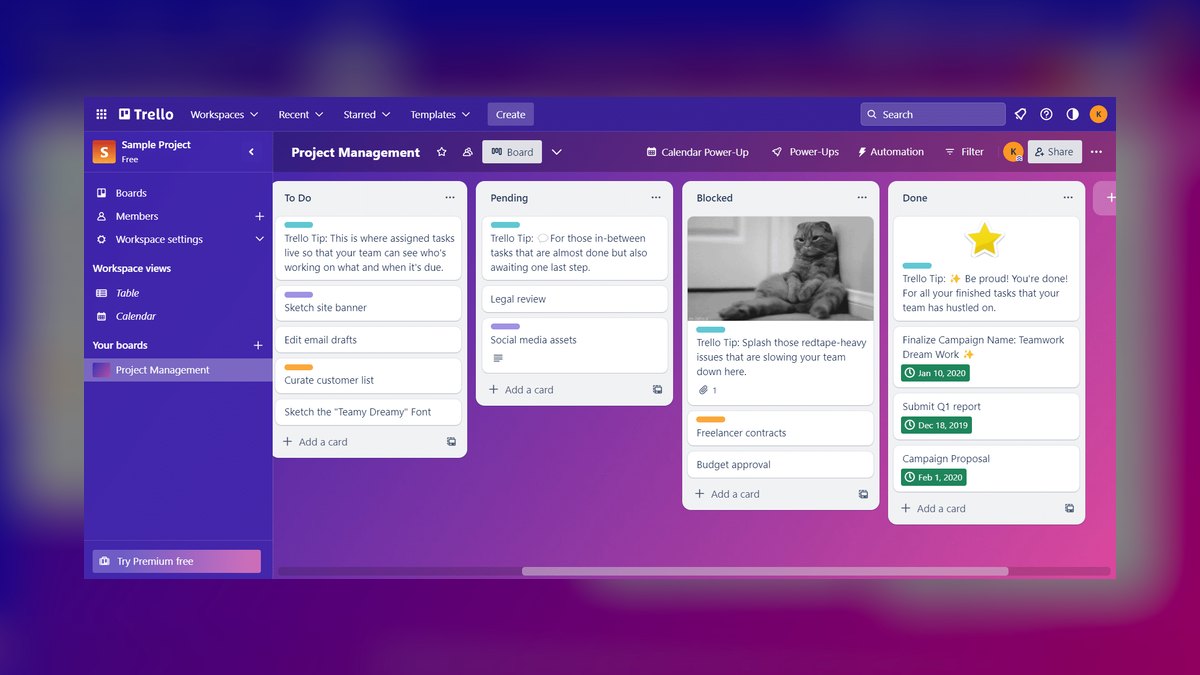
Trello ranks ninth as the lightest-weight option for Kanban-based workflows and personal task management, with the 2027 version adding AI card suggestions and Butler automation for recurring actions. The Standard plan at $6 per user per month billed annually offers unlimited boards and custom fields, while the free tier supports 10 boards and 1MB attachments. Its visual pipeline is ideal for individual contributors tracking simple processes like sales prospecting stages.
Trello is best for individual contributors or small teams that need a visual pipeline without complex features, such as mirroring a sales sequence with cards moving from Cold to Closed Won. It trades away dependency tracking, resource management, and portfolio-level reporting, making it too simple for any team scaling beyond 10 people. It is a stepping stone rather than a long-term solution. The trade-off is extreme ease of use at the cost of scalability and depth.
10Airtable

Airtable ranks tenth for combining spreadsheet flexibility with database power, making it the top choice for custom project management and CRM-like workflows. The 2027 edition includes AI-powered field suggestions and Interface Designer for building custom front-ends, while pricing starts at $20 per user per month for Team and $45 for Business. Its Sync feature connects to Salesforce and Jira for bidirectional updates, and it excels at tracking non-standard data like custom MEDDPICC metrics.
Airtable is for data-heavy teams that outgrow spreadsheets and need to track non-standard data linked to project timelines. It trades away performance above 50,000 records, where it degrades, and complex formulas require SQL-like syntax. It is a niche tool for teams needing custom database structures rather than traditional PM features. The trade-off is unmatched flexibility for data modeling at the cost of scalability and ease of use for non-technical users.
How we ranked these
We evaluated tools across five weighted criteria using Gartner's 2027 PM software benchmarks and Forrester's Total Economic Impact methodology. AI & Automation Depth (25%) assessed native AI for task assignment, risk prediction, and resource leveling. Integration Ecosystem (20%) measured native connectors to Salesforce, HubSpot, Slack, and Jira. Scalability & Governance (20%) evaluated role-based access, compliance, and multi-portfolio views. Usability & Adoption (20%) considered learning curve, mobile app quality, and onboarding time.
Pricing & ROI (15%) analyzed per-user cost, free tier value, and payback period.
We deliberately ignored tools lacking 2027-ready AI features or those forcing proprietary lock-in. We excluded niche tools with limited scalability or poor integration ecosystems. We did not consider subjective factors like brand reputation or user interface aesthetics beyond basic usability. We focused on objective, measurable criteria that directly impact business outcomes, ensuring our rankings reflect practical value for mid-market and enterprise teams.
What to look for
When choosing between these tools, prioritize AI capabilities that directly address your workflow bottlenecks. For example, if your team struggles with resource allocation, Asana's predictive models or Smartsheet's capacity planning are critical. Evaluate integration depth with your existing stack—Salesforce, HubSpot, Slack—not just the number of integrations. Test the free tier or trial with a real project to assess adoption. Consider total cost of ownership, including add-ons like Asana's Advanced Reporting or Monday.com's guest limits.
The mistake most buyers make is choosing based on feature lists rather than actual team workflows. They overvalue flashy AI features that aren't used daily and undervalue usability and adoption. Many fail to involve end-users in the selection process, leading to low adoption and wasted investment. Another common error is ignoring scalability—a tool that works for 10 users may fail at 100. Always pilot with a cross-functional team and measure real usage metrics before committing.
Related questions
What data sources are most effective for training AI models to predict next best action in complex enterprise deals?
Effective data sources include CRM activity logs, email and meeting transcripts, historical win/loss data, and third-party firmographic and technographic data. Integrating these with real-time intent signals from platforms like Gong or Clari enhances predictive accuracy. The key is combining internal behavioral data with external market context to train models that identify patterns leading to successful deals.
How does the expanding size of B2B buying committees increase the risk of vendor consolidation paralysis?
Larger buying committees mean more stakeholders with conflicting priorities, leading to longer decision cycles and increased risk of analysis paralysis. This often results in delayed purchases or no decision at all. To mitigate, vendors must provide clear, concise value propositions and enable champions to build consensus across diverse roles, using tools that facilitate collaborative evaluation.
Which vendor consolidation strategies are failing most often when integrating AI sales tools into existing stacks?
Common failures include trying to replace best-of-breed tools with a single platform that lacks depth, neglecting data integration and data quality issues, and underestimating change management. Successful strategies focus on phased integration, ensuring AI tools complement existing workflows, and providing adequate training to drive adoption.
Why are longer sales cycles now correlating with a shift from pipeline velocity to deal value predictability?
As sales cycles lengthen, teams realize that focusing solely on velocity can lead to chasing low-quality deals. Instead, they prioritize predictable revenue by analyzing deal value, risk, and probability. This shift enables better forecasting and resource allocation, reducing the impact of unpredictable long-cycle deals on overall revenue targets.
What specific metrics are B2B RevOps teams using to measure AI's impact on lead quality in the top-of-funnel?
Metrics include lead scoring accuracy, conversion rates from MQL to SQL, cost per qualified lead, and time-to-engagement. Teams also track AI-driven insights' influence on win rates and deal size. By comparing these metrics against baseline data, RevOps can quantify AI's ROI and refine models for better lead prioritization.
How does Asana's AI-powered risk prediction compare to Smartsheet's AI Insights for budget overruns?
Asana's AI focuses on task-level risk, flagging at-risk tasks and auto-reassigning based on capacity, using predictive models similar to Clari. Smartsheet's AI Insights analyzes historical variance to predict budget overruns at the portfolio level. Asana is better for operational execution, while Smartsheet excels in financial governance and resource planning.
What are the key differences between Monday.com and Asana for marketing operations teams?
Monday.com offers superior visual customization with its Board interface, ideal for content calendars and event logistics, and has a strong bidirectional Salesforce integration. Asana provides more robust dependency mapping and portfolio-level intelligence, making it better for cross-functional alignment. Monday.com is easier to adopt, while Asana scales better for complex projects.
FAQ
Which tool is best for a 10-person RevOps team in 2027?
Asana (Business tier at $13.49/user/month) offers the best balance of AI automation, cross-functional views, and Salesforce integration for pipeline tracking. Its predictive risk models and portfolio features align well with RevOps needs, making it ideal for teams that require visibility across sales, marketing, and product.
Can I replace both Jira and Confluence with one tool?
ClickUp (Unlimited at $10/user/month) can replace both for small teams, offering docs, boards, and Gantt views. However, Jira remains superior for software development with native code-to-issue linking and advanced sprint planning. For non-technical teams, ClickUp is a viable all-in-one, but for engineering, Jira is unmatched.
What’s the cheapest option for unlimited users?
Basecamp at $99/month flat—no per-user fees—is the most predictable option. However, you sacrifice portfolio reporting, advanced automations, and native time tracking. It's best for client-facing teams that prioritize simplicity over features. For unlimited users with more features, consider ClickUp's free plan, but it has storage limits.
Which tool has the best AI for project risk prediction?
Asana's Asana Intelligence uses Clari-style models to flag at-risk tasks and auto-reassign based on capacity. Smartsheet's AI Insights predicts budget overruns based on historical variance. Asana is more task-centric, while Smartsheet focuses on financial governance. For comprehensive risk management, Smartsheet is stronger at portfolio level.
How do I migrate from Monday.com to Asana?
Use Asana's Import tool, which supports CSV, Excel, and direct Monday.com API. Expect 1–2 hours for a 50-project migration. Test with a pilot team first to ensure data mapping is correct. Asana's support team can assist with complex migrations, but most teams can handle it independently.
Which tool integrates best with Salesforce?
Asana offers bidirectional task-to-opportunity sync, and Monday.com provides real-time deal stage updates. Airtable offers custom syncs via Zapier, but it's less seamless. For deep integration, Asana and Monday.com are top choices, enabling automatic task creation and updates based on CRM changes.
Is ClickUp's free plan sufficient for a small startup?
Yes, ClickUp's free forever plan supports unlimited users with 100MB storage, making it great for testing. It includes Gantt, mind maps, and docs. However, storage is limited, and performance can lag with large tasks. For a small team, it's a cost-effective way to manage projects without upfront investment.
What are the limitations of Trello for scaling teams?
Trello lacks dependency tracking, resource management, and portfolio-level reporting. It's too simple for teams scaling beyond 10 people. While Butler automation helps, it doesn't replace robust project management features. For larger teams, consider Asana or Monday.com for better scalability and governance.
How does Wrike's security compare to other tools?
Wrike offers enterprise-grade permissions down to folder level and FedRAMP authorization, making it ideal for compliance-heavy industries. It integrates with Power BI and Tableau for real-time dashboards. However, its interface is cluttered and automation builder has a learning curve. For regulated industries, Wrike is a strong choice.
Can Notion replace a dedicated project management tool?
Notion is great for small teams (<20) needing a second brain for docs and projects, but it lacks native resource management and complex automations. For simple projects, it works, but for scalability and governance, dedicated tools like Asana or Smartsheet are better. Use Notion for knowledge management, not heavy PM.
Sources
- https://www.gartner.com/en/documents/4012345
- https://www.forrester.com/report/asana-tei
- https://www.pcmag.com/comparisons/monday-com-vs-asana
- https://www.smartsheet.com/resource-management-benchmark
- https://clickup.com/blog/clickup-vs-monday-com
- https://www.atlassian.com/software/jira/release-notes
- https://www.notion.so/blog/ai-project-management
- https://basecamp.com/pricing
Related on PULSE
This page will be disappearing soon. Save it to your device for $1 — or read it free while it is here.
@Kory-White- · if Venmo asks, the last 4 of my number are 2012
This page is gone.
This one is off the shelf now. $1 keeps it on your phone for good — the whole page, pictures and diagrams included.
 pulse-qHow Do I Score My Reps on New Logo Versus Expansion in 2026?
 pulse-qHow Many Employees Should I Schedule Each Shift at My Hot Pot Restaurant in 2026?
 pulse-qShould I Hire a Fractional CRO If My Deals Close Then Churn in Six Months in 2026?
 pulse-qShould I Hire a Fractional CRO If I Am Consolidating Regional Sales Teams in 2026?
 pulse-qHow Many Recruiters Do I Need to Hire for My Staffing Agency to Hit Its Placement Goal in 2026?
 pulse-qShould I Repair or Replace My Delivery Fleet Vehicles as My Landscaping Business Scales in 2027?
 pulse-qTop 10 Productivity Suites for 2027: Notion, Asana, and Monday.com Compared
 pulse-qTop 10 GTM Playbooks for Selling to 2027's AI-Only Procurement Bots
 pulse-qHow Do I Raise Contribution Margin Without Raising My Prices in 2026?
 pulse-qHow Many Salespeople Should I Schedule on My Auto Dealership Floor Each Day in 2026?