
Is Monday.com better than Asana for cross-team project tracking with Gantt charts in 2027?
 Curated byKory White · Fractional CRO · Maryland
 PULSEKNOWLEDGE LIBRARY
Quality
Certified
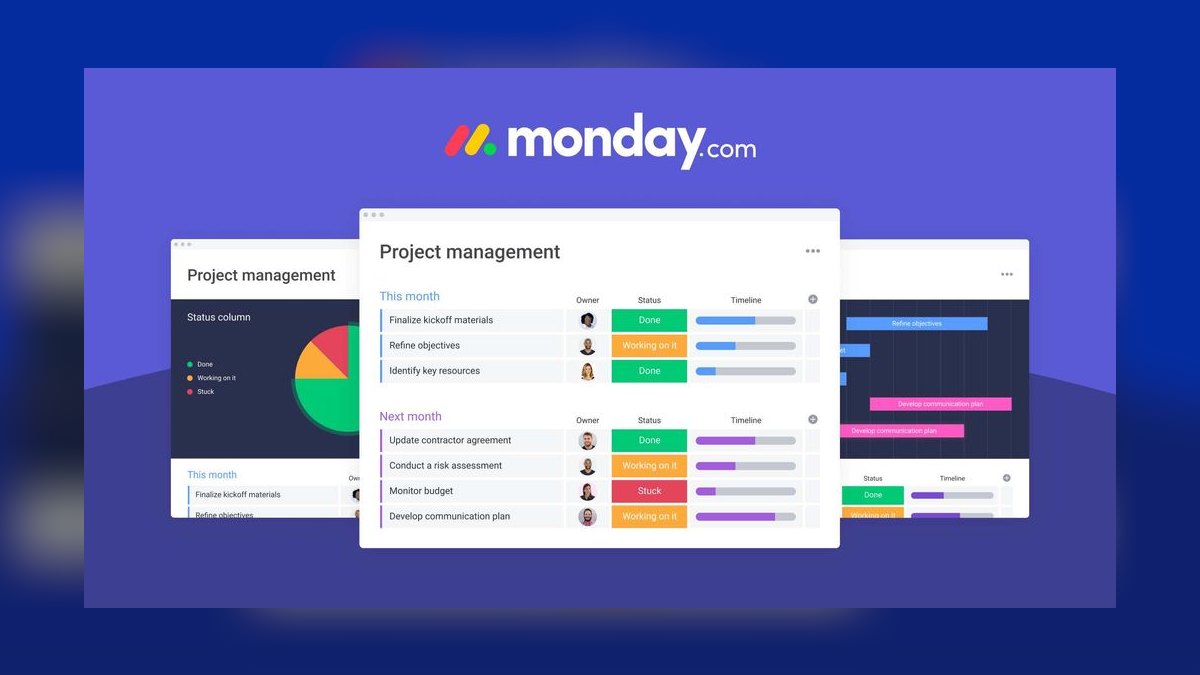
Neither tool wins outright. Monday.com is better for cross-team project tracking when dependencies span multiple boards, departments, and connected CRM data, because its Gantt view links tasks across boards natively. Asana is better when the priority is resource leveling and clean intra-team timelines. Pick by dependency complexity, not by feature-count comparisons.
What each tool actually gives you in a Gantt view
The naming trips people up first, so clear it up before anything else: Monday.com calls its Gantt view "Gantt," and Asana calls its equivalent "Timeline." They render the same fundamental artifact — horizontal bars on a date axis with arrows between dependent items — but the data model underneath them differs enough that the two tools behave very differently once a project stops being one team's problem.
Monday.com's structure is board-centric. A board is a table of items, each item has columns, and the Gantt view renders items from that board (or, when you use a connected-boards column, items pulled in from other boards) along a timeline. The important consequence is that a dependency in Monday.com is a column value pointing at another item, and with board connections that pointer can cross departmental boundaries. A Sales board item can be declared a blocker for a Product board item, and the resulting arrow shows up in a Gantt that spans both. This is the single most consequential difference for cross-team work and it is why the answer tilts toward Monday.com for matrixed orgs.
Asana's structure is project-centric with tasks that can be multi-homed. A task lives in one project as its "home" but can appear in several projects simultaneously — the same physical task, one source of truth, visible in Marketing's project and in the RevOps project at once. That is genuinely elegant and it solves a class of cross-team problems that Monday.com solves more clumsily. What multi-homing does *not* do is create a cross-project dependency arrow rendered in a single Timeline. Asana's Timeline is scoped to a project. Portfolios let you stack many project timelines on one screen, but that is an overlay of separate bars, not a dependency graph with a computed critical path across them.

So the honest framing is: Monday.com gives you a cross-boundary dependency graph and a mediocre resourcing story. Asana gives you a strong resourcing story, a cleaner single-project timeline, and a cross-boundary dependency story you have to assemble yourself out of multi-homing, portfolios, and rules.
There are secondary differences worth naming because they surface in month three, not week one. Monday.com's Gantt supports baselines on higher plans, letting you compare the current plan against the originally committed dates — useful when a RevOps program is being reviewed by a steering committee that wants to know what slipped versus what was always late. Milestone rendering exists in both. Both support drag-to-reschedule with dependency propagation, but the propagation settings differ: Monday.com lets you configure whether moving a predecessor pushes dependents (strict) or merely flags them (loose), while Asana's Timeline offers dependency-shift behavior that is simpler and less configurable. Teams that want a Gantt to behave like a real scheduling engine generally end up happier with Monday.com; teams that want a Gantt to be a readable communication artifact generally end up happier with Asana.

One more structural point that comes up constantly and rarely gets said plainly: neither of these tools is a critical-path scheduler in the sense that Microsoft Project or Smartsheet's more advanced scheduling is. If your program genuinely needs resource-constrained scheduling, float calculation, and true CPM math — an implementation with contractors, fixed capacity, and penalty clauses — you are comparing the wrong two products. For the 90% of RevOps programs that need "who is blocked by whom, when does this land, who is buried," both tools clear the bar and the comparison is about fit.
The cross-team failure modes each tool creates
Every tool choice buys you a set of problems. Choosing well means picking the problems you can absorb.
Monday.com's characteristic failure is board sprawl. Because a board is cheap to create and the connected-boards column makes linking easy, orgs end up with forty boards and a dependency web nobody can hold in their head. The Gantt view will faithfully render that web, which is exactly the problem — it becomes a hairball. The mitigation is architectural discipline set at the start: decide how many boards a program is allowed to have, standardize the status and date column names across them (mismatched column names are the number-one cause of automations that silently do nothing), and designate one "program" board that holds the cross-team milestones while the departmental boards hold execution detail. The Gantt that leadership looks at should be the program board's, not the union of all forty.

Asana's characteristic failure is timeline divergence. Because each project owns its own Timeline, the Marketing project's dates and the Product project's dates drift apart, and nobody notices until a launch week arrives with the collateral unbuilt. Multi-homing helps only for the tasks you remember to multi-home. The mitigation is a standing weekly sync where a program owner walks the portfolio and reconciles dates — which is a real cost measured in people-hours, and you should price it honestly when comparing. If the reconciliation meeting is 45 minutes a week for five leads, that is roughly 190 person-hours a year, which at loaded cost is comparable to the entire license spend for a mid-sized team. This is the number that most tool comparisons omit and it frequently dominates the license-price delta.
A third failure mode belongs to both: the abandoned Gantt. A Gantt chart is only useful if the dates in it are true, and dates go stale the instant updating them is someone's discretionary chore. Both tools address this with automation, and this is where the practical gap opens up. Monday.com's automation recipes can fire across boards natively — a status change on one board can set a date or notify an owner on another. Asana's Rules are strong within a project; cross-project orchestration typically means Zapier, Make, or the API. That is not a dealbreaker, but it is a middleware dependency, and middleware is a thing that breaks quietly at 2am and nobody notices for a week. If you have no one who owns integration plumbing, weight this heavily.
There is also a fourth, softer failure: the tool that only one team likes. Cross-team tracking dies the moment one department refuses to live in the tool. Engineering teams frequently want Jira and will not leave it. If that is your reality, the real question is not Monday.com versus Asana but which of them syncs acceptably with Jira, and both offer integrations of roughly comparable ambition — bidirectional issue sync with field mapping, subject to the usual caveats about conflicting edits. Design your Gantt so that the engineering swimlane is a small number of coarse milestones fed from Jira rather than a mirrored task-by-task copy. Mirroring granular engineering work into a project tool is the most reliable way to produce a Gantt that is wrong within two weeks.

How to decide between them
The decision is usually settled by three questions, asked in order. Do dependencies cross team boundaries? Is capacity the binding constraint? Does CRM or revenue data need to drive dates? If dependencies cross boundaries and CRM data matters, Monday.com. If capacity is the constraint and work is mostly intra-team, Asana. The middle cases are where judgment enters.
A few refinements to that tree, because real decisions are messier than four boxes.

Weight incumbency heavily. Migration is not free. Moving 60 people and 3,000 open tasks between these tools is realistically a four-to-eight week project including field mapping, historical import decisions, retraining, and the productivity dip while muscle memory rebuilds. If you already run one of them and it is 80% adequate, the correct answer is very often "fix the 80% with better board architecture" rather than "switch." I have watched more programs damaged by a migration than saved by one.
Run the pilot on your ugliest program, not your cleanest. Both vendors demo beautifully on a tidy five-task project. The thing you need to learn is what happens when a date moves three levels deep in a dependency chain that crosses two departments and one of the owners is on PTO. Build that exact scenario in a trial of each and watch what the tool does. Two weeks is enough.
Ask who will own the configuration. Both tools reward an owner and punish neglect. Monday.com in particular gives you enough automation rope to build something impressively self-maintaining or impressively self-destructive. If nobody's job description includes "owns the project tracking system," pick the simpler configuration, which is usually Asana, and accept the weekly reconciliation cost.

Check the plan tier before you fall in love with a feature. Gantt-style dependency views are not on the free or lowest paid tiers of either product. Asana's Timeline requires a paid tier above the entry level, and Asana's Portfolios and Workload require the higher business tier. Monday.com's Gantt and dependency columns similarly sit above the basic tier. The feature you saw in the demo may cost a tier jump across your whole seat count, which changes the math substantially. Confirm current tier placement on each vendor's pricing page before budgeting — plan packaging changes frequently enough that any figure written down goes stale.
Putting real numbers behind the comparison
Vague comparisons produce vague decisions, so here are the dimensions where you can actually get numbers, and how to gather them.

Seat cost. Both vendors price per seat per month with a meaningful annual discount and both gate the Gantt-relevant features above their entry tier. Rather than quoting figures that will be wrong by the time you read them, build the comparison this way: take your true seat count including part-time contributors, look up the current per-seat price of the *specific tier* that contains the features you need, multiply by twelve, and then add the tier-jump cost for any feature you discovered mid-pilot that you cannot live without. Monday.com additionally sells in seat blocks on some plans, which means a team of 22 may pay for 25 — worth checking, because it can move a comparison by double digits in percentage terms.
Scale ceilings. Both tools slow down as a single view gets large, and both have documented per-board and per-project item limits well above what most teams hit. The practical constraint is rendering, not the limit: a Gantt with several hundred bars is unreadable to a human regardless of whether the browser renders it smoothly. Design for roughly 40–80 visible bars in any Gantt a human is expected to *use*, and push detail down into filtered or sub-item views. If your program plan has 600 tasks, the leadership Gantt should show 30 milestones and the team Gantts should each show 50–100.
The reconciliation tax. Quantify this before deciding. Count the recurring meetings that exist purely to realign dates across teams, multiply attendees by duration by frequency, and convert to loaded hourly cost. Then estimate honestly how much of that a cross-board dependency graph would actually eliminate — realistically some, not all, because part of the meeting is judgment and negotiation that no tool replaces. If the honest reduction is one 30-minute meeting a week for four people, that is about 100 person-hours annually. Compare that against the license delta and the migration cost. Sometimes it justifies a switch; frequently it does not, and the disciplined answer is to keep the incumbent and cut the meeting anyway.

Integration depth. Both maintain integration catalogs covering CRM, communication, and BI tools. The useful question is not "is there an integration" but "what does the integration write, in which direction, on what trigger, and what happens on conflict." Test three specific flows during your pilot: a CRM record change setting a date in the project tool, a task completion writing back to the CRM, and a conflict where both sides changed since last sync. Whatever the marketing pages claim, the pilot tells you the truth. Budget engineering time for anything the native integration does not cover — a modest custom sync through either vendor's API is typically a one-to-two week build plus ongoing maintenance, and the maintenance is the part people forget.
Adoption rate. The most predictive number nobody measures. Two weeks into the pilot, check what fraction of participants updated a task without being asked. If it is under half, the tool will not hold dates true regardless of its feature list, and the Gantt will be decorative. This measurement is cheap and it beats every feature matrix.
Building it so the Gantt stays true
Choosing the tool is maybe 30% of the outcome. The rest is how you set it up, and the sequencing matters because some decisions are expensive to reverse.

Start with the taxonomy, before anyone creates a board or project. Agree on the status values, the date field names, the owner field, and the priority scale, and write them down. Standardizing these across every board or project is what makes cross-team automation possible later; retrofitting a naming convention onto forty existing boards is miserable work. Then define the program layer — the small set of milestones that leadership tracks — separately from the execution layer where teams live. The program layer's Gantt should have fewer than 40 bars and should be the only Gantt in any executive review.
Next, model dependencies deliberately and sparingly. The temptation is to link everything; the result is a graph where a one-day slip anywhere cascades everywhere and people stop believing the dates. Link only true blockers — where work genuinely cannot start until the predecessor finishes. Soft sequencing ("we'd rather do this first") should be expressed as ordering, not as a hard dependency. A good rule of thumb: if fewer than a quarter of your tasks have dependencies, you are probably modeling correctly. If more than half do, you have built a hairball.

Then wire automation, and wire it to reduce human updating rather than to generate notifications. The highest-value automations are the ones that keep dates honest without asking anyone: predecessor completion advancing a dependent's start, a status change on the CRM side moving a milestone, an overdue item escalating to the program owner. The lowest-value automations are the ones that fire a Slack message on every field change, which train everyone to mute the channel within a week.
Finally, sequence the rollout by program, not by department. Rolling out department by department produces islands that never connect, which is precisely the failure you were trying to fix. Take one real cross-functional program, run it end to end for 30 days in the new structure, fix what breaks, and only then take the second program. The thirty-day mark is where you learn whether the dates stay true without someone nagging — which is the only measure of success that matters. If they do not, the fix is almost always subtraction: fewer boards, fewer dependencies, fewer required fields.
One adjacent note worth making, because it changes the calculus for RevOps specifically: a project Gantt and a revenue forecast are different artifacts with different owners and different truth conditions, and the instinct to merge them usually backfires. Let the CRM own deal dates and the project tool own delivery dates, connect them at a small number of named milestones, and resist the urge to mirror the pipeline into the project tool. The teams that keep those two systems distinct — with a thin, deliberate bridge — end up with both a Gantt people trust and a forecast people trust. The teams that merge them end up with neither.
Related questions
Does Asana support cross-project dependencies at all?
Asana supports task dependencies within a project and multi-homing a task into several projects. What it does not render is a single Timeline showing a computed dependency chain across separate projects; Portfolios stack project timelines side by side rather than linking them into one graph.
Can I use both tools together?
You can, and some orgs do, but running two project trackers reliably produces two sets of dates that disagree. If you must, make one authoritative for dates and let the other consume via API — never let both write the same field.
Is Gantt included on the entry-level plans?
No. Both vendors place dependency and Gantt-style views above their lowest paid tier, and Asana's Portfolios and Workload sit higher still. Confirm current tier placement on each vendor's pricing page before budgeting, since packaging changes regularly.
What if engineering refuses to leave Jira?
Integrate rather than migrate. Sync a small number of coarse engineering milestones into your Gantt instead of mirroring every ticket. Mirroring granular engineering work is the fastest way to end up with a Gantt that is wrong within two weeks.
How long does a migration between the two actually take?
For roughly 60 people and a few thousand open tasks, plan four to eight weeks including field mapping, historical import decisions, retraining, and a productivity dip. If your incumbent is 80% adequate, fixing the architecture usually beats switching.
FAQ
Which is better for cross-team project tracking with Gantt charts?
Monday.com, in most matrixed cases, because dependencies can cross boards and appear in one Gantt with a visible chain. Asana wins where the harder problem is capacity rather than sequencing, since its Workload and portfolio views handle over-allocation more directly. If your teams are largely independent and the Gantt exists to communicate rather than to schedule, Asana's cleaner Timeline is often the more usable artifact.
Does Monday.com actually compute a critical path?
Its Gantt renders dependency chains and propagates date shifts, which covers the practical need. Neither tool is a full CPM scheduler with float calculation and resource-constrained leveling in the way dedicated scheduling software is. If you need genuine CPM math for a contracted program with penalty clauses, you are comparing the wrong two products and should evaluate purpose-built scheduling tools.
How many tasks can a Gantt hold before it stops being useful?
The vendor limits are far above the human limit. Practically, design for 40–80 visible bars in any Gantt someone is expected to read and act on, and push detail into filtered or sub-item views. A leadership Gantt showing 30 milestones is far more valuable than one showing 600 tasks, regardless of what the tool can technically render.
What breaks most often after rollout?
Stale dates. A Gantt is only useful when the dates in it are true, and truth decays the moment updating is discretionary. The teams that succeed automate the date updates rather than automating the reminders, and they model dependencies sparingly so a single one-day slip does not cascade across the entire board and destroy everyone's trust in the chart.
Should the CRM drive the project timeline?
Only at a small number of named milestones. Let the CRM own deal dates and the project tool own delivery dates, and bridge them deliberately. Mirroring the whole pipeline into the project tool produces a Gantt nobody trusts and a forecast nobody trusts, because the two systems have different owners and different truth conditions.
Is switching worth it if we already run one of them?
Usually not. Quantify the reconciliation meetings you would actually eliminate, subtract the migration cost and the productivity dip, and compare honestly against the license delta. In most RevOps programs, better board architecture and fewer, better-modeled dependencies deliver more improvement than a platform change does.
Sources
- Monday.com — Gantt view documentation
- Monday.com — Dependency column
- Monday.com — Pricing
- Asana — Timeline view
- Asana — Portfolios
- Asana — Workload
- Asana — Pricing
- Project Management Institute
- Gartner Peer Insights — Project Management software category
Related on PULSE
- [How to choose between Asana and Monday.com for project management?](/knowledge/q14488)
- [Top 10 Productivity Suites for 2027: Notion, Asana, and Monday.com Compared](/knowledge/q14519)
- [How do I set up automated Slack notifications from Monday.com when a task status changes?](/knowledge/q14524)
- [How does Asana make money in 2027?](/knowledge/q1928)
- [What is monday CRM and why is it a hot RevOps sales CRM for 2027?](/knowledge/q12219)
This page will be disappearing soon. Save it to your device for $1 — or read it free while it is here.
@Kory-White- · if Venmo asks, the last 4 of my number are 2012
This page is gone.
This one is off the shelf now. $1 keeps it on your phone for good — the whole page, pictures and diagrams included.
 pulse-qHow Many Employees Should I Schedule Each Shift at My Martial Arts Studio in 2026?
 pulse-qHow Many Sales Reps Do I Need to Hire for My Window Tinting Company in 2026?
 pulse-qShould I Hire a Fractional CRO If I Need Interim Leadership During a CRO Search in 2026?
 pulse-qHow Do I Score My Reps on New Logo Versus Expansion in 2026?
 pulse-qHow do you handle a rep who sandbags their pipeline to avoid quota increases in 2027?
 pulse-qHow Do I Tie Commission to More Than One Product in 2026?
 pulse-qHow do you rebuild a sales team's trust in the forecast after a mid-year CRM migration corrupts historical pipeline data in 2027?
 pulse-qShould I Hire a Fractional CRO If My Comp Plan Is Driving the Wrong Behavior in 2026?
 pulse-qHow Many Employees Should I Schedule Each Shift at My Roller Rink in 2026?
 pulse-qHow Do I Get My District Managers Aligned on KPIs in 2026?