

How does Google Workspace compare to Microsoft 365 for collaboration in 2027?
 Curated byKory White · Fractional CRO · Maryland
Quality
Certified
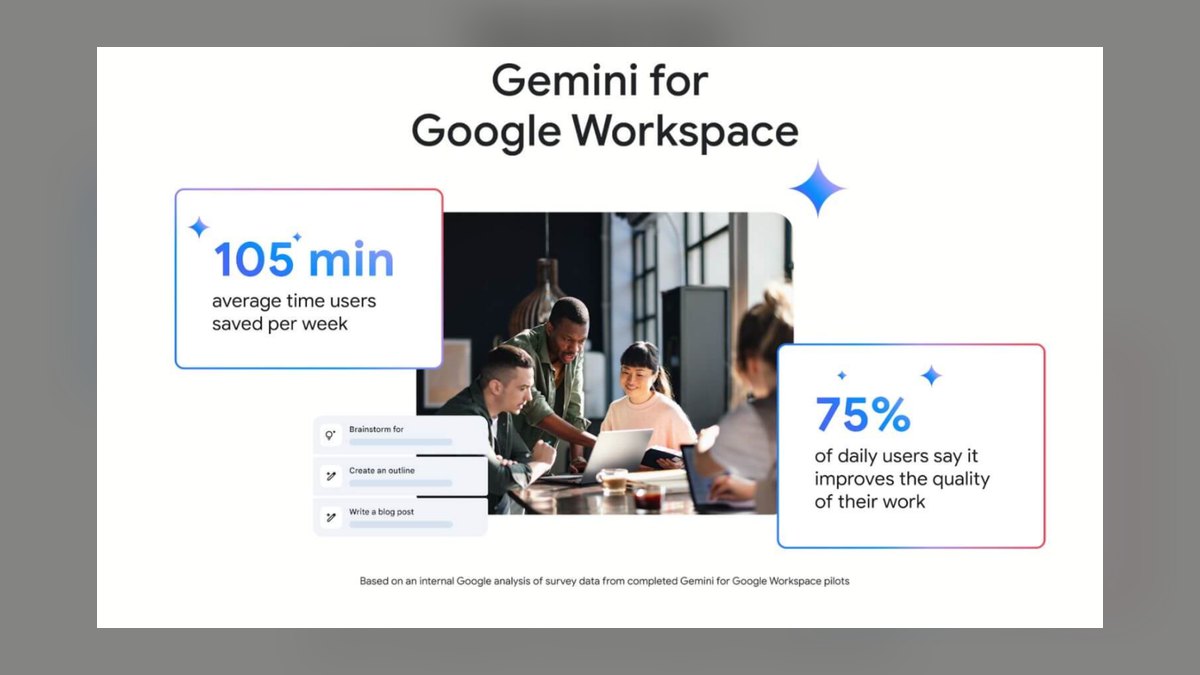
Google Workspace generally wins on real-time co-editing speed, browser-native simplicity, and lower per-seat cost, while Microsoft 365 wins on offline-capable desktop apps, deep Excel modeling, and enterprise governance through Purview. For most RevOps teams the deciding factor is not features but which ecosystem your CRM, BI, and identity stack already lives in.
The scenario that forces the decision
A 60-person revenue org is three weeks from a board meeting. The forecast lives in a spreadsheet that four people touch daily: the RevOps analyst who owns the pipeline waterfall, the sales ops manager who reconciles CRM stage changes, the finance partner who layers in billing assumptions, and the CRO who edits commentary the night before. Alongside it sits a QBR deck, a set of territory maps, and a shared drive of mutual action plans that account executives send to customers.
That is the real test of a collaboration suite. Not the feature matrix — the Tuesday afternoon where four people need the same file at the same time, one of them is on a plane with spotty wifi, one is a contractor without a corporate laptop, and one is a customer-side stakeholder who does not have a license at all.
Google Workspace handles the first three cases with less friction. Everything is a URL. The contractor opens the sheet in Chrome without installing anything. External sharing is a link with an access level attached, and the sharing dialog is the same dialog in Docs, Sheets, Slides, and Drive. Simultaneous editing is the default assumption of the product rather than a mode layered on top of a desktop file format.

Microsoft 365 handles the plane case better and the modeling case dramatically better. Desktop Excel with a locally cached OneDrive file keeps working offline and syncs on reconnect. If the forecast uses Power Query to pull from a warehouse, pivot tables over a few hundred thousand rows, or a data model with relationships between tables, Google Sheets is not a substitute — Sheets has a hard cell ceiling and no true equivalent to Excel's Power Pivot data model. Teams that have tried to port a real financial model to Sheets usually end up keeping Excel for the model and using Sheets for everything around it.
The scenario also surfaces the governance question. If the mutual action plans contain customer pricing, someone eventually asks who can download them, whether the link expires, and what happens when the AE leaves. Both suites answer that. Microsoft answers it in more places, with more knobs, and with more documentation to hand a prospect's security reviewer.
How co-authoring actually works under the hood
The behavioral differences between the two suites trace directly to an architectural difference, and understanding it explains most of what practitioners complain about.

Google Docs and Sheets were built as web applications with an operational-transform-style model: every keystroke is an operation sent to the server, sequenced against everyone else's operations, and reflected back. There is one authoritative copy, it lives on the server, and your browser holds a view of it. That is why there is no "save," why version history is continuous rather than snapshot-based, and why forty people can be in a document without producing conflicting copies. It is also why offline mode is a bolt-on that requires the Chrome extension and pre-enabling files, and why very large Sheets get sluggish — the browser is doing recalculation work that a native app would do faster.
Microsoft's Office apps were desktop applications first. Co-authoring was added by having the desktop client sync changes through the service at intervals rather than per-keystroke. Word co-authoring is genuinely good now and feels close to real time. Excel co-authoring is where the model shows its seams: the desktop client uploads and merges changes in bursts, and when two people edit related cells inside the same window you can get a merge that requires resolution or a prompt to refresh. Excel for the web behaves more like Sheets, but the whole reason organizations use Excel is the features the web version does not have.
Loop components are Microsoft's answer to this. A Loop component is a live fragment — a table, task list, or paragraph — that renders and edits identically wherever it is pasted: a Teams chat, an Outlook email, a Word document, the Loop app. It is the closest thing in either suite to genuinely portable collaborative content, and Google has no direct equivalent. Google's Smart Chips and building blocks are document-scoped; a Loop component is document-independent.

The practical read for RevOps: put anything with many simultaneous editors and simple structure into Google. Put anything with heavy computation, external data connections, or complex formulas into Excel. Teams that fight this end up with an analyst manually reconciling two versions of the forecast, which is the exact failure mode a collaboration suite is supposed to eliminate.
What the numbers actually look like
List pricing is public for both vendors and it is the one place a comparison can be concrete without inventing anything. Treat these as list rates before discounting; committed annual deals at fifty seats and up routinely land below list, and Microsoft's enterprise agreements discount more aggressively than Google's typically do.
Google Workspace publishes Business Starter, Business Standard, Business Plus, and Enterprise tiers. Business tiers cap at 300 seats, which is the first cliff most growing companies hit — crossing it forces a move to Enterprise, and that is a meaningful jump in per-seat cost. Storage scales by tier and is pooled across the organization rather than allocated strictly per user, which matters when a few power users hold most of the data.

Microsoft 365 splits into Business plans (also capped at 300 seats) and Enterprise E1/E3/E5. E3 is the common enterprise baseline: desktop Office apps, Exchange, SharePoint, Teams, and a solid but not complete compliance set. E5 adds the advanced security and compliance capabilities, Power BI Pro, and advanced telephony. That distinction is where budgets get set, and where an important correction applies: E5 includes Power BI Pro and the Purview compliance capabilities, but it does not include Microsoft 365 Copilot and it does not include Dynamics 365 Sales. Copilot is a separate per-user add-on layered on a qualifying base plan. Dynamics 365 is a separate CRM product with its own licensing entirely. Any budget model that assumes E5 replaces your CRM spend is wrong by the full cost of the CRM.
The same correction applies on the Google side in the other direction. Gemini capabilities have been folded into Business and Enterprise Workspace tiers rather than sold purely as a standalone add-on, which changed the arithmetic of an AI comparison — but "included" does not mean identical scope at every tier, and the higher-value agent and research features track the higher tiers. Verify against current published plan pages before you build a business case; both vendors have repackaged AI more than once.
Where the real money sits, for a revenue org, is rarely the suite line item. A fifty-to-hundred-seat team's collaboration suite is a five-figure annual cost. The conversation intelligence platform, the forecasting platform, the sales engagement platform, and the CRM are each often larger. That means "consolidate onto one suite to save money" is usually a weaker argument than it sounds — the suite is not the expensive part. The stronger argument is reducing the number of integration seams your team maintains.

Three numbers worth establishing internally before you choose, because they are specific to you and no vendor report substitutes for them:
The first is your concurrent-editor count on your most-edited artifacts. Pull the version history on your forecast sheet and your QBR deck for a quarter and count distinct editors per week. If it is two or three, the co-authoring difference barely matters. If it is eight or more, it matters a lot and it favors Google.

The second is your model complexity ceiling. Open the largest spreadsheet your team depends on and check row count, whether it uses Power Query or external connections, and whether it uses pivot tables over a data model. If any of those are true, you are keeping Excel regardless of what suite you standardize on.
The third is your external-collaborator volume — how many documents per month get shared outside the tenant, and to whom. Google's link sharing is simpler for one-off external sharing. Microsoft's guest access through Entra ID is more governed and better suited to sustained external collaboration with a named partner or customer, because guests become identities you can audit and revoke rather than links you have to remember to expire.
Trade-offs, and where each one actually loses
Every honest comparison has to name what each suite is bad at, because the marketing pages will not.

Google Workspace loses on depth of the desktop applications. Sheets is not Excel. Slides is not PowerPoint for a designed deck. Docs is not Word for a long document with complex numbering, cross-references, and tracked-change workflows that legal teams expect. If your contracts move through redlines with counsel on the other side, they are Word documents, and round-tripping them through Docs introduces formatting drift. Google's approach is to be good enough for the majority of work and unapologetically simpler; that is a real strength and a real limit at the same time.
Google Workspace loses on compliance surface area. Vault covers retention, eDiscovery, and legal hold competently. Context-Aware Access is a strong zero-trust primitive that conditions access on device state, IP, and geography. But the granularity of policy targeting is coarser: Google does not have a per-site permission model because it does not have SharePoint sites, so retention and DLP rules apply at broader scopes. For a compliance officer who wants different rules for the finance team's document library than for marketing's, Microsoft's model maps more directly.
Microsoft 365 loses on complexity and administrative overhead. The admin surface spans the Microsoft 365 admin center, Entra ID, Purview, Teams admin, SharePoint admin, and the Defender portals. Purview itself is worth stating precisely, since it is commonly described wrong: Purview is the unified data governance and compliance brand that brought together the Microsoft 365 compliance capabilities and the former Azure data governance product. Compliance Manager is a tool inside Purview, not a former name for it. Getting DLP, retention, and sensitivity labels configured correctly is a project with a real scope, not an afternoon of clicking. Small teams without a dedicated admin routinely buy E5 and use a fraction of it.

Microsoft 365 loses on time-to-value for external and ad-hoc collaboration. Sending a file to someone outside the tenant involves more decisions and more failure modes. The recipient may hit a sign-in wall, may be prompted to create a Microsoft account, may land in a web viewer that behaves differently from the desktop app they expect. Google's "share the link, set it to comment" flow has fewer places to go wrong, and in a sales motion where the customer's experience of the document is part of the deal experience, that friction is not cosmetic.
Both lose on the assumption that one suite covers everything. Neither replaces a CRM. Neither replaces a real conversation-intelligence tool. Google's Looker Studio is a capable reporting layer but is not positioned against Power BI for modeled, governed enterprise BI. Power BI is genuinely strong and its inclusion in E5 is a real economic argument — but it is an argument for Power BI, not for Word over Docs.
Pitfalls that show up six months in
Choosing on a feature matrix instead of on identity. The single strongest predictor of which suite will work is where your identity provider already lives. If the company runs on Entra ID with conditional access policies, device compliance, and single sign-on into every SaaS tool, adopting Google Workspace means either running two identity planes or federating them — both are ongoing operational cost. This is the point where an otherwise sensible feature comparison gets overruled by reality.

Assuming a suite migration is a file migration. Moving mail and files is the easy part; vendors and partners do it routinely. What breaks is everything built on top: the spreadsheet with Apps Script automations, the Power Automate flows that fire on file changes, the shared calendars with resource bookings, the mail-merge templates, the macro-enabled workbook finance has used for six years. Inventory the automations before you commit to a date, because they are the long pole and they are invisible in a storage-size estimate.
Underestimating the 300-seat cliff on both sides. Both vendors cap their small-business tiers at 300 seats. A company at 240 people growing 40% a year hits that wall inside a year, and the jump to enterprise tiers is not a rounding error. Model the cost at your projected headcount, not your current one.
Buying E5 for compliance and never configuring it. Purview's value is entirely in the policies you author. An unconfigured E5 tenant has the same practical data-loss posture as E3 at a materially higher price. If you buy the compliance tier, budget the implementation work in the same breath, or buy E3 and revisit when you have someone to own it.

Letting the forecast live in the wrong place. This is the RevOps-specific version of the modeling pitfall. If the source-of-truth forecast requires Excel's data model and the team collaborates in Google, you get a weekly export-import cycle that introduces staleness and reconciliation errors. Pick one home for the number and make everything else read from it. A hybrid is fine — a hybrid where the same number exists in two editable places is not.
Treating AI capability as a permanent differentiator. Both vendors have repackaged, repriced, and rescoped their AI offerings repeatedly, and both continue to. Choosing a multi-year platform on the current state of an assistant feature is choosing on the most volatile variable available. Choose on identity, data gravity, and the applications your team cannot work without; treat the AI layer as something you will re-evaluate annually regardless.
Skipping the pilot with real artifacts. The most common evaluation mistake is testing with sample files. Run the pilot on your actual forecast, your actual QBR deck, and your actual mutual action plan template, with the actual people who edit them, for a full month-end close. Whatever breaks will break in week one, and it will be something the feature matrix never mentioned.
Related questions
Can you run both suites at once?
Yes, and many companies do — typically Microsoft for mail, identity, and Excel, with Google Docs and Sheets for collaborative drafts. It costs two sets of licenses and creates a "which drive is it in" problem, so scope it deliberately rather than letting it happen by drift.
Does Google Sheets have a hard size limit?
Yes. Sheets enforces a cell count ceiling per spreadsheet, and performance degrades well before that limit on formula-heavy files. Excel's practical limits are far higher, and its data model handles millions of rows that never live in the grid at all.
Which is better for sharing documents with customers?
Google, for one-off shares — a link with a permission level, no account required if you allow it. Microsoft is better for sustained external collaboration with a named partner, because guest access creates auditable identities rather than links you must remember to revoke.
Is Teams or Google Chat the better hub?
Teams is substantially more capable as a workplace hub: meetings, channels, app embedding, and telephony in one client. Google Chat is lighter and adequate, but many Workspace organizations run Slack alongside it rather than relying on Chat as the primary hub.
How long does a migration realistically take?
For a few hundred seats, plan a quarter end to end: discovery and automation inventory, identity and domain cutover, mail and file migration in waves, then a tail of fixing broken scripts and shared calendars. Compressing it below that usually shifts the pain to the tail.
FAQ
Which suite is cheaper for a 100-person revenue team?
Google Workspace is generally lower on list price at comparable tiers, and the gap widens against Microsoft 365 E5. But compare what you actually consume: if E5's Power BI Pro entitlement replaces separate BI licenses you already buy, the effective gap narrows considerably. Price the whole stack, not the suite line, and get quotes — both vendors discount at scale.
Does Microsoft 365 E5 include Copilot or a CRM?
No to both. E5 includes Power BI Pro, the Purview compliance capabilities, and advanced security and voice features. Microsoft 365 Copilot is a separate per-user add-on that sits on top of a qualifying base plan, and Dynamics 365 is a separately licensed CRM product. Any cost model that assumes E5 absorbs your CRM spend is understating the bill significantly.
Is Google Workspace secure enough for enterprise deals?
For most, yes. Google Workspace carries the standard enterprise certifications, offers DLP across Gmail, Drive, and Chat, supports client-side encryption on higher tiers, and provides eDiscovery and legal hold through Vault. Where it lags is granularity of policy scoping and the depth of prebuilt regulatory templates — which matters most to organizations with a dedicated compliance function.
Can our finance model move from Excel to Google Sheets?
Usually not cleanly, if it is a real model. Power Query connections, the Power Pivot data model, large pivot tables, and macro-driven workflows have no direct Sheets equivalent. The realistic pattern is to keep the model in Excel, publish its outputs to a shared Sheet or BI layer for everyone else, and stop trying to make one tool do both jobs.
How do we compare the two without a six-month bake-off?
Run a 30-day pilot with one real cross-functional workflow — the month-end forecast is ideal because it exercises co-editing, external data, sharing, and deadline pressure at once. Instrument three things: how often someone had to reconcile versions manually, how often an external party hit an access problem, and how often someone fell back to the other suite anyway.
Does the choice affect our CRM or revenue tooling?
Less than vendors imply. Salesforce, HubSpot, and the major revenue tools all maintain solid integrations with both Gmail/Calendar and Outlook/Exchange — email sync, calendar sync, and side-panel access are table stakes on both sides. The suite choice shapes the daily editing experience far more than it shapes CRM connectivity.
Sources
- Google Workspace pricing and plan comparison
- Microsoft 365 plans for business
- Microsoft 365 enterprise plan comparison (E1/E3/E5)
- Microsoft Purview documentation
- Google Vault help center
- Excel specifications and limits
- Google Docs editors size and file limits
- Context-Aware Access in Google Workspace
- Microsoft Loop components overview
Related on PULSE
- Top 10 document collaboration tools in 2027
- Top 10 collaboration tools for remote-first companies in 2027
- What is Scratchpad and why is it a hot RevOps AI sales workspace for 2027?
- Does Google Analytics 4 integrate directly with HubSpot to track form submissions and ad conversions?
- How to set up multi-touch attribution in Google Analytics 4?
This page will be disappearing soon. Save it to your device for $1 — or read it free while it is here.
@Kory-White- · if Venmo asks, the last 4 of my number are 2012
This page is gone.
This one is off the shelf now. $1 keeps it on your phone for good — the whole page, pictures and diagrams included.
 pulse-qHow Do I Raise Contribution Margin Without Raising My Prices in 2026?
 pulse-qShould I Hire a Fractional CRO If My Comp Plan Is Driving the Wrong Behavior in 2026?
 pulse-qShould I Hire a Fractional CRO If I Am Replacing a CRO Who Failed in 2026?
 pulse-qDoes Bitdefender GravityZone outperform CrowdStrike Falcon for endpoint detection on a mixed OS network in 2026?
 pulse-qHow Do I Set Sales KPIs That Reflect the Whole Business in 2026?
 pulse-qHow Do I Get My Reps to Renew Accounts on Time in 2026?
 pulse-qHow Many Sales Reps Do I Need to Hire for My Equipment Rental Company in 2026?
 pulse-qShould I Hire a Fractional CRO If I Am Consolidating Regional Sales Teams in 2026?
 pulse-qHow Do I Get My Furniture Reps to Sell Protection Plans in 2026?
 pulse-qShould I Hire a Fractional CRO If I Am Moving From SMB to Enterprise in 2026?