


Is QuickBooks Online or Xero better for freelancer accounting in 2027?
Quality
Certified

For most freelancers, QuickBooks Online is the safer default because US tax handling, contractor 1099 workflows, and CRM connectors are built in. Xero is the better pick when you bill in several currencies, want the cleanest reconciliation screen, and need unlimited-invoice pricing without a US-tax add-on stack. Jurisdiction and invoice volume decide it.
What it is and why it matters
Both QuickBooks Online and Xero are cloud double-entry accounting platforms aimed at small businesses, and both are wildly over-specified for a freelancer who only needs to invoice clients, track expenses, and hand a clean set of books to a tax preparer in April. The reason the choice still matters is that accounting software is the single stickiest tool in a solo operator's stack. You will change CRMs, change email tools, change your website twice, and still be on whichever ledger you opened in year one — because the migration cost climbs with every month of transaction history behind you.
The functional overlap is close to total. Both do bank feeds, both do reconciliation, both do recurring invoices, both do quotes and estimates, both do a chart of accounts you can customize, both do multi-currency (with pricing differences covered below), both do mobile apps, both do accountant access so your CPA can log in without you emailing files around, and both do a marketplace of several hundred to a thousand-plus connected apps. If you evaluate them on a feature checklist, you get a near-tie and no decision. That is why checklist comparisons are useless here.
The real separation is jurisdictional and structural. QuickBooks Online is an Intuit product built US-first: the tax logic, the contractor payment workflow, the sales-tax engine, and the ecosystem of US bookkeepers and CPAs who already know the interface all orbit the American filing calendar. Xero originated in New Zealand and grew through Australia and the UK, and its center of gravity is still there — it is the default in a lot of the Commonwealth accounting world, its multi-currency handling is a first-class feature rather than a bolt-on, and its bank reconciliation screen is the one most accountants will tell you is the most pleasant to work in.
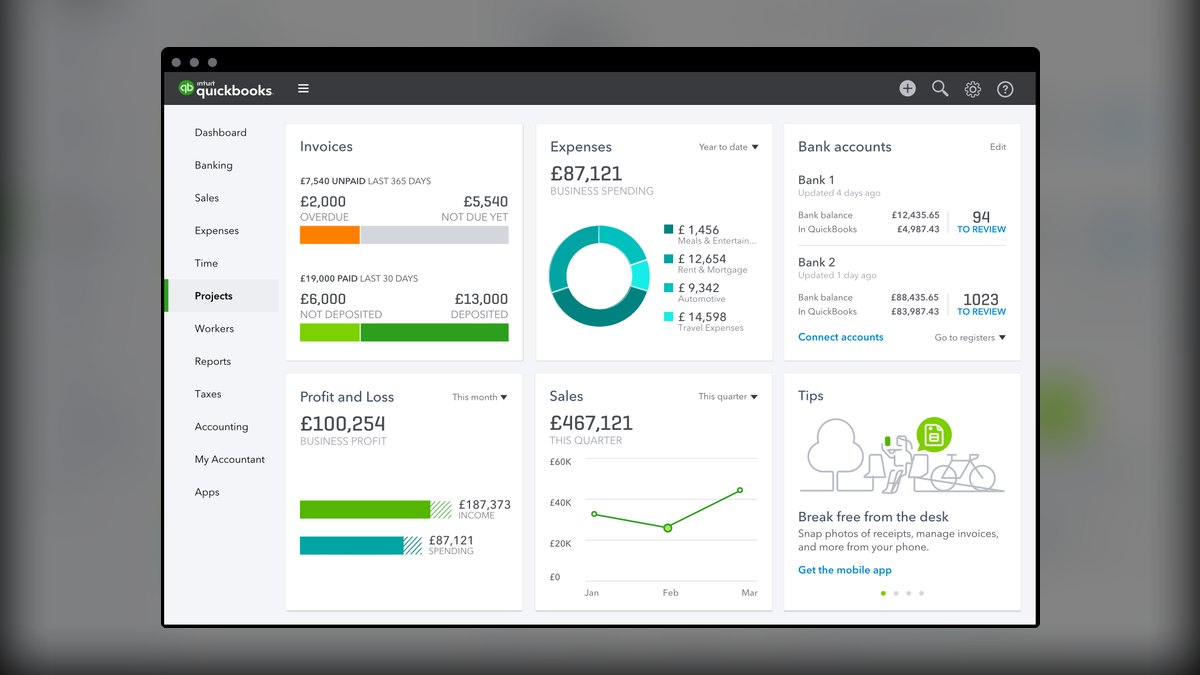
For a freelancer, that maps to a blunt heuristic. If you file a US Schedule C or a single-member LLC return, pay subcontractors who need 1099s, and collect sales tax in a US state, QuickBooks Online removes more friction. If you invoice in USD, EUR, and GBP from a base outside the US, or you already work with an accountant who lives in Xero, Xero removes more friction. Everything else — the AI features both vendors are shipping, the dashboard aesthetics, the app-store counts — is secondary noise that changes release to release.
There is also a RevOps angle that matters more than freelancers expect. The moment you start tracking a pipeline in a CRM, your accounting system stops being a tax chore and starts being the source of truth for realized revenue. Pipeline says what you might close; the ledger says what actually landed and when it got paid. Wiring those two together — closed-won deal creates an invoice, paid invoice writes back to the deal record — is what lets a solo consultant answer "what is my real collection lag" without a spreadsheet. QuickBooks Online has more native paths into that stack; Xero more often routes through an integration layer like Zapier or Make. That is a cost and a latency difference, not a capability wall.
One more thing that matters and rarely gets mentioned: who can help you when it breaks. In the US, walking into any bookkeeper's office with a QuickBooks Online file is a non-event — they have seen ten thousand of them. Handing them a Xero file is fine but occasionally means a slower onboarding or a slightly higher rate while they navigate a less familiar interface. In the UK, Australia, and New Zealand the polarity flips. Pick the platform your likely future accountant already speaks, because you will eventually hire one, and their comfort translates directly into billable hours you do or don't pay for.
The step-by-step process

Do not decide from review articles. Run both trials in parallel against your own real data — it takes about four hours of work spread over two weeks, and it is the only evaluation that produces a defensible answer.
Step 1 — Inventory your actual requirements before you open either trial. Write down, on one page: your tax jurisdiction and entity type; how many invoices you send per month; how many currencies you bill in; whether you pay any subcontractors; whether you collect sales tax or VAT/GST; which CRM, payment processor, and time tracker you use; and whether your accountant has a preference. That last one is a shortcut — if your accountant says "send me Xero," you are done, and the rest of this is confirmation.
Step 2 — Open both free trials on the same day. Both vendors run trials in the 14-to-30-day range, and both periodically run introductory discounts on the first several months. Use two browser profiles so the sessions don't collide. Do not accept the discount yet; you are testing, not buying.
Step 3 — Connect the same real bank account to both. This is the step people skip, and it is the most predictive one. Bank feed reliability varies by institution, not by vendor — one platform may have a rock-solid direct feed to your credit union while the other falls back to a flakier aggregator that drops out monthly. Connect the actual account you use, pull ninety days of history, and see which feed comes in cleanly and which one makes you re-authenticate.
Step 4 — Categorize thirty real transactions in each. Use the same thirty. Time yourself. Both platforms learn from your corrections and both propose categories automatically; what you are measuring is how often the suggestion is right for *your* spending patterns and how many clicks it takes to fix a wrong one. Xero's reconciliation screen batches this into a left-right match view that many people find faster; QuickBooks Online's is a list-and-confirm flow. Neither is objectively better — but one of them will annoy you, and you will do this every week for years.

Step 5 — Send one real invoice from each to a friendly client. Full round trip: build the invoice, apply your logo, attach payment (card and ACH/bank transfer), send it, and have them actually pay it. Then check what landed in your ledger. Confirm the processing fee posted as an expense, the deposit matched the bank feed, and the invoice closed automatically instead of requiring manual marking. Confirm what the client received looked professional on mobile.
Step 6 — Run your worst tax scenario. If you pay contractors, add one and walk the 1099 flow to the point just before filing. If you collect sales tax, set up your state or your VAT scheme and generate a return. If you bill in multiple currencies, invoice in a foreign currency, take payment, and see how the realized FX gain or loss posts. This is where the platforms genuinely separate, and it is the step that takes the longest.
Step 7 — Connect one integration you actually depend on. Your CRM, or your time tracker, or your payment processor. Check whether the connector is native or requires a middleware subscription, then push one real record through and see how long it takes to appear. Native connectors are typically near-real-time; middleware polling is often on a 1-to-15-minute cycle depending on your plan tier.
Step 8 — Export everything from both, then decide. Pull a general ledger, a P&L, a balance sheet, and a transaction-level CSV out of each. Confirm you can get your data out in a form your accountant accepts. Then pick, cancel the other trial, and commit — ideally at a fiscal year or quarter boundary so your books have a clean seam.
Costs, timelines, and typical ranges

Published headline pricing for both vendors sits in roughly the same band: entry tiers in the low-to-mid teens per month, mid tiers around $30–$40, and top small-business tiers in the $60–$90 range. Both run aggressive introductory discounts — often 50% off for the first several months, sometimes deeper — and both raise prices annually. Check the vendor pricing pages directly before committing, because these numbers move; treat any figure in any comparison article, including this one, as a shape rather than a quote.
The headline price is not what you will pay. Three things inflate it.
Tier creep from invoice limits and feature gates. Entry-level plans on both platforms are deliberately constrained. Xero's cheapest tier has historically capped the number of invoices and bills per month, which pushes any freelancer sending more than a handful of invoices up to the next tier almost immediately. QuickBooks Online gates features rather than volume — project profitability tracking, inventory, and 1099 filing have generally lived above the cheapest plan. Either way, the realistic freelancer tier is the middle one, not the entry one. Budget $30–$50/month, not $13–$15.
Payment processing. This is usually the largest line item and it belongs to the processor, not the accounting vendor. Card payments on invoices typically run in the high-2% plus a fixed cents charge; ACH or bank transfer is usually a much smaller percentage, sometimes capped. On $8,000 of monthly invoicing, the difference between all-card and all-ACH collection is often $200+ per month — an order of magnitude more than your subscription. If you optimize one thing, optimize the payment rail you push clients toward, not the $2/month software gap.
Add-ons for whatever your platform doesn't do natively. For a US freelancer on Xero, this typically means a 1099 e-filing service and possibly a sales-tax service. Per-form 1099 e-filing services generally charge a few dollars per form with volume discounts, and full sales-tax automation is a genuine monthly subscription that can rival or exceed your accounting subscription. Do not carry over any specific dollar figure for these from a comparison table — price them yourself for your form count and your state, because the range is wide and per-form pricing means the total scales with your contractor count. For a Xero user with multi-currency needs, the good news is that multi-currency is bundled into the top tier rather than sold separately; for QuickBooks Online, multi-currency availability and cost vary by region and plan, so verify on the pricing page for your country.

Middleware. If your CRM or time tracker needs Zapier, Make, or similar to reach your ledger, that is another $20–$40/month once you leave the free tier, and free tiers on those tools are usually too task-limited for a real workflow.
Realistic annual all-in for a working freelancer: $400–$900 in software (subscription plus add-ons plus middleware), plus payment processing that scales with revenue, plus $500–$2,500 for a bookkeeper or CPA at year-end depending on your complexity and market. The subscription line — the thing every comparison article obsesses over — is typically under a quarter of the total.
On timelines: a fresh setup with no history takes two to four hours (connect bank, build chart of accounts, brand your invoice template, set up payment). Backfilling a partial year of history yourself takes eight to twenty hours depending on transaction volume and how disciplined your records are. Migrating between platforms mid-history is the expensive one — expect a bookkeeper to quote several hundred to a couple thousand dollars, and expect to lose some transaction-level granularity regardless of who does it. Both vendors offer import tools; neither produces a perfect ledger from the other's export without cleanup. That asymmetry — cheap to start, expensive to switch — is exactly why the trial-both-in-parallel step is worth four hours up front.
Where teams get it wrong
Optimizing the $2/month gap while ignoring the $2,000/year one. The single most common error. People spend three weeks comparing entry-tier pricing and then leave every client paying by card because they never set up ACH. Rank your decisions by dollar magnitude: payment rail, then bookkeeper hours, then tier fit, then vendor choice. The vendor choice is genuinely the smallest of the four for most freelancers.

Choosing on dashboard aesthetics during a trial. A trial account with eleven transactions is beautiful in both products. What you actually experience is 400 transactions a month with ambiguous merchant names, and the thing that matters is how fast you can clear the queue and how good the auto-categorization gets after you've corrected it thirty times. Judge the reconciliation screen with real volume or don't judge it at all.
Discovering the tax gap in January. The classic Xero-in-the-US failure: everything works beautifully for eleven months, then you need to issue 1099s to four subcontractors and find out that path is an add-on service you have to set up, price, and learn under deadline. This is entirely avoidable — Step 6 above exists specifically for it. Run your worst tax scenario during the trial, in the calm part of the year, not in the last week of January.
Assuming a listed integration means a working workflow. "Connects with HubSpot" covers a wide spectrum: a native bidirectional sync, a one-way push, a third-party connector someone built and abandoned, or a Zapier recipe you assemble yourself. Before you rely on it, push one real record through and watch where it lands and how long it takes. A connector that syncs contacts but not invoice status is not the RevOps loop you thought you were buying.
Never reconciling, then paying someone to fix a year of it. Both platforms make weekly reconciliation a fifteen-minute job. Skipping it converts that into a multi-day forensic project for a bookkeeper at $60–$150/hour. Neither vendor prevents this failure and no AI feature meaningfully rescues you from it — the categorization suggestions are only as good as the corrections you've been feeding them, and a year of untouched feed data has taught the model nothing.
Mixing personal and business banking. Not a software problem, but it destroys the value of either platform. Auto-categorization on a commingled account produces noise you have to manually untangle every month, and it weakens the liability separation of an LLC. Open a dedicated business account before you open either trial — it makes the trial itself more informative.

Treating vendor AI feature announcements as a decision input. Both companies ship assistant features aggressively and both roadmaps move quarterly. Anything you choose today on the basis of an AI capability gap may be at parity in two release cycles. Choose on the structural differences — jurisdiction, currency handling, accountant availability, integration architecture — because those move on a scale of years, not quarters.
Skipping the export test. People find out their data is awkward to extract at the exact moment they most want to leave. Pull a full transaction-level export during the trial and confirm it opens cleanly and contains what your accountant needs. Both platforms do let you export; the question is whether the shape of the export survives contact with the other system, and you want that answer before you have three years of history.
Decision framework: when to choose what
Work the questions in order of how expensive they are to be wrong about, and stop at the first hard blocker.
Jurisdiction and entity first. US-based, filing Schedule C or single-member LLC, paying contractors, possibly collecting state sales tax → QuickBooks Online is the low-friction default. UK, Australia, New Zealand, or a business filing VAT/GST outside the US → Xero is the low-friction default. This one question resolves the decision for a large majority of freelancers and everything below is a tiebreaker.
Currency second. If you invoice in more than one currency routinely, check exactly what your candidate plan includes in your country and what tier unlocks it. Xero bundles multi-currency into its top tier; QuickBooks Online's multi-currency availability and pricing vary by region and plan. A freelancer billing USD, EUR, and GBP should treat FX handling as a primary requirement and test it in the trial — including how realized gains and losses post — rather than assuming it works.
Invoice volume third. Count your real monthly invoices. If it exceeds the entry tier's cap, price the middle tier on both platforms and compare there. Comparing entry tiers when you'll be on the middle tier is comparing prices you will never pay.

Accountant availability fourth. If you have a bookkeeper or expect to hire one within a year, ask them. Their fluency is worth more than any feature difference, and in a market where one platform dominates, it can be worth real money per year in billable hours.
Integration architecture fifth. If your work runs through a CRM and you want closed-won to invoice automatically, check whether the connector is native or middleware and price the middleware. This is the RevOps consideration, and it matters most for consultants with a real pipeline — less so for a designer invoicing from a project tool.
Reconciliation feel last, as the tiebreaker. If nothing above separates them, pick the one whose weekly reconciliation flow you preferred in Step 4. You will spend more cumulative time in that one screen than every other screen combined, and the platform you don't dread opening is the one whose books stay current.
Related questions
Can I just use a spreadsheet instead?
Until you exceed roughly $20k–$30k in annual revenue with simple expenses, a disciplined spreadsheet plus a separate business bank account is defensible. Past that — or the moment you pay contractors, collect sales tax, or want financing — the audit trail and reconciliation of real software is worth the $30/month.
Is there a free option worth considering?
Free and low-cost invoicing tools exist and work fine for very simple solo operations. The trade-off is a thinner integration ecosystem, fewer accountants who will touch it, and a migration later once you outgrow it. If you expect to scale, starting on the platform you'll end on avoids the switch entirely.
How hard is it to switch from Xero to QuickBooks Online later?
Harder than either vendor's marketing implies. Both offer import tools, but converting a live ledger between them typically means opening balances plus a fresh start, or paying a bookkeeper several hundred to a couple thousand dollars for a full historical conversion with cleanup. Switch at a fiscal year boundary if you must.
Does either handle my contractor payments as well as my invoicing?

Both track contractor payments as expenses; the difference is the year-end filing step. In the US, QuickBooks Online has that flow built in on its higher tiers, while Xero users typically route 1099 e-filing through a per-form third-party service. Test that path during the trial, not in January.
Should my CRM or my accounting system be the source of truth for revenue?
The ledger, always. Your CRM tracks pipeline and expectations; your accounting system records what was actually invoiced and collected. Sync deal data into accounting for automation, but report realized revenue from the books — that is the number a lender, buyer, or tax authority will accept.
FAQ
Is QuickBooks Online or Xero cheaper for a freelancer?
At the tier a working freelancer actually needs — typically the middle plan — they land within a few dollars a month of each other, and introductory discounts on both routinely swamp the difference for the first year. The real cost separation comes from add-ons: a US freelancer on Xero usually pays extra for 1099 e-filing and possibly sales tax automation, while a multi-currency freelancer may pay more on QuickBooks Online depending on region and plan. Price your specific add-on stack, not the headline subscription.
Which one is easier to learn if I have never done bookkeeping?
Xero's reconciliation screen is the one most people describe as more intuitive on first contact, and its overall interface is cleaner. QuickBooks Online has more surface area, which makes it denser initially but means fewer dead ends later. The bigger learning-curve factor is not the software — it is understanding what a chart of accounts is and what counts as a deductible expense. Both vendors publish extensive free training, and both have large communities. Budget a few hours of learning regardless of which you pick.

Do I need the AI features either platform advertises?
No, and you should not choose on them. The genuinely useful automation in both — bank feed categorization that learns from your corrections, receipt capture from a phone photo, invoice reminders — has existed for years and is standard on both. Newer assistant features are moving targets that both vendors are shipping and revising continuously, so a gap you see today may close before your first renewal. Choose on jurisdiction, currency, and integration architecture; those change on a scale of years.
Can my accountant access my books directly on either?
Yes. Both platforms have a dedicated accountant/bookkeeper access model that lets a professional log in to your file with appropriate permissions, at no additional subscription cost to you. This is a significant improvement over emailing files and you should set it up on day one — it also means your accountant can spot a categorization problem in March instead of discovering it in April.
What happens to my data if I stop paying?
Both vendors move a lapsed account into a read-only or limited state for a period before restricting access, and both let you export your data. Do not rely on the grace window — pull a full transaction-level CSV export, plus a general ledger, P&L, and balance sheet, before you cancel anything. Keep those exports somewhere durable; you may need them years later for an amended return or an audit.
I run a small RevOps consultancy, not just freelance gigs. Does that change the answer?
It pushes toward QuickBooks Online in the US, mainly for two reasons: project-level profitability tracking on the higher tiers, which lets you see margin per client engagement rather than just aggregate revenue, and the denser set of native CRM connectors for wiring closed-won deals to invoices. If you're building a real revenue loop between pipeline and ledger, fewer middleware hops means less latency and fewer silent sync failures to debug.
Sources
- QuickBooks Online pricing
- Xero plans and pricing (US)
- IRS — Forms 1099-NEC and 1099-MISC instructions
- IRS — Self-employed individuals tax center
- SBA — Manage your finances
- Xero Central — Multi-currency accounting
- Intuit QuickBooks — Support and tutorials
- IRS — Recordkeeping for businesses
Related on PULSE
This page will be disappearing soon. Save it to your device for $1 — or read it free while it is here.
@Kory-White- · if Venmo asks, the last 4 of my number are 2012
This page is gone.
This one is off the shelf now. $1 keeps it on your phone for good — the whole page, pictures and diagrams included.
 pulse-qShould I Hire a Fractional CRO If My Last Two Sales Hires Failed in 2026?
 pulse-qHow Many Sales Reps Do I Need to Hire for My Pest Control Company in 2026?
 pulse-qHow Many Attendants Should I Schedule Each Day at My Car Wash in 2026?
 pulse-qHow Many Employees Should I Schedule Each Shift at My Language School in 2026?
 pulse-qHow Many Stylists Should I Schedule Each Day at My Hair Salon in 2026?
 pulse-qDo I Need a Fractional CRO for My Home Services Business in 2026?
 pulse-qHow Many Employees Should I Schedule Each Day at My Butcher Shop in 2026?
 pulse-qShould I Hire a Fractional CRO If I Need to Build My First Sales Playbook in 2026?
 pulse-qDo I Need a Fractional CRO for My Auto Dealership in 2026?
 pulse-qHow Many Sales Reps Do I Need to Hire for My Mold Remediation Company in 2026?