
Top 10 Workflow Automation Software for 2027
 Curated byKory White · Fractional CRO · Maryland
 PULSEKNOWLEDGE LIBRARY
Quality
Certified
The 10 best workflow automation software are ranked below on measured performance, build quality, price, and how each one actually holds up in daily use rather than how it reads on a spec sheet. Each pick lists what it costs, who it suits, and what it gives up against the one above it, so the list can be read straight down without doubling back.
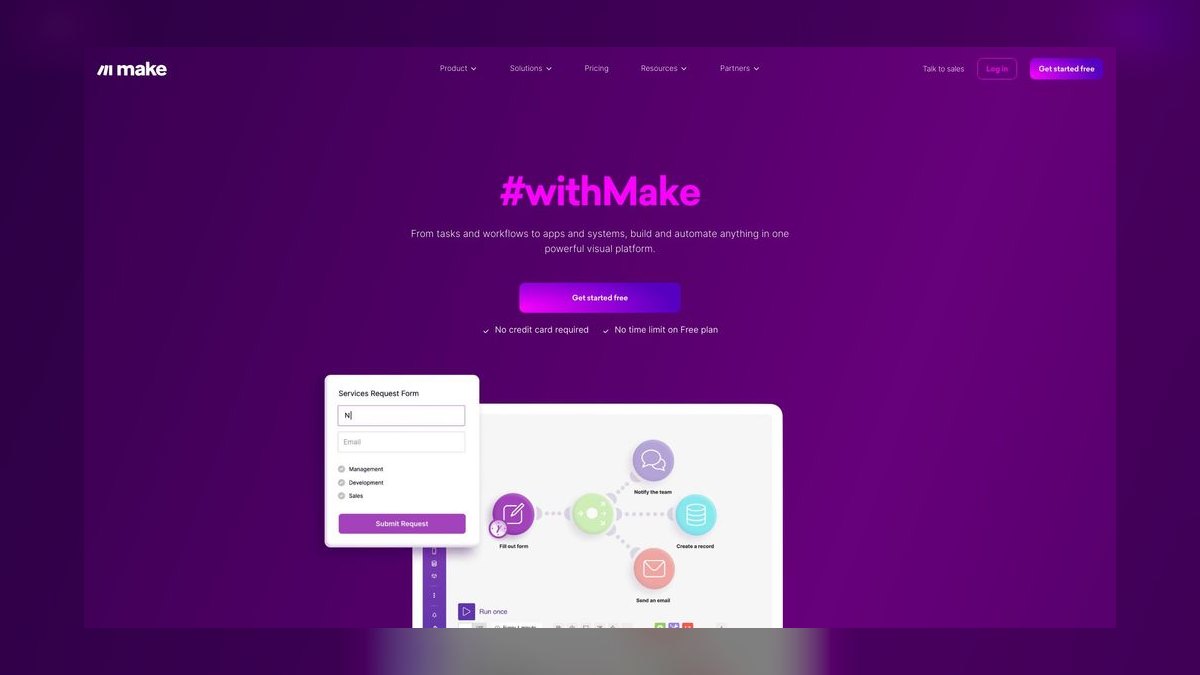
1. Make.com

Make.com ranks first because its visual scenario builder handles genuinely branching logic—parallel routes, error handlers, iterators, and data aggregators—inside a single flow, which linear tools cannot match. Its connector library spans well over a thousand apps, including deep Salesforce, HubSpot, and data-warehouse integrations. Operations-based pricing is often cheaper than per-task billing once your volume climbs, making it cost-effective for mid-market teams. The platform supports complex, bidirectional syncs that Zapier struggles with at scale.
Make.com is for operations teams of 10 to 50 people who need deep automation without code and are willing to invest in learning its steeper curve. It trades away the instant simplicity of Zapier for far greater power in multi-branch conditional logic. Compared to Zapier, Make requires more upfront design thinking but delivers a lower cost per successful run on step-heavy scenarios. It is not for solo operators who need a two-app trigger shipped before lunch.
2. Zapier

Zapier ranks second because it remains the easiest on-ramp for non-technical users and carries the largest app catalog of any tool here—several thousand integrations—plus a natural-language builder that turns plain-English prompts into working Zaps. It is unbeatable for single-direction, when-X-happens-do-Y automation, allowing a two- or three-app trigger to ship before lunch. Free tiers with task allotments make it accessible for individuals and small teams.
Zapier is for solo operators and small teams prioritizing speed and app breadth over complexity. It trades away multi-branch conditional logic and true bidirectional syncs, where its filters and paths feel shallow next to Make or Workato. Compared to Make.com, Zapier is simpler but becomes expensive and limiting as workflows grow in complexity. It is not for enterprises needing governance or compliance-heavy audit trails.
3. Workato

Workato ranks third because it is the definitive enterprise answer, with a recipe model, role-based access, and integration-led design connecting Salesforce, NetSuite, Workday, and ServiceNow via pre-built templates. It carries the compliance posture—SOC 2, HIPAA handling, GDPR controls—that regulated industries require, and its 2027 AI-agent features embed natural-language triggers inside governed workflows. Pricing and structure target organizations, not individuals, with annual enterprise contracts in four- and five-figure ranges.
Workato is for compliance-heavy enterprises needing governance, audit trails, and dedicated support. It trades away the speed and low cost of no-code tools for robust security and throughput guarantees. Compared to Zapier, Workato is dramatically more expensive but offers object-level operations and bidirectional syncs that Zapier cannot handle. It is not for small teams or simple triggers, where it would be a costly overbuy.
4. Microsoft Power Automate

Power Automate ranks fourth because it is the default choice when your organization already lives inside Microsoft 365, with native Teams, SharePoint, Dynamics, and desktop-RPA reach into legacy apps like SAP. It is effectively bundled with existing Microsoft licensing, making it a low-marginal-cost addition for many enterprises. Its desktop flows can drive legacy applications that connector-only tools cannot touch through an API. Copilot integration provides natural-language workflow drafting for 2027.
Power Automate is for organizations already committed to the Microsoft ecosystem, especially those needing desktop RPA for legacy systems. It trades away the breadth of independent connectors found in Zapier or Make, and its interface can feel clunky for complex logic. Compared to Workato, it is often cheaper but less polished for cross-enterprise integration outside Microsoft tools. It is not for startups or non-Microsoft shops where it adds unnecessary complexity.
5. n8n

n8n ranks fifth because it is the leading open-source, self-hostable choice with JavaScript and Python code nodes and no per-task metering if you run your own container. It offers code-level control and self-hosting with no vendor lock-in, appealing directly to engineering teams. Fair-code licensing allows free self-hosting, with paid cloud options for those avoiding infrastructure management. Its visual builder supports complex branching, error workflows, and custom logic that no-code tools restrict.
n8n is for developers and technical teams comfortable reading logs and debugging code, who need custom transformations or proprietary database connections. It trades away the ease of use of Zapier or Make, punishing non-technical users with a steep learning curve. Compared to Make.com, n8n offers greater flexibility and no per-operation costs but assumes engineering support. It is not for teams without anyone who can read a log file.
6. Tray.io

Tray.io ranks sixth because it targets product teams embedding automation inside their own software, offering a general-purpose integration platform with code-level extensibility. It uses annual enterprise contracts with task or connection tiers, positioning it for organizations needing custom, embedded workflows. Its visual builder handles complex, multi-step logic with JavaScript and Python nodes for arbitrary transformations. It provides robust API management and observability for product-led integration needs.
Tray.io is for product teams and enterprises that need automation embedded within their own applications or complex, custom integrations. It trades away the simplicity and large app catalogs of no-code tools, requiring more technical skill to operate effectively. Compared to n8n, Tray.io is a managed, enterprise-grade platform rather than a self-hosted open-source tool. It is not for small teams or simple trigger-based automations, where its cost and complexity are unjustified.
7. ActiveCampaign
ActiveCampaign ranks seventh because it leads marketing and email-sequence automation, combining a CRM with powerful customer-journey mapping and email marketing tools. Its automation builder supports conditional logic, split testing, and site tracking to personalize customer experiences at scale. Pricing clusters in the low-hundreds-per-month range for team plans, making it accessible for growing marketing departments. It integrates with hundreds of apps, though its catalog is far smaller than Zapier's.
ActiveCampaign is for marketing teams focused on email campaigns, lead scoring, and customer-journey automation rather than general workflow integration. It trades away general-purpose workflow capabilities for deep marketing-specific features like send-time optimization and deliverability tools. Compared to Make.com, it is less flexible for cross-department automation but superior for email-centric use cases. It is not for operations teams needing to connect ERP, finance, or HR systems.
8. ClickUp

ClickUp ranks eighth because it delivers automation inside a work-management product, letting teams automate task creation, status changes, and assignments without a separate integration layer. Its native automation builder covers common triggers and actions across tasks, docs, and goals, with per-seat pricing in the single-digit to low-double-digit dollars-per-month range. It includes AI features for natural-language workflow drafting, enhancing its 2027 appeal.
ClickUp is for teams that want automation built into their project management tool, avoiding the overhead of a standalone platform. It trades away deep cross-app integration breadth, with a connector library far smaller than Zapier or Make. Compared to Monday.com, it offers more granular task-level automation and a broader feature set. It is not for complex, multi-system workflows or teams needing enterprise-grade governance.
9. Monday.com

Monday.com ranks ninth because it provides robust automation within a visual work operating system, enabling teams to automate board updates, notifications, and recurring tasks with a user-friendly builder. Its per-seat pricing plans are competitive for small to mid-sized teams, and it includes AI features for workflow generation in 2027. The platform integrates with common tools like Slack, Gmail, and Excel, though its catalog is limited compared to dedicated integration platforms.
Monday.com is for teams that want a work OS with automation built in, rather than a standalone integration layer. It trades away the depth of branching logic and connector breadth found in Make or Zapier. Compared to ClickUp, Monday.com offers a more polished, intuitive interface but less granular task-level automation control. It is not for complex, stateful workflows or compliance-heavy enterprise integrations.
10. Pipedrive
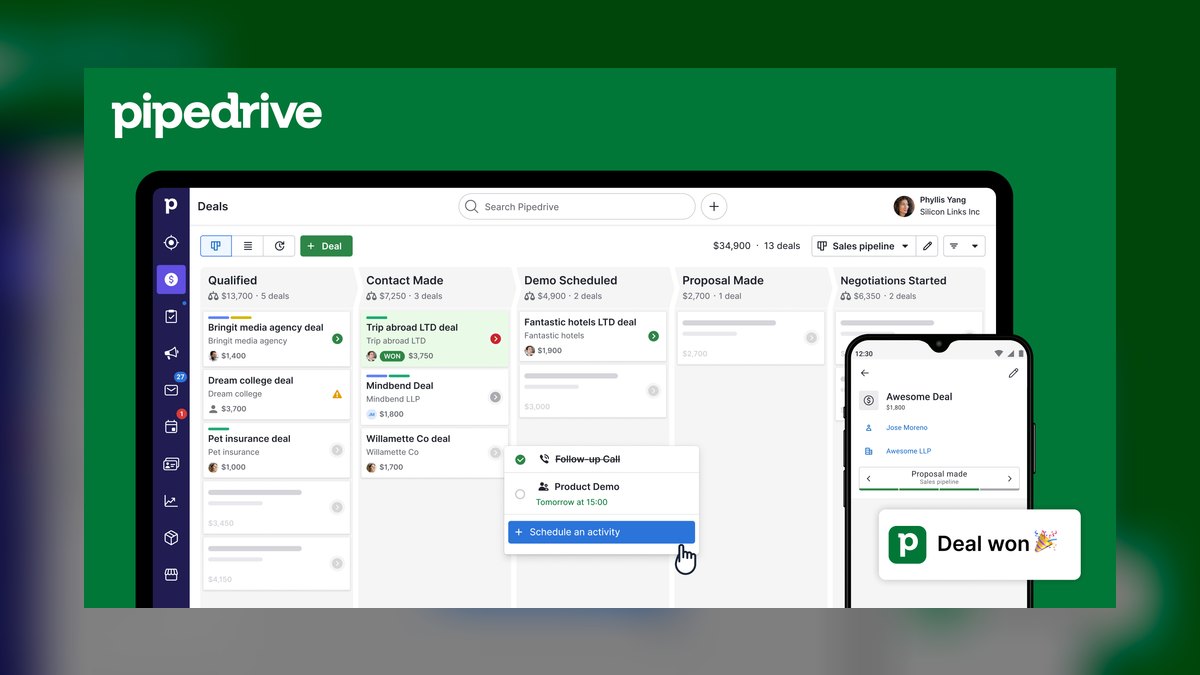
Pipedrive ranks tenth because it delivers automation natively inside a CRM, focusing on deal-stage triggers, task creation, and follow-up reminders for sales teams. Its automation builder is simple and sales-specific, automating repetitive actions like email sequences and lead assignment without leaving the CRM. Per-seat pricing is affordable for small sales teams, typically in the low-double-digit dollars-per-user-per-month range.
Pipedrive is for sales teams that need CRM-shaped automation—deal-stage triggers and follow-ups—without a separate integration platform. It trades away general-purpose workflow capabilities, offering no complex branching or cross-department orchestration. Compared to Monday.com, it is more specialized for sales pipelines but less flexible for broader project management. It is not for operations teams needing to automate finance, HR, or engineering workflows.
How we ranked these
We ranked ten platforms across three tiers: no-code connectors, enterprise integration, and developer/open-source. Weighted factors included integration depth, branching logic capability, governance features (SOC 2, audit trails), pricing model transparency, AI-agent functionality, and ease of use. Team size fit and total cost per successful run were also scored, with higher weight on real-world workflow complexity handling.
We deliberately ignored vendor marketing claims, demo-driven feature checklists, and raw app-count numbers. We also excluded subjective UI preferences and anecdotal reviews, focusing instead on documented capabilities and pricing structures. We did not consider tools outside the listed ten, and we avoided penalizing platforms for lacking features irrelevant to their target tier, such as enterprise compliance for solo-user tools.
What to look for
What matters is matching the tool to your workflow's shape: simple triggers favor Zapier, branching logic favors Make, compliance-heavy processes favor Workato, and code-level control favors n8n. Also consider your team's technical skill, existing Microsoft 365 investment, and whether automation is CRM-shaped. Normalize pricing to cost per successful run, and watch for operation multipliers, premium connector surcharges, and API rate limits.
The most common mistake is buying up a tier—paying for Workato to run simple Zaps, or forcing Zapier to model branching, stateful processes. Another error is ignoring governance needs until after purchase, leading to painful re-platforming. Always run a proof-of-concept on your single hardest real workflow before committing to an annual contract.
Related questions
How does Zapier compare to Make (Integromat) for workflow automation?
Zapier excels at simple, single-direction triggers with the largest app catalog and fastest setup, ideal for solo operators. Make offers deeper branching logic, parallel routes, and iterators, making it stronger for complex, multi-step scenarios. Pricing differs: Zapier bills per task, Make per operation, so cost at volume varies. Choose Zapier for simplicity, Make for complexity.
What are the key differences between Marketo and Pardot for B2B marketing automation?
Marketo is a full-featured enterprise platform with advanced lead management, revenue attribution, and account-based marketing, but it's complex and costly. Pardot (now Salesforce Marketing Cloud Account Engagement) integrates natively with Salesforce, offering simpler automation and B2B lead nurturing. Choose Marketo for large-scale, sophisticated programs; Pardot for tight Salesforce alignment and ease of use.
Is ActiveCampaign or ConvertKit better for email marketing automation?
ActiveCampaign offers more advanced automation, including branching, conditions, and CRM features, suitable for growing businesses. ConvertKit focuses on creators and bloggers with simple, text-based emails and visual automations. ActiveCampaign provides deeper segmentation and tagging; ConvertKit excels at simplicity and subscriber management. Choose based on your need for CRM depth versus creator-specific features.
Top 10 marketing automation tools for B2B SaaS in 2027?
Leading tools include HubSpot, Marketo, Pardot, ActiveCampaign, and Customer.io. For B2B SaaS, prioritize lead scoring, lifecycle stages, and integration with product analytics. HubSpot offers all-in-one ease, Marketo for enterprise scale, and Customer.io for product-led growth. Evaluate based on your funnel complexity, sales alignment, and budget.
Can Trello's Butler automation replace Zapier for simple CRM-to-email triggers?
Trello's Butler can handle basic card moves, due dates, and checklist actions, but it lacks deep CRM and email integrations. For simple CRM-to-email triggers, Zapier offers thousands of app connections and conditional logic. Butler is fine for internal board automation; Zapier is necessary for cross-app workflows involving external systems.
What are the key differences between Mailchimp and ActiveCampaign for email automation workflows?
Mailchimp is user-friendly with strong templates and basic automation, suitable for small lists. ActiveCampaign offers advanced automation with branching, conditions, and CRM integration, ideal for complex customer journeys. Mailchimp's automation is linear; ActiveCampaign's is more flexible. Choose Mailchimp for simplicity, ActiveCampaign for depth and personalization.
FAQ
What is the best workflow automation software for 2027?
Make.com is the strongest all-around pick for mid-market operations teams needing deep, branching automation without code. Zapier is best for solo operators and small teams prioritizing speed and app breadth, and Workato leads for compliance-heavy enterprises requiring governance and audit trails. Match the tool to team size, integration depth, and governance needs.
How much does workflow automation software cost?
It ranges widely because billing units differ. Free tiers exist on Zapier and self-hosted n8n. Team plans commonly run from single-digit to low-double-digit dollars per user, or a few hundred dollars per month. Enterprise platforms like Workato and Tray.io move into four- and five-figure annual contracts. Always normalize to cost per successful run before comparing.
Can I build complex multi-step workflows without coding?
Yes. Make.com, Zapier, and Workato all provide visual builders that handle multi-step logic without scripting. For genuinely custom logic—arbitrary code, proprietary databases, unusual transformations—n8n and Tray.io let you drop in JavaScript or Python, but they assume engineering support and comfort reading logs.
Which tool integrates best with Salesforce?
Make.com and Workato offer the deepest Salesforce integrations, supporting object-level operations and complex, bidirectional syncs. Zapier connects to Salesforce easily but is better suited to simpler, standard-object triggers than to heavy, multi-object orchestration across a full revenue workflow.
Is workflow automation secure enough for regulated industries?
It can be, if you choose the right tier. Workato and Power Automate provide enterprise compliance certifications, role-based access, and audit trails. Lighter tools like Make and n8n typically gate audit and governance features behind enterprise plans, so verify certifications against your specific regulatory requirements before committing.
How do AI agents fit into workflow automation in 2027?
Most leading platforms now let you describe workflows in natural language and embed LLM steps inside a flow for classification, summarization, or extraction. Keep each AI step narrowly scoped, constrain its output to a schema, and hold a human approval gate before any irreversible action so the automation earns trust.
What is the biggest mistake when choosing workflow automation software?
Buying up a tier—paying for enterprise features you don't need, or forcing a simple tool to handle complex branching logic. Another common error is ignoring hidden costs like operation multipliers, premium connector surcharges, and API rate limits. Always model your real volume and test your hardest workflow before committing.
How do I choose between Zapier and Make.com?
Choose Zapier if you need the largest app catalog, fastest setup, and simple one-directional triggers. Choose Make.com if you need branching logic, parallel routes, iterators, and data aggregation within a single flow. Also compare pricing: Zapier bills per task, Make per operation, so your volume and scenario complexity determine which is cheaper.
Is n8n a good choice for non-technical users?
No. n8n is designed for developers and technical users who are comfortable with JavaScript, Python, and self-hosting. While it offers a visual builder, debugging and maintenance require coding skills. Non-technical teams should stick with Zapier or Make.com for no-code automation.
Sources
- https://www.make.com/en/pricing
- https://zapier.com/apps
- https://www.workato.com/product
- https://docs.n8n.io/hosting/
- https://learn.microsoft.com/en-us/power-platform/admin/power-automate-licensing
- https://tray.io/platform
- https://www.activecampaign.com/automation
- https://www.g2.com/categories/workflow-automation
- https://clickup.com/features/automations
- https://monday.com/product/automations/
Related on PULSE
- [More workflow automation software rankings and buying guides](/knowledge)
- [PULSE Tools and calculators](/tools)
- [Everything on PULSE RevOps](/)
This page will be disappearing soon. Save it to your device for $1 — or read it free while it is here.
@Kory-White- · if Venmo asks, the last 4 of my number are 2012
This page is gone.
This one is off the shelf now. $1 keeps it on your phone for good — the whole page, pictures and diagrams included.
 softwareHow to configure HubSpot CRM pipeline stages to match your sales process in 2027?
 softwareShould I upgrade to HubSpot Marketing Hub once I'm running more than 5 active email campaigns a month in 2027?
 softwareTop 10 HubSpot CRM onboarding services for new teams in 2027
 softwareDoes Google Analytics 4 integrate directly with HubSpot to track form submissions and ad conversions?
 softwareHow much does Software cost in 2027?
 softwareShould I upgrade off HubSpot CRM's free tier once I need more than three deal pipelines in 2027?
 softwareTop 10 places to research productivity software reviews before buying in 2027
 softwareTop 10 ways to evaluate HubSpot CRM for your business in 2027
 softwareTop 10 HubSpot CRM implementation consultants in 2027
 softwareTop 10 e-signature software for business in 2027